1
Service
Troubleshooting the Oscilloscope
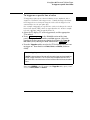
To run the internal self-tests
1 Perform the display test (54615B/16B only.)
a Press Print/Utility .
b Press the Service Menu softkey, then the Self Tst Menu softkey, and
then the Display softkey.
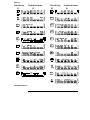
c Do the half bright and full bright squares appear?
If yes, continue with the steps below. If not, replace the display.
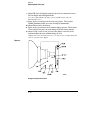
d Press any key to continue. Do squares appear in the four corners?
If yes, the display is good. If not, replace the display.
f Press any key to end the test.
If you still have the failing symptom, replace the system board.
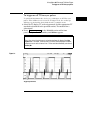
2 Perform the display test (54616C only.)
a Press Print/Utility .
b Press the Service Menu softkey, then the Self Tst Menu softkey, and
then the Display softkey.
c Do 5 rows of characters appear (white, inverse white, red, green, and
blue) and 4 rectangles of white,red,green, and blue appear?
If yes, continue with the steps below. If not, replace the display.
d Press any key to continue. Does a black screen appear?
If yes, the display is good. If not, replace the display.
e Press any key to continue. Does a white screen appear?
If yes, the display is good. If not, replace the display.
f Press any key to continue. Does a red screen appear?
If yes, the display is good. If not, replace the display.
g Press any key to continue. Does a green screen appear?
If yes, the display is good. If not, replace the display.
h Press any key to continue. Does a blue screen appear?
If yes, the display is good. If not, replace the display.
i Press any key to end the test.
If you still have the failing symptom, replace the system board.
4–41