1
Setting Up: Chapter 1
MIDI HOOKUP
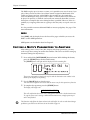
If you are using a MIDI keyboard or sequencer, connect its [MIDI OUT] to the DM5’s
[MIDI IN]. If you have another MIDI device you wish to control from the same
keyboard or sequencer, connect the DM5’s [MIDI OUT/THRU] to the other device’s
[MIDI IN]. This also requires that you turn the DM5’s MIDI Thru parameter on.
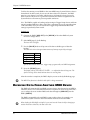
To turn on the MIDI Thru parameter:
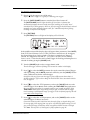
1 Press the [MIDI] button.
The [MIDI] button will light.
2 Press the [
] button twice to select the Thru parameter.
The Thru parameter’s value will flash.
3 Turn the [VALUE] knob clockwise until the Thru parameter’s value reads
“On”.
For more information about MIDI connections, see Chapter 3.
DM5 Reference Manual
7