1
Hotkeys
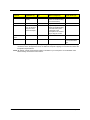
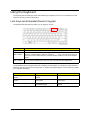
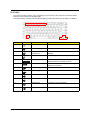
The computer employs hotkeys or key combinations to access most of the computer's controls like screen
brightness, volume output and the BIOS utility.
To activate hotkeys, press and hold the <Fn> key before pressing the other key in the hotkey combination.
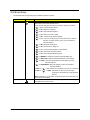
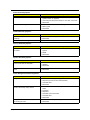
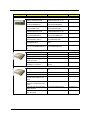
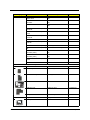
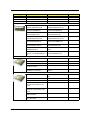
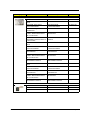
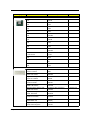
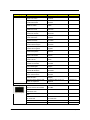
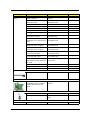
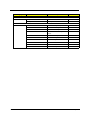
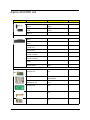
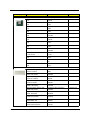
Hot Key
Function
Description
Fn-F1
Hot key help
Displays help on hot keys.
Fn-F2
Acer eSettings
Launches the Acer eSettings in Acer eManager.
Fn-F3
Acer ePower
Management
Launches the Acer ePowerManagement in Acer
eManager.
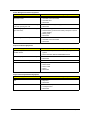
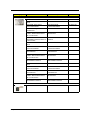
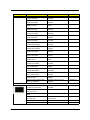
Fn-F4
Sleep
Puts the computer in Sleep mode.
Fn-F5
Display toggle
Switches display output between the display screen,
external monitor (if connected) and both.
Fn-F6
Screen blank
Turns the display screen backlight off to save power.
Press any key to return.
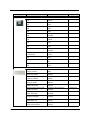
Fn-F7
Touchpad toggle
Turns the internal touchpad on and off.
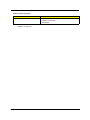
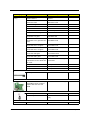
Fn-F8
Speaker toggle
Turns the speakers on and off.
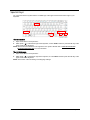
Fn-w
Volume up
Increases the speaker volume.
Fn-y
Volume down
Decreases the speaker volume.
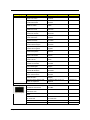
Fn-x
Brightness up
Increases the screen brightness.
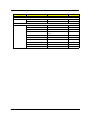
Fn-z
Brightness down
Decreases the screen brightness
Chapter 1
Icon
15