1
MITEL
5320/5330/5340
IP Phone User Guide
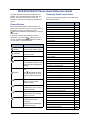
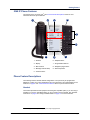
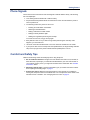
5320/5330/5340 IP Phone Quick Reference Guide
This guide provides information for frequently used
features. For more information about these and other
features, refer to the user guide. For voice mail
information, refer to the voice mail user guide for your
system.
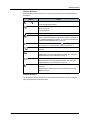
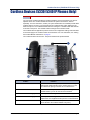
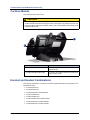
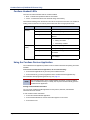
Feature Buttons
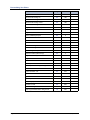
Commonly Used Feature Codes
Contact your system administrator for more information
about system features.
Feature
Code
ACD Agent – Log In/Out
328
Most of the following feature codes work when your
phone is idle. However, if you are on an active call or if
the phone is off-hook, you may need to press
(Special) to activate the feature before you enter the
feature code.
Automatic IC Call Access – On/Off
361
Automatic Trunk Call Access – On/Off
360
Background Music – On/Off
313
Call Forward – All Calls
355
If you make a mistake when entering numbers or
characters, you can press
(Hold) to move the
cursor to the left and delete the characters entered, or
you can press * to cancel the feature.
Call Logging
333
Conference
5
Button
Action
Default Station
394
Directory
307
Display Time And Date
300
(Up)
Provides volume control.
Do-Not-Disturb – On/Off
372
(Down)
Scrolls through feature options.
Handsfree – On/Off
319
Activates Handsfree Mode.
Headset – On/Off
317
Activates features.
Hold – Individual
336
(Mute)
Mutes the microphone during a
call.
Hold – System
335
(Applications)
Activates the Application menu
to view system information and
adjust Contrast and Brightness
settings.
Hunt Group – Remove/Replace
324
Message – Cancel Left Message
366
Message – Delete Message
368
Message – Leave Message
367
Message – View Messages Menu
365
Microphone Mute – On/Off
314
Page Receive – On/Off
325
Personal Call Routing – On/Off
364
Personal Call Routing Handoff
388
Program Buttons
397
Program Station Password
392
Programmable Buttons – Default
395
(Speaker)
Activates features while on a
call.
(Special)
(Redial)
(Hold)
The
(Special) button does
not cancel features. To cancel
features, press the Star button
(*).
Calls the last external number
dialed. You cannot redial
internal numbers.
Places the current call on hold.
Left/Backspace when entering
dialpad characters.
(Transfer)
(Message)
Queue (Callback) Request
Record-A-Call
6
385
Transfers the current call.
Reverse Transfer (Call Pick-Up)
Right/Forward when entering
dialpad characters.
Ring Tone Selection
398
Station Speed Dial
382
Connects to voice mailbox and
notifies when you have
messages.
Station Speed Dial – Programming
383
Switch Keymap
399
System Forward – On/Off
354
System Speed Dial
381
View Button Assignments
396
Toggles between Alpha Mode
and Numeric Mode.
Mitel® 5320/5330/5340 IP Phone User Guide – Issue 3, September 2009
4
Answering Calls
Placing Conference Calls
Lift the handset, or press
(Speaker) to
answer a call while using a headset or to answer
a call in Handsfree Mode.
Placing Emergency Calls
Dial the emergency number (911 U.S. or
999/112 Europe). The system immediately places
the emergency call as soon as you dial the
number, even if you do not select an outside line.
Placing Internal (Intercom) Calls
With or without the handset lifted, dial the
extension number. If you enter incorrect digits,
you can press
(Hold) to move the cursor
backward, deleting the last digits entered. If you
are using Handsfree Mode, listen for the double
tone, and then begin to speak.
Placing External Calls
Press the Outgoing button, an unlit Call button,
or enter the Outgoing Call access code (8 is the
default code), and then dial the number.
Redialing External Numbers
With or without the handset lifted, press the
(Redial). The system automatically selects
a line and dials the number.
Transferring Calls to Other Extensions
1. While on the call, press
(Transfer), and
then enter the extension number.
2. Do one of the following:
• Wait for an answer, announce the call, and
then hang up. If the extension is
unavailable, press the flashing IC or Call
button to return to the caller.
• Hang up to transfer the call and disconnect
the call from your phone.
1. While on the first call, press the Conf button to
place the call on hold. CALL NEXT PARTY TO
CNF appears.
2. Place a call to the next conference party. For
external calls, press the Outgoing button or
enter the Outgoing Call access code (8 is the
default code), and then dial the number.
3. After the party answers, announce the
conference, and then press the Conf button to
place the call on hold. If necessary, repeat this
step to add the remaining conference party.
4. Press the Conf button again to start the
conference. CNF IN PROGRESS appears.
Viewing and Responding to Messages
1. With the handset on-hook, press
(Message)
or the VIEW MESSAGE menu button (5340 IP
Phones only). Messages are displayed as first in/
first out. If there is more than one message, you
can repeatedly press
(Message) to scroll
through the messages.
2. When the desired message is displayed, press #,
or lift the handset for privacy, and then press # to
respond. (If your handset is off-hook and you
press
[Message], you automatically place a
call to the party or message center who left the
message.)
Using Do-Not-Disturb
1. Press the DND button, and then do one of the
following:
• Press
(Up) or
(Down) to scroll
through the messages.
• Enter the two-digit number for the DND
message.
2. If applicable, enter the additional text for the
DND description.
3. Press
handset.
Forwarding Calls
1. Press the Fwd button, and then enter the feature
code, if applicable. ENTER FORWARD DEST
appears.
2. Enter the extension number, or press the
Outgoing button or enter the Outgoing Call
access code (8 is the default code), and then dial
the telephone number.
(Speaker), or lift and replace the
Placing a Page Announcement
1. Press 7.
2. Enter the page-zone number (0 to 9).
3. After the tone, make your announcement, and
then hang up.
Mitel® 5320/5330/5340 IP Phone User Guide – Issue 3, September 2009
Notice
This guide is released by Mitel Networks Corporation and provides information necessary to use the
5320/5330/5340 IP Phones. The guide contents, which reflect current Mitel standards, are subject to revision or
change without notice.
Some features or applications mentioned may require a future release and are not available in the initial release.
Future product features and applications are subject to availability and cost. Some features or applications may
require additional hardware, software, or system administrator assistance.
For sales, service, or technical support, contact your local authorized provider:
Enter provider information above.
If you do not know the contact information for your local provider, use the “Partners” link at the top of the Mitel home
page (www.mitel.com) to find a location near you.
If you have any questions or comments regarding this user guide or other technical documentation, contact the
Technical Publications Department (USA) at:
[email protected]
Mitel® is a registered trademark of Mitel Networks Corporation.
All other trademarks mentioned in this document are the property of their respective owners, including Mitel Networks
Corporation. All rights reserved.
© 2008-2009 Mitel Networks Corporation
Personal use of this material is permitted. However, permission to reprint/republish this material for advertising or
promotional purposes or for creating new collective works for resale or redistribution to servers or lists, or to reuse
any copyrighted component of this work in other works must be obtained from Mitel.
Mitel® 5320/5330/5340 IP Phone User Guide – Issue 3, September 2009
Page i
Important Safety Instructions and Precautions
Remember the following safety guidelines when using the phone.
Programming Emergency Numbers
Make sure to do the following when programming emergency numbers and/or making test calls to emergency
numbers:
• Remain on the line and briefly explain to the dispatcher the reason for the call.
• Perform tests during off-peak hours such as early morning or late evenings.
Safety Notices
The following notices may appear on the product or in the technical documentation.
Notice
Description
Caution indicates a potentially hazardous situation which, if not avoided, may result in minor
or moderate injury and/or damage to the equipment or property.
Warning indicates a potentially hazardous situation which, if not avoided, could result in
death or serious injury.
Danger indicates an imminently hazardous situation which, if not avoided, will result in death
or serious injury.
The exclamation point within an equilateral triangle indicates that important operating and
maintenance (servicing) instructions are included in the literature accompanying the
product.
Maintenance and Repair
There are no user serviceable parts inside the phones. For repairs, return the phone to an authorized Mitel provider.
NOTE
Page ii
Changes or modifications not expressly approved by Mitel may void the user’s right to operate the
equipment.
Mitel® 5320/5330/5340 IP Phone User Guide – Issue 3, September 2009
Power Requirements
CAUTION
Phone Damage Hazard. To avoid damaging the phone, make sure the phone is connected to the proper power
supply before powering on. Contact your system administrator for more information.
The phone requires any one of the following power supplies:
• Mitel 48-volt DC Ethernet power adaptor 100-240 volt AC 50-60Hz (ES) -part number 50005301
• An industry-standard IEEE 802.3af Power over Ethernet (PoE) power supply unit
If your phone uses a centralized PoE power supply unit, do not use the 48-volt DC Ethernet power adaptor. If
necessary, contact your system administrator for assistance before connecting your phone to the centralized power
source.
Make sure the phone is plugged into an uninterruptible power supply (UPS). If your phone is plugged into the UPS
and the power fails, it should remain powered on for about 10 minutes. If the phone is not plugged into a UPS and the
power fails, the current call is dropped and you will not be able to use the phone until the power is restored.
Software Updates
CAUTION
Phone Damage Hazard. Do not use your phone or disconnect it from the power supply while it is updating software.
The phone may require occasional software updates when new versions are available. The phone is configured to
download the updates automatically. Contact your system administrator for more information.
Product Disposal Instructions
This symbol indicates that the product is classified as electrical or electronic equipment and should not be disposed of with
other commercial or household waste at the end of its working life. For appropriate disposal and recycling instructions,
contact your local Mitel provider.
The Waste of Electrical and Electronic Equipment (WEEE) Directive (2002/96/EC) was established by the European Union to
minimize negative impact on the environment, control hazardous substances, and curtail landfill expansion by using the best
available recovery and recycling techniques.
Mitel® 5320/5330/5340 IP Phone User Guide – Issue 3, September 2009
Page iii
Phone Usage
This equipment is not for connection to the telephone network or public coin phone service. It is only for use when
connected to Mitel systems.
WARNING
When using your phone equipment, basic safety precautions should always be followed to reduce the risk of
fire, electric shock and injury to persons, including the following:
• Do not use this product near water, for example, near a bath tub, wash bowl, kitchen sink or laundry
tub, in a wet basement, or near a swimming pool.
• Avoid using a phone (other than a cordless type) during an electrical storm. There may be a remote
risk of electric shock from lightning.
• Do not use the phone to report a gas leak in the vicinity of a leak.
• Do not connect directly to the Public Switched Telephone Network (PSTN). Any connection of this
phone to an off premise application, an out of plant application, any other exposed plant application, or
to any equipment other than the intended application may result in a safety hazard, and/or defective
operation, and/or equipment damage. “Exposed plant” means where any portion of the circuit is subject
to accidental contact with electric lighting or power conductors operating at a voltage exceeding 300
volts between conductors or is subject to lightning strikes.
• The socket outlet, if used, shall be located near the equipment and shall be easily located by the user.
• Use only Mitel approved power adaptors. See “Power Requirements” on page iii.
• The handset supplied with the phone is not certified for use with any other phone. Use of the handset
with any other phone may have the potential to cause hearing loss in the event of a lighting strike on
the outside plant wiring.
Page iv
Mitel® 5320/5330/5340 IP Phone User Guide – Issue 3, September 2009
Notice to Canadian Customers
The Class B digital apparatus complies with Canadian ICES-003.
Notice to U.S. Customers
This equipment has been tested and found to comply with the limits for a Class B digital device, pursuant to Part 15 of
the FCC Rules. These limits are designed to provide reasonable protection against harmful interference in a
residential installation. This equipment generates, uses, and can radiate radio frequency energy and, if not installed
and used in accordance with the instructions, may cause harmful interference to radio communications. However,
there is no guarantee that interference will not occur in a particular installation. If this equipment does cause harmful
interference to radio or television reception, which can be determined by turning the equipment off and on, the user is
encouraged to try to correct the interference by one or more of the following measures:
• Reorient or relocate the receiving antenna.
• Increase the separation between the equipment and receiver.
• Connect the equipment into an outlet on a circuit different from that to which the receiver is connected.
• Consult the dealer or an experienced radio/TV technician for help.
Notice to European Customers
We, Mitel Networks LTD.
Of, Mitel Castlegate Business Park
Portskewett
Caldicot
NP26 5YR
UK
Declare that for the hereinafter mentioned product the presumption of
conformity with the applicable essential requirements of
DIRECTIVE 1999/5/EC OF THE EUROPEAN
PARLIAMENT (RTTE DIRECTIVE) AND OF THE COUNCIL is given.
Mitel Phones: 5320/5330/5340
Any unauthorized modification of the product voids this Declaration.
For a copy of the original signed Declaration of Conformity (in full conformance with EN45014), please contact the Regulatory
Approvals Manager at the above address.
Mitel® 5320/5330/5340 IP Phone User Guide – Issue 3, September 2009
Page v
Contents
Contents
Getting Started
1
Welcome . . . . . . . . . . . . . . . . . . . . . . . . . . . . . . . . . . . . . . . . . . . . . . . . . . . . . . . . . . . . . . . . . . . . . . . 1
About Your Phone . . . . . . . . . . . . . . . . . . . . . . . . . . . . . . . . . . . . . . . . . . . . . . . . . . . . . . . . . . . . . . . 1
5320/5330 IP Phone Features . . . . . . . . . . . . . . . . . . . . . . . . . . . . . . . . . . . . . . . . . . . . . . . . . . . 2
5340 IP Phone Features . . . . . . . . . . . . . . . . . . . . . . . . . . . . . . . . . . . . . . . . . . . . . . . . . . . . . . . 3
Phone Feature Descriptions. . . . . . . . . . . . . . . . . . . . . . . . . . . . . . . . . . . . . . . . . . . . . . . . . . . . .
Handset . . . . . . . . . . . . . . . . . . . . . . . . . . . . . . . . . . . . . . . . . . . . . . . . . . . . . . . . . . . . . . . .
Display . . . . . . . . . . . . . . . . . . . . . . . . . . . . . . . . . . . . . . . . . . . . . . . . . . . . . . . . . . . . . . . . .
Ring/Message Indicator . . . . . . . . . . . . . . . . . . . . . . . . . . . . . . . . . . . . . . . . . . . . . . . . . . . .
Speaker . . . . . . . . . . . . . . . . . . . . . . . . . . . . . . . . . . . . . . . . . . . . . . . . . . . . . . . . . . . . . . . .
Feature Buttons . . . . . . . . . . . . . . . . . . . . . . . . . . . . . . . . . . . . . . . . . . . . . . . . . . . . . . . . . .
Dialpad Buttons . . . . . . . . . . . . . . . . . . . . . . . . . . . . . . . . . . . . . . . . . . . . . . . . . . . . . . . . . .
Programmable Buttons. . . . . . . . . . . . . . . . . . . . . . . . . . . . . . . . . . . . . . . . . . . . . . . . . . . . .
Menu Buttons (5340 IP Phones only). . . . . . . . . . . . . . . . . . . . . . . . . . . . . . . . . . . . . . . . . .
Navigation Page Buttons . . . . . . . . . . . . . . . . . . . . . . . . . . . . . . . . . . . . . . . . . . . . . . . . . . .
3
3
4
4
4
5
5
6
6
6
Phone Signals . . . . . . . . . . . . . . . . . . . . . . . . . . . . . . . . . . . . . . . . . . . . . . . . . . . . . . . . . . . . . . . . . . 7
Comfort and Safety Tips . . . . . . . . . . . . . . . . . . . . . . . . . . . . . . . . . . . . . . . . . . . . . . . . . . . . . . . . . . 7
Headset Instructions . . . . . . . . . . . . . . . . . . . . . . . . . . . . . . . . . . . . . . . . . . . . . . . . . . . . . . . . . . . . . 8
System Information . . . . . . . . . . . . . . . . . . . . . . . . . . . . . . . . . . . . . . . . . . . . . . . . . . . . . . . . . . . . . . 8
Personalizing Your Phone
9
Adjusting the Viewing Angle . . . . . . . . . . . . . . . . . . . . . . . . . . . . . . . . . . . . . . . . . . . . . . . . . . . . . . 9
Changing Volume Levels . . . . . . . . . . . . . . . . . . . . . . . . . . . . . . . . . . . . . . . . . . . . . . . . . . . . . . . . 10
Changing the Ring Tone . . . . . . . . . . . . . . . . . . . . . . . . . . . . . . . . . . . . . . . . . . . . . . . . . . . . . . . . . 10
Adjusting the Display Contrast and Brightness . . . . . . . . . . . . . . . . . . . . . . . . . . . . . . . . . . . . . . 10
Using the Screen Saver. . . . . . . . . . . . . . . . . . . . . . . . . . . . . . . . . . . . . . . . . . . . . . . . . . . . . . . . . . 11
Changing the Text Size on a Display . . . . . . . . . . . . . . . . . . . . . . . . . . . . . . . . . . . . . . . . . . . . . . . 14
Changing the Language . . . . . . . . . . . . . . . . . . . . . . . . . . . . . . . . . . . . . . . . . . . . . . . . . . . . . . . . . 14
Listening to Background Music . . . . . . . . . . . . . . . . . . . . . . . . . . . . . . . . . . . . . . . . . . . . . . . . . . . 15
Using Programmable Buttons . . . . . . . . . . . . . . . . . . . . . . . . . . . . . . . . . . . . . . . . . . . . . . . . . . . . 15
Additional Programmable Buttons . . . . . . . . . . . . . . . . . . . . . . . . . . . . . . . . . . . . . . . . . . . 15
Default Access Codes . . . . . . . . . . . . . . . . . . . . . . . . . . . . . . . . . . . . . . . . . . . . . . . . . . . . . . . . 16
Outside Line Access Codes . . . . . . . . . . . . . . . . . . . . . . . . . . . . . . . . . . . . . . . . . . . . . . . . 16
Extension Numbers . . . . . . . . . . . . . . . . . . . . . . . . . . . . . . . . . . . . . . . . . . . . . . . . . . . . . . 16
Default Feature Codes . . . . . . . . . . . . . . . . . . . . . . . . . . . . . . . . . . . . . . . . . . . . . . . . . . . . . . . . 16
Viewing Button Assignments . . . . . . . . . . . . . . . . . . . . . . . . . . . . . . . . . . . . . . . . . . . . . . . . . . . . . 19
Resetting Programmable Buttons . . . . . . . . . . . . . . . . . . . . . . . . . . . . . . . . . . . . . . . . . . . . . . . . . 19
Mitel® 5320/5330/5340 IP Phone User Guide – Issue 3, September 2009
Page vii
Contents
Resetting the Phone to the Default Settings . . . . . . . . . . . . . . . . . . . . . . . . . . . . . . . . . . . . . . . . . 19
Switching Keymaps . . . . . . . . . . . . . . . . . . . . . . . . . . . . . . . . . . . . . . . . . . . . . . . . . . . . . . . . . . . . . 19
Answering and Placing Calls
21
Answering Calls. . . . . . . . . . . . . . . . . . . . . . . . . . . . . . . . . . . . . . . . . . . . . . . . . . . . . . . . . . . . . . . . 21
Answering Waiting Calls . . . . . . . . . . . . . . . . . . . . . . . . . . . . . . . . . . . . . . . . . . . . . . . . . . . . . . 21
Using Automatic Call Access . . . . . . . . . . . . . . . . . . . . . . . . . . . . . . . . . . . . . . . . . . . . . . . . . . . 21
Redirecting Calls . . . . . . . . . . . . . . . . . . . . . . . . . . . . . . . . . . . . . . . . . . . . . . . . . . . . . . . . . . . . 22
Using Automatic Trunk Answer . . . . . . . . . . . . . . . . . . . . . . . . . . . . . . . . . . . . . . . . . . . . . . . . . . . 22
Placing Calls . . . . . . . . . . . . . . . . . . . . . . . . . . . . . . . . . . . . . . . . . . . . . . . . . . . . . . . . . . . . . . . . . . 22
Placing Emergency Calls . . . . . . . . . . . . . . . . . . . . . . . . . . . . . . . . . . . . . . . . . . . . . . . . . . . . . . 22
Placing Internal Calls . . . . . . . . . . . . . . . . . . . . . . . . . . . . . . . . . . . . . . . . . . . . . . . . . . . . . . . . . 23
Requesting a Callback (Queuing the Phone) . . . . . . . . . . . . . . . . . . . . . . . . . . . . . . . . . . . 23
Using Camp-on . . . . . . . . . . . . . . . . . . . . . . . . . . . . . . . . . . . . . . . . . . . . . . . . . . . . . . . . . 23
Placing External Calls . . . . . . . . . . . . . . . . . . . . . . . . . . . . . . . . . . . . . . . . . . . . . . . . . . . . . . . . 24
Redialing a Number . . . . . . . . . . . . . . . . . . . . . . . . . . . . . . . . . . . . . . . . . . . . . . . . . . . . . . . . . . 24
Using Speed Dial . . . . . . . . . . . . . . . . . . . . . . . . . . . . . . . . . . . . . . . . . . . . . . . . . . . . . . . . . . . . . . . 24
Using System Speed Dial . . . . . . . . . . . . . . . . . . . . . . . . . . . . . . . . . . . . . . . . . . . . . . . . . . . . . 24
Using Station Speed Dial . . . . . . . . . . . . . . . . . . . . . . . . . . . . . . . . . . . . . . . . . . . . . . . . . . . . . .
Storing Station Speed-Dial Numbers . . . . . . . . . . . . . . . . . . . . . . . . . . . . . . . . . . . . . . . . .
Using the Dialpad Buttons to Enter Characters . . . . . . . . . . . . . . . . . . . . . . . . . . . . . . . . .
Dialing Station Speed-Dial Numbers . . . . . . . . . . . . . . . . . . . . . . . . . . . . . . . . . . . . . . . . .
Deleting Speed-Dial Entries . . . . . . . . . . . . . . . . . . . . . . . . . . . . . . . . . . . . . . . . . . . . . . . .
Assigning Speed-Dial Entries to Programmable Buttons . . . . . . . . . . . . . . . . . . . . . . . . . .
25
25
25
26
27
27
Using the Directory . . . . . . . . . . . . . . . . . . . . . . . . . . . . . . . . . . . . . . . . . . . . . . . . . . . . . . . . . . . . . 28
Using Account Codes . . . . . . . . . . . . . . . . . . . . . . . . . . . . . . . . . . . . . . . . . . . . . . . . . . . . . . . . . . . 29
Call Features
31
Using Handsfree Mode . . . . . . . . . . . . . . . . . . . . . . . . . . . . . . . . . . . . . . . . . . . . . . . . . . . . . . . . . . 31
Using Ring Intercom Always . . . . . . . . . . . . . . . . . . . . . . . . . . . . . . . . . . . . . . . . . . . . . . . . . . . . . 31
Using Mute . . . . . . . . . . . . . . . . . . . . . . . . . . . . . . . . . . . . . . . . . . . . . . . . . . . . . . . . . . . . . . . . . . . . 31
Placing Calls On Hold . . . . . . . . . . . . . . . . . . . . . . . . . . . . . . . . . . . . . . . . . . . . . . . . . . . . . . . . . . . 32
Entering a Hookflash. . . . . . . . . . . . . . . . . . . . . . . . . . . . . . . . . . . . . . . . . . . . . . . . . . . . . . . . . . . . 32
Transferring Calls . . . . . . . . . . . . . . . . . . . . . . . . . . . . . . . . . . . . . . . . . . . . . . . . . . . . . . . . . . . . . . 32
Transferring Calls to Other Extensions . . . . . . . . . . . . . . . . . . . . . . . . . . . . . . . . . . . . . . . . . . . 32
Transferring Calls to External Numbers . . . . . . . . . . . . . . . . . . . . . . . . . . . . . . . . . . . . . . . . . . . 33
Using Reverse Transfer . . . . . . . . . . . . . . . . . . . . . . . . . . . . . . . . . . . . . . . . . . . . . . . . . . . . . . . 33
Viewing Your System Information . . . . . . . . . . . . . . . . . . . . . . . . . . . . . . . . . . . . . . . . . . . . . . . . . 33
Viewing Caller ID Information . . . . . . . . . . . . . . . . . . . . . . . . . . . . . . . . . . . . . . . . . . . . . . . . . . . . . 33
Page viii
Mitel® 5320/5330/5340 IP Phone User Guide – Issue 3, September 2009
Contents
Forwarding Calls . . . . . . . . . . . . . . . . . . . . . . . . . . . . . . . . . . . . . . . . . . . . . . . . . . . . . . . . . . . . . . . 34
Manual Call Forwarding . . . . . . . . . . . . . . . . . . . . . . . . . . . . . . . . . . . . . . . . . . . . . . . . . . . . . . . 34
System Forwarding . . . . . . . . . . . . . . . . . . . . . . . . . . . . . . . . . . . . . . . . . . . . . . . . . . . . . . . . . . 34
Using Personal Call Routing. . . . . . . . . . . . . . . . . . . . . . . . . . . . . . . . . . . . . . . . . . . . . . . . . . . . . . 35
Placing Conference Calls . . . . . . . . . . . . . . . . . . . . . . . . . . . . . . . . . . . . . . . . . . . . . . . . . . . . . . . . 37
Adding a Conference Party . . . . . . . . . . . . . . . . . . . . . . . . . . . . . . . . . . . . . . . . . . . . . . . . . . . . 37
Transferring a Conference . . . . . . . . . . . . . . . . . . . . . . . . . . . . . . . . . . . . . . . . . . . . . . . . . . . . . 37
Dropping Out of a Conference . . . . . . . . . . . . . . . . . . . . . . . . . . . . . . . . . . . . . . . . . . . . . . . . . . 37
Ending a Conference and Placing all Parties on Hold . . . . . . . . . . . . . . . . . . . . . . . . . . . . . . . . 38
Using Record-A-Call . . . . . . . . . . . . . . . . . . . . . . . . . . . . . . . . . . . . . . . . . . . . . . . . . . . . . . . . . . . . 38
Using Group Listen . . . . . . . . . . . . . . . . . . . . . . . . . . . . . . . . . . . . . . . . . . . . . . . . . . . . . . . . . . . . . 38
Using Call Logging . . . . . . . . . . . . . . . . . . . . . . . . . . . . . . . . . . . . . . . . . . . . . . . . . . . . . . . . . . . . . 39
Using Secondary Extension Buttons. . . . . . . . . . . . . . . . . . . . . . . . . . . . . . . . . . . . . . . . . . . . . . . 40
Remote Programming . . . . . . . . . . . . . . . . . . . . . . . . . . . . . . . . . . . . . . . . . . . . . . . . . . . . . . . . . . . 40
Entering a Remote Programming Password . . . . . . . . . . . . . . . . . . . . . . . . . . . . . . . . . . . . . . . 40
Using Remote Programming to Change the Password . . . . . . . . . . . . . . . . . . . . . . . . . . . . . . . 41
Using Remote Programming to Change DND Settings . . . . . . . . . . . . . . . . . . . . . . . . . . . . . . . 41
Using Remote Programming to Forward Calls. . . . . . . . . . . . . . . . . . . . . . . . . . . . . . . . . . . . . . 42
Using Remote Programming for Personal Call Routing. . . . . . . . . . . . . . . . . . . . . . . . . . . . . . . 42
Messages
43
Leaving Messages at Other Extensions . . . . . . . . . . . . . . . . . . . . . . . . . . . . . . . . . . . . . . . . . . . . 43
Viewing and Responding to Messages . . . . . . . . . . . . . . . . . . . . . . . . . . . . . . . . . . . . . . . . . . . . . 44
Canceling Messages Left at Other Extensions . . . . . . . . . . . . . . . . . . . . . . . . . . . . . . . . . . . . . 44
Deleting Waiting Inter-Station Messages . . . . . . . . . . . . . . . . . . . . . . . . . . . . . . . . . . . . . . . . . . 44
Using Do-Not-Disturb (DND) . . . . . . . . . . . . . . . . . . . . . . . . . . . . . . . . . . . . . . . . . . . . . . . . . . . . . . 45
Using Reminder Messages . . . . . . . . . . . . . . . . . . . . . . . . . . . . . . . . . . . . . . . . . . . . . . . . . . . . . . . 46
Paging Other System Users . . . . . . . . . . . . . . . . . . . . . . . . . . . . . . . . . . . . . . . . . . . . . . . . . . . . . . 47
Placing a Page Announcement . . . . . . . . . . . . . . . . . . . . . . . . . . . . . . . . . . . . . . . . . . . . . . . . . 47
Enabling or Disabling the Paging Feature . . . . . . . . . . . . . . . . . . . . . . . . . . . . . . . . . . . . . . . . . 47
Hunt Groups
49
Logging in to ACD Hunt Groups . . . . . . . . . . . . . . . . . . . . . . . . . . . . . . . . . . . . . . . . . . . . . . . . . . 49
Logging out of ACD Hunt Groups . . . . . . . . . . . . . . . . . . . . . . . . . . . . . . . . . . . . . . . . . . . . . . . . . 50
Stopping the ACD Hunt Group Wrap-up Timer . . . . . . . . . . . . . . . . . . . . . . . . . . . . . . . . . . . . . . . 50
Other Hunt Group Features . . . . . . . . . . . . . . . . . . . . . . . . . . . . . . . . . . . . . . . . . . . . . . . . . . . . . . 50
Requesting Agent Help . . . . . . . . . . . . . . . . . . . . . . . . . . . . . . . . . . . . . . . . . . . . . . . . . . . . . . . 50
Diverting Hunt Group Calls . . . . . . . . . . . . . . . . . . . . . . . . . . . . . . . . . . . . . . . . . . . . . . . . . . . . 51
Mitel® 5320/5330/5340 IP Phone User Guide – Issue 3, September 2009
Page ix
Contents
Hunt Group Supervisor Features . . . . . . . . . . . . . . . . . . . . . . . . . . . . . . . . . . . . . . . . . . . . . . . . . . 51
Accepting or Rejecting Agent Help Calls . . . . . . . . . . . . . . . . . . . . . . . . . . . . . . . . . . . . . . . . . . 51
Monitoring Calls . . . . . . . . . . . . . . . . . . . . . . . . . . . . . . . . . . . . . . . . . . . . . . . . . . . . . . . . . . . . . 52
Using Barge-in . . . . . . . . . . . . . . . . . . . . . . . . . . . . . . . . . . . . . . . . . . . . . . . . . . . . . . . . . . . . . . 52
Stealing Hunt Group Calls . . . . . . . . . . . . . . . . . . . . . . . . . . . . . . . . . . . . . . . . . . . . . . . . . . . . . 52
Cordless Devices (5330/5340 IP Phones Only)
53
Cordless Module . . . . . . . . . . . . . . . . . . . . . . . . . . . . . . . . . . . . . . . . . . . . . . . . . . . . . . . . . . . . . . . 54
Handset and Headset Combinations . . . . . . . . . . . . . . . . . . . . . . . . . . . . . . . . . . . . . . . . . . . . . . . 54
Pairing the Cordless Module and Devices . . . . . . . . . . . . . . . . . . . . . . . . . . . . . . . . . . . . . . . . . . 55
Using a Cordless Device as a Remote Control. . . . . . . . . . . . . . . . . . . . . . . . . . . . . . . . . . . . . . . 56
Alerting Tones and LEDs . . . . . . . . . . . . . . . . . . . . . . . . . . . . . . . . . . . . . . . . . . . . . . . . . . . . . . . . 56
Low Battery Level . . . . . . . . . . . . . . . . . . . . . . . . . . . . . . . . . . . . . . . . . . . . . . . . . . . . . . . . . . . . . . 56
Cordless Handset . . . . . . . . . . . . . . . . . . . . . . . . . . . . . . . . . . . . . . . . . . . . . . . . . . . . . . . . . . . . . . 57
Cordless Handset Features . . . . . . . . . . . . . . . . . . . . . . . . . . . . . . . . . . . . . . . . . . . . . . . . . . . . 57
Answering Calls . . . . . . . . . . . . . . . . . . . . . . . . . . . . . . . . . . . . . . . . . . . . . . . . . . . . . . . . . . . . . 58
Hanging Up . . . . . . . . . . . . . . . . . . . . . . . . . . . . . . . . . . . . . . . . . . . . . . . . . . . . . . . . . . . . . . . . 58
Cordless Handset LEDs. . . . . . . . . . . . . . . . . . . . . . . . . . . . . . . . . . . . . . . . . . . . . . . . . . . . . . . 58
Cordless Headset . . . . . . . . . . . . . . . . . . . . . . . . . . . . . . . . . . . . . . . . . . . . . . . . . . . . . . . . . . . . . . 59
Cordless Headset Features . . . . . . . . . . . . . . . . . . . . . . . . . . . . . . . . . . . . . . . . . . . . . . . . . . . . 59
Answering Calls . . . . . . . . . . . . . . . . . . . . . . . . . . . . . . . . . . . . . . . . . . . . . . . . . . . . . . . . . . . . . 59
Hanging Up . . . . . . . . . . . . . . . . . . . . . . . . . . . . . . . . . . . . . . . . . . . . . . . . . . . . . . . . . . . . . . . . 59
Cordless Headset LEDs. . . . . . . . . . . . . . . . . . . . . . . . . . . . . . . . . . . . . . . . . . . . . . . . . . . . . . . 60
Using the Cordless Devices Application . . . . . . . . . . . . . . . . . . . . . . . . . . . . . . . . . . . . . . . . . . 60
Troubleshooting
61
Contact Information. . . . . . . . . . . . . . . . . . . . . . . . . . . . . . . . . . . . . . . . . . . . . . . . . . . . . . . . . . . . . 61
Error Messages . . . . . . . . . . . . . . . . . . . . . . . . . . . . . . . . . . . . . . . . . . . . . . . . . . . . . . . . . . . . . . . . 61
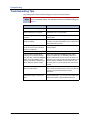
Troubleshooting Tips . . . . . . . . . . . . . . . . . . . . . . . . . . . . . . . . . . . . . . . . . . . . . . . . . . . . . . . . . . . 62
Index
Page x
65
Mitel® 5320/5330/5340 IP Phone User Guide – Issue 3, September 2009
Getting Started
Getting Started
Welcome
The instructions in this guide are for using the Mitel Model 5320/5330/5340 Internet Protocol
(IP) Phone on the Mitel 5000 Communications Platform (CP). The Quick Reference Guide is an
overview of frequently used features.
Your phone should be powered on and ready to use. If the display is blank, or if the display
name, extension number, or time or date are incorrect, contact your system administrator for
assistance.
Because a variety of voice mail products work with the 5000 CP, this guide does not include
voice mail instructions. For voice mail instructions, refer to the voice mail user guide for your
system. For example, refer to the Enterprise Messaging, Basic Voice Mail, and Embedded
Voice Mail Card User Guide, part number 835.3205, or the Mitel NuPoint Unified Messaging
User Guide on the Mitel Web site (http://edocs.mitel.com). Contact your system administrator
for more information about your voice mail system.
NOTE
Because many phone features can be programmed to perform various tasks,
some features may work differently than the descriptions in this guide. Contact
your system administrator for more information.
About Your Phone
The IP Phones are full-feature, dual port phones that provide voice communication over an IP
network. All phones have a 160 x 320 (pixels) liquid crystal display (LED), self-labeling
programmable buttons, on-hook dialing, and a Ring/Message Indicator.
For one-touch feature access, the 5320 IP Phone has 8 programmable buttons, the 5330 IP
Phone has 33 programmable buttons, and the 5340 IP Phone has 42 programmable buttons.
Mitel® 5320/5330/5340 IP Phone User Guide – Issue 3, September 2009
Page 1
Getting Started
5320/5330 IP Phone Features
The 5320 and 5330 IP Phones are shown here.1 See “Phone Feature Descriptions” on page 3
for more information about the phone features.
5320 IP Phone
1
2
3
4
5
8
6
7
5330 IP Phone
1
2
3
4
5
8
6
7
1 – Handset
5 – Feature buttons
2 – Programmable
buttons1
2
6 – Dialpad buttons
3 – Display
7 – Navigation page buttons
4 – Ring/Message Indicator
8 – External speaker
1. The top three buttons on the 5320 IP Phone do not have LEDs.
2. The 5320 IP Phone does not have a backlit display.
1. These images are examples of how your phone may be programmed.
Page 2
Mitel® 5320/5330/5340 IP Phone User Guide – Issue 3, September 2009
Getting Started
5340 IP Phone Features
The 5340 IP Phone is shown here.2 See “Phone Feature Descriptions” below for more
information about the phone features.
1
2
4
3
5
6
9
8
7
1 – Handset
6 – Dialpad buttons
2 – Display
7 – Programmable buttons
3 – Menu buttons
8 – Navigation page buttons
4 – Message Indicator lamp
9 – External speaker
5 – Feature buttons
Phone Feature Descriptions
The following sections describe default configurations. Your phone may be programmed
differently. Contact your system administrator for more information. See “5320/5330 IP Phone
Features” on page 2“ and “5340 IP Phone Features” above for phone feature locations.
Handset
The handset provided with this equipment is hearing aid compatible (HAC). If you are using a
headset or if you are in Handsfree Mode, you do not need to use the handset. See “Headset
Instructions” on page 8 and “Using Handsfree Mode” on page 31 for more information.
2. This image is an example of how your phone may be programmed.
Mitel® 5320/5330/5340 IP Phone User Guide – Issue 3, September 2009
Page 3
Getting Started
Display
The display provides a 160 x 320 (pixels) high-resolution viewing area for selecting and using
features and identifying callers. When idle, the display shows user information, the system time
and date, and feature button assignments. Consider the following when using the display:
• The 5320 IP Phone does not have a backlit display.
• You can adjust the display Contrast and Brightness levels (see page 10).
• 5330 and 5340 IP Phones include an embedded screen saver that you can configure for
your display. Configuration options include the screen saver timeout, display image, and
brightness options (see page 11).
• You can control the size of the text that appears on the display for programmable buttons
(see page 14).
Ring/Message Indicator
The Ring/Message Indicator flashes or stays lit to indicate call, message, and feature activity.
For more information about messaging features, see “Messages” on page 43. Ring/Message
Indicator signals are described in the following table.
Indicator Signals
Description
Rapidly flashing
You have an incoming call.
Slowly flashing
You have a waiting message or callback message.
On
You are on a call or using a feature.
Off
Your phone is idle.
Speaker
The speaker provides audio for handsfree calls and background music. See “Using Handsfree
Mode” on page 31 for information about handsfree calls. See “Listening to Background Music”
on page 15 for more information about background music.
Page 4
Mitel® 5320/5330/5340 IP Phone User Guide – Issue 3, September 2009
Getting Started
Feature Buttons
Feature buttons provide quick access to commonly used features. See the following table for
descriptions.
Button
(Up) or
Action
(Down Provides volume control for the ringer, handset, and speaker.
Scrolls through feature options.
(Speaker)
Activates Handsfree Mode (speakerphone). See “Using Handsfree
Mode” on page 31.
Activates features.
(Mute)
Temporarily turns off your microphone during a call.
(Applications)
Activates the Application menu to view system information and
adjust Contrast and Brightness settings. See “Dial 317 (Headset on/
off). HEADSET MODE OFF appears.” on page 8 and “Adjusting the
Display Contrast and Brightness” on page 10.
(Special)
(Redial)
(Hold)
Activates features while on a call. The
(Special) button does not
cancel features. To cancel features, press the Star button (*).
Calls the last external number dialed. You cannot redial internal
numbers.
Places the current call on hold.
Left/backspace when entering dialpad characters. See “Using the
Dialpad Buttons to Enter Characters” on page 25.
(Transfer)
Transfers the current call.
Right/forward when entering dialpad characters. See “Using the
Dialpad Buttons to Enter Characters” on page 25.
(Message)
Connects to your voice mailbox and flashes to notify you of waiting
messages.
Toggles between Alpha Mode and Numeric Mode when entering
dialpad characters.
Dialpad Buttons
Use the dialpad buttons to dial phone numbers, enter feature codes, and to enter characters
when using features that require text input.
Mitel® 5320/5330/5340 IP Phone User Guide – Issue 3, September 2009
Page 5
Getting Started
Programmable Buttons
The IP Phones have self-labeling, programmable buttons. The 5320 IP Phone has 11
programmable buttons. The 5330 IP Phone has 33 programmable buttons. The 5340 IP Phone
has 42 programmable buttons. Each phone has the following buttons that are programmed by
the system administrator and cannot be reprogrammed; however, you can program the
remaining buttons for quick access to features or speed-dial entries. See “Using Programmable
Buttons” on page 15.
Button
Action
Do-Not-Disturb
Turns Do-Not-Disturb (DND) mode on or off.
Outgoing
Selects an outgoing line for external calls.
Call 1
Selects an outside line or answers a call.
Call 2
Selects an outside line or answers a call.
Intercom
Answers an intercom (internal) call.
Conference
Places a conference call.
Forward
Forwards the call to the specified number.
Menu Buttons (5340 IP Phones only)
The 5340 IP Phone has eight dynamic menu buttons at the top of the Display that change
depending on the feature and menu currently displayed. You can use the menu buttons to view
and select feature options.
Navigation Page Buttons
The IP Phones have three Navigation Page icons located in the bottom right hand corner of the
display to navigate between the phone’s three display pages. When a page icon in the bottom
right-hand corner of the Display blinks, it means that there is real-time activity on the page
where the number or feature is located.
If you navigate to the second or third pages, you must use the Navigation Page buttons to
return to the first page. You are not automatically returned to the first page after using features
or when the phone is idle. You can also press the
(Home) button on the 5340 IP Phone
(only) to return to the first page.
Page 6
Mitel® 5320/5330/5340 IP Phone User Guide – Issue 3, September 2009
Getting Started
Phone Signals
The IP Phones have several audio and visual signals to indicate feature activity. The following
are a few helpful tips:
• Lit or blinking buttons indicate call or feature activity.
• All phone button lamps illuminate at the same time for a few seconds when the phone is
reset or powered on.
• The following actions may cause an error tone:
o
Pressing an invalid button combination.
o
Selecting a restricted feature.
o
Dialing a restricted or invalid number.
o
Dialing too slowly between digits.
o
Waiting too long before performing the next step.
To correct an error tone, hang up and try again.
• Many features “time-out” if you wait too long before performing the next step. If this
happens, you must start over.
• “Off-hook” means the handset is lifted. “On-hook” means the handset is in the cradle.
• If your phone does not have a lamp under the speaker button, the large message indicator
lamp on the top right of the phone indicates that the speakerphone is in use.
Comfort and Safety Tips
Observe the following comfort and safety tips when using the phone:
• Do not cradle the handset: Prolonged use of the handset can lead to neck, shoulder, or
back discomfort, especially if you cradle the handset between your neck and shoulder. If
you frequently use the phone, you might find a headset more comfortable. See “Headset
Instructions” below.
• Adjust the viewing angle: The built-in stand tilts to give you a better view of the buttons.
See “Adjusting the Viewing Angle” on page 9.
• Protect your hearing: Because prolonged exposure to loud sounds can contribute to
hearing loss, keep the volume at a moderate level. You can adjust the volume levels of the
handset receiver or headset. See “Changing Volume Levels” on page 10.
Mitel® 5320/5330/5340 IP Phone User Guide – Issue 3, September 2009
Page 7
Getting Started
Headset Instructions
When using a headset, press
(Speaker) to connect to or disconnect from calls. The
Headset icon
appears when the headset is in use. You cannot use the handset or
speakerphone when the phone is in Headset Mode. Disconnecting the headset automatically
enables the handset.
The headset must be hearing aid compatible (HAC).
NOTES
If your headset has a power-saver mode, make sure the system administrator has
enabled the “Headset Connect Tone” feature. If this is not enabled, you may miss
the first few seconds of an incoming call.
To connect and activate the headset:
1.
Insert the headset jack into the Headset port
2.
Dial 317 (Headset on/off). HEADSET MODE ON appears.
NOTE
located on the back of the phone.
Because Headset Mode disables the handset and speakerphone, you
must turn off Headset Mode before you can use the handset or
speakerphone.
To turn off Headset Mode and activate the handset and speakerphone:
Dial 317 (Headset on/off). HEADSET MODE OFF appears.
System Information
You can use the phone to view system or phone information.
To view system information:
Page 8
1.
Press
2.
Press About 5320/5330/5340 IP Phone. A screen similar to the following appears.
(Applications).
3.
Press Close to exit the Applications menu.
Mitel® 5320/5330/5340 IP Phone User Guide – Issue 3, September 2009
Personalizing Your Phone
Personalizing Your Phone
This chapter describes features you can use to personalize your phone.
Adjusting the Viewing Angle
You can tilt the phone stand for a better view of the buttons and display.
Press tabs on both sides
to release and detach unit.
To adjust the viewing angle:
1.
Turn the phone so it faces away from you.
2.
Hold the base firmly, and then press the tabs on the sides of the stand to release and
detach the base unit.
3.
Hinge the hooks on the base unit into the notches on the back of the phone, and then
snap into place as follows:
• For a high-angle mount, hinge the two lower hooks into the bottom set of notches,
and then snap the two upper hooks into the middle set of notches.
• For a low-angle mount, hinge the two lower hooks into the middle set of notches,
and then snap the two upper hooks into the top set of notches.
Mitel® 5320/5330/5340 IP Phone User Guide – Issue 3, September 2009
Page 9
Personalizing Your Phone
Changing Volume Levels
You can change the following volume levels:
• Ringer (alerting tone)
• Handset
• Headset
• Background music
• External speaker
NOTE
Turning the external speaker volume down to the lowest levels may prevent you
from hearing the feature “warning tones” that notify you when errors occur (for
example, when you enter an incorrect feature code).
You must be using the feature to change the volume level. For example, if you want to change
handset volume level, you must be using the handset. However, you can adjust the ringer
(alerting tone) volume level when the phone is idle.
To change a volume level:
While using the feature, press
(Up) to increase the volume or press
decrease the volume. The volume level is automatically saved.
(Down) to
Changing the Ring Tone
You can select one of nine different ring tones.
To change the ring tone:
1.
With the handset on-hook, dial 398.
2.
Do one of the following to listen to (or turn off) ring tones:
• Press 0 or the RINGER OFF menu button (5340 IP Phones only) to turn the ringer
off.
• Press (Up) or (Down) or 1 to 9 to listen to ring tones.
• Press the PREVIOUS or NEXT menu buttons (5340 IP Phones only) to listen to
and select a ring tone.
3.
Press
(Speaker), #, the ACCEPT menu button (5340 IP Phones only), or lift and
replace the handset to select the ring tone.
Adjusting the Display Contrast and Brightness
You can adjust the display Contrast and Brightness levels.
NOTE
By default, the phone display dims to 20 percent of the maximum brightness level
after 5 minutes of inactivity (no button presses or audio, including background
music). If the brightness is set at the lowest level, you may not notice when the
display dims.
To adjust the Contrast or Brightness levels:
1.
Page 10
Press
(Applications).
2.
Press Brightness and Contrast.
3.
Press (Contrast or Brightness) + or – to find the desired level.
4.
Press # or Save to save the setting, and then press Close to exit the Applications menu.
Mitel® 5320/5330/5340 IP Phone User Guide – Issue 3, September 2009
Personalizing Your Phone
Using the Screen Saver
The 5320, 5330, and 5340 IP Phones include an embedded screen saver that you can
configure for your display.
By default the screen saver image is disabled. When your phone enters screen saver mode,
only the phone’s backlight dims. All 5340 and newer 5330 IP Phones have a backlit display.
5320 IP Phones do not have a backlit display.
You can enable the screen saver image and when your phone enters screen saver mode, the
phone’s backlight dims and the embedded screen saver image, similar to the one below,
appears on your display.
NOTE
The screen saver image is the same image you see when you press
(Applications) and select the About 5330/5340 IP Phone menu option.
Mitel® 5320/5330/5340 IP Phone User Guide – Issue 3, September 2009
Page 11
Personalizing Your Phone
Screen saver options include the following:
• Screen saver timeout: Specifies how long your phone is idle before it enters screen saver
mode. Options include 1 minute, 5 minutes, 10 minutes, and 15 minutes. By default, the
timeout period is set to 5 minutes.
• Display Image option: Specifies how your phone’s screen saver mode functions:
o
If you enable the screen saver image, the image appears and your backlight dims
when your phone enters screen saver mode.
o If you disable the screen saver image, only your backlight dims when your phone
enters screen saver mode.
By default, the Display Image option is disabled.
• Brightness options: Specifies the brightness level for your phone display when it is in
screen saver mode. This option only applies to your phone if it has a backlight (all 5340
and newer 5330 IP Phones).
To configure the screen saver on your 5330/5340 IP Phone:
1.
Press
(Applications).
2.
Press Screen Saver.
3.
Configure your screen saver options:
a. Select one of the following screen saver timeout options:
Page 12
o
15 minutes
o
10 minutes
o
5 minutes
o
1 minute
Mitel® 5320/5330/5340 IP Phone User Guide – Issue 3, September 2009
Personalizing Your Phone
b. If desired, enable the Display Image option:
o
If you enable the Display Image option, the screen saver image appears and
your backlight dims when your phone enters screen saver mode, as specified
by the screen saver timeout setting.
o
If you disable the Display Image option, only your backlight dims (if your
phone has a backlight) when your phone enters screen saver mode, as
specified by the screen saver timeout setting. This is the default setting.
c. Configure brightness options if your phone has a backlight (all 5340 and newer 5330
IP Phones).
Options include:
o
Brightness+: Increases the brightness of the display when your phone is in
screen saver mode.
o
Brightness-: Decreases the brightness of the display when your phone is in
screen saver mode.
o
Show Brightness: Shows the brightness level of the display when your
phone is in screen saver mode. The display returns to normal after
approximately two seconds.
4.
Press Save.
5.
Press Close to exit the Applications menu.
To wake your phone from screen saver mode:
Lift the handset or press any button to wake the phone.
Mitel® 5320/5330/5340 IP Phone User Guide – Issue 3, September 2009
Page 13
Personalizing Your Phone
Changing the Text Size on a Display
You can control the size of the text that appears on the display for programmable buttons. This
enhancement does not apply to the text size that appears on the display for the menu buttons.
Text size options include:
• Large text: Provides one line of basic information for the features and functions
programmed for the button. Large text is enabled by default.
• Small text: Provides a first line of basic information and a second line of supplemental
information for the features and functions programmed for the button.
The table below includes several examples for the large text and small text display options.
Programmable
Button
Large Text
Example
Small Text
Example
Station Speed Dial
Monica S
Monica S
25598
System Speed Dial
Chandler TS
Chandler TS
4809619000
Direct Station
Selection (DSS)
Jessica A
Programmable
Feature
DND
Jessica A
28899
Intercom Call (IC)
IC
Second line provides...
The station speed-dial number
programmed for the button.
The system speed-dial number
programmed for the button.
The extension number programmed
for the user.
(372)
The feature code that corresponds
to the feature programmed for the
button.
IC
The name or number for the other
party on the internal call.
DND
Charlie B
To change the text size on a display:
1.
Press
(Applications).
2.
Press Text Size.
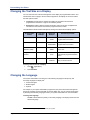
Changing the Language
Your system administrator can select two of the following languages as the primary and
secondary languages to display text.1
• American English
• British English
• Spanish
For example, if your system administrator programmed your phone with American English as
the primary language, American English is used for display text. You can change the language
by selecting the secondary language. Contact your system administrator for more information.
To change the language:
Dial 301 to select either the primary or secondary language. The display shows text in the
selected language.
1.
Page 14
This feature may or may not be enabled for your system.
Mitel® 5320/5330/5340 IP Phone User Guide – Issue 3, September 2009
Personalizing Your Phone
Listening to Background Music
If your system is equipped with a music source, you can listen to background music or system
audio (for example, organizational conference calls) through the external speaker.
To turn on or turn off background music:
Dial 313 (on/off). BACKGROUND MUSIC ON (or OFF) appears.
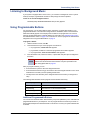
Using Programmable Buttons
For quick access, you can assign feature codes, extensions, or speed-dial numbers to your
programmable buttons. The new button assignments are self labeled, which means the button
labels automatically appear on the Display when the buttons are programmed. You can then
press the programmed buttons to activate features or place calls. See “Default Access Codes “
and “Default Feature Codes” on page 16 for code lists. You cannot reprogram the default button
assignments. See “Programmable Buttons” on page 6.
To program a button:
1.
With the handset on-hook, dial 397.
2.
Press the button that you want to program. If the button is:
• not programmed, UNDEFINED KEY appears.
• programmed, the feature or extension programmed for the button appears.
• not programmable, NON-PROGRAMMABLE KEY appears.
3.
Enter the feature code, extension number, or speed-dial code (0 to 9) to be assigned to
the button.
NOTE
Before assigning a speed-dial number to a programmable button, the
number must be stored with either a Station or System speed-dial code.
See “Using Speed Dial” on page 24.
After you program a button, you can:
• Press the button to place a call to the assigned extension.
• Press the button and then hang up to transfer a call to the assigned extension. If the call is
transferred to voice mail you hear repeating double tones.
• Visually monitor the call activity of the assigned extension if the button you assign has a
lamp.
The following table describes the lamp signals and the indicated call activity:
Lamp Signals
Description
Continuously Lit
The extension is busy or off-hook.
Slowly flashing
The extension is in Do-Not-Disturb (DND).
Quickly flashing
The extension has a call ringing in.
Continuously flashing
The extension is causing a “Station Off-Hook” system alarm.
Additional Programmable Buttons
You can also use the Direct Station Selection/Busy Lamp Field (DSS/BLF) unit to add additional
programmable buttons to your telephone. You can program buttons the same way as those on
the associated telephone as described earlier in this section. Contact your system administrator
for details.
Mitel® 5320/5330/5340 IP Phone User Guide – Issue 3, September 2009
Page 15
Personalizing Your Phone
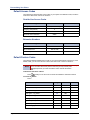
Default Access Codes
The following are default system access codes. If your system uses different codes, record the
codes in the “New Code” column for reference.
Outside Line Access Codes
Code Type
Code
Emergency Call
New Code
911 (999/112 Europe)
Outgoing Call (Default)
8
Select Line Group 1 to 208
92001 to 92208
Automatic Route Selection
92000
Extension Numbers
Code Type
Code
Attendant
New Code
0
Phone Extensions
1000 to 1999
Hunt Groups
2000 to 2299
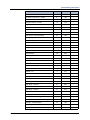
Default Feature Codes
The following table lists default feature codes. If your system administrator changes any of the
default codes, you can record the new codes in the “New Code” column for reference.
NOTE
Most of the following feature codes work when your phone is idle. However, if you
are on an active call or if the phone is off-hook, you may need to press
(Special) before you enter the feature code to activate the feature.
To delete the characters entered:
Press
(Hold) to move the cursor to the left and delete the characters entered.
To cancel the feature:
Press *.
Feature
Page 16
Page
Code
Account Code – Follow Calls
29
391
Account Code – Optional
29
390
ACD Agent – Log In
49
326
ACD Agent – Log In/Out
49
328
ACD Agent – Log Out
49
327
ACD Agent – Wrap-up Terminate
50
329
Agent Help – Reject
50
376
Agent Help – Request
50
375
Answer Ringing Call
21
351
New Code
Mitel® 5320/5330/5340 IP Phone User Guide – Issue 3, September 2009
Personalizing Your Phone
Feature
Page
Code
Automatic IC Access – On/Off
21
361
Automatic Trunk Access – On/Off
21
360
Automatic Trunk Answer
22
350
Background Music – On/Off
15
313
Barge-in
52
386
Call Forward – All Calls
34
355
Call Forward – If Busy
34
357
Call Forward – If No Answer
34
356
Call Forward – No Answer/Busy
34
358
Call Logging
39
333
Change Language
14
301
Conference
37
5
Default Station
19
394
Directory
28
307
Display Time And Date
33
300
Do-Not-Disturb
45
370
Do-Not-Disturb – Cancel
45
371
Do-Not-Disturb – On/Off
45
372
Do-Not-Disturb – Override
45
373
Group Listen
38
312
Handsfree – On/Off
31
319
Headset – Off
8
316
Headset – On
8
315
Headset – On/Off
8
317
Hold – Individual
32
336
Hold – System
32
335
Hookflash (Recall in Europe)
32
330
Hunt Group – Remove
51
322
Hunt Group – Remove/Replace
51
324
Hunt Group – Replace
51
323
Display Contrast Control
10
303
Message – Cancel Left Message
44
366
Message – Delete Message
44
368
Message – Leave Inter-station Message
43
367
Message – View Messages
44
365
Microphone Mute – On/Off
31
314
Page
47
7
Mitel® 5320/5330/5340 IP Phone User Guide – Issue 3, September 2009
New Code
Page 17
Personalizing Your Phone
Feature
Page 18
Page
Code
Page Receive – On/Off
47
325
Personal Call Routing On
35
363
Personal Call Routing Off
35
362
Personal Call Routing On/Off
35
364
Personal Call Routing Handoff
35
388
Program Buttons
15
397
Program Station Password
40
392
Programmable Buttons – Return to Default
19
395
Queue (Callback) Request
23
6
Record-A-Call
38
385
Redial
24
380
Redirect Call
22
331
Reminder Message
45
305
Reminder Message – Cancel
45
306
Remote Programming
40
359
Reverse Transfer (Call Pick-Up)
33
4
Ring Intercom Always – On/Off
31
377
Ring Tone Selection
10
398
Station Monitor
52
321
Station Speed Dial
25
382
Station Speed Dial – Programming
25
383
Steal Call
52
387
System Forward – Off
34
353
System Forward – On
34
352
System Forward – On/Off
34
354
System Speed Dial
26
381
Switch Keymap
19
399
Transfer To Hold
32
346
Transfer To Ring
32
345
View Programmable Button Assignments
19
396
New Code
Mitel® 5320/5330/5340 IP Phone User Guide – Issue 3, September 2009
Personalizing Your Phone
Viewing Button Assignments
You can view programmable button (key) feature assignments.
To view button assignments:
1.
With the handset on-hook, dial 396. PRESS THE KEY TO REVIEW appears.
2.
Press any of the feature buttons to display the assignment.
3.
Press # or
(Speaker) to exit.
Resetting Programmable Buttons
You can reset all buttons (keys) that you have programmed to the default assignments.
Resetting the programmable buttons does not reset button assignments programmed by the
system administrator.
To reset the feature buttons to the default values:
With the handset on-hook, dial 395. FEATURE KEYS DEFAULTED appears.
Resetting the Phone to the Default Settings
Resetting the phone to the default settings does the following:
• Returns all volume settings to the default levels. See “Changing Volume Levels” on
page 10.
• Cancels Background Music. See “Listening to Background Music” on page 15.
• Cancels Callback (queue) requests. See “Requesting a Callback (Queuing the Phone)” on
page 23.
• Restores Handsfree Mode. “Using Handsfree Mode” on page 31.
• Cancels Manual Call Forwarding. See “Manual Call Forwarding” on page 34.
• Cancels System Forwarding. See “System Forwarding” on page 34.
• Cancels Do-Not-Disturb (DND). See “Using Do-Not-Disturb (DND)” on page 45.
• Restores Page settings. See “Paging Other System Users” on page 47.
• Resets hunt group calls. See “Hunt Groups” on page 49.
To reset your phone to the default settings:
Dial 394. Station DEFAULTED appears.
Switching Keymaps
Keymaps are the default button assignments on your phone. Your system may have
programmed an alternate keymap, allowing you to switch between keymap assignments.
Contact your system administrator for more information.
To switch between keymaps when your phone is idle:
With the handset on-hook, dial 399. The display shows either ALTERNATE (or)
STANDARD KEYMAP IS ACTIVE.
To switch between keymaps during a call:
Press
(Special), and then dial 399.
Mitel® 5320/5330/5340 IP Phone User Guide – Issue 3, September 2009
Page 19
Answering and Placing Calls
Answering and Placing Calls
The following instructions describe how to answer and place internal and external calls and how
to use related features.
NOTE
By default, internal (intercom) calls are assigned to the IC button, and external calls
are assigned to the Call Key buttons.
Answering Calls
Your phone may be preset to automatically answer incoming internal calls in Handsfree Mode.
To disable Handsfree Mode, see “Using Handsfree Mode” on page 31. After disabling
Handsfree Mode, you can use your handset or headset to answer incoming calls.
To answer a call:
Lift the handset, or press
(Speaker) to answer a call while using a headset or to
answer a call in Handsfree Mode. See “Using Handsfree Mode” on page 31.
If you are currently on a call, press the flashing IC or Call Key button to answer a waiting
call. See “Answering Waiting Calls” below.
Answering Waiting Calls
If you receive a call while you are on another call, you hear a “call waiting” tone, the IC or Call
button flashes, and the display shows the Caller ID information (if available).
To answer a waiting call:
Press the flashing IC or Call Key button. This places the first call on hold and connects
you to the waiting call. You can also place the first call on hold before you answer the
waiting call. See “Placing Calls On Hold” on page 32.
Using Automatic Call Access
Automatic Call Access connects you to incoming internal or external calls when you pick up the
handset or press
(Speaker). When Automatic Call Access is turned off, you must press the
flashing IC or Call Key button to answer incoming calls.
To use Automatic Call Access for incoming IC calls:
With the handset on-hook, dial 361 to turn on (or off). AUTO IC ACCESS ON (or OFF)
appears.
To use Automatic Call Access for incoming external (trunk) calls:
With the handset on-hook, dial 360 to turn on or off. AUTO TRNK ACCESS ON (or OFF)
appears.
Mitel® 5320/5330/5340 IP Phone User Guide – Issue 3, September 2009
Page 21
Answering and Placing Calls
Redirecting Calls
You can redirect calls to another extension or external number. If you have a 5340 IP Phone,
you can use the menu buttons to redirect calls to the following destinations:
• SEND TO V-MAIL: Sends the call directly to your voice mailbox. You must have a mailbox
to use this destination.
• IC CALL TO DND: Places your phone in DND Mode and blocks the call. See “Using DoNot-Disturb (DND)” on page 45.
• SEND TO DEST: Redirects the call to the extension or phone number entered.
To redirect calls:
1. While a call is ringing, dial 331 or press the menu button as described above (5340 IP
Phones only).
2. If applicable, enter the extension number or press the Outgoing button ( 8 is the default
code), and then enter the external number, or enter the DND code (see page 45). The
call is redirected to the destination specified.
Using Automatic Trunk Answer
You can use Automatic Trunk Answer to answer incoming external calls for other internal parties
who are members of an “Answer Access” list. Your system administrator creates Answer
Access lists. Contact your system administrator for Answer Access list extensions.1
Automatic Trunk Answer answers calls in the order they are received (that is, the first call
received by any extension in the Answer Access list is the first one answered).
To use Automatic Trunk Answer:
1. While an incoming external call is ringing at another Answer Access list extension, lift the
handset or press
(Speaker).
2. Dial 350 or press the flashing Trunk <number> button.
Placing Calls
The following instructions describe how to place calls and related features.
Placing Emergency Calls
WARNING
Contact your system administrator and your local Mitel provider for important information about
dialing emergency services before using your phone.
When dialing an emergency number (911 U.S. or 999/112 Europe), you do not have to press
the Outgoing button or enter the Outgoing Call access code (8 is the default code). The system
automatically places emergency calls immediately after you dial the number, even if you do not
select an outside line.
1.
Page 22
This feature may or may not be enabled for your system.
Mitel® 5320/5330/5340 IP Phone User Guide – Issue 3, September 2009
Answering and Placing Calls
Placing Internal Calls
Internal calls are calls placed to other extensions in the system. Internal calls are assigned to
the Intercom (IC) button on your phone. Contact your system administrator for a list of extension
numbers.
To place an internal call:
With or without the handset lifted, dial the extension number. If you enter incorrect digits,
you can press
(Hold) to move the cursor backward, deleting the last digits entered.
If you are using Handsfree Mode, speak after you hear a double tone.
If there is no answer or if the extension is busy, you can do the following:
• Request a callback (queue). See “Requesting a Callback (Queuing the Phone)” below.
• Camp-on to the busy extension. See “Using Camp-on” below.
• Leave a message. See “Leaving Messages at Other Extensions” on page 43.
Requesting a Callback (Queuing the Phone)
When you request a callback (queue the phone), the system calls you when the extension is
available and places a call to the phone.
To request a callback:
If there is no answer or if the extension is busy, press
(Special) followed by 6 or the
QUEUE menu button (5340 IP Phones only), and then hang up. QUEUE REGISTERED
FOR <name> appears. When the extension becomes available, your extension rings.
To cancel the callback request:
Press 6 or the CANCEL QUEUE menu button (5340 IP Phones only). QUEUE
REQUEST CANCELED appears.
Using Camp-on
Camp-on keeps you connected to the called extension until it becomes available. You cannot
use Camp-on if the called extension is in DND, or if the call is forwarded to voice mail. See
“Using Do-Not-Disturb (DND)” on page 45.
To use Camp-on:
Stay on the line and wait for the extension to become available. Do not hang up. If Campon is enabled, you hear Music-on-Hold while you are waiting.
Mitel® 5320/5330/5340 IP Phone User Guide – Issue 3, September 2009
Page 23
Answering and Placing Calls
Placing External Calls
The following sections describe features used when placing external calls.
To place an external call:
1. Press the Outgoing button, an unlit Call Key button, or enter the Outgoing Call access
code (8 is the default code).
2. Dial the number.
NOTES
If you cannot place an external call because all outgoing lines are busy, you
can request a callback, which prompts the system to contact you when a
line becomes available. See “Requesting a Callback (Queuing the Phone)”
on page 23 “.
If you are prompted for an account code (indicated by a single beep), you
must enter an account code before you can place your call. See “Using
Account Codes” on page 29.
Depending on system configuration, you may also be able to use one of the following methods
to select an outgoing line:
• Enter the Select Line Group feature code. The default codes are 92001 to 92208.
• Enter the Automatic Route Selection (ARS) feature code. The default code is 92000.
Contact your system administrator for more information about using Select Line Group or ARS
access codes.
Redialing a Number
You can quickly redial the last external number dialed. You cannot redial extension numbers.
To use Redial:
With or without the handset lifted, press
a line and dials the number.
REDIAL. The system automatically selects
Using Speed Dial
You can use speed dial to quickly dial stored phone numbers. Speed-dial numbers are either
stored in the system (System Speed Dial), or in your phone (Station Speed Dial).
Using System Speed Dial
Your system administrator assigns Speed-Dial location numbers, which are available to anyone
in the system. Contact your system administrator for more information.
To view or dial System Speed-Dial numbers:
1. Dial 381. REVIEW SYS SPEED # <code range> appears.
2. Do one of the following:
• Press
(Up) or
(Down) to scroll through the speed-dial locations.
• Enter the speed-dial location (000 to 999 or 0000 to 4999).
3. Press # or the ACCEPT menu button (5340 IP Phones only) to dial the number.
Page 24
Mitel® 5320/5330/5340 IP Phone User Guide – Issue 3, September 2009
Answering and Placing Calls
Using Station Speed Dial
You can use Station Speed Dial to store phone numbers for your personal use. Other system
users do not have access to your Station Speed-Dial numbers.
Storing Station Speed-Dial Numbers
You can store up to 10 station Speed-Dial numbers.
To store a Station Speed-Dial number:
1. With the handset on-hook, dial 383. PROGRAM STN SPD (0-9) OR SCROLL appears.
2. Do one of the following:
• Press
(Up) or
(Down) to scroll through the speed-dial locations.
• Enter the speed-dial location (0 to 9).
Press # or the ACCEPT menu button (5340 IP Phones only) to select the location.
3. Enter the name of the speed-dial contact (up to 10 characters). For dialpad character
descriptions, see “Using the Dialpad Buttons to Enter Characters” on page 25.
4. Press # or the ACCEPT menu button (5340 IP Phones only) to save the name.
5. Enter the extension number or external number. If you are storing an external number,
enter the Outgoing Call access code (8 is the default code) before you enter the number.
Do not use hyphens or colons in stored speed-dial numbers.
6. Press # or the ACCEPT menu button (5340 IP Phones only) to save the location. STN
SPD BIN # <number> UPDATED appears.
Using the Dialpad Buttons to Enter Characters
You can use the dialpad buttons to enter text or numbers for features such as
Do-Not-Disturb (see page 45) and Station Speed Dial (see page 25).
The following are guidelines when entering dialpad characters:
• Press
(Message) to switch from Alpha Mode to Numeric Mode. The
button stays lit in Alpha Mode and is off in Numeric Mode.
• Press
• Press
(Message)
(Hold) to move the cursor to the left and delete characters.
(Transfer) to move the cursor to the right.
• In Numeric Mode, press # for a hyphen (-).
• In Numeric Mode, press * for a colon (:).
• Press #,
(Speaker), or lift and replace the handset to save entries.
Mitel® 5320/5330/5340 IP Phone User Guide – Issue 3, September 2009
Page 25
Answering and Placing Calls
To use the dialpad to enter characters:
Press the dialpad buttons as shown in the following table.
Characters Represented
(in Alpha Mode)
Button
0
@:.,0
1
-&()1
2
ABC‘2
3
DEF!3
4
GHI*4
5
JKL#5
6
MNOñ6
7
PQRS7
8
TUV?8
9
WXYZ9
For example, to enter May 31, you could use the following sequence:
1. In Alpha Mode (
[Message] button is lit), press 6 once to enter an “M.”
2. Press 2 once to enter an “A.”
3. Press 9 three times to enter a “Y.”
4. Press
5. Press
(Transfer) to enter a space.
(Message) to switch to Numeric Mode.
6. Press 3.
7. Press 1.
8. Press
(Speaker), #, or lift the handset to save the entry.
Dialing Station Speed-Dial Numbers
To dial a Station Speed-Dial number:
Do one of the following:
• Dial 382, and then enter the Station Speed-Dial location number (0 to 9). The
system dials the number.
• Press
(Up) or
(Down) to scroll through the speed-dial locations, and then
press # to select the location and dial the number.
NOTE
Page 26
You can also use a Station Speed-Dial button assigned to the number
you are dialing. See “Assigning Speed-Dial Entries to Programmable
Buttons” on page 27.
Mitel® 5320/5330/5340 IP Phone User Guide – Issue 3, September 2009
Answering and Placing Calls
Deleting Speed-Dial Entries
To delete a Station Speed-Dial entry:
1. With the handset on-hook, dial 383. PROGRAM STN SPD (0-9) OR SCROLL appears.
2. Do one of the following:
• Press
(Up) or
(Down) to scroll through the speed-dial locations.
• Enter the speed-dial location (0 to 9).
3. Press # or the ACCEPT menu button (5340 IP Phones only) to select the location.
4. Press
(Hold) repeatedly until the name is erased, and then press # or the
ACCEPT menu button (5340 IP Phones only) to continue.
5. Press
(Hold) repeatedly until the number is erased, and then press # or the
ACCEPT menu button (5340 IP Phones only). STN SPD BIN # <number> UPDATED
appears.
Assigning Speed-Dial Entries to Programmable Buttons
You can assign Station or System Speed-Dial numbers to your programmable buttons.
NOTE
Before assigning the speed-dial number to a programmable button, make sure the
number has either a Station or System Speed-Dial code assigned to it.
To program a System/Station Speed-Dial button:
1. With the handset on-hook, dial 397. PRESS THE BUTTON TO PROGRAM appears.
2. Press the feature button that you want to program as a speed-dial button.
3. Dial 382 (Station Speed Dial) or 381 (System Speed Dial).
4. Do one of the following:
• Press
(Up) or
(Down) to scroll through the speed-dial locations.
• Enter the speed-dial location (0 to 9 for Station Speed-Dial or 000 to 999 or 0000 to
4999 for System Speed Dial), or select the menu button designation from the
display (5340 IP Phones only).
Mitel® 5320/5330/5340 IP Phone User Guide – Issue 3, September 2009
Page 27
Answering and Placing Calls
Using the Directory
You can use the Directory to find internal or external contacts or find and activate system
features. The directory uses Intelligent Directory Search (IDS), which is similar to the “text on 9
keys” (T9) predictive search feature used for mobile phones. The Directory has the following
three subdirectories:
• Intercom: Find and dial internal numbers.
• Outside: Find and dial external numbers listed in the company directory.
• Feature: Find and activate system features.
When searching the directory, dialpad buttons can represent several characters, as shown in
the following table. As you enter characters, the entries that best match the characters entered
appear. The system connects the character sequence to possible directory matches. For
example, to find the name “Jones,” dial 56637.
Button
Characters Represented
0
0
1
1
2
2ABCabcÇâäàåçÄÅá
3
3DEFdeféêëèÉ
4
4GHIghiïîìí
5
5JKLjkl
6
6MNOmnoôöòÖóñÑ
7
7QPRSqprs
8
8TUVtuvüûùÜú
9
9WXYZwxyzÿ
(Up)
Scroll to next entry
(Down)
Scroll to previous entry
*
Cancel search
#
Activate selection
(Hold)
Move the cursor to the left, deleting existing characters
See page 29 for detailed instructions on using the directory.
Page 28
Mitel® 5320/5330/5340 IP Phone User Guide – Issue 3, September 2009
Answering and Placing Calls
To search for a directory name or feature:
1. Dial 307, and then press one of the following:
• 1 for the IC directory.
• 2 for the Outside directory.
• 3 for the Feature directory.
• The directory menu button (IC, OUTSIDE, or FEATURE—5340 IP Phones only).
2. Press the dialpad buttons to enter (up to 20) characters. See the table on page 28 for
dialpad button character descriptions.
(Up) or
(Down) or the >> (Next) or << (Previous) menu buttons (5340 IP
3. Press
Phones only) to scroll through the entries.
NOTE
The IC directory may display two similar entries, one without an asterisk
and one with an asterisk. The entry without an asterisk is the primary
extension—the entry with an asterisk is a secondary extension.
4. Press # (or the menu button next to the entry [5340 IP Phones only]) while the display
shows the entry to dial a number or activate a feature code.
Using Account Codes
Account codes record information for telephone record reports. You may be required to enter
account codes when placing calls. Contact your system administrator for more information
about using account codes.
There are three types of account codes:
• Standard account codes: Automatically entered into the telephone record report
whenever you place a call.
• Forced account codes: Entered before you can place an outside call.
• Optional account codes: Entered at any time during a call.
To enter an optional account code:
1. While off-hook, press
(Special), and then dial 390.
2. Enter the optional account code, and then press #.
To set an account code for all calls placed from your phone:
Dial 391 followed by the account code, and then press #. This code is used for all calls
made from your phone until it is disabled.
To disable the code:
Dial 391, and then press #. ACCOUNT CODE CLEARED appears.
Mitel® 5320/5330/5340 IP Phone User Guide – Issue 3, September 2009
Page 29
Call Features
Call Features
The following sections describe call-related features.
Using Handsfree Mode
You can use Handsfree Mode to activate the speakerphone.
NOTES
The Ring Intercom Always feature prevents calls from being answered in
Handsfree Mode (see the following section).
You cannot use Handsfree Mode if you are using a headset, or if you have more
than one phone assigned to an extension number.
To use Handsfree Mode:
With the handset on-hook, dial 319. HANDSFREE MODE ON appears. Dial 319 again to
turn Handsfree Mode off.
Using Ring Intercom Always
If another extension has Handsfree Mode enabled for incoming internal calls (see the previous
section), you can use Ring Intercom Always to override Handsfree Mode on the extension,
requiring the called party to pick up the handset to answer your call.
To override Handsfree Mode for the current call:
1. Before you enter the extension number, press #. RING EXTENSION NUMBER appears.
2. Dial the extension number.
To use Ring Intercom Always to always send non-handsfree calls:
With the handset on-hook, dial 377. RING IC ALWAYS ON appears. Dial 377 again to
turn Ring Intercom Always off.
Using Mute
You can use Mute to temporarily turn off your microphone, preventing the other party on the call
from hearing you.
To mute or unmute the microphone:
While on a call, press
(Mute). MICROPHONE MUTE ON appears. When the
microphone is muted, the Mute button lamp is lit. Press
(Mute) again to unmute.
Mitel® 5320/5330/5340 IP Phone User Guide – Issue 3, September 2009
Page 31
Call Features
Placing Calls On Hold
You can place calls on either Individual Hold or System Hold.
• Individual Hold: Places an internal or external call on hold at your phone.
• System Hold: Places an external call on hold in the system. You can then pick up the call
from any phone that indicates a flashing Call button for the call, including the phone that
placed it on hold.
To place a call on Individual Hold:
1. Press
(Hold). ENTER EXTENSION NUMBER appears.
2. Hang up or place another call.
To place an outside call on System Hold:
1. Press
(Special), and then dial 335. ENTER EXTENSION NUMBER appears.
2. Hang up or place another call.
To return to a call that is on hold:
Press
(Hold), and then lift the handset or press
HOLDING appears.
(Speaker). <Caller> WAS
Entering a Hookflash
Some telephone companies require you to enter a hookflash (a quick hang up and release) for
feature access.
To enter a hookflash:
While off-hook, press
(5340 IP Phones only).
(Special), and then dial 330 or press the FLASH menu button
Transferring Calls
You can transfer calls to other extensions or external numbers. You can also transfer
conference calls. See “Transferring a Conference” on page 37 for more information.
Transferring Calls to Other Extensions
To transfer a call to another extension:
1. While on the call, press
(Transfer), and then enter the extension number.
2. Do one of the following:
• Wait for an answer, announce the call, and then hang up. If the extension is
unavailable, press the flashing IC or Call Key button to return to the caller.
• Hang up to transfer the call and disconnect the call from your phone.
NOTE
Page 32
If your system administrator has enabled Transfer-on-Connect for your
phone, you are automatically connected to calls transferred to your
extension after the transferring party hangs up. If this option is turned
off, you must press a Call Key button to answer calls transferred to
your extension.
Mitel® 5320/5330/5340 IP Phone User Guide – Issue 3, September 2009
Call Features
Transferring Calls to External Numbers
To transfer a call to an external number:
1. While on the call, press
(Transfer).
2. Press the Outgoing button or the Outgoing Call access code (the default code is 8) to
select an outside line.
3. Dial the phone number.
4. Do one of the following:
• Wait for an answer, announce the call, and then hang up. If the extension is
unavailable, press the flashing Call Key button to return to the caller.
• Hang up to transfer the call and disconnect the call from your phone.
Using Reverse Transfer
You can use Reverse Transfer (Call Pick Up) to answer calls that are ringing or holding at other
extensions. For example, if you receive a call while you are away from your desk, you can pick
up the call from another extension.
To use Reverse Transfer:
1. Lift the handset, and then press 4. ENTER EXTENSION NUMBER appears.
2. Dial the extension or hunt group number where the call is ringing or holding. The call is
transferred to the phone you are using and you are connected to the caller.
Viewing Your System Information
If you are on a call, you can temporarily view your user information (your user name and your
extension number) and the date and time.
To display your user information and the date and time:
Press
(Special), and then dial 300.
Viewing Caller ID Information
If you are currently connected to an external caller with Caller ID, you can toggle between the
caller’s name and number. If the name is unavailable, CANNOT ACCESS FEATURE appears.
To show the outside party’s name/number:
Press
(Special), and then dial 379.
Mitel® 5320/5330/5340 IP Phone User Guide – Issue 3, September 2009
Page 33
Call Features
Forwarding Calls
You can use Manual Call Forwarding (see page 34) or System Forwarding (see page 34) to
forward calls.
Manual Call Forwarding
The following table describes Manual Call Forwarding options.
Call Forward Feature
Call Forward All Calls
Description
Code/Menu Button
(5340 IP Phones only)
All incoming calls are forwarded.
355
ALL
Call Forward if no
Answer
All incoming calls are forwarded if
not answered. (The timer is set by
the system administrator.)
Call Forward If Busy
When your phone is busy, all
incoming calls are forwarded without
ringing.
Call Forward If No
Answer/Busy
All incoming calls are forwarded if
your phone is busy, or if you do not
answer.
356
NO ANSWER
357
BUSY
358
NO ANSWER/BUSY
To use Manual Call Forwarding:
1. Press the Fwd All button (5320/5330 IP Phone) or Forward button followed by the
menu button designation (5340 IP Phone), or dial the Manual Call Forwarding feature
code from the previous table. ENTER FORWARD DEST appears.
2. Enter the extension number, or press the Outgoing button or the Outside menu button
(5340 IP Phones only), and then dial the telephone number. On the 5340 IP Phone, you
can press the MESSAGE CENTER menu button to forward calls to the Message Center
(voice mailbox). FWD ALL CALLS TO <number> appears.
To cancel a Manual Call Forwarding request:
• 5320/5330 IP Phone: Press the Fwd All button, and then press #
(Speaker), or
lift the handset.
• 5340 IP Phone: Press Forward button, and then press the FWD OFF menu
button.
System Forwarding
You can use System Forwarding to route calls based on the type of call and the idle or busy
status of your phone. You cannot program the System Forward destination. You can only turn it
on or off. Contact your system administrator for more information.
To turn on or turn off System Forwarding:
Dial 354. SYSTEM FORWARD ON appears. Dial 354 again to turn System Forwarding
off.
Page 34
Mitel® 5320/5330/5340 IP Phone User Guide – Issue 3, September 2009
Call Features
Using Personal Call Routing
When you enable Personal Call Routing on your phone, your incoming calls are automatically
routed to one or more preprogrammed associated destinations according to the routing steps
programmed for you.
Typically, your desk phone is configured to be your main extension. You may be programmed
for up to five associated destinations including:
• softphone
• home IP phone
• voice mail
• mobile phone
• home phone
Your desk phone, softphone, home IP phone and voice mail extensions are already
programmed in the system, so your system administrator can easily include them in your routing
steps. To include your mobile and home phone numbers in your routing steps, you will need to
provide these numbers to your system administrator.
Personal Call Routing also includes the Handoff feature, which includes the following functions:
• Push: The Handoff “push” function allows you to move an active call from your main
extension, typically your desk phone, to an associated destination without disconnecting
audio. The push function is useful if you are leaving the work area, but want to remain
connected to an active call. The push function rings all associated destinations (except
voice mail) and you select which device to use to answer the call. When you answer the
call, you are immediately connected to the other parties at the new destination. When the
call is switching over to the new destination, there may be a momentary break in audio,
which may be noticeable to the other parties on the call.
• Pull: The Handoff “pull” function allows you to pull a call that was previously routed to your
mobile or home phone back to the main extension. The pull function is useful if you
answer a call on your mobile phone and then return to your desk. After you pull a call back
to the main extension, the call is connected immediately and you can then access system
features such as conference, hold, and transfer.
NOTE
The Handoff feature is only supported on your main extension, typically your
desk phone. However, if you share a desk phone with one or more coworkers
and your main extension is a phantom extension, you cannot use the Handoff
feature.
Personal Call Routing includes the following feature codes:
• Personal Call Routing On: 363
• Personal Call Routing Off: 362
• Personal Call Routing On/Off: 364
• Personal Call Routing – Handoff (push and pull): 388
The following call types do not follow Personal Call Routing:
• Hunt group calls
• Hunt group announcement/overflow calls
• Transfer recalls, Hold recalls, Conference recalls, and Attendant recalls
NOTE
A recall occurs when a feature cannot be completed or the feature times out,
and the call returns to the originating extension. For example, a holding call
will recall the extension where it was placed on hold when the hold timer
expires.
Mitel® 5320/5330/5340 IP Phone User Guide – Issue 3, September 2009
Page 35
Call Features
When you enable Personal Call Routing, your incoming calls are routed as specified by the
routing type programmed for you by your system administrator. The table below provides
descriptions for the default routing types.
Routing Type
Description
Mobile Twinning
Calls simultaneously ring your desk phone and mobile phone, before
going to voice mail.
Delayed Mobile
Twinning
Calls ring your desk phone first, and then ring both your desk phone and
mobile phone, before going to voice mail.
Check with your system administrator to see which routing type has been programmed for you.
Your administrator can modify these routing types by adding or removing routing steps, adding
or removing destinations, and changing the ring timers, if required.
To ensure that calls are routed correctly to your mobile and home phones, inform your system
administrator if either of these phone numbers change.
To enable Personal Call Routing:
Dial 363 or 364. PERSONAL ROUTING ON appears on the display.
To disable Personal Call Routing:
Dial 362 or 364. PERSONAL ROUTING OFF appears on the display.
To answer a call routed to your mobile or home phone:
1. Answer the call when it rings your phone. After you speak, the Personal Call Routing
prompt is played.
2. Do one of the following:
• Press # to accept the call.
NOTE
You do not need to wait for the prompt to accept the call. You can
accept the call immediately by pressing the # button.
• Press * to send the call to the voice mailbox associated with your main extension
(not your mobile phone or home phone voice mailbox). If you do not have a voice
mailbox, the “Press *...” prompt is not played and the call is routed to your main
extension.
If you hang up, the call continues to follow your programmed routing steps.
To use the Personal Call Routing – Handoff “push” feature:
1. While on an active call at your phone, press
(Special), and then dial 388. HANDOFF
IN PROGRESS appears on the display and the call rings all of your associated
destinations (except voice mail).
2. Answer the call at one of your associated destinations. For mobile and home phones,
press # to accept the call.
To use the Personal Call Routing – Handoff “pull” feature:
While on an active call on an associated destination device, lift the phone handset and
dial 388. A confirmation tone is played and the call is pulled back to your phone.
NOTE
If you enter the handoff feature code (388) and the display shows NO CALL TO
HANDOFF, the call cannot be handed off (see page 63).
To cancel the Personal Call Routing – Handoff feature:
While the handoff is in-progress, press
(Special), and then dial 388. HANDOFF
CANCELLED appears on the display for your main extension.
Page 36
Mitel® 5320/5330/5340 IP Phone User Guide – Issue 3, September 2009
Call Features
Placing Conference Calls
You can place a conference call with up to three internal or external parties (for a total of four
parties, including yourself).
To place a conference call:
1. While on the first call, press the Conference button to place the call on hold. CALL
NEXT PARTY TO CNF appears.
2. Place a call to the next conference party (for external calls, press the Outgoing button
or the Outgoing Call access code [8 is the default code], and then dial the number).
3. After the party answers, announce the conference, and then press the Conference
button to place the call on hold. If necessary, repeat this step to add the remaining
conference party.
4. Press the Conference button again or the CONNECT TO CNF menu button (5340 IP
Phones only) to start the conference. CNF IN PROGRESS appears.
Adding a Conference Party
You can add a conference party during the conference.
To add a conference party:
1. Press the Conference button or the ADD PARTY menu button (5340 IP Phones only).
This leaves the conference parties connected.
2. Place a call to the party to be added to the conference, and then announce the
conference. Press the Conference button (twice) or the CONNECT TO CNF menu
button (5340 IP Phones only) to add the party and rejoin the conference.
Transferring a Conference
You can transfer an existing conference to another extension.
To transfer a conference:
1. During the conference, press
(Transfer), and then dial the extension number.
2. Announce the conference (if desired), and then hang up. CONFERENCE TFR from
<name> appears on the called party’s display. The party must then press the flashing
Conference button to connect to the conference.
Dropping Out of a Conference
You can drop out of a conference and return to the conference later.
To drop out of a conference:
Press the Conference button or
(Hold), and then hang up. ENTER EXTENSION
NUMBER appears. This removes you from the conference but leaves the other parties
connected.
To return to the conference:
Press the flashing Call Key button. CONFERENCE WAS HOLDING appears, and you
are reconnected to the conference.
Mitel® 5320/5330/5340 IP Phone User Guide – Issue 3, September 2009
Page 37
Call Features
Ending a Conference and Placing all Parties on Hold
You can end a conference and place all conference parties on Individual Hold, allowing you to
toggle between the held parties and speak to one party at a time.
To end a conference and place all parties on Individual Hold:
Press the Conference button, and then press
ON HOLD appears.
(Hold). CONFERENCE PARTIES
To toggle between the held callers:
Press
parties.
(Hold) twice for internal parties or the applicable Call Key button for external
Using Record-A-Call
.
NOTE
This feature is not supported for peer-to-peer (P2P) calls. Contact your system
administrator for more information.
You can use Record-A-Call to record an ongoing call as a mailbox message.1 You can then
retrieve the message from your voice mailbox. The Record-A-Call feature stays active after the
other party hangs up, so you can add to the recorded call with your own message.
To use Record-A-Call:
1. While on a call, press
(Special), and then dial 385, or press the RECORD-A-CALL
menu button (5340 IP Phones only). REQUESTING RECORD-A-CALL appears.
2. Enter the voice mailbox number where you want the recording to be saved.
RECORD-A-CALL IN PROGRESS appears, and both you and the calling party hear a
confirmation tone (if enabled).
NOTE
Your system administrator can assign the Record-a-Call voice mailbox
destination. If so, you do not need to enter the voice mailbox number.
To stop Record-A-Call:
Do one of the following:
• Press
(Special), and then dial 385.
• Press the CANCEL RECORDING menu button (5340 IP Phones only).
• Hang up.
Using Group Listen
You can use Group Listen to activate the speaker while you use the handset or headset to
continue speaking. This allows other people to hear the other party on the call while the other
party can only hear you (through the handset microphone). You cannot use Group Listen in
Handsfree Mode.
To use Group Listen:
While on a call, press
(Special), and then dial 312. GROUP LISTEN ON appears, and
you hear a confirmation tone. The other party does not hear the confirmation tone. Dial
312 again to turn Group Listen off.
1.
Page 38
This feature may or may not be enabled for your system.
Mitel® 5320/5330/5340 IP Phone User Guide – Issue 3, September 2009
Call Features
Using Call Logging
Your call logs are records of your most recent missed, received, and dialed calls. A maximum of
20 entries are stored in each call log.2
You can use Call Logging to:
• View recent call activity.
• View caller ID information.
• Return or redial calls.
To use Call Logging:
1. Dial 333 or the LOGS menu button (5340 IP Phones only).
2. Select one of the following options:
• Press 1 (MISS) or the MISSED CALLS menu button (5340 IP Phones only) for
missed calls.
• Press 2 (RCV) or the RECEIVED CALLS menu button (5340 IP Phones only) for
received calls.
• Press 3 (DL) or the DIALED CALLS menu button (5340 IP Phones only) for dialed
calls.
• Press 4 (CLR) or the CLEAR LOGS menu button (5340 IP Phones only) to clear
all entries.
3. Press
(Up) or
(Down) or the >> (Next) or << (Previous) menu buttons (5340 IP
Phones only) to scroll through the entries.
The display shows the party’s name and the extension or outside number (if available)
and the date and time.
If no Caller ID information is available, UNKNOWN CALLER appears.
To return a call or redial a number listed in a call log:
Press # or the CALL NOW menu button (5340 IP Phones only) while the display shows
the number.
To delete individual call log entries:
Press 0 or the DELETE menu button to delete the displayed entry, or press the DEL ALL
menu button (5340 IP Phones only) to delete all entries in the current call log.
2.
This feature may or may not be enabled for your system.
Mitel® 5320/5330/5340 IP Phone User Guide – Issue 3, September 2009
Page 39
Call Features
Using Secondary Extension Buttons
Secondary Extension buttons must be programmed by your system administrator. You can use
programmable buttons as “secondary extensions.” Secondary Extensions are assigned to other
extensions in the system (primary extensions) Because Secondary Extension buttons are
programmed by the system administrator, you cannot change the buttons (for example, assign
features to the buttons).
When programmed, you can use Secondary Extension buttons to:
• Place an internal call to the primary extension.
• View the call activity at the primary extension.
• Transfer calls to the primary extension.
• Answer a call that is ringing or holding on any Call Key button at the primary extension.
The system administrator must set up the Call Key buttons for internal calls or
you cannot use Secondary Extensions at the primary extension.
NOTES
You can use Secondary Extension buttons to notify you when a given number
of calls are waiting at the primary extension.
If a Secondary Extension button is flashing (the primary extension has an
incoming call), you can press # before you press the flashing Secondary
Extension button to call the primary extension and not answer the incoming
call.
Remote Programming
You can use Remote Programming to access the DND, Call Forwarding, and Personal Call
Routing features from another system phone or an external phone.3
NOTE
A Direct Inward System Access (DISA) number is required to use Remote
Programming from an external phone. Contact your system administrator for more
information.
Entering a Remote Programming Password
Before using Remote Programming, you should enter a new password.
To enter a Remote Programming password:
1. Dial 392. ENTER PASSWORD appears.
2. Enter your current password (the default password is your extension number), followed
by #. CHANGE PASSWORD TO appears.
3. Enter the new password followed by #. VERIFY PASSWORD appears.
4. Enter the new password again followed by #. DATABASE UPDATED appears.
To change the station password from another phone, see “Using Remote Programming to
Change the Password” on page 41.
3.
Page 40
This feature may or may not be enabled for your system.
Mitel® 5320/5330/5340 IP Phone User Guide – Issue 3, September 2009
Call Features
Using Remote Programming to Change the Password
You can use Remote Programming to change the station (phone) password.
To use Remote Programming to change the station password:
1. Do one of the following:
• Call your DISA number (provided by your system administrator). If necessary, enter
your (DISA) password.
• Use any phone on the system.
2. Dial 359.
3. Enter your extension number.
4. Enter your password followed by #.
5. Dial 392.
6. Enter the new password followed by #.
7. Enter the new password again followed by #.
Using Remote Programming to Change DND Settings
See “Using Do-Not-Disturb (DND)” on page 45 for more information about using DND.
To use Remote Programming to turn on DND:
1. Do one of the following:
• Call your DISA number (provided by your system administrator). If necessary, enter
your (DISA) password.
• Use any phone on the system.
2. Dial 359.
3. Enter your extension number.
4. Enter your password followed by #.
5. Dial 370.
6. Enter the DND message number (01 to 20), and then enter the second-line message
text (if applicable).
To use Remote Programming to turn off DND:
Follow steps 1 through 4 above, and then dial 371.
Mitel® 5320/5330/5340 IP Phone User Guide – Issue 3, September 2009
Page 41
Call Features
Using Remote Programming to Forward Calls
See “Manual Call Forwarding” on page 34 for more information about Manual Call Forwarding.
To use Remote Programming to turn on Manual Call Forwarding:
1. Do one of the following:
• Call your DISA number (provided by your system administrator). If necessary, enter
your (DISA) password.
• Use any phone on the system.
2. Dial 359.
3. Enter your extension number.
4. Enter your password followed by #.
5. Dial one of the following Call Forwarding feature codes:
• 355 (All)
• 356 (No answer)
• 357 (Busy)
• 358 (No Answer/Busy)
6. Enter either an extension number or (8) followed by a telephone number.
To turn off Call Forwarding:
Dial 355, and then hang up.
Using Remote Programming for Personal Call Routing
See “Using Personal Call Routing” on page 35 for more information about Personal Call
Routing.
To use Remote Programming to enable Personal Call Routing:
1. Do one of the following:
•
Call your DISA number (provided by the system administrator). If necessary, enter
your DISA password.
•
Use any phone on the system.
2. Dial 359.
3. Enter your extension number.
4. Enter your password followed by #.
5. Dial 363 (Personal Call Routing On).
To use Remote Programming to disable Personal Call Routing:
Follow steps 1 - 4 above, dial 362 (Personal Call Routing Off), and then hang up.
Page 42
Mitel® 5320/5330/5340 IP Phone User Guide – Issue 3, September 2009
Messages
Messages
This section describes the following system messaging features:
• Inter-station messages: Inter-station messages are alerts sent to your phone by other
internal parties, notifying you to contact the party who left the message. The
(Message) button and Message/Ring Indicator flash to notify you of the new
message. You can then either delete the message or reply to the message, which
automatically places a call to the party who left the message.
• Do-Not-Disturb (DND) messages: Messages that other internal parties see when your
phone is in DND. See “Using Do-Not-Disturb (DND)” on page 45.
• Reminder Messages: Messages that you can use to notify yourself of upcoming
appointments, meetings, and so on. See “Using Reminder Messages” on page 46.
• Pages: Announcements sent over phone speakers or external speakers. See “Paging
Other System Users” on page 47.
• Voice messages: System voice mail messages.
NOTE
Because a variety of voice mail products work with the 5000 CP, this guide
does not include voice mail instructions. For voice mail instructions, refer to
the voice mail user guide for your system. For example, refer to the
Enterprise Messaging, Basic Voice Mail, and Embedded Voice Mail Card
User Guide, part number 835.3205, or the Mitel NuPoint Unified Messaging
User Guide on the Mitel Web site (http://edocs.mitel.com). Contact your
system administrator for more information about your voice mail system.
Leaving Messages at Other Extensions
You can leave inter-station or voice mail messages for other internal parties.
To leave an inter-station or voice message for a busy IC extension:
1. Press
(Message) or the LEAVE MESSAGE menu button (5340 IP Phones only).
HANG UP OR WAIT FOR MSG CENTER appears.
2. Do one of the following:
• Hang up to leave an inter-station message. MESSAGE LEFT FOR <name>
appears.
• Stay on the line to connect to the message center (usually voice mail).
To leave an inter-station message without placing an internal call:
1. Dial 367 (Leave Message), or press
(Message), and then press the LEAVE
MESSAGE menu button (5340 IP Phones only). LEAVE MESSAGE ON EXTENSION
appears.
2. Enter the extension number. MESSAGE LEFT FOR <name> appears.
Mitel® 5320/5330/5340 IP Phone User Guide – Issue 3, September 2009
Page 43
Messages
Viewing and Responding to Messages
When you have waiting messages, the
(Message) button and Message/Ring Indicator flash
and the display shows the number of waiting messages.
NOTE
If your handset or speakerphone is off-hook when you view an inter-station
message, you automatically call the party who left the message.
The display shows new messages as follows:
• Inter-station messages sent by other internal parties are indicated by the party’s
programmed user name.
• Voice messages are indicated by FROM MBOX <your extension number>.
To view or respond to messages:
1. With the handset on-hook, press
(Message) or the VIEW MESSAGE menu button
(5340 IP Phones only). Messages are displayed as first in/first out. If there is more than
one message, you can repeatedly press
(Message) to scroll through the messages.
2. When the desired message is displayed, press #, or lift the handset for privacy, and then
press # to respond. [If your handset is off-hook and you press
(Message), you
automatically place a call to the party or message center who left the message.]
Canceling Messages Left at Other Extensions
You can cancel messages left at other extensions.
To cancel a message left at another extension:
1. Dial 366 or press
(Message), and then press the CANCEL MESSAGE menu
button. CANCEL MESSAGE ON EXT # appears.
2. Enter the extension number where you left the message. MESSAGE CANCELED FOR
<name> appears.
Deleting Waiting Inter-Station Messages
You can delete waiting inter-station messages.
NOTE
To delete waiting voice messages, you must connect to your voice mailbox.
To delete waiting inter-station messages:
1. Press
(Message) or the VIEW MESSAGE menu button (5340 IP Phones only).
MSG <message information> appears.
2. Press * or the DELETE menu button (5340 IP Phones only) to delete the displayed
message.
Page 44
Mitel® 5320/5330/5340 IP Phone User Guide – Issue 3, September 2009
Messages
Using Do-Not-Disturb (DND)
You can use DND to stop calls and pages to your extension. When activated, internal calling
parties see your selected DND message. DND does not block queue callbacks, recalls, and
incoming external calls. The following table shows the 20 default DND messages. If your
system administrator changes your DND messages, you can record the new messages in the
“New Message” column for reference.
Default Message
Code
New Message
Code
Default Message
01
Do-Not-Disturb
11
Out of Town ‘Til
02
Leave a Message
12
Out of Office
03
In Meeting Until
13
Out Until
04
In Meeting
14
With a Client
05
On Vacation/
Holiday ’Til
15
With a Guest
06
On Vacation/
Holiday
16
Unavailable
07
Call Me At
17
In Conference
08
At the Doctor
18
Away from Desk
09
On a Trip
19
Gone Home
10
On Break
20
Out to Lunch
New Message
You can enter a second line of text (up to 20 characters) for DND messages. For example, if
you select IN MEETING UNTIL, you can enter “3:30” on the second line. When other internal
parties try to call you, their displays show “IN MEETING UNTIL 3:30.”
To turn on DND:
1. Press the DND button. SELECT DND MSG # (01-20) appears.
2. Do one of the following:
• Press
(Up) or
(Down) to scroll through the messages.
• Enter the two-digit number for the DND message from the preceding table.
• Press the SCROLL menu button (5340 IP Phones only), and then press the
PREVIOUS or NEXT menu buttons to scroll through the list.
3. If applicable, enter the additional text for the DND description. See “Using the Dialpad
Buttons to Enter Characters” on page 25 for dialpad character descriptions.
4. Press
(Speaker) or the ACCEPT menu button (5340 IP Phones only).
To turn off DND:
Press the DND button, or press the DND menu button (5340 IP Phones only), and then
press DND OFF. DO-NOT-DISTURB OFF appears.
Mitel® 5320/5330/5340 IP Phone User Guide – Issue 3, September 2009
Page 45
Messages
Using Reminder Messages
You can use Reminder Messages to alert you at a selected time, up to 24 hours in advance. At
the selected time, the Reminder Message signals you with eight short tones and your display
shows the message, even if you are on a call.
The following table shows the 20 default Reminder Messages. If your system administrator
changes your Reminder Messages, you can record the new messages in the “New Message”
column for reference.
Code
Default Message
New Message
Code
Default Message
01
Meeting
11
Call Engineering
02
Staff Meeting
12
Call Marketing
03
Sales Meeting
13
Call Accounting
04
Cancel Meeting
14
Cancel DND
05
Appointment
15
Cancel Call Fwd
06
Place Call
16
Take Medication
07
Call Client
17
Make Reservation
08
Call Customer
18
Review Schedule
09
Call Home
19
Lunch
10
Call Corporate
20
Reminder
New Message
To set a Reminder Message:
1. With the handset on-hook, dial 305. SELECT REMINDER MESSAGE # (01-20) appears.
2. Do one of the following:
• Enter the two-digit number for the message from the table above.
• Press
(Up) or
(Down) to scroll through the messages.
3. Press # or the ACCEPT menu button (5340 IP Phones only) to select the message.
4. Enter the time you wish to receive the message in hours and minutes (for example, 0900
or 900 for 9:00). Then press #. The display shows the Reminder Message state.
If your system is set for 24-hour format, you must enter the applicable time
(1400 = 2:00 P.M.).
If your system is set for 12-hour display format, press 1 for A.M. or 2 for P.M.
To cancel all Reminder Message requests:
With the handset on-hook, dial 306. REMINDER MSGS CANCELED appears.
To clear a received Reminder Message:
With the handset on-hook, press *.
Page 46
Mitel® 5320/5330/5340 IP Phone User Guide – Issue 3, September 2009
Messages
Paging Other System Users
You can place page announcements through phone speakers or external speakers (if
applicable). Your system may use page zones to prevent announcements from transmitting
through every phone in the system. Each page zone contains a different combination of
extensions and external paging equipment.
Contact your system administrator for page zone information. You can use the following table to
save the page zone information for future reference.
Page Zone Name
Number
Description
Placing a Page Announcement
To place a page announcement:
1. Press 7.
2. Enter the page-zone number (0 to 9).
3. Wait for the tone, make your announcement, and then hang up.
Enabling or Disabling the Paging Feature
You can enable or disable the Page feature for your extension. If your extension is assigned to
more than one page zone, the Page on/off feature code enables or disables your extension for
all pages zone (you cannot select individual zones).
To enable or disable paging for your phone:
Dial 325 to enable paging. PAGE RECEIVE ON appears. Dial 325 again to disable
paging.
Mitel® 5320/5330/5340 IP Phone User Guide – Issue 3, September 2009
Page 47
Hunt Groups
Hunt Groups
Hunt groups are groups of internal parties (agents) who share a common (hunt group)
extension number. Calls can either be placed to the hunt group (using the hunt group extension
number) or to a specific agent (using the agent’s extension number). Hunt groups are
programmed by the system administrator.
Hunt groups types are either “UCD” or “ACD.”
• UCD Hunt Groups: Uniform Call Distribution (UCD) agents do not log in to the hunt group
to receive calls.
• ACD Hunt Groups: Automatic Call Distribution (ACD) agents log in to the ACD hunt group
to receive calls. Calls are distributed by either Agent IDs or extensions:
o
Agent IDs: Each agent is assigned an Agent ID number for logging in to the hunt group
(see the next section). Hunt group calls are distributed to logged-in agents according to
their Agent ID number instead of their extension number. Agents can log in to any ACD
hunt group phone.
o
Extensions: Hunt group members do not use Agent IDs, and calls are distributed to
phones where the agents are logged in.
Logging in to ACD Hunt Groups
You must log in to an ACD hunt group to receive hunt group calls. To stop calls, you either log
out of the ACD hunt group or divert calls. See “Diverting Hunt Group Calls” on page 51.
Only one agent can be logged in to a phone.
NOTES
If the ACD Agent ID Automatic Connect option is enabled for your hunt group and
you are using a headset, you are automatically connected to waiting calls when you
log in. The first call you receive after you log in rings until you answer it; however,
you are automatically connected to subsequent calls.
To log in to or out of all ACD hunt groups in which you are a member:
Dial 328 to log in to ACD hunt groups followed by your Agent ID, if necessary. AGENT
LOGGED INTO ALL ACDS appears. Dial 328 again to log out of all ACD hunt groups.
To log in to one or more ACD hunt groups:
1. Dial 326. The display shows AGENT LOGIN ACD HG #.
2. Do one of the following:
• Enter the ACD hunt group number.
• Press # to log in to all of your ACD hunt groups.
The display shows AGENT LOGIN AGENT ID.
3. Enter your Agent ID (if applicable), or press # if you do not have an agent ID. The
display shows the log in status for one or all hunt groups.
Mitel® 5320/5330/5340 IP Phone User Guide – Issue 3, September 2009
Page 49
Hunt Groups
Logging out of ACD Hunt Groups
You can log out of all ACD hunt groups at once or log out of each hunt group one at a time.
To log out of one or more ACD hunt group:
1. Do one of the following:
• Dial 328 to log out of all of your ACD hunt groups. The display shows AGENT
LOGGED OUT OF ALL ACDS.
• Dial 327 to log out of one hunt group at a time.
If you were logged in to only one hunt group, the display shows AGENT LOGGED
OUT OF HUNT GROUP <number>.
If you were logged in to more than one hunt group, the display shows AGENT
LOGOUT HG #. Enter the extension number of the ACD hunt group.
Stopping the ACD Hunt Group Wrap-up Timer
Each time you end an ACD hunt group call, a wrap-up timer starts. The default wrap-up time is
15 seconds. Your system administrator can change the wrap-up timer settings.
Until this timer expires, you will not receive another hunt group call; however, you can stop the
wrap-up timer to allow calls to your extension.
To stop the wrap-up timer:
With the handset on-hook, dial 329. The display shows ACD WRAP-UP TERMINATED.
Other Hunt Group Features
The following features can be used by ACD or UCD hunt groups.
Requesting Agent Help
You can use Agent Help to request help from a designated “Agent Help Extension” (usually your
supervisor) during a call. When your request call rings at the Agent Help Extension, the
supervisor can join the call or reject the request.
NOTE
Page 50
Agent Help is not supported on peer-to-peer (P2P) calls. Contact your system
administrator for more information.
Mitel® 5320/5330/5340 IP Phone User Guide – Issue 3, September 2009
Hunt Groups
To use Agent Help:
1. While you are on a hunt group call, press
(Special), and then dial 375.
If you hear repeating tones, one of the following has occurred:
• The feature is not available at your phone.
• You already have four parties in your call.
• Not enough system circuits are currently available.
• The Agent Help Extension is in DND.
If you hear repeating tones, one of the following has occurred:
• The feature is not available at your phone.
NOTE
• You already have four parties in your call.
• Not enough system circuits are currently available.
• The Agent Help Extension is in DND.
2. If not preprogrammed, dial the Agent Help extension number.
If the Agent Help Extension accepts the call, AGENT HELP IN PROGRESS appears.
If the Agent Help Extension rejects the call, AGENT HELP REJECTED appears.
Diverting Hunt Group Calls
You can temporarily divert hunt group calls, preventing hunt group calls to your extension.
To divert hunt group calls:
Dial 324 to divert calls. The display shows the feature state DIVERT HUNT GROUP
CALLS. Dial 324 again to program your phone to accept calls.
Hunt Group Supervisor Features
The following features can be used by hunt group supervisors only.
Accepting or Rejecting Agent Help Calls
Supervisors can accept or reject Agent Help calls.
To accept an Agent Help request:
Answer as usual. Your microphone is automatically muted.
To reject an Agent Help request:
Dial 376 or press the REJECT HELP menu button (5340 IP Phones only). AGENT HELP
REJECTED appears.
Mitel® 5320/5330/5340 IP Phone User Guide – Issue 3, September 2009
Page 51
Hunt Groups
Monitoring Calls
You can use Station Monitor to connect to a hunt-group call and hear both parties, but you
cannot be heard by either one. inter-station Monitor stops if the hunt group member terminates,
transfers, or transfers the call. You can barge-in or “steal” monitored calls, as described in the
following sections. You can also record the call. See “Using Record-A-Call” on page 38 for more
information about recording calls.
To use Station Monitor:
Dial 321 or press the SIL MONITOR menu button (5340 IP Phones only), and then enter
the extension number. MONITORING EXT <number> appears. Monitored hunt group
members may hear an “activation tone” when the feature is activated.
Using Barge-in
While monitoring a hunt group call, you can use Barge-in to join the call.
To barge-in to a hunt-group call:
Dial 386 or press the Barge-in menu button (5340 IP Phones only). BARGE-IN
PROGRESS appears.
Stealing Hunt Group Calls
While monitoring a hunt group call, you can “steal” the call from the hunt group member, which
disconnects the call from the agent and transfers the call to your extension.
To steal a hunt group call:
Dial 387 or press the STEAL menu button (5340 IP Phones only). CALL STOLEN FROM
EXT <number> appears.
Page 52
Mitel® 5320/5330/5340 IP Phone User Guide – Issue 3, September 2009
Cordless Devices (5330/5340 IP Phones Only)
Cordless Devices (5330/5340 IP Phones Only)
NOTE
The 5320 IP Phone does not support a cordless module or cordless devices.
You can use the cordless handset and cordless headset to move around within your office or
adjacent offices. The cordless headset and handset are optional accessories, ordered
separately. For more information, contact your system administrator or local Mitel provider. Both
cordless devices connect to your phone through the cordless module, which attaches to the
back of the phone. The cordless headset rests and recharges in a headset cradle that attaches
to the side of the phone. The cordless handset recharges in the handset cradle.
The Cordless Devices Application provides access to the configuration settings and information
screens that apply to the cordless module and accessories. For more information, see “Pairing
the Cordless Module and Devices” on page 55.
The cordless module is shown here. The phones features are explained below.
1
2
5
3
4
Feature
Function
1 – Cordless Module
Attached to the back of the phone, the module contains a lightemitting diode (LED) indicating that a cordless device is in use;
also indicates the pairing of module and a cordless device.
2 – Cordless Headset
Cordless handsfree operation for calls. If you are using the
cordless headset, you do not need to use the handset.
3 – Cordless Headset Charging Cradle
Provides power to recharge the cordless headset battery.
4 – Cordless Handset Charging Cover
Provides power to recharge the cordless handset battery.
Replaces the cover supplied with the phone for corded handsets.
5 – Cordless Handset
Cordless operation for handset calls. (You can transfer from the
phone handset to the cordless headset at any time.)
Mitel® 5320/5330/5340 IP Phone User Guide – Issue 3, September 2009
Page 53
Cordless Devices (5330/5340 IP Phones Only)
Cordless Module
The cordless module is shown here.
CAUTION
Phone Damage Hazard. Attempting to remove the back plate on the phone to install the
cordless module before disconnecting the phone power supply may damage the phone. For
information about installing the cordless module, refer to the installation documentation that
is shipped with the unit.
1
2
Feature
Function
1 – Cordless Module pairing button
Initiates pairing between the cordless module and a
cordless device.
2 – Cordless Headset Cradle cable
Connects to the cordless module to provide power
to the charging cradle.
Handset and Headset Combinations
The following combinations of corded and cordless headset and handset are supported on the
5330/5340 IP Phone:
• Corded handset only
• Corded headset only
• Corded handset and corded headset
• Cordless handset only
• Cordless headset only
• Cordless handset and cordless headset
• Corded handset and cordless headset
• Corded headset and cordless handset
Page 54
Mitel® 5320/5330/5340 IP Phone User Guide – Issue 3, September 2009
Cordless Devices (5330/5340 IP Phones Only)
Pairing the Cordless Module and Devices
Before using the cordless handset or headset, each device must establish communication with
the cordless module using a procedure called pairing.
An IP phone can have only one cordless handset and one cordless headset.
A cordless handset or headset can be paired with only one IP phone at a time.
NOTES
Pairing a new cordless handset or headset with the IP phone overwrites the
configuration of any previous handset or headset.
Pairing cannot be performed when the cordless device is already in use.
To pair a cordless device:
1.
Ensure that the battery of the cordless device to be paired is at least partially charged.
2.
Press and hold down the pairing button on the back of the cordless module
(see page 54) for five seconds to activate phone pairing mode. The LED on the cordless
module blinks. The Cordless Devices application opens on the phone and prompts you
to press the pairing button on the cordless device.
3.
Press and hold down the hookswitch on the cordless handset or headset for five
seconds to activate the device pairing mode. The LED on the cordless device blinks.
After a moment, the Cordless Devices application displays information for the device to
be paired.
4.
Press Yes to confirm pairing. The Cordless Devices application confirms the pairing by
displaying the paired device name and its battery level indicator and the number of
devices paired.
5.
Press Close to exit.
To unpair a cordless device:
1.
Press the blue
2.
Press the device name you want to unpair. The information screen for the selected
device appears.
Applications key, and then press Cordless Devs.
3.
Press Unpair this Device. If the device is in use, an error message appears. Otherwise,
the device is unpaired, removed from the display, and can no longer be used to interact
with the phone.
4.
Press Close.
The cordless module has a blue LED that indicates the current status of the module. The
handset is blinking, when the LED is on and off for an equal amount of time.
Blue LED
Function
Solid
Audio is active between the module and either the
handset or headset.
Blinking
Pairing mode is active or a firmware upgrade is in
progress.
Off
No audio is active.
Solid for two seconds
Pairing is successful.
Mitel® 5320/5330/5340 IP Phone User Guide – Issue 3, September 2009
Page 55
Cordless Devices (5330/5340 IP Phones Only)
Using a Cordless Device as a Remote Control
When not being used to talk, the cordless handset/headset buttons can act as a remote control
device to change display contrast, volume, and mute settings on the host IP phone. For
example, in a remote handsfree conference setting, you can use the Volume and Mute buttons
on a cordless device to adjust speaker levels and mute the microphone on an IP phone that is
not within his reach.
Alerting Tones and LEDs
The cordless devices provide the following alerting tones:
Feature
Function
Mute key on cordless device ON/OFF
Two-pitch tone occurs immediately. Reminder tone
occurs 30 seconds after activation and then
regularly until deactivated
Mute key on phone ON/OFF
No immediate tone. Reminder tone occurs 30
seconds after activation and then regularly until
deactivated.
Low battery (within 10 minutes left)
Three beeps and 20 second pause repeated three
times.
Low battery (within 2 minutes left)
Three rapid beeps and 1.5 second pause repeated
three times.
Out of range
Repetitive 3-pitch tone until you are back in range.
NOTES
Audio indications are heard in the handset only when it is in use, and may interrupt
voice transmission.
If you are out of range for more than 10 seconds, any call that is in progress is
dropped and not recovered.
Low Battery Level
When the battery of a cordless device reaches a near-critical level, the phone displays a
warning. Until the battery is recharged (or until it becomes fully discharged), the warning is
repeated at each new call. To continue with a call while charging the cordless device, switch to
speakerphone and then cradle the cordless device.
Page 56
Mitel® 5320/5330/5340 IP Phone User Guide – Issue 3, September 2009
Cordless Devices (5330/5340 IP Phones Only)
Cordless Handset
The cordless handset, shown below provides office mobility, allowing you to place and answer
calls while away from your desk. Replacing the standard corded handset, the cordless handset
contains a chargeable battery that charges in the handset cradle when not in use. To use the
cordless handset, you must pair the handset with the phone. For more information, see “Pairing
the Cordless Module and Accessories” on “Pairing the Cordless Module and Devices” on
page 55.
Cordless Handset Features
Cordless handset elements are shown in the following table.
Feature
1 – Cordless Handset LED
Function
Blue: LED indicating the status of the handset.
Green: LED indicating the status of the handset
battery.
For more information see page 58.
2 – Hookswitch and pairing button
Lifting the handset from the cradle activates the
handset. If the handset is already out of the cradle,
pressing the hookswitch takes the handset off-hook.
Pressing the hookswitch again returns it to on-hook.
Pressing the hookswitch while on a speakerphone
all, moves the call to the cordless handset.
3 – Mute button
Mute allows you to turn the microphone off during a
call.
4 – Volume Up and Down button
Up and Down buttons provide volume control for the
ringer and handset/headset.
Mitel® 5320/5330/5340 IP Phone User Guide – Issue 3, September 2009
Page 57
Cordless Devices (5330/5340 IP Phones Only)
Answering Calls
To answer a call:
Do one of the following:
• Lift the cordless handset.
• If the handset is already out of the cradle, press the hookswitch button on the
handset.
Hanging Up
To hang up:
Do one of the following:
• Replace the cordless handset in the cradle.
• Press the hookswitch button on the handset.
Cordless Handset LEDs
The handset has two LEDs:
• Blue – indicates the operational status of the handset.
• Green – indicates the status of the electrical charge of the battery.
The handset is blinking, when the LED is on and off for an equal amount of time. The handset is
winking, when the LED is on for a short period of time and off for a longer period of time.
Led Color
Blue
LED State
Indicates
Solid
Handset is muted.
Blinking
Handset is in pairing mode.
Winking
Active audio path between handset and
module.
Off
No audio path between handset and module.
Battery is dead.
Green
NOTE
Page 58
Solid
Battery is fully charged.
Blinking
Battery is charging.
Off
When handset is cradled and the LED does
not flash or illuminate, this indicates an
absence of battery power. During the first
30 – 60 minutes that the light is off, the
battery may be trickle charging. If that is the
case, the LED resumes normal behavior
within that 60–minute period. If the LED
remains off for more than 60 minutes, then
either the battery is no longer chargeable or
there is a problem in the charging circuit.
It is normal for the handset LED to cycle between blinking and solid as battery
charge is maintained.
Mitel® 5320/5330/5340 IP Phone User Guide – Issue 3, September 2009
Cordless Devices (5330/5340 IP Phones Only)
Cordless Headset
The cordless headset offers the same capability as the cordless handset to make and answer
phone calls away from your desk, while adding the convenience of hands-free operation.
When not in use, the cordless headset sits in the headset charging cradle. For more information
on alerting tones and LEDs, see “Alerting Tones and LEDs” on page 56.
To use the cordless headset, you must pair the headset with the phone. For more information,
see “Pairing the Cordless Module and Devices” on page 55.
Cordless Headset Features
The cordless headset is shown here.
41
3
2
5
1
1 – Microphone
4 – Volume control
2 – Boom arm
5 – Hookswitch and pairing button
3 – Linked Indicator (LED)
Answering Calls
To answer a call:
Do one of the following:
• Lift the cordless headset from the cradle.
• If the headset is already out of the cradle, press the hookswitch button on the
headset.
Hanging Up
If you are out of range for more than 10 seconds, any call that is in progress is dropped and not
recovered.
To hang up:
Do one of the following:
• Replace the cordless headset in the cradle.
• If the headset is already out of the cradle, press the hookswitch button on the
headset.
Mitel® 5320/5330/5340 IP Phone User Guide – Issue 3, September 2009
Page 59
Cordless Devices (5330/5340 IP Phones Only)
Cordless Headset LEDs
There are two LEDs associated with the cordless headset:
• Blue – Indicates the operational status of the headset
• Green – Indicates the status of the electrical charge of the battery
The handset is blinking, when the LED is on and off for an equal amount of time. The handset is
winking, when the LED is on for a short period of time and off for a longer period of time.
Led Color
Blue (on
headset)
LED State
Indicates
Solid
Headset microphone is muted.
Blinking
Headset is in pairing mode.
Winking
Active audio path between Headset and
Module.
Solid for 2 seconds
Indicates one of the following:
• Pairing successful
• New battery installed
Green (on
cradle)
Solid
Battery is fully charged.
Blinking
Battery is charging.
Winking
Indicates low voltage when headset is
uncradled.
Off
When headset is cradled, indicates battery is
not charging.
Using the Cordless Devices Application
The Cordless Devices Application provides access to module information and pairing for handor
headsets.
To access the Cordless Devices Application, do one of the following:
• Press the blue Applications key and then press Cordless Devices
• Press a feature key you have programmed as the Cordless Devices Application key.
For information about programming feature keys, see page 19.
NOTE
When the pairing button on the Cordless Module is pressed, or when the battery
level of a cordless accessory is critically low, the phone will automatically open the
Cordless Devices Application.
Viewing Cordless Module Information
You can use the Cordless Module Application to view protocol, firmware, and hardware
information about the module.
To view cordless module information:
• Access the Cordless Module Application.
• Press Cordless Module Info. Device information appears on the screen.
• Press Close to exit.
Page 60
Mitel® 5320/5330/5340 IP Phone User Guide – Issue 3, September 2009
Troubleshooting
Troubleshooting
The following sections can help you solve problems that you may be experiencing with your
phone. Troubleshooting topics include:
• Contact Information: Information about system administrator contacts.
• Error Messages: Error messages and descriptions.
• Troubleshooting Tips: Possible problems and methods to solve them.
Contact Information
Your system administrator can help you with items such as changing your settings or modifying
phone features. System administrator duties include:
• Adding new user accounts.
• Setting the date and time.
• Programming System Speed-Dial numbers.
• Making database changes, such as changing user names and extension numbers.
Contact your system administrator with questions that are not covered in this user guide. If you
need further assistance, you can find provider information on the Mitel Web site
(www.mitel.com). All sales, service, and support are coordinated at the local level.
Error Messages
The following error messages may appear when using your phone.
Message
Reason
CANNOT ACCESS FEATURE
The feature is enabled but other feature-related
conditions were not met. Make sure that all featurerelated conditions are met and retry.
CANNOT ACCESS RESERVED
FEATURE
Your system does not support the feature. Contact your
system administrator for more information.
INVALID FEATURE CODE
The feature code entered does not exist. Retry using
the correct feature code (see page 16).
INVALID EXTENSION NUMBER
The extension number entered does not exist. Retry
using a valid extension number.
NO UPDATE PERFORMED
The feature was not completed or one or more feature
conditions were not met.
Mitel® 5320/5330/5340 IP Phone User Guide – Issue 3, September 2009
Page 61
Troubleshooting
Troubleshooting Tips
The following table includes troubleshooting tips for phone and system features.
NOTE
You can often correct problems that you may be experiencing by resetting the
phone to the default settings. See “Resetting the Phone to the Default Settings” on
page 19.
Problem
Possible Solution
The phone is not working properly.
Contact your system administrator.
I cannot use one or more of the
features described in this guide.
The feature may not be enabled. Contact your system
administrator for more information.
I cannot program System Speed-Dial
numbers.
Your system administrator programs System Speed
Dial numbers.
I cannot change the time and date on
the phone display.
Your system administrator programs the time and date.
Contact your system administrator if you notice that the
date and time are incorrect.
I am experiencing audio problems on
my phone such as echo, distorted
sound, or choppiness.
Contact your system administrator if you are having
audio problems.
The name on the display is incorrect. Your system administrator assigns display names.
Page 62
I cannot use the local telephone
company star codes (for example,
*82, *69) when I press the Outgoing
button or use the Outgoing Call
access code (8 is the default code)
when calling an external number.
Rather than pressing the Outgoing button or 8 to
access an outside line, you must dial a Select Line
Group number before you can use the star codes. For
example, if your system is using the default Select Line
Group numbers, dial 92001 to access that line. After
you have dial tone, you can dial the star code and the
number.
I cannot use the Agent Help or
Record-a-Call features.
If your system uses Peer-to-Peer (P2P) audio, you
cannot use these features when you are on a P2P call.
Contact your system administrator for more
information.
I cannot program a inter-station
Speed-Dial number to the button I
want.
Before assigning the speed-dial number to a
programmable button, you must store the number with
either a inter-station or System Speed-Dial code.
Mitel® 5320/5330/5340 IP Phone User Guide – Issue 3, September 2009
Troubleshooting
Problem
Possible Solution
When I try to use the Personal Call
Routing – Handoff feature (388), the
display shows NO CALL TO
HANDOFF.
The NO CALL TO HANDOFF display indicates that the
call cannot be handed off because one of the following
may have occurred:
• You tried to use the Handoff feature on a call that
has not been routed by Personal Call Routing.
• You tried to use the Handoff feature on a call that
the system has not yet recognized as a valid call.
• You tried to use the Handoff feature on an
unsupported extension. The Handoff feature is
supported on your main extension only.
• You tried to use the Handoff feature on a
phantom extension. The Handoff feature is not
supported on phantom extensions.
• You entered the handoff feature code at the exact
time the other party on the call disconnected.
• The call was terminated for some reason.
Mitel® 5320/5330/5340 IP Phone User Guide – Issue 3, September 2009
Page 63
Index
Index
Symbols
Calls
answering 21, 58, 59
camping-on to phone 23
5320/5330 IP Phone Features 2
conference 37
5340 IP Phone Features 3
conference, placing 37
emergency, placing 22
A
external 24
external, placing 24
About Your Phone 1
forwarding 34
Account Codes, using 29
logs, using 39
monitoring 52
ACD Hunt Group Wrap-up Timer, stopping 50
muting the microphone 31
ACD Hunt Groups
phone, queuing for 23
logging in 49
picking up (reverse transferring) 33
logging out 50
placing 22
Agent Help
placing internal (IC) 23
accepting or rejecting 51
recording 38
requesting 50
redirecting 22
Agent Help Calls, accepting or rejecting 51
stealing 52
Agent Help, requesting 50
transferring 32
waiting 21
Agent, ACD hunt group 49
Alerting Tones and LEDs 56
Angle, adjusting and viewing 9
Audio Problems 62
Automatic Access, using 21
Automatic Call Access, using 21
Automatic Trunk Answer, using 22
Calls On Hold, placing 32
Calls to External Numbers, transferring 33
Calls to Other Extensions, transferring 32
Camp-On, using 23
Characters, entering dialpad 25
Codes
account 29
default system access 16
B
feature, default 16
Outgoing Call access 22, 24
Background Music 15
Comfort and Safety Tips 7
Barge-In, using 52
Conference and Placing all Parties on Hold, ending 38
Button Assignments, viewing 19
Conference Calls
adding a party to 37
Buttons 5
dropping out of 37
C
ending 38
placing 37
Call Forward
Manual 34
System 34
using 34
Call Logging, using 39
transferring 37
Conference Party, adding 37
Contact Information 61
Cordless Device as a Remote Control, using 56
Cordless Devices
alerting Tones and LEDs 56
Call Logs, using 39
application, using 60
Callback (Queuing the Phone), requesting 23
cordless handset 57
Caller ID Information
cordless headset 59
cordless module 53
displaying 33
viewing 33
Cordless Devices Application, using 60
Mitel® 5320/5330/5340 IP Phone User Guide – Issue 3, September 2009
Page 65
Index
G
Cordless Handset 57
features 57
LEDs 58
Group Listen, using 38
Cordless Headset 59
features 59
H
LEDs 60
Cordless Module 54
Handset 3
Cordless Module and Devices, pairing 55
Cordless Module Information, viewing 60
off-hook 7
Cordless Modules and Devices, pairing 55
off-hook, on-hook 7
on-hook 7
D
Handset and Headset Combinations 54
Handsfree Mode
Default
overriding 31
access codes 16
using 31
feature codes 16
Hang Up 58, 59
programmable buttons, resetting to 19
settings, returning the phone to 19
Headset Instructions 8
system access codes 16
Headset, using 8
Dialpad
Hold
buttons 5
Individual 32
characters, entering 25
System 32
Dialpad Buttons to Enter Characters, using 25
Direct Station Selection/Busy Lamp Field (DSS/BLF) unit 15
Directory, using 28
Hookflash, entering 32
Hunt Group Calls
diverting 51
Display 4
stealing 52
Display Contrast and Brightness, adjusting 10
Display Name, changing 62
Hunt Group Calls, stealing 52
Diverting Hunt Group Calls 51
Hunt Group Supervisor Features 51
Do-Not-Disturb (DND), using 45
Hunt Groups
accepting or rejecting Agent Help 51
E
Agent Help, requesting 50
agent IDs 49
Emergency Calls, placing 22
Automatic Call Distribution (ACD) 49
Error
Barge-In, using 52
messages 61
calls
tones, phone 7
diverting 51
Error Messages 61
monitoring 52
Extension Numbers 16
stealing 52
External Calls, placing 24
logging out of 50
External Numbers, redialing 24
types 49
Uniform Call Distribution (UCD) 49
F
wrap-up timer 50
Feature
buttons 5
I
canceling 5
codes, using 16
Features to Programmable Buttons, assigning 15
Page 66
Individual Hold, using 32
Internal Calls, placing 23
Mitel® 5320/5330/5340 IP Phone User Guide – Issue 3, September 2009
Index
K
P
Keymaps
changing 19
Page Announcement, placing 47
Paging
switching 19
enabling or disabling 47
other system users 47
L
using 47
Language, changing 14
Logs, call 39
Paging Feature, enabling or disabling 47
Password, Remote Programming
changing 41
Low Battery Level 56
entering 40
M
Personal Call Routing
enabling and disabling 36
Manual Call Forwarding 34
Members, hunt group 49
handoff 36
Phone
Menu Buttons (5340 IP Phones only) 6
5320 IP Phone 2
Messages
5330 IP Phone 2
canceling 44
5340 IP Phone 3
deleting 44
blank display 1
Do-Not-Disturb 45
changing volume levels 10
error 61
leaving 43
comfort and safety 7
pages 47
default settings, returning to 19
Reminder 46
error tones 7
replying to 44
feature descriptions 3
viewing 44
features
viewing and responding 44
dialpad buttons 5
voice, listening to 44
feature buttons 5
Messages at Other Extensions, leaving 43
menu buttons (5340 IP Phone) 6
Messages Left at Other Extensions, canceling 44
Navigation Page Buttons 6
Microphone, muting 31
Ring/Message Indicator 4
Music, background 15
speaker 4
Mute, using 31
ring tone, selecting 10
signals 7
N
Navigation Page Buttons 6
Number, redialing 24
viewing angle, changing 9
Phone to the Default Settings, resetting 19
Programmable Buttons 6
resetting 19
Numbers, redialing external 24
resetting to default values 19
O
using 15
viewing button assignments 19
Off-Hook 7
On-Hook 7
R
Other Hunt Group Features 50
Outgoing Call Access Code 22, 24
Record-A-Call, using 38
Outside Line Access Codes 16
Reminder Messages, using 46
Page 67
Mitel® 5320/5330/5340 IP Phone User Guide – Issue 3, September 2009
Index
Remote Programming 40
System
change DND settings , using 41
forwarding 34
change the password, using 41
Hold 32
forward calls, using 42
password
changing 41
entering 40
information 8
password, entering 40
time and date, setting 62
Personal Call Routing 42
information, displaying 33
System Speed Dial, using 24
using 40
Reverse Transfer (Call Pickup), using 33
Ring Intercom Always, using 31
T
Ring Message Indicator 4
Ring Tone
changing 10
Text Size on a Display, changing 14
Time and Date, system 62
selecting 10
Ring/Message Indicator 4
Tips
comfort and safety 7
S
troubleshooting 62
Screen Saver, using 11
Secondary Extension Buttons, using 40
Transferring Calls 32
Troubleshooting Tips 62
Settings, returning to default 19
Signals, phone 7
V
Speaker 4
Speaker, external 4
Speakerphone
Viewing Angle, adjusting 9
description 4
Voice Mail User Guides 43
Group Listen, using 38
Voice Messages
handsfree calls 31
deleting 44
Speed Dial
entries to programmable buttons, assigning 27
leaving 43
entries, deleting 27
listening to 44
station, using 25
system, using 24
using 24
Volume Levels 10
Volume Levels, changing 10
STAR Codes, telephone company 62
Station Messages
W
canceling 44
deleting 44
leaving 43
Waiting Calls, answering 21
replying to 44
Waiting Inter-Station Messages, deleting 44
viewing 44
Station Monitor, using 52
Station Speed Dial
Welcome 1
Wrap-Up Timer, stopping 50
numbers
deleting 27
dialing 26
storing 25
Y
using 25
Your System Information, viewing 33
Page 68
Mitel® 5320/5330/5340 IP Phone User Guide – Issue 3, September 2009
Part No. 550.8123
Issue 3, September 2009
A661/9234A