1
CHOOSING YOUR PRIMARY DICTIONARY
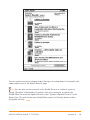
You can choose the dictionary you want to use when you look up words while you are
reading. The default is The New Oxford American Dictionary included on your Kindle,
but you can change your dictionary choice by purchasing a supported dictionary on
the Kindle Store and then following these steps:
1.
2.
3.
4.
5.
6.
If you are not already on the Home screen, press the Home button.
Press the Menu button.
Move the 5-way to underline “Settings” and press to select.
Press the Menu button.
Move the 5-way to underline “Change Primary Dictionary” and press to select.
Move the 5-way to underline the dictionary you want to use and press to select.
CHANGING AUTOMATIC BACKUP
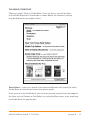
Automatic Backup will backup your last location read, all of your notes, and
bookmarks you make to Amazon.com on any of your purchased content.
If you delete an item from your Kindle or your Kindle is lost, stolen, or damaged,
you can automatically restore your annotations, bookmarks, and the last location
you read by downloading the item from the Manage Your Kindle page on
Amazon.com.
You can enable or disable automatic backup by following the steps below:
1.
2.
3.
4.
5.
If you are not already on the Home screen, press the Home button.
Press the Menu button.
Move the 5-way to underline “Settings” and press to select.
Press the Menu button.
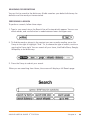
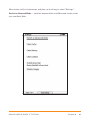
Move the 5-way to underline “Disable/Enable Annotations Backup” and press
to select.
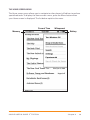
THE SETTINGS MENU
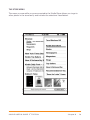
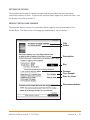
The Settings menu allows you to go to other places on your Kindle as well
as update your software or restart your device. These menu options are
defined below. To display the Settings menu, press the Menu button while
you are on the Settings screen.
KINDLE USER’S GUIDE 2nd EDITION
Chapter 7 · 99