1
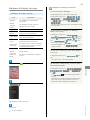
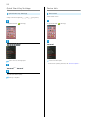
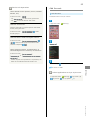
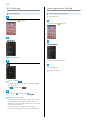
205SH User Guide
1
Introduction
Introduction.........................................................................3
Getting Started
Package Contents............................................................... 6
Parts & Functions.............................................................. 6
USIM Card Installation....................................................... 8
SD Card................................................................................ 9
205SH User Guide Contents
Charging Handset..............................................................13
Power On/Off................................................................... 14
Touchscreen Operations................................................... 15
Basic Operations
Basic Operations............................................................... 18
Applications.......................................................................20
Handset Phone Number.................................................... 20
Mobile Manners................................................................. 21
Text Entry.........................................................................21
Google™ Accounts............................................................ 24
Google Play™.................................................................... 26
Security Codes.................................................................. 27
USIM PIN............................................................................28
Screen Lock....................................................................... 29
Software Updates.............................................................30
Measuring Radiation......................................................... 31
Handset Interface
Welcome Sheet (Lock Screen) Basics...............................34
3-Line Home Basics.......................................................... 35
Status Bar......................................................................... 36
Notifications Window.......................................................37
Using Application Usage History.....................................38
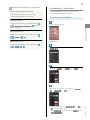
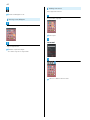
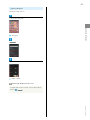
Customizing 3-Line Home................................................ 39
Phone
Calling................................................................................ 44
Optional Services..............................................................45
Address Book.................................................................... 50
Messaging & Browser
Messaging.......................................................................... 52
Sending S! Mail/SMS.........................................................52
Opening & Replying to S! Mail/SMS................................ 54
Opening Received S! Mail/SMS........................................ 56
Creating/Sending Gmail....................................................56
Opening Received Gmail................................................... 57
Using Internet Mail.......................................................... 58
Web Browsing (Browser).................................................. 60
Camera
Video Camera.................................................................... 67
Music & Images
Music & Images................................................................. 70
SoftBank 205SH
Photo Camera.................................................................... 66
2
Music Files (Music)........................................................... 70
Still Images & Video (Album)...........................................71
Connectivity
Wi-Fi...................................................................................74
Tethering Option.............................................................. 76
Bluetooth ® ........................................................................ 77
Global Services
Global Roaming................................................................. 82
Calling from Outside Japan............................................. 83
Settings
About Settings..................................................................88
Sound Settings..................................................................89
Wallpaper & Display Settings..........................................91
Quick Start Key Settings................................................ 92
Device Info........................................................................ 92
Add Account...................................................................... 93
Wi-Fi Settings...................................................................94
Home Applications Setting.............................................. 94
Storage Settings...............................................................95
Application Settings.........................................................96
Other Settings.................................................................. 96
Appendix
Specifications..................................................................108
Customer Service............................................................ 109
Safety Precautions
Safety Precautions......................................................... 112
Important Product Information.....................................117
Handset & Hardware Care............................................. 119
General Notes................................................................. 121
FCC Notice...................................................................... 122
RF Exposure Information/Specific Absorption Rate *
(SAR) Information...........................................................123
Water Resistance............................................................124
3
Introduction
Introduction
Before You Begin
・SoftBank 205SH is referred to as "handset" in this guide.
Introduction
Thank you for purchasing SoftBank 205SH.
・Read "Quick Tips" (in お願いとご注意) and this guide
thoroughly beforehand for proper usage.
・Accessible services may be limited by contract conditions.
・Unauthorized copying of any part of this guide is
prohibited.
・Guide content subject to change without prior notice.
・SoftBank 205SH is compatible with 4G and 3G network
technologies.
・"SoftBank 4G" is used as a service name based on the
statement by the International Telecommunication Union
(ITU) indicating that mobile communications systems for
3.5G and beyond can also be considered "4G."
Guide Usage Notes
・Most operation descriptions are based on default settings.
・Unless noted otherwise, descriptions are for application
sheet in 3-Line Home.
・"Confirmation" refers to authentication prompt, selection,
caution or other message that appears after operation.
・Some operation descriptions may be omitted.
・In this guide and on handset, "abroad" means "outside Japan"
with regard to handset/service usage.
・In this guide, microSD/microSDHC/microSDXC Card is
referred to as "SD Card."
Screenshots & Key Labels
Screenshots and key labels are provided for reference only.
Actual handset windows, menus, etc. may differ in appearance.
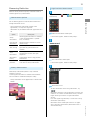
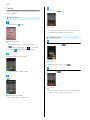
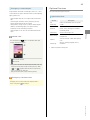
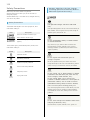
Accessing Functions Guide
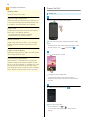
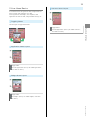
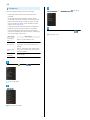
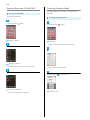
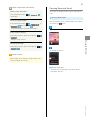
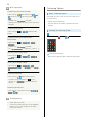
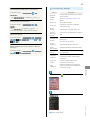
Access this Functions Guide via Guide indicator on Status Bar.
Guide indicator appears on Status Bar by default. To hide
Guide indicator:
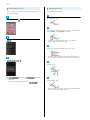
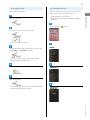
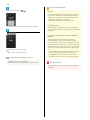
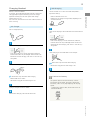
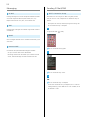
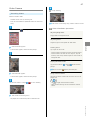
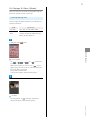
Drag Status Bar down
Indicator
off
Tap here for Guide
Back
Guide usage information and confirmation for automatic
updates appear at initial startup. Follow onscreen prompts.
SoftBank 205SH
4
Getting Started
Package Contents............................................................... 6
Parts & Functions.............................................................. 6
USIM Card Installation....................................................... 8
SD Card................................................................................ 9
Charging Handset..............................................................13
Power On/Off................................................................... 14
Touchscreen Operations................................................... 15
6
Package Contents
Package Contents
Parts & Functions
Handset Parts
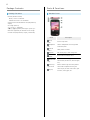
・Handset (SoftBank 205SH)
・Battery is built into handset.
・Handset back cover is not removable.
・SD/USIM Card Insertion/Removal Tool (complimentary
sample)
・AC Charger (SHCEJ1)
・クイックスタート (Japanese)
・お願いとご注意 (Japanese) with English "Quick Tips"
・Warranties (Japanese) for handset and AC Charger
・microSD Card (complimentary sample, preinstalled)
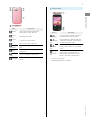
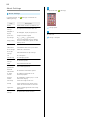
Name
Strap
Eyelet
Headphone
Port
Internal
Camera
Earpiece
SD/USIM
Card Slot
Notification
Lamp
Proximity/
Light Sensor
Display
Description
Attach Straps here.
Connect Headphones with Mic (optional
accessories) here.
Shoot photos or videos.
Hear other party's voice through this.
Access USIM Card and SD Card.
Illuminates while charging or for
notifications (missed calls, new messages,
etc.).
Detects ambient light level and prevents
Touchscreen misoperation during call.
Touch Display to select menu items, open
functions, scroll pages, etc.
7
Handset Keys
Getting Started
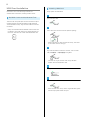
Name
Pressure
Vent
External
Camera
Infrared
Port
Description
Helps maintain handset performance.
Shoot photos or videos.
Transfer files using Infrared.
Mic
Talk to other party through this.
External
Connect AC Charger or Micro USB Cable
Device Port
Speaker
Mobile
Light
FeliCa Logo
Name
Do not place a sticker, label, etc.
here.
Listen to music, video/One Seg audio, etc.
Activate/cancel Screen lock. Long Press
(Power Key)
Place over reader/writer to use OsaifuKeitai ® .
for power on/off or phone options.
Decrease Volume. In Welcome sheet (lock
(Volume Down
screen) or 3-Line Home, Touch & Hold to
Key)
activate/cancel Silent mode.
Increase Volume. In Welcome sheet (lock
(Volume Up
screen), Touch & Hold to turn on Mobile
Key)
Light 1 .
Activate Camera 2 . Cancel Screen lock
through this.
Use as a flashlight or camera flash.
Description
(Quick Start
Key)
(when Display is completely dark). In
Welcome sheet (lock screen), turn off
Display. Long Press to activate Mail 2 .
1 To turn off, Tap Display.
2 Change assigned function as needed.
SoftBank 205SH
8
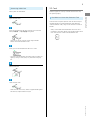
USIM Card Installation
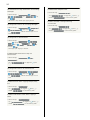
USIM Card is an IC card containing customer and
authentication information, including handset number.
SD/USIM Card Insertion/Removal Tool
Inserting USIM Card
Always power off beforehand.
Open Card Slot Cover
There are two inscriptions (one for USIM and one for SD) on
included SD/USIM Card Insertion/Removal Tool (hereafter
"Insertion/Removal Tool"). Align the USIM side over the back
of handset.
・Always use included Insertion/Removal Tool for USIM Card
installation. Using other devices may damage handset and
Insert USIM Card into USIM Card Slot (bottom opening)
USIM Card. Take care not to lose Insertion/Removal Tool.
・Check orientation of USIM Card (see the notch), then insert
it with metal contacts facing up.
Align Insertion/Removal Tool with Card Slot, with the USIM
side (USIM挿抜時:この面が背面側) facing down
・Take care not to get Card Slot Cover caught between
handset and Insertion/Removal Tool.
Gently push in Insertion/Removal Tool until it clicks
Close Card Slot Cover
・Close Card Slot Cover firmly. Debris trapped between gasket
and base may expose handset to liquid.
9
Removing USIM Card
Always power off beforehand.
Handset supports SD Card up to 64 GB. Some SD Cards may
not operate properly.
SD/USIM Card Insertion/Removal Tool
There are two inscriptions (one for USIM and one for SD) on
included SD/USIM Card Insertion/Removal Tool (hereafter
"Insertion/Removal Tool"). Align the SD side over the back of
handset.
Align Insertion/Removal Tool with Card Slot, with the USIM
side (USIM挿抜時:この面が背面側) facing down
Getting Started
Open Card Slot Cover
SD Card
・Always use included Insertion/Removal Tool for SD Card
installation. Using other devices may damage handset and SD
Card. Take care not to lose Insertion/Removal Tool.
・Take care not to get Card Slot Cover caught between
handset and Insertion/Removal Tool.
Gently push in Insertion/Removal Tool until it clicks
・Pull back Insertion/Removal Tool slowly (USIM Card pops out
slightly). Pulling it back quickly may make USIM Card jump
out.
Remove USIM Card
Close Card Slot Cover
・Close Card Slot Cover firmly. Debris trapped between gasket
and base may expose handset to liquid.
SoftBank 205SH
10
Unmounting SD Card
Always unmount SD Card before removing it. (Complimentary
Removing SD Card
Always power off beforehand.
SD Card preinstalled.)
Open Card Slot Cover
In application sheet,
(Settings)
Align Insertion/Removal Tool with Card Slot, with the SD side
(microSD挿抜時:この面が背面側) facing down
Storage
・Take care not to get Card Slot Cover caught between
handset and Insertion/Removal Tool.
Gently push in Insertion/Removal Tool until it clicks
・Pull back Insertion/Removal Tool slowly (SD Card pops out
slightly). Pulling it back quickly may make SD Card jump out.
Unmount microSD
OK
Remove SD Card
Unmount microSD changes to Mount microSD . (SD Card
is unmounted.)
・To have SD Card recognized again, Tap Mount microSD .
Close Card Slot Cover
・Close Card Slot Cover firmly. Debris trapped between gasket
and base may expose handset to liquid.
11
Inserting SD Card
Always power off beforehand.
Formatting SD Card
When using a new SD Card for the first time, format it on
handset before trying to save images, music, etc.
・Charge handset while formatting or charge it adequately
beforehand.
In application sheet,
(Settings)
Getting Started
・Formatting deletes all SD Card files.
Open Card Slot Cover
Insert SD Card into SD Card Slot (top opening)
・Insert it with terminals facing up.
Storage
Align Insertion/Removal Tool with Card Slot, with the SD side
(microSD挿抜時:この面が背面側) facing down
・Take care not to get Card Slot Cover caught between
handset and Insertion/Removal Tool.
Gently push in Insertion/Removal Tool until it clicks
Erase microSD
Close Card Slot Cover
・Close Card Slot Cover firmly. Debris trapped between gasket
and base may expose handset to liquid.
Erase SD card
SoftBank 205SH
12
SD Card Usage Notes
Enter Operation Password
OK
General
SD Card files may be lost/altered accidentally. Keep a copy
of important information in a separate place. SoftBank
Mobile Corp. is not liable for any damages resulting from
accidental loss/alteration of information.
・Never power off while files are being accessed.
・If Operation Password is unset, follow onscreen prompts.
microSDXC Card
Handset supports microSDXC Cards (SDXC-compatible SD
Cards). microSDXC Cards are supported by SDXC-compatible
devices only.
Erase everything
Exchanging Files with Non-SDXC-Compatible
Devices
To exchange files between handset and non-SDXCcompatible devices, use SD Cards (microSD/microSDHC
Cards) supported by handset and those devices. Inserting a
microSDXC Card used on handset in a non-SDXC-compatible
device may corrupt card files. In such cases, do not format
the microSDXC Card on that device even if prompted to do
Handset erases all SD Card files.
・When finished, SD Card is mounted.
so.
・Formatting deletes all microSDXC Card files and changes
the file system. The original memory capacity may
be unavailable after formatting. To use a corrupted
Complimentary Sample SD Card
Complimentary SD Card is preinstalled.
・Warranty does not cover complimentary sample SD Card.
microSDXC Card, format it on an SDXC-compatible device.
SD Card Caution
Keep SD Card out of infants' reach; may cause choking if
swallowed.
13
Charging Handset
Battery is built into handset.
AC Charger, Micro USB Cable (optional accessory), Micro USB
Charging Adapter (optional accessory) and In-Car Charger
USB Charging
Connect handset to a PC with Micro USB Cable (SHDDL1;
optional accessory).
・Power on handset and PC first.
handset while it is wet.
・Handset may not charge or charge slowly depending on PC
May cause fire, malfunction or burns due to electric shock or
status/environment.
short-circuiting.
AC Charger
Use AC Charger (SHCEJ1).
Getting Started
(optional accessory) are not water proof. Never charge
Insert Micro USB plug of Micro USB Cable into External Device
Port
・Insert Micro USB plug in correct orientation; otherwise,
External Device Port may be damaged. Check contours and
orientation of Micro USB plug, then insert it with tabs (○)
Insert Micro USB plug of AC Charger into External Device Port
・Insert Micro USB plug in correct orientation; otherwise,
facing down.
Insert USB plug of Micro USB Cable into PC USB port
External Device Port may be damaged. Check contours and
orientation of Micro USB plug, then insert it with tabs (○)
facing down.
Notification Lamp illuminates while charging.
Extend blades and plug AC Charger into AC outlet
・Notification Lamp goes out when charge is full.
Remove Micro USB Cable from handset and PC
Notification Lamp illuminates while charging.
Lithium-ion Battery
・Rotate blades out as shown.
・Notification Lamp goes out when charge is full.
This product requires a lithium-ion battery. Lithiumion batteries are recyclable. To recycle a used lithiumion battery, take it to any shop displaying the recycling
symbol.
Unplug AC Charger and retract blades
・To avoid fire or electric shock, do not short-circuit or
disassemble Battery.
Remove Micro USB plug from External Device Port
SoftBank 205SH
14
Charging Precautions
Handling Cables
Do not pull, bend, or twist cable.
Power On/Off
Power On
Important USB Charging Note
Handset may power on automatically when connected to a
Long Press
until SoftBank logo appears
PC with Micro USB Cable; avoid connection aboard aircraft
or in hospitals, etc. where handset use is prohibited.
Battery Care
To help maintain performance and life of Internal Battery,
do not store in the following conditions.
・Full (immediately after charging is complete)
・Exhausted (too low to power on handset)
Periods of Disuse
Charge at least once every 6 months; if left uncharged,
handset may become unusable or files/settings may be
affected.
After Power On Graphics, Welcome sheet (lock screen)
appears.
・If Welcome sheet (lock screen) usage guide appears, follow
onscreen prompts. (Tap Try it to proceed to
.)
Bulges of Internal Battery
Depending on usage, bulges may appear near end of battery
life; this does not affect safety.
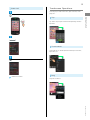
Drag
to the bottom of Display
Internal Battery Replacement
Internal Battery is a consumable item; may need to be
replaced if operating time shortens noticeably. Internal
Battery is not user replaceable; its replacement incurs fees
and requires handset submission to a SoftBank Shop or
other appropriate servicer. For details, contact a SoftBank
Shop or SoftBank Customer Support, General Information.
Google & location window opens.
・If confirmation appears, follow onscreen prompts.
・Google & location window may open even when handset is
not used.
Set Google's location service options
Initial setup menu opens.
・Scroll to bottom or Tap
for
.
・If 3-Line Home usage guide appears, follow onscreen
prompts.
15
Power Off
Touchscreen Operations
Touch Display to select menu items, open functions, scroll
pages, etc.
(Long Press)
Tap item or key to open or execute corresponding function/
operation.
Getting Started
Tap
Power off
Touch & Hold
Touch item for 1+ seconds (handset vibrates) to move icon,
open menu, etc.
OK
Drag
Handset shuts down.
Drag item to move it.
SoftBank 205SH
16
Flick
Flick to toggle sheets, pages, etc.
Pinch/Spread
Pinch or Spread to zoom in or out on images, maps, etc.
Basic Operations
Basic Operations............................................................... 18
Applications.......................................................................20
Handset Phone Number.................................................... 20
Mobile Manners................................................................. 21
Text Entry.........................................................................21
Google™ Accounts............................................................ 24
Google Play™.................................................................... 26
Security Codes.................................................................. 27
USIM PIN............................................................................28
Screen Lock....................................................................... 29
Software Updates.............................................................30
Measuring Radiation......................................................... 31
18
Basic Operations
Action Bar
Current menu/window title appears on Action Bar (Display
Home (3-Line Home)
top). Tap icons to the right of title to access frequently used
functions.
3-Line Home consists of application sheet, widget sheet and
shortcut sheet. Most operations start here. See "3-Line Home
Basics" for details.
・Flick left/right to toggle sheets.
・Tap
at Display bottom to return to 3-Line Home.
・When
or
appears on Action Bar, Tap it to turn
corresponding setting off or on.
・When
(check all)/
(uncheck all) appears on Action Bar,
Tap it to select or cancel multiple items together at once.
Handset Navigation
Tap item, icon, key, etc. to open menu/window or execute
corresponding function/operation.
・Tap
to return to the previous screen.
Menu Operations
Tap
at Display bottom to open Options menu.
Navigation Bar
Tap icons on Navigation Bar (Display bottom) for the
following functions/operations.
Icon
Description
Return to the previous screen.
Close keyboard.
Return to 3-Line Home.
Open Options menu.
Open application usage history.
・In some windows, Drag down or Touch & Hold for menu.
19
Handset Settings
In application sheet, Tap
Zooming In (Zoom Anywhere)
(Settings) to customize settings.
Zoom in on any portion of Display. Magnified keys, icons, etc.
can be Tapped like normal ones.
(Zoom Anywhere)
enable (
or
Basic Operations
・Checkbox (
) appears beside some options. Tap to
) or disable (
) option.
Magnifying glass appears.
Drag magnifying glass to target position
・Drag/Flick slider, spinner, etc. to adjust some settings. If
available, Tap
or
for additional settings.
Portion underneath is magnified.
・To exit, Tap
(Zoom Anywhere).
Capturing Screenshots
Long Press
Handset & Display Orientation
Rotate handset 90 degrees; Display orientation changes
accordingly.
・Landscape orientation may be unavailable in some windows.
and
at the same time.
・Open captured screenshots from Photo in Contents
Manager or other locations.
Activating Applications that Support
Assist Function
Touch Navigation Bar then Drag up
Drag to target
application and release finger
SoftBank 205SH
20
Applications
Handset Phone Number
Activating Applications
In application sheet, Tap application
My Phone Number
In application sheet,
(Settings)
Profile
Profile opens.
・Handset number appears in Own phone number field.
Application activates.
・If confirmation appears, follow onscreen prompts.
Exiting Applications
In any application, Tap
repeatedly until 3-Line Home
returns. (Some applications may remain active.)
Obtaining Applications
Obtain applications from
(Play Store).
21
Mobile Manners
Text Entry
Silent Mode
Keyboards
Mute ringtones and other handset sounds to avoid disturbing
Use onscreen keyboards for text entry. In 12-key Keyboard,
others around you.
multiple characters are assigned to each key. In QWERTY
・Camera shutter sound, video recording tones, music, video/
・Tap a text entry field for keyboard. Tap
to hide it.
・Text entry descriptions are for iWnn IME - SH edition.
Before reading on, switch input method from Android
In Welcome sheet (lock screen) or 3-Line Home, Touch & Hold
keyboard (selected when interface language is set to
English) to iWnn IME - SH edition as follows.
In a text entry window, Drag Status Bar down
input method
Silent mode activates.
・To cancel, Touch & Hold
in Welcome sheet (lock screen)
or 3-Line Home.
Choose
Japanese
Basic Operations
game sounds, etc. still play even in Silent mode.
Keyboard, a single letter is assigned to each key.
Switching Keyboards
Airplane Mode
In a text entry window,
Change input UI
Leaving power on, suspend signal-transmitting functions.
(Long Press)
Phone options appear.
・When How to Change Input UI window opens after
Tapping
Airplane mode
, Tap CLOSE . To disable it thereafter, select
Don't show again beforehand.
Set QWERTY keyboard
or
Set 12 keyboard
Airplane mode activates.
・To cancel, Long Press
, then Tap Airplane mode .
Selecting Silent Mode Option
(Long Press)
Tap icon (such as
Keyboard is switched.
)
Airplane Mode Precautions
Activating Airplane mode disables Wi-Fi and Bluetooth ® ,
mode by enabling Wi-Fi/Bluetooth ® after activating
Airplane mode ; make sure that such connection/
transmission is allowed in your current location before use.
SoftBank 205SH
interrupting corresponding transmissions.
Wi-Fi/Bluetooth ® connections can be used even in Airplane
22
12-Key Keyboard Layout
Switching Entry Modes
Tap
to toggle Half Numeric, Kanji, and Half Alphabet
modes. Alternatively, Flick
left/right to toggle these
modes. To use other entry modes:
In a text entry window,
Change input mode
Enter characters.
Undo conversion; reverse-toggle character options
before confirming entry.
Backspace cursor.
Enter pictograms, symbols, or emoticons; switch
conversion options.
Toggle entry modes.
・When How to Change Input UI window opens after
Tapping
, Tap CLOSE . To disable it thereafter, select
Don't show again beforehand.
Enter space; toggle case; add ゛ or ゜ for hiragana.
Current entry mode
Delete characters.
Tap mode
Advance cursor; add space at text end.
Open text entry options; enter space; convert hiragana.
Insert line break; confirm current characters.
QWERTY Keyboard Layout
Keyboard interface changes accordingly. Current entry mode
indicator-etc.--appears.
Enter characters.
Toggle case.
Toggle entry modes.
Enter pictograms, symbols, or emoticons.
Undo conversion.
Open text entry options.
Current entry mode
Delete characters.
Insert line break; confirm current characters.
Advance cursor; add space at text end.
Backspace cursor.
Enter space; convert hiragana.
(Half Alphabet),
(Kanji),
(Full Katakana),
23
Alphabet
Flick Input
In 12-key Keyboard, to enter Keitai in Half Alphabet:
In 12-key Keyboard, Flick key for target character (instead of
Tapping it repeatedly).
・Touch & Hold a key for guide; Flick toward target character
Check Half Alphabet mode is selected (
to enter.
on Status Bar)
Basic Operations
(twice: K)
(once: t)
(twice: e)
(three times: i)
(once: a)
Target
Character
(three times: i)
・The first letter is capitalized automatically by default.
Operation
P
Tap
Q
Touch
and Flick left.
R
Touch
and Flick up.
S
Touch
and Flick right.
7
Touch
and Flick down.
once.
・To enable/disable key preview and Flick input guide, in
a text entry window, Tap
(Cancel auto capitalization as needed.)
Display / Layout
Change settings
Key input guide .
Keitai is entered.
・To toggle case, enter a letter and Tap
.
SoftBank 205SH
24
Google™ Accounts
Create a Google Account to use Google services. A Google
Enter mail address
Account is required to fully use some services and
applications/functions.
Creating a Google Account
In application sheet,
(Settings)
Add account
・If confirmation appears, follow onscreen prompts.
Enter password
Next
Re-enter password
Google
Tap Choose a security question field
Tap Answer field
Enter answer
Tap question
Next
Enter mail
address
Add a Google Account appears.
New
Not now
Enter first name
Next
Enter last name
・To join Google+, Tap Join Google+
prompts.
. Follow onscreen
25
Signing in to a Google Account
Tap entry field
Enter shown characters (distorted)
If an application requires a Google Account, Add a Google
Account appears. Sign in to use the application.
In Add a Google Account,
Existing
Basic Operations
・If shown characters are unreadable, enter a character then
Tap
; other distorted characters appear.
Not now
Enter mail address
Next
Enter password
A Google Account is added.
・If confirmation appears, follow onscreen prompts.
・Even if Keep this phone backed up with my Google
Account is selected, this backup function cannot be used.
Follow onscreen prompts
You are signed in to your Google Account.
Google Account Caution
Do not forget your Google Account ID and password.
SoftBank 205SH
26
Google Play™
Updating Installed Applications
Download applications via Google Play. Downloaded
applications can be updated manually or automatically. Sign in
to your Google Account beforehand.
In application sheet,
(Play Store)
Installing Free Applications
In application sheet,
(Play Store)
Google Play opens.
・If confirmation appears, follow onscreen prompts.
My apps
Tap application
UPDATE
Follow onscreen prompts
Google Play opens.
・If confirmation appears, follow onscreen prompts.
Application downloads and installs.
・If confirmation appears, follow onscreen prompts.
Tap free application
INSTALL
ACCEPT
Application downloads and installs.
Purchased Applications
Payment
Pay once. Re-downloads of uninstalled applications are free
Purchasing Applications
of charge.
Use on Other Android Devices
In application sheet,
(Play Store)
Install same application on other Android devices under
same Google Account at no added cost.
Application Operations
Refund Requests
Request refunds within designated period. Returned
applications are deleted from handset; no payment is
Google Play opens.
required. (One refund request per application.)
・If confirmation appears, follow onscreen prompts.
In Google Play,
My apps
Tap application
REFUND
・For details, Tap
Tap paid application
Tap price
Follow onscreen
Help in Google Play, then refer
to Google Play Help.
prompts
Application downloads and installs.
Enabling Automatic Updates
In Google Play,
Auto-update
My apps
(
Tap application
)
・Automatic update is not available for some applications.
27
Google Play Cautions
Application Installation Disclaimer
Download and install applications on this handset via
Google Play (developed by Google Inc.) at your own
risk. SoftBank Mobile Corp. is not responsible for user
installed application content (quality, reliability, legality,
appropriateness, accuracy, etc.) or malfunctions installed
Operation Password & Center Access
Code
Center Access Code (Call Barring Password; 4-digit code in
contract) is required to use Optional Services from landlines
or subscribe to fee-based information.
・Do not forget Operation Password and Center Access Code
Application Purchase Disclaimer
Purchase applications via Google Play at your own risk.
SoftBank Mobile Corp. is not responsible for transactions
between users and third party publishers.
Google Play Automatic Updates
Operations are subject to change due to automatic
application updates.
(Call Barring Password). If you forget these codes, contact
us for recovery. For details, contact SoftBank Customer
Support, General Information.
・Do not reveal Operation Password or Center Access Code
(Call Barring Password). SoftBank Mobile Corp. is not liable
Basic Operations
applications may cause (due to viruses, etc.).
Security Codes
for misuse or damages.
・Call Barring settings will be locked if incorrect Center
Access Code (Call Barring Password) is entered three times
consecutively when making a setting. To unlock, the code
must be changed. For details, contact SoftBank Customer
Support, General Information.
・If Call Barring Password has been previously changed on a
mobile phone, enter the latest code to set Call Barring.
SoftBank 205SH
28
USIM PIN
Setting Operation Password
Do not forget Operation Password; write it down if necessary.
In application sheet,
(Settings)
Other settings
9999 by default; enable USIM card lock to restrict handset
use.
Enabling USIM Card Lock
Lock & Security
In application sheet,
(Settings)
Other settings
Lock & Security
Operation password setting
Password
OK
Enter Operation
OK
USIM card lock settings
OK
Re-enter Operation Password
OK
(
Lock USIM card
Enter PIN
)
OK
USIM card lock is enabled.
Changing USIM PIN
Lock USIM card first. See "Enabling USIM Card Lock" for
details.
Operation Password is set.
・To change Operation Password, follow the steps above.
(In
, enter current Operation Password to proceed.)
In application sheet,
(Settings)
Other settings
Lock & Security
USIM card lock settings
current PIN
OK
enter new PIN
PIN is changed.
OK
Change USIM PIN
Enter new PIN
OK
Enter
Re-
29
PIN Cautions
Screen Lock
Entering incorrect PIN three consecutive times activates
After a period of inactivity, Display goes completely dark to
PIN Lock. To cancel, Personal Unblocking Key (PUK) is
save battery power (Screen lock active). Screen lock prevents
required; contact SoftBank Customer Support, General
accidental Touchscreen operation.
Information. Entering incorrect PUK ten consecutive times
activates PUK Lock, disabling handset. For recovery, USIM
Card must be reissued at a SoftBank Shop (fees apply).
Activating Screen Lock Manually
Display goes completely dark and Screen lock activates.
Canceling Screen Lock
Press
or
Basic Operations
When Display is active,
to open Welcome sheet (lock screen).
In Welcome sheet (lock screen), Drag
down
Screen lock is canceled.
・When Screen lock option other than Slide or None is
selected, follow onscreen prompts to cancel Screen lock.
SoftBank 205SH
30
Software Updates
Software Update Operations
Enabling/Disabling Automatic Updates
Software Updates
At specified time, handset automatically checks for/downloads
In Software update menu,
Auto update settings
not update automatically
or
Do
Update automatically
firmware updates as required. To update firmware manually:
Changing Automatic Update Start Time
In application sheet,
(Settings)
Device info
In Software update menu,
Select time
Update time settings
Set
・Available when Auto update settings is Update
automatically .
Software Update Cautions
During Update
Handset cannot be used until Software Update completes;
it may take some time to complete.
Software update
Signal Conditions
Check signal strength and battery charge beforehand.
Poor signal strength or low battery charge may disrupt
updates leading to update failure. Update failure may
disable handset.
Software update menu opens.
Software update
Execute
Follow onscreen prompts
Software Update starts.
Before Software Update
Handset data may be lost to damage, malfunction, etc.
Back up important information before updating software.
SoftBank Mobile Corp. is not liable for loss or associated
damages.
31
Measuring Radiation
High Precision Measurement
Radiation sensor provides simple way to measure amount of
radiation (gamma rays) around handset.
In application sheet,
(Tools)
(Radiation
measurement)
Measurement Options
Use the following options to measure/monitor radiation or
・During measurement, keep handset parallel to and
approximately 1 m away from the ground.
・Measurement may be disabled when other applications are in
use.
Option
Always
measurement
Description
Measure approximate amount of radiation
Radiation measurement window opens.
Basic Operations
manage measurement results.
・If confirmation appears, follow onscreen prompts.
in real time (measurement is updated
every 10 seconds).
High precision
Measure amount of radiation in current
measurement
location simply.
High measurement
Handset responds with tone/Vibration
Alert settings
upon detecting specified amount of
radiation.
Timer
measurement
Start High precision measurement at
specified time and save result upon
completion.
Measurement
Check/manage results of High precision
history
measurement.
Accumulative
Check/manage cumulative values predicted
prediction
from results of Always measurement.
Always Measurement
Start measurement window opens.
・If confirmation appears, follow onscreen prompts.
Start measurement
Enable Always measurement (default: OFF) to measure
radiation in real time.
To check approximate amount of radiation around handset,
Flick time area left in Welcome sheet (lock screen).
・Always measurement can be toggled on/off in Notifications
Window.
Measurement starts.
・To check measurement result during measurement, Tap
Result .
・Measurement continues up to approximately 20 minutes; the
number of ☆s increases as measurement accuracy increases.
・Longer measuring time results in higher measurement
accuracy.
・First result appears approximately 1 minute after starting
measurement (tone sounds).
・Measurement result window opens when five ☆s appear
after 5 minutes of measurement. (Measurement result is
SoftBank 205SH
saved automatically.)
32
Radiation Measurement Precautions
(done) on Action Bar
Purpose of Use
This function is designed as a simple way to measure
amount of radiation (gamma rays) around handset. Do not
use it for other purposes.
Measurement Results
Radiation levels constantly change; results are not
guaranteed to be accurate and therefore not suitable for
Measurement result window opens. (Measurement result is
professional use.
・If result seems to be high, instead use a dedicated
saved.)
・Tap Raise precision to continue measurement.
measuring device.
Location of Use
Avoid use near a microwave oven, fluorescent light or ion
(done) on Action Bar
generator; they may interfere with accurate measurement.
Radiation measurement window returns.
・Do not place handset directly on the ground for
measurement; debris may adhere to handset, affecting
measurement.
Measurement Result Window Layout
To save a memo and image, Tap
Edit in measurement
result window.
During Measurement
Do not subject to strong vibration or impact; may affect
measurement. Sudden handset movement or change in
radiation level may also interrupt measurement; try
measuring again.
・Measurement may be disabled depending on handset
status (e.g., other applications are in use).
Measurement Limitation
Radioactive materials contained in food and water cannot
be measured.
Disclaimer
SHARP Corporation and SoftBank Mobile Corp. cannot be
held liable for any damages resulting from malfunction of
preinstalled radiation measuring function, from measured
values or from the use of the function.
Measured amount of radiation
Measurement accuracy (more ☆s indicate higher
accuracy)
Map (based on GPS)
Address (based on GPS, encrypted)
Measurement date
Measurement location
Measurement position
Memo (encrypted)
Level (longer color bar indicates greater amount of
radiation)
Image
Details
For disclaimer and details, see SHARP SH DASH support
page (http://k-tai.sharp.co.jp/support/) (Japanese).
Handset Interface
Welcome Sheet (Lock Screen) Basics...............................34
3-Line Home Basics.......................................................... 35
Status Bar......................................................................... 36
Notifications Window.......................................................37
Using Application Usage History.....................................38
Customizing 3-Line Home................................................ 39
34
Welcome Sheet (Lock Screen)
Basics
Welcome sheet (lock screen) appears at power on or
when
or
is Pressed while Display is completely dark
(Screen lock active).
Activating Applications
Activate applications from Welcome sheet (lock screen) as
follows.
・Change assigned applications as needed.
From Welcome sheet (lock screen), cancel Screen lock, activate
an application such as Phone or Mail, etc.
In Welcome sheet (lock screen), Tap
Welcome Sheet (Lock Screen) Layout
Menu opens.
Wallpaper
Drag down to cancel Screen lock; Tap
for applications,
Tap application
settings, etc.
Tap
to show owner information 1 .
Notifications of missed calls and new messages appear
here.
Date and time, weather, etc.
1 Set owner information beforehand. See "Lock & Security
Settings" for details.
Application activates.
・Tap Link to Instruction movie for Welcome sheet
introductory video (Japanese).
・Tap Welcome sheet setting to open menu for customizing
Welcome sheet (lock screen). Alternatively, Tap
(Settings)
in application sheet
Welcome
Wallpaper & display
Sheet(lock screen) . See "Wallpaper & Display Settings" for
details.
Missed Call & New Message
Notifications
Notification--New missed call(s) or New mail(s)--appears in
Welcome sheet (lock screen).
Drag notification down to open it.
35
3-Line Home Basics
Shortcut Sheet Layout
3-Line Home consists of application sheet, widget sheet and
shortcut sheet. Most operations start here.
Access applications and widgets, save frequently used
applications to shortcut sheet, change handset settings, etc.
Toggling Sheets
Flick left/right to toggle these sheets.
Toggle sheets.
Flick down for menu.)
Handset Interface
Activate applications. (Flick up for hidden shortcuts;
Application Sheet Layout
Toggle sheets.
Activate applications. (Flick up for hidden applications;
Flick down for menu.)
Widget Sheet Layout
Toggle sheets.
Use widgets. (Flick up for hidden widgets; Flick down
for menu.)
SoftBank 205SH
36
Status Bar
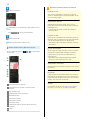
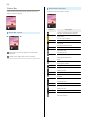
Indicators (new message notification, handset status, etc.)
appear at the top of Display.
Notification Indicators
Notification Indicators appear on the left.
Indicator
Status Bar Layout
Description
Functions Guide (Drag Status Bar down
and open from Notifications Window)
Urgent News
Call Arriving/in Progress
Call on Hold
Missed Call
New Answer Phone Message
New Voicemail
New SMS/S! Mail
Notifications and warnings appear here. (Notification
Indicators)
Handset status appears here. (Status Indicators)
New Internet Mail
New Gmail
Snoozing/Unchecked Alarm
Event
Always Measurement (of Radiation
Measurement) Enabled
Energy Saving (Waza. Mode) Active
Energy Saving (Emerg. Mode) Active
Viewing One Seg
Recording One Seg
Application Installation Complete/Update
Available
Text Entry Window (Choose Input Method)
Positioning (GPS)
Data Downloading
SD Card Unmounted
Reading SD Card
Connected in Card Reader Mode
Screenshot Captured
More Notifications
37
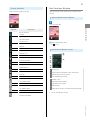
Notifications Window
Status Indicators
Status Indicators appear on the right.
Open notifications, check handset status or change various
settings.
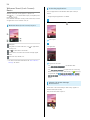
Opening Notifications Window
Drag Status Bar down
Handset Interface
Indicator
Description
Battery Strength
Charging
Signal Strength
No Signal (4G/3G)
4G Data in Use
Notifications Window opens.
3G Data in Use
・Tap
to exit.
Roaming
Airplane Mode
Wi-Fi Connected
Notifications Window Layout
Bluetooth ® On
Bluetooth ® Connected
Silent (Standard) Mode
Silent (Drive) Mode
Silent Mode
Mic Muted
Speakerphone On
Answer Phone Set
Setting Keys
Answer Phone Set (Message Recorded)
Show second and subsequent lines of Setting Keys.
Alarm Set
Notifications and active functions
Osaifu-Keitai ®
Locked
Use corresponding functions.
Kanji Mode
Handset status 1
Half Alphabet Mode
Close Notifications Window.
Half Numeric Mode
Open Energy save window.
Half Katakana Mode
Open Settings.
Full Alphabet Mode
Delete all notifications and close Notifications Window.
Full Numeric Mode
Full Katakana Mode
1 Tap for corresponding settings.
Character Code Mode
SoftBank 205SH
38
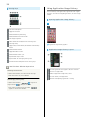
Using Application Usage History
Setting Keys
Activate recently used applications, applications that support
the assist function and assigned applications, all from a single
window.
Opening Application Usage History
Set Silent mode option.
Toggle Wi-Fi on/off.
Enable/disable GPS positioning.
Enable/disable Auto-rotate screen.
Set Display brightness.
Show second and subsequent lines of Setting Keys.
Set Bright Keep.
Toggle Always measurement (of Radiation measurement)
Application usage history appears.
on/off.
Application Usage History Layout
Enable/disable VeilView.
Toggle Bluetooth ® on/off.
Enable/disable account sync.
Open Wireless output menu.
Open window for rearranging Setting Keys.
Hide second and subsequent lines of Setting Keys.
Notifications Window Operations
Activate application that supports the assist function.
Deleting Notifications
Shortcuts to applications
In Notifications Window, Flick notification left/right
Delete all application usage history items.
・Some notifications may not be deleted.
Activate recently used application.
Indicates corresponding application is running.
Rearranging Setting Keys
In Notifications Window,
target location
Rearrange
Drag icon to
(done) on Action Bar
・Icons cannot be moved to the area where Rearrange
appears in Notifications Window.
39
Application Usage History Operations
Customizing 3-Line Home
Set theme and Wallpaper, move icons/widgets or add
Deleting Single Usage History Item
In application usage history, Flick item left/right
・Corresponding application exits if running.
shortcuts/widgets to corresponding sheets.
Setting Theme & Wallpaper
Changing Shortcuts
In application usage history, Touch & Hold shortcut
Select Application or Shortcut
Tap item
In 3-Line Home, Drag down
(then select option)
Handset Interface
Resetting Shortcuts
In application usage history, Touch & Hold shortcut
To default
Yes
Deleting Shortcuts
Menu opens.
In application usage history, Touch & Hold shortcut
Peel off
Yes
Home settings
Tap theme ( Standard ,
Color pop
or
Select image, color, pattern, etc. by Tapping
list ,
User settings ,
Natural )
Select from
Blue , etc.
list . Follow onscreen prompts.
・Tap User settings to use image set in Wallpaper under
Wallpaper & display .
SoftBank 205SH
・To select from images, Tap Select from list or From
40
Adding Shortcuts
Add an application shortcut.
Theme and Wallpaper are set.
Moving Icons/Widgets
In 3-Line Home, Drag down
In 3-Line Home, Touch & Hold icon/widget
Menu opens.
Add shortcut
Drag to target location
Release to place icon/widget.
・To a folder: Drag icon to target folder.
Application
Tap application
Shortcut is added to shortcut sheet.
41
Adding Widgets
Add Album, Analog clock, etc.
In 3-Line Home, Drag down
Handset Interface
Menu opens.
Add widget
Tap widget
Widget is added.
Removing Widgets/Shortcuts
In widget sheet or shortcut sheet, Touch & Hold widget or
shortcut
Peel off
SoftBank 205SH
42
Phone
Calling................................................................................ 44
Optional Services..............................................................45
Address Book.................................................................... 50
44
Calling
See below to dial directly or answer calls. (Handset does not
To end the call,
End call
support Video Call.)
Placing Calls
In application sheet,
(Phone)
Call ends.
・After calls to/from unsaved numbers, save to Address Book
confirmation appears. Follow onscreen prompts.
Answering Calls
Call Window opens.
・When Incoming History or Outgoing History opens, Tap
When a call arrives, Drag
Answer
down
Phone .
・When missed call window opens, Tap
returns, Tap
. If 3-Line Home
(Phone) in application sheet again.
Use onscreen dialpad to enter number
Call connects.
・When Screen lock is inactive, Tap Answer .
・Include area code for landline numbers.
To end the call,
End call
Call
Call ends.
・After calls to/from unsaved numbers, save to Address Book
confirmation appears. Follow onscreen prompts.
Handset dials the number.
・Wait for other party to accept the call.
45
Emergency Location Report
Using SoftBank 3G handset for emergency calls (110, 119 or
Optional Services
Use these SoftBank Optional Services:
118) automatically reports handset location to corresponding
agency (police, etc.).
Optional Services
・Location Report does not incur registration/transmission
fees.
・Location/signal conditions affect positioning accuracy.
Always provide location and call purpose.
・Hiding Caller ID (using 184, etc.) cancels Location Report.
Service
Call
Divert all/unanswered calls to a preset
Forwarding
number.
However, corresponding agency may obtain location
information in life threatening situations.
Divert all/unanswered calls to Voicemail
Voicemail
・Location Report is not sent for calls made while outside
Japan.
Waiting 1
Group Calling 1
appears. In Welcome sheet (lock
screen), notification appears.
Caller ID
Call Barring
Answer calls during a call.
Switch between open lines/connect
multiple lines.
Show or hide your number when placing
Phone
For unanswered calls,
Center; access messages via handset/
touchtone phones.
Call
Missed Calls
Description
calls.
Restrict incoming/outgoing calls by
conditions.
1 Requires separate subscription
Notification Indicator
Notification
・Drag Status Bar down for Notifications Window, then Tap
missed call notification to open Incoming History. When
Call or SMS appears below missed call notification,
Tap it to call back or send SMS.
・Drag notification down to open Incoming History.
Emergency Call Restriction
Emergency calls are restricted when Airplane mode is
active. Long Press
and cancel it.
SoftBank 205SH
46
Call Forwarding
OK
In application sheet,
(Settings)
Call Forwarding is set.
Call
Voicemail
In application sheet,
(Settings)
Call
Call settings opens.
Voicemail/divert
Call settings opens.
Voicemail/divert
Voicemail/divert menu opens.
Voicemail/divert menu opens.
Settings/stop
Settings/stop
Divert menu opens.
Always
or
No answer
Voicemail
Divert menu opens.
Always
or
No answer
Enter number
・For No answer , Tap Wait time and select ring time as
needed.
・To cancel Voicemail, Tap Stop call forward
Yes .
OK
Voicemail is set.
・For No answer , Tap Wait time and select ring time as
needed.
・To cancel Call Forwarding, Tap Stop call forward
Yes .
・When a new message is recorded,
appears. To play
messages, Tap Play voicemail in Voicemail/divert menu,
then follow voice guidance.
47
Call Waiting
Group Calling
Requires separate subscription.
In application sheet,
(Settings)
Requires separate subscription.
Call
During a call,
Add Call
Phone
Call settings opens.
Enter number
Call
Other service settings
When call connects,
Merge calls
Group Calling starts.
Caller ID
Other service settings opens.
In application sheet,
Call waiting
(
(Settings)
Call
)
Call settings opens.
Call waiting is set.
・During a call, a tone sounds for incoming calls;
Drag
right to answer.
・To cancel Call Waiting, Tap Call waiting .
Other service settings
Other service settings opens.
Notify caller ID
or
Show number
SoftBank 205SH
Caller ID is set.
Hide number
48
Call Barring
Restrict outgoing/incoming calls and SMS messages.
Bar outgoing calls
or
Bar incoming calls
Tap option
・Call Barring requires Center Access Code (Call Barring
Password).
・Call Barring settings will be locked if incorrect Center
Access Code (Call Barring Password) is entered three times
consecutively when making a setting. To unlock, the code
must be changed. For details, contact SoftBank Customer
Support, General Information.
・If Call Barring Password has been previously changed on a
mobile phone, enter the latest code to set Call Barring.
・Failure message appears when attempting to place/send
calls/SMS with outgoing call restriction active. Message may
take time to appear in some areas.
Restriction
All outgoing
calls
Restriction is set.
Description
Restrict all non-emergency calls.
Restrict international calls; while outside
Bar int'l call
Japan, calls within current country are
allowed.
Local & home
only
Restrict all
incomings
Bar if abroad
Restrict international calls; while outside
Japan, calls within current country and to
Japan are allowed.
Reject all calls.
Reject calls while outside Japan.
In application sheet,
(Settings)
Call settings opens.
Call barring
Call barring menu opens.
Enter Center Access Code (Call Barring Password)
Call
OK
49
Optional Services Operations
Setting Missed Call Notification
Rejecting Calls with No/Undisplayable Caller ID
or from Payphones
Activate this function for records of calls missed when
In Call barring menu,
handset is off/out-of-range. Initiate Voicemail then follow
these steps:
In Call settings,
Missed calls
Settings
Payphone
or
Reject call
Unavailable
(
Number not sent ,
)
Call
Follow voice guidance
Setting Handset Response to Missed Calls
In Call settings,
Tap item
Missed calls
Sounds & alerts
Follow onscreen prompts
・Set Missed calls sound, Vibration pattern, Incoming calls
Phone
lamp and Ring duration.
Canceling All Outgoing Call Restrictions
In Call barring menu,
outgoing calls
Password)
Bar outgoing calls
Stop all
Enter Center Access Code (Call Barring
OK
Canceling All Incoming Call Restrictions
In Call barring menu,
incoming calls
Password)
Bar incoming calls
Stop All
Enter Center Access Code (Call Barring
OK
Limiting Calls to Numbers Saved in Address
Book
In Call barring menu,
Restrict destinations
Operation Password
(
OK
Enter
Restrict address book
)
Limiting Calls to Numbers in Call Permitted
List
In Call barring menu,
Restrict destinations
Operation Password
Switch on/off
<Empty>
OK
(
)
Enter number
Enter
Specified phone number
Call permitted list
OK
Rejecting Calls from Unsaved Numbers
In Call barring menu,
numbers
(
Reject call
Not registered
)
Rejecting Calls from Specified Numbers
In Call barring menu,
<Empty>
Reject call
(
)
Enter number
Specified numbers
Reject numbers list
OK
SoftBank 205SH
Switch on/off
50
Address Book
Dialing from Address Book
Save phone numbers, mail addresses and other information
(birthdays, nicknames, etc.).
Set ringtones for each contact as needed.
In application sheet,
(Address Book)
Adding New Contacts
In application sheet,
(Address Book)
Address Book opens.
Tap tab
Tap contact
Address Book opens.
(add) on Action Bar
Contact opens.
・Contacts are sorted by the first character of last name
(Read last).
Add contact window opens.
・If confirmation appears, follow onscreen prompts.
Tap item
Complete entry
Handset dials the number. Wait for other party to accept
the call.
To end the call,
Save
Yes
End call
Call ends.
Address Book Caution
If handset is left uncharged, contacts may be altered/
lost; handset damage may also affect information recovery.
SoftBank Mobile Corp. is not liable for any resulting
damages. Keep separate copies of contacts and other
important information.
Contact is saved.
Messaging & Browser
Messaging.......................................................................... 52
Sending S! Mail/SMS.........................................................52
Opening & Replying to S! Mail/SMS................................ 54
Opening Received S! Mail/SMS........................................ 56
Creating/Sending Gmail....................................................56
Opening Received Gmail................................................... 57
Using Internet Mail.......................................................... 58
Web Browsing (Browser).................................................. 60
52
Messaging
Sending S! Mail/SMS
S! Mail
Wi-Fi Connection Setup
Exchange messages with S! Mail-compatible SoftBank handsets
Send/receive S! Mail using Wi-Fi. When using Mail (S! Mail/
and e-mail compatible devices (other mobiles, PCs, etc.)
SMS) for the first time, complete Wi-Fi connection setup as
beyond SMS character entry limit; attach media files.
follows.
・Descriptions for Mail (S! Mail/SMS) are given assuming that
SMS
Wi-Fi connection setup is complete.
Exchange short messages with mobiles using handset numbers
as addresses.
In application sheet,
(Mail)
Gmail
Gmail is Google's webmail service. Handset automatically syncs
with Gmail.
Internet Mail
Wi-Fi connection setting opens.
Use Internet Mail (POP3/IMAP4/Exchange) on handset.
・Set up an Internet Mail account beforehand.
・Retrieving Internet Mail on handset syncs handset and mail
server; received messages are also accessible from PCs.
Set now
Wi-Fi connection setup starts.
OK
Wi-Fi connection setup is complete.
・After Wi-Fi connection setup is complete, Wi-Fi is used for
sending/receiving S! Mail. When Wi-Fi is not available, 3G or
4G Network is used.
53
Sending S! Mail
To send S! Mail to a contact saved in Address Book:
In application sheet,
(Send) on Action Bar
(Mail)
S! Mail is sent.
・Handset saves failed S! Mail messages to Unsent Folder;
automatically attempts redelivery up to two times.
Folder list appears.
Messaging & Browser
Create
S! Mail Composition window opens.
Address Book
Address Book opens.
Tap recipient
OK
・For multiple numbers/addresses, Tap one after Tapping
recipient.
Tap Enter subject field
Enter subject
Next
Enter message
SoftBank 205SH
54
Opening & Replying to S! Mail/SMS
Sending SMS
Handset retrieves S! Mail/SMS messages automatically (set
To send SMS from sent/received mail records:
In application sheet,
manual retrieval as needed).
Opening New S! Mail/SMS
(Mail)
When message arrives, handset responds with ringtone/
Vibration/Notification Lamp, and
appears.
・In Welcome sheet (lock screen), notification appears.
・Unread message count (
) appears in
(Mail) icon in
application sheet.
Folder list appears.
Create
Drag notification (New mail(s)) down
SMS
Message window opens.
・For multiple new messages, message list (Inbox) opens;
SMS Composition window opens.
select one.
Send/Receive history
SEND HISTORY
or
RECEIVE HISTORY
Enter message
Tap recipient
(Send) on Action Bar
SMS is sent.
・Handset saves failed SMS messages to Unsent Folder;
automatically attempts redelivery up to two times.
Saving to Unsent Folder without
Sending
In S! Mail Composition window or SMS Composition
window,
Save
Important S! Mail/SMS Transmission
Note
If Outbox is full, handset automatically deletes sent
messages, unprotected ones first.
55
Replying to S! Mail/SMS
Important Message Retrieval Notes
Retrieval System
In application sheet,
By default, complete message including attachments is
(Mail)
retrieved; transmission fees may apply depending on
subscribed price plan.
Automatic Message Deletion
If Inbox is full, handset automatically deletes oldest
received messages, opened/unprotected ones first. If all
messages are unopened, handset automatically deletes
oldest unprotected ones first.
Folder list appears.
Retrieval Outside Japan
Message retrieval outside Japan may incur high charges.
Tap folder in Inbox
Tap message
Messaging & Browser
Message window opens.
Reply
or
Reply to all
・ Reply to all appears for messages addressed to multiple
recipients.
Enter message
(Send) on Action Bar
Message is sent.
Retrieving Complete Messages
In message window,
・Tap
Continue to receive
to select item to retrieve.
SoftBank 205SH
56
Opening Received S! Mail/SMS
Creating/Sending Gmail
Use Google's webmail service. Sign in to a Google Account
Opening S! Mail/SMS
To open received messages:
In application sheet,
(Mail)
Folder list appears.
beforehand.
Creating/Sending Gmail
In application sheet,
(Gmail)
Inbox opens.
・If confirmation appears, follow onscreen prompts.
Tap folder in Inbox
Message list appears.
・Flick left/right for message lists in other folders.
Tap message
Mail Composition window opens.
Complete message
Message window opens.
・Flick left/right to open other messages.
Message is sent.
on Action Bar
57
Opening Received Gmail
Gmail Composition Operations
Gmail groups all related messages by subject. (Conversation
Adding Cc/Bcc Recipients
In Mail Composition window,
View)
Add Cc/Bcc
Add recipient
Opening New Gmail
Attaching Images/Videos
In Mail Composition window,
Attach video
Select application
When Gmail message arrives, handset responds with ringtone
Attach picture
or
and Vibration, and
appears.
Select file
・If confirmation appears, follow onscreen prompts.
Drag Status Bar down for Notifications Window
Saving without Sending
After entering recipient, subject or message text,
Save draft
・Message is saved to Drafts.
After entering recipient, subject or message text,
Discard
OK
Tap message notification
Gmail Caution
Messaging & Browser
Discarding Messages
Gmail messages are not received if recipient device is set
to reject messages sent from PCs.
Message window opens.
・For two or more new messages with different subjects,
Inbox opens; select one.
SoftBank 205SH
58
Using Internet Mail
Opening Gmail
Adding Accounts
In application sheet,
(Gmail)
Check usernames (user IDs), passwords, server names, etc. of
your Internet Mail accounts beforehand.
In application sheet,
(Email)
Inbox opens.
Tap conversation (subject)
Account setup menu opens (if no account is set up).
Follow onscreen prompts to set up account
Internet Mail setup is complete.
Message window opens.
Replying to Messages
In message window,
Action Bar
Complete message
on
59
Creating/Sending Internet Mail
Opening New Internet Mail
When Internet Mail message arrives, handset responds with
In application sheet,
(Email)
ringtone and Vibration, and
appears.
Drag Status Bar down for Notifications Window
Inbox opens.
Notifications Window opens.
Messaging & Browser
Tap message notification
Mail Composition window opens.
Complete message
Message window opens.
・For two or more new messages, Inbox opens; select one.
Message is sent.
SoftBank 205SH
60
Opening Internet Mail
Web Browsing (Browser)
View Internet sites in Browser.
In application sheet,
(Email)
Using Browser
Upon activating Browser, Quick toolbox guidance appears by
default.
・To disable it thereafter, Tap Don't show again (
Tap Close .
Inbox opens.
Tap message
In application sheet,
Message window opens.
Browser activates.
・Flick to scroll.
(Browser)
) and
61
Adding Bookmarks
In application sheet,
Opening Bookmarks
(Browser)
In application sheet,
Browser activates.
(Browser)
Browser activates.
Open target webpage
Add bookmark
Bookmark list
Messaging & Browser
Add bookmark window opens.
Check/edit label, URL, etc.
OK
Bookmark window opens.
Tap bookmark
Corresponding webpage opens.
Current webpage is saved as a bookmark.
SoftBank 205SH
62
Using History
In application sheet,
Saving Webpages
(Browser)
Browser activates.
In application sheet,
(Browser)
Browser activates.
Bookmark list
Open target webpage
Save for offline reading
Current webpage is saved.
Opening New Tabs
Open up to 16 webpages in different tabs to switch between
them easily.
Bookmark window opens.
In application sheet,
(Browser)
HISTORY
Browser activates.
History list appears.
New tab
Tap item (such as
Today )
Tap record
Corresponding webpage opens.
・Frequently visited webpages are saved in Most visited .
Another tab opens.
・When multiple tabs are open, Tap
Tab list
to open another tab.
・To switch tabs, Tap
target tab.
Tab list in Browser, then Tap
63
SSL & TLS
Secure Sockets Layer (SSL) and Transport Layer Security
(TLS) are encryption protocols that secure Internet
transmissions of important/sensitive information such
as credit card numbers and corporate secrets, providing
protection against online threats (eavesdropping,
falsification, impersonation, etc.).
Browser Operations
Signing in to My SoftBank
Access My SoftBank to check service charges or reward
points, change contract details (subscribed price plan,
optional services, etc.), customize handset address, use
anti-spam settings, etc.
Bookmark list
My SoftBank
Follow onscreen prompts
Searching for Information
In Browser, Tap URL entry field
Go
Enter search text
Tap link
Editing Bookmarks
In Browser,
bookmark
Bookmark list
Messaging & Browser
In Browser,
Touch & Hold
Edit or move bookmark
Edit
OK
Deleting Bookmarks
In Browser,
bookmark
Bookmark list
Delete bookmark
Touch & Hold
Yes
Searching within Current Webpage
In Browser,
Find on page
Enter search text
Search results are highlighted.
Opening Saved Webpages
In Browser,
Bookmark list
SAVED PAGES
Tap page
SSL/TLS Caution
When a security notice appears upon opening a webpage,
subscribers must decide for themselves whether or not to
open the page. Opening secure pages constitutes agreement
SHARP Corporation, VeriSign Japan and Cybertrust cannot
be held liable for any damages associated with the use of
SSL/TLS.
SoftBank 205SH
to the terms of SSL/TLS usage. SoftBank Mobile Corp.,
64
Camera
Photo Camera.................................................................... 66
Video Camera.................................................................... 67
66
Photo Camera
Photo Viewfinder Operations
Capturing Photos
Adjusting Brightness
Drag up/down for Brightness Scale
Capture JPEG images.
・Insert SD Card beforehand. (Captured photos are saved to
SD Card.)
Adjusting Zoom
Drag left/right or Pinch/Spread for Zoom Slider
・Zoom may be unavailable depending on Camera mode.
In application sheet,
(Camera)
Locking Focus
Tap subject for focus lock
・External Camera continuously focuses on moving subjects.
・To release shutter, Tap the subject again.
・External Camera uses color to track subjects; may not
correctly track faintly colored subjects or ones similar to
background color.
Photo Viewfinder appears.
・If confirmation appears, follow onscreen prompts.
Opening Captured Photo
Tap preview thumbnail
Album activates (
Aim External Camera at subject
appears) and photo appears.
Using Internal Camera
Use Internal Camera to capture self or others with Lens on
Display side.
・Tap
to toggle Internal/External Camera.
・Some functions/settings are not available for Internal
Camera.
・For people, focus automatically locks on detected face.
Camera Cautions
General Use
Mind etiquette when using Camera.
Keep Lens Clean
Fingerprints/smudges may hinder handset imaging. Clean
Lens with a soft cloth beforehand.
Avoid Direct Sunlight Exposure
Shutter sound plays; photo is saved to SD Card.
Do not expose Lens area to direct sunlight for extended
periods; may damage color filter, altering images.
Mobile Light Warning
Do not shine Mobile Light in eyes; may affect eyesight or
cause other problems.
67
Video Camera
to stop recording
Recording Videos
Record H.264/AAC videos.
・Available format varies by recording size.
・Insert SD Card beforehand. (Recorded videos are saved to SD
Card.)
In application sheet,
Tone sounds and recording stops; video is saved to SD Card.
Video Viewfinder Operations
(Camera)
Adjusting Brightness
Drag up/down for Brightness Scale
Adjusting Zoom
Drag left/right or Pinch/Spread for Zoom Slider
Camera
Locking Focus
Photo Viewfinder appears.
・If confirmation appears, follow onscreen prompts.
Tap subject for focus lock
・External Camera continuously focuses on moving subjects.
・External Camera uses color to track subjects; may not
correctly track faintly colored subjects or ones similar to
background color.
Playing Recorded Video
Tap preview thumbnail
Tap
Follow onscreen
prompts
Album activates (
appears) and video plays.
Using Internal Camera
Video Viewfinder appears.
・If confirmation appears, follow onscreen prompts.
Use Internal Camera to record self or others with Lens on
Display side.
Aim External Camera at subject
to start recording
・Tap
to toggle Internal/External Camera.
・Some functions/settings are not available for Internal
Camera.
Tone sounds and recording starts.
・For people, focus automatically locks on detected face.
SoftBank 205SH
68
Camera Cautions
General Use
Mind etiquette when using Camera.
Keep Lens Clean
Fingerprints/smudges may hinder handset imaging. Clean
Lens with a soft cloth beforehand.
Avoid Direct Sunlight Exposure
Do not expose Lens area to direct sunlight for extended
periods; may damage color filter, altering images.
Continuous Recording Time
Recording capacity is 2 GB per file (recording stops when
exceeded). To continue recording, start another session.
Mobile Light Warning
Do not shine Mobile Light in eyes; may affect eyesight or
cause other problems.
Music & Images
Music & Images................................................................. 70
Music Files (Music)........................................................... 70
Still Images & Video (Album)...........................................71
70
Music & Images
Music Files (Music)
Main Applications
Application
Music
Playing Music Files
Description
Play music files saved to SD Card.
Supported file formats:
・3GPP, 3GPP2, MP4, MP3, AMR, WMA (except WMDRM
content), ASF (except WMDRM content), OGG Vorbis, WAVE,
Photos and videos shot on handset
Album
MIDI, XMF, RTTTL/RTX, OTA, iMelody, ADTS raw AAC, FLAC
or downloaded images are sorted into
PORTRAIT, EVENT and MAP tabs.
In application sheet,
(Music)
Library opens.
・
appears next to the last played song in song list and its
information appears at Display bottom.
Select category (such as
Tap item
Albums )
Tap song
Song plays.
・In Songs , Tap song directly.
・After Tapping an item, you may need to Tap another item
(such as album name) depending on category.
71
Still Images & Video (Album)
Photos and videos shot on handset or downloaded images are
sorted into PORTRAIT, EVENT and MAP tabs.
Opening/Playing Files
View still images and videos saved to SD Card. See below for
supported file formats.
Image
Still Image
File Format
JPEG, PNG, GIF, BMP, WBMP, WebP
3GPP, 3GPP2, MP4, WMV (except WMDRM
Video
content), ASF (except WMDRM content),
WebM, Matroska, MPEG2-TS
In application sheet,
(Album)
・Tap ALL , PORTRAIT , EVENT or MAP to open files
Music & Images
File list appears.
by category.
・When activating Album for the first time, ALL file list
appears. Album activates in the last-used state thereafter
(file list or folder list appears).
・Flick up/down for hidden files.
・If confirmation appears, follow onscreen prompts.
Tap file
File opens.
・For video playback, Tap
, then select application. If
confirmation appears, follow onscreen prompts.
SoftBank 205SH
72
Connectivity
Wi-Fi...................................................................................74
Tethering Option.............................................................. 76
Bluetooth ® ........................................................................ 77
74
Wi-Fi
Connecting Selected Access Points
Use household Wi-Fi networks, etc. to connect to the Internet.
Enable handset Wi-Fi first.
Enabling Wi-Fi
In application sheet,
In application sheet,
(Settings)
(Settings)
Wi-Fi settings
Wi-Fi settings
Wi-Fi settings opens.
Wi-Fi settings opens.
Tap access point
on Action Bar
Enter password
Wi-Fi is enabled (
Connect
).
・Access point search starts; available access points appear
upon completion.
・Tap
to disable Wi-Fi (
).
Connection is established.
・Password (indicated by WEP, WPA, KEY, etc.) may be found
on a label on your Wi-Fi router. For details, contact the
vendor of the router. For public wireless LAN services, check
the password with your ISP.
・Omit password entry for unprotected access points.
75
Disconnecting Wi-Fi
Using Wi-Fi Direct
Use Wi-Fi Direct to establish a Wi-Fi connection with other
Wi-Fi Direct compatible devices with no need for an access
In application sheet,
(Settings)
Wi-Fi settings
point or Internet connection.
・Enable handset Wi-Fi first.
In application sheet,
(Settings)
Wi-Fi settings
Wi-Fi settings opens.
Tap connected access point
Forget
Wi-Fi settings opens.
Wi-Fi Direct
Wi-Fi is disconnected.
point.
Found Wi-Fi Direct compatible devices appear in Peer
devices field.
Connectivity
・Password entry may be required to reconnect to access
・If target device does not appear, Tap SEARCH FOR
DEVICES to try searching again.
Tap target device
Follow onscreen prompts for
authentication
Tapped device is connected.
Automatic Updates for Optimizing WiFi Connection
While using Wi-Fi, updates for optimizing connection may
be received or applied automatically.
SoftBank 205SH
76
Tethering Option
Wi-Fi Operations
Connecting Access Points Manually
In Wi-Fi settings,
Enter Network SSID
Tap Security field
About Tethering Option
Done
Tap security protocol
Use handset like a Wi-Fi router to access the Internet from a
Save
PC or game device.
・Available when Wi-Fi settings is enabled.
・Selected security protocol may require other fields to be
completed.
・Requires separate subscription.
・Use after checking that handset is updated to the latest
software.
Connecting Using AOSS
In Wi-Fi settings,
AOSS
Starting Up Tethering Option
Follow onscreen
prompts
In application sheet,
Enabling/Disabling Available Network
Notifications
In Wi-Fi settings,
Advanced
(Tools)
(Tethering)
Network
notification
・Available when Wi-Fi settings is enabled.
・Tap Network notification to toggle on (
)/off (
Selecting a Wi-Fi Sleep Option
In Wi-Fi settings,
policy
Advanced
Tethering window appears.
Wi-Fi sleep
Tap option
Setting Wi-Fi Frequency Band
In Wi-Fi settings,
frequency band
Advanced
Auto ,
Wi-Fi
5 GHz only
or
2.4 GHz
only
Connecting Using WPS
In Wi-Fi settings,
Follow onscreen prompts
・To connect using the PIN method, Tap
in Wi-Fi
settings, Tap WPS Pin Entry , then follow onscreen
prompts.
Dismissing Access Points
In Wi-Fi settings, Touch & Hold access point
network
Forget
Yes
Troubleshooting
Q. Cannot detect access points
A. There may be multiple access points using neighboring
channels. In this instance, handset may not detect
access points correctly.
).
・When Terms of Agreement appear, follow onscreen prompts.
77
Opening Tethering Option Help
(Japanese)
Bluetooth ®
Connect handset to other Bluetooth ® devices for wireless
connectivity.
In application sheet,
(Tools)
(Tethering)
Bluetooth ® Functions
Function
Description
Sound output
Listen to music, audio, etc. wirelessly.
Handsfree
Use Bluetooth ® devices (such as headsets)
conversation
for handsfree conversations.
File transfer
Tethering window appears.
Transfer files between handset and
Bluetooth ® devices.
Enabling Bluetooth ®
Help
In application sheet,
(Settings)
Other settings
Follow onscreen prompts
Connectivity
Help window appears.
Bluetooth
A description of each item appears.
Wi-Fi Connection
After enabling Wi-Fi connection (
automatically disabled (
), it will be
) when no connection is made to
handset for a certain period of time.
Bluetooth ® menu opens.
on Action Bar
・Tap
).
to disable Bluetooth ® (
).
SoftBank 205SH
Bluetooth ® is enabled (
78
Device Search & Pairing
Connecting Paired Bluetooth ® Devices
Pair nearby Bluetooth ® devices with handset to transfer files,
for handsfree conversations, or to listen to music.
In application sheet,
(Settings)
Other settings
・Enable Bluetooth ® on handset and set target devices to be
discoverable first.
In application sheet,
(Settings)
Other settings
Bluetooth
Bluetooth
Bluetooth ® menu opens.
・Paired Bluetooth ® devices appear in Paired devices field.
Bluetooth ® menu opens; found Bluetooth ® devices appear
in Available devices field.
・If target device does not appear, Tap SEARCH FOR
DEVICES to try searching again.
Tap target device
Follow onscreen prompts for
authentication
Pairing completes; handset connects to some devices (such
as handsfree devices) automatically.
・Authentication procedure varies by device. Passkey entry
may be required.
・Passkey is a 1 to 16-digit alphanumeric code required for
authentication between handset and other devices.
・Paired devices appear in Paired devices field.
Tap target device
Tapped device is connected.
79
Sending Files (e.g., Address Book)
Receiving Files (e.g., Address Book)
When file reception request arrives,
In application sheet,
(Address Book)
appears. To receive
files:
Drag Status Bar down for Notifications Window
Address Book opens.
Tap tab
Tap contact
Tap Bluetooth ® share notification
Accept
Contact opens.
(Read last).
After receiving files, Drag Status Bar down for Notifications
Window
(send) on Action Bar
Send by Bluetooth
Tap Bluetooth ® share notification
of data
Yes
Always
or
Tap file
Connectivity
・Contacts are sorted by the first character of last name
Register
Just once
Tap device
Data is saved.
File is sent.
・If confirmation appears, follow onscreen prompts.
・If confirmation appears, follow onscreen prompts.
・Messages received via Bluetooth ® can be used from
Contents Manager.
Accepting Connection Requests
Handset automatically accepts connection requests from
paired devices. For unpaired devices, set handset to be
onscreen prompts.
・If confirmation appears, follow onscreen prompts.
SoftBank 205SH
discoverable first; when connection request arrives, follow
80
Bluetooth ® Connection Operations
Important Bluetooth ® Usage Notes
Renaming Paired Devices
Connection
In Bluetooth ® menu,
Bluetooth ® connection may not be possible with some
Rename
(next to target device name)
Enter name
Bluetooth ® devices. Noise may interfere with wireless or
OK
handsfree conversations.
・Pictograms are not supported.
File Transfer
Unpairing Devices
In Bluetooth ® menu,
Files may not appear correctly on recipient devices.
(next to target device name)
Unpair
Connecting to Bluetooth ® Devices by Service
In Bluetooth ® menu,
(next to target device name)
Tap item
・Available for compatible devices only.
Disconnecting Devices (e.g., Handsfree Devices)
In Bluetooth ® menu, Tap device
OK
Setting whether to Allow Other Devices to
Detect Handset
In Bluetooth ® menu, Tap handset name (default:
SBM205SH )
・Description below handset name changes to Visible
to all nearby Bluetooth devices, and handset will be
discoverable from other Bluetooth ® devices for a period
of time set in Visibility timeout .
・Handset returns to non-discoverable state automatically
after a period of time set in Visibility timeout , and
will be hidden from unpaired devices.
Changing Handset Name that Appears on Other
Devices
In Bluetooth ® menu,
Name field
Rename phone
Enter name
Tap
Rename
・Pictograms are not supported.
Changing Discoverable Time
In Bluetooth ® menu,
Visibility timeout
Tap
option
・For Never time out , handset does not return to nondiscoverable state automatically.
Troubleshooting
Q. Cannot use Bluetooth ®
A. Airplane mode may be active. Activating Airplane mode
disables Bluetooth ® . (Bluetooth ® can be enabled again
while Airplane mode is active.)
Global Services
Global Roaming................................................................. 82
Calling from Outside Japan............................................. 83
82
Global Roaming
Handset is Global Roaming Service eligible where 3G or 4G
Manual
4G/3G
or
3G
network coverage is available (3G/4G areas). Use the same
handset number outside Japan.
Selecting Network Service
Handset connects to 4G or 3G Network service automatically
by default.
Network service is set.
In application sheet,
Other settings
(Settings)
Network settings
Mobile networks
4G/3G settings
4G/3G settings opens.
・To select Network service automatically, Tap Auto .
83
Selecting a Cellular Provider
Handset connects to an appropriate cellular provider
automatically by default. To select a cellular provider
manually:
Calling from Outside Japan
See SoftBank Mobile Website for details:
http://mb.softbank.jp/en/global_services/
Access roaming area/rate information or print it out to carry
while traveling abroad.
In application sheet,
(Settings)
Calling Japan
In application sheet,
Other settings
(Phone)
Network settings
Call Window opens.
・When Incoming History or Outgoing History opens, Tap
Phone .
・When missed call window opens, Tap
returns, Tap
(Phone) in application sheet again.
Use onscreen dialpad to enter number
Mobile networks
. If 3-Line Home
・Do not add + before the number.
Japan number
Global Services
Roaming assistant appears.
Call
Network operators
Handset dials the number.
Tap provider
・Tap Choose automatically to set an appropriate cellular
provider automatically.
・Tap Search networks to search for all available cellular
providers.
SoftBank 205SH
Cellular provider is set.
84
Calling Landlines & Mobiles within
Current Country
Calling Countries aside from Japan
In application sheet,
In application sheet,
(Phone)
(Phone)
Call Window opens.
Call Window opens.
・When Incoming History or Outgoing History opens, Tap
・When Incoming History or Outgoing History opens, Tap
Phone .
・When missed call window opens, Tap
returns, Tap
Phone .
・When missed call window opens, Tap
. If 3-Line Home
returns, Tap
. If 3-Line Home
(Phone) in application sheet again.
(Phone) in application sheet again.
Use onscreen dialpad to enter number
Use onscreen dialpad to enter number
Call
Call
Roaming assistant appears.
Roaming assistant appears.
・Do not add + before the number.
・Do not add + before the number.
Other country number
Stay country number
Country code list appears.
Handset dials the number.
Tap country
Handset dials the number.
・When calling SoftBank handsets, always Tap 日本(JPN) .
85
International Call Operations
Changing Country Codes
In application sheet,
settings
by list
User list
(Settings)
Call
Tap country/area
Tap country/area
Int'l call
Change
Register
・Tap Entry direct to enter country name and code
directly.
Deleting Country Codes
In application sheet,
settings
User list
(Settings)
Call
Tap country/area
Int'l call
Delete
from list
Enabling/Disabling Abroad Assistant
In application sheet,
settings
(Settings)
Call
Abroad assistant
・Tap Abroad assistant to toggle Enable (
Disable (
Int'l call
) and
).
Global Services
SoftBank 205SH
86
Settings
About Settings..................................................................88
Sound Settings..................................................................89
Wallpaper & Display Settings..........................................91
Quick Start Key Settings................................................ 92
Device Info........................................................................ 92
Add Account...................................................................... 93
Wi-Fi Settings...................................................................94
Home Applications Setting.............................................. 94
Storage Settings...............................................................95
Application Settings.........................................................96
Other Settings.................................................................. 96
88
About Settings
In application sheet,
About Settings
In application sheet, Tap
(Settings) to customize the
following settings.
Item
Profile
Sound
settings
Wallpaper &
display
Description
Check handset number, mail address, etc.
Set ringtone, confirmation tones, etc.
Set Wallpaper, Display brightness, etc.
Quick start
Change functions assigned
key Settings
to
and
(Long Press).
Adjust corresponding settings together
Energy saving
at once to save battery power, or check
battery status.
Device info
Check handset status.
Add account
Create/add accounts and sync accounts.
Wi-Fi settings
Enable Wi-Fi connection.
Wi-Fi spot
settings
Make SoftBank Wi-Fi spot settings.
Call
Set call options.
Mail settings
Set messaging options.
Browser
settings
Guide
Home
applications
Radiation
measurement
Set Browser options.
Show/hide Guide indicator.
Switch Home application.
Set Radiation measurement options.
PC media
Set MediaJet (application for PC
transfer
connection) options.
Charging
Set slideshow or video to play in 3-Line
theater
Home while charging.
Data usage
Check data usage and set limit.
Storage
Application
Other
settings
Settings opens.
Check handset/SD Card memory status,
mount SD Card and erase SD Card files.
Check installed applications and running
applications.
Set operation of other functions.
Set each item
Setting is complete.
(Settings)
89
Sound Settings
Sound Settings Operations
Set Silent Mode
Sound Settings
In Sound settings,
Item
Description
Mode settings
Set Silent mode.
Volume
Adjust volume levels.
For Incoming
Set ringtone and other options for
call
incoming calls.
For new
Set ringtone and other options for
message
incoming messages.
For
Set sound and other options for
notification
notifications.
Alarm
Set volume and other options for Alarm.
Timer
Set sound and other options for Timer.
Haptic
Enable Vibration when Tapping dialpad,
feedback
keys, etc.
Audible touch
Enable confirmation tones when Tapping a
tones
menu.
Dial pad touch
Mode settings
Tap option
・Camera shutter sound, video recording tones, etc. still
play even in Silent mode.
Set Handset Volume
In Sound settings,
Volume
Volume
Drag slider to adjust
OK
・Sound plays at set Volume upon releasing finger.
Set Ringtone for Incoming Calls
In Sound settings,
Ringtone
For Incoming call
Ringtone , etc.)
tone/file
Sound/
Tap option ( Media Storage ,
Always
or
Sound/
Just once
Tap
OK
・Sound plays upon Tapping a tone/file.
Enable/disable dialpad tones.
Enable/Disable Vibration for Incoming Calls
Screen lock
Enable tone when locking/unlocking
In Sound settings,
sounds
Touchscreen.
tones
For Incoming call
Vibration
Tap option
Set Vibration Pattern for Incoming Calls
In application sheet,
(Settings)
In Sound settings,
pattern
For Incoming call
Tap pattern
Vibrator
OK
・Handset vibrates upon Tapping a pattern.
In Sound settings,
For Incoming call
Blinking pattern
or
Incoming lamp
Blinking color
Settings
Set Notification Lamp Illumination for Incoming
Calls
Tap item
OK
Sound settings
・Notification Lamp flashes upon Tapping an item.
Set Ringtone for Incoming Messages
In Sound settings,
Select melody
For new message
Melody
Tap option ( Media Storage ,
Sound/Ringtone , etc.)
Tap tone/file
Always
or
Just once
OK
・Sound plays upon Tapping a tone/file.
Sound settings opens.
Set each item
melody .
Set Vibration Pattern for Incoming Messages
In Sound settings,
Tap pattern
For new message
OK
・Handset vibrates upon Tapping a pattern.
Vibrator
SoftBank 205SH
Setting is complete.
・To disable ringtone, Tap OFF instead of Select
90
Set Notification Lamp Illumination for Incoming
Messages
In Sound settings,
lamp
For new message
Blinking pattern
or
Reception
Blinking color
Tap
OK
item
・Notification Lamp flashes upon Tapping an item.
For new message
Ring time setting
OK
ends.
Set Ringtone for Notifications
sounds
For notification
Ringtone , etc.)
tone/file
Notification
Tap option ( Media Storage ,
Always
or
Sound/
Just once
Tap
OK
・Sound plays upon Tapping a tone/file.
Enable/Disable Notification Lamp for
Notifications
In Sound settings,
For notification
Pulse
notification light
・Tap Pulse notification light to toggle on (
(
)/off
).
Set Ringtone Duration for Notifications
In Sound settings,
For notification
Ring time setting
Select time
Ring duration
OK
・For Ring single song , selected tone/file plays until it
ends.
Enable Vibration when Tapping Dialpad, Keys,
Etc.
In Sound settings,
Haptic feedback
・Tap Haptic feedback to toggle on (
)/off (
).
・Disable Haptic feedback to save battery power.
Enable Confirmation Tones when Tapping a
Menu
In Sound settings,
Audible touch tones
・Tap Audible touch tones to toggle on (
)/off (
)/off (
・Disable Audible touch tones to save battery power.
).
・Disable Dial pad touch tones to save battery power.
Screen lock sounds
・Tap Screen lock sounds to toggle on (
)/off (
・Disable Screen lock sounds to save battery power.
・For Ring single song , selected tone/file plays until it
In Sound settings,
Dial pad touch tones
・Tap Dial pad touch tones to toggle on (
In Sound settings,
Ring duration
Select time
In Sound settings,
Enable Tone when Locking/Unlocking
Touchscreen
Set Ringtone Duration for Incoming Messages
In Sound settings,
Enable/Disable Dialpad Tones
).
).
91
Wallpaper & Display Settings
Wallpaper & Display Settings
Wallpaper & Display Operations
Set Preset Image as Wallpaper
Change Wallpaper for SH Home (Home application).
In Wallpaper & display menu,
Item
Wallpaper
Welcome
Sheet(lock
screen)
Description
Set Wallpaper for SH HOME (Home
application).
Set Wallpaper and other options for
Welcome sheet (lock screen).
Brightness
Set Display brightness.
Screen
Set a period of inactivity after which
timeout
Display turns off automatically.
Quality mode
Select a mode (combination of Display
color tone and brightness).
Auto-rotate
Set whether to rotate Display with
screen
handset orientation automatically.
Screen on/off
with motion
Set Display to turn on/off upon Dragging
or shaking handset, or keep it turned on
while hand-holding handset.
Font Settings
Set font size and font type.
VeilView
Prevent peeking.
Display left
percents of
Battery
Set whether to show battery strength in
percent.
Live Wallpapers
or
or
Just once
Wallpaper
OK
Wallpaper gallery
Select image
Always
Set wallpaper
or
Set to wallpaper
・For some images, additional settings are available; follow
onscreen prompts.
Set Still Image as Wallpaper for Welcome
Sheet (Lock Screen)
In Wallpaper & display menu,
screen)
Welcome Sheet wallpaper
to Image)
(e.g.,
Welcome Sheet(lock
Tap page (e.g.,
Contents manager )
frame to adjust image area
Tap
Page 1 )
(next
Tap option
Select image
Drag
Save
・To remove Wallpaper, Tap To cancel the setting when
Tapping an option.
Set a Period of Inactivity after which Display
Turns Off
In Wallpaper & display menu,
Screen timeout
Tap
time
・Set a shorter time to save battery power.
In application sheet,
(Settings)
Set whether to Keep Display Turned On while
Hand-Holding Handset
In Wallpaper & display menu,
or
Screen on/off with motion
ON (Notify) ,
ON (Not notify)
OFF
・For ON (Notify) ,
appears indicating Bright Keep is
Settings
Bright Keep
enabled.
・Hand-held state is determined based on handset angle
and Proximity/Light Sensor responses; may not be
determined correctly depending on usage status.
Wallpaper & display
Wallpaper & display menu opens.
Setting is complete.
SoftBank 205SH
Set each item
92
Quick Start Key Settings
Device Info
Quick Start Key Settings
Change functions assigned to
In application sheet,
(Settings)
Quick start key Settings
Quick start key Settings opens.
and
Device Info
(Long Press).
Check handset status.
In application sheet,
(Settings)
Device info
Device info menu opens.
・For details on updating Software, see "Software Updates."
Short press
or
Long press
Tap item (then select option)
Setting is complete.
93
Add Account
Device Info Operations
Check Handset Status (Battery Status, Handset
Number, Etc.)
In Device info menu,
Status
Add Account
Create/add accounts and sync accounts.
・Tap Battery status to check battery performance.
・Tap IMEI to view barcode with IMEI number.
In application sheet,
Calibrate Touchscreen
(Settings)
Calibrate Touchscreen to improve response. Hold handset
normally during calibration.
In Device info menu,
Adjust touch panel
Follow
onscreen prompts
Calibrate Motion & Electromagnetic Sensors
In Device info menu,
OK
Adjust sensitivity of sensor
Follow onscreen prompts (tone sounds when
calibration completes)
OK
Add account
Check Legal Information, Authentication, &
Technical Regulations Conformity Certification
In Device info menu,
Authentication
or
Legal information ,
Technical Regulations Conformity
Certification
・Handset complies with requirements as stipulated by the
Radio Law and Telecommunications Business Law.
Tap account type
Follow onscreen prompts
An account is added.
In application sheet,
(Settings)
Tap account
Tap sync option (
Settings
Select Applications to Sync by Account
Tap account type
)
SoftBank 205SH
94
Wi-Fi Settings
Home Applications Setting
Wi-Fi Settings
Home Applications Setting
Set Home application.
In application sheet,
(Settings)
In application sheet,
(Settings)
Wi-Fi settings
Home applications
Wi-Fi settings opens.
Home applications menu opens.
on Action Bar
Tap Home application
Setting is complete.
Wi-Fi is enabled (
).
・Access point search starts; available access points appear
upon completion.
・Tap
to disable Wi-Fi (
Tap access point
).
Enter password
Connect
Connection is established.
・Password (indicated by WEP, WPA, KEY, etc.) may be found
on a label on your Wi-Fi router. For details, contact the
vendor of the router. For public wireless LAN services, check
the password with your ISP.
・Omit password entry for unprotected access points.
・See "Wi-Fi" for more about Wi-Fi settings and operations.
95
Storage Settings
Storage Settings Operations
Set Install Location for Applications
Storage Settings
Item
Total space
Available
In Storage menu,
Description
Check total space in handset system
memory and SD Card.
Check free space in handset system
Preferred install location
Tap item
File Backup (Handset to SD Card)
Back up handset files (contacts, sent/received messages,
bookmarks, etc.) to SD Card.
memory and SD Card.
In Storage menu,
Mount
Mount SD Card.
Operation Password
microSD
See "Unmounting SD Card" for details.
Unmount
Unmount SD Card to remove it safely.
・If confirmation appears, follow onscreen prompts.
microSD
See "Unmounting SD Card" for details.
・Backup stops if Battery runs low. Check battery charge
Erase microSD
Format SD Card.
See "Formatting SD Card" for details.
Set install location for applications.
location
microSD
backup
Yes
OK
Backup
Tap items (
Enter
)
Complete
beforehand.
・To select (
) or cancel (
) multiple items together
at once in Backup item list, Tap
Preferred
install
Start
microSD backup
(check all) or
(uncheck all) on Action Bar.
・microSD backup requires 11 MB of free space in handset
system memory.
Back up files to SD Card.
In application sheet,
Settings
Storage
(Settings)
Storage menu opens.
Set each item
Setting is complete.
SoftBank 205SH
96
Application Settings
Other Settings
Application Settings
Other Settings
Check installed applications and running applications.
Item
Location
services
In application sheet,
(Settings)
Bluetooth
Network
settings
Lock &
Security
Language &
input
Enable location information.
Set Bluetooth ® connections.
Set Airplane mode, mobile network, etc.
Set Screen lock, Operation Password, etc.
Set functions for language and text entry.
Date & time
Set functions for date and time.
Accessibility
Set functions for text-to-speech, etc.
Developer
Application
Description
options
Set functioning of developer options.
Initial setting
Perform initial setup manually.
Reset all
Delete all handset system memory files.
In application sheet,
(Settings)
Application menu opens.
・Tap DOWNLOADED , ON SD CARD , RUNNING or ALL
to open applications by category.
・Flick application list left/right to toggle categories.
Tap application
Details appear.
Other settings
Set each item
Setting is complete.
Other settings opens.
Set each item
Setting is complete.
97
Bluetooth ® Settings
Network Settings
Item
In application sheet,
(Settings)
Airplane mode
Osaifu-Keitai
settings
Description
Leaving power on, suspend signaltransmitting functions.
Set Osaifu-Keitai ® operations.
Wireless
output
Set wireless output.
(Miracast)
Other settings
Home network
Share media files with other devices over
settings
a home network.
VPN settings
Set virtual private networks (VPNs).
Set Network options.
Mobile
For details on 4G/3G settings and
networks
Network operators , see "Global
Roaming."
In application sheet,
(Settings)
Other settings opens.
Bluetooth
Other settings
Settings
Bluetooth ® menu opens.
Set each item
Setting is complete.
Other settings opens.
・For details on each item, see "Bluetooth ® ."
Network settings
SoftBank 205SH
Network settings opens.
98
Network Settings Operations
Set each item
Setting is complete.
Enable/Disable Signal-Transmitting Functions
In Network settings,
Airplane mode
・Tap Airplane mode to toggle on (
)/off (
).
Activate/Cancel Osaifu-Keitai ® Lock
In Network settings,
Keitai Lock
Next
Osaifu-Keitai settings
Osaifu-
OK
・To cancel, follow the steps above. (After Tapping Next
, enter Operation Password to proceed.)
Set whether to Require Operation Password for
Activating Osaifu-Keitai ® Lock
In Network settings,
Passcode settings
demand
Osaifu-Keitai settings
Always demand
or
Enter Operation Password
Not
OK
Enable/Disable Sharing of SD Card Media Files
on DLNA Devices
In Network settings,
Home network settings
Home
network server
・Set up Wi-Fi for home NW server beforehand.
・Tap Home network server to toggle on (
(
)/off
).
・See TV user guide to learn how to connect handset to
DLNA-compatible TV.
Set up a Network (Wi-Fi Access Point) for
DLNA Service
In Network settings,
for home NW server
Home network settings
Wi-Fi
Tap access point
・Available when Home network server is off.
・If confirmation appears, follow onscreen prompts.
Save Handset Name that Appears on DLNA
Devices
In Network settings,
network server name
name
Home network settings
Tap server name field
Home
Enter
OK
・Available when Home network server is off.
Add Virtual Private Networks (VPNs)
In Network settings,
profile
Tap item
VPN settings
Set
Add VPN
Save
・Set up pattern, Lock No. passcode or password for Screen
lock beforehand.
・Tap an added VPN to connect/disconnect it. Touch & Hold
to edit/delete it.
99
Lock & Security Settings
Enable/Disable Mobile Data Transmissions
In Network settings,
Mobile networks
Item
Data
transmission
・Tap Data transmission to toggle on (
)/off (
).
Operation
password
setting
Enable/Disable Data Roaming
In Network settings,
Screen lock
Mobile networks
Data
roaming
・Tap Data roaming to toggle on (
)/off (
).
・If confirmation appears, follow onscreen prompts.
Owner info
Secrecy
settings
Contacts
data access
Add Access Points
In Network settings,
Names
monitor
Mobile networks
New APN
Tap item
Access Point
Set
Save
USIM card lock
settings
Visible
Delete Added Access Points (Restore Default
Settings)
In Network settings,
Names
Mobile networks
Reset to default
Access Point
passwords
Device
administrator
Description
Set Operation Password to use or change
some functions.
See "Setting Operation Password" for
details.
Set Screen lock option.
Show owner information in Welcome
sheet (lock screen).
Hide contacts, messaging folders, etc.
Control access of applications to Address
Book.
Set whether to require PIN entry when
powering on.
See "USIM PIN" for details.
Show/hide passwords as you type.
Enable/disable device management option.
Unknown
Enable/disable installation of non-Google
sources
Play applications.
Use secure
credentials
Control access of applications to secure
certificates and other authentication
information.
Install from
Install encrypted authentication
microSD
information from SD Card.
Clear
credentials
Delete all authentication information
and reset password for authentication
information storage.
(Settings)
Settings
In application sheet,
Other settings
SoftBank 205SH
Other settings opens.
100
Lock & Security Operations
Lock & Security
Disable Screen Lock
In Lock & Security menu,
Screen lock
None
・When an option other than None or Slide is selected,
after Tapping Screen lock , cancel Screen lock to
proceed.
Require Dragging for Canceling Screen Lock
Lock & Security menu opens.
In Lock & Security menu,
Screen lock
Slide
・When an option other than None or Slide is selected,
after Tapping Screen lock , cancel Screen lock to
Set each item
Setting is complete.
proceed.
Require Face Recognition for Canceling Screen
Lock
In Lock & Security menu,
Read message
Align face with guide
Continue
Screen lock
Set it up
Face Unlock
Continue
Face captured. appears
Select secondary unlock option (in case of
face recognition failure)
Set pattern or passcode
OK
・When an option other than None or Slide is selected,
after Tapping Screen lock , cancel Screen lock to
proceed.
Require Pattern Drawing for Canceling Screen
Lock
In Lock & Security menu,
Draw pattern
Screen lock
Continue
Pattern
Draw pattern again
Confirm
・When an option other than None or Slide is selected,
after Tapping Screen lock , cancel Screen lock to
proceed.
・If confirmation appears, follow onscreen prompts.
Require Passcode Entry for Canceling Screen
Lock
In Lock & Security menu,
Enter passcode
Screen lock
Continue
Lock No.
Re-enter passcode
OK
・When an option other than None or Slide is selected,
after Tapping Screen lock , cancel Screen lock to
proceed.
101
Require Password Entry for Canceling Screen
Lock
In Lock & Security menu,
Enter password
Screen lock
Continue
Password
Language & Input Settings
Item
Select
Re-enter password
OK
language
Spell checker
・When an option other than None or Slide is selected,
Personal
after Tapping Screen lock , cancel Screen lock to
dictionary
proceed.
Default
Android
Set whether to Show Owner Information in
Welcome Sheet (Lock Screen)
In Lock & Security menu,
Owner info
keyboard
Google voice
Show owner
info on lock screen
)/off (
Voice Search
).
・After enabling Show owner info on lock screen , enter
owner information.
・To show owner information, Tap
(lock screen). (Tap
in Welcome sheet
Text-tospeech output
Pointer speed
Select handset interface language.
Enable/disable spelling correction.
Save words to user dictionary.
Set default input method.
Adjust Android keyboard settings.
Enable/disable voice input.
Adjust iWnn IME - SH edition settings.
Set voice search options.
Set text-to-speech options.
Set pointer speed for mouse/trackpad use.
to hide it.)
Control Access of Applications to Address Book
In Lock & Security menu,
Tap application
access
iWnn IME - SH
edition
・Tap Show owner info on lock screen to toggle on
(
typing
Description
In application sheet,
(Settings)
Contacts data access monitor
Permit access
or
Prohibit
OK
・Select Notify statusbar. to show a notification when
an application accesses Address Book.
Enable/Disable Installation of Non-Google Play
Applications
Unknown sources
・Tap Unknown sources to toggle on (
)/off (
).
Other settings
・If confirmation appears, follow onscreen prompts.
Settings
In Lock & Security menu,
Other settings opens.
Language & input
SoftBank 205SH
Language & input menu opens.
102
Date & Time Settings
Set each item
Item
Setting is complete.
Automatic
date & time
Language & Input Operations
Auto timezone
Select Handset Interface Language
In Language & input menu,
Select language
Tap
option
In Language & input menu,
Tap Phrase field
Set time manually.
Select time
Enter keyword
Choose date
Done
Next
adjustment.
Set time
format
Enter word/phrase
Enable/disable automatic time zone
Set date manually.
Use 24-hour
Personal dictionary
Set date and time automatically.
Set date
zone
Save Words to User Dictionary
Description
format
Set time zone manually.
Enable/disable 24-hour format.
Set date format.
Select language
・To delete a word, Tap it then Tap
.
In application sheet,
(Settings)
Adjust Android Keyboard Settings
In Language & input menu,
Tap item
in Android keyboard field
Follow onscreen prompts
・For some items, setting completes upon Tapping the item.
Adjust iWnn IME - SH edition Settings
Change keyboard design, input/conversion settings,
dictionary settings, etc.
In Language & input menu,
field
Tap category
in iWnn IME - SH edition
Tap item
Other settings
Follow onscreen
prompts
・For some items, setting completes upon Tapping the item.
Other settings opens.
Date & time
Date & time menu opens.
Set each item
Setting is complete.
103
Date & Time Operations
Developer Options
Set Date & Time Automatically
In Date & time menu,
Available options are intended for developers. Do not change
the settings except when developing applications, interfaces,
Automatic date & time
etc.; may result in handset malfunction.
・Tap Automatic date & time to toggle on (
(
)/off
).
In application sheet,
Enable/Disable Automatic Time Zone
Adjustment
In Date & time menu,
(Settings)
Auto timezone
・Tap Auto timezone to toggle on (
)/off (
).
Set Date Manually
In Date & time menu,
Set date
Select date
OK
・Available when Automatic date & time is off.
Other settings
Set Time Manually
In Date & time menu,
Set time
Select time
OK
・Available when Automatic date & time is off.
Set Time Zone Manually
In Date & time menu,
Select time zone
Tap country/
area
Other settings opens.
・Available when Auto timezone is off.
Enable/Disable 24-hour Format
In Date & time menu,
Developer options
Use 24-hour format
)/off (
).
Settings
・Tap Use 24-hour format to toggle on (
Set Date Format
In Date & time menu,
Choose date format
Tap
option
Developer options appear.
on Action Bar
OK
・To disable developer options, Tap
).
(
).
SoftBank 205SH
All developer options are available (
104
Reset All
Set each item
Setting is complete.
Delete all handset system memory files.
・Reset all deletes all handset system memory files including
some preinstalled applications irreversibly. Back up
important information before performing Reset all.
In application sheet,
(Settings)
Other settings
Other settings opens.
Reset all
Reset all
Enter Operation Password
Reset all window opens.
OK
105
Read message
Reset phone
・To delete all SD Card files simultaneously, Tap Erase
microSD (
).
Erase everything
Reset all starts.
Settings
SoftBank 205SH
106
Appendix
Specifications..................................................................108
Customer Service............................................................ 109
108
Specifications
AC Charger
Item
Handset
Power Source
Item
Weight
Description
119 g (with Internal
Battery) 1
Internal
Battery
2,080 mAh
Capacity
Continuous
Talk Time 2
Continuous
Standby
Time 3
Reception
3G: 700
3G: 560 hours 1
4G: 380 hours 1
9.5 hours 1
Time 4
Charging
Time 5
Consumption
210 minutes 1
Dimensions (W
60 mm x 122 mm x 11.9 mm (without
x H x D)
protruding parts) 1
Maximum
3G: 0.25 W
Output
4G: 0.2 W
1 Approximate value.
2 Average measured with handset fully charged, in strong
signal conditions at rest.
3 Average measured with handset fully charged, without
calls or operations, in strong signal conditions at rest, and
with Data transmission and Urgent News disabled. May
vary with battery strength, ambient temperature, settings,
etc.
4 Average measured with handset fully charged, with Sound
setting set to Surround and Screen size set to Standard,
using Headphones with Mic (optional accessory), until
Battery runs low (10% of capacity).
5 Measured with power off using AC Charger.
・Talk Time, Standby Time and One Seg Reception Time when
Eco backlight control is disabled, Outdoor view is enabled,
Brightness is set to approximately half of maximum (11 of
21) and Always measurement (of Radiation measurement) is
disabled.
・Talk Time/Standby Time/One Seg Reception Time may vary
with location, status, settings, etc.
・Display employs precision technology; however, some pixels
may remain on/off.
AC 100 V - 240 V, 50/60 Hz
9W
Output
Voltage/
DC 5.0 V/1.0 A
Current
Charging
minutes 1
Continuous
One Seg
Power
Description
Temperature
5 o C to 35 o C
Dimensions (W
40 mm x 53 mm x 23 mm (without
x H x D)
protruding parts, cable) 1
Cable Length
1.5 m 1
Material/
PC, MBS, PBT, and TPE resin; copper alloy;
Finishing
SUS/Ni plating
1 Approximate value.
109
Customer Service
For SoftBank handset or service information, call General
Information. For repairs, call Customer Assistance.
SoftBank Customer Support
General Information
From a SoftBank handset, dial toll free at 157
From a landline/IP phone, dial toll free at 0800-919-0157
Customer Assistance (Repairs/Lost
Handsets)
From a SoftBank handset, dial toll free at 113
From a landline/IP phone, dial toll free at 0800-919-0113
If you cannot reach a toll free number, use the number
(charges apply) below for your service area:
Hokkaido Area, Tohoku Area, Hokuriku Area, Kanto &
Koshinetsu Area: 022-380-4380
Tokai Area: 052-388-2002
Kansai Area: 06-7669-0180
Chugoku Area, Shikoku Area, Kyushu & Okinawa Area:
092-687-0010
Smartphone Technical Support Center
From a SoftBank handset, dial toll free at 151
From a landline/IP phone, dial toll free at 0800-1700-151
SoftBank Mobile Global Call Center
SoftBank handsets)
If handset is lost/stolen, call this number immediately
(international charges apply)
Appendix
From outside Japan, dial +81-3-5351-3491 (toll free from
SoftBank 205SH
110
Safety Precautions
Safety Precautions......................................................... 112
Important Product Information.....................................117
Handset & Hardware Care............................................. 119
General Notes................................................................. 121
FCC Notice...................................................................... 122
RF Exposure Information/Specific Absorption Rate *
(SAR) Information...........................................................123
Water Resistance............................................................124
112
Safety Precautions
Read Safety Precautions before using handset.
Observe precautions to avoid injury to self or others, or
Handset, USIM Card, SD Card, Charger
(including Optional Accessories) & Micro
USB Cable (Optional Accessory)
damage to property.
SoftBank Mobile Corp. is not liable for any damages resulting
from use of this product.
Safety Precautions
These labels show degree of risk from improper use; learn
Use specified Charger and Micro USB Cable
only.
them before reading on:
Non-specified equipment use may cause Internal Battery to
leak, overheat, burst or ignite, and may cause Charger to
Label
Description
overheat, ignite, malfunction, etc.
Great risk of death or serious injury
Risk of death or serious injury
Risk of minor injury or damage to
property
These symbols signify prohibited/compulsory actions; learn
them before reading on:
Do not disassemble, modify or solder handset
or related hardware.
May cause fire, injury, electric shock or malfunction.
Internal Battery may leak, overheat, burst or ignite.
Modifying handsets is prohibited by the Radio Law and
subject to penalty.
Symbol
Description
Prohibited actions
Disassembly prohibited
Exposure to liquids prohibited
Do not expose internal handset parts or
Charger to liquids.
Do not let exposed internal parts remain wet; do not
charge while they are wet. May cause overheating, electric
shock, fire, injury or malfunction. Use only as directed.
Use with wet hands prohibited
Compulsory actions
Unplug from outlet
Do not charge, use, or leave handset or related
hardware in extreme heat (fire, heat sources,
direct sunlight, inside vehicles, etc.).
Do not charge, leave, use, or be carrying
handset or related hardware in a warm place or
where heat collects, such as under a kotatsu
(blanketed warming table) or electric blanket,
next to a kairo (worn warming patch), etc.
May cause warping/malfunction; Internal Battery may leak,
overheat, ignite or burst. Handset or related hardware
may become hot to the touch, leading to burns or other
problems.
Do not force Charger into handset. Check Micro
USB plug orientation; retry.
Internal Battery may leak, overheat, burst, ignite, etc.
113
Never charge handset while it is wet.
Display uses tempered glass; however, do not
subject to impact or apply excessive force.
May cause fire, malfunction, burns, etc. due to electric
shock or short-circuiting.
Display may break, scattering sharp glass pieces. Should
Display break, do not touch glass pieces or broken parts
directly; may cause injury.
Do not place handset or Charger in/on ovens,
microwave ovens, pressure cookers, induction
stoves or other cooking appliances.
Internal Battery may leak, overheat, burst or ignite.
Do not expose handset or related hardware to
hot air from dryers or other sources to dry
them or for other purposes. Avoid saunas or
hot water.
Internal Battery may leak, overheat, burst or ignite.
Handset/Charger may overheat, emit smoke, ignite,
malfunction, etc.
Handset/Charger may overheat, emit smoke, ignite,
malfunction, etc.
Keep handset off and Charger disconnected
near gas stations or places with fire/explosion
risk.
Do not place handset or related hardware on
unstable surfaces.
Handset use near petrochemicals or other flammables may
Handset or related hardware may fall, resulting in injury,
cause fire/explosion; power off before using NFC (including
Osaifu-Keitai ® ) at gas stations; unlock NFC (including
Osaifu-Keitai ® ) before powering off.
malfunction, etc.; take added care when Vibration is set or
while charging.
Do not drop/throw or subject to strong impact.
Keep handset and related hardware away from
infants and pets.
Internal Battery may leak, overheat, burst or ignite,
Infants and pets may choke from swallowing handset or
resulting in fire, electric shock, malfunction, etc.
related hardware or be injured, etc.
For use of handset/related hardware by child,
explain instructions and supervise use.
Continued use may cause fire, electric shock, etc.; grasp
Misuse may cause injury or other problems.
plug to disconnect Charger, then power off, being careful
not to burn or injure yourself.
Safety Precautions
For unusual sound/odor, smoke or other
abnormality:
Keep liquid (e.g., pet urine) and conductive
material (e.g., pencil lead, metal strip/jewelry)
away from External Device Port.
May cause short-circuiting, resulting in fire, malfunction,
etc.
SoftBank 205SH
114
Internal Battery
Use/dispose of Internal Battery according to battery type.
Symbol
on Label
Li-ion00
Battery Type
If battery fluid contacts skin or clothes,
discontinue handset use and rinse with clean
water immediately.
May cause skin damage.
Lithium-ion
If charging continues even after specified
Charging Time, stop it.
Do not dispose of handset in fire.
Internal Battery may leak, overheat, burst, ignite, etc.
Internal Battery may leak, burst, ignite, etc.
Do not damage (nail, hammer, stomp, etc.)
Internal Battery or subject it to strong impact.
For abnormal odor, excessive heat,
discoloration or distortion, move handset away
from sources of flame, being careful not to
burn or injure yourself.
Internal Battery may leak, overheat, burst, ignite, etc.
Continued use may cause Internal Battery to leak,
overheat, burst, ignite, etc.
If battery fluid gets in eyes, do not rub;
rinse with clean water and consult a doctor
immediately.
Do not let your pet bite handset; if this
occurs, do not use that handset.
Eyes may be severely damaged.
Pet bites may cause Internal Battery to leak, overheat,
burst or ignite. May cause handset/related hardware to
malfunction, or fire may result.
Do not dispose of handset with ordinary
refuse.
Battery is built into handset; take handset to a SoftBank
Shop for appropriate disposal.
115
Handset
Do not use handset when it may affect a
vehicle's electronic equipment.
Do not use handset while driving or cycling.
Handset use inside vehicles may cause electronic equipment
to malfunction, resulting in accidents.
Accidents may result.
Phone use while driving or cycling is prohibited by law and
subject to penalty; park legally beforehand.
For any skin irritation associated with use,
discontinue use and consult a doctor.
Power off near electronic devices that employ
high precision control systems or weak signals.
Metal and other materials may cause skin irritation, rashes,
or itchiness depending on your physical condition.
May cause electronic malfunctions or other problems. Take
added care near these devices: Hearing aids, implanted
pacemakers/defibrillators and other electronic medical
equipment; fire alarms, automatic doors and other
automatic control devices.
Keep handset away from magnetic items (e.g.,
magnetic cards).
Data on bank cards, credit cards, telephone cards, floppy
disks, etc. may be lost.
Do not swing handset by Strap.
If mobile phone use is allowed on board, follow airline
May harm self or others; Strap may break, resulting in
instructions regarding handset use.
injury or handset malfunction/breakage.
Users with a heart condition should adjust
ringtone Vibration and Volume as needed.
Handset may become hot while in use,
especially in high temperatures.
May cause heart damage.
Prolonged contact with skin may cause burns.
If thunder is audible while outdoors, power
off; find cover.
Always maintain some distance from Speaker
while ringtones, music or other handset sounds
play.
There is a risk of lightning strike or electric shock.
Excessive volume may damage ears or hearing.
Watch One Seg from a distance in good light.
Eyesight may be affected.
Watching in poor light or too close may affect eyesight.
Do not shine Mobile Light in eyes.
Moderate handset Volume when using
Headphones.
May temporarily affect eyesight or startle, leading to
accidents.
Excessive volume may damage ears or hearing.
SoftBank 205SH
Do not look into Infrared Port during Infrared
transmissions.
Safety Precautions
Power off before boarding aircraft to avoid
possible radio wave interference with aircraft
operations.
116
Charger (including Optional Accessories)
Do not touch Charger if thunder is audible.
May cause electric shock or other problems.
Do not cover/wrap Charger while charging.
Charger may overheat, resulting in fire, malfunction, etc.
Do not expose Charger to moisture
(precipitation, bath/shower, etc.).
May cause fire, electric shock or malfunction.
Use only the specified voltage.
Non-specified voltages may cause fire, malfunction, etc.
・AC Charger: AC 100 V - 240 V Input
・In-Car Charger (use in negative earth vehicles only): DC
12 V/24 V Input
Do not use power adapters. Transformer use may cause
Do not use In-Car Charger in positive earth
vehicles.
May cause fire or other problems. Use in negative earth
fire, electric shock or malfunction.
vehicles only.
Unplug Charger for periods of disuse; grasp
plug to disconnect.
Use only the specified fuse for In-Car Charger.
May cause electric shock, fire or malfunction.
Car Charger manual for details.
Non-specified fuse may cause fire or malfunction. See In-
If liquid (water, pet urine, etc.) gets inside,
grasp plug to disconnect it immediately.
May cause electric shock, smoke or fire.
Grasp plug to disconnect Charger before
cleaning.
May cause electric shock or other problems.
To remove debris, grasp plug to disconnect
Charger, then clean with a dry cloth.
Fire may result.
Always grasp plug (not cord/cable) to
disconnect Charger.
Pulling plug by cord/cable may damage cord/cable; may
Plug Charger firmly into the outlet, keeping
the plug and terminals away from conductive
material (pencil lead, metal strip/jewelry, etc.).
May cause electric shock, short-circuiting, fire, etc.
cause electric shock, fire, etc.
Do not subject Charger to strong impact while
it is plugged in.
May cause malfunction or injury.
Do not touch plug with wet hands.
May cause electric shock, malfunction, etc.
117
Handset Use & Electronic Medical
Equipment
This section is based on "Guidelines on the Use of Radio
Important Product Information
General Use
Communications Equipment such as Cellular Telephones and
Safeguards for Electronic Medical Equipment" (Electromagnetic
Compatibility Conference, April 1997) and "Report of
Investigation of the Effects of Radio Waves on Medical
Equipment, etc." (Association of Radio Industries and
Businesses, March 2001).
・If your USIM Card or handset (with USIM Card inserted) is
lost or stolen, suspend your service immediately. For details,
contact SoftBank Customer Support, General Information.
・SoftBank Mobile Corp. is not liable for any damages
resulting from accidental loss/alteration of handset/SD Card
files or settings. Keep separate copies of contacts and other
important information.
・Handset transmissions/One Seg reception may be disrupted
inside buildings, tunnels or underground, or when moving
into/out of such places; may affect calls or One Seg images/
video streams.
Persons with implanted pacemaker/defibrillator
should keep handset more than 15 cm away.
Radio waves may interfere with implanted pacemakers or
defibrillators.
・Use handset without disturbing others.
・Handsets are radios as stipulated by the Radio Law. Under
the Radio Law, handsets must be submitted for inspection
upon request.
・Handset use near landlines, TVs or radios may cause
interference.
・Beware of eavesdropping.
Because this service is completely digital, the possibility
Before using electronic medical equipment
other than implanted pacemaker/defibrillator
outside medical facilities, consult the vendor
on radio wave effects.
Radio waves may interfere with electronic medical
equipment.
of signal interception is greatly reduced. However, some
transmissions may be overheard.
Eavesdropping
Deliberate/accidental interception of communications
constitutes eavesdropping.
・Beware of harmful/malicious websites. Take added care
when posting personal information.
・An export license may be required to carry handset into
other countries if it is to be used by or transferred to
another person. However, no such license is required when
taking handset abroad for personal use on a vacation or
business trip and then bringing it back. Export control
regulations in the United States provide that an export
license granted by the US government is required to carry
handset into Cuba, Iran, North Korea, Sudan or Syria.
Heat from Handset Use
・Handset internal temperature may increase depending
on usage or environment; may cause housing to heat up.
Radio waves may interfere with implanted pacemakers or
(Handset may stop charging or Display brightness may
defibrillators causing such devices to malfunction.
be adjusted for safety.) After a period of handset use
under such conditions, warning appears and handset shuts
down after approximately 3 minutes. To lower internal
temperature and prevent automatic shutdown, exit all
Observe these rules inside medical facilities
to avoid effects of radio waves on electronic
medical equipment:
applications and activate Screen lock.
Safety Precautions
If it may not be possible to keep handset
15 cm away from other persons (e.g., in a
crowded situation where you cannot move
freely), suspend signal-transmitting functions
(e.g., by activating Airplane mode) or power
off beforehand. If an application that
automatically powers handset on is installed,
disable that feature before powering off.
Persons with implanted pacemaker/defibrillator
may be near.
・After a period of Camera use at high internal temperature,
warning appears and handset automatically shuts down
after approximately 1 minute. (Shot image is saved.)
・Do not enter an operating room or an Intensive or
Coronary Care Unit while carrying a handset.
・Keep handset off in hospitals.
Camera
is permitted, keep handset off near electronic medical
・Mind etiquette when using Camera.
equipment.
・Test Camera before shooting special moments.
・Obey medical facility rules on mobile phone use.
・Do not use Camera in places where shooting is prohibited.
・Shot images may not be used/transferred without copyright
holder (photographer) permission, except for personal use.
SoftBank 205SH
・Even in lobbies or other places where mobile phone use
118
In-Call/Transmission Cautions
・During calls/transmissions, calling/transmission charges/
Wi-Fi (Wireless LAN)
Wireless LAN (hereafter "Wi-Fi") uses radio waves to enable
fees apply even if other functions or operations are
communication between compatible devices within range.
simultaneously in use.
However, it is advisable for the user to configure security
・Transmissions involving JavaScript may incur high charges.
settings to avoid risk of data interception.
・Do not use Wi-Fi near electrical appliances, audiovisual
Urgent News (Application)
・Handset receives earthquake alerts by default (Urgent News
Incoming Setting is enabled).
・Alert tones sound even in Silent mode.
・Alerts are not received during calls/transmissions or in poor
signal conditions.
・Depending on usage/situation, handset may receive alerts
for other areas or no alerts.
・Standby Time may decrease when Urgent News Incoming
Setting is active.
・SoftBank Mobile Corp. cannot be held liable for any damages
associated with this service, including accidents resulting
from received information, reception timing or reception
failure.
equipment or office automation equipment; may affect WiFi transmission speed, availability, clarity, etc. (Especially
when a microwave oven is in use.)
・If there are multiple access points nearby, handset may not
detect access points correctly.
■Precautions
The frequency band utilized by handset Wi-Fi is shared with
industrial, scientific or medical equipment, including household
microwave ovens, and used by radio stations, amateur radio
stations, etc. (hereafter "other radio stations").
1 Before using Wi-Fi, visually check that no other radio
stations sharing the same frequency band are in use nearby.
2 Should interference occur between handset and other radio
stations, move or disable Wi-Fi immediately.
3 For additional information and support, contact SoftBank
Customer Support, General Information: From a SoftBank
handset, call toll free at 157. To call toll free from a
landline/IP phone, see "Customer Service."
Frequency Band
This radio station utilizes 2.4 GHz band and 5 GHz band with
DSSS-OFDM modulation. Maximum transmission radius is 40
meters.
To view related information (Japanese):
In application sheet,
(Settings)
Device info
Authentication
Available Channels in the 5 GHz Band
Three bands are available within the 5 GHz frequency band:
5.2 GHz, 5.3 GHz and 5.6 GHz (W52/W53/W56).
・W52 (5.2 GHz band; channels 36, 38, 40, 44, 46, 48)
・W53 (5.3 GHz band; channels 52, 54, 56, 60, 62, 64)
・W56 (5.6 GHz band; channels 100, 102, 104, 108, 110, 112,
116, 118, 120, 124, 126, 128, 132, 134, 136, 140)
Using the 5.2 GHz or 5.3 GHz band (W52/W53) for outdoor
communication is prohibited by the Radio Law.
■Simultaneous Use with Bluetooth ®
Wi-Fi (IEEE 802.11b/g/n) and Bluetooth ® transmit on the 2.4
GHz band. Enabling handset Bluetooth ® or using Bluetooth ®
devices near handset may affect Wi-Fi transmission speed,
availability and clarity. Should interference occur, cancel
handset Bluetooth ® or discontinue Bluetooth ® device use.
・Handset supports Wi-Fi channels 1 - 13. Handset does not
connect to access points set to other channels.
・Available channels vary by country.
・For use of Wi-Fi aboard aircraft, check with airline
beforehand.
・In some countries/regions, such as France, there are
restrictions on the use of Wi-Fi. Check the local laws and
regulations before using Wi-Fi on handset abroad.
119
Handset & Hardware Care
Bluetooth ® Function
SoftBank Mobile Corp. is not liable for any damages resulting
from data/information leakage due to use of handset
Handset & Hardware Care
Bluetooth ® function.
■Precautions
・If handset is left uncharged, data may be altered/lost.
The frequency band utilized by handset Bluetooth ® function
is shared with industrial, scientific or medical equipment,
including household microwave ovens, and used by radio
stations, amateur radio stations, etc. (hereafter "other radio
stations").
SoftBank Mobile Corp. is not liable for any resulting
damages.
・Use handset within 5 o C - 35 o C (up to 40 o C for brief
periods in bathrooms, shower rooms, etc.) and 35% - 90%
humidity.
1 Before using Bluetooth ® , visually check that no other radio
・Avoid extreme temperature or direct sunlight.
stations sharing the same frequency band are in use nearby.
・Handset/Internal Battery may become warm during operation
2 Should interference occur between handset and other radio
stations, move or cancel Bluetooth ® function immediately.
3 For additional information and support, contact SoftBank
Customer Support, General Information: From a SoftBank
handset, call toll free at 157. To call toll free from a
landline/IP phone, see "Customer Service."
Frequency Band
or while charging. This is normal.
・Warranty does not cover malfunctions resulting from
misuse.
・Exposing Camera area to direct sunlight may damage Color
Filter and affect image color.
・Handset may not charge properly if Port is obstructed by
dust, debris, etc. Clean with a dry cloth, cotton swab, etc.
This radio station utilizes 2.4 GHz band. FH1 indicates FHSS
modulation with maximum transmission radius of 10 meters.
・Clean handset with a soft dry cloth. Alcohol/solvent use
may fade color/print.
XX4 indicates a different modulation scheme with maximum
・Avoid scratching Display.
transmission radius of 40 meters. It is not possible for the
・Avoid heavy objects or excessive pressure. May cause
radio station to avoid using the frequency band of a mobile
malfunction or injury.
unit identification apparatus.
・Do not sit on handset in back pants pocket.
To view related information (Japanese):
In application sheet,
(Settings)
Device info
Authentication
・Do not place heavy objects on handset inside handbags,
packs, etc.
・Handset back cover is not removable. Do not try to remove
it; may cause damage or malfunction, or affect water
resistance.
・Connect only specified products to Port. Other devices may
malfunction or cause damage.
Wireless Output
Mirror Display contents to other devices by connecting
handset to nearby Wi-Fi Direct compatible devices through WiFi. (Wireless output)
・Do not power off while using SD Card; may result in data
loss or malfunction.
・When walking outside, moderate handset Volume to avoid
accidents.
・Avoid covering Speaker while using handset.
Remember these points when using wireless output:
・Wireless output may be unavailable depending on handset
application.
depending on handset application settings.
SD Card Slot is located above USIM Card Slot. Do not insert SD
Card into USIM Card Slot; insert it in correct orientation (see
below).
Safety Precautions
・Some applications may exit upon starting wireless output
SD Card Slot
SoftBank 205SH
120
Touchscreen
Saving Battery Power
・Touchscreen may not respond in these situations:
・Use with gloves/long fingernails
To reduce battery consumption:
In application sheet,
・Use of pens, pencils or sharp objects
Energy saving settings
・Use with objects on/against Display
Waza. or Emerg.
・To prevent malfunctions, do not:
(Settings)
Energy saving
(Confirmation appears)
(Confirmation appears)
■Notes
・Touch Display with wet fingers
・Use if Display is wet
・If confirmation appears, follow onscreen prompts.
・Subject Display to force/pressure
・Use three modes (Norm., Waza. and Emerg.) as needed.
・Place labels or stickers over Display
・For Waza. and Emerg., some functions/settings are limited
・If Display is wet, wipe it with a soft cloth.
or disabled. Emerg. minimizes Brightness and disables Wi-Fi,
・To improve response, calibrate Touchscreen as follows.
In application sheet,
Adjust touch panel
(Settings)
Follow onscreen prompts
・In the following cases, Press
then Press
Device info
to activate Screen lock,
GPS and some other transmissions.
・Tap Edit or Check to change/check settings. (Emerg.
settings are fixed and cannot be changed.)
・Energy saving standby disables some applications that
run in the background when Screen lock is active. (Some
again to cancel it.
・Handset operates automatically without touch input
・Handset does not respond to touch input
applications may not run properly when Screen lock is
active.) In Waza. mode, to specify applications to enable/
disable:
Edit (below Waza.)
Mic
OK
(next to Energy saving standby)
Block or Run next to target application
・Some applications that establish periodic network
connections do not start communication after switching
The small opening (bottom) is handset Mic.
back to Norm. from Waza. or Emerg. In this case, power off,
then power back on.
Avoid covering Mic; obstructions may affect Mic sensitivity.
Headphones
Headphones with Mic (SHLDL1) are available for separate
purchase. Other headphone mics may not function properly on
handset.
・Do not subject Headphone Port to strong impact while using
Headphones with Mic; water resistance may be affected.
Forcing Power Off
If handset has stopped processing or won't respond to
operation, Press
for at least 11 seconds and release
finger. Wait a few seconds and Long Press
; handset
powers on.
Picasa™ Web Albums Sync Note
Save a Google Account associated with Picasa Web Albums
to handset. If a Google Account is saved to handset then
a Picasa Web Albums account is created with that Google
Account, corresponding Picasa Web Albums is unsynchronizable
on handset.
121
General Notes
CE Declaration of Conformity
In some countries/regions including Europe, there are
Portrait Rights
restrictions on the use of 5 GHz WLAN that may limit the use
to indoors only.
Portrait rights protect individuals' right to refuse to be
If you intend to use 5 GHz WLAN on the device, check the
photographed or to refuse unauthorized publication/use of
local laws and regulations beforehand.
their photographs. Portrait rights consist of the right to
privacy, which is applicable to all persons, and the right
Hereby, Sharp Telecommunications of Europe Ltd, declares
to publicity, which protects the interests of celebrities.
that 205SH is in compliance with the essential requirements
Therefore, photographing others including celebrities and
and other relevant provisions of Directive 1999/5/EC.
publicizing/distributing their photographs without permission
A copy of the original declaration of conformity for each
is illegal; use Camera responsively.
model can be found at the following Internet address: http://
www.sharp.co.jp/k-tai/
Copyrights
Copyright laws protect sounds, images, computer programs,
databases, other materials and copyright holders. Duplicated
Battery Cautions
material is limited to private use only. Use of materials
beyond this limit or without copyright holder permission may
constitute copyright infringement, and be subject to criminal
punishment. Comply with copyright laws when using images
shot with Camera.
Use specified Charger only.
Non-specified equipment use may cause Internal Battery to
leak, overheat, burst or ignite, and may cause Charger to
overheat, ignite, malfunction, etc.
The software contained in handset is copyrighted material;
copyright, moral right and other related rights are protected
by copyright laws. Do not copy, modify, alter, disassemble,
decompile or reverse-engineer the software; do not separate
it from hardware in whole or part.
Battery is built into handset. Do not dispose of handset with
ordinary refuse; take it to a SoftBank Shop for appropriate
disposal.
Charge handset in ambient temperature 5 o C - 35 o C; Internal
Battery may leak/overheat and performance may deteriorate
outside this range.
Open Source Software
・Handset contains software based on GNU General Public
License (GPL), GNU Lesser General Public License (LGPL),
and other licenses.
To check details of relevant software licenses:
In application sheet,
Legal information
(Settings)
Device info
Open source licenses
・The source code of software based on GPL, LGPL, and
Mozilla Public License (MPL) is provided on the following
https://sh-dev.sharp.co.jp/android/modules/oss/ (Japanese)
Electromagnetic Safety in Europe
For body-worn operation, this mobile phone has been tested
and meets RF exposure guidelines when used with an accessory
containing no metal and positioning the handset a minimum 15
Safety Precautions
website free of charge.
mm from the body. Use of other accessories may not ensure
compliance with RF exposure guidelines.
SoftBank 205SH
122
European RF Exposure Information
Your mobile device is a radio transmitter and receiver. It is
designed not to exceed the limits for exposure to radio waves
recommended by international guidelines. These guidelines
were developed by the independent scientific organization
ICNIRP and include safety margins designed to assure the
protection of all persons, regardless of age and health.
The guidelines use a unit of measurement known as the
Specific Absorption Rate, or SAR. The SAR limit for mobile
FCC Notice
This device complies with part 15 of the FCC Rules. Operation
is subject to the following two conditions:
(1) This device may not cause harmful interference, and (2)
this device must accept any interference received, including
interference that may cause undesired operation.
Changes or modifications not expressly approved by the
manufacturer responsible for compliance could void the user's
authority to operate the equipment.
devices is 2.0 W/kg and the highest SAR value for this
device when tested at the ear was 0.414 W/kg*. As mobile
devices offer a range of functions, they can be used in
other positions, such as on the body as described in this
User Guide**. In this case, the highest tested SAR value is
0.417 W/kg***. As SAR is measured utilizing the device's
highest transmitting power the actual SAR of this device
while operating is typically below that indicated above. This
is due to automatic changes to the power level of the device
to ensure it only uses the minimum level required to reach the
network.
The World Health Organization has stated that present
scientific information does not indicate the need for any
special precautions for the use of mobile devices. They note
that if you want to reduce your exposure then you can do so
by limiting the length of calls or using a hands-free device to
keep the mobile phone away from the head and body.
*The tests are carried out in accordance with international
guidelines for testing.
**Please see "Electromagnetic Safety in Europe" for important
notes regarding body-worn operation.
***A method of measuring SAR when a mobile phone is used at
positions other than at the ear was established in March 2010
through an international standard (IEC62209-2). MIC technical
regulation was reported in October 2011 by the Information
and Communications Council.
World Health Organization
http://www.who.int/emf
List of Specific Absorption Rates (SAR) for radio waves by
smartphone model
http://mb.softbank.jp/mb/support/sar/ (Japanese)
Headphone Signal Level
The maximum output voltage for Music Player function,
measured in accordance with EN 50332-2, is 12.0 mV.
5 GHz WLAN Operation in USA
Within the 5.15-5.25 GHz band, U-NII devices are restricted
to indoor operations to reduce any potential for harmful
interference to co-channel Mobile Satellite Services (MSS)
operations.
FCC Information to User
This equipment has been tested and found to comply with
the limits of a Class B digital device, pursuant to Part
15 of the FCC Rules. These limits are designed to provide
reasonable protection against harmful interference in a
residential installation. This equipment generates, uses and
can radiate radio frequency energy and, if not installed and
used in accordance with the instructions, may cause harmful
interference to radio communications.
However, there is no guarantee that interference will not
occur in a particular installation; if this equipment does cause
harmful interference to radio or television reception, which
can be determined by turning the equipment off and on, the
user is encouraged to try to correct the interference by one
or more of the following measures:
1. Reorient/relocate the receiving antenna.
2. Increase the separation between the equipment and
receiver.
3. Connect the equipment into an outlet on a circuit different
from that to which the receiver is connected.
4. Consult the dealer or an experienced radio/TV technician
for help.
123
FCC RF Exposure Information
Your handset is a radio transmitter and receiver. It is
designed and manufactured not to exceed the emission limits
RF Exposure Information/
Specific Absorption Rate * (SAR)
Information
for exposure to radio frequency (RF) energy set by the Federal
Communications Commission of the U.S. Government.
The guidelines are based on standards that were developed
by independent scientific organization through periodic and
thorough evaluation of scientific studies. The standards
include a substantial safety margin designed to assure the
safety of all persons, regardless of age and health.
The exposure standard for wireless handsets employs a unit
of measurement known as the Specific Absorption Rate, or
SAR. The SAR limit set by the FCC is 1.6 W/kg. The tests are
performed in positions and locations (e.g. at the ear and worn
on the body) as required by the FCC for each model.
The highest SAR value for this model handset as reported to
the FCC when tested for use at the ear is 0.49 W/kg, and
when worn on the body in a holder or carry case, is 0.38 W/kg.
Body-worn Operation; This device was tested for typical
body-worn operations with the back of the handset kept
1.0 cm from the body. To maintain compliance with FCC RF
exposure requirements, use accessories that maintain a 1.0
cm separation distance between the user's body and the back
of the handset. The use of beltclips, holsters and similar
accessories should not contain metallic components in its
assembly.
The use of accessories that do not satisfy these requirements
may not comply with FCC RF exposure requirements, and
should be avoided. The FCC has granted an Equipment
Authorization for this model handset with all reported SAR
levels evaluated as in compliance with the FCC RF emission
guidelines. SAR information on this model handset is on
file with the FCC and can be found under the Display Grant
section of http://www.fcc.gov/oet/ea/ after searching on FCC
ID APYHRO00193.
Additional information on Specific Absorption Rates (SAR)
can be found on the FCC Radio Frequency Safety website at
http://transition.fcc.gov/oet/rfsafety/.
RF Exposure Information/Specific
Absorption Rate (SAR) Information
This mobile phone SoftBank 205SH meets the MIC's****
technical regulation for exposure to radio waves.
The technical regulation* established permitted levels of
radio frequency energy, based on standards developed by
independent scientific organizations through periodic and
thorough evaluation of scientific studies.
The regulation employs a unit of measurement known as the
Specific Absorption Rate, or SAR.
The SAR limit is 2 watts/kilogram (W/kg)** averaged over ten
grams of tissue.
The limit includes a substantial safety margin designed to
assure the safety of all persons, regardless of age and health.
The value of the limit is equal to the international guidelines
recommended by ICNIRP*****.
The highest SAR value for this mobile phone is 0.510 W/kg
when tested for use at the ear.
While there may be differences between the SAR levels of
various phones and at various positions, all phones meet MIC's
technical regulation.
Although the SAR is determined at the highest certified power
level, the actual SAR of the phone during operation can be
well below the maximum value.
Use at positions other than at the ear
This mobile phone may be used at positions other than at the
ear. By using an accessory such as a belt clip holster that
maintains a 1.5 cm separation with no metal (parts) between
the body and the mobile phone, this mobile phone will comply
with international guidelines for radio wave protection (***).
The World Health Organization has announced that "A large
number of studies have been performed over the last two
decades to assess whether mobile phones pose a potential
health risk. To date, no adverse health effects have been
established as being caused by mobile phone use."
For more information about SAR, see the following websites:
http://www.tele.soumu.go.jp/e/sys/ele/body/index.htm
・Association of Radio Industries and Businesses (ARIB)
http://www.arib-emf.org/index02.html (Japanese)
*The technical regulation is provided in Article 14-2 of the
Ministry Ordinance Regulating Radio Equipment.
**Provided for in "Radio-radiation protection guidelines,"
reported in 1997 by the Telecommunications Technology
Council, Ministry of Posts and Telecommunications.
Safety Precautions
・Ministry of Internal Affairs and Communications (MIC)
***A method of measuring SAR when a mobile phone is used at
positions other than at the ear was established in March 2010
through an international standard (IEC62209-2). MIC technical
regulation was reported in October 2011 by the Information
and Communications Council.
*****International Commission on Non-Ionizing Radiation
Protection
Standards of the Federal Communications Commission (FCC)
of the U.S. Government and information from the E.U. are
given as information relating to RF exposure. For details, see
SoftBank 205SH
****Ministry of Internal Affairs and Communications
124
"FCC RF Exposure Information" and "European RF Exposure
Information."
Water Resistance
Water Resistance
Handset complies with IPX5 (former JIS protection level 5) 1
and IPX7 (former JIS protection level 7) 2 water protection
standards, with Card Slot Cover closed firmly. (Handset is not
dust proof.)
1 IPX5
compliant means that a handset continues to
function as a phone after being subjected to a water jet
(approximately 12.5 liters/min.) discharged from a nozzle
(inner diameter: 6.3 mm), from all directions (approximately 3
m from handset) for at least 3 minutes.
2 IPX7
compliant means that a handset continues to function
as a phone after being gently submerged to the depth of
1 m in still tap water at room temperature, left there for
approximately 30 minutes, then removed from it.
・Water resistance may be affected under some circumstances.
Warranty does not cover malfunctions resulting from
misuse.
・Handset is compliant with IPX5 and IPX7 water protection
standards. However, ingress of beverage, sea water, etc.
may cause malfunction.
■Handset Care
・Close Card Slot Cover firmly. Debris (hair, sand, fibers,
etc.) trapped between gasket and base may allow ingress of
liquid.
・If Card Slot Cover is left open liquid exposure may cause
handset malfunction/electric shock. Discontinue use and
power off.
・If handset is wet, wipe it with a dry cloth.
・Never open/close Card Slot Cover with wet hands or while
handset is wet.
・Do not use Headphone Port or External Device Port while it
is wet or obstructed by sand/dirt; water resistance may be
affected, or malfunction, burns or fire may result due to
electric shock or short-circuiting.
・Handset is only water resistant against fresh/tap water
between 5 o C - 35 o C.
125
Precautions
・Do not subject handset to soap, detergent, bath powder/oil,
sea/pool/spa water, hot water, etc.
・Rinse off sea/pool water, beverage, dirt, sand, mud, etc.
immediately with fresh/tap water between 5 o C - 35 o C;
residue may cause malfunction if allowed to dry.
・Rinse off sand, dirt, etc. completely before use; any residue
may damage handset causing malfunction.
・Do not soak handset in bath or pool; never use it in water
(including key operation).
・Handset is not resistant to water pressure. Avoid high-
Charging Precautions
・Never charge handset while it is wet; may cause fire,
malfunction or burns due to electric shock or short
circuiting. Be sure to dry it before use.
・Do not touch Charger with wet hands. Electric shock may
occur.
・Do not use Charger in rooms in which water is regularly in
use (kitchens, bathrooms, shower rooms, etc.); may cause
fire or electric shock.
・If External Device Port is exposed to liquid, never charge
handset; follow these steps first:
pressure water/shower (over 6 liters/min.) or water
1 Holding handset firmly by its sides, shake it about 20
immersion.
times
・Do not expose handset to extreme humidity for long
periods; avoid prolonged use in bath/shower rooms.
・Do not use in saunas. Avoid hot air from dryers or other
sources.
2 Pat against dry cloth to remove moisture from External
Device Port
3 Leave handset on dry cloth for approximately 2 - 3 hours
at room temperature
・Use handset within 5 o C - 35 o C (up to 40 o C for brief
periods in bathrooms, shower rooms, etc.) and 35% - 90%
humidity.
Care & Maintenance
・Avoid extreme temperature (near stoves, inside
refrigerators, etc.).
・Volume may be low when Mic, Earpiece or Speaker is wet;
dry handset before use (see "Drying Handset").
・Charger and optional accessories are not water or dust
・Proper care of Card Slot Cover gasket is crucial for
continued handset water resistance. Observe the following:
・Do not remove or damage gasket. Keep it clean.
・Do not insert sharp objects into Card Slot Cover gap,
proof. Avoid moisture (precipitation, bath/shower, etc.);
Headphone Port or External Device Port; may damage gasket
may cause fire, electric shock or damage.
and affect water resistance.
・Do not subject handset to strong impact; do not poke Mic,
Earpiece, Speaker, etc. with a cotton swab or sharp object;
water resistance may be affected.
・Avoid placing handset directly on sand. Sand may penetrate
Earpiece, Speaker, etc., resulting in low volume.
・Touchscreen may not respond properly if wet or touched
with wet fingers.
・If Card Slot Cover is damaged or deformed, contact a
SoftBank Shop.
・To maintain water resistance, replace Card Slot Cover every
2 years regardless of its condition. Customer-requested
Card Slot Cover replacement incurs fees and requires
handset submission. For details, contact a SoftBank Shop or
SoftBank Customer Support, General Information.
・Do not move handset directly from a cold place to a warm
humid place; condensation may occur. Should this happen,
dry handset naturally at room temperature.
・Handset does not float on water.
・Keep handset out of heavy rain.
・Do not let liquid-exposed handset remain wet; exposure to
cold may freeze liquid causing malfunction.
・Damaged Card Slot Cover affects water resistance; contact
Wipe off dirt, sand, beverage, etc., gently with a cloth. Then
hold handset approximately 10 cm below faucet or shower
head and wash with low-pressure tap water (6 liters/min. or
lower) at room temperature (5 o C - 35 o C). Wash with your
hands, taking care not to open Card Slot Cover; do not use a
brush or sponge. Dry handset before use; after drying it well,
power on.
・Before washing handset, make sure that Card Slot Cover is
closed firmly.
・Do not use a washing machine or ultrasonic cleaner.
・Headphone Port and External Device Port tend to accumulate
Safety Precautions
a SoftBank Shop.
Washing Handset
dust, sand, etc.; rinse and dry them completely before use.
Any residue may cause malfunction, burns or fire.
・Do not put a cotton swab, cloth, etc. into Headphone Port
or External Device Port; water resistance may be affected
causing malfunction.
・Do not place handset in a microwave oven to dry it. Internal
cause malfunction, accident or injury.
・Do not dry handset using extreme heat (hot air from dryers
or other sources); may cause warping, discoloration or
damage.
SoftBank 205SH
Battery/handset may leak, burst, overheat or ignite; may
126
Drying Handset
Dry Headphone Port, Earpiece, External Device Port, Mic and
Speaker when exposed to water.
Wipe handset surface with dry cloth
Holding handset firmly by its sides, shake it about 20 times
Pat against dry cloth to remove moisture from grooves
・Do not put a cotton swab, cloth, etc. into openings.
Leave handset on dry cloth for approximately 2 - 3 hours at
room temperature
Important
Do not use wet handset.
・Voice quality may be affected, or moisture may transfer
to clothes, bag, etc.
・Moisture may short-circuit Headphone Port, External
Device Port or other parts.
・Exposure to cold may freeze moisture; may cause
malfunction.
127
A
About Settings..................................................................88
Add Account...................................................................... 93
Address Book.....................................................................50
Applications.......................................................................20
Application Settings.........................................................96
205SH User Guide Index
B
Basic Operations............................................................... 18
Bluetooth ® ........................................................................ 77
C
Calling................................................................................ 44
Calling from Outside Japan............................................. 83
Charging Handset..............................................................13
Creating/Sending Gmail....................................................56
Customer Service............................................................ 109
Customizing 3-Line Home................................................ 39
D
Device Info........................................................................ 92
F
FCC Notice...................................................................... 122
G
General Notes................................................................. 121
Global Roaming..................................................................82
Google Play™.................................................................... 26
Google™ Accounts............................................................ 24
H
Handset & Hardware Care............................................. 119
Handset Phone Number.................................................... 20
Home Applications Setting.............................................. 94
I
Important Product Information.....................................117
Introduction.........................................................................3
M
Messaging.......................................................................... 52
Mobile Manners................................................................. 21
Music & Images................................................................. 70
Music Files (Music)........................................................... 70
SoftBank 205SH
Measuring Radiation......................................................... 31
128
N
Notifications Window.......................................................37
O
V
Video Camera.................................................................... 67
W
Opening & Replying to S! Mail/SMS................................ 54
Wallpaper & Display Settings..........................................91
Opening Received Gmail................................................... 57
Water Resistance............................................................124
Opening Received S! Mail/SMS.........................................56
Web Browsing (Browser).................................................. 60
Optional Services..............................................................45
Welcome Sheet (Lock Screen) Basics...............................34
Other Settings.................................................................. 96
Wi-Fi...................................................................................74
Wi-Fi Settings...................................................................94
P
Package Contents............................................................... 6
Parts & Functions...............................................................6
Photo Camera.................................................................... 66
Power On/Off................................................................... 14
Q
Quick Start Key Settings.................................................92
R
RF Exposure Information/Specific Absorption Rate *
(SAR) Information...........................................................123
S
Safety Precautions......................................................... 112
Screen Lock....................................................................... 29
SD Card................................................................................ 9
Security Codes.................................................................. 27
Sending S! Mail/SMS.........................................................52
Software Updates.............................................................30
Sound Settings..................................................................89
Specifications..................................................................108
Status Bar......................................................................... 36
Still Images & Video (Album)...........................................71
Storage Settings...............................................................95
T
Tethering Option.............................................................. 76
Text Entry.........................................................................21
Touchscreen Operations................................................... 15
U
USIM Card Installation....................................................... 8
USIM PIN............................................................................28
Using Application Usage History..................................... 38
Using Internet Mail.......................................................... 58
3
3-Line Home Basics.......................................................... 35
SoftBank 205SH User Guide
August 2013, First Edition
SoftBank Mobile Corp.
Visit SoftBank Shop for assistance
Model : SoftBank 205SH
Manufacturer : SHARP CORPORATION