1
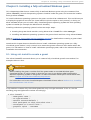
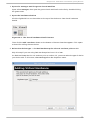
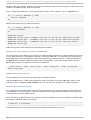
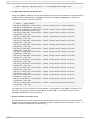
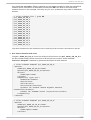
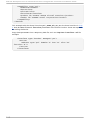
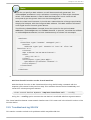
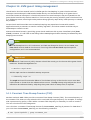
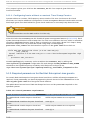
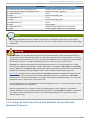
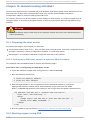
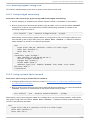
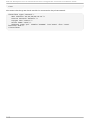
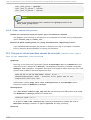
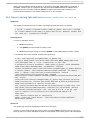
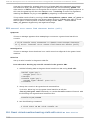
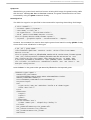
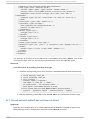
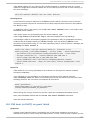
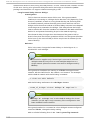
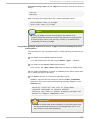
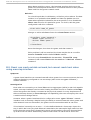
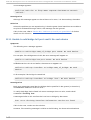
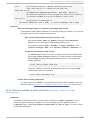
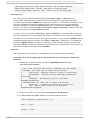
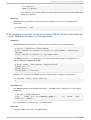
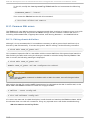
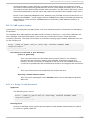
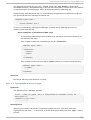
Chapt er 1 1 . Net work configurat ion Chapter 11. Network configuration This chapter provides an introduction to the common networking configurations used by libvirt based guest virtual machines. For additional information, consult the libvirt network architecture documentation: http://libvirt.org/intro.html. Red Hat Enterprise Linux 6 supports the following networking setups for virtualization: virtual networks using Network Address Translation (NAT) directly allocated physical devices using PCI device assignment directly allocated virtual functions using PCIe SR-IOV bridged networks You must enable NAT, network bridging or directly assign a PCI device to allow external hosts access to network services on guest virtual machines. 11.1. Net work Address T ranslat ion (NAT ) wit h libvirt One of the most common methods for sharing network connections is to use Network Address Translation (NAT) forwarding (also known as virtual networks). H o st co n f ig u rat io n Every standard l i bvi rt installation provides NAT-based connectivity to virtual machines as the default virtual network. Verify that it is available with the vi rsh net-l i st --al l command. # virsh net-list --all Name State Autostart ----------------------------------------default active yes If it is missing, the example XML configuration file can be reloaded and activated: # virsh net-define /usr/share/libvirt/networks/default.xml The default network is defined from /usr/share/l i bvi rt/netwo rks/d efaul t. xml Mark the default network to automatically start: # virsh net-autostart default Network default marked as autostarted Start the default network: # virsh net-start default Network default started Once the l i bvi rt default network is running, you will see an isolated bridge device. This device does not have any physical interfaces added. The new device uses NAT and IP forwarding to connect to the physical network. D o not add new interfaces. 91