1
8051557 v08 EN (c28)
1/13/99 2:15 PM
Page 18
SETTING THE CONTROLS
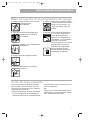
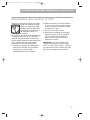
Understanding the status indicators
Washing
Drying
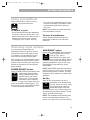
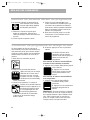
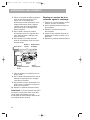
The Washing indicator glows at the start of
the first fill of any cycle
WASHING
(except Rinse Only) and
remains on until the end
of the main wash.
The Drying indicator glows during the
drying portion of each
DRYING
cycle – even if you select
Air Dry. It turns off at
the end of the cycle. If
dishes are not as dry as you expected when
using Air Dry, either allow longer drying
times (overnight) or do not use Air Dry.
Add-A-Dish
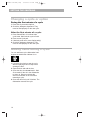
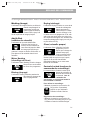
The Add-A-Dish indicator glows as soon as
the dishwasher starts and
ADDkeeps glowing until the main
A-DISH
wash portion of the cycle
begins. You can add an
additional item while the indicator is on.
Water Heating
The Water Heating indicator glows whenever water is heated
WATER
during a cycle.
HEATING
Rinsing
The Rinsing indicator glows during the last
two rinses of all cycles.
RINSING
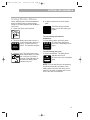
Clean
The Clean indicator glows at the end of a
cycle to show that the
CLEAN
load is clean. All other
indicators turn off. The
Clean indicator glows until
you open the door or press Cancel/Drain or
any other control pad.
Controls Locked
The Controls Locked feature lets you lock
the control pads. When
CONTROLS
LOCKED
the controls are locked,
you cannot start the
dishwasher.
To lock controls:
• Press and hold Air Dry (about 5
seconds) until the Controls Locked
indicator glows.
AIR DRY
To unlock controls:
• Press and hold Air Dry (about 5 seconds)
until the Controls Locked indicator turns
off.
18