1
2.2
Central Processing Unit (CPU)
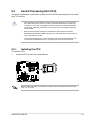
This server motherboard comes with a surface mount LGA1150 socket designed for the Intel®
Xeon® E3-1200 v3.
2.2.1
•
Upon purchase of the motherboard, ensure that the PnP cap is on the socket and
the socket contacts are not bent. Contact your retailer immediately if the PnP cap
is missing, or if you see any damage to the PnP cap/socket contacts/motherboard
components. ASUS will shoulder the cost of repair only if the damage is shipment/
transit-related.
•
Keep the PnP cap after installing the motherboard. ASUS will process Return
Merchandise Authorization (RMA) requests only if the motherboard comes with the
cap on the LGA1150 socket.
•
The product warranty does not cover damage to the socket contacts resulting from
incorrect CPU installation/removal, or a lost/improper removal of the PnP cap.
Installing the CPU
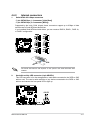
To install the CPU:
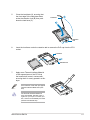
1.
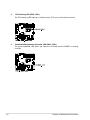
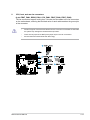
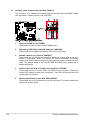
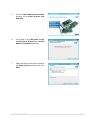
Locate the CPU socket on the motherboard.
Before installing the CPU, ensure that the socket box is facing toward you and the load
lever is on your right.
ASUS RS100-E8-PI2
2-5