1
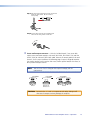
Mounting Screws
04
A 20
XP
G
IN
IR
2W
UTS
SS
CLAOUTP
GE
GE
3
4
DGE
BRI Y
ONL
/8
)
(8
)
(8
ON
4
/8
F
3
2
1
L
DGE
BRI Y
ONL
2
1
B
A
4
4
A
ID
BR
IDGE
BRODE
M
TS
PU
IN
B
ID
BR
E B)
OF
IDG
(BR
E A)
IDG
VE
LE
(BR
4
3
0
2
0
1
E
MOT
STANDBY
RE
/
ITER T
LIM EC 4
OT 3
PR 2
1
0
0
AL
SIGN
60
50/
X
Hz
0V
-24 A MA
100 1.3
ed
List
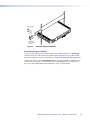
Mounting Ear
uses 5 screws
(ea side).
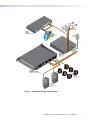
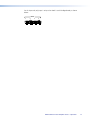
Figure 5.
EO
T
17TDIO/VID S
AU ARATU
APP
Rack Mounting the Amplifier
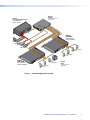
Rack Mounting Ventilation
Excessive heat can decrease the optimal lifetime of the power amplifier. An over temp
indicator LED on the front panel of the amplifier lights red whenever the recommended
operating temperature has been exceeded (see “Front Panel Features and Operation”).
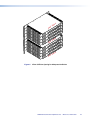
To reduce the chances for an over temp condition, the XPA should be arranged in a rack
environment with up to a maximum of four XPAs stacked together with a minimum of
one vent space provided both above and below a stack, as shown below.
XTRA Full Rack Power Amplifier Series • Reference Information
26