1
SETTING THE TV MENUS (CONTINUED)
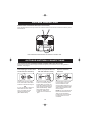
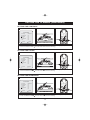
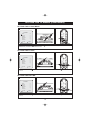
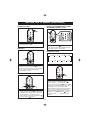
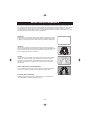
SETTING THE PICTURE MENU
1
PICTURE
Select
Standard
50
65
50
50
00
1
Settings
Brightness
Contrast
Color
Sharpness
Tint
2
Adjust
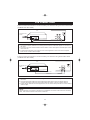
1. Press the Channel Up or Channel Down 2 button to select Settings , Brightness ,
Contrast , Color , Sharpness or Tint the item.
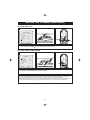
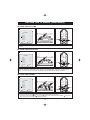
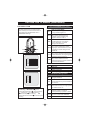
SETTING THE PICTURE SETTINGS
2
Select
3
2
3
Standard
50
65
50
50
00
1
PICTURE
Settings
Brightness
Contrast
Color
Sharpness
Tint
2
1
Adjust
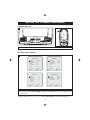
1. Press the Volume Up 1 or Volume Down 2 button to cyclically select Standard , Nature ,
Mild , Vivid or Custom .
2. Press the MENU button 3 to enter and return Picture setting.
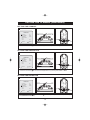
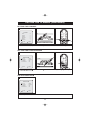
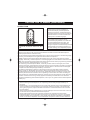
SETTING THE BRIGHTNESS
3
Select
33
2
3
Standard
50
65
50
50
00
1
PICTURE
Settings
Brightness
Contrast
Color
Sharpness
Tint
2
Adjust
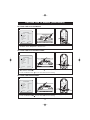
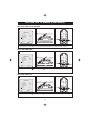
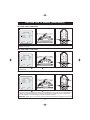
1. Press the Volume Up 1 or Volume Down 2 button to adjust the setting .(0-100)
2. Press the MENU button 3 to enter and return Picture setting.
13
1