1
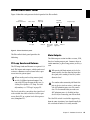
Master Control Section
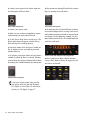
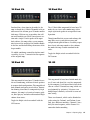
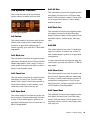
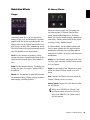
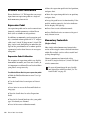
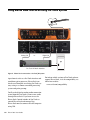
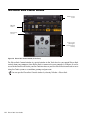
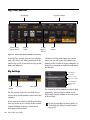
Figure 12. Master Control section
The Master Control section houses the controls
and features that apply to all of Eleven Rack.
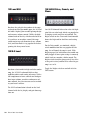
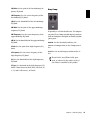
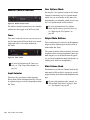
Tuner
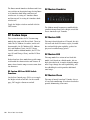
This tuner works like the one you can access using the front panel of Eleven Rack, but is much
larger and easier to see when working in
Pro Tools.
Figure 13. Tuner section
For more information on the Tuner controls, see “Tap Tempo/Tuner Button” on
page 10.
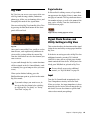
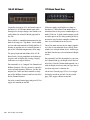
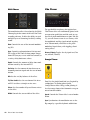
Input Selector
This menu lets you choose which input on
Eleven Rack will be fed through the Rig. This can
be a physical input, or the Re-Amp outputs from
Pro Tools.
80
Eleven Rack User Guide
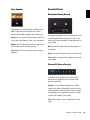
User Options Mode
Pressing the User Options button in the Master
Control section brings up User Options mode,
which lets you access many of the under-thehood options you normally would access using
the User Options mode on Eleven Rack.
For more information on User Options
Mode and the settings it provides access to,
see “Exploring the User Options” on
page 89.
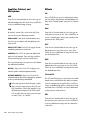
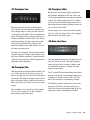
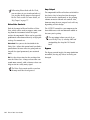
Output Mute Buttons
These two buttons let you mute the Headphone
output and the Main outputs on Eleven Rack
from within Pro Tools.
This comes in handy when recording with a microphone while wearing headphones (mute the
main outputs to cut out bleed from the speakers), or when headphones might bleed into a recording track (mute the headphones).
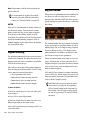
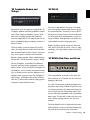
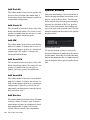
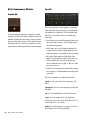
Main Volume Knob
This knob acts just like the Volume knob on the
front panel of Eleven Rack, varying the overall
output volume of the Main and Headphone outputs.
For more information on these controls, see
“Eleven Rack Front Panel” on page 9, and
see “User Options” on page 89.