1
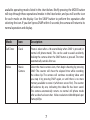
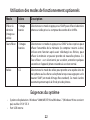
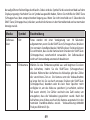
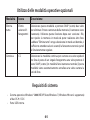
Using the Optional Operating Modes
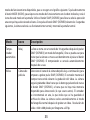
Mode
Icon
Description
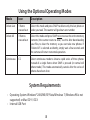
Delete Last
1 frame
crossed out
Select this mode and press SNAP to delete only the last photo or
video you took. The counter will go down one number.
Delete All
3 frames
crossed out
Select this mode and press SNAP twice to erase the entire memory
contents (the counter resets to zero). Use this after downloading
your files, to clear the memory so you can take new photos. If
"Delete All" is selected accidently, simply wait a few seconds and
the camera will return to normal operation.
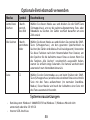
Continuous
CS
Select continuous mode to shoot a rapid series of three photos
instead of a single frame when SNAP is pressed (in normal still
photo mode). This mode automatically cancels after the series of
photos have been shot.
System Requirements
• Operating System: Windows® 2000/ME/XP/Vista/Windows 7 (Windows 98 is not
supported) or Mac OS 9 / OS X
• Internal USB Port
8