1
Dell™ Latitude™ D530 User’s Guide
Model PP17L
w w w. d e l l . c o m | s u p p o r t . d e l l . c o m
Notes, Notices, and Cautions
NOTE: A NOTE indicates important information that helps you make better use of
your computer.
NOTICE: A NOTICE indicates either potential damage to hardware or loss of data
and tells you how to avoid the problem.
CAUTION: A CAUTION indicates a potential for property damage, personal injury,
or death.
____________________
Information in this document is subject to change without notice.
© 2007 Dell Inc. All rights reserved.
Reproduction in any manner whatsoever without the written permission of Dell Inc. is strictly
forbidden.
Trademarks used in this text: Dell, the DELL logo, Latitude, ExpressCharge, Dell TravelLite, and
Undock & Go are trademarks of Dell Inc.; Core is a trademark and Intel and Celeron are registered
trademarks of Intel Corporation; Microsoft, Windows, Outlook, and Windows Vista are either
trademarks or registered trademarks of Microsoft Corporation in the United States and/or other
countries; Bluetooth is a registered trademark owned by Bluetooth SIG, Inc. and is used by Dell under
license; ENERGY STAR is a registered trademark of the U.S. Environmental Protection Agency. As
an ENERGY STAR partner, Dell Inc. has determined that this product meets the ENERGY STAR
guidelines for energy efficiency.
Other trademarks and trade names may be used in this document to refer to either the entities claiming
the marks and names or their products. Dell Inc. disclaims any proprietary interest in trademarks and
trade names other than its own.
Model PP17L
September 2007
P/N JU373
Rev. A00
Contents
1
Finding Information
2
About Your Computer
Front View
21
. . . . . . . . . . . . . . . . . . . . . . . .
21
. . . . . . . . . . . . . . . . . . . . . .
Right Side View
27
. . . . . . . . . . . . . . . . . . . . . . . .
27
. . . . . . . . . . . . . . . . . . . . . . .
Setting Up Your Computer .
. . . . . . . . . . .
Transferring Information to a New Computer
31
33
. . . . .
33
Microsoft® Windows® XP . . . . . . . . . . . . .
33
Microsoft Windows Vista™
. . . . . . . . . . . .
36
. . . . . . . . . . . . . . .
37
. . . . . . . . . . . . . . . . . . . .
39
Turning Off Your Computer
4
25
. . . . . . . . . . . . . . . . . . . . .
Bottom View
3
13
. . . . . . . . . . . . . . .
Left Side View
Back View
. . . . . . . . . . . . . . . . .
Using a Battery
Battery Performance
. . . . . . . . . . . . . . . . . .
Checking the Battery Charge
. . . . . . . . . . . . . .
Dell™ QuickSet Battery Meter .
39
40
. . . . . . . . . .
40
Microsoft® Windows® Power Meter . . . . . . .
41
Contents
3
Charge Gauge
. . . . . . . . . . . . . . . . . . .
Low-Battery Warning
. . . . . . . . . . . . . . .
42
Conserving Battery Power
. . . . . . . . . . . . . . .
42
Power Management Modes .
. . . . . . . . . . . . . .
43
. . . . . . . . . . . . .
43
. . . . . . . . . . . . . . . . . .
43
Standby and Sleep Mode
Hibernate Mode
Configuring Power Management Settings
. . . . . . .
44
Accessing Power Options Properties
. . . . . . .
44
Charging the Battery .
. . . . . . . . . . . . . . . . . .
45
Replacing the Battery
. . . . . . . . . . . . . . . . . .
45
. . . . . . . . . . . . . . . . . . . .
46
Storing a Battery .
5
Using the Keyboard
Numeric Keypad
. . . . . . . . . . . . . . . . .
47
. . . . . . . . . . . . . . . . . . . . .
47
Key Combinations
. . . . . . . . . . . . . . . . . . . .
System Functions
Battery
48
. . . . . . . . . . . . . . . . . . . . . . .
48
. . . . . . . . . . . . . . . . . . .
Display Functions .
. . . . . . . . . . . . . . . . .
Wireless Networking and Bluetooth®
Wireless Technology Function . . . .
Speaker Functions
48
48
. . . . . . .
48
. . . . . . . . . . . . . . . .
49
. . . . . . . . . . . . . . . . .
49
Power Management
.
49
. . . . . .
50
Microsoft® Windows® XP Logo Key Functions .
Microsoft® Windows Vista® Logo Key
Functions . . . . . . . . . . . . . . . .
Contents
48
. . . . . . . . . . . . . . . . . .
CD or DVD Tray
4
41
Touch Pad
. . . . . . . . . . . . . . . . . . . . . . . .
. . . . . . . . . . . .
52
Using the Display
. . . . . . . . . . . . . . . . . .
53
Adjusting Brightness
. . . . . . . . . . . . . . . . . .
53
. . . . . . . . . . . . . . . . . . . .
53
Customizing the Touch Pad
6
Using a Projector
Making Images and Text Look Bigger or Sharper
. . .
53
Microsoft® Windows® XP . . . . . . . . . . . . .
54
Windows Vista™
54
. . . . . . . . . . . . . . . . . .
Using Both a Monitor and Your Computer Display
. . .
55
Microsoft® Windows® XP . . . . . . . . . . . . .
55
Windows Vista™
56
. . . . . . . . . . . . . . . . . .
Using a Monitor as Your Primary Display
7
51
. . . . . . .
56
Microsoft® Windows® XP . . . . . . . . . . . . .
56
Windows Vista™
. . . . . . . . . . . . . . . . . .
57
Using Multimedia
. . . . . . . . . . . . . . . . . .
59
Playing CDs or DVDs
. . . . . . . . . . . . . . . . . .
59
For more information on playing CDs or
DVDs, click Help on the CD or DVD player
(if available). . . . . . . . . . . . . . . . .
. . . .
61
Adjusting the Volume
. . . . . . . . . . . . . . . . . .
61
Adjusting the Picture
. . . . . . . . . . . . . . . . . .
62
Connecting Your Computer to a TV or Audio
Device . . . . . . . . . . . . . . . . . . . .
S-Video and Standard Audio .
. . . . . .
62
. . . . . . . . . . .
65
S-Video and S/PDIF Digital Audio
. . . . . . . . .
Contents
66
5
Composite Video and Standard Audio
. . . . . . .
. . . .
70
. . . . . .
72
Composite Video and S/PDIF Digital Audio
Component Video and Standard Audio
Component Video and S/PDIF Digital Audio
. . . .
74
Setting Up the Cyberlink (CL) Headphones
. . . .
77
. . . . . . .
78
. . . . . . .
79
Enabling the Display Settings for a TV
8
Setting Up and Using Networks
Connecting a Network or Broadband Modem
Cable . . . . . . . . . . . . . . . . . . . . . .
Setting Up a Network in the Microsoft®
Windows® XP Operating System . . . .
. . . . .
79
. . . . . . . .
80
Setting Up a Network in the Microsoft Windows
Vista™ Operating System . . . . . . . . . . . . .
Wireless Local Area Network (WLAN)
. . .
80
. . . . . . . . .
80
What You Need to Establish a WLAN
Connection . . . . . . . . . . . . . .
Checking Your Wireless Network Card
. . . . . . .
80
. . . . . .
81
Setting Up a New WLAN Using a Wireless
Router and a Broadband Modem . . . . .
Connecting to a WLAN
. . . .
82
. . . . . . . . . . . . . . .
83
Mobile Broadband/Wireless Wide Area
Network (WWAN) . . . . . . . . . . . .
. . . . . . . .
What You Need to Establish a Mobile
Broadband Network Connection . . .
. . . . . . .
Checking Your Dell Mobile Broadband Card
. . . .
Microsoft® Windows® Firewall
Contents
85
86
86
. . .
87
. . . . . . . . . . . .
87
Connecting to a Mobile Broadband Network
6
68
9
Using Cards
Card Types
. . . . . . . . . . . . . . . . . . . . . . .
89
. . . . . . . . . . . . . . . . . . . . . . . .
89
Card Blanks
. . . . . . . . . . . . . . . . . . . . . . .
Extended Cards
. . . . . . . . . . . . . . . . . . . . .
Installing a PC Card or ExpressCard
Removing a Card or Blank
90
. . . . . . . . . .
90
. . . . . . . . . . . . . . .
92
10 Securing Your Computer
. . . . . . . . . . . . .
93
. . . . . . . . . . . . . . . . . . .
93
. . . . . . . . . . . . . . . . . . . . . . .
93
Security Cable Lock
Passwords .
90
About Passwords
. . . . . . . . . . . . . . . . .
. . . . . .
94
. . . . . . . . .
95
. . . . . . . . . . .
96
. . . . . . . . . . . .
97
. . . . . . . . . . . . .
97
Using a Primary (or System) Password
Using an Administrator Password
Using a Hard Drive Password
Trusted Platform Module (TPM) .
Enabling the TPM Feature
Security Management Software
. . . . . . . . . . . .
Activating the Security Management
Software . . . . . . . . . . . . . . .
. . . . . . .
98
98
. . . .
98
. . . . . . . . . . . . . .
99
Using the Security Management Software
Computer Tracking Software
93
If Your Computer Is Lost or Stolen
. . . . . . . . . . .
Contents
99
7
11 Cleaning Your Computer
. . . . . . . . . . . .
Computer, Keyboard, and Display
Touch Pad
. . . . . . . . . . . .
101
. . . . . . . . . . . . . . . . . . . . . . . .
101
Floppy Drive
. . . . . . . . . . . . . . . . . . . . . . .
CDs and DVDs
. . . . . . . . . . . . . . . . . . . . . .
12 Troubleshooting .
. . . . . . . . . . . . . . . . . .
Dell Technical Update Service
Dell Diagnostics
102
103
103
. . . . . . . . . . . . . . . . . . . . .
103
. . . . . . . . .
103
Starting the Dell Diagnostics From Your
Hard Drive . . . . . . . . . . . . . . .
. . . . . .
103
Starting the Dell Diagnostics From the
Optional Drivers and Utilities Media . .
. . . . . .
104
. . . . . . . . . . . .
105
. . . . . . . . . . . . . . . . . . .
107
Dell Diagnostics Main Menu
Dell Support Utility
. . . . . . . . .
107
. . . . . . . . . . .
107
Accessing the Dell Support Utility
Clicking the Dell Support Icon
. . . . . . .
108
. . . . . . . . . . . . . . . . . . . .
108
Double-Clicking the Dell Support Icon
Solving Problems
Drive Problems
. . . . . . . . . . . . . . . . . . .
Error Messages
108
. . . . . .
110
. . . . . . . . . . . . . . . . . .
111
E-Mail, Modem, and Internet Problems
IEEE 1394 Device Problems .
. . . . . . . . . . . .
112
. . . . . . . . .
113
Memory Problems
. . . . . . . . . . . . . . . . .
115
Network Problems
. . . . . . . . . . . . . . . . .
115
. . . . . . . . . . . . . . . . . .
116
Lockups and Software Problems .
Power Problems
Contents
102
. . . . . . . . . . . . .
When to Use the Dell Diagnostics
8
101
Printer Problems
Scanner Problems
. . . . . . . . . . .
118
. . . . . . . . . .
119
. . . . . . . . . . . .
120
. . . . . . . . . . . . . . .
120
Touch Pad or Mouse Problems
Video and Display Problems
If the display is blank .
If the display is difficult to read
13 System Setup Program
121
. . . . . . . . . .
If only part of the display is readable
121
. . . . . . .
. . . . . . . . . . . . .
123
123
. . . . . . . . . . . . . . . . . . . . . . . .
Viewing the System Setup Screens .
System Setup Screens .
. . . . . . . . . .
124
. . . . . . . . . . . . . . . . .
124
. . . . . . . . . . . . . . . .
124
Commonly Used Options
Changing the Boot Sequence
Changing COM Ports
. . . . . . . . . . .
124
. . . . . . . . . . . . . . . .
126
Enabling the Infrared Sensor
14 Reinstalling Software
Drivers
118
. . . . . . . . . . . . . . . . .
Sound and Speaker Problems
Overview
117
. . . . . . . . . . . . . . . . . .
126
. . . . . . . . . . .
. . . . . . . . . . . . . .
127
. . . . . . . . . . . . . . . . . . . . . . . . . .
127
What Is a Driver? .
. . . . . . . . . . . . . . . . .
127
Identifying Drivers
. . . . . . . . . . . . . . . . .
127
Reinstalling Drivers and Utilities
. . . . . . . . . .
Troubleshooting Software and Hardware
Problems in the Microsoft® Windows® XP and
Microsoft Windows Vista™ Operating Systems
. . . .
Contents
128
131
9
Restoring Your Operating System
. . . . . . . . . . . .
Using Microsoft Windows System Restore
. . . .
132
. . . . .
134
. . . . . . . .
137
Using Dell™ PC Restore and Dell Factory
Image Restore . . . . . . . . . . . . . .
Using the Operating System Media
15 Dell™ QuickSet
. . . . . . . . . . . . . . . . . . .
16 Traveling With Your Computer .
Identifying Your Computer .
. . . . . . .
. . . . . . . . . . . . . . . . . .
141
. . . . . . . . . . . . . . . . . . . . . . . .
142
17 Getting Help .
. . . . . . . . . . . . . . . . . . .
. . . . . . . . . . . . . . . . . . . . .
Obtaining Assistance
. . . . . . . . . . . . . . . . . .
DellConnect .
142
143
143
. . . . .
144
. . . . . . . . . . . . . . . . . . . .
144
Technical Support and Customer Service
Online Services .
. . . . . . . . . . . . . . . . . .
AutoTech Service .
. . . . . . . . . . . . . . . . .
145
145
. . . . . . . . . . . . . . .
145
. . . . . . . . . . . . . . . . . . .
146
Problems With Your Order .
Product Information
144
. . . . . . . . .
Automated Order-Status Service
. . . . .
146
Before You Call
. . . . . . . . . . . . . . . . . . . . .
146
Contacting Dell
. . . . . . . . . . . . . . . . . . . . .
149
Returning Items for Warranty Repair or Credit
Contents
141
141
Traveling by Air
10
139
. . . . . . . . . . . . . . .
Packing the Computer
Travel Tips
131
18 Specifications
19 Appendix
. . . . . . . . . . . . . . . . . . . .
151
. . . . . . . . . . . . . . . . . . . . . . . .
159
FCC Notice (U.S. Only) .
FCC Class B .
. . . . . . . . . . . . . . . . .
159
. . . . . . . . . . . . . . . . . . . .
159
Macrovision Product Notice
. . . . . . . . . . . . . .
160
Glossary . . . . . . . . . . . . . . . . . . . . . . . . . . . . 161
Contents
11
12
Contents
Finding Information
NOTE: Some features or media may be optional and may not ship with your
computer. Some features or media may not be available in certain countries.
NOTE: Additional information may ship with your computer.
What Are You Looking For?
Find It Here
• A diagnostic program for my computer
Drivers and Utilities Media
• Drivers for my computer
Documentation and drivers are already
installed on your computer. You can use
the Drivers and Utilities media to reinstall
drivers (see "Reinstalling Drivers and
Utilities" on page 128) or to run the Dell
Diagnostics (see "Dell Diagnostics" on
page 103).
• Notebook System Software (NSS)
Readme files may be included on your
media to provide last-minute updates
about technical changes to your computer
or advanced technical-reference material
for technicians or experienced users.
NOTE: Drivers and documentation updates
can be found at support.dell.com.
NOTE: The Drivers and Utilities media may
be optional and may not ship with your
computer.
Finding Information
13
What Are You Looking For?
Find It Here
• How to set up my computer
Quick Reference Guide
• Basic troubleshooting information
NOTE: This document may be optional and
• How to run the Dell Diagnostics
may not ship with your computer.
NOTE: This document is available as a PDF
at support.dell.com.
• Warranty information
Dell™ Product Information Guide
• Terms and Conditions (U.S. only)
• Safety instructions
• Regulatory information
• Ergonomics information
• End User License Agreement
• Specifications
Dell Latitude User’s Guide
Microsoft® Windows® XP and Windows
• How to troubleshoot and solve problems Vista™ Help and Support Center
1 Click Start→ Help and Support→ Dell
User and System Guides→ System
Guides.
2 Click the User’s Guide for your
computer.
• How to configure system settings
14
Finding Information
What Are You Looking For?
Find It Here
• Service Tag and Express Service Code
Service Tag and Microsoft Windows
License Label
• Microsoft Windows Product Key
NOTE: Your computer’s Service Tag and
Microsoft Windows license labels are
located on your computer.
Your computer’s Service Tag contains
both a Service Tag number and an Express
Service Code.
• Use the Service Tag to identify your
computer when you use
support.dell.com or contact support.
• Enter the Express Service Code to direct
your call when contacting support.
• Use the product key on the license label
if you need to reinstall your operating
system.
NOTE: As an increased security measure,
the newly designed Microsoft Windows
license label incorporates a missing portion
or hole to discourage removal of the label.
Finding Information
15
What Are You Looking For?
Find It Here
• Solutions — Troubleshooting hints and Dell Support Website — support.dell.com
tips, articles from technicians, online
NOTE: Select your region or business
courses, and frequently asked questions segment to view the appropriate support
• Community — Online discussion with site.
other Dell customers
• Upgrades — Upgrade information for
components, such as the memory, hard
drive, and operating system
• Customer Care — Contact information,
service call and order status, and
warranty and repair information
• Service and support — Service call
status and support history, service
contract, and online discussions with
technical support
• Dell Technical Update Service —
Proactive e-mail notification of software
and hardware updates for your computer
• Reference — Computer documentation,
details on my computer configuration,
product specifications, and white papers
• Downloads — Certified drivers, patches,
and software updates
• Notebook System Software (NSS)— If To download Notebook System Software:
you reinstall the operating system for
1 Go to support.dell.com and click
your computer, you should also reinstall
Drivers & Downloads.
the NSS utility. NSS automatically
2 Enter your Service Tag or Product Type
detects your computer and operating
and Product Model, and click Go.
system and installs the updates
3 Scroll to System and Configuration
appropriate for your configuration,
Utilities→ Dell Notebook System
providing critical updates for your
Software and click Download Now.
operating system and support for
4 Select Drivers & Downloads and click
processors, optical drives, USB devices,
Go.
and so on. NSS is necessary for correct
operation of your Dell computer.
NOTE: The support.dell.com user interface
may vary depending on your selections.
16
Finding Information
What Are You Looking For?
Find It Here
• Software upgrades and troubleshooting
hints — Frequently asked questions, hot
topics, and general health of your
computing environment
Dell Support Utility
• How to find information about my
computer and its components
Windows Welcome Center
• How to connect to the Internet
• How to add user accounts for different
people
• How to transfer files and settings from
another computer
The Dell Support Utility is an automated
upgrade and notification system installed
on your computer. This support provides
real-time health scans of your computing
environment, software updates, and
relevant self-support information. Access
the Dell Support Utility from the
icon in the taskbar. For more information,
see "Dell Support Utility" on page 107.
The Windows Welcome Center
automatically appears when you use the
computer for the first time. You can
choose to have it appear every time you
start your computer by placing a check in
the Run at startup checkbox. Another
method of accessing the Welcome Center
is to click the Windows Vista Start button
, and then click Welcome Center
Finding Information
17
What Are You Looking For?
Find It Here
• How to use Microsoft Windows XP
Windows Help and Support
• How to use Microsoft Windows Vista
Microsoft Windows XP:
1 Click the Start button and click Help
and Support.
2 Either select one of the topics listed, or
type a word or phrase that describes your
problem into the Search box, click the
arrow icon, and then click the topic that
describes your problem.
3 Follow the instructions on the screen.
• How to work with programs and files
• How to personalize my desktop
Microsoft Windows Vista:
1 Click the Windows Vista Start button
, and then click Help and Support.
2 In Search Help, type a word or phrase
that describes your problem, and then
press <Enter> or click the magnifying
glass.
3 Click the topic that describes your
problem.
4 Follow the instructions on the screen.
• Information on network activity, the
Power Management Wizard, hotkeys,
and other items controlled by Dell
QuickSet.
Dell QuickSet Help
• How to reinstall my operating system
Operating System Media
To view Dell QuickSet Help, right-click the
QuickSet icon in the Microsoft Windows
taskbar, and select Help. The taskbar is
located in the lower-right corner of your
screen.
NOTE: The Operating System media may be
optional and may not ship with your
computer.
18
Finding Information
What Are You Looking For?
Find It Here
The operating system is already installed
on your computer. To reinstall your
operating system, use the Operating
System media (see "Restoring Your
Operating System" on page 131).
After you reinstall your operating system,
use the Drivers and Utilities media to
reinstall drivers for the devices that came
with your computer.
Your operating system product key label is
located on your computer (see "Service
Tag and Microsoft Windows License
Label" on page 15).
NOTE: The color of your operating system
media varies according to the operating
system you ordered.
Finding Information
19
20
Finding Information
About Your Computer
Front View
1
9
2
8
3
4
7
5
6
About Your Computer
21
DISPLAY
1
display
2
device status lights
3
keyboard
4
touch pad
5
display latch
6
speaker
7
touch pad buttons
8
keyboard status lights
9
power button
— For more information about your display, see "Using the Display" on
page 53.
DEVICE STATUS LIGHTS
Turns on when you turn on the computer and blinks when the computer is
in a power management mode.
Turns on when the computer reads or writes data.
NOTICE: To avoid loss of data, never turn off the computer while the
light is flashing.
Turns on steadily or blinks to indicate battery charge status.
If the computer is connected to an electrical outlet, the
22
About Your Computer
light operates as follows:
– Solid green: The battery is charging.
– Flashing green: The battery is almost fully charged.
– Off: The battery is adequately charged (or external power is not available to charge
the battery).
If the computer is running on a battery, the
light operates as follows:
– Off: The battery is adequately charged (or the computer is turned off).
– Flashing orange: The battery charge is low.
– Solid orange: The battery charge is critically low.
K E Y B O A R D — The keyboard includes a numeric keypad as well as the Windows logo
key. For information on supported keyboard shortcuts, see "Using the Keyboard" on
page 47.
TOUCH PAD
— Provides the functionality of a mouse (see "Touch Pad" on page 51).
DISPLAY LATCH
— Keeps the display closed.
S P E A K E R — To adjust the volume of the integrated speaker, press the volume control
buttons, mute button, or volume-control keyboard shortcuts (see "Key Combinations"
on page 48").
TOUCH PAD BUTTONS
— Use these buttons much like the buttons on a mouse when
you use the touch pad to move the cursor on the display (see "Touch Pad" on page 51).
About Your Computer
23
KEYBOARD STATUS LIGHTS
The green lights located above the keyboard indicate the following:
9
Turns on when the numeric keypad is enabled.
Turns on when wireless devices are enabled.
A
24
Turns on when the uppercase letter function is enabled.
About Your Computer
Turns on when Bluetooth® wireless technology is
enabled. To enable or disable Bluetooth wireless
technology or other wireless devices, press <Fn><F2>.
NOTE: Bluetooth wireless technology is an optional
feature on your computer, so the
icon turns on only if
Bluetooth wireless technology is installed on your
computer.
For more information, see the documentation that came
with your Bluetooth wireless technology.
Turns on when the scroll lock function is enabled.
POWER BUTTON
— Press the power button to turn on the computer or exit a power
management mode (see "Power Management Modes" on page 43).
NOTICE: To avoid losing data, turn off your computer by performing a Microsoft®
Windows® operating system shutdown rather than by pressing the power button.
If the computer stops responding, press and hold the power button until the computer
turns off completely (which may take several seconds).
Left Side View
1
2
3
4
5
1
security cable slot
2
IEEE 1394 Connector
3
PC Card/ExpressCard slot
4
infrared sensor
5
audio connectors (2)
6
hard drive
SECURITY CABLE SLOT
6
— Lets you attach a commercially available antitheft device
About Your Computer
25
to the computer (see "Security Cable Lock" on page 93).
IEEE 1394 C O N N E C T O R — Connects devices supporting IEEE 1394 high-speed
transfer rates, such as some digital video cameras.
P C C A R D / E X P R E S S C A R D S L O T — Supports one PC Card, such as a modem or
network adapter, or an ExpressCard (with a PCMCIA adapter). The computer ships
with a blank installed in the slot to prevent foreign matter from entering the computer
interior when a card is not installed (see "Card Types" on page 89).
INFRARED SENSOR
— Lets you transfer files from your computer to another infraredcompatible device without using cable connections. When you receive your computer,
the sensor is disabled. You can use the system setup program (see "System Setup
Program" on page 123) to enable the sensor. For information on transferring data, see
Windows Help, the Help and Support Center, or the documentation that came with
your infrared-compatible device.
AUDIO CONNECTORS
Attach headphones or speakers to the
Attach a microphone to the
HARD DRIVE
26
— Stores software and data.
About Your Computer
connector.
connector.
Right Side View
1
1
media bay
3
USB connectors (2)
2
2
3
device latch release
MEDIA BAY
— You can install devices such as an optical drive, second battery, or a
Dell TravelLite™ module in the media bay.
DEVICE LATCH RELEASE
— Press the latch release to eject any device installed in the
media bay.
USB CONNECTORS
Connect USB devices, such as a mouse, keyboard, or
printer.
Back View
1
2
3
4
5
6
7
8
About Your Computer
27
1
USB connectors (2)
2
modem connector (RJ-11)
3
network connector (RJ-45)
4
S-video TV-out connector
5
serial connector
6
video connector
7
AC adapter connector
8
air vents
USB CONNECTORS
Connect USB devices, such as a mouse, keyboard, or
printer.
MODEM CONNECTOR
(RJ-11)
If you ordered the optional internal modem, connect the
telephone line to the modem connector.
For information on using the modem, see the online
modem documentation supplied with your computer (see
"Finding Information" on page 13).
NETWORK CONNECTOR
(RJ-45)
NOTICE: The network connector is slightly larger than the modem connector. To
avoid damaging the computer, do not plug a telephone line into the network
connector.
Connects the computer to a network. The two lights next
to the connector indicate status and activity for wired
network connections.
For information on using the network adapter, see the
device user’s guide supplied with your computer.
28
About Your Computer
S - V I D E O TV- O U T C O N N E C T O R
Connects your computer to a TV. For more information,
see "Connecting Your Computer to a TV or Audio Device"
on page 62.
SERIAL CONNECTOR
Connects serial devices, such as a mouse or handheld device.
VIDEO CONNECTOR
Connects video devices, such as a monitor.
AC A D A P T E R C O N N E C T O R
Connects an AC adapter to the computer.
About Your Computer
29
The AC adapter converts AC power to the DC power required by the computer. You
can connect the AC adapter with your computer turned either on or off.
CAUTION: The AC adapter works with electrical outlets worldwide. However,
power connectors and power strips vary among countries. Using an incompatible
cable or improperly connecting the cable to the power strip or electrical outlet
may cause fire or equipment damage.
NOTICE: When you disconnect the AC adapter cable from the computer, grasp the
connector, not the cable itself, and pull firmly but gently to avoid damaging the
cable.
AIR VENTS
— The computer uses an internal fan to create airflow through the vents,
which prevents the computer from overheating.
CAUTION: Do not block, push objects into, or allow dust to accumulate in the air
vents. Do not store your computer in a low-airflow environment, such as a closed
briefcase, while it is running. Restricting the airflow can damage the computer or
cause a fire.
NOTE: The computer turns on the fan when the computer gets hot. Fan noise is
normal and does not indicate a problem with the fan or the computer.
30
About Your Computer
Bottom View
1
2
3
4
7
6
5
1
memory
module/modem/WLAN
Mini-Card/coin-cell battery
cover
2
battery-bay latch release
3
battery charge
gauge/health gauge
4
battery
5
docking-device connector
6
air vents
7
hard drive
MEMORY MODULE/MODEM/WLAN
M I N I -C A R D / C O I N - C E L L B A T T E R Y C O V E R —
Covers the compartment that contains one memory module, the modem, the WLAN
Mini-Card, and the coin-cell battery.
About Your Computer
31
BATTERY-BAY LATCH RELEASE
— Release the battery.
BATTERY CHARGE GAUGE/HEALTH GAUGE
— Provides information on the battery
charge (see "Checking the Battery Charge" on page 40).
BATTERY
— When a battery is installed, you can use the computer without
connecting the computer to an electrical outlet (see "Using a Battery" on page 39).
DOCKING-DEVICE CONNECTOR
— Lets you attach your computer to a docking device.
See the Dell documentation that came with your docking device for more
information.
NOTICE: Your computer features Undock & Go™ technology that allows you to
undock your computer without going into standby mode. Because the computer
may not automatically go into standby mode when it is undocked, be sure the
settings in the Power Options control panel do not prohibit the computer from going
into standby mode. If you change the Power Options control panel to prohibit the
computer from going into standby mode, you greatly increase the chances of
causing your battery to wear down quickly or causing your computer to overheat.
AIR VENTS
— The computer uses an internal fan to create airflow through the fan air
vents, which prevents the computer from overheating.
NOTE: The computer turns on the fan when the computer gets hot. Fan noise is
normal and does not indicate a problem with the fan or the computer.
CAUTION: Do not block, push objects into, or allow dust to accumulate in the air
vents. Do not store your computer in a low-airflow environment, such as a closed
briefcase, while it is running. Restricting the airflow can damage the computer or
cause a fire.
HARD DRIVE
32
— Stores software and data.
About Your Computer
Setting Up Your Computer
Transferring Information to a New Computer
You can use your operating system wizards to help you transfer files and other
data from one computer to another—for example, from an old computer to a
new computer. For instructions, see the following section that corresponds to
the operating system that your computer is running.
Microsoft® Windows® XP
The Microsoft Windows XP operating system provides the Files and Settings
Transfer Wizard to move data from a source computer to a new computer.
You can transfer data, such as:
•
E-mail messages
•
Toolbar settings
•
Window sizes
•
Internet bookmarks
You can transfer the data to the new computer over a network or serial
connection, or you can store it on removable media, such as a writable CD,
for transfer to the new computer.
NOTE: You can transfer information from an old computer to a new computer by
directly connecting a serial cable to the input/output (I/O) ports of the two
computers. To transfer data over a serial connection, you must access the Network
Connections utility from the Control Panel and perform additional configuration
steps, such as setting up an advanced connection and designating the host
computer and the guest computer.
For instructions on setting up a direct cable connection between two computers,
see Microsoft Knowledge Base Article #305621, titled How to Set Up a Direct Cable
Connection Between Two Computers in Windows XP. This information may not be
available in certain countries.
Setting Up Your Computer
33
For transferring information to a new computer, you must run the Files and
Settings Transfer Wizard. You can use the optional Operating System media
for this process or you can create a wizard disk with the Files and Settings
Transfer Wizard.
Running the Files and Settings Transfer Wizard With the Operating System Media
NOTE: This procedure requires the Operating System media. This media is optional
and may not be included with certain computers.
To prepare a new computer for the file transfer:
1 Open the Files and Settings Transfer Wizard: click Start→ All Programs→
Accessories→ System Tools→ Files and Settings Transfer Wizard.
2 When the Files and Settings Transfer Wizard welcome screen appears,
click Next.
3 On the Which computer is this? screen, click New Computer→ Next.
4 On the Do you have a Windows XP CD? screen, click I will use the wizard
from the Windows XP CD→ Next.
5 When the Now go to your old computer screen appears, go to your old or
source computer. Do not click Next at this time.
To copy data from the old computer:
1 On the old computer, insert the Windows XP Operating System media.
2 On the Welcome to Microsoft Windows XP screen, click Perform
additional tasks.
3 Under What do you want to do?, click Transfer files and settings→ Next.
4 On the Which computer is this? screen, click Old Computer→ Next.
5 On the Select a transfer method screen, click the transfer method you
prefer.
6 On the What do you want to transfer? screen, select the items you want to
transfer and click Next.
After the information has been copied, the Completing the Collection
Phase screen appears.
7 Click Finish.
To transfer data to the new computer:
34
Setting Up Your Computer
1 On the Now go to your old computer screen on the new computer, click
Next.
2 On the Where are the files and settings? screen, select the method you
chose for transferring your settings and files and click Next.
The wizard reads the collected files and settings and applies them to your
new computer.
When all of the settings and files have been applied, the Finished screen
appears.
3 Click Finished and restart the new computer.
Running the Files and Settings Transfer Wizard Without the Operating System
Media
To run the Files and Settings Transfer Wizard without the Operating System
media, you must create a wizard disk that will allow you to create a backup
image file to removable media.
To create a wizard disk, use your new computer with Windows XP and
perform the following steps:
1 Open the Files and Settings Transfer Wizard: click Start→ All Programs→
Accessories→ System Tools→ Files and Settings Transfer Wizard.
2 When the Files and Settings Transfer Wizard welcome screen appears,
click Next.
3 On the Which computer is this? screen, click New Computer→ Next.
4 On the Do you have a Windows XP CD? screen, click I want to create a
Wizard Disk in the following drive→ Next.
5 Insert the removable media, such as a writable CD, and click OK.
6 When the disk creation completes and the Now go to your old
computer message appears, do not click Next.
7 Go to the old computer.
To copy data from the old computer:
1 On the old computer, insert the wizard disk.
2 Click Start→ Run.
3 In the Open field on the Run window, browse to the path for fastwiz (on
the appropriate removable media) and click OK.
Setting Up Your Computer
35
4 On the Files and Settings Transfer Wizard welcome screen, click Next.
5 On the Which computer is this? screen, click Old Computer→ Next.
6 On the Select a transfer method screen, click the transfer method you
prefer.
7 On the What do you want to transfer? screen, select the items you want to
transfer and click Next.
After the information has been copied, the Completing the Collection
Phase screen appears.
8 Click Finish.
To transfer data to the new computer:
1 On the Now go to your old computer screen on the new computer, click
Next.
2 On the Where are the files and settings? screen, select the method you
chose for transferring your settings and files and click Next. Follow the
instructions on the screen.
The wizard reads the collected files and settings and applies them to your
new computer.
When all of the settings and files have been applied, the Finished screen
appears.
3 Click Finished and restart the new computer.
NOTE: For more information about this procedure, search support.dell.com for
document #154781 (What Are The Different Methods To Transfer Files From My Old
Computer To My New Dell™ Computer Using the Microsoft® Windows® XP
Operating System?).
NOTE: Access to the Dell™ Knowledge Base document may not be available in
certain countries.
Microsoft Windows Vista™
1 Click the Windows Vista Start button
, and then click Transfer files
and settings→ Start Windows Easy Transfer.
2 In the User Account Control dialog box, click Continue.
3 Click Start a new transfer or Continue a transfer in progress.
36
Setting Up Your Computer
Follow the instructions provided on the screen by the Windows Easy Transfer
wizard.
Turning Off Your Computer
NOTICE: To avoid losing data, save and close all open files and exit all open
programs before you turn off your computer.
1 Shut down the operating system:
a
Save and close all open files and exit all open programs.
b
In the Microsoft® Windows® XP operating system, click Start→ Shut
Down→ Shut down.
In the Microsoft Windows Vista™ operating system, click the Windows
Vista Start button
, click the arrow in the lower-right corner of the
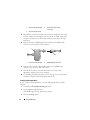
Start menu as shown below, and then click Shut Down.
The computer turns off after the operating system shutdown process
is complete.
2 Ensure that the computer and all attached devices are turned off. If your
computer and attached devices did not automatically turn off when you
shut down your operating system, press and hold the power button for
about 4 seconds to turn them off.
Setting Up Your Computer
37
38
Setting Up Your Computer
Using a Battery
Battery Performance
NOTE: For information about the Dell warranty for your computer, see the Product
Information Guide or separate paper warranty document that shipped with your
computer.
For optimal computer performance and to help preserve BIOS settings,
operate your Dell™ portable computer with the main battery installed at all
times. One battery is supplied as standard equipment in the battery bay.
NOTE: Because the battery may not be fully charged, use the AC adapter to
connect your new computer to an electrical outlet the first time you use the
computer. For best results, operate the computer with the AC adapter until the
battery is fully charged. To view battery charge status, check the Power Meter in
Power Options (see "Accessing Power Options Properties" on page 44).
Battery operating time varies depending on operating conditions.
Battery operating time varies depending on operating conditions. You can
install an optional second battery in the media bay to significantly increase
operating time.
NOTE: Battery operating time (the time the battery can hold a charge) decreases
over time. Depending on how often the battery is used and the conditions under
which it is used, you may need to purchase a new battery during the life of your
computer.
NOTE: It is recommended that you connect your computer to an electrical outlet
when writing to a CD or DVD.
Operating time is significantly reduced when you perform operations
including, but not limited to, the following:
•
Using optical drives.
•
Using wireless communications devices, PC Cards, Express Cards, media
memory cards, or USB devices.
•
Using high-brightness display settings, 3D screen savers, or other powerintensive programs such as complex 3D graphics applications.
Using a Battery
39
•
Running the computer in maximum performance mode. See "Configuring
Power Management Settings" on page 44 for information about accessing
Windows Power Options Properties or Dell QuickSet, which you can use
to configure power management settings.
You can check the battery charge before you insert the battery into the
computer. You can also set power management options to alert you when the
battery charge is low.
CAUTION: Using an incompatible battery may increase the risk of fire or
explosion. Replace the battery only with a compatible battery purchased from
Dell. The battery is designed to work with your Dell computer. Do not use a battery
from other computers with your computer.
CAUTION: Do not dispose of batteries with household waste. When your battery
no longer holds a charge, call your local waste disposal or environmental agency
for advice on disposing of a lithium-ion battery. See "Battery Disposal" in the
Product Information Guide.
CAUTION: Misuse of the battery may increase the risk of fire or chemical burn.
Do not puncture, incinerate, disassemble, or expose the battery to temperatures
above 65°C (149°F). Keep the battery away from children. Handle damaged or
leaking batteries with extreme care. Damaged batteries may leak and cause
personal injury or equipment damage.
Checking the Battery Charge
The Dell QuickSet Battery Meter, the Microsoft Windows Power Meter
window and
icon, the
battery charge gauge and health gauge, and the low-battery warning provide
information on the battery charge.
Dell™ QuickSet Battery Meter
If Dell QuickSet is installed, press <Fn><F3> to display the QuickSet
Battery Meter. The Battery Meter displays status, battery health, charge level,
and charge completion time for the battery in your computer.
For more information about QuickSet, right-click the QuickSet icon in the
taskbar, and click Help.
40
Using a Battery
Microsoft® Windows® Power Meter
The Windows Power Meter indicates the remaining battery charge. To check
the Power Meter, double-click the
icon on the taskbar.
If the computer is connected to an electrical outlet, a
icon appears.
Charge Gauge
By either pressing once or pressing and holding the status button on the
charge gauge on the battery, you can check:
•
Battery charge (check by pressing and releasing the status button)
•
Battery health (check by pressing and holding the status button)
The battery operating time is largely determined by the number of times it is
charged. After hundreds of charge and discharge cycles, batteries lose some
charge capacity—or battery health. That is, a battery can show a status of
charged but maintain a reduced charge capacity (health).
Check the Battery Charge
To check the battery charge, press and release the status button on the battery
charge gauge to illuminate the charge-level lights. Each light represents
approximately 20 percent of the total battery charge. For example, if the
battery has 80 percent of its charge remaining, four of the lights are on. If no
lights appear, the battery has no charge.
Check the Battery Health
NOTE: You can check battery health in one of two ways: by using the charge gauge
on the battery as described below and by using the Battery Meter in Dell QuickSet.
For information about QuickSet, right-click the icon in the taskbar, and click Help.
To check the battery health using the charge gauge, press and hold the status
button on the battery charge gauge for at least 3 seconds. If no lights appear,
the battery is in good condition, and more than 80 percent of its original
charge capacity remains. Each light represents incremental degradation. If
five lights appear, less than 60 percent of the charge capacity remains, and you
should consider replacing the battery. See "Battery" on page 155 for more
information about the battery operating time.
Using a Battery
41
Low-Battery Warning
NOTICE: To avoid losing or corrupting data, save your work immediately after a
low-battery warning. Then connect the computer to an electrical outlet, or install a
second battery in the media bay. If the battery runs completely out of power,
hibernate mode begins automatically.
A pop-up window warns you when the battery charge is approximately 90
percent depleted. If two batteries are installed, the low-battery warning
means that the combined charge of both batteries is approximately 90
percent depleted. The computer enters hibernate mode when the battery
charge is at a critically low level.
You can change the settings for the battery alarms in QuickSet or the Power
Options Properties window. See "Configuring Power Management Settings"
on page 44 for information about accessing QuickSet or the Power Options
Properties window.
Conserving Battery Power
Perform the following actions to conserve battery power:
•
Connect the computer to an electrical outlet when possible because
battery life is largely determined by the number of times the battery is
used and recharged.
•
Place the computer in standby mode or hibernate mode when you leave
the computer unattended for long periods of time. See "Power
Management Modes" on page 43.
•
Use the Power Management Wizard or the Power Options Properties
window to select options to optimize your computer’s power usage. These
options can also be set to change when you press the power button, close
the display, or press <Fn><Esc>.
NOTE: See "Configuring Power Management Settings" on page 44 for information
on conserving battery power.
42
Using a Battery
Power Management Modes
Standby and Sleep Mode
Standby mode (sleep mode in Microsoft Windows Vista™) conserves power
by turning off the display and the hard drive after a predetermined period of
inactivity (a time-out). When the computer exits standby or sleep mode, it
returns to the same operating state it was in before entering standby or sleep
mode.
NOTICE: If your computer loses AC and battery power while in standby or sleep
mode, it may lose data.
To enter standby mode in Windows XP, click the Start button, click Turn off
computer, and then click Stand by.
To enter sleep mode in Windows Vista, click the Windows Vista Start button
, and then click Sleep.
Depending on how you set the power management options in the Power
Options Properties window or the QuickSet Power Management Wizard, you
may also use one of the following methods:
•
Press the power button.
•
Close the display.
•
Press <Fn><Esc>.
To exit standby or sleep mode, press the power button or open the display,
depending on how you set the power management options. You cannot make
the computer exit standby or sleep mode by pressing a key or touching the
touch pad.
Hibernate Mode
Hibernate mode conserves power by copying system data to a reserved area on
the hard drive and then completely turning off the computer. When the
computer exits hibernate mode, it returns to the same operating state it was
in before entering hibernate mode.
NOTICE: You cannot remove devices or undock your computer while your
computer is in hibernate mode.
Your computer enters hibernate mode if the battery charge level becomes
critically low.
Using a Battery
43
To manually enter hibernate mode in Windows XP, click the Start button,
click Turn off computer, press and hold <Shift>, and then click Hibernate.
To manually enter hibernate mode in Windows Vista, click the Windows
Vista Start button
, and then click Hibernate.
Depending on how you set the power management options in the Power
Options Properties window or the QuickSet Power Management Wizard, you
may also use one of the following methods to enter hibernate mode:
•
Press the power button.
•
Close the display.
•
Press <Fn><Esc>.
NOTE: Some PC Cards or Express Cards may not operate correctly after the
computer exits hibernate mode. Remove and reinsert the card, or simply restart
(reboot) your computer.
To exit hibernate mode, press the power button. The computer may take a
short time to exit hibernate mode. You cannot make the computer exit
hibernate mode by pressing a key or touching the touch pad. For more
information on hibernate mode, see the documentation that came with your
operating system.
Configuring Power Management Settings
You can use the QuickSet Power Management Wizard or Windows Power
Options Properties to configure the power management settings on your
computer. For more information about QuickSet, right-click the QuickSet
icon in the taskbar and click Help.
Accessing Power Options Properties
Windows XP
Click the Start button, point to Control Panel→ Performance and
Maintenance, and then click Power Options
Windows Vista
Click the Windows Vista Start button
, click Control Panel, click System
and Maintenance, and then click Power Options.
44
Using a Battery
Charging the Battery
When you connect the computer to an electrical outlet or install a battery
while the computer is connected to an electrical outlet, the computer checks
the battery charge and temperature. If necessary, the AC adapter then charges
the battery and maintains the battery charge.
NOTE: With Dell™ ExpressCharge™, when the computer is turned off, the AC
adapter charges a completely discharged battery to 80 percent in about 1 hour and
to 100 percent in approximately 2 hours. Charge time is longer with the computer
turned on. You can leave the battery in the computer for as long as you like. The
battery’s internal circuitry prevents the battery from overcharging.
If the battery is hot from being used in your computer or being in a hot
environment, the battery may not charge when you connect the computer to
an electrical outlet.
The battery is too hot to start charging if the
light flashes alternately
green and orange. Disconnect the computer from the electrical outlet and
allow the computer and the battery to cool to room temperature. Then
connect the computer to an electrical outlet to continue charging the battery.
For information about resolving problems with a battery, see "Power
Problems" on page 116.
Replacing the Battery
CAUTION: Using an incompatible battery may increase the risk of fire or
explosion. Replace the battery only with a compatible battery purchased from
Dell. The battery is designed to work with your Dell™ computer. Do not use a
battery from other computers with your computer.
CAUTION: Before performing these procedures, turn off the computer, disconnect
the AC adapter from the electrical outlet and the computer, disconnect the modem
from the wall connector and computer, and remove any other external cables from
the computer.
NOTICE: You must remove all external cables from the computer to avoid possible
connector damage.
For information about replacing the second battery, which is located in the
media bay, see the Service Manual for your system on support.dell.com.
To remove the battery:
Using a Battery
45
1 If the computer is connected to a docking device (docked), undock it. See
the documentation that came with your docking device for instructions.
2 Ensure that the computer is turned off.
3 Slide the battery-bay latch release on the bottom of the computer, and
then remove the battery from the bay.
To replace the battery, follow the removal procedure in reverse order and press
down until the battery-bay latch release fully engages.
Storing a Battery
Remove the battery when you store your computer for an extended period of
time. A battery discharges during prolonged storage. After a long storage
period, recharge the battery fully (see "Charging the Battery" on page 45)
before you use it.
46
Using a Battery
Using the Keyboard
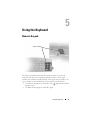
Numeric Keypad
numeric keypad
The numeric keypad functions like the numeric keypad on an external
keyboard. Each key on the keypad has multiple functions. The keypad
numbers and symbols are marked in blue on the right of the keypad keys. To
type a number or symbol, hold down <Fn> and press the desired key.
•
To enable the keypad, press <Num Lk>. The
keypad is active.
•
To disable the keypad, press <Num Lk> again.
9
light indicates that the
Using the Keyboard
47
Key Combinations
System Functions
<Ctrl><Shift><Esc>
Opens the Task Manager window.
Battery
<Fn><F3>
Displays the Dell™ QuickSet Battery
Meter (see "Dell™ QuickSet" on
page 139).
CD or DVD Tray
<Fn><F10>
Ejects the tray out of the drive (if Dell
QuickSet is installed; see "Dell™
QuickSet" on page 139).
Display Functions
<Fn><F8>
Switches the video image to the next
display option. The options include the
integrated display, an external monitor,
and both displays simultaneously.
<Fn> and up-arrow key
Increases brightness on the integrated
display only (not on an external monitor).
<Fn> and down-arrow key
Decreases brightness on the integrated
display only (not on an external monitor).
Wireless Networking and Bluetooth® Wireless Technology Function
<Fn><F2>
48
Using the Keyboard
Enables and disables wireless networking
and Bluetooth wireless technology.
Power Management
<Fn><Esc>
Activates a power management mode.
You can reprogram this keyboard shortcut
to activate a different power management
mode using the Advanced tab in the
Power Options Properties window.
<Fn><F1>
Puts the computer into hibernate mode.
Dell QuickSet is required.
Speaker Functions
<Fn><Page Up>
Increases the volume of the integrated
speakers and external speakers, if
attached.
<Fn><Page Dn>
Decreases the volume of the integrated
speakers and external speakers, if
attached.
<Fn><End>
Enables and disables the integrated
speakers and external speakers, if
attached.
Microsoft® Windows® XP Logo Key Functions
Windows logo key and <m>
Minimizes all open windows
Windows logo key and <Shift><m>
Restores all minimized windows. This key
combination functions as a toggle to
restore minimized windows following the
use of the Windows logo key and <m>
key combination.
Windows logo key and <e>
Runs Windows Explorer.
Windows logo key and <r>
Opens the Run dialog box.
Windows logo key and <f>
Opens the Search Results dialog box.
Windows logo key and <Ctrl><f>
Opens the Search Results-Computer
dialog box (if the computer is connected
to a network).
Windows logo key and <Pause>
Opens the System Properties dialog box.
Using the Keyboard
49
Microsoft® Windows Vista® Logo Key Functions
Windows logo key and <TAB>
Cycle through programs on the Windows
Notification area by using Windows Flip 3-D (only
if using the Aero™ interface).
Ctrl+Windows logo key and
<TAB>
Use the arrow keys to cycle through programs on
the Windows Notification area by using Windows
Flip 3-D (only if using the Aero interface).
Windows logo key and
<SPACEBAR>
Bring all gadgets to the front and select Windows
Sidebar (if using Windows Sidebar).
Windows logo key and <g>
Cycles through Windows Sidebar gadgets (if using
Windows Sidebar).
Windows logo key and <u>
Opens the Ease of Access Center.
Windows logo key and <x>
Opens the Windows Mobility Center.
Windows logo key and any
number key
Opens the Quick Launch shortcut that is in the
position that corresponds to the number. For
example, use the Windows logo key and <1> to
launch the first shortcut in the Quick Launch
menu.
Windows logo key and <m>
Minimizes all open windows.
Windows logo key and
<Shift><m>
Restores all minimized windows. This key
combination functions as a toggle to restore
minimized windows following the use of the
Windows logo key and <m> key combination.
Windows logo key and <e>
Runs Windows Explorer.
Windows logo key and <r>
Opens the Run dialog box.
Windows logo key and <f>
Opens the Search Results dialog box.
Windows logo key and
<Ctrl><f>
Opens the Search Results-Computer dialog box (if
the Tablet-PC is connected to a network).
Windows logo key and
<Fn><F12>
Opens the System Properties dialog box.
50
Using the Keyboard
To adjust keyboard operation, such as the character repeat rate, open the
Control Panel, click Printers and Other Hardware, and click Keyboard. For
information about the Control Panel, see Windows Help and Support. To
access Help and Support, see "Windows Help and Support" on page 18.
Touch Pad
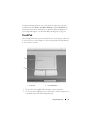
The touch pad detects the pressure and movement of your finger to allow you
to move the cursor on the display. Use the touch pad and touch pad buttons
as you would use a mouse.
1
2
1
touch pad
2
touch pad buttons
•
To move the cursor, lightly slide your finger over the touch pad.
•
To select an object, lightly tap once on the surface of the touch pad or use
your thumb to press the left touch-pad button.
Using the Keyboard
51
•
To select and move (or drag) an object, position the cursor on the object
and tap twice on the touch pad. On the second tap, leave your finger on
the touch pad and move the selected object by sliding your finger over the
surface.
•
To double-click an object, position the cursor on the object and tap twice
on the touch pad or use your thumb to press the left touch-pad button
twice.
Customizing the Touch Pad
You can use the Mouse Properties window to disable the touch pad or adjust
its settings.
1 Click Start→ Control Panel→ Printers and Other Hardware→ Mouse.
See the Windows Help and Support for information about the Control
Panel,. To access Windows Help and Support, see "Windows Help and
Support" on page 18.
2 In the Mouse Properties window:
•
Click the Device Select tab to disable the touch pad and track stick.
•
Click the Touch Pad tab to adjust touch pad and track stick settings.
3 Click OK to save the settings and close the window.
52
Using the Keyboard
Using the Display
Adjusting Brightness
When a Dell™ computer is running on battery power, you can conserve power
by setting the display brightness to the lowest comfortable setting by pressing
<Fn> and the up- or down-arrow key on the keyboard.
NOTE: Brightness key combinations only affect the display on your portable
computer, not monitors or projectors that you attach to your portable computer or
docking device. If your computer is connected to an external monitor and you try to
change the brightness level, the Brightness Meter may appear, but the brightness
level on the external device does not change.
You can press the following keys to adjust display brightness:
•
Press <Fn> and the up-arrow key to increase brightness on the integrated
display only (not on an external monitor).
•
Press <Fn> and the down-arrow key to decrease brightness on the
integrated display only (not on an external monitor).
Using a Projector
When you start the computer with an external device (such as an external
monitor or projector) attached and turned on, the image may appear on
either the computer display or the external device.
Press <Fn><F8> to switch the video image between the display only, the
external device only, or the display and the external device simultaneously.
Making Images and Text Look Bigger or Sharper
NOTE: If you change the display resolution from the current settings, the image
may appear blurry or text may be hard to read if you change the resolution to one
not supported by your computer and display. Before you change any of the display
settings, make a note of the current settings so you can change back to the
previous settings if you need to.
Using the Display
53
You can enhance the legibility of text and change the appearance of images
on the screen by adjusting display resolution. As you increase resolution,
items appear smaller on the screen. In contrast, lower resolution causes text
and images to appear larger and can benefit people with vision impairments.
To display a program at a specific resolution, both the video card and the
display must support the program, and the necessary video drivers must be
installed.
NOTE: Use only the Dell-installed video drivers, which are designed to offer the
best performance with your Dell-installed operating system.
If you choose a resolution or color palette that is higher than the display
supports, the settings adjust automatically to the closest supported values.
To set the display resolution and refresh rate for your display, perform the
steps in the following section that corresponds to the operating system your
computer is using.
Microsoft® Windows® XP
1 Click Start→ Settings→ Control Panel.
2 Under Pick a category, click Appearance and Themes.
3 Under Pick a task..., click the area you want to change, or under or pick a
Control Panel icon, click Display.
4 In the Display Properties window, click the Settings tab.
5 Try different settings for Color quality and Screen resolution.
NOTE: As the resolution increases, icons and text appear smaller on the screen.
Windows Vista™
1 Click the Windows Vista Start button
, and click Control Panel.
2 Under Appearance and Personalization, click Adjust screen resolution.
3 In the Display Settings window, under Resolution, slide the slide bar to
the left/right to decrease/increase the screen resolution.
4 Click How do I get the best display? for further instructions.
If the video resolution setting is higher than that supported by the display, the
computer enters pan mode. In pan mode, the entire video image cannot be
displayed at one time, and the taskbar that usually appears at the bottom of
54
Using the Display
the desktop may no longer be visible. To view the parts of the video image
that are not visible, you can use the touch pad or track stick to pan (or move)
the image up, down, left, and right.
NOTICE: You can damage an external monitor by using an unsupported refresh
rate. Before adjusting the refresh rate on an external monitor, see the user’s guide
for the monitor.
Using Both a Monitor and Your Computer Display
You can attach an external monitor or projector to your computer and use it
as an extension of your display (known as dual independent display or extended
desktop mode). This mode allows you to use both screens independently and
drag objects from one screen to the other, effectively doubling the amount of
viewable work space.
To use extended desktop mode, perform the steps in the following section
that corresponds to the operating system your computer is using.
Microsoft® Windows® XP
1 Connect the external monitor, TV, or projector to the computer.
2 Click Start→ Settings→ Control Panel.
3 Under Pick a category, click Appearance and Themes.
4 Under Pick a task..., click the area you want to change, or under or pick a
Control Panel icon, click Display.
5 In the Display Properties window, click the Settings tab.
NOTE: If you choose a resolution or color palette that is higher than the display
supports, the settings adjust automatically to the closest supported values. For
more information, see your operating system documentation.
6 Click the monitor 2 icon, click the Extend my Windows desktop... check
box, and then click Apply.
7 Change Screen Area to the appropriate sizes for both displays and click
Apply.
8 If prompted to restart the computer, click Apply the new color setting
without restarting and click OK.
9 If prompted, click OK to resize your desktop.
Using the Display
55
10 If prompted, click Yes to keep the settings.
11 Click OK to close the Display Properties window.
To disable dual independent display mode:
1 Click the Settings tab in the Display Properties window.
2 Click the monitor 2 icon, uncheck the Extend my Windows desktop onto
this monitor option, and then click Apply.
If necessary, press <Fn><F8> to bring the screen image back to the
computer display.
Windows Vista™
1 Click the Windows Vista Start button
, and click Control Panel.
2 Under Appearance and Personalization, click Adjust screen resolution.
3 In the Display Settings window, click the monitor 2 icon, click the Extend
the desktop onto this monitor check box, and then click Apply.
4 Click OK to close the Display Settings window.
To disable extended desktop mode:
1 In the Display Settings window, click the Settings tab.
2 Click the monitor 2 icon, uncheck the Extend the desktop onto this
monitor option, and then click Apply.
Using a Monitor as Your Primary Display
To swap your primary and secondary display designations (for example, to use
your external monitor as your primary display after docking), perform the
steps in the following section that corresponds to the operating system your
computer is using.
Microsoft® Windows® XP
1 Click the Start button and click Control Panel.
2 Under Pick a category, click Appearance and Themes.
3 Under Pick a task..., click the area you want to change, or under or pick a
Control Panel icon, click Display.
4 Click the Settings tab→ Advanced→ Displays tab.
56
Using the Display
See the documentation that came with your video card for additional
information.
Windows Vista™
1 Click the Windows Vista Start button
, and click Control Panel.
2 Under Appearance and Personalization, click Adjust screen resolution.
3 In the Display Settings window, click the monitor 2 icon, click the This is
my main monitor check box, and then click Apply.
4 Click OK to close the Display Settings window.
Using the Display
57
58
Using the Display
Using Multimedia
Playing CDs or DVDs
NOTICE: Do not press down on the CD/DVD tray when you open or close it. Keep
the tray closed when you are not using the drive.
NOTICE: Do not move the computer while playing CDs or DVDs.
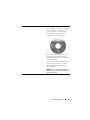
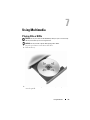
1 Press the eject button on the front of the drive.
2 Pull out the tray.
3 Place the disc, label side up, in the center of the tray and snap the disc
onto the spindle.
Using Multimedia
59
NOTE: If you use a module that shipped with another computer, you need to install
the drivers and software necessary to play DVDs or write data. For more
information, see the Drivers and Utilities media (the Drivers and Utilities media is
optional and may not be available for your computer or in certain countries).
4 Push the tray back into the drive.
To format CDs for storing data, to create music CDs, or to copy CDs, see the
CD software that came with your computer.
NOTE: Ensure that you follow all copyright laws when you create CDs.
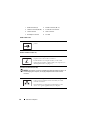
A CD player includes the following basic buttons:
Play.
Move backward within the current track.
Pause.
Move forward within the current track.
Stop.
Go to the previous track.
Eject.
Go to the next track.
A DVD player includes the following basic buttons:
Stop.
Restart the current chapter.
Play.
Fast forward.
Pause.
Fast reverse.
Advance a single frame while in pause mode.
Go to the next title or chapter.
Continuously play the current title or chapter.
Go to the previous title or chapter.
60
Using Multimedia
Eject.
For more information on playing CDs or DVDs, click Help on the CD or
DVD player (if available).
Adjusting the Volume
NOTE: When the speakers are muted, you do not hear the CD or DVD playing.
1 Open the Volume Control window.
2 Click and drag the bar in the Volume Control column and slide it up or
down to increase or decrease the volume.
For more information on volume control options, click Help in the Volume
Control window.
The Volume Meter displays the current volume level, including mute, on your
computer. Either click the QuickSet icon in the taskbar and select or deselect
Disable On Screen Volume Meter, or press the volume control buttons to
enable or disable the Volume Meter on the screen.
1
2
3
1 volume icon
2
Volume Meter
3 mute icon
When the meter is enabled, adjust the volume with the volume control
buttons or by pressing the following keys:
•
Press <Fn> <PageUp> to increase volume.
•
Press <Fn> <PageDn> to decrease volume.
Using Multimedia
61
•
Press <Fn> <End> to mute volume.
For more information about QuickSet, right-click the icon in the taskbar and
click Help.
Adjusting the Picture
If an error message notifies you that the current resolution and color depth
are using too much memory and preventing DVD playback, adjust the display
properties.
Microsoft Windows XP
1 Click Start→ Control Panel→ Appearance and Themes.
2 Under Pick a task..., click Change the screen resolution.
3 Under Screen resolution, click and drag the bar to reduce the resolution
setting.
4 In the drop-down menu under Color quality, click Medium (16 bit) and
click OK.
Microsoft Windows Vista™ Operating System
1 Click the Windows Vista Start button
click Appearance and Personalization.
, click Control Panel, and then
2 Under Personalization, click Adjust Screen Resolution.
The Display Properties window appears.
3 Under Resolution: click and drag the bar reduce the resolution setting.
4 In the drop-down menu under Colors:, click Medium (16 bit).
5 Click OK.
Connecting Your Computer to a TV or Audio
Device
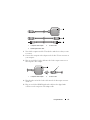
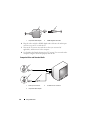
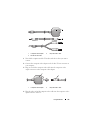
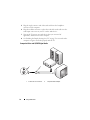
NOTE: Video and audio cables for connecting your computer to a TV or other audio
device may not be included with your computer. Cables and TV/digital audio
adapter cables are available for purchase from Dell.
62
Using Multimedia
Your computer has an S-video TV-out connector that, together with a
standard S-video cable, a composite video adapter cable, or a component
video adapter cable (available from Dell), enable you to connect the
computer to a TV.
Your TV has either an S-video input connector, a composite video-input
connector, or a component video-input connector. Depending on what type
of connector is available on your TV, you can use a commercially available
S-video cable, composite video cable, or component video cable to connect
your computer to your TV.
1
1
2
S-video TV-out connector
2
S-video connector
2
1
3
4
5
1
S-video TV-out connector
2
composite video adapter
3
S/PDIF digital audio
connector
4
composite video-output
connector
5
S-video connector
Using Multimedia
63
1
2
3
4
5
6
1
S-video TV-out connector
2
component video adapter
3
S/PDIF digital audio
connector
4
Pr (red) component videooutput connector
5
Pb (blue) component videooutput connector
6
Y (green) component videooutput connector
If you want to connect your computer to a TV or audio device, it is
recommended that you connect video and audio cables to your computer in
one of the following combinations.
•
S-video and standard audio
•
Composite video and standard audio
•
Component-out video and standard audio
NOTE: See the diagrams at the beginning of each subsection to help you determine
which method of connection you should use.
When you finish connecting the video and audio cables between your
computer and your TV, you must enable your computer to work with the TV.
See "Enabling the Display Settings for a TV" on page 78 to ensure that the
computer recognizes and works properly with the TV. Additionally, if you are
using S/PDIF digital audio, see "Enabling S/PDIF Digital Audio" on page 76.
64
Using Multimedia
S-Video and Standard Audio
1
2
1
audio connector
2
S-video TV-out connector
1
2
1
standard S-video cable
2
standard audio cable
1 Turn off the computer and the TV and/or audio device that you want to
connect.
NOTE: If your TV or audio device supports S-video but not S/PDIF digital audio, you
can connect an S-video cable directly to the S-video TV-out connector on the
computer (without the TV/digital audio adapter cable).
2 Plug one end of the S-video cable into the S-video output connector on
the computer.
3 Plug the other end of the S-video cable into the S-video input connector
on your TV.
Using Multimedia
65
4 Plug the single-connector end of the audio cable into the headphone
connector on your computer.
5 Plug the two RCA connectors on the other end of the audio cable into the
audio input connectors on your TV or other audio device.
6 Turn on the TV and any audio device that you connected (if applicable),
and then turn on the computer.
7 See "Enabling the Display Settings for a TV" on page 78 to ensure that the
computer recognizes and works properly with the TV.
S-Video and S/PDIF Digital Audio
1
1
66
2
S-video TV-out connector
Using Multimedia
2
composite video adapter
1
2
3
1
composite video adapter
3
S/PDIF digital audio cable
2
S-video cable
1 Turn off the computer and the TV and/or the audio device that you want
to connect.
2 Connect the composite video adapter to the S-video TV-out connector on
your computer.
3 Plug one end of the S-video cable into the S-video output connector on
the composite video adapter.
2
1
1
composite video adapter
2
S-video cable
4 Plug the other end of the S-video cable into the S-video input connector
on the TV.
5 Plug one end of the S/PDIF digital audio cable into the digital audio
connector on the composite video adapter cable.
Using Multimedia
67
1
1
2
composite video adapter
2
S/PDIF digital audio cable
6 Plug the other end of the S/PDIF digital audio cable into the audio input
connector on your TV or audio device.
7 Turn on the TV, turn on any audio device that you connected (if
applicable), and then turn on the computer.
8 See "Enabling the Display Settings for a TV" on page 78 to ensure that the
computer recognizes and works properly with the TV.
Composite Video and Standard Audio
1
2
68
3
1
audio input connector
3
composite video adapter
Using Multimedia
2
S-video TV-out connector
1
2
3
1
composite video adapter
3
standard audio cable
2
composite video cable
1 Turn off the computer and the TV and/or audio device that you want to
connect.
2 Connect the composite video adapter to the S-video TV-out connector on
your computer.
3 Plug one end of the composite video cable into the composite videooutput connector on the composite video adapter.
1
2
1
composite video adapter
2
composite video cable
4 Plug the other end of the composite video cable into the composite videoinput connector on the TV.
Using Multimedia
69
5 Plug the single-connector end of the audio cable into the headphone
connector on the computer.
6 Plug the two RCA connectors on the other end of the audio cable in to the
audio input connectors on your TV or other audio device.
7 Turn on the TV, turn on any audio device that you connected (if
applicable), and then turn on the computer.
8 See "Enabling the Display Settings for a TV" on page 78 to ensure that the
computer recognizes and works properly with the TV.
Composite Video and S/PDIF Digital Audio
1
1
70
2
S-video TV-out connector
Using Multimedia
2
composite video adapter
1
2
3
1
composite video adapter
3
standard audio cable
2
composite video cable
1 Turn off the computer and the TV and/or audio device that you want to
connect.
2 Connect the composite video adapter to the S-video TV-out connector on
the computer.
3 Plug one end of the composite video cable into the composite video-input
connector on the composite video adapter.
1
2
1
composite video adapter
2
composite video cable
4 Plug the other end of the composite video cable into the composite videoinput connector on the TV.
5 Plug one end of the S/PDIF digital audio cable in to the S/PDIF audio
connector on the composite video adapter.
Using Multimedia
71
1
1
2
composite video adapter
2
S/PDIF digital audio cable
6 Plug the other end of the digital audio cable into the S/PDIF input
connector on your TV or other audio device.
7 Turn on the TV, turn on any audio device that you connected (if
applicable), and then turn on the computer.
8 See "Enabling the Display Settings for a TV" on page 78 to ensure that the
computer recognizes and works properly with the TV.
Component Video and Standard Audio
1
1
72
2
S-video TV-out connector
Using Multimedia
2
component video adapter
1
2
3
1
component video adapter
3
standard audio cable
2
component video cable
1 Turn off the computer and the TV and/or audio device that you want to
connect.
2 Connect the component video adapter to the S-video TV-out connector on
your computer.
3 Plug all three ends of the component video cable into the component
video-output connectors on the component video adapter. Make sure that
the red, green, and blue colors of the cable match the corresponding
adapter ports.
1
2
Using Multimedia
73
1
component video adapter
2
component video cable
4 Plug all three connectors from the other end of the component video cable
into the component video-input connectors on the TV. Make sure that the
red, green, and blue colors of the cable match the colors of the TV input
connectors.
5 Plug the single-connector end of the audio cable into the headphone
connector on the computer.
6 Plug the two RCA connectors on the other end of the audio cable into the
audio input connectors on your TV or audio device.
7 Turn on the TV, turn on any audio device that you connected (if
applicable), and then turn on the computer.
8 See "Enabling the Display Settings for a TV" on page 78 to ensure that the
computer recognizes and works properly with the TV.
Component Video and S/PDIF Digital Audio
1
1
74
2
S-video TV-out connector
Using Multimedia
2
component video adapter
1
2
3
1
component video adapter
3
standard audio cable
2
component video cable
1 Turn off the computer and the TV and/or audio device that you want to
connect.
2 Connect the component video adapter to the S-video TV-out connector on
the computer.
3 Plug all three ends of the component video cable into the component
video-output connectors on the component video adapter. Make sure that
the red, green, and blue colors of the cable match the corresponding
adapter ports.
2
1
3
Using Multimedia
75
1
component video adapter
3
component video cable
2
component video-output
connectors
4 Plug all three connectors from the other end of the component video cable
into the component video-input connectors on the TV. Make sure that the
red, green, and blue colors of the cable match the colors of the TV input
connectors.
5 Plug one end of the S/PDIF digital audio cable into the S/PDIF audio
connector on the component video adapter.
1
2
1
component video adapter
2
S/PDIF digital audio cable
6 Plug the other end of the digital audio cable into the S/PDIF input
connector on your TV or other audio device.
7 Turn on the TV, turn on any audio device that you connected (if
applicable), and then turn on the computer.
8 See "Enabling the Display Settings for a TV" on page 78 to ensure that the
computer recognizes and works properly with the TV.
Enabling S/PDIF Digital Audio
If your computer has a DVD drive, you can enable digital audio for DVD
playback.
1 Launch the Cyberlink PowerDVD application.
2 Insert a DVD into the DVD drive.
If the DVD begins playing, click the stop button.
3 Click the Settings option.
76
Using Multimedia
4 Click the DVD option.
5 Click the DVD Audio Setting icon.
6 Click the arrows beside the Speaker Configuration setting to scroll
through the options, and select the SPDIF option.
7 Click the Back button once, and then click the Back button again to
return to the main menu screen.
Enabling S/PDIF in the Windows Audio Driver
1 Double-click the speaker icon in the Windows notification area.
2 Click the Options menu and then click Advanced Controls.
3 Click Advanced.
4 Click S/PDIF Interface.
5 Click Close.
6 Click OK.
Setting Up the Cyberlink (CL) Headphones
NOTE: The CL headphone feature is available only if your computer has a DVD
drive.
If your computer has a DVD drive, you can enable digital audio for DVD
playback.
1 Launch the Cyberlink PowerDVD program.
2 Insert a DVD into the DVD drive.
If the DVD begins playing, click the stop button.
3 Click the Settings option.
4 Click the DVD option.
5 Click the DVD Audio Setting icon.
6 Click the arrows beside the Speaker Configuration setting to scroll
through the options, and select the Headphones option.
7 Click the arrows beside the Audio listening mode setting to scroll through
the options, and select the CL Headphone option.
8 Click the arrows beside the Dynamic range compression option to select
the most suitable option.
Using Multimedia
77
9 Click the Back button once, and then click the Back button again to
return to the main menu screen.
Enabling the Display Settings for a TV
NOTE: To ensure that the display options appear correctly, connect the TV to the
computer before you enable the display settings.
Microsoft Windows XP
1 Click the Start button, point to Settings, and then click Control Panel.
2 Double-click Display and click the Settings tab.
3 Click Advanced.
4 Click the tab for your video card.
NOTE: To determine the type of video card installed in your computer, see the
Windows Help and Support Center. To access the Help and Support Center, click
Start→ Help and Support. Under Pick a Task, click Use Tools to view your computer
information and diagnose problems. Then, under My Computer Information, select
Hardware.
5 In the display devices section, select the appropriate option for using
either a single display or multiple displays, ensuring that the display
settings are correct for your selection.
Microsoft Windows Vista
1 Click the Windows Vista Start button
click Appearance and Personalization.
, click Control Panel, and then
2 Under Personalization, click Adjust Screen Resolution.
The Display Properties window appears.
3 Click Advanced.
4 Click the tab for your video card.
NOTE: To determine the type of video card installed in your computer, see the
Windows Help and Support Center. To access the Help and Support Center in
→ Help and Support.
Windows Vista, click the Windows Vista Start button
Under Pick a Task, click Use Tools to view your computer information and diagnose
problems. Then, under My Computer Information, select Hardware.
5 In the display devices section, select the appropriate option for using
either a single display or multiple displays, ensuring that the display
settings are correct for your selection.
78
Using Multimedia
Setting Up and Using Networks
Setting up a computer network provides connectivity between your computer
and the Internet, another computer, or a network. For example, with a
network set up in a home or small office you can print to a shared printer,
access drives and files on another computer, browse other networks, or access
the Internet. You can set up a local area network (LAN) using a network or
broadband modem cable or set up a wireless LAN (WLAN).
The Microsoft Windows® XP and Microsoft Windows Vista™ operating
systems provide wizards to help guide you through the process of networking
computers. For more information about Networking, see Windows Help and
Support (see "Windows Help and Support" on page 18).
Connecting a Network or Broadband Modem
Cable
Before you connect your computer to a network, the computer must have a
network adapter installed and a network cable connected to it.
1 Connect the network cable to the network adapter connector on the back
of your computer.
NOTE: Insert the cable connector until it clicks into place, and then gently
pull the cable to ensure that it is securely attached.
2 Connect the other end of the network cable to a network connection
device or a network wall connector.
NOTE: Do not use a network cable with a telephone wall connector.
Setting Up and Using Networks
79
Setting Up a Network in the Microsoft®
Windows® XP Operating System
1 Click Start→ All Programs→ Accessories→ Communications→ Network
Setup Wizard→ Next→ Checklist for creating a network.
NOTE: Selecting the connection method labeled This computer connects
directly to the Internet enables the integrated firewall provided with Windows
XP Service Pack 2 (SP2).
2 Complete the checklist.
3 Return to the Network Setup Wizard and follow the instructions in the
wizard.
Setting Up a Network in the Microsoft Windows
Vista™ Operating System
1 Click the Windows Vista Start button
Set up a connection or network.
, and then click Connect To→
2 Select an option under Choose a connection option.
3 Click Next, and then follow the instructions in the wizard.
Wireless Local Area Network (WLAN)
A WLAN is a series of interconnected computers that communicate with
each other over the air waves rather than through a network cable connected
to each computer. In a WLAN, a radio communications device called an
access point or wireless router connects network computers and provides
Internet, or network, access. The access point or wireless router and the
wireless network card in the computer communicate by broadcasting data
from their antennas over the air waves.
What You Need to Establish a WLAN Connection
Before you can set up a WLAN, you need:
80
•
High-speed (broadband) Internet access (such as cable or DSL)
•
A broadband modem that is connected and working
•
A wireless router or access point
Setting Up and Using Networks
•
A wireless network card for each computer that you want to connect to
your WLAN
•
A network cable with a network (RJ-45) connector
Checking Your Wireless Network Card
Depending on what you selected when you purchased your computer, the
computer has a variety of configurations. To confirm that your computer has
a wireless network card and to determine the type of card, use one of the
following:
•
The Start button and the Connect To option
•
The order confirmation for your computer
Start Button and Connect To Option
In Microsoft Windows XP, click Start→ Connect To→ Show all connections.
NOTE: If your computer is set to the Classic Start menu option, click Start→
Settings→ Network Connections to view your network connections.
In Microsoft Windows Vista, click
computers and devices.
→ Connect To→ View network
If Wireless Network Connection does not appear under LAN or High-Speed
Internet, you may not have a wireless network card.
If Wireless Network Connection appears, you have a wireless network card. To
view detailed information about the wireless network card:
1 Right-click Wireless Network Connection.
2 Click Properties.
The Wireless Network Connection Properties window appears. The
wireless network card’s name and model number are listed on the General
tab.
NOTE: If Wireless Network Connection does not appear, you may not have a
wireless network card.
The Order Confirmation for Your Computer
The order confirmation that you received when you ordered your computer
lists the hardware and software that shipped with your computer.
Setting Up and Using Networks
81
Setting Up a New WLAN Using a Wireless Router and a Broadband
Modem
1 Contact your Internet service provider (ISP) to obtain specific information
about the connection requirements for your broadband modem.
2 Ensure that you have wired Internet access through your broadband
modem before you attempt to set up a wireless Internet connection (see
"Connecting a Network or Broadband Modem Cable" on page 79).
3 Install any software required for your wireless router. Your wireless router
may have been shipped with an installation CD. Installation CDs usually
contain installation and troubleshooting information. Install the required
software according to the instructions provided by the router
manufacturer.
4 Shut down your computer and any other wireless-enabled computers in
the vicinity through the Start or
menu.
5 Disconnect your broadband modem power cable from the electrical outlet.
6 Disconnect the network cable from the computer and the modem.
7 Disconnect the AC adapter cable from your wireless router to ensure that
there is no power connected to the router.
NOTE: Wait for a minimum of 5 minutes after disconnecting your broadband
modem before you continue with the network setup.
8 Insert a network cable into the network (RJ-45) connector on the
unpowered broadband modem.
9 Connect the other end of the network cable into the Internet network (RJ45) connector on the unpowered wireless router.
10 Ensure that no network or USB cables, other than the network cable
connecting the modem and the wireless router, are connected to the
broadband modem.
NOTE: Restart your wireless equipment in the order described below to prevent a
potential connection failure.
11 Turn on only your broadband modem and wait for at least 2 minutes for
the broadband modem to stabilize. After 2 minutes, proceed to step 12.
12 Turn on your wireless router and wait for at least 2 minutes for the wireless
router to stabilize. After 2 minutes, proceed to the step 13.
82
Setting Up and Using Networks
13 Start your computer and wait until the boot process completes.
14 See the documentation that came with your wireless router to do the
following in order to set up the wireless router:
•
Establish communication between your computer and your wireless
router.
•
Configure your wireless router to communicate with your broadband
router.
•
Find out your wireless router’s broadcast name. The technical term for
the name of your router’s broadcast name is Service Set Identifier
(SSID) or network name.
15 If necessary, configure your wireless network card to connect to the wireless
network (see "Connecting to a WLAN" on page 83).
Connecting to a WLAN
NOTE: Before you connect to a WLAN, ensure that you have followed the
instructions in "Wireless Local Area Network (WLAN)" on page 80.
NOTE: The following networking instructions do not apply to internal cards with
Bluetooth® wireless technology or cellular products.
This section provides general procedures for connecting to a network using
wireless technology. Specific network names and configuration details vary.
See "Wireless Local Area Network (WLAN)" on page 80 for more information
about how to prepare for connecting your computer to a WLAN.
Your wireless network card requires specific software and drivers for
connecting to a network. The software is already installed.
NOTE: If the software is removed or corrupted, follow the instructions in the user
documentation for your wireless network card. Verify the type of wireless network
card installed in your computer and then search for that name on the Dell™ Support
website at support.dell.com. For information on the type of wireless network card
that is installed in your computer, see "Checking Your Wireless Network Card" on
page 81.
Determining the Wireless Network Device Manager
Depending on the software installed on your computer, different wireless
configuration utilities may manage your network devices:
•
Your wireless network card’s client utility
Setting Up and Using Networks
83
•
The Windows XP or Windows Vista operating system
To determine which wireless configuration utility is managing your wireless
network card in Windows XP:
1 Click Start→ Settings→ Control Panel→ Network Connections.
2 Right-click the Wireless Network Connection icon, and then click View
Available Wireless Networks.
If the Choose a wireless network window states Windows cannot configure
this connection, the wireless network card’s client utility is managing the
wireless network card.
If the Choose a wireless network window states Click an item in the list
below to connect to a wireless network in range or to get more information,
the Windows XP operating system is managing the wireless network card.
To determine which wireless configuration utility is managing your wireless
network card in Windows Vista:
1 Click
→ Connect To→ Manage wireless networks.
2 Double-click a profile to open the wireless network properties screen.
For specific information about the wireless configuration utility installed on
your computer, see your wireless network documentation in Windows Help
and Support (see "Windows Help and Support" on page 18).
Completing the Connection to the WLAN
When you turn on your computer and a network (for which your computer is
not configured) is detected in the area, a pop-up appears near the network
icon in the notification area (in the lower-right corner of the Windows
desktop).
Follow the instructions provided in any utility prompts that appear on your
screen.
Once you have configured your computer for the wireless network that you
selected, another pop-up notifies you that your computer is connected to that
network.
Thereafter, whenever you log on to your computer within the range of the
wireless network that you selected, the same pop-up notifies you of the
wireless network connection.
84
Setting Up and Using Networks
NOTE: If you select a secure network, you must enter a WEP or WPA key when
prompted. Network security settings are unique to your network. Dell cannot
provide this information.
NOTE: Your computer can take up to 1 minute to connect to the network.
Enabling/Disabling the Wireless Network Card
NOTE: If you are unable to connect to a wireless network, ensure that you have all
the components for establishing a WLAN (see "What You Need to Establish a WLAN
Connection" on page 80), and then verify that your wireless network card is enabled
by pressing <Fn><F2>.
You can turn your computer’s wireless networking function on and off by
pressing the <Fn><F2> key combination.
Monitoring the Status of the Wireless Network Card Through Dell QuickSet
The wireless activity indicator provides you with an easy way to monitor the
status of your computer’s wireless devices. To turn the wireless activity
indicator on or off, click the QuickSet icon in the taskbar and select Hotkey
Popups. If Wireless Activity Indicator Off is not checked, the indicator is on.
If Wireless Activity Indicator Off is checked, the indicator is off.
The wireless activity indicator displays whether your computer’s integrated
wireless devices are enabled or disabled. When you turn the wireless
networking function on or off, the wireless activity indicator changes to
display the status.
For more information about the Dell QuickSet wireless activity indicator,
right-click the QuickSet icon in the taskbar and select Help.
Mobile Broadband/Wireless Wide Area Network
(WWAN)
A Mobile Broadband network, also known as a Wireless Wide Area Network
(WWAN), is a high-speed digital cellular network that provides Internet
access over a much wider geographical area than a WLAN, which typically
covers only from 100 to 1000 feet. Your computer can maintain Mobile
Broadband network access as long as the computer is within a cellular-data
coverage zone. Contact your service provider for coverage of a high-speed
digital cellular network.
Setting Up and Using Networks
85
NOTE: Even if you are able to make a call from your cellular phone in a specific
geographical location, that location may not necessarily be within a cellular-data
coverage zone.
What You Need to Establish a Mobile Broadband Network Connection
NOTE: Depending on your computer, you can use either a Mobile Broadband
ExpressCard or Mini-Card, but not both, to establish a Mobile Broadband network
connection.
To set up a Mobile Broadband network connection, you need:
•
A Mobile Broadband ExpressCard or Mini-Card (depending on your
computer’s configuration)
NOTE: For instructions on using ExpressCards, see "Using Cards" on page 89.
•
An activated Mobile Broadband ExpressCard or activated Subscriber
Identity Module (SIM) for your service provider
•
The Dell Mobile Broadband Card Utility (already installed on your
computer if you purchased the card when you purchased your computer, or
on the CD that accompanied your card if purchased separately from your
computer)
If the utility is corrupted or deleted from your computer, see the Dell
Mobile Broadband Card Utility user’s guide for instructions. The user’s
guide is available through Windows Help and Support (see "Windows
Help and Support" on page 18) or on the CD that accompanied your card
if you purchased it separately from your computer.
Checking Your Dell Mobile Broadband Card
Depending on what you selected when you purchased your computer, the
computer has a variety of configurations. To determine your computer
configuration, see one of the following:
•
Your order confirmation
•
Microsoft Windows Help and Support Center
To check your Mobile Broadband card in the Windows Help and Support
Center:
1 Click Start→ Help and Support→ Use Tools to view your computer
information and diagnose problems.
86
Setting Up and Using Networks
2 Under Tools, click My Computer Information→ Find information about
the hardware installed on this computer.
On the My Computer Information - Hardware screen, you can view the type
of Mobile Broadband card installed in your computer as well as other
hardware components.
NOTE: The Mobile Broadband card is listed under Modems.
Connecting to a Mobile Broadband Network
NOTE: These instructions only apply to Mobile Broadband ExpressCards or MiniCards. They do not apply to internal cards with wireless technology.
NOTE: Before you connect to the Internet, you must activate Mobile Broadband
service through your cellular service provider. For instructions and for additional
information about using the Dell Mobile Broadband Card Utility, see the user's guide
available through Windows Help and Support (see "Windows Help and Support" on
page 18). The user's guide is also available on the Dell Support website at
support.dell.com and on the CD included with your Mobile Broadband card if you
purchased the card separately from your computer.
Use the Dell Mobile Broadband Card Utility to establish and manage a
Mobile Broadband network connection to the Internet:
1 Click the Dell Mobile Broadband Card Utility icon
desktop, to run the utility.
on the Windows
2 Click Connect.
NOTE: The Connect button changes to the Disconnect button.
3 Follow the instructions on the screen to manage the network connection
with the utility.
Or
1 Click Start→ All Programs→ Dell Wireless.
2 Click Dell Wireless Broadband and follow the instructions on the screen.
Microsoft® Windows® Firewall
Windows Firewall provides basic protection from unauthorized access to your
computer while it is connected to the Internet. Windows Firewall is
automatically enabled when you run the Network Setup Wizard.
Setting Up and Using Networks
87
When Windows Firewall is enabled for a network connection, the firewall
icon appears with a red background in the Network Connections section of
the Control Panel.
NOTE: Enabling Windows Firewall does not reduce the need for virus-checking
software.
For more information, click Start→ Control Panel→ Security→ Windows
Firewall, or see "Windows Help and Support" on page 18
88
Setting Up and Using Networks
Using Cards
Card Types
See "Specifications" on page 151 for information on supported PC Cards.
1
2
1
54-mm ExpressCard (not
supported by your
computer)
3
PC Card (supported by
your computer)
3
2
34-mm ExpressCard
(supported, with an
adapter)
NOTE: A PC Card is not a bootable device.
The PC Card slot has one connector that supports a single Type I or Type II
card. The PC Card slot supports CardBus technology and extended PC
Cards. Type of card refers to its thickness, not its functionality.
Using Cards
89
Card Blanks
Your computer shipped with a plastic blank installed in the card slot. Blanks
protect unused slots from dust and other particles. Save the blank for use
when no card is installed in the slot; blanks from other computers may not fit
your computer.
To remove the blank, see "Removing a Card or Blank" on page 92.
Extended Cards
An extended card (for example, a wireless network adapter) is longer than a
standard card and extends outside the computer. Follow these precautions
when using extended cards:
•
Protect the exposed end of an installed card. Striking the end of the card
can damage the system board.
•
Always remove an extended PC Card before you pack the computer in its
carrying case.
Installing a PC Card or ExpressCard
You can install a PC Card or a 34-mm ExpressCard (with an adapter) in the
computer while the computer is running. The computer automatically
detects the card.
Cards are generally marked with a symbol (such as a triangle or an arrow) to
indicate which end to insert into the slot. The cards are keyed to prevent
incorrect insertion. If card orientation is not clear, see the documentation that
came with the card.
CAUTION: Before you begin any of the procedures in this section, follow the
safety instructions in the Product Information Guide.
To install a PC Card:
1 Hold the card with its orientation symbol pointing into the slot and the
top side of the card facing up. The latch may need to be in the in position
before you insert the card.
2 Slide the card into the slot until the card is completely seated in its
connector.
90
Using Cards
If you encounter too much resistance, do not force the card. Check the
card orientation and try again.
The computer recognizes most PC Cards and automatically loads the
appropriate device driver. If the configuration program tells you to load the
manufacturer's drivers, use the floppy disk or CD that came with the PC
Card.
To install an ExpressCard:
NOTE: Your computer supports a 34-mm ExpressCard only with the use of an
adapter. Your computer does not support the use of 54-mm ExpressCards.
1 With the 34-mm ExpressCard inserted into its adapter, hold the card with
its orientation symbol pointing into the PC Card/ExpressCard slot and the
top side of the card facing up. The latch may need to be in the in position
before you insert the card.
Using Cards
91
2 Slide the adapter into the card slot until the adapter is completely seated
in its connector.
If you encounter too much resistance, do not force the adapter. Check the
ExpressCard and adapter orientation and try again.
The computer recognizes most cards and automatically loads the appropriate
device driver. If the configuration program tells you to load the
manufacturer's drivers, use the floppy disk or CD that came with the card.
Removing a Card or Blank
CAUTION: Before you begin any of the procedures in this section, follow the
safety instructions in your Product Information Guide.
NOTICE: Click the
icon in the taskbar to select a card and stop it from
functioning before you remove it from the computer. If you do not stop the card in
the configuration utility, you could lose data. Do not attempt to eject a card by
pulling its cable, if one is attached.
Press the release latch and remove the card or blank. For some release latches,
you must press the latch twice: once to pop the latch out, and then a second
time to pop the card out.
Save a blank to use when no PC Card is installed in a slot. Blanks protect
unused slots from dust and other particles.
92
Using Cards
Securing Your Computer
Security Cable Lock
NOTE: Your computer does not ship with a security cable lock.
A security cable lock is a commercially available antitheft device. To use the
lock, attach it to the security cable slot on your Dell™ computer. For more
information, see the instructions included with the device.
NOTICE: Before you buy an antitheft device, ensure that it will work with the
security cable slot on your computer.
Passwords
About Passwords
NOTE: Passwords are disabled when you receive your computer.
A primary (or system) password, an administrator password, and a hard drive
password all prevent unauthorized access to your computer in different ways.
The following table identifies types and features of passwords available on
your computer.
Securing Your Computer
93
Type of Password
Features
Primary (or system)
• Protects the computer from unauthorized access
Administrator
• Gives system administrators or service technicians
access to computers for repair or reconfiguration
• Allows you to restrict access to system setup in the same
way a primary password restricts access to the computer
• Can be used instead of the primary password
Hard drive
• Helps protect the data on your hard drive or external
hard drive (if one is being used) from unauthorized
access
NOTICE: Passwords provide a high level of security for data in your computer or
hard drive. However, they are not foolproof. If you require more security, obtain and
use additional forms of protection, such as smart cards, data encryption programs,
or PC Cards with encryption features.
NOTE: Some hard drives do not support hard drive passwords.
When using passwords, observe the following guidelines:
•
Choose passwords that you can remember, but not ones that are easy to
guess. For example, do not use the names of family members or pets for
passwords.
•
It is recommended that you do not write down passwords. If you do write it
down, however, ensure that the password is stored in a secure place.
•
Do not share passwords with other people.
•
Ensure that people are not watching you when you type your password(s).
If you forget any of your passwords, contact Dell (see "Contacting Dell" on
page 149). For your protection, Dell technical support staff will ask you for
proof of your identity to ensure that only an authorized person can use the
computer.
Using a Primary (or System) Password
The primary password allows you to protect the computer from unauthorized
access.
When you first start your computer, you must assign a primary password at
the prompt.
94
Securing Your Computer
If you do not enter a password within 2 minutes, the computer returns to its
previous operating state.
NOTICE: If you disable the administrator password, the primary password is also
disabled.
To add or change passwords, access User Accounts from the Control Panel.
If you have assigned an administrator password, you can use it instead of the
primary password. The computer does not specifically prompt you for the
administrator password.
Using an Administrator Password
The administrator password is designed to give system administrators or
service technicians access to computers for repair or reconfiguration. The
administrators or technicians can assign identical administrator passwords to
groups of computers, allowing you to assign a unique primary password.
To set or change administrator passwords, access User Accounts from the
Control Panel.
When you set an administrator password, the Configure Setup option
becomes available in system setup. The Configure Setup option allows you to
restrict access to system setup in the same way that a primary password
restricts access to the computer.
The administrator password can be used instead of the primary password.
Whenever you are prompted to enter the primary password, you can enter the
administrator password.
NOTICE: If you disable the administrator password, the primary password is also
disabled.
NOTE: The administrator password provides access to the computer, but it does
not provide access to the hard drive when a hard drive password is assigned.
If you forget the primary password and do not have an administrator password
assigned, or if you have both a primary and an administrator password
assigned but forget them both, contact your system administrator or contact
Dell (see "Contacting Dell" on page 149).
Securing Your Computer
95
Using a Hard Drive Password
The hard drive password helps protect the data on your hard drive from
unauthorized access. You can also assign a password for an external hard drive
(if one is being used) that can be the same as or different from the password
for the primary hard drive.
To assign or change a hard drive password, enter system setup (see "System
Setup Program" on page 123).
After assigning a hard drive password, you must enter it each time you turn on
the computer and each time you restore the computer to normal operation
from standby mode.
If the hard drive password is enabled, you must enter it each time you turn on
the computer: A message appears asking for the hard drive password.
To continue, enter your password (with no more than eight characters) and
press <Enter>.
If you do not enter a password within 2 minutes, the computer returns to its
previous operating state.
If you enter the wrong password, a message tells you that the password is
invalid. Press <Enter> to try again.
If you do not enter the correct password in three attempts, the computer tries
to start from another bootable device if the Boot First Device option in
system setup is set to allow start-up from another device. If the Boot First
Device option is not set to allow the computer to start from another device,
the computer returns to the operating state it was in when you turned it on.
If the hard drive password, the external hard-drive password, and the primary
password are the same, the computer prompts you only for the primary
password. If the hard drive password is different from the primary password,
the computer prompts you for both. Two different passwords provide greater
security.
NOTE: The administrator password provides access to the computer, but it does
not provide access to the hard drive when a hard drive password is assigned.
96
Securing Your Computer
Trusted Platform Module (TPM)
NOTE: The TPM feature supports encryption only if the operating system supports
TPM. For more information, see the TPM software documentation and the help files
that came with the software.
TPM is a hardware-based security feature that can be used to create and
manage computer-generated encryption keys. When combined with security
software, the TPM enhances existing network and computer security by
enabling features such as file protection capabilities and protected e-mail.
The TPM feature is enabled through a system setup option.
NOTICE: To secure your TPM data and encryption keys, follow the backup
procedures documented in the Broadcom Secure Foundation Getting Started
Guide. In the event of these backups being incomplete, lost, or damaged, Dell will
be unable to assist in the recovery of encrypted data.
Enabling the TPM Feature
1 Enable the TPM software:
a
Restart the computer and press <F2> during the Power On Self Test
to enter the system setup program.
b
Select Security→ TPM Security and press <Enter>.
c
Under TPM Security, select On.
d
Press <Esc> to exit the setup program.
e
If prompted, click Save/Exit.
2 Activate the TPM setup program:
a
Restart the computer and press <F2> during the Power On Self Test
to enter the system setup program.
b
Select Security→ TPM Activation and press <Enter>.
c
Under TPM Activation, select Activate and press <Enter>.
NOTE: You only need to activate the program once.
d
Once the process is complete, the computer either restarts
automatically or prompts you to restart your computer.
Securing Your Computer
97
Security Management Software
The security management software is designed to utilize four different
features to help you secure your computer:
•
Log-in management
•
Pre-boot authentication (using a fingerprint reader, smart card, or
password)
•
Encryption
•
Private information management
Activating the Security Management Software
NOTE: You must first enable the TPM in order for the security management
software to have full functionality.
1 Enable the TPM feature (see "Enabling the TPM Feature" on page 97).
2 Load the security management software:
a
Turn on (or restart) your computer.
b
When the DELL™ logo appears, press <F2> immediately. If you wait
too long and the Windows logo appears, continue to wait until you see
the Windows desktop. Then shut down your computer and try again.
c
In the drop-down menu, select Wave EMBASSY Trust Suite and press
<Enter> to create the icons for the software components on the
computer desktop.
d
Press <Esc> to exit the setup program.
e
If prompted, click Save/Exit.
Using the Security Management Software
For information about how to use the software and the different security
features, see the Getting Started Guide for the software:
Click Start→ All Programs→ Wave EMBASSY Trust Suite→ Getting Started
Guide.
98
Securing Your Computer
Computer Tracking Software
Computer tracking software may enable you to locate your computer if it is
lost or stolen. The software is optional and may be purchased when you order
your Dell™ computer, or you can contact your Dell sales representative for
information about this security feature.
NOTE: Computer tracking software may not be available in certain countries.
NOTE: If you have computer tracking software and your computer is lost or stolen,
you must contact the company that provides the tracking service to report the
missing computer.
If Your Computer Is Lost or Stolen
•
Call a law enforcement agency to report the lost or stolen computer.
Include the Service Tag in your description of the computer. Ask that a
case number be assigned and write down the number, along with the
name, address, and phone number of the law enforcement agency. If
possible, obtain the name of the investigating officer.
NOTE: If you know where the computer was lost or stolen, call a law enforcement
agency in that area. If you do not know, call a law enforcement agency where you
live.
•
If the computer belongs to a company, notify the security office of the
company.
•
Contact Dell customer service to report the missing computer. Provide the
computer Service Tag, the case number, and the name, address, and phone
number of the law enforcement agency to which you reported the missing
computer. If possible, give the name of the investigating officer.
The Dell customer service representative will log your report under the
computer Service Tag and record the computer as missing or stolen. If
someone calls Dell for technical assistance and gives your Service Tag, the
computer is identified automatically as missing or stolen. The representative
will attempt to get the phone number and address of the caller. Dell will then
contact the law enforcement agency to which you reported the missing
computer.
Securing Your Computer
99
100
Securing Your Computer
Cleaning Your Computer
CAUTION: Before you begin any of the procedures in this section, follow the
safety instructions in the Product Information Guide.
Computer, Keyboard, and Display
CAUTION: Before you clean your computer, disconnect the computer from the
electrical outlet and remove any installed batteries. Clean your computer with a
soft cloth dampened with water. Do not use liquid or aerosol cleaners, which may
contain flammable substances.
•
Use a can of compressed air to remove dust from between the keys on the
keyboard.
NOTICE: To avoid damaging the computer or display, do not spray cleaning solution
directly onto the display. Only use products specifically designed for cleaning
displays, and follow the instructions that are included with the product.
•
Moisten a soft, lint-free cloth with either water or a display cleaner, and
wipe the display until it is clean.
•
Moisten a soft, lint-free cloth with water and wipe the computer and
keyboard. Do not allow water from the cloth to seep between the touch
pad and the surrounding palm rest.
Touch Pad
1 Shut down and turn off your computer (see "Turning Off Your Computer"
on page 37).
2 Disconnect any attached devices from the computer and from their
electrical outlets.
3 Remove any installed batteries (see the Service Manual for your system on
support.dell.com).
4 Moisten a soft, lint-free cloth with water, and wipe it gently across the
surface of the touch pad. Do not allow water from the cloth to seep
between the touch pad and the surrounding palm rest.
Cleaning Your Computer
101
Floppy Drive
NOTICE: Do not attempt to clean drive heads with a swab. You might accidentally
misalign the heads which prevents the drive from operating.
Clean your floppy drive using a commercially available cleaning kit. These
kits contain pretreated floppy disks to remove contaminants that accumulate
during normal operation.
CDs and DVDs
NOTICE: Always use compressed air to clean the lens in the CD/DVD drive, and
follow the instructions that come with the compressed-air product. Never touch the
lens in the drive.
If you notice problems, such as skipping, with the playback quality of your
CDs or DVDs, try cleaning the discs.
1 Hold the disc by its outer edge. You can also touch the inside edge of the
center hole.
NOTICE: To avoid damaging the surface, do not wipe in a circular motion around
the disc.
2 With a soft, lint-free cloth, gently wipe the bottom of the disc (the
unlabeled side) in a straight line from the center to the outer edge of the
disc.
For stubborn dirt, try using water or a diluted solution of water and mild
soap. You can also purchase commercial products that clean discs and
provide some protection from dust, fingerprints, and scratches. Cleaning
products for CDs are also safe to use on DVDs.
102
Cleaning Your Computer
Troubleshooting
Dell Technical Update Service
The Dell Technical Update service provides proactive e-mail notification of
software and hardware updates for your computer. The service is free and can
be customized for content, format, and how frequently you receive
notifications.
To enroll for the Dell Technical Update service, go to
support.dell.com/technicalupdate.
Dell Diagnostics
CAUTION: Before you begin any of the procedures in this section, follow the
safety instructions in the Product Information Guide.
When to Use the Dell Diagnostics
If you experience a problem with your computer, perform the checks in
"Lockups and Software Problems" on page 113 and run the Dell Diagnostics
before you contact Dell for technical assistance.
It is recommended that you print these procedures before you begin.
NOTICE: The Dell Diagnostics works only on Dell™ computers.
NOTE: The Drivers and Utilities media is optional and may not ship with your
computer.
Start the Dell Diagnostics from either your hard drive or from the optional
Drivers and Utilities media.
Starting the Dell Diagnostics From Your Hard Drive
The Dell Diagnostics is located on a hidden diagnostic utility partition on
your hard drive.
NOTE: If your computer cannot display a screen image, contact Dell (see
"Contacting Dell" on page 149).
Troubleshooting
103
1 Shut down the computer.
2 If the computer is connected to a docking device (docked), undock it. See
the documentation that came with your docking device for instructions.
3 Connect the computer to an electrical outlet.
4 The Dell Diagnostics can be invoked in one of two ways:
•
Turn on the computer. When the DELL™ logo appears, press <F12>
immediately. Select Diagnostics from the boot menu and press
<Enter>.
NOTE: If you wait too long and the operating system logo appears, continue to
wait until you see the Microsoft® Windows® desktop. Then shut down your
computer and try again.
•
Press and hold the <Fn> key while powering the computer on.
NOTE: If you see a message stating that no diagnostics utility partition has
been found, run the Dell Diagnostics from the optional Drivers and Utilities CD.
The computer runs the Pre-boot System Assessment, a series of initial
tests of your system board, keyboard, hard drive, and display.
•
During the assessment, answer any questions that appear.
•
If a failure is detected, the computer stops and beeps. To stop the
assessment and restart the computer, press <Esc>; to continue to the
next test, press <y>; to retest the component that failed, press <r>.
•
If failures are detected during the Pre-boot System Assessment, write
down the error code(s) and contact Dell (see "Contacting Dell" on
page 149).
If the Pre-boot System Assessment completes successfully, you receive the
message Booting Dell Diagnostic Utility Partition.
Press any key to continue.
5 Press any key to start the Dell Diagnostics from the diagnostics utility
partition on your hard drive.
Starting the Dell Diagnostics From the Optional Drivers and Utilities
Media
1 Insert the Drivers and Utilities media.
2 Shut down and restart the computer.
104
Troubleshooting
When the DELL logo appears, press <F12> immediately.
If you wait too long and the Windows logo appears, continue to wait until
you see the Windows desktop. Then shut down your computer and try
again.
NOTE: The next steps change the boot sequence for one time only. On the
next start-up, the computer boots according to the devices specified in the
system setup program.
3 When the boot device list appears, highlight CD/DVD/CD-RW Drive
and press <Enter>.
4 Select the Boot from CD-ROM option from the menu that appears and
press <Enter>.
5 Type 1 to start the menu and press <Enter> to proceed.
6 Select Run the 32 Bit Dell Diagnostics from the numbered list. If
multiple versions are listed, select the version appropriate for your
computer.
7 When the Dell Diagnostics Main Menu appears, select the test that you
want to run.
Dell Diagnostics Main Menu
1 After the Dell Diagnostics loads and the Main Menu screen appears, click
the button for the option you want.
Option
Function
Express Test
Performs a quick test of devices. The test typically takes
10 to 20 minutes and requires no interaction on your
part. Run Express Test first to increase the possibility of
tracing the problem quickly.
Extended Test
Performs a thorough check of devices. The test typically
takes 1 hour or more and requires you to answer
questions periodically
Custom Test
Tests a specific device. You can customize the tests you
want to run.
Troubleshooting
105
Option
Function (continued)
Symptom Tree
Lists the most common symptoms encountered and
allows you to select a test based on the symptom of the
problem you are having.
2 If a problem is encountered during a test, a message appears with an error
code and a description of the problem. Write down the error code and
problem description and follow the instructions on the screen.
If you cannot resolve the error condition, contact Dell (see "Contacting Dell"
on page 149).
NOTE: The Service Tag for your computer is located at the top of each test
screen. If you contact Dell, technical support will ask for your Service Tag.
3 If you run a test from the Custom Test or Symptom Tree option, click the
applicable tab described in the following table for more information.
Tab
Function
Results
Displays the results of the test and any error conditions
encountered.
Errors
Displays error conditions encountered, error codes, and
the problem description.
Help
Describes the test and may indicate requirements for
running the test.
Configuration
Displays your hardware configuration for the selected
device.
The Dell Diagnostics obtains configuration information
for all devices from system setup, memory, and various
internal tests, and it displays the information in the
device list in the left pane of the screen. The device list
may not display the names of all the components
installed on your computer or all devices attached to your
computer.
Parameters
Allows you to customize the test by changing the test
settings.
4 When the tests are completed, if you are running the Dell Diagnostics
from the Drivers and Utilities CD, remove the CD.
106
Troubleshooting
5 When the tests are complete, close the test screen to return to the Main
Menu screen. To exit the Dell Diagnostics and restart the computer, close
the Main Menu screen.
Dell Support Utility
The Dell Support Utility is installed on your computer and available from the
Dell Support,
, icon on the taskbar or from the Start button. Use this
support utility for self-support information, software updates, and health
scans of your computing environment.
Accessing the Dell Support Utility
Access the Dell Support Utility from the
Start menu.
icon on the taskbar or from the
If the Dell Support icon does not appear in your taskbar:
1 Click Start→ All Programs→ Dell Support→ Dell Support Settings.
2 Ensure that the Show icon on the taskbar option is checked.
NOTE: If the Dell Support Utility is not available from the Start menu, go to
support.dell.com and download the software.
The Dell Support Utility is customized for your computing environment.
The
icon in the taskbar functions differently when you click, doubleclick, or right-click the icon.
Clicking the Dell Support Icon
Click or right-click the
icon to perform the following tasks:
•
Check your computing environment.
•
View the Dell Support Utility settings.
•
Access the help file for the Dell Support Utility.
•
View frequently asked questions.
•
Learn more about the Dell Support Utility.
•
Turn the Dell Support Utility off.
Troubleshooting
107
Double-Clicking the Dell Support Icon
Double-click the
icon to manually check your computing environment,
view frequently asked questions, access the help file for the Dell Support
Utility, and view Dell Support settings.
For more information about the Dell Support Utility, click the question mark
(?) at the top of the Dell™ Support screen.
Solving Problems
Follow these tips when you troubleshoot your computer:
•
If you added or removed a part before the problem started, review the
installation procedures and ensure that the part is correctly installed.
•
If a peripheral device does not work, ensure that the device is properly
connected.
•
If an error message appears on the screen, write down the exact message.
This message may help support personnel diagnose and fix the problem(s).
•
If an error message occurs in a program, see the program’s documentation.
NOTE: The procedures in this document were written for the Windows default
view, so they may not apply if you set your Dell™ computer to the Windows Classic
view.
Drive Problems
CAUTION: Before you begin any of the procedures in this section, follow the
safety instructions in the Product Information Guide.
ENSURE THAT MICROSOFT® WINDOWS® RECOGNIZES THE DRIVE —
Windows XP:
• Click Start and click My Computer.
Windows Vista™:
• Click the Windows Vista Start button
and click Computer.
If the drive is not listed, perform a full scan with your antivirus software to check for
and remove viruses. Viruses can sometimes prevent Windows from recognizing the
drive.
TE S T T H E D R I V E —
• Insert another disc to eliminate the possibility that the original drive is defective.
108
Troubleshooting
• Insert a bootable floppy disk and restart the computer.
C L E A N T H E D R I V E O R D I S K — See "Cleaning Your Computer" on page 101.
CHECK THE CABLE CONNECTIONS
C H E C K F O R H A R D W A R E I N C O M P A T I B I L I T I E S — See "Troubleshooting Software and
Hardware Problems in the Microsoft® Windows® XP and Microsoft Windows Vista™
Operating Systems" on page 131
R U N T H E D E L L D I A G N O S T I C S — See "Dell Diagnostics" on page 103.
Optical drive problems
NOTE: High-speed optical drive vibration is normal and may cause noise, which
does not indicate a defect in the drive or the media.
NOTE: Because of different regions worldwide and different disc formats, not all
DVD titles work in all DVD drives.
ADJUST THE WINDOWS VOLUME CONTROL —
• Click the speaker icon in the lower-right corner of your screen.
• Ensure that the volume is turned up by clicking the slidebar and dragging it up.
• Ensure that the sound is not muted by clicking any boxes that are checked.
C H E C K T H E S P E A K E R S A N D S U B W O O F E R — See "Sound and Speaker Problems" on
page 118.
Problems writing to an optical drive
C L O S E O T H E R P R O G R A M S — The optical drive must receive a steady stream of data
during the writing process. If the stream is interrupted, an error occurs. Try closing all
programs before you write to the optical.
TU R N O F F S T A N D B Y M O D E I N W I N D O W S B E F O R E W R I T I N G T O A D I S C — See
"Configuring Power Management Settings" on page 44 or search for the keyword
standby in Windows Help and Support for information on power management modes.
Hard drive problems
RUN CHECK DISK —
Windows XP:
1 Click Start and click My Computer.
2 Right-click Local Disk C:.
3 Click Properties→ Tools→ Check Now.
4 Click Scan for and attempt recovery of bad sectors and click Start.
Troubleshooting
109
Windows Vista:
1 Click Start
and click Computer.
2 Right-click Local Disk C:.
3 Click Properties→ Tools→ Check Now.
The User Account Control window may appear. If you are an administrator on the
computer, click Continue; otherwise, contact your administrator to continue the
desired action.
4 Follow the instructions on the screen.
E-Mail, Modem, and Internet Problems
CAUTION: Before you begin any of the procedures in this section, follow the
safety instructions in the Product Information Guide.
NOTE: Connect the modem to an analog telephone jack only. The modem does not
operate while it is connected to a digital telephone network.
NOTE: Do not plug a telephone cable into the network adapter connector (see
"Back View" on page 27).
C H E C K T H E M I C R O S O F T O U T L O O K ® E X P R E S S S E C U R I T Y S E T T I N G S — If you cannot
open your e-mail attachments:
1 In Outlook Express, click Tools→ Options→ Security.
2 Click Do not allow attachments to remove the checkmark, as needed.
CHECK THE TELEPHONE LINE CONNECTION
CHECK THE TELEPHONE JACK
CONNECT THE MODEM DIRECTLY TO THE TELEPHONE WALL JACK
USE A DIFFERENT TELEPHONE LINE —
• Verify that the telephone line is connected to the jack on the modem (the jack has
either a green label or a connector-shaped icon next to it).
• Ensure that you hear a click when you insert the telephone line connector into the
modem.
• Disconnect the telephone line from the modem and connect it to a telephone, then
listen for a dial tone.
• If you have other telephone devices sharing the line, such as an answering machine,
fax machine, surge protector, or line splitter, bypass them and use the telephone to
connect the modem directly to the telephone wall jack. If you are using a line that is 3
meters (10 feet) or more in length, try a shorter one.
R U N T H E M O D E M D I A G N O S T I C TO O L —
Windows XP:
110
Troubleshooting
1 Click Start→ All Programs→ Modem Helper.
2 Follow the instructions on the screen to identify and resolve modem problems.
Modem Helper is not available on certain computers.
Windows Vista:
1 Click Start
→ All Programs→ Modem Diagnostic Tool.
2 Follow the instructions on the screen to identify and resolve modem problems.
Modem diagnostics are not available on all computers.
VE R I F Y T H A T T H E M O D E M I S C O M M U N I C A T I N G W I T H W I N D O W S —
Windows XP:
1 Click Start→ Control Panel→ Printers and Other Hardware→ Phone and Modem
Options→ Modems.
2 Click the COM port for your modem→ Properties→ Diagnostics→ Query Modem to
verify that the modem is communicating with Windows.
If all commands receive responses, the modem is operating properly.
Windows Vista:
1 Click Start
→ Control Panel→ Hardware and Sound→ Phone and Modem
Options→ Modems.
2 Click the COM port for your modem→ Properties → Diagnostics→ Query Modem
to verify that the modem is communicating with Windows.
If all commands receive responses, the modem is operating properly.
E N S U R E T H A T Y O U A R E C O N N E C T E D T O T H E I N T E R N E T — Ensure that you have
subscribed to an Internet provider. With the Outlook Express e-mail program open,
click File. If Work Offline has a checkmark next to it, click the checkmark to remove it
and connect to the Internet. For help, contact your Internet service provider.
Error Messages
CAUTION: Before you begin any of the procedures in this section, follow the
safety instructions in the Product Information Guide.
If the error message is not listed, see the documentation for the operating
system or the program that was running when the message appeared.
A FILENAME CANNOT CONTAIN ANY OF THE FOLLOWING CHARACTERS: \ / : * ? “ <
> | — Do not use these characters in filenames.
A R E Q U I R E D . D L L F I L E W A S N O T F O U N D — The program that you are trying to open
is missing an essential file. To remove and then reinstall the program:
Windows XP:
1 Click Start→ Control Panel→ Add or Remove Programs→ Programs and Features.
Troubleshooting
111
2 Select the program you want to remove.
3 Click Uninstall.
4 See the program documentation for installation instructions.
Windows Vista:
1 Click Start
→ Control Panel→ Programs→ Programs and Features.
2 Select the program you want to remove.
3 Click Uninstall.
4 See the program documentation for installation instructions.
drive letter : \ I S N O T A C C E S S I B L E . T H E D E V I C E I S N O T R E A D Y — The drive
cannot read the disk. Insert a disk into the drive and try again.
I N S E R T B O O T A B L E M E D I A — Insert a bootable floppy disk, CD, or DVD.
N O N - S YS T E M D I S K E R R O R — Remove the floppy disk from the floppy drive and
restart your computer.
NOT ENOUGH MEMORY OR RESOURCES. CLOSE SOME PROGRAMS AND TRY
— Close all windows and open the program that you want to use. In some
cases, you may have to restart your computer to restore computer resources. If so, run
the program that you want to use first.
AGAIN
O P E R A T I N G S YS T E M N O T F O U N D — Contact Dell (see "Contacting Dell" on
page 149).
IEEE 1394 Device Problems
CAUTION: Before you begin any of the procedures in this section, follow the
safety instructions in the Product Information Guide.
NOTE: Your computer supports only IEEE 1394a standard.
E N S U R E T H A T T H E C A B L E F O R T H E IEEE 1394 D E V I C E I S P R O P E R L Y I N S E R T E D I N T O
THE DEVICE AND INTO THE CONNECTOR ON THE COMPUTER
E N S U R E T H A T T H E IEEE 1394 D E V I C E I S E N A B L E D I N S YS T E M S E T U P — See
"System Setup Screens" on page 124.
E N S U R E T H A T T H E IEEE 1394 D E V I C E I S R E C O G N I Z E D B Y W I N D O W S —
Windows XP:
1 Click Start and click Control Panel.
2 Under Pick a Category, click Performance and Maintenance→ System→ System
Properties → Hardware→ Device Manager.
Windows Vista:
1 Click Start
112
→ Control Panel→ Hardware and Sound.
Troubleshooting
2 Click Device Manager.
If your IEEE 1394 device is listed, Windows recognizes the device.
I F Y O U H A V E P R O B L E M S W I T H A D E L L IEEE 1394 D E V I C E — Contact Dell (see
"Contacting Dell" on page 149).
I F Y O U H A V E P R O B L E M S W I T H A N IEEE 1394 D E V I C E N O T P R O V I D E D B Y D E L L —
Contact the IEEE 1394 device manufacturer.
Lockups and Software Problems
CAUTION: Before you begin any of the procedures in this section, follow the
safety instructions in the Product Information Guide.
The computer does not start up
ENSURE THAT THE POWER CABLE IS FIRMLY CONNECTED TO THE COMPUTER AND TO
THE ELECTRICAL OUTLET
The computer stops responding
NOTICE: You may lose data if you are unable to perform an operating system
shutdown.
TU R N T H E C O M P U T E R O F F — If you are unable to get a response by pressing a key on
your keyboard or moving your mouse, press and hold the power button for at least 8 to
10 seconds (until the computer turns off), and then restart your computer.
A program stops responding
END THE PROGRAM —
1 Press <Ctrl><Shift><Esc> simultaneously to access the Task Manager.
2 Click the Applications tab.
3 Click to select the program that is no longer responding.
4 Click End Task.
A program crashes repeatedly
NOTE: Most software includes installation instructions in its documentation or on a
floppy disk, CD, or DVD.
C H E C K T H E S O F T W A R E D O C U M E N T A T I O N — If necessary, uninstall and then reinstall
the program.
Troubleshooting
113
A program is designed for an earlier Windows operating system
RUN THE PROGRAM COMPATIBILITY WIZARD —
Windows XP:
The Program Compatibility Wizard configures a program so that it runs in an
environment similar to non-XP operating system environments.
1 Click Start→ All Programs→ Accessories→ Program Compatibility Wizard→ Next.
2 Follow the instructions on the screen.
Windows Vista:
The Program Compatibility Wizard configures a program so that it runs in an
environment similar to non-Windows Vista operating system environments.
1 Click Start
→ Control Panel→ Programs→ Use an older program with this
version of Windows.
2 In the welcome screen, click Next.
3 Follow the instructions on the screen.
A solid blue screen appears
TU R N T H E C O M P U T E R O F F — If you are unable to get a response by pressing a
key on your keyboard or moving your mouse, press and hold the power button
for at least 8 to 10 seconds (until the computer turns off), and then restart
your computer.
Other software problems
CHECK THE SOFTWARE DOCUMENTATION OR CONTACT THE SOFTWARE
MANUFACTURER FOR TROUBLESHOOTING INFORMATION —
• Ensure that the program is compatible with the operating system installed on your
computer.
• Ensure that your computer meets the minimum hardware requirements needed to
run the software. See the software documentation for information.
• Ensure that the program is installed and configured properly.
• Verify that the device drivers do not conflict with the program.
• If necessary, uninstall and then reinstall the program.
BACK UP YOUR FILES IMMEDIATELY
USE A VIRUS-SCANNING PROGRAM TO CHECK THE HARD DRIVE, FLOPPY DISKS,
CDS, OR DVDS
SAVE AND CLOSE ANY OPEN FILES OR PROGRAMS AND SHUT DOWN YOUR
114
Troubleshooting
COMPUTER THROUGH THE
START MENU
Memory Problems
CAUTION: Before you begin any of the procedures in this section, follow the
safety instructions in the Product Information Guide.
IF YOU RECEIVE AN INSUFFICIENT MEMORY MESSAGE —
• Save and close any open files and exit any open programs you are not using to see if
that resolves the problem.
• See the software documentation for minimum memory requirements. If necessary,
install additional memory (see the Service Manual for your system on
support.dell.com).
• Reseat the memory modules to ensure that your computer is successfully
communicating with the memory (see the Service Manual for your system on
support.dell.com).
• Run the Dell Diagnostics (see "Dell Diagnostics" on page 103).
IF YOU EXPERIENCE OTHER MEMORY PROBLEMS —
• Reseat the memory modules to ensure that your computer is successfully
communicating with the memory (see the Service Manual for your system on
support.dell.com).
• Ensure that you are following the memory installation guidelines (see the Service
Manual for your system on support.dell.com).
• Ensure that the memory you are using is supported by your computer. For more
information about the type of memory supported by your computer, see "Memory" on
page 152.
• Run the Dell Diagnostics (see "Dell Diagnostics" on page 103).
Network Problems
CAUTION: Before you begin any of the procedures in this section, follow the
safety instructions in the Product Information Guide.
C H E C K T H E N E T W O R K C A B L E C O N N E C T O R — Ensure that the network cable is firmly
inserted into the network connector on the back of the computer and the network
jack.
C H E C K T H E N E T W O R K L I G H T S O N T H E B A C K O F T H E C O M P U T E R — If the link
integrity light is off, no network communication is occurring. Replace the network
cable.
Troubleshooting
115
RESTART THE COMPUTER AND LOG ON TO THE NETWORK AGAIN
C H E C K Y O U R N E T W O R K S E T T I N G S — Contact your network administrator or the
person who set up your network to verify that your network settings are correct and
that the network is functioning.
R U N T H E H A R D W A R E TR O U B L E S H O O T E R — See "Troubleshooting Software and
Hardware Problems" on page 83.
Power Problems
CAUTION: Before you begin any of the procedures in this section, follow the
safety instructions in the Product Information Guide.
C H E C K T H E P O W E R L I G H T — When the power light is lit or blinking, the computer
has power. If the power light is blinking, the computer is in standby mode—press the
power button to exit standby mode. If the light is off, press the power button to turn
on the computer.
I F T H E P O W E R L I G H T I S B L I N K I N G G R E E N — The computer is in standby mode.
Press a key on the keyboard, move the mouse, or press the power button to resume
normal operation.
I F T H E P O W E R L I G H T I S O F F — The computer is either turned off or is not receiving
power.
• Reseat the power cable in the power connector on the back of the computer and the
electrical outlet.
• Bypass power strips, power extension cables, and other power protection devices to
verify that the computer turns on properly.
• Ensure that any power strips being used are plugged into an electrical outlet and are
turned on.
• Ensure that the electrical outlet is working by testing it with another device, such as a
lamp.
I F T H E P O W E R L I G H T I S B L I N K I N G A M B E R — The computer is receiving electrical
power, but an internal power problem may exist.
• Ensure that the voltage selection switch is set to match the AC power at your location
(if applicable).
I F T H E P O W E R L I G H T I S S T E A D Y A M B E R — A device may be malfunctioning or
incorrectly installed.
• Remove and then reinstall all memory modules (see the Service Manual for your
system on support.dell.com).
116
Troubleshooting
• Remove and then reinstall any expansion cards, including graphics cards (see the
Service Manual for your system on support.dell.com).
E L I M I N A T E I N T E R F E R E N C E — Some possible causes of interference are:
• Power, keyboard, and mouse extension cables
• Too many devices connected to the same power strip
• Multiple power strips connected to the same electrical outlet
Printer Problems
CAUTION: Before you begin any of the procedures in this section, follow the
safety instructions in the Product Information Guide.
NOTE: If you need technical assistance for your printer, contact the printer’s
manufacturer.
C H E C K T H E P R I N T E R D O C U M E N T A T I O N — See the printer documentation for setup
and troubleshooting information.
ENSURE THAT THE PRINTER IS TURNED ON
CHECK THE PRINTER CABLE CONNECTIONS —
• See the printer documentation for cable connection information.
• Ensure that the printer cables are securely connected to the printer and the computer.
TE S T T H E E L E C T R I C A L O U T L E T — Ensure that the electrical outlet is working by
testing it with another device, such as a lamp.
VE R I F Y T H A T T H E P R I N T E R I S R E C O G N I Z E D B Y W I N D O W S —
Windows XP:
1 Click Start→ Control Panel→ Printers and Other Hardware→ View installed
printers or fax printers.
2 If the printer is listed, right-click the printer icon.
3 Click Properties→ Ports. For a parallel printer, ensure that the Print to the following
port(s): setting is LPT1 (Printer Port). For a USB printer, ensure that the Print to the
following port(s): setting is USB.
Windows Vista:
1 Click Start
→ Control Panel→ Hardware and Sound→ Printer.
2 If the printer is listed, right-click the printer icon.
3 Click Properties and click Ports.
4 Adjust the settings, as needed.
REINSTALL THE PRINTER DRIVER — SEE THE PRINTER DOCUMENTATION FOR
Troubleshooting
117
I N F O R M A T I O N O N R E I N S T A L L I N G T H E P R I N T E R D R I V E R.
—
Scanner Problems
CAUTION: Before you begin any of the procedures in this section, follow the
safety instructions in the Product Information Guide.
NOTE: If you need technical assistance for your scanner, contact the scanner’s
manufacturer.
C H E C K T H E S C A N N E R D O C U M E N T A T I O N — See the scanner documentation for setup
and troubleshooting information.
U N L O C K T H E S C A N N E R — Ensure that your scanner is unlocked (if the scanner has a
locking tab or button).
RESTART THE COMPUTER AND TRY THE SCANNER AGAIN
CHECK THE CABLE CONNECTIONS —
• See the scanner documentation for information on cable connections.
• Ensure that the scanner cables are securely connected to the scanner and the
computer.
VE R I F Y T H A T T H E S C A N N E R I S R E C O G N I Z E D B Y M I C R O S O F T W I N D O W S —
Windows XP:
1 Click Start→ Control Panel→ Printers and Other Hardware→ Scanners and
Cameras.
2 If your scanner is listed, Windows recognizes the scanner.
Windows Vista:
1 Click Start
→ Control Panel→ Hardware and Sound→ Scanners and Cameras.
2 If the scanner is listed, Windows recognizes the scanner.
R E I N S T A L L T H E S C A N N E R D R I V E R — See the scanner documentation for
instructions.
Sound and Speaker Problems
CAUTION: Before you begin any of the procedures in this section, follow the
safety instructions in the Product Information Guide.
No sound from speakers
NOTE: The volume control in MP3 and other media players may override the
Windows volume setting. Always check to ensure that the volume on the media
player(s) has not been turned down or off.
A D J U S T T H E W I N D O W S V O L U M E C O N T R O L — Click or double-click the speaker icon
in the lower-right corner of your screen. Ensure that the volume is turned up and that
118
Troubleshooting
the sound is not muted.
D I S C O N N E C T H E A D P H O N E S F R O M T H E H E A D P H O N E C O N N E C T O R — Sound from the
speakers is automatically disabled when headphones are connected to the computer’s
front-panel headphone connector.
TE S T T H E E L E C T R I C A L O U T L E T — Ensure that the electrical outlet is working by
testing it with another device, such as a lamp.
E L I M I N A T E P O S S I B L E I N T E R F E R E N C E — Turn off nearby fans, fluorescent lights, or
halogen lamps to check for interference.
RUN THE SPEAKER DIAGNOSTICS
R E I N S T A L L T H E S O U N D D R I V E R — See "Drivers" on page 127.
No sound from headphones
C H E C K T H E H E A D P H O N E C A B L E C O N N E C T I O N — Ensure that the headphone cable is
securely inserted into the headphone connector (see "Left Side View" on page 25).
A D J U S T T H E W I N D O W S V O L U M E C O N T R O L — Click or double-click the speaker icon
in the lower-right corner of your screen. Ensure that the volume is turned up and that
the sound is not muted.
Touch Pad or Mouse Problems
CHECK THE TOUCH PAD SETTINGS —
1 Click Start→ Control Panel→ Printers and Other Hardware→ Mouse.
2 Try adjusting the settings.
C H E C K T H E M O U S E C A B L E — Shut down the computer. Disconnect the mouse cable,
check it for damage, and firmly reconnect the cable.
If you are using a mouse extension cable, disconnect it and connect the
mouse directly to the computer.
TO V E R I F Y T H A T T H E P R O B L E M I S W I T H T H E M O U S E , C H E C K T H E T O U C H P A D —
1 Shut down the computer.
2 Disconnect the mouse.
3 Turn on the computer.
4 At the Windows desktop, use the touch pad to move the cursor around,
select an icon, and open it.
If the touch pad operates correctly, the mouse may be defective.
C H E C K T H E S YS T E M S E T U P P R O G R A M S E T T I N G S — Verify that the system setup
Troubleshooting
119
program lists the correct device for the pointing device option. (The computer
automatically recognizes a USB mouse without making any setting adjustments.) For
more information on using the system setup program, see "System Setup Program" on
page 123.
TE S T T H E M O U S E C O N T R O L L E R — To test the mouse controller (which affects
pointer movement) and the operation of the touch pad or mouse buttons, run the
Mouse test in the Pointing Devices test group in the Dell Diagnostics (see "Dell
Diagnostics" on page 103).
R E I N S T A L L T H E T O U C H P A D D R I V E R — See "Reinstalling Drivers and Utilities" on
page 128.
Video and Display Problems
CAUTION: Before you begin any of the procedures in this section, follow the
safety instructions in the Product Information Guide.
The display is blank
NOTE: For troubleshooting procedures, see the monitor’s documentation.
If the display is blank
NOTE: If you are using a program that requires a higher resolution than your
computer supports, it is recommended that you attach an external monitor to your
computer.
C H E C K T H E B A T T E R Y — If you are using a battery to power your computer, the
battery charge may be depleted. Connect the computer to an electrical outlet using
the AC adapter, and turn on the computer.
TE S T T H E E L E C T R I C A L O U T L E T — Ensure that the electrical outlet is working by
testing it with another device, such as a lamp.
C H E C K T H E AC A D A P T E R — Check the AC adapter cable connections. If the AC
adapter has a light, ensure that the light is on.
C O N N E C T T H E C O M P U T E R D I R E C T L Y T O A N E L E C T R I C A L O U T L E T — Bypass power
protection devices, power strips, and the extension cable to verify that the computer
turns on.
A D J U S T T H E P O W E R P R O P E R T I E S — Search for the keyword standby in Windows
Help and Support (see "Windows Help and Support" on page 18).
S W I T C H T H E V I D E O I M A G E — If your computer is attached to an external monitor,
press <Fn><F8> to switch the video image to the display.
120
Troubleshooting
If the display is difficult to read
A D J U S T T H E B R I G H T N E S S — Press <Fn> and the up- or down-arrow key.
M O V E T H E E X T E R N A L S U B W O O F E R A W A Y F R O M T H E C O M P U T E R O R M O N I T O R — If
your external speaker system includes a subwoofer, ensure that the subwoofer is at
least 60 cm (2 ft) away from the computer or external monitor.
E L I M I N A T E P O S S I B L E I N T E R F E R E N C E — Turn off nearby fans, fluorescent lights,
halogen lamps, or other appliances.
R O T A T E T H E C O M P U T E R T O F A C E A D I F F E R E N T D I R E C T I O N — Eliminate sunlight
glare, which can cause poor picture quality.
ADJUST THE WINDOWS DISPLAY SETTINGS —
1 Click Start→ Control Panel→ Appearance and Themes.
2 Click the area you want to change or click the Display icon.
3 Try different settings for Color quality and Screen resolution.
Dell Diagnostics (see "Dell Diagnostics" on page 103).contact Dell (see "Contacting
Dell" on page 149).
S E E "E R R O R M E S S A G E S " — If an error message appears, see "Error Messages" on
page 111
If only part of the display is readable
CONNECT AN EXTERNAL MONITOR —
1 Shut down your computer and connect an external monitor to the computer.
2 Turn on the computer and the monitor and adjust the monitor brightness and
contrast controls.
If the external monitor works, the computer display or video controller may be
defective. Contact Dell (see "Contacting Dell" on page 149).
Troubleshooting
121
122
Troubleshooting
System Setup Program
Overview
NOTE: Your operating system may automatically configure most of the options
available in the system setup program, thus overriding options that you set through
the system setup program. (An exception is the External Hot Key option, which you
can disable or enable only through the system setup program.) For more information
on configuring features for your operating system, access Help and Support. To
access Help and Support in Windows XP, click Start→ Help and Support. In
→ Help and Support.
Windows Vista, click Start
You can use the system setup program as follows:
•
To set or change user-selectable features—for example, your computer
password
•
To verify information about the computer's current configuration, such as
the amount of system memory
After you set up the computer, run the system setup program to familiarize
yourself with your system configuration information and optional settings.
You may want to write down the information for future reference.
The system setup screens display the current setup information and settings
for your computer, such as:
•
System configuration
•
Boot order
•
Boot (start-up) configuration and docking-device configuration settings
•
Basic device-configuration settings
•
System security and hard-drive password settings
NOTE: Unless you are an expert computer user or are directed to do so by Dell
technical support, do not change the system setup settings. Certain changes might
make your computer work incorrectly.
System Setup Program
123
Viewing the System Setup Screens
1 Turn on (or restart) your computer.
2 When the DELL™ logo appears, press <F2> immediately. If you wait too
long and the Microsoft® Windows® logo appears, continue to wait until
you see the Windows desktop. Then shut down your computer and try
again.
System Setup Screens
NOTE: For information about a specific item on a system setup screen, highlight the
item and see the Help area on the screen.
On each screen, the system setup options are listed at the left. To the right of
each option is the setting or value for that option. You can change settings
that appear as white type on the screen. Options or values that you cannot
change (because they are determined by the computer) appear less bright.
The upper-right corner of the screen displays help information for the
currently highlighted option; the lower-right corner displays information
about the computer. System-setup key functions are listed across the bottom
of the screen.
Commonly Used Options
Certain options require that you reboot the computer for new settings to take
effect.
Changing the Boot Sequence
The boot sequence, or boot order, tells the computer where to look to find the
software needed to start the operating system. You can control the boot
sequence and enable/disable devices using the Boot Order page of the system
setup program.
NOTE: To change the boot sequence on a one-time-only basis, see "Performing a
One-Time Boot" on page 125.
The Boot Order page displays a general list of the bootable devices that may
be installed in your computer, including but not limited to the following:
•
124
Diskette Drive
System Setup Program
•
Modular bay HDD
•
Internal HDD
•
Optical Drive
During the boot routine, the computer starts at the top of the list and scans
each enabled device for the operating system start-up files. When the
computer finds the files, it stops searching and starts the operating system.
To control the boot devices, select (highlight) a device by pressing the downarrow or up-arrow key, and then enable or disable the device or change its
order in the list.
•
To enable or disable a device, highlight the item and press the space bar.
Enabled items appear as white and display a small triangle to the left;
disabled items appear blue or dimmed without a triangle.
•
To reorder a device in the list, highlight the device and then press <u> or
<d> (not case-sensitive) to move the highlighted device up or down.
Boot sequence changes take effect as soon as you save the changes and exit
the system setup program.
Performing a One-Time Boot
You can set a one-time-only boot sequence without entering the system setup
program. (You can also use this procedure to boot the Dell Diagnostics on the
diagnostics utility partition on your hard drive.)
1 Shut down the computer through the Start menu.
2 If the computer is connected to a docking device (docked), undock it. See
the documentation that came with your docking device for instructions.
3 Connect the computer to an electrical outlet.
4 Turn on the computer. When the DELL logo appears, press <F12>
immediately.
If you wait too long and the Windows logo appears, continue to wait until
you see the Windows desktop. Then shut down your computer and try
again.
5 When the boot device list appears, highlight the device from which you
want to boot and press <Enter>.
The computer boots to the selected device.
System Setup Program
125
The next time you reboot the computer, the previous boot order is restored.
Changing COM Ports
Serial Port allows you to map the serial port COM address or disable the serial
port and its address, which frees computer resources for another device to use.
Enabling the Infrared Sensor
1 Press <Alt><p> until you locate Infrared Data Port under Basic Device
Configuration.
NOTE: Ensure that the COM port that you select is different from the COM port
assigned to the serial connector.
2 Press the down-arrow key to select the Infrared Data Port setting, and
press the right-arrow key to change the setting to a COM port.
3 Press <Esc> and then click Yes to save the changes and exit the system
setup program. If you are prompted to restart your computer, click Yes.
4 Follow the instructions on the screen.
5 After the infrared sensor has been enabled, click Yes to restart the
computer.
After you enable the infrared sensor, you can use it to establish a link to an
infrared device. To set up and use an infrared device, see the infrared device
documentation and access the Help and Support Center (click Start→ Help
and Support).
126
System Setup Program
Reinstalling Software
Drivers
What Is a Driver?
A driver is a program that controls a device such as a printer, mouse, or
keyboard. All devices require a driver program.
A driver acts like a translator between the device and any other programs that
use the device. Each device has its own set of specialized commands that only
its driver recognizes.
Dell ships your computer to you with required drivers already installed—no
further installation or configuration is needed.
NOTICE: The Drivers and Utilities media may contain drivers for operating systems
that are not on your computer. Ensure that you are installing software appropriate
for your operating system.
Many drivers, such as the keyboard driver, come with your Microsoft
Windows operating system. You may need to install drivers if you:
•
Upgrade your operating system.
•
Reinstall your operating system.
•
Connect or install a new device.
Identifying Drivers
If you experience a problem with any device, identify whether the driver is the
source of your problem and, if necessary, update the driver.
Microsoft® Windows® XP
1 Click Start→ Control Panel.
2 Under Pick a Category, click Performance and Maintenance, and click
System.
3 In the System Properties window, click the Hardware tab, and click Device
Manager.
Reinstalling Software
127
Microsoft Windows Vista™
1 Click the Windows Vista start button
, and right-click Computer.
2 Click Properties→ Device Manager.
NOTE: The User Account Control window may appear. If you are an
administrator on the computer, click Continue; otherwise, contact your
administrator to continue.
Scroll down the list to see if any device has an exclamation point (a yellow
circle with a [!]) on the device icon.
If an exclamation point is next to the device name, you may need to reinstall
the driver or install a new driver (see "Reinstalling Drivers and Utilities" on
page 128).
Reinstalling Drivers and Utilities
NOTICE: The Dell Support website at support.dell.com and your Drivers and
Utilities media provide approved drivers for Dell™ computers. If you install drivers
obtained from other sources, your computer might not work correctly.
Using Windows Device Driver Rollback
If a problem occurs on your computer after you install or update a driver, use
Windows Device Driver Rollback to replace the driver with the previously
installed version.
Windows XP:
1 Click Start→ My Computer→ Properties→ Hardware→ Device Manager.
2 Right-click the device for which the new driver was installed and click
Properties.
3 Click the Drivers tab→ Roll Back Driver.
Windows Vista:
1 Click the Windows Vista start button
, and right-click Computer.
2 Click Properties→ Device Manager.
NOTE: The User Account Control window may appear. If you are an
administrator on the computer, click Continue; otherwise, contact your
administrator to enter the Device Manager.
3 Right-click the device for which the new driver was installed and click
Properties.
128
Reinstalling Software
4 Click the Drivers tab→ Roll Back Driver.
If Device Driver Rollback does not resolve the problem, then use System
Restore (see "Restoring Your Operating System" on page 131) to return your
computer to the operating state that existed before you installed the new
driver.
Using the Drivers and Utilities Media
If using Device Driver Rollback or System Restore (see "Restoring Your
Operating System" on page 131) does not resolve the problem, then reinstall
the driver from the Drivers and Utilities media.
1 Save and close any open files, and exit any open programs.
2 Insert the Drivers and Utilities media.
In most cases, the CD/DVD starts running automatically. If it does not,
start Windows Explorer, click your CD/DVD drive directory to display the
CD/DVD contents, and then double-click the autorcd.exe file. The first
time that you run the CD/DVD, it might prompt you to install setup files.
Click OK, and follow the instructions on the screen to continue.
3 From the Language drop-down menu in the toolbar, select your preferred
language for the driver or utility (if available).
4 At the welcome screen, click Next and wait for the CD/DVD to complete
the hardware scan
5 To detect other drivers and utilities, under Search Criteria, select the
appropriate categories from the System Model, Operating System, and
Topic drop-down menus.
A link or links appear(s) for the specific drivers and utilities used by your
computer.
6 Click the link of a specific driver or utility to display information about the
driver or utility that you want to install.
7 Click the Install button (if present) to begin installing the driver or utility.
At the welcome screen, follow the screen prompts to complete the
installation.
If no Install button is present, automatic installation is not an option. For
installation instructions, either see the appropriate instructions in the
Reinstalling Software
129
following subsections, or click Extract, follow the extracting instructions,
and then read the readme file.
If instructed to navigate to the driver files, click the CD/DVD directory on
the driver information window to display the files associated with that
driver.
Manually Reinstalling Drivers
NOTE: If you are reinstalling an infrared sensor driver, you must first enable the
infrared sensor in system setup (see "System Setup Program" on page 123) before
continuing with the driver installation.
After extracting the driver files to your hard drive as described in the previous
section:
Windows XP:
1 Click Start→ My Computer→ Properties→ Hardware→ Device Manager.
2 Double-click the type of device for which you are installing the driver (for
example, Audio or Video).
3 Double-click the name of the device for which you are installing the driver.
4 Click the Driver tab→ Update Driver.
5 Click Install from a list or specific location (Advanced)→ Next.
6 Click Browse and browse to the location to which you previously copied
the driver files.
7 When the name of the appropriate driver appears, click Next.
8 Click Finish and restart your computer.
Windows Vista:
1 Click the Windows Vista start button
, and right-click Computer.
2 Click Properties→ Device Manager.
NOTE: The User Account Control window may appear. If you are an
administrator on the computer, click Continue; otherwise, contact your
administrator to enter the Device Manager.
3 Double-click the type of device for which you are installing the driver (for
example, Audio or Video).
4 Double-click the name of the device for which you are installing the driver.
130
Reinstalling Software
5 Click the Driver tab→ Update Driver→ Browse my computer for driver
software.
6 Click Browse and browse to the location to which you previously copied
the driver files.
7 When the name of the appropriate driver appears, click the name of the
driver→ OK→ Next.
8 Click Finish and restart your computer.
Troubleshooting Software and Hardware
Problems in the Microsoft® Windows® XP and
Microsoft Windows Vista™ Operating Systems
If a device is either not detected during the operating system setup or is
detected but incorrectly configured, you can use the Hardware
Troubleshooter to resolve the incompatibility.
To start the Hardware Troubleshooter:
Windows XP:
1 Click Start→ Help and Support.
2 Type hardware troubleshooter in the search field and press
<Enter> to start the search.
3 In the Fix a Problem section, click Hardware Troubleshooter.
4 In the Hardware Troubleshooter list, select the option that best describes
the problem and click Next to follow the remaining troubleshooting steps.
Windows Vista:
1 Click the Windows Vista start button
, and click Help and Support.
2 Type hardware troubleshooter in the search field and press
<Enter> to start the search.
3 In the search results, select the option that best describes the problem and
follow the remaining troubleshooting steps.
Restoring Your Operating System
You can restore your operating system in the following ways:
Reinstalling Software
131
•
System Restore returns your computer to an earlier operating state without
affecting data files. Use System Restore as the first solution for restoring
your operating system and preserving data files.
•
Dell PC Restore by Symantec (available in Windows XP) and Dell Factory
Image Restore (available in Windows Vista) returns your hard drive to the
operating state it was in when you purchased the computer. Both
permanently delete all data on the hard drive and remove any programs
installed after you received the computer. Use Dell PC Restore or Dell
Factory Image Restore only if System Restore did not resolve your
operating system problem.
•
If you received an Operating System disc with your computer, you can use
it to restore your operating system. However, using the Operating System
disc also deletes all data on the hard drive. Use the disc only if System
Restore did not resolve your operating system problem.
Using Microsoft Windows System Restore
The Windows operating systems provide a System Restore option which
allows you to return your computer to an earlier operating state (without
affecting data files) if changes to the hardware, software, or other system
settings have left the computer in an undesirable operating state. Any
changes that System Restore makes to your computer are completely
reversible.
NOTICE: Make regular backups of your data files. System Restore does not
monitor your data files or recover them.
NOTE: The procedures in this document were written for the Windows default
view, so they may not apply if you set your Dell™ computer to the Windows Classic
view.
Starting System Restore
Windows XP:
NOTICE: Before you restore the computer to an earlier operating state, save and
close any open files and exit any open programs. Do not alter, open, or delete any
files or programs until the system restoration is complete.
1 Click Start→ All Programs→ Accessories→ System Tools→ System
Restore.
132
Reinstalling Software
2 Click either Restore my computer to an earlier time or Create a restore
point.
3 Click Next and follow the remaining on-screen prompts.
Windows Vista:
1 Click Start
.
2 In the Start Search box, type System Restore and press <Enter>.
NOTE: The User Account Control window may appear. If you are an
administrator on the computer, click Continue; otherwise, contact your
administrator to continue the desired action.
3 Click Next and follow the remaining prompts on the screen.
In the event that System Restore did not resolve the issue, you may undo the
last system restore.
Undoing the Last System Restore
NOTICE: Before you undo the last system restore, save and close all open files and
exit any open programs. Do not alter, open, or delete any files or programs until the
system restoration is complete.
Windows XP:
1 Click Start→ All Programs→ Accessories→ System Tools→ System
Restore.
2 Click Undo my last restoration and click Next.
Windows Vista:
1 Click Start
.
2 In the Start Search box, type System Restore and press <Enter>.
3 Click Undo my last restoration and click Next.
Enabling System Restore
NOTE: Windows Vista does not disable System Restore; regardless of low disk
space. Therefore, the steps below apply only to Windows XP.
If you reinstall Windows XP with less than 200 MB of free hard-disk space
available, System Restore is automatically disabled.
To see if System Restore is enabled:
1 Click Start→ Control Panel→ Performance and Maintenance→ System.
Reinstalling Software
133
2 Click the System Restore tab and ensure that Turn off System Restore is
unchecked.
Using Dell™ PC Restore and Dell Factory Image Restore
NOTICE: Using Dell PC Restore or Dell Factory Image Restore permanently deletes
all data on the hard drive and removes any programs or drivers installed after you
received your computer. If possible, back up the data before using these options.
Use PC Restore or Dell Factory Image Restore only if System Restore did not resolve
your operating system problem.
NOTE: Dell PC Restore by Symantec and Dell Factory Image Restore may not be
available in certain countries or on certain computers.
Use Dell PC Restore (Windows XP) or Dell Factory Image Restore (Windows
Vista) only as the last method to restore your operating system. These options
restore your hard drive to the operating state it was in when you purchased
the computer. Any programs or files added since you received your
computer—including data files—are permanently deleted from the hard
drive. Data files include documents, spreadsheets, e-mail messages, digital
photos, music files, and so on. If possible, back up all data before using PC
Restore or Factory Image Restore.
Windows XP: Dell PC Restore
Using PC Restore:
1 Turn on the computer.
During the boot process, a blue bar with www.dell.com appears at the top
of the screen.
2 Immediately upon seeing the blue bar, press <Ctrl><F11>.
If you do not press <Ctrl><F11> in time, let the computer finish
starting, and then restart the computer again.
NOTICE: If you do not want to proceed with PC Restore, click Reboot.
3 Click Restore and click Confirm.
The restore process takes approximately 6 to 10 minutes to complete.
4 When prompted, click Finish to reboot the computer.
NOTE: Do not manually shut down the computer. Click Finish and let the computer
completely reboot.
134
Reinstalling Software
5 When prompted, click Yes.
The computer restarts. Because the computer is restored to its original
operating state, the screens that appear, such as the End User License
Agreement, are the same ones that appeared the first time the computer
was turned on.
6 Click Next.
The System Restore screen appears and the computer restarts.
7 After the computer restarts, click OK.
Removing PC Restore:
NOTICE: Removing Dell PC Restore from the hard drive permanently deletes the PC
Restore utility from your computer. After you have removed Dell PC Restore, you will
not be able to use it to restore your computer operating system.
Dell PC Restore enables you to restore your hard drive to the operating state
it was in when you purchased your computer. It is recommended that you do
not remove PC Restore from your computer, even to gain additional harddrive space. If you remove PC Restore from the hard drive, you cannot ever
recall it, and you will never be able to use PC Restore to return your computer
operating system to its original state.
1 Log on to the computer as a local administrator.
2 In Microsoft Windows Explorer, go to c:\dell\utilities\DSR.
3 Double-click the filename DSRIRRemv2.exe.
NOTE: If you do not log on as a local administrator, a message appears
stating that you that you must log on as administrator. Click Quit, and then log
on as a local administrator.
NOTE: If the partition for PC Restore does not exist on your computer hard
drive, a message appears stating that the partition was not found. Click Quit;
there is no partition to delete.
4 Click OK to remove the PC Restore partition on the hard drive.
5 Click Yes when a confirmation message appears.
The PC Restore partition is deleted and the newly available disk space is
added to the free space allocation on the hard drive.
Reinstalling Software
135
6 Right-click Local Disk (C) in Windows Explorer, click Properties, and
verify that the additional disk space is available as indicated by the
increased value for Free Space.
7 Click Finish to close the PC Restore Removal window and restart the
computer.
Windows Vista: Dell Factory Image Restore
1 Turn on the computer. When the Dell logo appears, press <F8> several
times to access the Vista Advanced Boot Options Window.
2 Select Repair Your Computer.
The System Recovery Options window appears.
3 Select a keyboard layout and click Next.
4 To access the recovery options, log on as a local user. To access the
command prompt, type administrator in the User name field, then
click OK.
5 Click Dell Factory Image Restore.
NOTE: Depending upon your configuration, you may need to select Dell
Factory Tools, then Dell Factory Image Restore.
The Dell Factory Image Restore welcome screen appears.
6 Click Next.
The Confirm Data Deletion screen appears.
NOTICE: If you do not want to proceed with Factory Image Restore, click Cancel.
7 Click the checkbox to confirm that you want to continue reformatting the
hard drive and restoring the system software to the factory condition, then
click Next.
The restore process begins and may take five or more minutes to complete.
A message appears when the operating system and factory-installed
applications have been restored to factory condition.
8 Click Finish to reboot the system.
136
Reinstalling Software
Using the Operating System Media
Before you Begin
If you are considering reinstalling the Windows operating system to correct a
problem with a newly installed driver, first try using Windows Device Driver
Rollback. See "Using Windows Device Driver Rollback" on page 128. If
Device Driver Rollback does not resolve the problem, then use System
Restore to return your operating system to the operating state it was in before
you installed the new device driver. See "Using Microsoft Windows System
Restore" on page 132.
NOTICE: Before performing the installation, back up all data files on your primary
hard drive. For conventional hard drive configurations, the primary hard drive is the
first drive detected by the computer.
To reinstall Windows, you need the following items:
•
Dell™ Operating System media
•
Dell Drivers and Utilities media
NOTE: The Dell Drivers and Utilities media contains drivers that were installed
during the assembly of the computer. Use the Dell Drivers and Utilities media to
load any required drivers. Depending on the region from which you ordered your
computer, or whether you requested the media, the Dell Drivers and Utilities
media and Operating System media may not ship with your computer.
Reinstalling Windows XP or Windows Vista
The reinstallation process can take 1 to 2 hours to complete. After you
reinstall the operating system, you must also reinstall the device drivers, virus
protection program, and other software.
NOTICE: The Operating System media provides options for reinstalling Windows
XP. The options can overwrite files and possibly affect programs that are installed
on your hard drive. Therefore, do not reinstall Windows XP unless a Dell technical
support representative instructs you to do so.
1 Save and close any open files and exit any open programs.
2 Insert the Operating System disc.
3 Click Exit if the Install Windows message appears.
4 Restart the computer.
When the DELL logo appears, press <F12> immediately.
Reinstalling Software
137
NOTE: If you wait too long and the operating system logo appears, continue
to wait until you see the Microsoft® Windows® desktop; then, shut down your
computer and try again.
NOTE: The next steps change the boot sequence for one time only. On the
next start-up, the computer boots according to the devices specified in the
system setup program.
5 When the boot device list appears, highlight CD/DVD/CD-RW Drive
and press <Enter>.
6 Press any key to Boot from CD-ROM.
7 Follow the instructions on the screen to complete the installation.
138
Reinstalling Software
Dell™ QuickSet
NOTE: This feature may not be available on your computer.
Dell™ QuickSet provides you with easy access to configure or view the
following types of settings:
•
Network connectivity
•
Power management
•
Display
•
System information
Depending on what you want to do in Dell™ QuickSet, you can start it by
either clicking, double-clicking, or right-clicking the QuickSet icon in the
Microsoft® Windows® taskbar. The taskbar is located in the lower-right
corner of your screen.
For more information about QuickSet, right-click the QuickSet icon and
select Help.
Dell™ QuickSet
139
140
Dell™ QuickSet
Traveling With Your Computer
Identifying Your Computer
•
Attach a name tag or business card to the computer.
•
Write down your Service Tag and store it in a safe place away from the
computer or carrying case. Use the Service Tag if you need to report a loss
or theft to law enforcement officials and to Dell.
•
Create a file on the Microsoft® Windows® desktop called if_found. Place
information such as your name, address, and phone number in this file.
•
Contact your credit card company and ask if it offers coded identification
tags.
Packing the Computer
•
Remove any external devices attached to the computer and store them in a
safe place. Remove any cables attached to installed PC Cards, and remove
any extended PC Cards (see "Removing a Card or Blank" on page 92).
•
To make the computer as light as possible, replace any devices installed in
the module bay with the Dell TravelLite™ module.
•
Fully charge the main battery and any spare batteries that you plan to carry
with you.
•
Shut down the computer.
•
Disconnect the AC adapter.
NOTICE: When the display is closed, extraneous items on the keyboard or palm
rest could damage the display.
•
Remove any extraneous items, such as paper clips, pens, and paper, from
the keyboard and palm rest and close the display.
•
Use the optional Dell™ carrying case to pack the computer and its
accessories together safely.
•
Avoid packing the computer with items such as shaving cream, colognes,
perfumes, or food.
Traveling With Your Computer
141
NOTICE: If the computer has been exposed to extreme temperatures, allow it to
acclimate to room temperature for 1 hour before turning it on.
•
Protect the computer, the batteries, and the hard drive from hazards such
as extreme temperatures and overexposure to sunlight, dirt, dust, or
liquids.
•
Pack the computer so that it does not slide around in the trunk of your car
or in an overhead storage compartment.
Travel Tips
NOTICE: Do not move the computer while using the optical drive to prevent loss of
data.
NOTICE: Do not check the computer as baggage.
•
Consider disabling wireless activity on your computer to maximize battery
operating time. To disable wireless activity, press<Fn><F2>.
•
Consider changing your power management options to maximize battery
operating time (see"Power Management Modes" on page 43).
•
If you are traveling internationally, carry proof of ownership—or of your
right to use the computer if it is company-owned—to speed your passage
through customs. Investigate the customs regulations of the countries you
plan to visit, and consider acquiring an international carnet (also known as
a merchandise passport) from your government.
•
Find out what type of electrical outlets are used in the countries you will
visit, and have appropriate power adapters.
•
Check with your credit card company for information about the kinds of
emergency travel assistance it offers to users of portable computers.
Traveling by Air
NOTICE: Do not walk the computer through a metal detector. Send the computer
through an X-ray machine or have it hand-inspected.
142
•
Ensure that you have a charged battery available in case you are asked to
turn on the computer.
•
Prior to entering the airplane, verify that using a computer is permitted.
Some airlines forbid the use of electronic devices during flight. All airlines
forbid the use of electronic devices during takeoff and landing.
Traveling With Your Computer
Getting Help
Obtaining Assistance
If you experience a problem with your computer, you can complete the
following steps to diagnose and troubleshoot the problem:
1 See "Troubleshooting" on page 103 for information and procedures that
pertain to the problem your computer is experiencing.
2 See "Dell Diagnostics" on page 103 for procedures on how to run Dell
Diagnostics.
3 Fill out the "Diagnostics Checklist" on page 148.
4 Use Dell's extensive suite of online services available at Dell Support
(support.dell.com) for help with installation and troubleshooting
procedures. See "Online Services" on page 144 for a more extensive list of
Dell Support online.
5 If the preceding steps have not resolved the problem, see "Contacting
Dell" on page 149.
NOTE: Call Dell Support from a telephone near or at the computer so that the
support staff can assist you with any necessary procedures.
NOTE: Dell's Express Service Code system may not be available in all countries.
When prompted by Dell's automated telephone system, enter your Express
Service Code to route the call directly to the proper support personnel. If you
do not have an Express Service Code, open the Dell Accessories folder,
double-click the Express Service Code icon, and follow the directions.
For instructions on using the Dell Support, see "Technical Support and
Customer Service" on page 144.
NOTE: Some of the following services are not always available in all locations
outside the continental U.S. Call your local Dell representative for information on
availability.
Getting Help
143
Technical Support and Customer Service
Dell's support service is available to answer your questions about Dell™
hardware. Our support staff uses computer-based diagnostics to provide fast,
accurate answers.
To contact Dell's support service, see "Before You Call" on page 146, and then
see the contact information for your region or go to support.dell.com.
DellConnect
DellConnect is a simple online access tool that allows a Dell service and
support associate to access your computer through a broadband connection,
diagnose your problem and repair it all under your supervision. For more
information, go to support.dell.com and click DellConnect.
Online Services
You can learn about Dell products and services on the following websites:
www.dell.com
www.dell.com/ap (Asian/Pacific countries only)
www.dell.com/jp (Japan only)
www.euro.dell.com (Europe only)
www.dell.com/la (Latin American and Caribbean countries)
www.dell.ca (Canada only)
You can access Dell Support through the following websites and e-mail
addresses:
•
•
144
Dell Support websites:
–
support.dell.com
–
support.jp.dell.com (Japan only)
–
support.euro.dell.com (Europe only)
Dell Support e-mail addresses"
–
[email protected]
–
[email protected]
Getting Help
•
•
–
[email protected] (Latin America and Caribbean countries
only)
–
[email protected] (Asian/Pacific countries only)
Dell Marketing and Sales e-mail addresses:
–
[email protected] (Asian/Pacific countries only)
–
[email protected] (Canada only)
Anonymous file transfer protocol (FTP):
–
ftp.dell.com
–
Log in as user: anonymous, and use your e-mail address as your
password.
AutoTech Service
Dell's automated support service—AutoTech—provides recorded answers to
the questions most frequently asked by Dell customers about their portable
and desktop computers.
When you call AutoTech, use your touch-tone telephone to select the
subjects that correspond to your questions. For the telephone number to call
for your region, see "Contacting Dell" on page 149.
Automated Order-Status Service
To check on the status of any Dell products that you have ordered, you can go
to support.dell.com, or you can call the automated order-status service. A
recording prompts you for the information needed to locate and report on
your order. For the telephone number to call for your region, see "Contacting
Dell" on page 149.
Problems With Your Order
If you have a problem with your order, such as missing parts, wrong parts, or
incorrect billing, contact Dell for customer assistance. Have your invoice or
packing slip handy when you call. For the telephone number to call for your
region, see "Contacting Dell" on page 149
Getting Help
145
Product Information
If you need information about additional products available from Dell, or if
you would like to place an order, visit the Dell website at www.dell.com. For
the telephone number to call for your region or to speak to a sales specialist,
see "Contacting Dell" on page 149.
Returning Items for Warranty Repair or Credit
Prepare all items being returned, whether for repair or credit, as follows:
1 Call Dell to obtain a Return Material Authorization Number, and write it
clearly and prominently on the outside of the box.
For the telephone number to call for your region, see "Contacting Dell" on
page 149.
2 Include a copy of the invoice and a letter describing the reason for the
return.
3 Include a copy of the Diagnostics Checklist (see "Diagnostics Checklist"
on page 148), indicating the tests that you have run and any error
messages reported by the Dell Diagnostics (see "Dell Diagnostics" on
page 103).
4 Include any accessories that belong with the item(s) being returned
(power cables, software floppy disks, guides, and so on) if the return is for
credit.
5 Pack the equipment to be returned in the original (or equivalent) packing
materials.
You are responsible for paying shipping expenses. You are also responsible for
insuring any product returned, and you assume the risk of loss during
shipment to Dell. Collect On Delivery (C.O.D.) packages are not accepted.
Returns that are missing any of the preceding requirements will be refused at
Dell’s receiving dock and returned to you.
Before You Call
NOTE: Have your Express Service Code ready when you call. The code helps Dell’s
automated-support telephone system direct your call more efficiently. You may also
be asked for your Service Tag (located on the back or bottom of your computer).
146
Getting Help
Remember to fill out the Diagnostics Checklist (see "Diagnostics Checklist"
on page 148). If possible, turn on your computer before you call Dell for
assistance and call from a telephone at or near the computer. You may be
asked to type some commands at the keyboard, relay detailed information
during operations, or try other troubleshooting steps possible only at the
computer itself. Ensure that the computer documentation is available.
CAUTION: Before working inside your computer, follow the safety instructions in
your Product Information Guide.
Getting Help
147
Diagnostics Checklist
Name:
Date:
Address:
Phone number:
Service Tag (bar code on the back or bottom of the computer):
Express Service Code:
Return Material Authorization Number (if provided by Dell support technician):
Operating system and version:
Devices:
Expansion cards:
Are you connected to a network? Yes No
Network, version, and network adapter:
Programs and versions:
See your operating system documentation to determine the contents of the
system’s start-up files. If the computer is connected to a printer, print each file.
Otherwise, record the contents of each file before calling Dell.
Error message, beep code, or diagnostic code:
Description of problem and troubleshooting procedures you performed:
148
Getting Help
Contacting Dell
For customers in the United States, call 800-WWW-DELL (800-999-3355).
NOTE: If you do not have an active Internet connection, you can find contact
information on your purchase invoice, packing slip, bill, or Dell product catalog.
Dell provides several online and telephone-based support and service options.
Availability varies by country and product, and some services may not be
available in your area. To contact Dell for sales, technical support, or
customer service issues:
1 Visit support.dell.com.
2 Verify your country or region in the Choose A Country/Region drop-down
menu at the bottom of the page.
3 Click Contact Us on the left side of the page.
4 Select the appropriate service or support link based on your need.
5 Choose the method of contacting Dell that is convenient for you.
Getting Help
149
150
Getting Help
Specifications
NOTE: Offerings may vary by region. For more information regarding the
configuration of your computer, click Start→ Help and Support and select the
option to view information about your computer.
Processor
Processor type
Intel® Core™ 2 Duo processor, Intel Core
Duo processor, Intel Core Solo processor, or
Intel Celeron® M processor
L1 cache
32 KB (internal)
L2 cache
up to 4 MB (on die), depending on your
Intel Core processor, and 1 MB for Celeron
M processor
External bus frequency
533 or 800 MHz
System Information
System chipset
Mobile Intel Express (GM 965 or GL 960)
Data bus width
64 bits
DRAM bus width
dual-channel (2) 64-bit buses
Processor address bus width
36 bits
PC Card
CardBus controller
O2Micro OZ711EZ1 (PC Cards and 34-mm
ExpressCards)
(support for USB ExpressCards through
adapter in CardBus slot)
PC Card connector
one (supports one Type I or Type II card and
one 34-mm ExpressCard with adapter)
NOTE: You must use an adapter with the
34-mm ExpressCard before you insert the card
into the PC Card connector.
Specifications
151
PC Card (continued)
Cards supported
3.3 V and 5 V PC Cards
1.5 V ExpressCards (with adapter)
PC Card connector size
68 pins
Data width (maximum)
PCMCIA 16 bits
CardBus 32 bits
Memory
Memory module connector
two user-accessible SODIMM sockets
Memory module capacities
512 MB, 1 GB, and 2 GB
Memory type
GM 965 supports 533 MHz and 667 Mhz
DDR2
GL 960 supports 533 MHz DDR2
Minimum memory
512 MB
Maximum memory
GM 965 supports 4 GB
GL 960 supports 2 GB
Ports and Connectors
Serial
9-pin connector; 16550C-compatible,
16-byte buffer connector
Video
15-hole connector
Audio
microphone miniconnector, stereo
headphones/speakers miniconnector
S-video TV-out
7-pin mini-DIN connector (optional adapter
cable(s) with S-video and composite video
connectors)
USB
four 4-pin USB 2.0-compliant connectors
Infrared sensor
sensor compatible with IrDA Standard 1.1
(Fast IR) and IrDA Standard 1.0 (Slow IR)
Modem
RJ-11 support
IEEE 1394a
4-pin serial connector
Mini-Card
one Type IIIA Mini-Card slot
152
Specifications
Ports and Connectors (continued)
Network adapter
RJ-45 port
D-Port
standard docking connector for D/Port
advanced port replicator
Communications
Modem:
Type
v.92 56K MDC
Controller
softmodem
Interface
Intel High-Definition Audio
Network adapter
10/100/1000 Ethernet LAN on system board
Wireless
internal PCI-e Mini-Card WLAN support;
Bluetooth® wireless technology support;
WWAN support via ExpressCard with
adapter in PC Card slot
Video
Video type
Intel integrated UMA
Data bus
PCI Express
Controller/Memory
up to 358 MB (shared with the system
memory)
LCD interface
LVDS
TV support
NTSC or PAL in S-video and composite
modes (through Dell™ D/Port advanced
port replicator only)
Audio
Audio type
High Definition Audio (HDA)
Audio controller
SigmaTel STAC9205, 5V
Stereo conversion
20-bit (stereo digital-to-analog),
18-bit (stereo analog-to-digital)
Interfaces:
Internal
Azalia
Specifications
153
Audio (continued)
External
microphone mini-connector, stereo
headphones/speakers mini-connector
Speaker
two 8-ohm speakers
Internal speaker amplifier
1-W channel into 8 ohms
Volume controls
volume control buttons or program menus
Display
Type (active-matrix TFT)
15.0-in XGA
15.0-in SXGA+
Dimensions:
Height
273 mm (10.75 in)
Width
338.3 mm (13.3 in)
Diagonal
381.0 mm (15 in)
Operating angle
0° (closed) to 180°
Viewing angles:
XGA horizontal
+/– 40/40°
XGA vertical
+/– 10/30°
SXGA+ horizontal
+/– 65/65°
SXGA+ vertical
+/– 50/50°
Pixel pitch:
XGA
0.297 mm (0.012 in)
SXGA+
0.217 mm (0.008 in)
Power consumption (panel with
backlight) (typical):
XGA
5.0 W (max)
SXGA+
4.8 W (max)
Controls
154
brightness can be controlled through
keyboard shortcuts
Specifications
Keyboard
Number of keys
87 (U.S. and Canada); 87 (China); 89
(Brazil); 88 (Europe); 91 (Japan)
Key travel
2.5 mm ± 0.3 mm (0.11 in ± 0.016 in)
Key spacing
19.05 mm ± 0.3 mm (0.75 in ± 0.012 in)
Layout
QWERTY/AZERTY/Kanji
Touch Pad
X/Y position resolution
(graphics table mode)
240 cpi
Size:
Width
64.88 mm (2.55-in) sensor-active area
Height
48.88-mm (1.92-in) rectangle
Battery
Type
6-cell smart lithium ion (56 WHr)
(standard)
4-cell smart lithium ion (32 WHr)
(optional)
Dimensions:
Depth
77.5 mm (3.05 in)
Height
19.5 mm (0.76 in)
Width
123.4 mm (4.86 in)
Weight
0.32 kg (0.70 lb) (6 cell)
0.23 kg (0.52 lb) (4 cell)
Voltage
14.8 VDC (4 cell)
11.1 VDC (6 cell)
Charge time (approximate):
Computer off
approximately 1 hour for 80 percent charge
Specifications
155
Battery (continued)
Operating time
varies depending on operating conditions
and can be significantly reduced under
certain power-intensive conditions.
See "Battery Performance" on page 39 for
more information.
Life span (approximate)
300 discharge/charge cycles
Temperature range:
Operating
0° to 40°C (32° to 104°F)
Storage
–40° to 60°C (–40° to 140°F)
AC Adapter
Input voltage
100–240 VAC
Input current (maximum)
1.5 A
Input frequency
50–60 Hz
Output current
3.34 A (65-W AC adapter)
4.62 A (90-W AC adapter)
Output power
65 W
90 W
Rated output voltage
19.5 VDC
Dimensions and weight (65-W AC
adapter):
Height
28.3 mm (1.11 in)
Width
57.8 mm (2.28 in)
Depth
137.2 mm (5.40 in)
Weight (with cables)
0.36 kg (0.79 lb)
Dimensions and weight (90-W AC
adapter):
156
Height
34.2 mm (1.35 in)
Width
60.9 mm (2.39 in)
Depth
153.42 mm (6.04 in)
Specifications
AC Adapter (continued)
Weight (with cables)
0.46 kg (1.01 lb)
Temperature range:
Operating
0° to 40°C (32° to 104°F)
Storage
–40° to 60°C (–40° to 140°F)
Physical
Height
35.8 mm (1.4 in)
Width
338.3 mm (13.3 in)
Depth
273.0 mm (10.8 in)
Weight
approximately 5.45 lb (2.47 kg, with a
15.1-in XGA display, Dell TravelLite™
module, and 4-cell battery; weight varies,
depending on configuration and
manufacturing variability
Environmental
Temperature range:
Operating
0° to 35°C (32° to 95°F)
Storage
–40° to 60°C (–40° to 140°F)
Relative humidity (maximum):
Operating
10% to 90% (noncondensing)
Storage
5% to 95% (noncondensing)
Maximum vibration (using a
random-vibration spectrum that
simulates user environment):
Operating
0.66 GRMS
Storage
1.30 GRMS
Specifications
157
Environmental (continued)
Maximum shock (measured with
hard drive in operating status and a
2-ms half-sine pulse for operating;
also measured with hard drive in
head-parked position and a 2-ms halfsine pulse for storage):
Operating
142 G, 70 in/sec
Storage
163 G, 80 in/sec
Altitude (maximum):
158
Operating
–15.2 to 3048 m (–50 to 10,000 ft)
Storage
–15.2 to 10,668 m (–50 to 35,000 ft)
Specifications
Appendix
FCC Notice (U.S. Only)
FCC Class B
This equipment generates, uses, and can radiate radio frequency energy and,
if not installed and used in accordance with the manufacturer’s instruction
manual, may cause interference with radio and television reception. This
equipment has been tested and found to comply with the limits for a Class B
digital device pursuant to Part 15 of the FCC Rules.
This device complies with Part 15 of the FCC Rules. Operation is subject to
the following two conditions:
1 This device may not cause harmful interference.
2 This device must accept any interference received, including interference
that may cause undesired operation.
NOTICE: The FCC regulations provide that changes or modifications not expressly
approved by Dell Inc. could void your authority to operate this equipment.
These limits are designed to provide reasonable protection against harmful
interference in a residential installation. However, there is no guarantee that
interference will not occur in a particular installation. If this equipment does
cause harmful interference with radio or television reception, which can be
determined by turning the equipment off and on, you are encouraged to try
to correct the interference by one or more of the following measures:
•
Reorient the receiving antenna.
•
Relocate the system with respect to the receiver.
•
Move the system away from the receiver.
•
Plug the system into a different outlet so that the system and the receiver
are on different branch circuits.
If necessary, consult a representative of Dell Inc. or an experienced
radio/television technician for additional suggestions.
Appendix
159
The following information is provided on the device or devices covered in this
document in compliance with the FCC regulations:
•
Product name: Dell™ Latitude™ D530
•
Model number: PP17L
•
Company name:
Dell Inc.
Worldwide Regulatory Compliance & Environmental Affairs
One Dell Way
Round Rock, TX 78682 USA
512-338-4400
NOTE: For further regulatory information, see your Product Information Guide.
Macrovision Product Notice
This product incorporates copyright protection technology that is protected
by method claims of certain U.S. patents and other intellectual property
rights owned by Macrovision Corporation and other rights owners. Use of this
copyright protection technology must be authorized by Macrovision
Corporation, and is intended for home and other limited viewing uses only
unless otherwise authorized by Macrovision Corporation. Reverse engineering
or disassembly is prohibited.
160
Appendix
Glossary
Terms in this Glossary are provided for informational purposes only and may
or may not describe features included with your particular computer.
A
AC — alternating current — The form of electricity that powers your computer when
you plug the AC adapter power cable in to an electrical outlet.
ACPI — advanced configuration and power interface — A power management
specification that enables Microsoft® Windows® operating systems to put a computer
in standby or hibernate mode to conserve the amount of electrical power allocated to
each device attached to the computer.
AGP — accelerated graphics port — A dedicated graphics port that allows system
memory to be used for video-related tasks. AGP delivers a smooth, true-color video
image because of the faster interface between the video circuitry and the computer
memory.
AHCI — Advanced Host Controller Interface — An interface for a SATA hard drive
Host Controller which allows the storage driver to enable technologies such as Native
Command Queuing (NCQ) and hot plug.
ALS — ambient light sensor — A feature that helps to control display brightness.
antivirus software — A program designed to identify, quarantine, and/or delete viruses
from your computer.
ASF — alert standards format — A standard to define a mechanism for reporting
hardware and software alerts to a management console. ASF is designed to be
platform- and operating system-independent.
B
battery life span — The length of time (years) during which a portable computer
battery is able to be depleted and recharged.
battery operating time — The length of time (minutes or hours) that a portable
computer battery powers the computer.
BIOS — basic input/output system — A program (or utility) that serves as an
interface between the computer hardware and the operating system. Unless you
understand what effect these settings have on the computer, do not change them. Also
referred to as system setup.
Glossary
161
bit — The smallest unit of data interpreted by your computer.
Bluetooth® wireless technology — A wireless technology standard for short-range (9
m [29 feet]) networking devices that allows for enabled devices to automatically
recognize each other.
boot sequence — Specifies the order of the devices from which the computer
attempts to boot.
bootable media — A CD, DVD, or floppy disk that you can use to start your
computer. In case your hard drive is damaged or your computer has a virus, ensure that
you always have a bootable CD, DVD, or floppy disk available. Your Drivers and
Utilities media is an example of bootable media.
bps — bits per second — The standard unit for measuring data transmission speed.
BTU — British thermal unit — A measurement of heat output.
bus — A communication pathway between the components in your computer.
bus speed — The speed, given in MHz, that indicates how fast a bus can transfer
information.
byte — The basic data unit used by your computer. A byte is usually equal to 8 bits.
C
C — Celsius — A temperature measurement scale where 0° is the freezing point and
100° is the boiling point of water.
cache — A special high-speed storage mechanism which can be either a reserved
section of main memory or an independent high-speed storage device. The cache
enhances the efficiency of many processor operations.
L1 cache — Primary cache stored inside the processor.
L2 cache — Secondary cache which can either be external to the processor or
incorporated into the processor architecture.
carnet — An international customs document that facilitates temporary imports into
foreign countries. Also known as a merchandise passport.
CD-R — CD recordable — A recordable version of a CD. Data can be recorded only
once onto a CD-R. Once recorded, the data cannot be erased or written over.
CD-RW — CD rewritable — A rewritable version of a CD. Data can be written to a
CD-RW disc, and then erased and written over (rewritten).
CD-RW drive — A drive that can read CDs and write to CD-RW (rewritable CDs)
and CD-R (recordable CDs) discs. You can write to CD-RW discs multiple times, but
you can write to CD-R discs only once.
162
Glossary
CD-RW/DVD drive — A drive, sometimes referred to as a combo drive, that can read
CDs and DVDs and write to CD-RW (rewritable CDs) and CD-R (recordable CDs)
discs. You can write to CD-RW discs multiple times, but you can write to CD-R discs
only once.
clock speed — The speed, given in MHz, that indicates how fast computer
components that are connected to the system bus operate.
CMOS — A type of electronic circuit. Computers use a small amount of batterypowered CMOS memory to hold date, time, and system setup options.
COA — Certificate of Authenticity — The Windows alpha-numeric code located on a
sticker on your computer. Also referred to as the Product Key or
Product ID.
Control Panel — A Windows utility that allows you to modify operating system and
hardware settings, such as display settings.
controller — A chip that controls the transfer of data between the processor and
memory or between the processor and devices.
CRIMM — continuity rambus in-line memory module — A special module that has
no memory chips and is used to fill unused RIMM slots.
cursor — The marker on a display or screen that shows where the next keyboard, touch
pad, or mouse action will occur. It often is a blinking solid line, an underline character,
or a small arrow.
D
DDR SDRAM — double-data-rate SDRAM — A type of SDRAM that doubles the
data burst cycle, improving system performance.
DDR2 SDRAM — double-data-rate 2 SDRAM — A type of DDR SDRAM that uses a
4-bit prefetch and other architectural changes to boost memory speed to over 400
MHz.
device — Hardware such as a disk drive, printer, or keyboard that is installed in or
connected to your computer.
device driver — See driver.
DIMM — dual in-line memory module — A circuit board with memory chips that
connects to a memory module on the system board.
DIN connector — A round, six-pin connector that conforms to DIN (Deutsche
Industrie-Norm) standards; it is typically used to connect PS/2 keyboard or mouse
cable connectors.
disk striping — A technique for spreading data over multiple disk drives. Disk striping
Glossary
163
can speed up operations that retrieve data from disk storage. Computers that use disk
striping generally allow the user to select the data unit size or stripe width.
DMA — direct memory access — A channel that allows certain types of data transfer
between RAM and a device to bypass the processor.
docking device — provides port replication, cable management, and security features
to adapt your notebook to a desktop workspace.
DMTF — Distributed Management Task Force — A consortium of hardware and
software companies who develop management standards for distributed desktop,
network, enterprise, and Internet environments.
domain — A group of computers, programs, and devices on a network that are
administered as a unit with common rules and procedures for use by a specific group
of users. A user logs on to the domain to gain access to the resources.
DRAM — dynamic random-access memory — Memory that stores information in
integrated circuits containing capacitors.
driver — Software that allows the operating system to control a device such as a
printer. Many devices do not work properly if the correct driver is not installed in the
computer.
DSL — Digital Subscriber Line — A technology that provides a constant, high-speed
Internet connection through an analog telephone line.
dual-core — A technology in which two physical computational units exist inside a
single processor package, thereby increasing computing efficiency and multi-tasking
ability.
dual display mode — A display setting that allows you to use a second monitor as an
extension of your display. Also referred to as extended display mode.
DVD-R — DVD recordable — A recordable version of a DVD. Data can be recorded
only once onto a DVD-R. Once recorded, the data cannot be erased or written over.
DVD+RW — DVD rewritable — A rewritable version of a DVD. Data can be written
to a DVD+RW disc, and then erased and written over (rewritten). (DVD+RW
technology is different from DVD-RW technology.)
DVD+RW drive — drive that can read DVDs and most CD media and write to
DVD+RW (rewritable DVDs) discs.
DVI — digital video interface — A standard for digital transmission between a
computer and a digital video display.
E
ECC — error checking and correction — A type of memory that includes special
164
Glossary
circuitry for testing the accuracy of data as it passes in and out of memory.
ECP — extended capabilities port — A parallel connector design that provides
improved bidirectional data transmission. Similar to EPP, ECP uses direct memory
access to transfer data and often improves performance.
EIDE — enhanced integrated device electronics — An improved version of the IDE
interface for hard drives and CD drives.
EMI — electromagnetic interference — Electrical interference caused by
electromagnetic radiation.
ENERGY STAR® — Environmental Protection Agency requirements that decrease
the overall consumption of electricity.
EPP — enhanced parallel port — A parallel connector design that provides
bidirectional data transmission.
ESD — electrostatic discharge — A rapid discharge of static electricity. ESD can
damage integrated circuits found in computer and communications equipment.
expansion card — A circuit board that installs in an expansion slot on the system
board in some computers, expanding the capabilities of the computer. Examples
include video, modem, and sound cards.
expansion slot — A connector on the system board (in some computers) where you
insert an expansion card, connecting it to the system bus.
ExpressCard — A removable I/O card adhering to the PCMCIA standard. Modems
and network adapters are common types of ExpressCards. ExpressCards support both
the PCI Express and USB 2.0 standard.
Express Service Code — A numeric code located on a sticker on your Dell™
computer. Use the Express Service Code when contacting Dell for assistance. Express
Service Code service may not be available in some countries.
extended display mode — A display setting that allows you to use a second monitor as
an extension of your display. Also referred to as dual display mode.
extended PC Card — A PC Card that extends beyond the edge of the PC Card slot
when installed.
F
Fahrenheit — A temperature measurement scale where 32° is the freezing point and
212° is the boiling point of water.
FBD — fully-buffered DIMM — A DIMM with DDR2 DRAM chips and an
Advanced Memory Buffer (AMB) that speeds communication between the DDR2
SDRAM chips and the system.
Glossary
165
FCC — Federal Communications Commission — A U.S. agency responsible for
enforcing communications-related regulations that state how much radiation
computers and other electronic equipment can emit.
fingerprint reader — A strip sensor that uses your unique fingerprint to authenticate
your user identity to help secure your computer.
folder — A term used to describe space on a disk or drive where files are organized and
grouped. Files in a folder can be viewed and ordered in various ways, such as
alphabetically, by date, and by size.
format — The process that prepares a drive or disk for file storage. When a drive or
disk is formatted, the existing information on it is lost.
FSB — front side bus — The data path and physical interface between the processor
and RAM.
FTP — file transfer protocol — A standard Internet protocol used to exchange files
between computers connected to the Internet.
G
G — gravity — A measurement of weight and force.
GB — gigabyte — A measurement of data storage that equals 1024 MB
(1,073,741,824 bytes). When used to refer to hard drive storage, the term is often
rounded to 1,000,000,000 bytes.
GHz — gigahertz — A measurement of frequency that equals one thousand million
Hz, or one thousand MHz. The speeds for computer processors, buses, and interfaces
are often measured in GHz.
graphics mode — A video mode that can be defined as x horizontal pixels by y vertical
pixels by z colors. Graphics modes can display an unlimited variety of shapes and
fonts.
GUI — graphical user interface — Software that interacts with the user by means of
menus, windows, and icons. Most programs that operate on the Windows operating
systems are GUIs.
H
hard drive — A drive that reads and writes data on a hard disk. The terms hard drive
and hard disk are often used interchangeably.
heat sink — A metal plate on some processors that helps dissipate heat.
hibernate mode — A power management mode that saves everything in memory to a
reserved space on the hard drive and then turns off the computer. When you restart
166
Glossary
the computer, the memory information that was saved to the hard drive is
automatically restored.
HTTP — hypertext transfer protocol — A protocol for exchanging files between
computers connected to the Internet.
Hyper-Threading — Hyper-Threading is an Intel technology that can enhance overall
computer performance by allowing one physical processor to function as two logical
processors, capable of performing certain tasks simultaneously.
Hz — hertz — A unit of frequency measurement that equals 1 cycle per second.
Computers and electronic devices are often measured in kilohertz (kHz), megahertz
(MHz), gigahertz (GHz), or terahertz (THz).
I
iAMT — Intel® Active Management Technology — Delivers more secure systems
management capabilities, regardless of whether the computer is turned on or off, or
the operating system is not responding.
IC — integrated circuit — A semiconductor wafer, or chip, on which thousands or
millions of tiny electronic components are fabricated for use in computer, audio, and
video equipment.
IDE — integrated device electronics — An interface for mass storage devices in which
the controller is integrated into the hard drive or CD drive.
IEEE 1394 — Institute of Electrical and Electronics Engineers, Inc. — A highperformance serial bus used to connect IEEE 1394-compatible devices, such as digital
cameras and DVD players, to the computer.
infrared sensor — A port that allows you to transfer data between the computer and
infrared-compatible devices without using a cable connection.
integrated — Usually refers to components that are physically located on the
computer’s system board. Also referred to as built-in.
I/O — input/output — An operation or device that enters and extracts data from your
computer. Keyboards and printers are I/O devices.
I/O address — An address in RAM that is associated with a specific device (such as a
serial connector, parallel connector, or expansion slot) and allows the processor to
communicate with that device.
IrDA — Infrared Data Association — The organization that creates international
standards for infrared communications.
IRQ — interrupt request — An electronic pathway assigned to a specific device so
that the device can communicate with the processor. Each device connection must be
assigned an IRQ. Although two devices can share the same IRQ assignment, you
Glossary
167
cannot operate both devices simultaneously.
ISP — Internet service provider — A company that allows you to access its host server
to connect directly to the Internet, send and receive e-mail, and access websites. The
ISP typically provides you with a software package, user name, and access phone
numbers for a fee.
K
Kb — kilobit — A unit of data that equals 1024 bits. A measurement of the capacity of
memory integrated circuits.
KB — kilobyte — A unit of data that equals 1024 bytes but is often referred to as 1000
bytes.
key combination — A command requiring you to press multiple keys at the same
time.
kHz — kilohertz — A measurement of frequency that equals 1000 Hz.
L
LAN — local area network — A computer network covering a small area. A LAN
usually is confined to a building or a few nearby buildings. A LAN can be connected to
another LAN over any distance through telephone lines and radio waves to form a
wide area network (WAN).
LCD — liquid crystal display — The technology used by portable computer and flatpanel displays.
LED — light-emitting diode — An electronic component that emits light to indicate
the status of the computer.
local bus — A data bus that provides a fast throughput for devices to the processor.
LPT — line print terminal — The designation for a parallel connection to a printer or
other parallel device.
M
Mb — megabit — A measurement of memory chip capacity that equals 1024 Kb.
Mbps — megabits per second — One million bits per second. This measurement is
typically used for transmission speeds for networks and modems.
MB — megabyte — A measurement of data storage that equals 1,048,576 bytes. 1 MB
equals 1024 KB. When used to refer to hard drive storage, the term is often rounded to
1,000,000 bytes.
168
Glossary
MB/sec — megabytes per second — One million bytes per second. This measurement
is typically used for data transfer ratings.
media bay — A bay that supports devices such as optical drives, a second battery, or a
Dell TravelLite™ module.
memory — A temporary data storage area inside your computer. Because the data in
memory is not permanent, it is recommended that you frequently save your files while
you are working on them, and always save your files before you shut down the
computer. Your computer can contain several different forms of memory, such as
RAM, ROM, and video memory. Frequently, the word memory is used as a synonym
for RAM.
memory address — A specific location where data is temporarily stored in RAM.
memory mapping — The process by which the computer assigns memory addresses to
physical locations at start-up. Devices and software can then identify information that
the processor can access.
memory module — A small circuit board containing memory chips, which connects to
the system board.
MHz — megahertz — A measure of frequency that equals 1 million cycles per second.
The speeds for computer processors, buses, and interfaces are often measured in MHz.
Mini PCI — A standard for integrated peripheral devices with an emphasis on
communications such as modems and NICs. A Mini PCI card is a small external card
that is functionally equivalent to a standard PCI expansion card.
Mini-Card — A small card designed for integrated peripherals, such as
communication NICs. The Mini-Card is functionally equivalent to a standard PCI
expansion card.
modem — A device that allows your computer to communicate with other computers
over analog telephone lines. Three types of modems include: external, PC Card, and
internal. You typically use your modem to connect to the Internet and exchange email.
module bay — See media bay.
MP — megapixel — A measure of image resolution used for digital cameras.
ms — millisecond — A measure of time that equals one thousandth of a second.
Access times of storage devices are often measured in ms.
N
network adapter — A chip that provides network capabilities. A computer may
include a network adapter on its system board, or it may contain a PC Card with an
adapter on it. A network adapter is also referred to as a NIC (network interface
Glossary
169
controller).
NIC — See network adapter.
notification area — The section of the Windows taskbar that contains icons for
providing quick access to programs and computer functions, such as the clock, volume
control, and print status. Also referred to as system tray.
ns — nanosecond — A measure of time that equals one billionth of a second.
NVRAM — nonvolatile random access memory — A type of memory that stores data
when the computer is turned off or loses its external power source. NVRAM is used for
maintaining computer configuration information such as date, time, and other system
setup options that you can set.
O
optical drive — A drive that uses optical technology to read or write data from CDs,
DVDs, or DVD+RWs. Example of optical drives include CD drives, DVD drives, CDRW drives, and CD-RW/DVD combo drives.
P
parallel connector — An I/O port often used to connect a parallel printer to your
computer. Also referred to as an LPT port.
partition — A physical storage area on a hard drive that is assigned to one or more
logical storage areas known as logical drives. Each partition can contain multiple
logical drives.
PC Card — A removable I/O card adhering to the PCMCIA standard. Modems and
network adapters are common types of PC Cards.
PCI — peripheral component interconnect — PCI is a local bus that supports 32-and
64-bit data paths, providing a high-speed data path between the processor and devices
such as video, drives, and networks.
PCI Express — A modification to the PCI interface that boosts the data transfer rate
between the processor and the devices attached to it. PCI Express can transfer data at
speeds from 250 MB/sec to 4 GB/sec. If the PCI Express chip set and the device are
capable of different speeds, they will operate at the slower speed.
PCMCIA — Personal Computer Memory Card International Association — The
organization that establishes standards for PC Cards.
PIO — programmed input/output — A method of transferring data between two
devices through the processor as part of the data path.
pixel — A single point on a display screen. Pixels are arranged in rows and columns to
170
Glossary
create an image. A video resolution, such as 800 x 600, is expressed as the number of
pixels across by the number of pixels up and down.
Plug-and-Play — The ability of the computer to automatically configure devices. Plug
and Play provides automatic installation, configuration, and compatibility with
existing hardware if the BIOS, operating system, and all devices are Plug and Play
compliant.
POST — power-on self-test — Diagnostics programs, loaded automatically by the
BIOS, that perform basic tests on the major computer components, such as memory,
hard drives, and video. If no problems are detected during POST, the computer
continues the start-up.
processor — A computer chip that interprets and executes program instructions.
Sometimes the processor is referred to as the CPU (central processing unit).
PS/2 — personal system/2 — A type of connector for attaching a PS/2-compatible
keyboard, mouse, or keypad.
PXE — pre-boot execution environment — A WfM (Wired for Management)
standard that allows networked computers that do not have an operating system to be
configured and started remotely.
R
RAID — redundant array of independent disks — A method of providing data
redundancy. Some common implementations of RAID include RAID 0, RAID 1,
RAID 5, RAID 10, and RAID 50.
RAM — random-access memory — The primary temporary storage area for program
instructions and data. Any information stored in RAM is lost when you shut down your
computer.
readme file — A text file included with a software package or hardware product.
Typically, readme files provide installation information and describe new product
enhancements or corrections that have not yet been documented.
read-only — Data and/or files you can view but cannot edit or delete. A file can have
read-only status if:
• It resides on a physically write-protected floppy disk, CD, or DVD.
• It is located on a network in a directory and the system administrator has assigned
rights only to specific individuals.
refresh rate — The frequency, measured in Hz, at which your screen's horizontal lines
are recharged (sometimes also referred to as its vertical frequency). The higher the
refresh rate, the less video flicker can be seen by the human eye.
resolution — The sharpness and clarity of an image produced by a printer or displayed
Glossary
171
on a monitor. The higher the resolution, the sharper the image.
RFI — radio frequency interference — Interference that is generated at typical radio
frequencies, in the range of 10 kHz to 100,000 MHz. Radio frequencies are at the
lower end of the electromagnetic frequency spectrum and are more likely to have
interference than the higher frequency radiations, such as infrared and light.
ROM — read-only memory — Memory that stores data and programs that cannot be
deleted or written to by the computer. ROM, unlike RAM, retains its contents after
you shut down your computer. Some programs essential to the operation of your
computer reside in ROM.
RPM — revolutions per minute — The number of rotations that occur per minute.
Hard drive speed is often measured in rpm.
RTC — real time clock — Battery-powered clock on the system board that keeps the
date and time after you shut down the computer.
RTCRST — real-time clock reset — A jumper on the system board of some computers
that can often be used for troubleshooting problems.
S
SAS — serial attached SCSI — A faster, serial version of the SCSI interface (as
opposed to the original SCSI parallel architecture).
SATA — serial ATA — A faster, serial version of the ATA (IDE) interface.
ScanDisk — A Microsoft utility that checks files, folders, and the hard disk’s surface
for errors. ScanDisk often runs when you restart the computer after it has stopped
responding.
SCSI — small computer system interface — A high-speed interface used to connect
devices to a computer, such as hard drives, CD drives, printers, and scanners. The
SCSI can connect many devices using a single controller. Each device is accessed by an
individual identification number on the SCSI controller bus.
SDRAM — synchronous dynamic random-access memory — A type of DRAM that is
synchronized with the optimal clock speed of the processor.
serial connector — An I/O port often used to connect devices such as a handheld
digital device or digital camera to your computer.
Service Tag — A bar code label on your computer that identifies your computer when
you access Dell Support at support.dell.com or when you call Dell for customer service
or technical support.
setup program — A program that is used to install and configure hardware and
software. The setup.exe or install.exe program comes with most Windows software
packages. Setup program differs from system setup.
172
Glossary
shortcut — An icon that provides quick access to frequently used programs, files,
folders, and drives. When you place a shortcut on your Windows desktop and doubleclick the icon, you can open its corresponding folder or file without having to find it
first. Shortcut icons do not change the location of files. If you delete a shortcut, the
original file is not affected. Also, you can rename a shortcut icon.
SIM — Subscriber Identity Module — A SIM card contains a microchip that encrypts
voice and data transmissions. SIM cards can be used in phones or portable computers.
smart card — A card that is embedded with a processor and a memory chip. Smart
cards can be used to authenticate a user on computers equipped for smart cards.
S/PDIF — Sony/Philips Digital Interface — An audio transfer file format that allows
the transfer of audio from one file to another without converting it to and from an
analog format, which could degrade the quality of the file.
standby mode — A power management mode that shuts down all unnecessary
computer operations to save energy.
Strike Zone™ — Reinforced area of the platform base that protects the hard drive by
acting as a dampening device when a computer experiences resonating shock or is
dropped (whether the computer is on or off).
surge protectors — Prevent voltage spikes, such as those that may occur during an
electrical storm, from entering the computer through the electrical outlet. Surge
protectors do not protect against lightning strikes or against brownouts, which occur
when the voltage drops more than 20 percent below the normal AC-line voltage level.
Network connections cannot be protected by surge protectors. Always disconnect the
network cable from the network connector during electrical storms.
SVGA — super-video graphics array — A video standard for video cards and
controllers. Typical SVGA resolutions are 800 x 600 and 1024 x 768.
The number of colors and resolution that a program displays depends on the
capabilities of the monitor, the video controller and its drivers, and the amount of
video memory installed in the computer.
S-video TV-out — A connector used to attach a TV or digital audio device to the
computer.
SXGA — super-extended graphics array — A video standard for video cards and
controllers that supports resolutions up to 1280 x 1024.
SXGA+ — super-extended graphics array plus — A video standard for video cards and
controllers that supports resolutions up to 1400 x 1050.
system board — The main circuit board in your computer. Also known as the
motherboard.
system setup — A utility that serves as an interface between the computer hardware
Glossary
173
and the operating system. System setup allows you to configure user-selectable options
in the BIOS, such as date and time or system password. Unless you understand what
effect the settings have on the computer, do not change the settings for this program.
T
TAPI — telephony application programming interface — Enables Windows programs
to operate with a wide variety of telephony devices, including voice, data, fax, and
video.
text editor — A program used to create and edit files that contain only text; for
example, Windows Notepad uses a text editor. Text editors do not usually provide
word wrap or formatting functionality (the option to underline, change fonts, and so
on).
TPM — trusted platform module — A hardware-based security feature that when
combined with security software enhances network and computer security by enabling
features such as file and e-mail protection.
travel module — A plastic device designed to fit inside the module bay of a portable
computer to reduce the weight of the computer.
U
UAC — user account control— Microsoft Windows Vista™ security feature that,
when enabled, provides an added layer of security between user accounts and access to
operating system settings.
UMA — unified memory allocation — System memory dynamically allocated to
video.
UPS — uninterruptible power supply — A backup power source used when the
electrical power fails or drops to an unacceptable voltage level. A UPS keeps a
computer running for a limited amount of time when there is no electrical power. UPS
systems typically provide surge suppression and may also provide voltage regulation.
Small UPS systems provide battery power for a few minutes to enable you to shut
down your computer.
USB — universal serial bus — A hardware interface for a low-speed device such as a
USB-compatible keyboard, mouse, joystick, scanner, set of speakers, printer,
broadband devices (DSL and cable modems), imaging devices, or storage devices.
Devices are plugged directly in to a 4-pin socket on your computer or in to a multi-port
hub that plugs in to your computer. USB devices can be connected and disconnected
while the computer is turned on, and they can also be daisy-chained together.
UTP — unshielded twisted pair — Describes a type of cable used in most telephone
174
Glossary
networks and some computer networks. Pairs of unshielded wires are twisted to protect
against electromagnetic interference, rather than relying on a metal sheath around
each pair of wires to protect against interference.
UXGA — ultra extended graphics array — A video standard for video cards and
controllers that supports resolutions up to 1600 x 1200.
V
video controller — The circuitry on a video card or on the system board (in computers
with an integrated video controller) that provides the video capabilities—in
combination with the monitor—for your computer.
video memory — Memory that consists of memory chips dedicated to video functions.
Video memory is usually faster than system memory. The amount of video memory
installed primarily influences the number of colors that a program can display.
video mode — A mode that describes how text and graphics are displayed on a
monitor. Graphics-based software, such as Windows operating systems, displays in
video modes that can be defined as x horizontal pixels by y vertical pixels by z colors.
Character-based software, such as text editors, displays in video modes that can be
defined as x columns by y rows of characters.
video resolution — See resolution.
virus — A program that is designed to inconvenience you or to destroy data stored on
your computer. A virus program moves from one computer to another through an
infected disk, software downloaded from the Internet, or e-mail attachments. When
an infected program starts, its embedded virus also starts.
A common type of virus is a boot virus, which is stored in the boot sectors of a floppy
disk. If the floppy disk is left in the drive when the computer is shut down and then
turned on, the computer is infected when it reads the boot sectors of the floppy disk
expecting to find the operating system. If the computer is infected, the boot virus may
replicate itself onto all the floppy disks that are read or written in that computer until
the virus is eradicated.
V — volt — The measurement of electric potential or electromotive force. One V
appears across a resistance of 1 ohm when a current of 1 ampere flows through that
resistance.
W
W — watt — The measurement of electrical power. One W is 1 ampere of current
flowing at 1 volt.
WHr — watt-hour — A unit of measure commonly used to indicate the approximate
Glossary
175
capacity of a battery. For example, a 66-WHr battery can supply 66 W of power for 1
hour or 33 W for 2 hours.
wallpaper — The background pattern or picture on the Windows desktop. Change
your wallpaper through the Windows Control Panel. You can also scan in your favorite
picture and make it wallpaper.
WLAN — wireless local area network. A series of interconnected computers that
communicate with each other over the air waves using access points or wireless routers
to provide Internet access.
write-protected — Files or media that cannot be changed. Use write-protection when
you want to protect data from being changed or destroyed. To write-protect a 3.5-inch
floppy disk, slide its write-protect tab to the open position.
WWAN — wireless wide area network. A wireless high-speed data network using
cellular technology and covering a much larger geographic area than WLAN.
WXGA — wide-aspect extended graphics array — A video standard for video cards
and controllers that supports resolutions up to 1280 x 800.
X
XGA — extended graphics array — A video standard for video cards and controllers
that supports resolutions up to 1024 x 768.
Z
ZIF — zero insertion force — A type of socket or connector that allows a computer
chip to be installed or removed with no stress applied to either the chip or its socket.
Zip — A popular data compression format. Files that have been compressed with the
Zip format are called Zip files and usually have a filename extension of .zip. A special
kind of zipped file is a self-extracting file, which has a filename extension of .exe. You
can unzip a self-extracting file by double-clicking it.
Zip drive — A high-capacity floppy drive developed by Iomega Corporation that uses
3.5-inch removable disks called Zip disks. Zip disks are slightly larger than regular
floppy disks, about twice as thick, and hold up to 100 MB of data.
176
Glossary