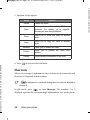
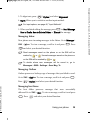
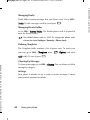
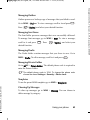
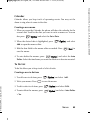
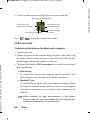
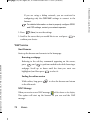
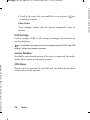
1
Template 123x158, Version 1.0, VAR issue date: 050309 © BenQ 2006, Cover.fm right page (i) of Cupid, en, A31008-H3580-A81-1-7619 (4/18/06) CL71 Mobile Phone User Manual i Copyright © 2006. BenQ Mobile GmbH & Co. OHG. All rights reserved. No part of this publication may be reproduced, transmitted, transcribed, stored in a retrieval system or translated into any language or computer language, in any form or by any means, electronic, mechanical, magnetic, optical, chemical, manual or otherwise, without the prior written permission of BenQ Mobile GmbH & Co. OHG. Disclaimer BenQ Mobile GmbH & Co. OHG makes no warranty or representation, either expressed or implied, with respect to the quality, accuracy or fitness for any particular purpose of this document. The information in this document is correct at the time of printing and subject to change without notice. Importer BenQ Mobile Telekominikasyon ve İletişim Hizmetleri Ticaret Ltd Şti. Nida Kule Değirmen Sk. No12 Kat 19 Kozyatağı İstanbul Telefon: 0216 - 459 9898 www.BenQMobile.com ii © BenQ 2006, Cover.fm Template 123x158, Version 1.0, VAR issue date: 050309 left page (ii) of Cupid, en, A31008-H3580-A81-1-7619 (4/18/06) Template 123x158, Version 1.0, VAR issue date: 050309 © BenQ 2006, Cover.fm right page (iii) of Cupid, en, A31008-H3580-A81-1-7619 (4/18/06) Manufacturer BenQ Mobile GmbH & Co. OHG Haidenauplatz 1 D-81667 München Germany Telefon: +49 89 4111 0 Fax: +49 89 4111 3192 www.BenQMobile.com/customercare Notified Body BABT Clarmemont House,34 Molesey Road Walton-on-Thames Surrey KT12 4RQ United Kingdom Telefon: +44 1932 251 251 Fax: +44 1932 251 252 e-mail: [email protected] This product has a 7 year lifetime. iii © BenQ 2006, Cover.fm Template 123x158, Version 1.0, VAR issue date: 050309 left page (iv) of Cupid, en, A31008-H3580-A81-1-7619 (4/18/06) iv Safety Information For your safety, please read the guidelines below carefully before you use your phone: Exposure to Radio Frequency Signals Max. SAR measurement EU: GSM900: 0.398 W/Kg; DCS1800: 0.189 W/Kg. USA: PCS1900:0.27 W/Kg (head); 0.884 W/Kg (body). Your wireless handheld portable telephone is a low power transmitter and receiver. When it is ON, it receives and also sends out radio frequency (RF) signals. European and international agencies have set standards and recommendations for the protection of public exposure to RF electromagnetic energy. • International Commission on Non-Ionizing Radiation Protection (ICNIRP) 1996 • Verband Deutscher Elektroingenieure (VDE) DIN- 0848 • Directives of the European Community, Directorate General V in Matters of Radio Frequency Electromagnetic Energy • National Radiological Protection Board of the United Kingdom, GS 11, 1988 • American National Standards Institute (ANSI) IEEE. C95.1- 1992 • National Council on Radiation Protection and Measurements (NCRP). Report 86 • Department of Health and Welfare Canada. Safety Code 6 These standards are based on extensive scientific review. For example, over 120 scientists, engineers and physicians from universities, Safety Information i Template 123x158, Version 1.0, VAR issue date: 050309 © BenQ 2006, SafetyInfo.fm right page (i) of Cupid, en, A31008-H3580-A81-1-7619 (4/18/06) government health agencies and industry reviewed the available body of research to develop the updated ANSI Standard. The design of your phone complies with these standards when used normally. Specific Operating Restrictions No metallic component allowed in body-worn accessories. Phone Operation • Normal Position: Hold the phone as you would with any other telephone. • To avoid potential RF interference, please do not wear the phone around your neck or in front your chest for long hours. Batteries • For safety concerns, when the temperature of the phone goes over 45 ° C (113F) or below 0 ° C (32F), charging will halt. • Do not expose batteries to temperatures below -10 ° C (14F) or above 45 ° C (113F). Always take your phone with you when you leave your vehicle. • Use only genuine BenQ battery to ensure the phone’s normal operation. All batteries can cause property damage, injury or burns if a conductive material such as jewelry, keys or beaded chains touches exposed terminals. The material may complete electrical circuit and become quite hot. To protect against such unwanted current drain, exercise care in handling any charged battery, particularly when placing it inside your pocket, purse or other container with metal objects. When battery is detached from the phone, your batteries are packed with a protective battery cover; please use this cover for storing your batteries when not in use. ii Safety Information © BenQ 2006, SafetyInfo.fm Template 123x158, Version 1.0, VAR issue date: 050309 left page (ii) of Cupid, en, A31008-H3580-A81-1-7619 (4/18/06) Driving Check the laws and regulations on the use of wireless telephones in the areas where you drive. Always obey them. Also, if using your phone while driving, please: • Give full attention to driving--driving safety is your first responsibility. • Use hands-free operation, if available. • Pull off the road and park before making or answering a call if driving conditions so require. Electronic Devices Most modern electronic equipment is shielded from RF signals. However, certain electronic equipment may not be shielded against the RF signals from your wireless phone. Pacemakers The Health Industry Manufacturers Association recommends that a minimum separation of six (6") inches be maintained between a handheld wireless phone and a pacemaker to avoid potential interference with the pacemaker. These recommendations are consistent with the independent research by and recommendations of Wireless Technology Research. Persons with pacemakers: • Should ALWAYS keep the phone more than six inches from their pacemaker when the phone is turned ON. • Should not carry the phone in a breast pocket. • Should use the ear opposite the pacemaker to minimize the potential for interference. If you have any reason to suspect that the interference is taking place, turn your phone OFF immediately. Safety Information iii Template 123x158, Version 1.0, VAR issue date: 050309 © BenQ 2006, SafetyInfo.fm right page (iii) of Cupid, en, A31008-H3580-A81-1-7619 (4/18/06) Hearing Aids Some digital wireless phones may interfere with some hearing aids. In the event of such interference you may want to consult your hearing aid manufacturer to discuss alternatives. Other Medical Devices If you use any other personal medical device, consult the manufacturer of your device to determine if they are adequately shielded from external RF energy. Your physician may be able to assist you in obtaining this information. Turn your phone OFF in health care facilities when any regulations posted in these areas instruct you to do so. Hospitals or health care facilities may be using equipment that could be sensitive to external RF energy. Vehicles RF signals may affect improperly installed or inadequately shielded electronic systems in motor vehicles. Check with the manufacturer or its representative regarding your vehicle. You should also consult the manufacturer of any equipment that has been added to your vehicle. Posted Facilities Turn your phone OFF in any facility where posted notice so requires. Aircraft FCC regulations prohibit using your phone while in the air. Switch OFF your phone before boarding an aircraft. iv Safety Information © BenQ 2006, SafetyInfo.fm Template 123x158, Version 1.0, VAR issue date: 050309 left page (iv) of Cupid, en, A31008-H3580-A81-1-7619 (4/18/06) Blasting Areas To avoid interfering with blasting operations, turn your phone OFF when in a “blasting area” or in area posted “TURN OFF TWO-WAY RADIO.” Obey all signs and instructions. Potentially Explosive Atmospheres Turn your phone OFF and do not remove the battery when in any area with a potentially explosive atmosphere and obey all signs and instructions. Sparks, from your battery, in such areas could cause an explosion or fire resulting in bodily injury or even death. Areas with a potentially explosive atmosphere are often, but not always clearly marked. They include fueling areas such as gasoline stations; below deck on boats; fuel or chemical transfer or storage facilities; vehicles using liquefied petroleum gas (such as propane or butane); areas where the air contains chemicals or particles, such as grain, dust, or metal powders; and any other area where you would normally be advised to turn off your vehicle engine. For Vehicles Equipped with an Air Bag An air bag inflates with great force. DO NOT place objects, including both installed or portable wireless equipment, in the area over the air bag or in the air bag deployment area. If in-vehicle wireless equipment is improperly installed and the air bag inflates, serious injury could result. This device complies with Part 15 of the FCC Rules. Operation is subject to the following two conditions: 1. this device may not cause harmful interference, and 2. this device must accept any interference received, including interference that may cause undesired operation. Safety Information v Template 123x158, Version 1.0, VAR issue date: 050309 © BenQ 2006, SafetyInfo.fm right page (v) of Cupid, en, A31008-H3580-A81-1-7619 (4/18/06) Changes or modifications not expressly approved by the party responsible for compliance could void the user's authority to operate the equipment. For body worn operation, this phone has been tested and meets the FCC RF exposure guidelines for use with an accessory that contains no metal and that positions the handset a minimum of 1.5 cm from the body. Use of other enhancements may not ensure compliance with FCC RF exposure guidelines. If you do not use a body-worn accessory and are not holding the phone at the ear, position the handset a minimum of 1.5 cm from your body when the phone is switched on. European Union Directives Conformance Statement Hereby, BenQ Corporation, declares that CL71 is in compliance with the essential requirements and other relevant provisions of Directive as below: Electromagnetic Compatibility Directive (89/336/EEC), Low Voltage Directive (73/23/EEC), and R&TTE Directive (1999/5/EC). And also complies with the standard: EN 301511 TS51.010-1 EN 50360/361 EN 60950-1 EN 301489-1&-7 EN 301489-1&-17 EN55013 EN55020 EN55022 EN55024 EN300328 vi Safety Information © BenQ 2006, SafetyInfo.fm Template 123x158, Version 1.0, VAR issue date: 050309 left page (vi) of Cupid, en, A31008-H3580-A81-1-7619 (4/18/06) Declaration of conformity BenQ Mobile hereby declares that the phone described in this user guide is in compliance with the essential requirements and other relevant provisions of European Directive 1999/5/EC (R&TTE). The declaration of conformity (DoC) concerned has been signed. Please call the company hotline if you require a copy of the original, or: www.BenQMobile.com/conformity Uygunluk bildirimi BenQ Mobile, bu kullanım kılavuzunda sözü edilen mobil telefonun 1999/5/EC (R&TTE) tarih ve başlıklı yönergede yer alan hükümlerine ve temel taleplerine uygun olduğunu beyan eder. İlgili uygunluk bildirimi (DoC) imzalanmıştır. Gerekirse aslının bir kopyasını, şirket yardım hattı üzerinden talep edebilirsiniz veya Internet'te bkz.: www.BenQMobile.com/conformity Disposal of Waste Electrical and Electronic Equipment (Applicable in the European Union and other European countries with recycling systems) This symbol on the product or on its packaging indicates that this product shall not be treated as household waste. Instead it shall be handed over to the applicable take-back scheme for the recycling of electrical and electronic equipment. By ensuring this product is disposed on correctly, you will help prevent potential negative consequences for the environment and human health, which could otherwise be caused by inappropriate waste handling of this product. The recycling of material will help to conserve natural resources. For more detailed information about recycling of this product, please contact your local BenQ Mobile office. Safety Information vii Template 123x158, Version 1.0, VAR issue date: 050309 © BenQ 2006, SafetyInfo.fm right page (vii) of Cupid, en, A31008-H3580-A81-1-7619 (4/18/06) © BenQ 2006, SafetyInfo.fm Template 123x158, Version 1.0, VAR issue date: 050309 left page (viii) of Cupid, en, A31008-H3580-A81-1-7619 (4/18/06) viii Safety Information Table of Contents Safety Information ..............................................................i 1. Preparing your phone for use ........................................1 Inserting a SIM card ................................................................1 Installing a battery ...................................................................2 Installing the back cover..........................................................2 Charging the phone .................................................................3 Turning the phone on .............................................................4 Opening the phone ..................................................................5 The microSD card....................................................................5 2. Getting to know your phone ..........................................7 Your phone at a glance ............................................................7 Idle screen ...............................................................................9 Using the keys in idle mode ..................................................12 Menu navigation....................................................................14 3. Using your phone .........................................................15 Call functions.........................................................................15 Making a phone call ..................................................................15 Ending a phone call ...................................................................15 Answering a phone call .............................................................15 Rejecting an incoming call ........................................................15 Adjusting the volume ................................................................15 Making an international call .....................................................16 Making an emergency call.........................................................16 Dialing an extension number....................................................16 Table of Contents ix Template 123x158, Version 1.0, VAR issue date: 050309 © BenQ 2006, Cupid_ENTOC.fm right page (ix) of Cupid, en, A31008-H3580-A81-1-7619 (4/18/06) Speed dialing ..............................................................................16 Listening to voicemails ..............................................................17 Voice dialing ..............................................................................17 Operations during a Call...........................................................18 Phone Book............................................................................21 Adding contacts to the Phone Book .........................................21 Finding contacts in the Phone Book ........................................25 Last missed, dialed, and received calls ..................................26 Using silent profile.................................................................26 Camera and Camcorder ........................................................27 Taking photos ............................................................................27 Camera mode options ...............................................................28 Icons in Camera mode ..............................................................30 Browsing photos ........................................................................31 Capturing video clips.................................................................33 Adjusting Camcorder mode settings ........................................34 Icons in Camcorder mode ........................................................35 Playing back videos....................................................................35 Shortcuts ................................................................................36 Setting Shortcuts........................................................................37 Using Shortcuts..........................................................................37 Messages .................................................................................38 SMS.............................................................................................38 MMS...........................................................................................41 Cell Broadcast ............................................................................45 Voicemail ...................................................................................46 Memory Status...........................................................................46 x Table of Contents © BenQ 2006, Cupid_ENTOC.fm Template 123x158, Version 1.0, VAR issue date: 050309 left page (x) of Cupid, en, A31008-H3580-A81-1-7619 (4/18/06) Input Methods .......................................................................46 Shifting between upper and lower case letters .........................47 Multitap Text Input...................................................................47 T9 Text Input.............................................................................48 Numeric Input ...........................................................................49 Entering Symbols.......................................................................49 4. Menus ............................................................................50 Phone Book............................................................................50 Find.............................................................................................50 Add .............................................................................................50 Edit .............................................................................................50 Copy ...........................................................................................50 Delete..........................................................................................51 Caller Group ..............................................................................51 Privacy Manager ........................................................................51 Business Card.............................................................................51 My Number ...............................................................................52 Memory Status...........................................................................52 Messages .................................................................................52 Call Records ...........................................................................52 Missed ........................................................................................52 Received .....................................................................................52 Dialed .........................................................................................52 Cleanup All ................................................................................53 Duration.....................................................................................53 Cost.............................................................................................53 Games .....................................................................................54 Table of Contents xi Template 123x158, Version 1.0, VAR issue date: 050309 © BenQ 2006, Cupid_ENTOC.fm right page (xi) of Cupid, en, A31008-H3580-A81-1-7619 (4/18/06) All Games ...................................................................................54 Settings .......................................................................................54 Entertainment ........................................................................55 Camera .......................................................................................55 MP3 Player.................................................................................55 Uploading music to your phone...............................................57 FM Radio....................................................................................57 Media Center .........................................................................58 Images ........................................................................................58 Videos.........................................................................................59 Music ..........................................................................................60 Other ..........................................................................................61 Format microSD ........................................................................61 Memory Status...........................................................................61 Tools .......................................................................................61 Alarm..........................................................................................61 Bluetooth....................................................................................62 Auto Time Zone ........................................................................64 Calendar .....................................................................................65 To Do List ..................................................................................65 Note ............................................................................................66 Shortcuts ....................................................................................66 Calculator...................................................................................66 Currency Converter...................................................................66 Stopwatch...................................................................................67 Countdown Timer.....................................................................67 xii Table of Contents © BenQ 2006, Cupid_ENTOC.fm Template 123x158, Version 1.0, VAR issue date: 050309 left page (xii) of Cupid, en, A31008-H3580-A81-1-7619 (4/18/06) Recorder .....................................................................................67 USB Connection ........................................................................68 Services ...................................................................................71 WapURL ....................................................................................71 WAP Service...............................................................................72 NAP Settings ..............................................................................74 Service Number .........................................................................74 STK Menu ..................................................................................74 Settings ...................................................................................75 Date & Time...............................................................................75 Auto Power On/Off ...................................................................75 Profiles........................................................................................76 Display........................................................................................78 Audio..........................................................................................78 Key Assignment .........................................................................79 Call Settings................................................................................80 Network......................................................................................84 Security.......................................................................................85 Power Saving Mode ...................................................................87 Language ....................................................................................87 Input...........................................................................................87 Restore........................................................................................87 5. Limited Manufacturer’s Guarantee.............................88 6. Sınırlı Üretici Garantisi ...............................................90 7. Troubleshooting ...........................................................92 Table of Contents xiii Template 123x158, Version 1.0, VAR issue date: 050309 © BenQ 2006, Cupid_ENTOC.fm right page (xiii) of Cupid, en, A31008-H3580-A81-1-7619 (4/18/06) © BenQ 2006, Cupid_ENTOC.fm Template 123x158, Version 1.0, VAR issue date: 050309 left page (xiv) of Cupid, en, A31008-H3580-A81-1-7619 (4/18/06) xiv Table of Contents Preparing your phone for use Inserting a SIM card Slide the SIM card into the slot in the direction of the arrow , with the metal contacts facing down and the cut corner at the bottom right as illustrated. A SIM card can be easily damaged if its metal contacts become scratched. Always take special care when handing your SIM card. Preparing your phone for use 1 Template 123x158, Version 1.0, VAR issue date: 050309 © BenQ 2006, Cupid_EN.fm right page (1) of Cupid, en, A31008-H3580-A81-1-7619 (4/18/06) Installing a battery 1. Place the battery so that the metal contacts on the top side line up with the contacts on the right side of the SIM card slot. 2. Push the battery down until it locks into place. Do not remove the battery when the phone is on. Doing so could cause you to lose personal settings or data stored either on your SIM card or in the phone's memory. Installing the back cover Place the back cover onto the back of your phone and slide it inward until the latch catches the cover. 2 Preparing your phone for use © BenQ 2006, Cupid_EN.fm Template 123x158, Version 1.0, VAR issue date: 050309 left page (2) of Cupid, en, A31008-H3580-A81-1-7619 (4/18/06) Charging the phone 1. Insert the charger connector deep into the charger socket at the upper right side of your phone. Ensure that the connector is plugged in the right direction with the side showing the arrow icon facing you as illustrated. 2. Plug the charger into a power outlet. Do not remove the battery while the phone is charging. 3. Once the phone is fully charged, remove the charger from both the power outlet and the phone. Please note: • It takes approximately 4 hours to fully charge a battery. • When the battery is weak, the phone will play an alert sound. • When the battery is discharged, the charging may not start immediately when you plug in the connector. Wait 10 to 15 minutes for the phone to begin charging. Preparing your phone for use 3 Template 123x158, Version 1.0, VAR issue date: 050309 © BenQ 2006, Cupid_EN.fm right page (3) of Cupid, en, A31008-H3580-A81-1-7619 (4/18/06) Turning the phone on 1. Long-press to turn the phone on. The phone will display the welcome animation. In this user manual, "long-press" means to press and hold down a key for about two seconds before release. "Press" means to press a key and release immediately. To set a welcome message, go to: Settings > Display > Welcome Message. For details, please refer to page 78. 2. Enter your PIN code and press to confirm. The PIN (Personal Identification Number) is the password provided by your network operator. You need this password in order to use the SIM card. If you enter the PIN incorrectly three times in a row, the SIM card will be locked. You must now enter the PUK (Personal Unblocking Key) for that SIM card in order to unlock it. Please contact your network operator to obtain a PUK. To activate/disable PIN password authentication, go to Settings > Security > PIN Code > PIN 1 Code > Set Status. See page 86. 3. When the PIN code entered has been accepted, the phone will automatically search for the designated network. This search process may take a few seconds. 4 Preparing your phone for use © BenQ 2006, Cupid_EN.fm Template 123x158, Version 1.0, VAR issue date: 050309 left page (4) of Cupid, en, A31008-H3580-A81-1-7619 (4/18/06) 4. The idle screen will be displayed, as well as network signal strength and the name of the network operator. You can now use the phone. If the phone is not able to detect the designated network, or links to a network that you are not authorized to use, the signal strength meter will show no bars. You will only be able to make emergency calls. Opening the phone Gently push the upper slide to open the phone. The microSD card Your phone features a microSD slot designed specifically for use with the microSD card, a removable flash memory card intended to add greater storage capacity to your phone. The microSD card enables you to store multimedia data, including images, photos, MP3 audio files, ring tones, and Java games. Preparing your phone for use 5 Template 123x158, Version 1.0, VAR issue date: 050309 © BenQ 2006, Cupid_EN.fm right page (5) of Cupid, en, A31008-H3580-A81-1-7619 (4/18/06) Installing the microSD card 1. Lift the cover. 2. Insert the microSD Card into the slot. Ensure that the card's metal contacts face upwards. 3. Close the cover. Please note: • will appear in the status bar when the microSD card is loaded. • Your phone does not support a microSD card which is on FAT32 or NTFS format. We strongly suggest to format new and/or inaccessible microSD cards with the Format microSD function. For details, see page 61, "Format microSD". Removing the microSD card 1. Lift the cover. 2. Press the microSD card to release it. 6 Preparing your phone for use © BenQ 2006, Cupid_EN.fm Template 123x158, Version 1.0, VAR issue date: 050309 left page (6) of Cupid, en, A31008-H3580-A81-1-7619 (4/18/06) Template 123x158, Version 1.0, VAR issue date: 050309 © BenQ 2006, Cupid_EN.fm right page (7) of Cupid, en, A31008-H3580-A81-1-7619 (4/18/06) Getting to know your phone Your phone at a glance Front view Loudspeaker Earpiece Display Navigation keys Left soft key Ok key Dial/Answer key Right soft key Power on/off key Alphanumeric keys Microphone Getting to know your phone 7 © BenQ 2006, Cupid_EN.fm Template 123x158, Version 1.0, VAR issue date: 050309 left page (8) of Cupid, en, A31008-H3580-A81-1-7619 (4/18/06) Side view microSD slot Volume key Hands-free headset/ Data cable jack Right side view Keypad lock Camera lens view Camera lens 8 Getting to know your phone Charger socket Idle screen Status bar Name of network operator Press to enter the indicated function. Press to enter the main menu. Press to enter the indicated function. • To set the wallpaper of the display, go to Settings > Display > Wallpaper. Alternatively, you can go to Media Center > Images . See page 58 and page 78. • To set the theme of the display, go to Settings > Display > Theme. See page 78. • To set the current time and date, as well as the format to be shown, go to Settings > Date & Time. See page 75. • To enter text (such as the user name) to be displayed on the idle screen, go to Settings > Display > Personal Banner. Getting to know your phone 9 Template 123x158, Version 1.0, VAR issue date: 050309 © BenQ 2006, Cupid_EN.fm right page (9) of Cupid, en, A31008-H3580-A81-1-7619 (4/18/06) Icons in the status bar Icon Function Description Signal strength Signal strength of the network. The more bars indicated, the stronger the signal. Battery status The current level of battery power. The more bars indicated, the more power remains. GPRS in use GPRS has been activated. Connecting to GPRS The phone is connecting to GPRS. Message You have new or unread messages. WAP message Voicemail Alarm Keypad lock / Line1/Line2 in use You have new voicemail messages (only appears if the function is supported by your network operator). The alarm is turned on. The keypad is locked. Line1 / Line2 is now in use. Normal The Normal profile is activated. Meeting The Meeting profile is activated. Silent Outdoors 10 You have new or unread WAP messages. The Silent profile is activated. The Outdoors profile is activated. Getting to know your phone © BenQ 2006, Cupid_EN.fm Template 123x158, Version 1.0, VAR issue date: 050309 left page (10) of Cupid, en, A31008-H3580-A81-1-7619 (4/18/06) Icon / Function Description Personal The Personal profile is activated. Headset A headset is connected to the phone. Divert The call divert function is activated. Roaming Roaming is activated (not your regular network). Bluetooth Bluetooth is turned on. microSD Card The microSD card is inserted. Getting to know your phone 11 Template 123x158, Version 1.0, VAR issue date: 050309 © BenQ 2006, Cupid_EN.fm right page (11) of Cupid, en, A31008-H3580-A81-1-7619 (4/18/06) Using the keys in idle mode Key Commands and functions Power on/off key • Long-press to turn the phone on or off. • Press this key to end a call, reject an incoming call, or to cancel a dialing. Send/Answer key • Press to send or answer a call. • Press to access the call record list. Left soft key • Press to perform the function indicated on the display. Right soft key • Press to perform the function indicated on the display. • Long-press to turn the silent profile on or off. OK key/Camera shutter button • Press to enter the main menu • In camera/camcorder mode, it functions as a shutter/ recording button. Up-arrow key • Press to enter the menu for function and phone number shortcuts. For information about the shortcuts menu, see page 36. • Long-press to activate voice dialing. 12 Getting to know your phone © BenQ 2006, Cupid_EN.fm Template 123x158, Version 1.0, VAR issue date: 050309 left page (12) of Cupid, en, A31008-H3580-A81-1-7619 (4/18/06) Key Commands and functions Down-arrow key • In idle mode, press to retrieve photos stored in the Images menu. • Long-press to activate the Recorder function. Left-arrow key • In idle mode, press to edit a new SMS message. For details, see page 38. Right-arrow key • In idle mode, press to enter the Profiles menu. Asterisk key • Press this key to enter an asterisk " * ". • To make an international call, long-press this key until the display shows "+", then enter the recipient's country code, area code and phone number. Voicemail key • Long-press to dial your voicemail number. # key • Press to enter "#". • For extensions: After entering a phone number, longpress to enter a "P" and then enter the extension number. • Long-press this key to activate the keypad lock. Getting to know your phone 13 Template 123x158, Version 1.0, VAR issue date: 050309 © BenQ 2006, Cupid_EN.fm right page (13) of Cupid, en, A31008-H3580-A81-1-7619 (4/18/06) Key Commands and functions Alphanumeric keys • Press to enter digits. • Shortcut key: Long-press a key to immediately access ~ the function, or dial the number, that it represents. See page 36, "Shortcuts". Volume key (On the left side of the phone) • Long-press the upper or lower key to adjust the volume. Keypad lock (On the right side of the phone) • Slide down to lock/unlock the keypad Menu navigation 1. In idle mode, press to bring up the main menu. 2. Use the up/down/right/left arrow keys to move up, down, right or left through the menu. When the desired selection is selected, press enter its menu. to 3. Use the arrow keys to scroll to a submenu, for example Profiles, and press to enter the submenu item. You can also access a menu item by pressing the corresponding menu number. In the above example, press Profiles. 14 Getting to know your phone to access © BenQ 2006, Cupid_EN.fm Template 123x158, Version 1.0, VAR issue date: 050309 left page (14) of Cupid, en, A31008-H3580-A81-1-7619 (4/18/06) Using your phone Call functions Making a phone call In idle mode, enter the phone number. Press to dial your call. Ending a phone call To end a call, press or close the slide. The display will show the total call time, and return to idle mode. Answering a phone call To answer a call, press or open the slide. If you wish to press any key to answer a call, go to Settings > Call Settings > Answer Mode > Any Key. Rejecting an incoming call To reject an incoming call, press or close the slide. Adjusting the volume During a call, press the volume key on the left side of the phone to adjust the speech volume. Please note: • When there is an incoming call, you can mute the ring tone by longpressing the lower portion of the volume key. Using your phone 15 Template 123x158, Version 1.0, VAR issue date: 050309 © BenQ 2006, Cupid_EN.fm right page (15) of Cupid, en, A31008-H3580-A81-1-7619 (4/18/06) • Adjusting speech volume only works during a call. Making an international call 1. Enter the outgoing international call code, or long-press until "+" appears on the display. 2. Enter the recipient's country code, area code and phone number. Dial the call by pressing . Making an emergency call To call emergency services, enter 112 (the international emergency number) and press . You can make an emergency call even if your phone is locked or cannot access your network, or there is no SIM card inserted, as long as you are within the range of the type of networks supported by your phone. Dialing an extension number After you enter a telephone number, long-press until "P" appears on the display. At this point, you can enter the desired extension number, and then press to dial it. Speed dialing You must assign a number key as the shortcut for a particular phone number in order to use speed dialing for that phone number. For information on how to set up a shortcut, see page 36, "Shortcuts". After you have assigned a number key to serve as the shortcut key for a particular phone number, long-press this key when the phone is in the idle mode to dial the corresponding phone number. 16 Using your phone © BenQ 2006, Cupid_EN.fm Template 123x158, Version 1.0, VAR issue date: 050309 left page (16) of Cupid, en, A31008-H3580-A81-1-7619 (4/18/06) Listening to voicemails Long-press voicemails. to dial the voicemail phone number and listen to your Please note: • If the network vendor supports it, the voicemail icon will appear on the display when you have new voicemails. • If the voicemail number is not stored in the memory, you will not be able to access your voicemail by long-pressing . In this case, you will need to manually set the number by going to Messages Voicemail > Set Number. Voice dialing 1. In idle mode, long-press . 2. After a beep, say the voice dialing prompt for the number you wish to dial. Once the phone has correctly identified the contact associated with this voice dialing prompt, two situations may occur: a. If there is only one phone number identified, your phone will automatically dial this number. b. If there are two or more phone numbers stored for the contact identified, scroll to the number you wish to dial, and press . To use voice dialing to make a call, you must have already stored a voice dialing prompt (voice tag) for the desired number in Phone Book. For details, see page 23, "Phone Book entries on phone memory". Using your phone 17 Template 123x158, Version 1.0, VAR issue date: 050309 © BenQ 2006, Cupid_EN.fm right page (17) of Cupid, en, A31008-H3580-A81-1-7619 (4/18/06) Operations during a Call The following options marked with an asterisk (*) are dependent on network support and may require a subscription. Loudspeaker During a call, press (Loudsp.) to turn on the loudspeaker. Press (Handset) to turn off the loudspeaker. Putting a call on hold* • When only one call is active: a. Press (Hold) to hold this call. b. Press to end this call. • When only one call is on hold: a. Press (Unhold) to resume the call. b. Press to end this call. • When there is an active call and a call on hold. a. Press (Swap) to resume the call that is on hold, and put the active call on hold. b. Press to show a list of calls that you can end. Making a second call* Enter a phone number, or select one from the Phone Book or call record, and press . The currently active call will automatically be placed on hold. 18 Using your phone © BenQ 2006, Cupid_EN.fm Template 123x158, Version 1.0, VAR issue date: 050309 left page (18) of Cupid, en, A31008-H3580-A81-1-7619 (4/18/06) Call Waiting* If there is an incoming call while you are on the phone, the phone will notify you with a call waiting tone. If you want to • Answer the waiting call: Press . The currently active call will automatically be placed on hold. However, if there is already another call on hold, a list will appear allowing you to select a call to end and then answer the waiting call. • Reject the waiting call: Press or (End). Pressing (End) will immediately reject the waiting call; pressing bring up a list allowing you to select a call to end. will Call Menu Pressing during a call will bring up a call menu which provides a number of functions available during a call. Items marked with an asterisk (*) depend on network support and may require a subscription. Use Loudspeaker/Use Handset Turns on/off the loudspeaker function. Use Headset Allows you to use a Bluetooth headset. For more information, see page 63, "Establishing connection with your Bluetooth headset". Phone Book Allows you to search for a number in the Phone Book. Call Records Allows you to view missed, received, and dialed calls. Using your phone 19 Template 123x158, Version 1.0, VAR issue date: 050309 © BenQ 2006, Cupid_EN.fm right page (19) of Cupid, en, A31008-H3580-A81-1-7619 (4/18/06) Conference* Conference calls allow you to converse with more than one party at a time. Hold/Unhold/Swap* Toggles the call status. Join/Private Adds a party that is on hold to the current conference call, or isolates a single party in a conference call and puts all other parties on hold. Forward Allows two parties to connect, while ending one's own call (one of the two parties may be involved in an active call while the other is either on hold or being dialed), so as to allow the two parties to have their own call. Send DTMF When the phone is connected to other devices or services, you can send DTMF (Dual Tone Multi-Frequency) strings. Your phone will emit tones to communicate with answering machines, pagers, computerized telephone services, and so forth. Enter the number and then press to send the DTMF string. End Call End All Ends all calls, whether active or on hold. End Active Ends only the active call. End Hold Ends only a call or calls on hold. 20 Using your phone © BenQ 2006, Cupid_EN.fm Template 123x158, Version 1.0, VAR issue date: 050309 left page (20) of Cupid, en, A31008-H3580-A81-1-7619 (4/18/06) End One Ends only a single call by the number or the contact. Hold/Unhold/Swap Toggles the call status. Mute/Unmute Activates/cancels the silent mode. Calculator Allows you to use the calculator. For details, see page 66, "Calculator". SMS Allows you to read or write an SMS message during a call. For details, see page 38, "SMS". Phone Book Adding contacts to the Phone Book The capacity of a Phone Book on your SIM card depends on the type of SIM card provided by your network operator. 1. In idle mode, enter the phone number that you want to save, then press (Save). 2. Select the memory where the contact is to be stored: Add to SIM or Add to Phone. 3. Scroll to the desired data field, and press to enter data. 4. Press to return to the Phone Book data field after filling the entry. 5. Press (Option) to Using your phone 21 Template 123x158, Version 1.0, VAR issue date: 050309 © BenQ 2006, Cupid_EN.fm right page (21) of Cupid, en, A31008-H3580-A81-1-7619 (4/18/06) • Save: Save the entries you have entered. • Change Type: Change the category of the phone number (for example, from Mobile Number to Home Number). This option can only be used in the phone number data field. • Add New Field: Adds additional data fields for a contact. • Delete Field: Removes the selected data field. The options available vary depending on the memory where the contact is stored. 6. Once you have completed editing, press to save the contact's details. 22 Using your phone (Option) and select Save © BenQ 2006, Cupid_EN.fm Template 123x158, Version 1.0, VAR issue date: 050309 left page (22) of Cupid, en, A31008-H3580-A81-1-7619 (4/18/06) Template 123x158, Version 1.0, VAR issue date: 050309 © BenQ 2006, Cupid_EN.fm right page (23) of Cupid, en, A31008-H3580-A81-1-7619 (4/18/06) Phone Book entries on SIM card memory Name The contact's name. Number The contact's phone number. Caller Group Used to select a caller group for the contact. To define each caller group, go to Phone Book > Caller Group. See page 51. Phone Book entries on phone memory Name The contact's name. Mobile Number The contact's mobile phone number. Home Number The contact's home phone number. Email The contact's email address. Caller Group Used to select a caller group for the contact. To define each caller group, go to Phone Book > Caller Group. See page 51. Voice Tag Used to assign a voice dialing prompt to a phone number. Say a name after the beep to start recording. Additional Phone Book entries on phone memory Mobile Number The contact's mobile phone number. Home Number The contact's home phone number. Office Number The contact's office phone number. Using your phone 23 © BenQ 2006, Cupid_EN.fm Template 123x158, Version 1.0, VAR issue date: 050309 left page (24) of Cupid, en, A31008-H3580-A81-1-7619 (4/18/06) Other Number Other phone number for the contact. Home Address The contact's home address. Office Address The contact's office address. Company The contact's company name. Department The contact's department name. Position The contact's position. Note Used to edit notes for the contact. Birthday Used to enter the birth date of the contact. Used to set a ring tone for the contact. When there is an incoming call from the contact, the phone will play this ring tone. Ring ID A ring tone set in this field will replace the one associated with the contact's caller group, if any. Used to set the image that will appear on the display when there is an incoming call from the contact. Image ID The image set in this field will replace the image associated with contact's caller group, if any. 24 Using your phone the Finding contacts in the Phone Book In idle mode, press Book. (Names) to display contacts stored in the Phone • Press the alphanumeric key that corresponds to the first letter of the name you wish to locate the appropriate number of times. • If necessary, scroll to the entry you want. You can also go to Phone Book > Find, and then enter the full name or the first letter of the name to locate a contact. will appear on the top of the screen if the contact is stored on your SIM card; will appear if the contact is stored in your phone memory. When you have found the entry you want, you can • Press to dial the number. If the entry has more than one phone number, then you will be prompted to select a number. • Press (Option) to Add, Edit, Copy to SIM/Copy to Phone or Delete a contact or send a vCard. • Press to view the contact's details. Using your phone 25 Template 123x158, Version 1.0, VAR issue date: 050309 © BenQ 2006, Cupid_EN.fm right page (25) of Cupid, en, A31008-H3580-A81-1-7619 (4/18/06) Last missed, dialed, and received calls There are two ways you can view the last missed, dialed, and received calls on your phone. 1. If there have been any missed calls, the display will show a missed call message along with the number of calls that were missed. Press view the missed call number. 2. In idle mode, press to to view the list of the most recent missed, dialed, and received calls. The icon will show beside missed calls; dialed calls; will show beside will show beside received calls. Scroll to the number you want and then • Press to call back. • Press (Option) and select the desired function. Using silent profile In idle mode, long-press to activate the silent profile. Once it is activated, the phone will alert you to an incoming call by vibrating without ringing. 1. When you long-press to activate the silent profile, the phone will vibrate for one second. The icon will display in the status bar. 2. To turn off the silent profile, long-press 26 Using your phone . © BenQ 2006, Cupid_EN.fm Template 123x158, Version 1.0, VAR issue date: 050309 left page (26) of Cupid, en, A31008-H3580-A81-1-7619 (4/18/06) To select or define a profile, go to Settings > Profiles. See page 76, "Profiles". Camera and Camcorder Your handset features an integrated camera and video recorder. Taking photos 1. Open the slide 2. Press . (Camera) in idle mode. You can also activate the camera mode by going to Entertainment > Camera. 3. Switch to camera mode if the camcorder mode is activated. To switch between camera/camcorder mode, go to Option > Use Camera/Use Camcorder. 4. The viewfinder is then displayed. Settings bar Exposure value Number of remaining photos to take Zoom Level Shutter button Using your phone 27 Template 123x158, Version 1.0, VAR issue date: 050309 © BenQ 2006, Cupid_EN.fm right page (27) of Cupid, en, A31008-H3580-A81-1-7619 (4/18/06) 5. Press (Option) to bring up the option menu. For details, see page 28, "Camera mode options". 6. The icons on the settings bar of the screen will change according to the settings. For information on each icon, see page 30, "Icons in Camera mode". 7. When viewfinder appears, press exposure value. Press or or to adjust the to zoom in or out. Zoom in/out is not available for images of size 1280 x 960. 8. Press the shutter button to take a photo. The photo will be saved to the phone memory or to the microSD automatically according to the setting you made. For Settings options, see page 28, "Camera mode options". For previewing photos options, see page 31, "Browsing photos". Camera mode options 1. Press (Option) to bring up the options menu. The following options are available: Use Camcorder:allows you to switch to Camcorder mode when Camera mode is activated. View Photos: allows you to browse photos saved in your microSD card/phone. Self-Timer: allows you to take photos a few seconds after pressing the shutter button. Choose between 2 or 10 seconds, or turn the option off. Hide Icons: allows you to hide/unhide icons shown on the display. Settings: allows you to adjust settings corresponding to camera mode. 28 Using your phone © BenQ 2006, Cupid_EN.fm Template 123x158, Version 1.0, VAR issue date: 050309 left page (28) of Cupid, en, A31008-H3580-A81-1-7619 (4/18/06) Template 123x158, Version 1.0, VAR issue date: 050309 © BenQ 2006, Cupid_EN.fm right page (29) of Cupid, en, A31008-H3580-A81-1-7619 (4/18/06) Function of each setting: Name Image Size Functions Allows you to set the image size. Scene Enables you to load preset settings for different environment you are in. Shooting Mode Allows you to select between single shot, and multishot. The options appear differently with different image size you choose. Effect Enables you to apply a special effect or color to your photo to create an artistic style. Frame Adds a frame to your photo. White Balance Enables you to load preset settings for specific lighting conditions. Quality Allows you to set the quality (compression ratio). Flicker-Free Selects a suitable frequency to eliminate the flickering effects resulting from fluorescent lights. Time Stamp Adds a time stamp to your photo. 2. Press Shot Tone Allows you to turn the shutter tone on or off. Save to Determines whether a photo taken will be stored in the phone memory or in the microSD. (Back) to return to the viewfinder. Using your phone 29 Icons in Camera mode The icons on the screen will change according to the settings. Scene Icon Function Auto People Landscape Sunny Sunset Night Snow Text Shooting Mode Icon Function Single 4 MultiShot 30 Using your phone © BenQ 2006, Cupid_EN.fm Template 123x158, Version 1.0, VAR issue date: 050309 left page (30) of Cupid, en, A31008-H3580-A81-1-7619 (4/18/06) Template 123x158, Version 1.0, VAR issue date: 050309 © BenQ 2006, Cupid_EN.fm right page (31) of Cupid, en, A31008-H3580-A81-1-7619 (4/18/06) White Balance Icon Function Auto Outdoor Indoor Self-Timer Icon Function 2 Seconds 10 Seconds Memory Icon Function microSD Phone Memory Browsing photos 1. Press and select View Photos. 2. Select the desired folder. To access the Private folder, you must enter the phone code (default: 1234). Using your phone 31 3. Scroll through the photos. Select the desired photo and press display it in full screen. 4. Press to bring up the available options for the photo. Function of each option: Name Options Delete Deletes the photo or all photos. Set as Allows you to set the photo as Wallpaper or Image ID for a new/existing contact. Send Allows you to send the photo by MMS or by Bluetooth. For details, go to page 64, "Sending an item using Bluetooth". Move Allows you to move the photo to another folder. Copy Allows you to copy the photo to another folder. Slideshow Allows you to view photos in a slideshow. Determines whether the screen displays Browsing Mode photos as thumbnails or just lists their names Rename Protect Allows you to protect the photo from deletion. Delete All Deletes all the photos in the Album, except for protected ones. Details 5. Press 32 Allows you to rename the photo. Shows detailed information of the photo. to return to the viewfinder. Using your phone to © BenQ 2006, Cupid_EN.fm Template 123x158, Version 1.0, VAR issue date: 050309 left page (32) of Cupid, en, A31008-H3580-A81-1-7619 (4/18/06) Capturing video clips 1. Open the slide 2. Press (Camera) in idle mode. 3. Press and select Use Camcorder. 4. The viewfinder is then displayed. Settings bar Exposure value Remaining video time for recording. Zoom level Shutter button to bring up the settings menu. For details, see page 34, 5. Press "Adjusting Camcorder mode settings". 6. The icons on the screen will change according to the settings. For information on each icon, see page 35, "Icons in Camcorder mode" 7. When viewfinder appears, press exposure value. Press 8. Press or or to adjust the to zoom in or out. to start/stop recording. Using your phone 33 Template 123x158, Version 1.0, VAR issue date: 050309 © BenQ 2006, Cupid_EN.fm right page (33) of Cupid, en, A31008-H3580-A81-1-7619 (4/18/06) 9. The video will be saved automatically. See page 35, "Playing back videos" for details about playing back the video. 10.Press to play the recorded video. Adjusting Camcorder mode settings 1. Press (Option) to bring up the Option Menu. The following options are available: Use Camera: allows you to switch to Camera mode when Camcorder mode is activated. View Videos: allows you to browse videos saved in your microSD card/ phone. Hide Icons: allows you to hide/unhide icons shown on the display. Settings: allows you to adjust settings corresponding to the camcorder mode. Function of each setting: Name Image Size White Balance 2. Press 34 Functions Allows you to set the image size. Enables you to load preset settings for specific lighting conditions. Sound Allows you to set the shutter tone on or off. Save to Determines whether a recorded video will be stored in the phone memory or in the microSD. to return to the viewfinder. Using your phone © BenQ 2006, Cupid_EN.fm Template 123x158, Version 1.0, VAR issue date: 050309 left page (34) of Cupid, en, A31008-H3580-A81-1-7619 (4/18/06) Template 123x158, Version 1.0, VAR issue date: 050309 © BenQ 2006, Cupid_EN.fm right page (35) of Cupid, en, A31008-H3580-A81-1-7619 (4/18/06) Icons in Camcorder mode The icons on the screen will change according to the settings. White balance Icon Function Auto Indoor Outdoor Memory Icon Function microSD Phone Memory Playing back videos 1. Press and select View Videos. 2. Select the desired folder. To access the Private folder, you must enter the phone code (default: 1234). 3. Select the desired video and press to play. Press to pause and to stop. 4. Press to bring up the settings menu. Using your phone 35 5. Function of each option: Name Deletes the video. Send Allows you to send the video by MMS or by Bluetooth. For details, go to page 64, "Sending an item using Bluetooth" Move Allows you to move the video to another folder. Copy Allows you to copy the video to another folder. Rename 6. Press Options Delete Allows you to rename the video Protect Allows you to protect the video from deletion. Details Shows detailed information of the video. to return to the viewfinder. Shortcuts Allows you to assign 8 alphanumeric keys as shortcuts to commonly used functions or frequently dialed numbers. is assigned to voicemail dialing and you are not allowed to change it. In idle mode, press to enter Shortcuts. The numbers 2 to 9 displayed represent the corresponding 8 alphanumeric keys on the phone. 36 Using your phone © BenQ 2006, Cupid_EN.fm Template 123x158, Version 1.0, VAR issue date: 050309 left page (36) of Cupid, en, A31008-H3580-A81-1-7619 (4/18/06) Setting Shortcuts Shortcuts allows you to set up quick access functions or phone numbers. 1. Use the arrow keys to move the selection box to the number key you wish to use as a shortcut key. You can also press the actual alphanumeric key to select it. 2. To add a function, press (Option) and select Add Function. To add a phone number, press (Option) and select Add Phone. See step 3 if Add Function is selected. See Step 4 if Add Phone is selected. 3. From the function shortcuts list, scroll to select an item. Press save the assigned shortcut. 4. From the contact list, scroll to select a contact. Press assigned shortcut. to to save the 5. Repeat the above step to add or modify function shortcuts. 6. To cancel a shortcut key and restore the key's original function, scroll to the shortcut key that you want to cancel, and then press (Option). Select Delete to cancel the shortcut. Using Shortcuts There are two ways to use shortcuts: 1. In idle mode, long-press an alphanumeric key to access its assigned shortcut. 2. In idle mode, press to enter Shortcuts. You can then: a. Scroll to move the selection box to the icon corresponding to the desired key and press to access its assigned shortcut. b. Press the corresponding alphanumeric key to access its assigned shortcut. Using your phone 37 Template 123x158, Version 1.0, VAR issue date: 050309 © BenQ 2006, Cupid_EN.fm right page (37) of Cupid, en, A31008-H3580-A81-1-7619 (4/18/06) Messages Your phone supports various messaging services including SMS (Short Messaging Service) and MMS (Multimedia Messaging service). SMS allows you to insert simple animations and ring tones into your text messages, while MMS enables you to send photos, colored images and music through your phone. You must have a subscription that supports MMS. Please contact your network operator for details. SMS Receiving a New Message 1. When you receive a new message, the message icon and a text message showing the number of messages received appear on the display. 2. To read the message, press . To manage the message, press (Option). For details about managing received messages, see page 39, "Managing Inbox". Creating a New Message 1. To bring up the message editing screen, press in idle mode, or go to Messages > SMS > New. Use the alphanumeric keys to enter text. For information on the input methods, see Methods". page 46, "Input 2. To insert texts, images, melodies, vCard, or vCalendar into the message, press and select Insert. You can also define your own text. See page 40, "Defining Templates". 38 Using your phone © BenQ 2006, Cupid_EN.fm Template 123x158, Version 1.0, VAR issue date: 050309 left page (38) of Cupid, en, A31008-H3580-A81-1-7619 (4/18/06) 3. To align texts, press (Option) and select Alignment. 4. Input: Allows you to switch to another input method. For input options, see page 46, "Input Methods". 5. When you finish editing the message, press to Send Message, Save to Drafts, Save to Private Folder, or Discard the message. Managing Inbox Your phone saves incoming messages in the Inbox. Go to Messages> SMS > Inbox. To view a message, scroll to it and press . Press and select your desired function. Read messages saved on the phone or on the SIM will be marked by or . Unread messages saved on the phone or on the SIM will be marked by or . To decide where new messages will be saved to, go to Messages > SMS > Settings > Save Msg. To. Managing Outbox Outbox preserves a backup copy of messages that you failed to send. Go to SMS > Outbox. To view a message, scroll to it and press Press . (Option) and select your desired function. Managing Sent Items The Sent folder preserves messages that were successfully delivered.Go to SMS > Sent. To view a message, scroll to it and press . Press and select your desired function. Using your phone 39 Template 123x158, Version 1.0, VAR issue date: 050309 © BenQ 2006, Cupid_EN.fm right page (39) of Cupid, en, A31008-H3580-A81-1-7619 (4/18/06) Managing Drafts Drafts folder contains messages that you chose to save. Go to SMS > Drafts. To edit a message, scroll to it and press . Managing Private Folder Go to SMS > Private Folder. The default phone code is required to enter the Private Folder. The default phone code is 1234. To change the phone code choose the menu Settings > Security > Phone Lock. Defining Templates The Templates folder contains a list of preset texts. To create your own text, go to SMS > Templates, press Add to edit. To save it press (Option) and select . Cleaning Up Messages To clean up messages, go to SMS > Cleanup. You can choose to delete message by category. Settings Your phone is already set up to send or receive messages. Contact your network operator for details. 40 Using your phone © BenQ 2006, Cupid_EN.fm Template 123x158, Version 1.0, VAR issue date: 050309 left page (40) of Cupid, en, A31008-H3580-A81-1-7619 (4/18/06) MMS In order to use MMS, you have to subscribe to both GPRS and MMS services provided by your operator. Contact your operator for details on MMS settings. Downloading New Messages If you set MMS > Settings > Deferred Download on, the operator will send you a new message notification and will not download the message. Press if you wish to download the message. Reading a Message Having successfully downloaded the MMS message, the display will automatically switch to Inbox, press to start playing the MMS message page by page. Press again to stop playing. Press (Option) and select your desired function. Creating a New Message 1. To write and send a new MMS message, go to MMS > New. To edit the message content, scroll to Content and then press (Option) to execute the following tasks: . Press • Insert: Allows you to insert photos, images, videos, melodies, text, or new page. • Preview: Plays all the pages in the message in sequence (Videos excluded). • Page Duration: Sets the length of time that each page is displayed when playing the message. • Spell: Opens the spell check box to allow you to create your own word into the dictionary (only shown when the input method is T9). Using your phone 41 Template 123x158, Version 1.0, VAR issue date: 050309 © BenQ 2006, Cupid_EN.fm right page (41) of Cupid, en, A31008-H3580-A81-1-7619 (4/18/06) • Symbols: Opens the symbol table. • Input: Allows you to switch to another input method. For input options, see page 46, "Input Methods". 2. After you finish creating the MMS message, press main list. to return to the • To: Enter the recipient's phone number or select a contact from your Phone Book by pressing (Browse). To send your message, this field can not be left blank. • Subject: Allows you to enter text for the subject. • Content: Contains the message that you created. • Cc: Allows you to send the message as a carbon copy to others. • Bcc: Allows you to send the message as a confidential carbon copy to others. • Priority: Allows you to set the priority for this message. • Receipt: Allows you to set if a confirmation is to be sent back to you when the message has been delivered, read, or both. 3. Press message. (Option) and select Send Message to send the Managing Inbox Your phone saves incoming messages in the Inbox. Go to MMS > Inbox. To view a message, scroll to it and press (Option) and select your desired function. 42 Using your phone . Press © BenQ 2006, Cupid_EN.fm Template 123x158, Version 1.0, VAR issue date: 050309 left page (42) of Cupid, en, A31008-H3580-A81-1-7619 (4/18/06) Managing Outbox Outbox preserves a backup copy of messages that you failed to send. Go to MMS > Outbox. To view a message, scroll to it and press Press . (Option) and select your desired function. Managing Sent Items The Sent folder preserves messages that were successfully delivered. To manage Sent messages, go to MMS > Sent. To view a message, scroll to it and press desired function. . Press (Option) and select your Managing Drafts The Drafts folder contains messages that you chose to save. Go to MMS > Drafts. To edit a message, scroll to it and press . Managing Private Folder Go to MMS > Private Folder. The default phone code is required to enter the Private Folder. The default phone code is 1234. To change the phone code choose the menu Settings > Security > Phone Lock. Templates To use the preset MMS templates, go to MMS > Templates. Cleaning Up Messages To clean up messages, go to MMS > Cleanup. You can choose to delete message by category. Using your phone 43 Template 123x158, Version 1.0, VAR issue date: 050309 © BenQ 2006, Cupid_EN.fm right page (43) of Cupid, en, A31008-H3580-A81-1-7619 (4/18/06) Settings To set up advanced settings for MMS, go to MMS > Settings. Filter Your phone will reject all MMS messages from the senders listed here. Expiry Sets the length of time your outgoing MMS message stays on the server before it reaches the recipient successfully. Reply Type You can determine here whether you want to use an SMS message or MMS message in reply to an MMS message you have received. Size Limit Sets the maximum size for a message that the phone receives. If an incoming message exceeds this size, the phone will not be able to download that message. Server Info Activates the MMS server used for sending and receiving MMS messages. Deferred Download When set to On, the phone will only download the sender's details. You can then decide whether you want to download the whole message. Delivery Report Asks the recipient to return a confirmation after receiving your MMS message. 44 Using your phone © BenQ 2006, Cupid_EN.fm Template 123x158, Version 1.0, VAR issue date: 050309 left page (44) of Cupid, en, A31008-H3580-A81-1-7619 (4/18/06) Read Report Asks the recipient to return a confirmation after reading your message. Cell Broadcast Cell broadcast messages are messages that your network operator broadcasts to all phones within a particular area. These messages are broadcast in numbered channels. For example, channel 030 might be for local weather, 060 for traffic reports, 080 for information about local hospitals, taxis, pharmacies, and so forth. You can receive cell broadcast messages that your network operator broadcasts, and select your preferred topics and languages. For more information about available channels and a list of the information they provide, contact your network operator. Receive To activate the cell broadcast feature, set this option to On. Topics The topics listed in the Topics list represent the broadcast information that you have selected to receive from your network operator. Language You can limit the cell broadcast information that you receive from your network operator to a specific language. Using your phone 45 Template 123x158, Version 1.0, VAR issue date: 050309 © BenQ 2006, Cupid_EN.fm right page (45) of Cupid, en, A31008-H3580-A81-1-7619 (4/18/06) Voicemail Get Voicemail Dials the voicemail number provided by your network operator to access your voicemail box. In idle mode, long-press to access your voicemail box. Set Number Allows you to save your voicemail phone number. Memory Status Shows the amount of used and available memories for storing messages. Input Methods When an editing screen is displayed, the current text input method is indicated in the upper right corner of the screen. The phone has the following input methods. Multitap text input T9 text input Numeric input Changing the Input Method When an editing screen is displayed, repeatedly press desired input method appears. 46 Using your phone until your © BenQ 2006, Cupid_EN.fm Template 123x158, Version 1.0, VAR issue date: 050309 left page (46) of Cupid, en, A31008-H3580-A81-1-7619 (4/18/06) Shifting between upper and lower case letters When an editing screen is displayed, long-press to shift between lower and upper case letters. Multitap Text Input Entering text using multitap text input • You must press the key corresponding to the desired letter the correct number of times in order to enter the letter you want. Display letters for entry according to the order shown on each key. Pressing a key once will display the first letter listed on the key, while pressing it twice will display the second letter, and so on. • When you have entered a letter and wish to enter the next letter, either wait for two seconds until the cursor moves to the next text entry position, or immediately press the key for the next letter. • Short press press to enter a space before beginning a new word. Long to feed a new line. • While entering text, use the arrow (scroll) keys to move the cursor. Press (Clear) once to delete a character; long-press to delete all entered text. (Clear) Options when using multitap text input When entering text using multitap text input, you can access the following options by pressing (Option). • Symbols: Opens the symbol table. • Input Methods: To switch to another input method. • Cases: To switch to lower or upper cases, or to use Caps Lock. Using your phone 47 Template 123x158, Version 1.0, VAR issue date: 050309 © BenQ 2006, Cupid_EN.fm right page (47) of Cupid, en, A31008-H3580-A81-1-7619 (4/18/06) T9 Text Input Entering text using T9 text input • Press each key associated with the letter you want to enter only once. The letters you have entered appear on the display. The candidate words will change with each key you press. • If the first highlighted word is not the word you want, scroll to highlight the desired word. • If you do not find the word you want in the list of candidate words, that means the word you intend to enter is not a valid word in the dictionary. Press (Spell) to open the spell check box, which allows you to create your own word into the dictionary. The next time you enter the word, it appears as one of the candidate word. • Once the correct word is highlighted or is entered, press word. • Short press to enter the to enter a space before beginning a new word. Long press to feed a new line. • While entering text, use the arrow (scroll)keys to move the cursor. Press (Clear) once to delete a character; long-press delete all entered text. (Clear) to Options when using T9 text input When entering text using T9 text input, you can access the following options by pressing (Option). • Spell: Opens the spell check box to allow you to create your own word into the dictionary. • Symbols: Opens the symbol table. • Input Methods: To switch to another input method. • Cases: To switch to lower or upper cases, or to use Caps Lock. 48 Using your phone © BenQ 2006, Cupid_EN.fm Template 123x158, Version 1.0, VAR issue date: 050309 left page (48) of Cupid, en, A31008-H3580-A81-1-7619 (4/18/06) • T9 Settings: Enable Choice List to show the list of candidate words when you enter letters. Enable Auto Completion to complete the predicted word (if it was entered before), and use the scroll key to display alternative words. Numeric Input The numeric input method allows you to use the alphanumeric keys to to enter numbers. Entering Symbols To open the symbol table, press . Press again to open the next page. Use the arrow keys to scroll to the desired symbol. Press place the symbol in the text. Using your phone to 49 Template 123x158, Version 1.0, VAR issue date: 050309 © BenQ 2006, Cupid_EN.fm right page (49) of Cupid, en, A31008-H3580-A81-1-7619 (4/18/06) Menus The phone features various functions and they are organized in the menus and sub-menus. The main menu consists of nine categories. Each category has related sub-menus. For information about navigating menus, see page 14, "Menu navigation". Phone Book Find Used to locate a contact in the Phone Book. Enter the first letter to view a list of contacts beginning with the letter. Scroll to the contact you want to find. See page 25, "Finding contacts in the Phone Book" for details about what to do after locating a contact. Add Used to add a new contact to the Phone Book. See page 21, "Adding contacts to the Phone Book" for details. Edit Used to edit a selected contact. Copy Used to copy contacts stored in the phone to SIM card, or copy contacts stored in the SIM card to phone. You can also select to copy individual contact. 50 Menus © BenQ 2006, Cupid_EN.fm Template 123x158, Version 1.0, VAR issue date: 050309 left page (50) of Cupid, en, A31008-H3580-A81-1-7619 (4/18/06) Delete Deletes a contact from the Phone Book. You can delete one contact at a time, or delete all contacts at once. Caller Group Caller groups are combinations of phone settings used to identify a particular group of contacts. Press (Option) to select the ring or image that a particular caller group belongs, or to rename the caller group. Privacy Manager This option allows you create a list of calls that you wish to accept(Accept List) or a list of calls that you wish to reject (Reject List). Set this function to Off if necessary. 1. Scroll to highlight Accept List or Reject List, press 2. If the list is empty, press (Edit). (Option) and select Add to add contacts to the list. Business Card You can use this option to enter your own business card information. 1. Scroll to the data field you wish to edit, and then press text. Press editing. to enter to return to the previous screen when you finish 2. Press (Option) and select Save to save all the entered data, or select Send vCard to send this business card in a short message or via Bluetooth. Menus 51 Template 123x158, Version 1.0, VAR issue date: 050309 © BenQ 2006, Cupid_EN.fm right page (51) of Cupid, en, A31008-H3580-A81-1-7619 (4/18/06) My Number This option allows you to store your phone number and name. Memory Status Shows you the number of entries that have been stored and the maximum entries that can be stored, on the SIM and on the phone. Messages For the description of features available in the messages menu, see page 38, "Messages". Call Records This menu includes a list of your missed calls, dialed calls, and received calls. Call costs and time are also recorded. Missed Shows your most recent missed calls. See page 26, "Last missed, dialed, and received calls" for details. Received Shows your most recent received calls. See page 26, "Last missed, dialed, and received calls" for details. Dialed Shows your most recent dialed calls. See page 26, "Last missed, dialed, and received calls" for details. 52 Menus © BenQ 2006, Cupid_EN.fm Template 123x158, Version 1.0, VAR issue date: 050309 left page (52) of Cupid, en, A31008-H3580-A81-1-7619 (4/18/06) Cleanup All Deletes all of the call records. Duration This feature is only accessible if supported by your network operator. Last Shows the duration of the last call. All Shows the total time for all calls. Received Shows the total time for all received calls. Dialed Shows the total time for all dialed calls. Cleanup Resets all call time records. Cost The cost calculation requires the support of the network operator. Last Shows the cost of your last call. All Shows the total cost of all calls. Cleanup Resets all call cost records. Menus 53 Template 123x158, Version 1.0, VAR issue date: 050309 © BenQ 2006, Cupid_EN.fm right page (53) of Cupid, en, A31008-H3580-A81-1-7619 (4/18/06) Requires entry of the PIN2 code. Limit Shows the current limit set for total call costs. Settings Allows you to set the unit price and a currency for calculating call costs. Requires entry of the PIN2 code. Games Your phone features a number of entertaining applications and games. You can play the games that embedded in the phone, or download Java applications directly to your phone. All Games Embedded games and downloaded Java games are stored in this menu. To find out how to play these games, please read their on-screen instructions. To adjust volume, return to idle mode and long-press the upper or lower volume key. Settings Internet Setting Allows you to connect to the Internet if the Java application activated requires the Internet connection. For details on making the Java connection, refer to page 74, "NAP Settings". 54 Menus © BenQ 2006, Cupid_EN.fm Template 123x158, Version 1.0, VAR issue date: 050309 left page (54) of Cupid, en, A31008-H3580-A81-1-7619 (4/18/06) Java Version Shows the phone's Java virtual machine version. Memory Status Shows the amount of memory available for Java applications. Entertainment Camera For information on using the camera, see page 27, "Camera and Camcorder". MP3 Player Your phone features a MP3 player which allows you to play your favorite music on the go. The MP3 Player can only play audio files saved in the following formats: MP3 (MPEG1-LAYER3/MPEG2-LAYER3), AAC(ADTS format (LC Profile) and ADIF Format (LC Profile)), WMA and ASF (audio only). Building a play list You need to build a play list at the first time you use the MP3 player. 1. On the MP3 player screen, press your play list. and select Edit Playlist to build Menus 55 Template 123x158, Version 1.0, VAR issue date: 050309 © BenQ 2006, Cupid_EN.fm right page (55) of Cupid, en, A31008-H3580-A81-1-7619 (4/18/06) 2. Scroll to the song you want to add, then press to select the song. Repeat the step to include multiple songs in the play list. Press confirm your choices. to Select All to select or deselect all songs. Playing the music Repeat On/Off Press volume key to adjust the volume Elapsed time during playback View Playlist Play the previous song Play/Pause Exit MP3 Player Play the next song Stop Songs will be played in the sequence which they are saved. To play songs at random order, press and select Shuffle. MP3 Player settings Press to access available settings for the MP3 player. Producing 3D sound effects Select 3D Sound to produce 3D effects during playback. 56 Menus © BenQ 2006, Cupid_EN.fm Template 123x158, Version 1.0, VAR issue date: 050309 left page (56) of Cupid, en, A31008-H3580-A81-1-7619 (4/18/06) Editing the Playlist Select Edit Playlist to build a playlist and manage your songs. Setting the EQ (Equalizer) mode Select Set EQ to choose your preferred EQ mode that will influence the sound during playback. Play songs randomly Select Shuffle to play songs in a random order. Repeat Select Repeat to play one or all songs repeatedly. Uploading music to your phone Uploading music to your phone is simple by using the phone's data cable. Refer to page 68, "Transferring data between the phone and a computer" for details. FM Radio To listen to the radio, you must first connect the FM radio stereo headset to the phone. The headset acts as an antenna for the radio. The FM radio stereo headset is sold separately depending on regions. For accessories that are compatible with your phone, please contact your local BenQ Mobile office to inquire about availabilities and detailed information. 1. Go to Entertainment and select FM Radio. 2. Press to turn on the radio. 3. Press or Channels list. to select a channel previously saved in the Menus 57 Template 123x158, Version 1.0, VAR issue date: 050309 © BenQ 2006, Cupid_EN.fm right page (57) of Cupid, en, A31008-H3580-A81-1-7619 (4/18/06) 4. Press or 5. Long-press 6. Press to scan channels in sequential order. or to scan for channels with signals. (Option) to access a list of options. Save Channel: Allows you to save the current channel in the Channels list. Set Frequency: Enter the frequency of a channel to access it directly. Edit: Allows you to change the current channel's details. Media Center This phone features Digital Rights Management (DRM)technology. DRM allows for copyright-protected audio/visual content transmissions for playback in computers, portable devices and network devices, while protecting them from unauthorized use. Images Images stores photos and images saved in the phone or in the microSD card. 1. Select the desired folder. To access the Private folder, you must enter the phone code (default: 1234). 2. Press to display the selected photo. Scroll up or down to display the next or previous photo. 3. Press (Option) to perform the following tasks : Delete: Deletes 58 Menus the photo. © BenQ 2006, Cupid_EN.fm Template 123x158, Version 1.0, VAR issue date: 050309 left page (58) of Cupid, en, A31008-H3580-A81-1-7619 (4/18/06) Set as: Allows you to set this photo as the wallpaper or an image caller ID. Send: Allows you to send this photo in a MMS, or Bluetooth. Move: Allows you to move the photo from phone to microSD, or from microSD to phone. Copy: Allows you to copy the photo from phone to microSD, or from microSD to phone. Slideshow: Allows you to view all the photos in a slideshow. Browsing Mode: Determines whether the screen displays photos as thumbnails or just lists their names. Rename: Allows you to rename the photo. Protect: Allows you to protect the photo from deletion. Delete All: Deletes all the photos in the Album, except for protected ones. Details: Shows details of the photo. Videos Videos stores video clips captured by the camcorder or transferred from other devices. 1. Select the desired folder and scroll to the desired video clip. To access the Private folder, you must enter the phone code (default: 1234). 2. Press to display the video in full screen. 3. Press to start playing the video. 4. Press left/right to rewind/fast forward. 5. Press the volume key to adjust volume of the video. 6. When playback stops, press tasks with your video. (Option) to perform the following Menus 59 Template 123x158, Version 1.0, VAR issue date: 050309 © BenQ 2006, Cupid_EN.fm right page (59) of Cupid, en, A31008-H3580-A81-1-7619 (4/18/06) Delete: Deletes the selected video. Send: Allows you to send this video through a MMS message, or Bluetooth Move: Allows you to move the file from phone to microSD, or from microSD to phone. Copy: Allows you to copy the file from phone to microSD, or from microSD to phone. Rename: Allows you to rename the file. Protect: Allows you to protect the file from deletion. Details: Shows details of the video. (Back) to return to the video list. 7. Press Music Music stores ring tones and MP3 music. Melodies Melodies stores ring tones. Select a ring tone in the folder desired and press (Option) to perform the following: Set as: Allows you to set the ring tone for incoming calls or as a ring ID for a specified contact or a caller group. Send: Allows you to send the ring tone through a MMS or Bluetooth. Details: Shows details of the ring tone. MP3 MP3 stores your MP3 music files. Select a MP3 file and press (Option) to perform the following: Delete: 60 Deletes the selected MP3 file. Menus © BenQ 2006, Cupid_EN.fm Template 123x158, Version 1.0, VAR issue date: 050309 left page (60) of Cupid, en, A31008-H3580-A81-1-7619 (4/18/06) Set as: Allows you to set the MP3 for incoming calls or as a ring ID for a specified contact or a caller group. Send: Allows you to send the MP3 via Bluetooth Move: Allows you to move the file from phone to microSD, or from microSD to phone. Copy: Allows you to copy the file from phone to microSD, or from microSD to phone. Rename: Delete Allows you to rename the file. All: Deletes all files. Details: Shows details of the file. Other Other stores files downloaded through MMS, WAP,or Bluetooth whose formats are not supported by the handset. Format microSD This option will delete all the files stored in the microSD. Phone code is required to execute this option (default: 1234). Memory Status Shows the amount of used and available memories on the phone and on the microSD card. Tools Alarm To set an alarm, follow the steps below: 1. Select an alarm. Menus 61 Template 123x158, Version 1.0, VAR issue date: 050309 © BenQ 2006, Cupid_EN.fm right page (61) of Cupid, en, A31008-H3580-A81-1-7619 (4/18/06) © BenQ 2006, Cupid_EN.fm Template 123x158, Version 1.0, VAR issue date: 050309 left page (62) of Cupid, en, A31008-H3580-A81-1-7619 (4/18/06) 2. Scroll to right to turn the status on. 3. Scroll to an option and change the setting as needed. Frequency Allows you to select the days you want the alarm to sound. Time Allows you enter the time for the alarm to sound. Alarm Duration Allows you to set the length of the alarm. Alarm Tone Allows you to set the ring tone of the alarm. 4. To save all your current alarm settings, press 5. When setting is saved, Press (Save). will appear on the display's status bar. (Snooze) to stop the alarm. The alarm will ring again five minutes later. Press to turn off the alarm. The alarm will not ring until the next scheduled time. Bluetooth Your phone features the Bluetooth function that allows you to have a wireless connection between your mobile phone and your Bluetooth devices. Adding a Bluetooth device to your phone 1. Go to Tools > Bluetooth > Turn On to turn on Bluetooth; you will be asked to search and to add Bluetooth devices Press begin searching. 62 Menus (Yes) to Alternatively, you can go to Tools > Bluetooth > Add Devices. The phone then begins searching. Make sure your phone is Discoverable. Go to Tools > Bluetooth> Settings> Discoverable> Yes. 2. When a list of available devices appears on the screen, select a device to connect to and press . 3. When a message appears asking for your permission to connect to this device, press (Yes) to connect. 4. Enter the passkey for the device, both in the phone and in the device that you are connecting to. 5. When the passkey is accepted, the device is paired. Establishing connection with your Bluetooth headset 1. Go to Tools > Bluetooth > Turn On to turn on the Bluetooth. 2. You will be asked to search and to add Bluetooth devices, press (Yes) to begin searching. Make sure that your Bluetooth headset is switched on and is in "pairable mode". 3. When a list of devices appears on the screen, select a device to connect to and press . 4. When a message pops up, press (Yes) to connect. 5. Enter the Bluetooth headset passkey and press . Please check the user manual of your Bluetooth headset for this passkey. 6. When the passkey is accepted, the headset is paired. The Bluetooth connection is established automatically. Menus 63 Template 123x158, Version 1.0, VAR issue date: 050309 © BenQ 2006, Cupid_EN.fm right page (63) of Cupid, en, A31008-H3580-A81-1-7619 (4/18/06) Sending an item using Bluetooth You can send the items in your phone such as images, melodies, vCards (Phone Book records), or a vCalendars (Calendar events) to another Bluetooth device. When you select By Bluetooth as the Send method, a list of the once connected Bluetooth devices that can transfer data appears. Select an available device to connect to and press . Managing your Bluetooth devices Go to Tools > Bluetooth > Devices. Select a device from the list, and press (Option) to access a list of options. Auto Time Zone If during travel, you move between time zones, the phone will automatically adjust the time based on the time zone prompts provided by the local network operator so that you always have access to accurate local time. Off Your phone will display the time you have set, and when you travel to other time zones, the phone will ignore time zone prompts issued by the local network operator. On The time displayed on your phone will be reset automatically according to the local network operator's time zone prompts. Confirm First The phone will ask for your confirmation before it resets its time. 64 Menus © BenQ 2006, Cupid_EN.fm Template 123x158, Version 1.0, VAR issue date: 050309 left page (64) of Cupid, en, A31008-H3580-A81-1-7619 (4/18/06) Calendar Calendar allows you keep track of upcoming events. You may set the alarm to ring when it comes to the date. Creating a new memo 1. When you open the Calendar, the phone will show the calendar for the current date. Scroll to the date you want to write a memo on. You can also press (Option) and select the Go to Date. 2. When the desired date is highlighted, press Add to open the memo editor. (Option) and select 3. Edit the data fields in the memo editor as needed. Press save the memo. (Save) to 4. To auto delete the memos, press (Option) and select the Auto Delete. Select the timeframe you want the deletion to be auto executed. To Do List To do list allows you to keep track of a list of tasks. Creating a new to do item (Option) and select Add. 1. To add a new to do item, press 2. Write your memo. Press to save the memo. 3. To edit a select to do item, press (Option) and select Edit. 4. To auto delete the memos, press > Yes. (Option) and select Auto Delete Menus 65 Template 123x158, Version 1.0, VAR issue date: 050309 © BenQ 2006, Cupid_EN.fm right page (65) of Cupid, en, A31008-H3580-A81-1-7619 (4/18/06) Note Note allows you to write down quick notes. You can set a password protection for the notes. Shortcuts For information on Shortcuts, see page 36, "Shortcuts". Calculator Allows you to use the phone as a calculator. 1. Enter numbers using alphanumeric keys. 2. Use the arrow keys to perform calculations. Press up to perform +(add); press down to perform -(subtract); press right to perform / (divide); press left to perform x(multiply); press result(equal). 3. Press to get the (B.Space)to delete numbers and symbols entered. Press or to enter a decimal point. Press (Back)to leave the calculator screen. Currency Converter Currency converter allows you to convert currencies and set the exchange rate. 1. To set the currencies for conversion, press (Option) and select either Currency 1 (to set the currency at the top of the screen) or Currency 2 (to set the currency at the bottom of the screen). 2. To set the exchange rate, press (Option) and select Rate Setting. 3. Enter the amount of currency, the result will appear in the other currency field. 66 Menus © BenQ 2006, Cupid_EN.fm Template 123x158, Version 1.0, VAR issue date: 050309 left page (66) of Cupid, en, A31008-H3580-A81-1-7619 (4/18/06) Stopwatch Stopwatch allows you to measure times for sports game. 1. Press to start the stop watch. 2. While the stopwatch is running, you can press each elapsed time. 3. Press (Split) to save to halt the stopwatch. 4. Scroll to view the list of elapsed times. 5. To reset the stopwatch, press (Reset). Countdown Timer Countdown timer allows you to specify length of time to count down. 1. Enter the length of time you want to count down. 2. Press and the timer starts counting down to zero. 3. Press to halt the Countdown Timer. 4. To reset the Countdown Timer, press (Reset). Recorder 1. In idle mode, press down and hold to activate the Recorder function. 2. To add a voice memo, press (Options) and select Add. Menus 67 Template 123x158, Version 1.0, VAR issue date: 050309 © BenQ 2006, Cupid_EN.fm right page (67) of Cupid, en, A31008-H3580-A81-1-7619 (4/18/06) 3. A voice recorder appears, see below for how to record and play. Press up to start recording. Press left to play previous voice memo. Press the Ok key to play. Press Press right to play next voice memo. Press down to stop recording. (Save) to save the recorded voice memo. USB Connection Transferring data between the phone and a computer 1. Turn the phone on. 2. Connect the phone to the computer using the phone's data cable. Plug the cable's smaller end into the phone's data cable jack in the top left, and the bigger end into the computer's USB port. 3. The phone will display a USB Connection menu. Select the desired task from the following: • Mass Storage To transfer files between the computer and the microSD Card/ phone memory, select this option. See details on page 69. • Modem/PC Sync To synchronize the phone with your computer to transfer Phone Book data or Calendar memos, select this option. Also, the phone can work as a modem to let you connect your computer to the Internet. Before activating the data synchronization or the modem function, make sure you have installed onto your computer the software tool designed for use with the phone. 68 Menus © BenQ 2006, Cupid_EN.fm Template 123x158, Version 1.0, VAR issue date: 050309 left page (68) of Cupid, en, A31008-H3580-A81-1-7619 (4/18/06) • MTP To transfer DRM protected files between the computer and the microSD Card/phone memory. 4. The icon will appear on the Windows status bar at the bottom right of the computer screen, indicating that the connection is successful. Transferring files between the computer and the microSD Card or phone memory 1. Connect the phone to the computer using the phone's data cable. 2. From the phone's USB Connection menu, select Mass Storage. 3. Once the connection is established and detected by your computer, the microSD card and the phone memory will function as a removable storage device. 4. On your computer, double-click on the My Computer icon to open the My Computer panel, where the icons of two removable disks are displayed. The first one represents the storage capacity of the microSD Card; the second one represents the storage capacity of the phone memory. 5. Double-click the icon that represents the preferred storage memory. The computer screen will display all the folders stored inside. 6. The phone saves multimedia files in the folders by category. For example, files of photos will be stored in the Images folder. The default folders are as follows: • Camcorder Videos Stores video recordings taken from the camcorder. • Camera Photos Stores photos taken from the camera Menus 69 Template 123x158, Version 1.0, VAR issue date: 050309 © BenQ 2006, Cupid_EN.fm right page (69) of Cupid, en, A31008-H3580-A81-1-7619 (4/18/06) • Images Stores images and graphics. • Java Stores Java games and applications. • MP3 Stores MP3, AAC, WMA, ASF(Audio Only) files. • Music Stores ring tones and melodies. • Other Stores downloaded files whose formats are not supported by the phone. • Recorder Stores voice memos recorded. • Videos Stores downloaded video files . 7. Now you can start to transfer files between your PC and the specified memory using the Copy/Paste commands on your PC, or by dragging the selected files to the desired folder or disk. When copying a file from your computer to the microSD card or the phone memory, you must place the file in the folder intended for this type of file. For example, an MP3 file must be placed in the MP3 folder in order to be successfully used in the phone. 70 Menus © BenQ 2006, Cupid_EN.fm Template 123x158, Version 1.0, VAR issue date: 050309 left page (70) of Cupid, en, A31008-H3580-A81-1-7619 (4/18/06) Services Your phone features a WAP browser, allowing you to use the phone for mobile Internet connectivity. You can browse the online services offered by the network operator or ISP, such as information on financial news, sports, travel, and entertainment. To use the phone to get online, necessary WAP and GPRS settings must be made. To activate the mobile Internet connectivity, consult your network operator for WAP and GPRS services. In general, the network operator will automatically transmit the needed settings to your phone. If not, you will need to manually configure necessary settings. For further details, contact your network operator. WapURL Allows you to save URLs. 1. Select Add Profile to manually configure the server's settings as follows: • Profile Name Gives the WAP server a name. • Homepage Sets the homepage that the browser will link to when it is started up. • IP Address Enter the IP address used for accessing the mobile Internet. • Port Enter the connection port specified by the network operator. • NAP If you are using a GPRS network, choose to configure GPRS NAP settings or CSD NAP settings and select either type of settings to get online. Menus 71 Template 123x158, Version 1.0, VAR issue date: 050309 © BenQ 2006, Cupid_EN.fm right page (71) of Cupid, en, A31008-H3580-A81-1-7619 (4/18/06) If you are using a dialup network, you are restricted to configuring only the CSD NAP settings to connect to the Internet. For detailed information on how to properly configure GPRS and CSD settings, contact your network operator. 2. Press (Save) to save the settings. 3. Scroll to the server that you would like to use and press confirm your choice. to WAP Service Start Browser Starts up the browser and connects to the homepage. Browsing a webpage Referring to the soft key commands appearing on the screen, press and to perform needed tasks while browsing a webpage. Scroll up or down until the item you want was highlighted, and then press to select it. Ending the online session While online, long-press to close the browser and return to the idle mode. WAP Message When you receive a new WAP message, will be shown on the display. This option will start up the browser so you can read the WAP message. 72 Menus © BenQ 2006, Cupid_EN.fm Template 123x158, Version 1.0, VAR issue date: 050309 left page (72) of Cupid, en, A31008-H3580-A81-1-7619 (4/18/06) Go to URL Allows you to link to the URL you enter. WAP Settings Allows you to configure settings for different network operators' WAP servers, and then select the desired server to get online. 1. Scroll to the desired server and press (Option). 2. Select Add Profile to manually configure the server's settings as follows: • Profile Name Gives the WAP server a name. • Homepage Sets the homepage that the browser will link to when it is started up. • IP Address Enter the IP address used for accessing the mobile Internet. • Port Enter the connection port specified by the network operator. • NAP If you are using a GPRS network, choose to configure GPRS NAP settings or CSD NAP settings and select either type of settings to get online. If you are using a dialup network, you are restricted to configuring only the CSD NAP settings to connect to the Internet. For detailed information on how to properly configure GPRS and CSD settings, contact your network operator. 3. Press (Save) to save the settings. Menus 73 Template 123x158, Version 1.0, VAR issue date: 050309 © BenQ 2006, Cupid_EN.fm right page (73) of Cupid, en, A31008-H3580-A81-1-7619 (4/18/06) 4. Scroll to the server that you would like to use and press confirm your choice. to Clear Cache Clears webpage content that the browser temporarily stores in memory. NAP Settings Used to configure GPRS or CSD settings according to the network type used by the phone. For detailed information on how to properly configure GPRS and CSD settings, contact your network operator. Service Number Provided by your network operator if the service is supported. For further details, please contact your network operator. STK Menu Shown only if it is provided by your SIM card. For further details, please contact your network operator. 74 Menus © BenQ 2006, Cupid_EN.fm Template 123x158, Version 1.0, VAR issue date: 050309 left page (74) of Cupid, en, A31008-H3580-A81-1-7619 (4/18/06) Settings Date & Time Used to set the time and date, as well as the format that will be displayed on the screen. Date Allows you to set today's date. Time Allows you to set the current time. Format Allows you set the format in which the date and the time will be displayed. Auto Power On/Off Allows you to specify a time for the phone to be automatically turned on or off. When on an airplane, be sure that you deactivate the Auto Power On/Off feature. 1. Select Power On or Power Off. 2. Scroll to turn the status on or off. 3. If status is set to On, specify a time. Menus 75 Template 123x158, Version 1.0, VAR issue date: 050309 © BenQ 2006, Cupid_EN.fm right page (75) of Cupid, en, A31008-H3580-A81-1-7619 (4/18/06) Profiles A profile is a group of settings that determine whether the phone will alert you to incoming calls through a ring tone or a vibrating alert, and how ring tones in general are used on the phone. These settings allow the phone's operations to best suit the environment you are in. 1. Scroll to the desired profile and then press to activate this profile. You can choose from among the following profiles: Normal This is the default profile. Meeting The options in this profile have been preset to suit a meeting environment. Silent The options in this profile have been preset to suit an environment where silence is required. Outdoors The options in this profile have been preset to suit an outdoor activity. Airplane The phone will not search for any network under this mode. Personal Allows you to use this profile for a group of custom settings. 2. To customize settings, scroll to a profile, and then press (Edit). You can not modify settings in Silent mode and in Airplane mode. 76 Menus © BenQ 2006, Cupid_EN.fm Template 123x158, Version 1.0, VAR issue date: 050309 left page (76) of Cupid, en, A31008-H3580-A81-1-7619 (4/18/06) Vibrate Decides whether the phone will vibrate when there is an incoming call. Call Ring Allows you to set the ring tone that will sound when there is an incoming call. Message Tone Allows you to set the ring tone that will sound when there is a new message. Calendar Tone Allows you to set the ring tone that will sound when your calendar event approaches. Keypad Tone Decides whether keypad will sound when keys are pressed. Ring Volume Allows you to adjust the ring volume. Restore Allows you to reset the profile to its default configuration. Menus 77 Template 123x158, Version 1.0, VAR issue date: 050309 © BenQ 2006, Cupid_EN.fm right page (77) of Cupid, en, A31008-H3580-A81-1-7619 (4/18/06) Display Theme You can change the appearance of the display. Select different themes to change the display color and background. Wallpaper Designates the wallpaper used for the idle screen. Welcome Message Allows you create a welcome message to be displayed when the phone is turned on. Personal Banner Allows you to enter text to be displayed on the idle screen. Brightness Press or lighter or darker. to adjust brightness of the display to appear Backlight Duration Allows you to specify how long the keypad backlight remains on after the last key is pressed. Audio Call Ring Allows you to set the ring that will sound when there is an incoming call. Message Tone Allows you to set the ring that will sound when there is a new message. 78 Menus © BenQ 2006, Cupid_EN.fm Template 123x158, Version 1.0, VAR issue date: 050309 left page (78) of Cupid, en, A31008-H3580-A81-1-7619 (4/18/06) Calendar Tone Allows you to set the ring that will sound when your calendar event approaches. Keypad Tone Decides whether keypad will sound when keys are pressed. Shot Tone Allows you to set the ring that will sound when you press the shutter button to take a photo. Ring Volume Allows you to adjust the ring volume. Scroll up or down to adjust it. Speech Volume Allows you to adjust the speech volume. Scroll up or down to adjust it. Key Assignment Allows you to assign functions to scroll (up/down/left/right) keys . When functions have been assigned, you can access the functions by pressing up/ down/left/right in idle mode. 1. Scroll to a Navi key and press . 2. Select one function from the list and press . 3. When you are ready to save the assignments, press (Save). Menus 79 Template 123x158, Version 1.0, VAR issue date: 050309 © BenQ 2006, Cupid_EN.fm right page (79) of Cupid, en, A31008-H3580-A81-1-7619 (4/18/06) Call Settings Answer Mode Any Key: Allows any key except call. to be used to answer an incoming Send Key: Allows incoming calls to be answered only by pressing . Connect Alert This feature allows the phone to ring, vibrate, or flash the backlighting when the recipient of a call has answered. Minute Minder If the status is set to On, the phone will beep as per the duration or time period set for the Minute Minder. Show Number Decides whether your phone number will be displayed on the recipient's phone when you make a call. Select Preset to be determined by the default set by the network operator. 80 Menus © BenQ 2006, Cupid_EN.fm Template 123x158, Version 1.0, VAR issue date: 050309 left page (80) of Cupid, en, A31008-H3580-A81-1-7619 (4/18/06) Call Divert This feature allows you to divert calls to a designated phone number or voicemail box. Requires the support of the network operator. Forward All Diverts all incoming calls. When Busy Diverts incoming calls when you are in the middle of another call. No Reply Diverts incoming calls when you do not answer. Not Reachable Diverts incoming calls when your phone is turned off or outside network coverage. Cancel All Cancels all call divert options. Call Barring You can request that your network operator block the dialing or receiving of certain calls. To activate or cancel any of the options below, you must enter the network password provided by the network operator. Requires the support of the network operator. All Outgoing Blocks dialing of any calls from the phone. Menus 81 Template 123x158, Version 1.0, VAR issue date: 050309 © BenQ 2006, Cupid_EN.fm right page (81) of Cupid, en, A31008-H3580-A81-1-7619 (4/18/06) Intl. Out If this option is activated, no international calls can be made with your phone. Intl. Except Home If this option is activated, your phone can only be used to dial local calls and calls to your home country from abroad. Other international calls will be barred. All Incoming Rejects all incoming calls. Incoming When Roaming If you are in another country (using roaming), activating this option will cause the phone to reject all incoming calls. Cancel All Cancels all call barring settings. You must enter the network password in order to cancel these settings. Change Password You can change the network password, which can be obtained from the network operator. Call Waiting If there is an incoming call when you are in the middle of another call, the screen will display the number of the incoming call and call waiting message to alert you. You can activate, cancel, or view the status of this feature from this menu. Requires the support of the network operator. Auto Redial If there is no answer at a number you have dialed, the phone will automatically redial. 82 Menus © BenQ 2006, Cupid_EN.fm Template 123x158, Version 1.0, VAR issue date: 050309 left page (82) of Cupid, en, A31008-H3580-A81-1-7619 (4/18/06) Fixed Dialing Num. After this feature is activated, the phone will only be able to dial numbers on the Fixed Dial Number list. If a number is not on the list, calls cannot be made to this number. To activate or cancel this feature, you must enter the PIN2 code. If the PIN2 code is entered incorrectly three consecutive times, the PIN2 code will be locked down. You will need the PUK2 code to unlock the PIN2 code. Contact your network operator to obtain the PUK2 code. To create a Fixed Dialing Number list, 1. Press (View), then press (Option) and select Add. 2. Enter the PIN2 code, and then add a new number to your Fixed Dial Number list. Active Line This feature allows you to use two different phone numbers on one phone. You can designate one number for dialing calls, while accepting incoming calls dialed to both numbers. Requires the support of the network operator. User Group User Group Used to create a closed group of callers based on a service provided by the network operator. The members of a User Group can call each other, but cannot conduct calls with anyone outside the group unless special provisions are made. Menus 83 Template 123x158, Version 1.0, VAR issue date: 050309 © BenQ 2006, Cupid_EN.fm right page (83) of Cupid, en, A31008-H3580-A81-1-7619 (4/18/06) Outside Access When the User Group service is activated, enabling Outside Access will allow users in the group to make calls to numbers outside the group. However, incoming calls will still be restricted to calls within the group. Network Generally speaking, the network that your phone uses is configured automatically. When turned on, the phone will automatically connect to the network provided by your network operator, or will automatically connect to the roaming network when you are outside the coverage of your regular network. When outside the coverage of your regular network, you can manually select the local network system. Your network operator must be able to support network selection in order for you to use this feature. Network Mode Allows you to set the network searching automatic or manual. Automatic: If this option is selected, when outside the coverage of your regular network, the phone will automatically scan for the available network. Manual: If this option is selected, when outside the coverage of your regular network, the phone will list all the networks of telecom vendors and allow you to choose. Available List Allows you to manually select a network from the list. 84 Menus © BenQ 2006, Cupid_EN.fm Template 123x158, Version 1.0, VAR issue date: 050309 left page (84) of Cupid, en, A31008-H3580-A81-1-7619 (4/18/06) Band Setting Allows you to set an appropriate band in the GSM network system. Connection Allows you to set whether the phone will search for a GPRS network when it is turned on. GPRS & GSM: When it is turned on, the phone will search for available GPRS and GSM networks. GSM Only: When it is turned on, the phone will search only for a GSM network. Non-Networking Mode The phone will not search for any network under this mode. Security You can use various codes and locks to prevent unauthorized use of the phone. PIN Code The PIN (Personal Identification Number) is the password provided by your network operator. You need this password in order to use the SIM card. If you enter the PIN incorrectly three times in a row, the SIM card will be locked. You must now enter the PUK (Personal Unblocking Key) for that SIM card in order to unlock it. Please contact your network operator to obtain a PUK. Menus 85 Template 123x158, Version 1.0, VAR issue date: 050309 © BenQ 2006, Cupid_EN.fm right page (85) of Cupid, en, A31008-H3580-A81-1-7619 (4/18/06) PIN1 Code Used to activate, deactivate or change the PIN1 Code. To change the PIN1 Code, select Set Status and set to On. Enter PIN1. PIN2 Code Used to change the PIN2 code. The procedure is the same as for the PIN1 Code. Phone Lock Once the phone lock is activated, you will be required to enter the phone code when the phone is turned on. You must enter the correct code to unlock it (the default phone code is 1234). When the phone is locked, you will only be able to make emergency calls. SIM Lock When activating the SIM Lock, you must enter the previously set SIM Lock password (the default SIM Lock password is 1234). The password must be between 4 and 8 digits. Once the SIM Lock is activated, you will be required to enter the SIM Lock code to use another SIM card on your phone. Auto Keypad Lock Used to create a keypad lock. When you have not used the keypad for a specified period of time, the keypad will be locked. Scroll to set the status On, and select the time duration of inactivity before the keypad lock to be activated. Slide Lock When the status of the slide lock is On, the keypad will automatically lock when closing the slide. The keypad will unlock when opening the slide. 86 Menus © BenQ 2006, Cupid_EN.fm Template 123x158, Version 1.0, VAR issue date: 050309 left page (86) of Cupid, en, A31008-H3580-A81-1-7619 (4/18/06) Power Saving Mode Activating this mode will turn off the keypad backlighting and the brightness of the display backlighting will be reduced to conserve battery power. Language Allows you to select the display language. Input Allows you to set the available input methods for text entry. Restore Restores all the phone settings to their factory default. You must enter the phone code (default:1234) to reset the phone default values. Menus 87 Template 123x158, Version 1.0, VAR issue date: 050309 © BenQ 2006, Cupid_EN.fm right page (87) of Cupid, en, A31008-H3580-A81-1-7619 (4/18/06) Limited Manufacturer’s Guarantee Without prejudice to any claim the user (customer) may have in relation to the dealer or retailer, the customer shall be granted a limited manufacturer’s Guarantee under the conditions set out below: • In the case of new devices and their components exhibiting defects resulting from manufacturing and/or material faults within 12 months of purchase, BenQ shall, at its own option and free of charge, either replace the device with another device reflecting the current state of the art, or repair the said device. • This Guarantee shall be invalid if the device defect is attributable to improper treatment and/or failure to comply with information contained in the user manuals. • This Guarantee shall not apply to or extend to services performed by the authorised dealer or the customer themselves (e.g. installation, configuration, software downloads). User manuals and any software supplied on a separate data medium shall be excluded from the Guarantee. • The purchase receipt, together with the date of purchase, shall be required as evidence for invoking the Guarantee. • Ownership of devices or components replaced by and returned to BenQ shall vest in BenQ. • This Guarantee shall apply to new devices purchased in the European Union and Turkey. For Products sold in Turkey that are imported by BenQ Mobile Telekomünikasyon ve Iletiþim Hizmetleri Ticaret Limited Þirketi, a separate importer’s warranty is issued by BenQ Mobile Telekomünikasyon ve Iletiþim Hizmetleri Ticaret Limited Þirketi, Nida Kule, Degirmen Sk. No 12 Kat 19, Kozyatagi/Istanbul. 88 Limited Manufacturer’s Guarantee © BenQ 2006, Cupid_EN.fm Template 123x158, Version 1.0, VAR issue date: 050309 left page (88) of Cupid, en, A31008-H3580-A81-1-7619 (4/18/06) • Any other claims resulting out of or in connection with the device shall be excluded from this Guarantee. Nothing in this Guarantee shall attempt to limit or exclude a Customers Statutory Rights, nor the manufacturer’s liability for death or personal injury resulting from its negligence. • The duration of the Guarantee shall be extended by the time period used for services rendered under the terms of the Guarantee. • Insofar as no Guarantee default exists, BenQ reserves the right to charge the customer for replacement or repair. • The above provisions do not imply a change in the burden of proof to the detriment of the customer. To invoke this Guarantee, please contact the BenQ telephone service. The relevant number is to be found in the accompanying user guide. Limited Manufacturer’s Guarantee 89 Template 123x158, Version 1.0, VAR issue date: 050309 © BenQ 2006, Cupid_EN.fm right page (89) of Cupid, en, A31008-H3580-A81-1-7619 (4/18/06) Sınırlı Üretici Garantisi Kullanıcının (müşterinin) satıcı veya perakendeci ile ilgili herhangi bir tazminat talebine dokunmaksızın, müşteriye aşağıda belirtilen koşullar altında bir sınırlı Üretici Garantisi verilecektir: • Yeni cihazların ve parçalarının satın alma tarihinden itibaren 12 ay içinde imalat ve/veya malzeme hatalarından dolayı kusurlu çıkmaları durumunda, BenQ kendi seçimine kalmış bir şekilde ve bedelsiz olarak cihazı mevcut teknolojiyi yansıtan başka bir cihazla değiştirecek veya sözkonusu cihazı tamir edecektir. • Eğer cihazdaki kusur yanlış kullanımdan veya kullanıcı kılavuzlarındaki bilgilere uyulmamasından kaynaklanıyorsa bu Garanti geçersiz olacaktır. • Bu garanti, yetkili satıcı veya müşterinin kendisi tarafından gerçekleştirilen servisler (örn. Kurulum, yapılandırma, yazılım indirme) için uygulanmayacak veya bunları kapsayamayacaktır. Kullanıcı kılavuzları veya ayrı bir veri aracı üzerinde temin edilen yazılımlar Garanti kapsamında yer almayacaklardır. Garanti talebinde bulunmak için kanıt olarak satın alma tarihini içeren satın alma makbuzuna gerek olacaktır. • BenQ tarafından değiştirilen ve BenQ’ya iade edilen cihazların veya parçaların mülkiyeti BenQ’ya ait olacaktır. • Bu Sınırlı Üretici Garantisi Avrupa Birliği ülkelerinde ve Türkiye’de geçerli olacaktır. Türkiye’de satılan BenQ Mobile Telekomünikasyon ve Iletişim Hizmetleri Ticaret Limited Şirketi ithalatı ürünler için ayrıca BenQ Mobile Telekomünikasyon ve Iletişim Hizmetleri Ticaret Limited Şirketi, Nida Kule, Degirmen Sk. No 12 Kat 19, Kozyatagi/ Istanbul tarafından ithalatçı Garanti belgesi düzenlenmektedir. 90 Sınırlı Üretici Garantisi © BenQ 2006, Cupid_EN.fm Template 123x158, Version 1.0, VAR issue date: 050309 left page (90) of Cupid, en, A31008-H3580-A81-1-7619 (4/18/06) • Cihazdan kaynaklanan veya onunla bağlantılı diğer talepler bu Garanti kapsamı dışında olacaklardır. Bu Garantide yer alan hiçbir şey, Müşterinin Yasal Haklarını veya imalatçının ihmalinden dolayı meydana gelen ölüm veya yaralanma bakımından imalatçının yükümlülüğünü sınırlandırmayacak veya kapsam dışı bırakmayacaktır. • Garantinin süresi, Garantinin koşulları altında verilen hizmetler için kullanılan sure kadar uzatılacaktır. • Garanti kapsamında herhangi bir kusur mevcut olmadıkça, BenQ değiştirme veya tamir için müşteriye fatura düzenleme hakkını saklı tutmaktadır. • Yukarıdaki hükümler, kanıtlama yükümlülüğünde müşterinin zararına olarak bir değişiklik getirmemektedirler. Bu Garanti kapsamında talepte bulunmak için, lütfen BenQ Mobil Ürünler Çağrı Merkeziyle irtibata geçiniz. İlgili telefon numarasını, ekli kullanım kılavuzunda bulabi Sınırlı Üretici Garantisi 91 Template 123x158, Version 1.0, VAR issue date: 050309 © BenQ 2006, Cupid_EN.fm right page (91) of Cupid, en, A31008-H3580-A81-1-7619 (4/18/06) Troubleshooting If you encounter problems while using the phone, or if it performs erratically, you can consult the information in the chart below. If your particular problem cannot be resolved using the information in the chart, contact the dealer where you purchased the phone. Problem Possible cause Solution • The network signal is too Move to a location where the weak at your current network signal can be properly location°Xfor example, in a received. basement or near a tall building-because wireless transmissions can not effectively reach it. Poor reception • The network is busy at the Avoid using the phone at such current time (for example, times, or try again after waiting during peak times, there a short time. may be too much network traffic to handle additional calls). • You are too far away from a You can request a service area base station for network operator. your map from operator. your network • Poor network trunk quality Hang up the phone and dial Echo or noise 92 on the part of your network again. You may be switched to a better-quality network trunk or operator. phone line. • Poor local telephone line quality. Troubleshooting © BenQ 2006, Cupid_EN.fm Template 123x158, Version 1.0, VAR issue date: 050309 left page (92) of Cupid, en, A31008-H3580-A81-1-7619 (4/18/06) Problem Possible cause Solution • The standby time is related If you are located in an area to your network operator's where signaling is weak, system configuration. The temporarily shut off the phone. same phone used with different network operators' systems will not provide exactly the same length of standby time. Shortened standby time • The battery is depleted. In Use a new battery. high-temperature environments, battery life will be shortened. • If you are not able to Change your location to one connect to the network, the where the network is accessible, phone will continue to send or temporarily turn off your out signals as it attempts to phone. locate a base station. Doing so consumes battery power and will consequently shorten standby time. You cannot • Battery power has been Recharge the phone's battery. switch your depleted. phone on. • SIM card malfunction or Take the SIM card to your damage. SIM error card • SIM card improperly. network operator for testing. inserted Insert the SIM card properly. • Debris on the SIM card Use a soft, dry cloth to clean the contacts. • SIM card invalid. SIM card contacts. Contact your network operator. Unable to • You are not within the Check the service area with your network operator. network's service area. connect to the network. Move to an open space, or if • Poor signal. you are inside a building, move closer to a window. Troubleshooting 93 Template 123x158, Version 1.0, VAR issue date: 050309 © BenQ 2006, Cupid_EN.fm right page (93) of Cupid, en, A31008-H3580-A81-1-7619 (4/18/06) Problem Possible cause Solution • You have activated Accept Go to Phone Book > Privacy You cannot List or Reject List in the Privacy Manager option. answer incoming • You have activated the Call calls. Barring feature. Manager and select Off in order to deactivate this option. • You have activated the Call Barring feature. You cannot make • You have activated the Fixed outgoing Dialing Number feature. calls. Go to Settings > Call Settings > Call Barring, and then select Cancel All. Go to Settings > Call Settings > Call Barring, and then select Cancel All. Go to Settings > Call Settings > Fixed Dialing Number and select Off to turn this feature off. • You PIN Code is blocked. have entered an Contact your network operator. incorrect PIN code three If the network operator provides the SIM card's PUK consecutive times. code, use the PUK code to unlock the SIM card. • The battery or battery Contact the dealer. charger is damaged. Battery will not charge. • The phone's temperature is Adjust the battery charging below 0 ° C or higher than environment to avoid extremes of temperature. 45 ° C. • Poor contact between the Check all connectors to make battery and charger. Unable to enter information into the Phone Book. Unable to select certain features. 94 sure all connections have been properly made. • The Phone Book's memory Delete unnecessary data from is already full. the Phone Book. • Your network operator does Contact your network operator. not support these features, or you have not applied for services that provide these features. Troubleshooting A31008-H3580-A81-1-7619 © BenQ 2006, Cupid_EN.fm Template 123x158, Version 1.0, VAR issue date: 050309 left page (94) of Cupid, en, A31008-H3580-A81-1-7619 (4/18/06)