1
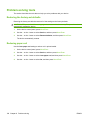
To change the default media-type setting type
ENWW
1.
On the device control panel, press Menu.
2.
Use the < or the > button to select System setup, and then press Menu/Enter.
3.
Use the < or the > button to select Paper setup, and then press Menu/Enter.
4.
Use the < or the > button to select Def. paper type, and then press Menu/Enter.
5.
Use the < or the > button to select a media type, and then press Menu/Enter.
6.
Press Menu/Enter to save the selection.
Copying onto media of different types and sizes
49