1
English
Installation
Required Tools and Materials
•
Small slotted screwdriver with 5/64” or 2 mm blade width
— for connecting power when not using Power over
Ethernet.
Camera Package Contents
Ensure the package contains the following:
•
•
•
•
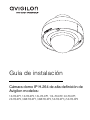
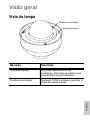
Avigilon High Definition IP Dome Camera
Terminal block
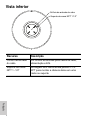
T20 TORX tamper resistant key
Teflon Sealing Tape
Installation Steps
Complete the following procedures to install the dome camera.
1.
2.
3.
4.
5.
6.
7.
8.
Removing the Dome Cover on page 4
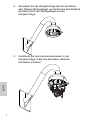
Mounting the Dome Camera on page 5
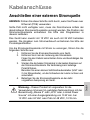
Connecting Cables on page 7
Assigning an IP Address on page 8
Accessing the Live Video Stream on page 9
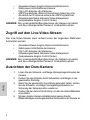
Aiming the Dome Camera on page 9
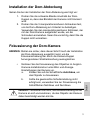
Installing the Dome Cover on page 9
Focusing the Dome Camera on page 10
Removing the Dome Cover
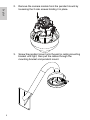
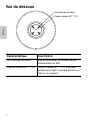
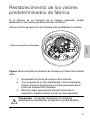
Remove the dome cover by loosening the tamper-proof screws that fix
the cover to the base. The tamper resistant key included with the
dome camera can be used to loosen the screws.
NOTE: Be careful not to scratch the dome bubble.
4