1
SPH-a660 Series
P O R T A B L E
T r i - M o d e
T E L E P H O N E
User Guide
Please read this manual before operating your
phone, and keep it for future reference.
XB16.10_LMA660_041304_F2
Intellectual Property
All Intellectual Property, as defined below, owned by or which is
otherwise the property of Samsung or its respective suppliers
relating to the SAMSUNG Phone, including but not limited to,
accessories, parts, or software relating thereto (the “Phone
System”), is proprietary to Samsung and protected under federal
laws, state laws, and international treaty provisions. Intellectual
Property includes, but is not limited to, inventions (patentable or
unpatentable), patents, trade secrets, copyrights, software, computer
programs, and related documentation and other works of authorship.
You may not infringe or otherwise violate the rights secured by the
Intellectual Property. Moreover, you agree that you will not (and will
not attempt to) modify, prepare derivative works of, reverse engineer,
decompile, disassemble, or otherwise attempt to create source code
from the software. No title to or ownership in the Intellectual Property
is transferred to you. All applicable rights of the Intellectual Property
shall remain with SAMSUNG and its suppliers.
Samsung Telecommunications America, L.P.
Headquarters:
1301 E. Lookout Drive
Richardson, TX 75082
Tel: 972.761.7000
Fax: 972.761.7001
Customer Care Center:
1601 E. Plano Parkway, Suite 150
Plano, TX 75074
Toll Free Tel: 1.888.987.HELP (4357)
Fax: 972.801.6065
Internet Address: http://www.samsungusa.com
©2004
Samsung Telecommunications America, Inc. is a registered
trademark of Samsung Electronics America, Inc. and its related
entities.
Licensed by Qualcomm Incorporated under one or more of the
following patents: U.S. Patent No. 4, 901, 307; 5, 056, 109; 5, 099,
204; 5, 101, 501; 5, 103, 459; 5, 107, 225; 5, 109, 390.
Printed in South Korea
GH68-04894A
Openwave® is a registered Trademark of Openwave, Inc.
RSA® is a registered Trademark RSA Security, Inc.
Disclaimer of Warranties; Exclusion of Liability
EXCEPT AS SET FORTH IN THE EXPRESS WARRANTY CONTAINED ON THE
WARRANTY PAGE ENCLOSED WITH THE PRODUCT, THE PURCHASER TAKES
THE PRODUCT "AS IS", AND SAMSUNG MAKES NO EXPRESS OR IMPLIED
WARRANTY OF ANY KIND WHATSOEVER WITH RESPECT TO THE PRODUCT,
INCLUDING BUT NOT LIMITED TO THE MERCHANTABILITY OF THE PRODUCT OR
ITS FITNESS FOR ANY PARTICULAR PURPOSE OR USE; THE DESIGN,
CONDITION OR QUALITY OF THE PRODUCT; THE PERFORMANCE OF THE
PRODUCT; THE WORKMANSHIP OF THE PRODUCT OR THE COMPONENTS
CONTAINED THEREIN; OR COMPLIANCE OF THE PRODUCT WITH THE
REQUIREMENTS OF ANY LAW, RULE, SPECIFICATION OR CONTRACT
PERTAINING THERETO. NOTHING CONTAINED IN THE INSTRUCTION MANUAL
SHALL BE CONSTRUED TO CREATE AN EXPRESS OR IMPLIED WARRANTY OF
ANY KIND WHATSOEVER WITH RESPECT TO THE PRODUCT. IN ADDITION,
SAMSUNG SHALL NOT BE LIABLE FOR ANY DAMAGES OF ANY KIND RESULTING
FROM THE PURCHASE OR USE OF THE PRODUCT OR ARISING FROM THE
BREACH OF THE EXPRESS WARRANTY, INCLUDING INCIDENTAL, SPECIAL OR
CONSEQUENTIAL DAMAGES, OR LOSS OF ANTICIPATED PROFITS OR BENEFITS.
Table of Contents
Getting Started ......................................................... 1
Front View of Phone . . . . . . . . . . . . . . . . . . . . . . . . . . . . . . . . . . . . . . . 1
Key Functions. . . . . . . . . . . . . . . . . . . . . . . . . . . . . . . . . . . . . . . . . . . 2
Viewing the Display Screen. . . . . . . . . . . . . . . . . . . . . . . . . . . . . . . . . . 4
Features of Your Phone. . . . . . . . . . . . . . . . . . . . . . . . . . . . . . . . . . . . . 6
Turning Your Phone ON and OFF . . . . . . . . . . . . . . . . . . . . . . . . . . . . . 6
Using the Battery. . . . . . . . . . . . . . . . . . . . . . . . . . . . . . . . . . . . . . . . . . 8
Displaying Your Phone Number . . . . . . . . . . . . . . . . . . . . . . . . . . . . . 11
Making and Answering Calls . . . . . . . . . . . . . . . . . . . . . . . . . . . . . . . . 11
Making Calls. . . . . . . . . . . . . . . . . . . . . . . . . . . . . . . . . . . . . . . . . . . 11
Answering Calls . . . . . . . . . . . . . . . . . . . . . . . . . . . . . . . . . . . . . . . . 12
Missed Call Notification . . . . . . . . . . . . . . . . . . . . . . . . . . . . . . . . . . 13
Calling Emergency Numbers . . . . . . . . . . . . . . . . . . . . . . . . . . . . . . 13
Using One/Two/Three Touch Speed Dialing . . . . . . . . . . . . . . . . . . 14
Abbreviated Dialing . . . . . . . . . . . . . . . . . . . . . . . . . . . . . . . . . . . . . 15
Dialing Options. . . . . . . . . . . . . . . . . . . . . . . . . . . . . . . . . . . . . . . . . 16
In-Call Options . . . . . . . . . . . . . . . . . . . . . . . . . . . . . . . . . . . . . . . . . 17
End-of-Call Options . . . . . . . . . . . . . . . . . . . . . . . . . . . . . . . . . . . . . 17
Saving a Phone Number . . . . . . . . . . . . . . . . . . . . . . . . . . . . . . . . . 18
Finding a Phone Number . . . . . . . . . . . . . . . . . . . . . . . . . . . . . . . . . 19
Dialing and Saving Phone Numbers With Pauses . . . . . . . . . . . . . . 19
Dialing From the Internal Phone Book . . . . . . . . . . . . . . . . . . . . . . . 20
Controlling Your Phone’s Settings ................................. 21
Sound Settings . . . . . . . . . . . . . . . . . . . . . . . . . . . . . . . . . . . . . . . . . .
Adjusting the Phone’s Volume Settings. . . . . . . . . . . . . . . . . . . . . .
Ringer Type . . . . . . . . . . . . . . . . . . . . . . . . . . . . . . . . . . . . . . . . . . .
Selecting a Key Tone . . . . . . . . . . . . . . . . . . . . . . . . . . . . . . . . . . . .
Alert Notification . . . . . . . . . . . . . . . . . . . . . . . . . . . . . . . . . . . . . . .
Silence Mode . . . . . . . . . . . . . . . . . . . . . . . . . . . . . . . . . . . . . . . . . .
Display Settings. . . . . . . . . . . . . . . . . . . . . . . . . . . . . . . . . . . . . . . . . .
Changing the Text Greeting . . . . . . . . . . . . . . . . . . . . . . . . . . . . . . .
Changing the Backlight Time Length . . . . . . . . . . . . . . . . . . . . . . . .
21
21
21
25
26
27
27
27
28
Changing the Display Screen . . . . . . . . . . . . . . . . . . . . . . . . . . . . . .
Changing the Phone’s Menu Style . . . . . . . . . . . . . . . . . . . . . . . . . .
Location Settings . . . . . . . . . . . . . . . . . . . . . . . . . . . . . . . . . . . . . . . .
Airplane Mode . . . . . . . . . . . . . . . . . . . . . . . . . . . . . . . . . . . . . . . . .
Phone Setup Options . . . . . . . . . . . . . . . . . . . . . . . . . . . . . . . . . . . . .
Shortcut . . . . . . . . . . . . . . . . . . . . . . . . . . . . . . . . . . . . . . . . . . . . . .
Call Answer Mode . . . . . . . . . . . . . . . . . . . . . . . . . . . . . . . . . . . . . .
Auto-Answer Mode . . . . . . . . . . . . . . . . . . . . . . . . . . . . . . . . . . . . .
Display Language. . . . . . . . . . . . . . . . . . . . . . . . . . . . . . . . . . . . . . .
TTY Use With Handset. . . . . . . . . . . . . . . . . . . . . . . . . . . . . . . . . . .
29
29
30
31
32
32
33
33
34
34
Setting Your Phone’s Security ...................................... 37
Accessing the Security Menu . . . . . . . . . . . . . . . . . . . . . . . . . . . . . . .
Locking Your Phone . . . . . . . . . . . . . . . . . . . . . . . . . . . . . . . . . . . . . .
Unlocking Your Phone . . . . . . . . . . . . . . . . . . . . . . . . . . . . . . . . . . . .
Calling in Lock Mode. . . . . . . . . . . . . . . . . . . . . . . . . . . . . . . . . . . . . .
Restricting Calls . . . . . . . . . . . . . . . . . . . . . . . . . . . . . . . . . . . . . . . . .
Using Special Numbers. . . . . . . . . . . . . . . . . . . . . . . . . . . . . . . . . . . .
Erasing the Internal Phone Book. . . . . . . . . . . . . . . . . . . . . . . . . . . . .
Erase Content . . . . . . . . . . . . . . . . . . . . . . . . . . . . . . . . . . . . . . . . . . .
Resetting Your Phone . . . . . . . . . . . . . . . . . . . . . . . . . . . . . . . . . . . . .
37
37
38
38
39
40
40
41
41
Controlling Your Roaming Experience ............................ 43
Understanding Roaming . . . . . . . . . . . . . . . . . . . . . . . . . . . . . . . . . . . 43
Setting Your Phone’s System . . . . . . . . . . . . . . . . . . . . . . . . . . . . . . . 44
Set NAM . . . . . . . . . . . . . . . . . . . . . . . . . . . . . . . . . . . . . . . . . . . . . . . 45
Navigating Through Menus ......................................... 47
Menu Navigation . . . . . . . . . . . . . . . . . . . . . . . . . . . . . . . . . . . . . . . . . 47
Menu Structure . . . . . . . . . . . . . . . . . . . . . . . . . . . . . . . . . . . . . . . . . . 47
Viewing the Menus . . . . . . . . . . . . . . . . . . . . . . . . . . . . . . . . . . . . . . . 48
Managing Call History ............................................... 55
Viewing History . . . . . . . . . . . . . . . . . . . . . . . . . . . . . . . . . . . . . . . . . .
Call History Options. . . . . . . . . . . . . . . . . . . . . . . . . . . . . . . . . . . . . . .
Making a Call From Call History . . . . . . . . . . . . . . . . . . . . . . . . . . . . .
Saving a Phone Number From Call History. . . . . . . . . . . . . . . . . . . . .
Prepending a Phone Number From
55
55
56
56
Call History . . . . . . . . . . . . . . . . . . . . . . . . . . . . . . . . . . . . . . . . . . . . . 57
Erasing Call History . . . . . . . . . . . . . . . . . . . . . . . . . . . . . . . . . . . . . . . 58
Air Time. . . . . . . . . . . . . . . . . . . . . . . . . . . . . . . . . . . . . . . . . . . . . . . . 58
Using the Internal Phone Book ..................................... 59
Internal Phone Book Entry Options . . . . . . . . . . . . . . . . . . . . . . . . . . .
Entering Text . . . . . . . . . . . . . . . . . . . . . . . . . . . . . . . . . . . . . . . . . . . .
Selecting a Character Input Mode . . . . . . . . . . . . . . . . . . . . . . . . . .
Entering Characters Using T9 Text Input . . . . . . . . . . . . . . . . . . . . .
Entering Characters by Tapping the Keypad . . . . . . . . . . . . . . . . . .
Entering Numbers and Symbols . . . . . . . . . . . . . . . . . . . . . . . . . . .
Adding a New Internal Phone Book Entry . . . . . . . . . . . . . . . . . . . . . .
Finding Internal Phone Book Entries . . . . . . . . . . . . . . . . . . . . . . . . . .
Adding a Phone Number to an Internal Phone Book Entry . . . . . . . . .
Editing an Internal Phone Book Entry’s Phone Number . . . . . . . . . . .
Selecting a Ringer Type for an Entry. . . . . . . . . . . . . . . . . . . . . . . . . .
Secret Internal Phone Book Entries. . . . . . . . . . . . . . . . . . . . . . . . . . .
Changing the Group Name. . . . . . . . . . . . . . . . . . . . . . . . . . . . . . . .
59
59
59
60
60
61
62
62
64
64
65
66
67
Personal Organizer ................................................... 69
Adding an Event to the Scheduler . . . . . . . . . . . . . . . . . . . . . . . . . . . .
Event Alerts . . . . . . . . . . . . . . . . . . . . . . . . . . . . . . . . . . . . . . . . . . . . .
Viewing Events . . . . . . . . . . . . . . . . . . . . . . . . . . . . . . . . . . . . . . . . . .
Erasing a Day’s Events . . . . . . . . . . . . . . . . . . . . . . . . . . . . . . . . . . . .
Going to Today’s Scheduler Menu . . . . . . . . . . . . . . . . . . . . . . . . . . .
Purging Events . . . . . . . . . . . . . . . . . . . . . . . . . . . . . . . . . . . . . . . . . .
Purging All Events . . . . . . . . . . . . . . . . . . . . . . . . . . . . . . . . . . . . . . . .
World Time . . . . . . . . . . . . . . . . . . . . . . . . . . . . . . . . . . . . . . . . . . . . .
Using the Alarm Clock. . . . . . . . . . . . . . . . . . . . . . . . . . . . . . . . . . . . .
Task List . . . . . . . . . . . . . . . . . . . . . . . . . . . . . . . . . . . . . . . . . . . . . . .
Using the Memo Pad. . . . . . . . . . . . . . . . . . . . . . . . . . . . . . . . . . . . . .
Using the Calculator . . . . . . . . . . . . . . . . . . . . . . . . . . . . . . . . . . . . . .
Countdown . . . . . . . . . . . . . . . . . . . . . . . . . . . . . . . . . . . . . . . . . . . . .
69
70
70
71
71
71
72
72
73
74
75
76
77
Voice Services ........................................................ 79
Activating Voice Recognition. . . . . . . . . . . . . . . . . . . . . . . . . . . . . . . . 79
Digit Dial . . . . . . . . . . . . . . . . . . . . . . . . . . . . . . . . . . . . . . . . . . . . . . . 79
Enabling/Disabling Digit Dial Choice Lists . . . . . . . . . . . . . . . . . . . .
Adapting Digit Dial . . . . . . . . . . . . . . . . . . . . . . . . . . . . . . . . . . . . . .
Using Name Dial . . . . . . . . . . . . . . . . . . . . . . . . . . . . . . . . . . . . . . . . .
Enabling/Disabling Name Dial Choice Lists . . . . . . . . . . . . . . . . . . .
Using Phonebook . . . . . . . . . . . . . . . . . . . . . . . . . . . . . . . . . . . . . . . .
Enabling/Disabling Phonebook Choice Lists . . . . . . . . . . . . . . . . . .
Recording Memos . . . . . . . . . . . . . . . . . . . . . . . . . . . . . . . . . . . . . . .
81
81
84
84
85
86
86
The Basics ............................................................. 89
Using Voicemail . . . . . . . . . . . . . . . . . . . . . . . . . . . . . . . . . . . . . . . . .
Setting Up Your Voicemail. . . . . . . . . . . . . . . . . . . . . . . . . . . . . . . .
Voicemail Notification . . . . . . . . . . . . . . . . . . . . . . . . . . . . . . . . . . .
New Voicemail Message Alerts . . . . . . . . . . . . . . . . . . . . . . . . . . . .
Retrieving Your Voicemail Messages . . . . . . . . . . . . . . . . . . . . . . .
Clearing the Message Icon. . . . . . . . . . . . . . . . . . . . . . . . . . . . . . . .
Using Caller ID . . . . . . . . . . . . . . . . . . . . . . . . . . . . . . . . . . . . . . . . . .
Responding to Call Waiting. . . . . . . . . . . . . . . . . . . . . . . . . . . . . . . . .
Making a Three-Way Call . . . . . . . . . . . . . . . . . . . . . . . . . . . . . . . . . .
Data/Fax. . . . . . . . . . . . . . . . . . . . . . . . . . . . . . . . . . . . . . . . . . . . . . . .
Data/Fax setup . . . . . . . . . . . . . . . . . . . . . . . . . . . . . . . . . . . . . . . . .
Receiving a fax. . . . . . . . . . . . . . . . . . . . . . . . . . . . . . . . . . . . . . . . .
Ending a Fax or Data Call . . . . . . . . . . . . . . . . . . . . . . . . . . . . . . . . .
Sending a Fax or Data File . . . . . . . . . . . . . . . . . . . . . . . . . . . . . . . .
Changing your phone back to voice calling . . . . . . . . . . . . . . . . . . .
89
89
89
90
90
91
91
92
92
93
93
94
94
95
95
Messaging ............................................................. 97
Erasing All Messages. . . . . . . . . . . . . . . . . . . . . . . . . . . . . . . . . . . . 97
Text Messaging . . . . . . . . . . . . . . . . . . . . . . . . . . . . . . . . . . . . . . . . . . 98
Using Text Messaging . . . . . . . . . . . . . . . . . . . . . . . . . . . . . . . . . . . 98
Message Setup Options . . . . . . . . . . . . . . . . . . . . . . . . . . . . . . . . . . 100
Display Popup . . . . . . . . . . . . . . . . . . . . . . . . . . . . . . . . . . . . . . . . 101
Sending Options . . . . . . . . . . . . . . . . . . . . . . . . . . . . . . . . . . . . . . 101
Canned Message . . . . . . . . . . . . . . . . . . . . . . . . . . . . . . . . . . . . . . 102
Message Alerts. . . . . . . . . . . . . . . . . . . . . . . . . . . . . . . . . . . . . . . . 103
Save in Outbox. . . . . . . . . . . . . . . . . . . . . . . . . . . . . . . . . . . . . . . . 105
Auto Delete. . . . . . . . . . . . . . . . . . . . . . . . . . . . . . . . . . . . . . . . . . . 105
Alerts Setup . . . . . . . . . . . . . . . . . . . . . . . . . . . . . . . . . . . . . . . . . . 106
Voice Mail Number. . . . . . . . . . . . . . . . . . . . . . . . . . . . . . . . . . . . . 106
Web Services........................................................ 107
The Wireless Web . . . . . . . . . . . . . . . . . . . . . . . . . . . . . . . . . . . . . . .
Launching the Browser . . . . . . . . . . . . . . . . . . . . . . . . . . . . . . . . .
Web Guard . . . . . . . . . . . . . . . . . . . . . . . . . . . . . . . . . . . . . . . . . . .
Web Connection Status and Indicators . . . . . . . . . . . . . . . . . . . . .
Navigating the Wireless Web . . . . . . . . . . . . . . . . . . . . . . . . . . . .
Downloading Games, Ringers, Screen Savers and Applications . . .
Games . . . . . . . . . . . . . . . . . . . . . . . . . . . . . . . . . . . . . . . . . . . . . .
Ringers. . . . . . . . . . . . . . . . . . . . . . . . . . . . . . . . . . . . . . . . . . . . . .
Screen Savers . . . . . . . . . . . . . . . . . . . . . . . . . . . . . . . . . . . . . . . .
Applications . . . . . . . . . . . . . . . . . . . . . . . . . . . . . . . . . . . . . . . . . .
107
107
108
109
109
112
112
113
115
116
Safety................................................................. 117
Getting the Most Out of Your Reception . . . . . . . . . . . . . . . . . . . . . .
Caring for the Battery . . . . . . . . . . . . . . . . . . . . . . . . . . . . . . . . . . . .
Acknowledging Special Precautions and
Industry Canada Notice . . . . . . . . . . . . . . . . . . . . . . . . . . . . . . . . .
Information to User . . . . . . . . . . . . . . . . . . . . . . . . . . . . . . . . . . . .
Owner’s Record. . . . . . . . . . . . . . . . . . . . . . . . . . . . . . . . . . . . . . . . .
User Guide Proprietary Notice. . . . . . . . . . . . . . . . . . . . . . . . . . . . . .
117
121
123
123
124
125
Manufacturer’s Warranty .......................................... 127
Index ................................................... 131
Getting Started
Front View of Phone
Getting Started
1
Key Functions
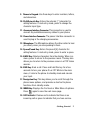
1. Speaker: The speaker allows you to hear the other caller
and the different ring tones and sounds offered by your
phone.
2. Signal Strength Indicator: This icon represents the signal
strength by displaying bars. The more bars displayed, the
better the signal strength.
3. Display Screen: The display screen displays all the
information needed to operate your phone.
4. Headset Jack: Allows you to plug in an optional headset for
safe, convenient hands-free conversations.
5. OK/Voicemail Key: Pressing
when navigating through a
menu accepts the highlighted choice in the menu. Pressing
for two seconds automatically dials your voicemail.
6. One Touch Internet Access: Allows you to access the web
browser with the press of a button. Press and hold to
automatically launch the web browser.
7. Volume Keys: Allows you to adjust the ringer volume in
standby mode (with the flip open) or adjust the voice
volume during a call. The volume keys can also be used to
scroll up or down to navigate through the different menu
options. To mute the ringer during an incoming call, press
the Volume Key up or down.
8. TALK Key: Place or receive a call. In standby mode, press
the key once to access the Outgoing call log. If you press
and hold the key down, you will initiate the Voice
Recognition feature.
2
Getting Started
9. Numeric Keypad: Use these keys to enter numbers, letters,
and characters.
10. Shift/Asterisk Key: Enters the asterisk [*] character for
calling features. In text entry mode, press to change the
character input type.
11. Accessory Interface Connector: This connector is used to
connect any available accessory cables to your phone.
12. Power Interface Connector: The power interface connector is
used to plug in the charging accessories.
13. Microphone: The Microphone allows the other caller to hear
you clearly when you are speaking to them.
14. Space/Pound Key: Enters the pound [#] character for
calling features. In text entry mode, press to enter a space.
15. BACK Key: Deletes characters from the display. When in a
menu, press to return to the previous menu. This key also
allows you to return to the previous screen in a PCS Vision
session.
16. END Key: Ends a call. Press and hold this key for a few
seconds to turn your phone On or Off. While in the main
menu, it returns the phone to standby mode and cancels
your input.
17. Navigation Key: This key allows you to scroll through the
phone menu options, and provides a shortcut to phone
functions from standby mode.
18. MENU Key: Displays the first level or Main Menu of options.
Press
again to view the next menu page.
19. LED Indicator: Flashes red to indicate that there is an
incoming call or green to indicate that you have service.
Getting Started
3
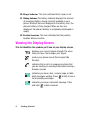
20. Ringer Indicator: This icon indicates that a ringer is set.
21. Battery Indicator: The battery indicator displays the amount
of remaining battery charge currently available in your
phone. When all bars are displayed in the battery icon, the
phone’s battery is fully charged. When no bars are
displayed, the phone’s battery is completely discharged or
empty.
22. Position Location: This icon indicates that the position
location feature is active.
Viewing the Display Screen
This list identifies the symbols you’ll see on your display screen.
displays your current signal strength.The more
lines you have, the stronger your signal.
means your phone cannot find a signal (No
Service).
indicates that a call is in progress and also that
you are sending or receiving information during a
browser session
indicates you have a text, numeric page, or Web
Alert messages waiting. Press
briefly to see a
list of pending messages.
indicates you have a voicemail message. Press
and hold
to dial voicemail.
4
Getting Started
indicates your phone is in vibrate mode.
shows your current battery charge strength.
(Icon shown fully charged.) If the battery is
discharged, there are no bars displayed and the
battery icon flashes.
indicates that position location is active.
indicates that position location is inactive.
indicates that your phone is roaming.
indicates that your phone is in security mode.
indicates that your phone is operating in analog
service.
indicates that your phone is operating in digital
service.
indicates that your phone is in 1X service.
indicates that your phone is in Airplane Mode. All
TX and RX transmissions are turned Off.
indicates that an alarm is set on your phone.
indicates that the ringer is set at a level
between 1-8 or 1-Beep is selected.
Indicates that the ringer is turned Off.
indicates that something has been
downloaded to your phone.
indicates that the TTY function is active.
Getting Started
5
Tip: Display indicators let you know when you’re off the network.
Features of Your Phone
Congratulations on the purchase of your Samsung SPH-a660 Phone.
This phone is lightweight, easy-to-use, and reliable. It also offers
many significant features and service options:
• Dual-band/Tri-Mode capability provides access to other Digital
Networks where roaming agreements are established (page
43).
• Mobile BrowserTM provides access to the wireless Internet in
digital mode (page 107).
• Messaging provides quick and convenient text messaging
capabilities (page 98).
• Downloadable games, ringers, screen savers, and applications
allow you to turn down time into fun time and to personalize
your phone (page 112).
• The built-in organizer lets you schedule alerts to remind you of
important events (page 69).
• Three hundred internal phone book entries store up to six
phone numbers each (page 59).
• Voice Signal/Voice Command.
• English or French Language Menus.
Turning Your Phone ON and OFF
Turning Your Phone ON
•
6
Press
to turn your phone On.
Getting Started
Once your phone is ON, it displays “Looking for Service” which
indicates that your phone is searching for a signal. When your phone
finds a signal, it automatically enters standby mode – the phone’s idle
state. At this point, you are ready to begin making and receiving calls.
If your phone is unable to find a signal after 15 minutes of searching,
a Power Save feature is automatically activated. When a signal is
found, your phone automatically returns to standby mode.
In Power Save mode, your phone searches for a signal periodically
without your intervention. You can also initiate a search for service by
pressing any key (when your phone is turned ON).
Tip: The Power Save feature helps to conserve your battery power when
you are in an area where there is no signal.
Turning Your Phone OFF
•
Press
for two seconds until you see the powering down
animation on the display screen.
Your screen remains blank while your phone is off (unless the battery
is charging).
Getting Started
7
Using the Battery
Battery Capacity
Your phone is equipped with a standard Lithium Ion (LiIon) battery. It
allows you to recharge your battery before it is fully drained. The
standard battery provides approximately 3 hours of continuous
digital talk time (1.5 hours in analog) or approximately 240 hours of
continuous digital standby time (17 hours in analog).
The extended battery provides approximately 4.5 hours of
continuous digital talk time (3 hours in analog) or approximately 432
hours of continuous digital standby time (30 hours in analog).
When the battery reaches 5% of its capacity, the battery icon blinks.
When there are approximately two minutes of talk time left, the
phone sounds an audible alert and then powers down.
Note: Long backlight settings, searching for service, vibrate mode, and
browser use affect the battery’s talk and standby times.
Tip: Be sure to watch your phone’s battery level indicator and charge the
battery before it runs out of power.
Installing the Battery
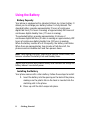
Your phone comes with a LiIon battery. Follow these steps to install:
1. Insert the battery into the opening on the back of the phone,
making sure the plastic tab on the back is inserted into the
matching slot in the phone.
2. Press up until the latch snaps into place.
8
Getting Started
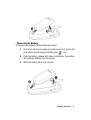
Removing the Battery
To remove your battery, follow these easy steps:
1. So that no stored messages or numbers are lost, power off
your phone by pressing and holding the
key.
2. Push the battery release latch down completely. The battery
will separate slightly from the phone.
3. Slide the battery down and remove.
Getting Started
9
Charging the Battery
Your phone comes with a rechargeable battery. You should charge
the battery as soon as possible so you can begin using your phone.
Keeping track of your battery’s charge is important. If your battery
level becomes too low, your phone automatically turns off. For a
quick check of your phone’s battery level, glance at the battery
charge indicator located in the upper-right corner of your phone’s
display screen. If the battery charge is getting too low, the battery
icon (
) blinks and the phone sounds a warning tone.
Always use a Samsung approved desktop charger, travel charger, or
vehicle power adapter to charge your battery.
Warning! Using the wrong battery charger could cause damage to your
phone and void the warranty.
Using the Desktop Charger
To use the desktop charger provided with your phone:
1. Plug the outlet from the desktop charger in the wall. Place
your phone into the desktop charger, making sure that it fits
securely. If properly connected, you should see the charging
lights.
• A red light on the desktop charger and an animated battery icon
on the phone indicates that the battery is charging.
• A green light on the desktop charger indicates that the battery
is at least 90 percent charged.
• A orange light on the desktop charger indicates that there is a
problem charging the phone.
It takes approximately 4 hours to fully recharge a completely
rundown standard battery. With the Samsung approved LiIon battery,
you can recharge the battery before it becomes completely run down.
10
Getting Started
When the flip is open, an animated battery icon is displayed on the
screen. When the battery is completely charged, a green light is
displayed continuously.
Displaying Your Phone Number
Just in case you forget your phone number, your phone can
remind you.
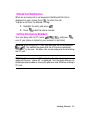
To display your phone number:
1. Press
for Main Menu.
2. Press
for Phone Book.
3. Press
for My Phone #.
Making and Answering Calls
Making Calls
Your phone offers many different ways to make calls, including
downloading games and ringers (page 112), Speed Dialing (page 14)
and using Call History (page 56).
To make a call using your keypad:
1. Make sure your phone is on.
2. Enter a phone number. If you make a mistake while dialing,
press
to erase one digit at a time. Or, press and hold
to erase the entire number.
3. Press
.
4. When you’re finished, close the flip or press
Tip: To redial your last outgoing call, press
.
twice.
Getting Started 11
Answering Calls
1. Make sure your phone is on. (If your phone is off, incoming
calls go to voicemail).
2. Press
to answer an incoming call. (Depending on your
phone’s settings, you may also answer incoming calls by
opening the phone or by pressing any digit.)
Your phone notifies you of incoming calls in the following ways:
• The phone rings or vibrates.
• The LED flashes.
• The backlight illuminates.
• The screen displays an incoming call message.
• If available, the phone number of the caller is displayed.
• If the phone number is in your Internal Phone Book, the Phone
Book entry’s name is displayed.
The following option is also displayed. To select an option, press the
corresponding softkey button.
•
or
or
to mute the ringer.
Note: If your phone is off, incoming calls go to voicemail.
Ending a Call
To disconnect a call when you are finished:
•
12
Close the phone or press
Getting Started
.
Missed Call Notification
When an incoming call is not answered, the Missed Call Info is
displayed on your screen.Press
to return the call.
To place a call from the Missed Call log:
1. Highlight the entry and press
2. Press
.
to dial the phone number.
Calling Emergency Numbers
Your can place calls to 911 (enter
and press
even if your phone is locked or your account is restricted.
),
Warning: After initiating a 911 call, you must end the call by pressing
. This notifies the phone that the 911call was terminated
intntentially by the user. No other calls can be made prior to terminating
the 911 call.
Warning: You can not make 911 calls when the phone is in airplane
mode and the icon " phone off " is displayed. Turn the phone back on, by
disabling airplane mode or turning the phone on and off before making a
911 call.
Getting Started 13
Using One/Two/Three Touch Speed Dialing
With this feature, you can automatically call Speed Dial entries using
one key press for locations 1-9, two key presses for locations 10-99,
or three key presses for locations 100-300.
To use One-Touch Dialing for Speed Dial locations 1-9:
Press and hold the appropriate key for a few seconds. The
display confirms that the number has been dialed when it
shows “Calling”.
To use Two-Touch Dialing for Speed Dial locations 10-99:
1. Press the first digit.
2. Press and hold the second digit for a few seconds. The
display confirms that the number has been dialed when it
shows “Calling”.
To use Three-Touch Dialing for Speed Dial locations 100-300:
1. Press the first digit.
2. Press the second digit.
3. Press and hold the third digit for a few seconds. The display
confirms that the number has been dialed when it shows
“Calling”.
Note: Your phone also supports 1- 4 digit dialing. If you enter a number
using the keypad without holding the last number and then press
,
your phone will dial those digits. (For example, if you enter
and press
, it dials 211, not the number stored in memory
location 211.
14
Getting Started
Abbreviated Dialing
Abbreviated dialing allows you to enter a six-digit prefix for
commonly used phone numbers. When abbreviated dialing is On,
you can enter the last four digits of any phone number that matches
the six digit prefix, and the number is dialed using the prefix numbers
with only the last four entered.
To set up abbreviated dialing:
1. Press
for Main Menu.
2. Press
for Settings.
3. Press
for Others.
4. Press
for Abbrev. Dial.
5. Press the navigation key up or down to select On and
press
.
6. Input the six digit prefix and press
Making an Abbreviated Dial Call
To make a call:
to Save.
1. Enter the last four digits of the prefix phone number.
2. Press
for Abbrev. Dial.
Getting Started 15
Dialing Options
Dialing options are displayed when you enter numbers using the
keypad. To select an option press
and the number on the keypad
that corresponds with the desired choice.
• Talk is used to dial the phone number. (If you are roaming and
have the Call Guard feature activated, you must then
press
.
• Save to save the phone number in your Internal Phone Book.
See "Finding Internal Phone Book Entries" on page 62.
• Find is used to locate and display Internal Phone Book entries
that contain the numbers entered. See "Finding Internal Phone
Book Entries" on page 62.
• Hard Pause is used to insert a hard pause.
• 2 Second Pause to insert a 2-second pause.
• Speed Dial is used to automatically dial the entry stored in the
memory location entered.
• Abbrev. Dialing Abbreviated dialing allows you to enter a sixdigit prefix for commonly used phone numbers.
• 4 Digit Dial allows you to dial just the four digits displayed on
the screen.
Note: Abbrev Dialing, 4 Digit Dial, and Speed Dial menus are displayed
when the Abbrev Dial feature is enabled in the Settings and you enter 3-4
digits.
16
Getting Started
In-Call Options
During a call, your phone displays menu options in addition to the
main menu.
To select an option, highlight it and press
.
• (1) Mute or UnMute: Select Mute to mute your phone’s
microphone. Select Unmute to reactivate the microphone.
• (2) Call History: checks your call log for missed, outgoing, and
incoming calls. You can also erase the logs from this menu.
• (3) Phone Book: accesses the Phone Book menu options.
• (4) 3-Way Call: allows you to talk to two different people at the
same time. (For more information, see "Making a Three-Way
Call" on page 92.)
• (5) Messaging: allows you to check for voicemail and
notifications.
• (6) Voice Memo: allows you to record the current
conversation.
• (7) Tools: accesses the Tools menu options.
• (8) Phone Info: displays the hardware/software version,
Username, and PRL being used.
End-of-Call Options
After receiving a call from or making a call to a phone number that is
not in your Internal Phone Book, the phone number, the duration of
the call and the following menu options are displayed for 10 seconds.
During this time you can press
to add this number to your
internal phone book. (See “Saving a Phone Number” on page 18.)
Note: The End-of-Call options are not displayed for calls identified as
Unknown ID or Restricted number.
Getting Started 17
Saving a Phone Number
Your phone can store up to six phone numbers in each entry for a
total of 300 Internal Phone Book numbers. Each entry’s name can
contain 20 characters. Your phone automatically sorts the Internal
Phone Book entries alphabetically.
To save a number from standby mode:
1. Enter a phone number.
2. Press
for Save.
3. The Add New Entry screen is displayed. Press
to enter
a new name or scroll through the phone book to select an
existing name. Press
to add the additional number to
the selected entry.*
4. Use your navigation key to select a label (Home, Work,
Mobile, Pager, Fax, or No Label) and press
.
5. Enter a name for the entry using the numeric keys. Press
to change the entry method between T9, Alpha, Symbol,
and Number.
6. When finished entering the name, press
phone book entry.
7. Press
to return to the
to save the entry.
* - This step is not necessary on the very first entry saved into the
phone. Skip to the next step if you are entering the first entry in the
phone book.
Note: This handset provides three types of Alpha entry:
Abc : sentence mode, ABC : all upper case, abc : all lower case when in
alpha mode, you can toggle between the three modes using the *shift
key
18
Getting Started
Finding a Phone Number
This feature allows you to search for phone numbers saved in your
address book by entering 1-4 numbers of the last four digits saved.
When searching, you must enter the digits in sequential order
starting from the last number. For example; if you have a number
saved with “1234” as the last four digits, you can enter “34” and a
match will be found. If you enter “12”, no match will be found since
the numbers are not in sequential order from the last digit.
To find a phone number:
1. Enter one to four numbers of the last four digits of a phone
number and press
and select Find. (A list of possible
matches is displayed.)
2. Use your navigation key to display the desired entry.
3. To dial the number, highlight it and press
.
Dialing and Saving Phone Numbers With Pauses
You can dial or save phone numbers with pauses for use with
automated systems, such as voicemail or credit card billing
numbers. If you select a hard pause, the next set of numbers are sent
when you press
. If you select a 2-second pause, your phone
automatically sends the next set of numbers after two seconds.
Note: You can have multiple pauses in a phone number and combine
2-second and hard pauses.
To dial or save phone numbers with pauses:
1. Enter the phone number.
2. Press
and select Hard pause or 2-sec pause. Hard
pauses are displayed as a “P” and 2-second pauses as a
“T”.
3. Enter additional numbers.
Getting Started 19
4. Press
to dial the number or Press
for Save
to save the number in your Internal Phone Book.
When dialing a number with a hard pause, press
to send the next
set of numbers.
Dialing From the Internal Phone Book
To dial directly from an Internal Phone Book entry:
1. Press the navigation key up to display your Internal Phone
Book.
2. Scroll left or right to search by Name, Entry, or Group.
3. Highlight the desired option and press the navigation key
down.
20
Getting Started
Controlling Your Phone’s Settings
Reminder: To access the phone’s main menu, press (Menu) from
standby mode. Menu items may be selected by highlighting them with
the navigation key and pressing
, or you can press the number
corresponding to the menu item on your keypad.
Sound Settings
Adjusting the Phone’s Volume Settings
To adjust the ringer or key tone volume:
1. Press
for Main Menu.
2. Press
for Settings.
3. Press
for Sounds.
4. Press
for Ringer Volume or
for Key Tone.
Tip: You can adjust the ringer volume in Standby mode or the earpiece
volume during a call by using the volume keys on the side of your phone.
Ringer Type
Ringer types help you identify incoming calls and messages. You can
assign ringer types to individual phone book entries, types of calls,
and types of messages.
•
•
•
Single Tones include a variety of standard tones.
Ring Tones include a variety of standard ringer types.
Melodies includes a variety of standard musical melodies.
Settings 21
•
Downloaded are ringers that have been downloaded right to
your phone.(See “Downloading Ringers, Screen Savers and
Games” on page 112 and “Ringers” on page 113.)
•
Vibrate alerts you to calls or messages without disturbing
others. To select vibrate mode, press the volume key down
while your phone is in idle mode until Vibrate is selected.
Selecting Ringer Types for Voice Calls
Your phone provides a variety of ringer options which allow you to
customize your ring and volume settings.
To select a ringer type for voice calls so you recognize when a certain
type of call is coming in by the ringer:
1. Press
for Main Menu.
2. Press
for Settings.
3. Press
for Sounds.
4. Press
for Ringer Type.
5. Press
for Voice Calls.
6. Press
for With Caller ID or
for No Caller ID.
7. Press the navigation key left or right to select Single Tones,
Ring Tones, Melodies, or Downloaded ringers.
8. Press the navigation key down and then left or right to
select the desired Ringer.
9. Press
22 Settings
to Save to exit.
Selecting Ringer Types for Messages
To select a ringer type for messages:
1. Press
for Messaging.
2. Press
for Settings.
3. Press
for Message Alerts.
4. Press
for Type.
5. Press
for Voicemail
for Web Alerts.
for Text Message, or
6. Press the navigation key left or right to select Single Tones,
Ring Tones, Melodies, or Downloaded ringers.
7. Press the navigation button down and then left or right to
select the desired Ringer.
8. Press
to Save and exit.
Selecting Ringer Types for Data/Fax In
1. Press
for Main Menu.
2. Press
for Settings.
3. Press
for Sounds.
4. Press
for Ringer Type.
5. Press
for Data/Fax In.
6. Press the navigation key left or right to select Single Tones,
Ring Tones, Melodies, or Downloaded ringers.
7. Press the navigation key down and then left or right to
select the desired Ringer.
8. Press
to Save.
Settings 23
Selecting Ringer Types for Schedule
To select a ringer type for schedules:
1. Press
for Main Menu.
2. Press
for Settings.
3. Press
for Sounds.
4. Press
for Ringer Type.
5. Press
for Schedule.
6. Press the navigation key left or right to select Single Tones,
Ring Tones, Melodies, or Downloaded ringers.
7. Press the navigation key down and then left or right to
select the desired Ringer.
8. Press
to Save.
Selecting Ringer Type for Roam Ringer
To select a ringer type for roam ringer:
1. Press
for Main Menu.
2. Press
for Settings.
3. Press
for Sounds.
4. Press
for Ringer Type.
5. Press
for Roam Ringer.
6. Select Normal or Distinctive and press
24 Settings
.
Selecting a Key Tone
Your phone offers a number of options for selecting the audible tones
accompanying a key press. (Longer tone lengths may be better for
tone recognition when dialing voicemail or other automated
systems.)
There are three different tones available:
• Normal - Normal key beeps are heard when a button is
pressed.
• Piano - Piano polyphonic tones are heard when a key is
pressed.
• Beep - Polyphonic beep tones are heard when you press a key.
To select a key tone:
1. Press
for Main Menu.
2. Press
for Settings.
3. Press
for Sounds.
4. Press
for Key Tone.
5. Press
for Tone Type.
6. Press the navigation key up or down to select the desired
tone type.
7. Press
to Select.
Key Tone Volume
To adjust the key tone volume:
1. Press
for Main Menu.
2. Press
for Settings.
3. Press
for Sounds.
Settings 25
4. Press
for Key Tone.
5. Press
for Tone Level.
6. Press the navigation key right to increase or left to decrease
the volume.
7. Press
to Save.
Alert Notification
To enable or disable alert sounds:
1. Press
for Main Menu.
2. Press
for Settings.
3. Press
for Sounds.
4. Press
for Alerts.
5. Press:
•
•
•
•
•
•
•
for Minute Beep.
for Service Alert.
for Connect.
for Disconnect.
for Fade.
for Power On/Off.
for Flip Sound.
6. Select On or Off using the navigation key and press
to Select.
26 Settings
Silence Mode
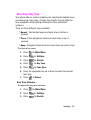
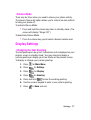
There may be times when you need to silence your phone entirely.
The phone’s Silence All option allows you to mute all sounds without
turning your phone off.
To activate Silence Mode:
•
Press and hold the volume key down in standby mode. (The
screen will display “Ringer Off.”)
To deactivate Silence Mode:
•
Press the volume key up and select a desired volume level.
Display Settings
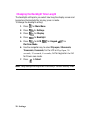
Changing the Text Greeting
The text greeting can be up to 14 characters and is displayed on your
phone’s screen in standby mode. You may choose to display a
custom greeting or display your User Name on the phone’s screen.
To display or change your custom greeting:
1. Press
for Main Menu.
2. Press
for Settings.
3. Press
for Display.
4. Press
for Greeting.
5. Press and hold
to clear the existing greeting.
6. Use the numeric keypad to enter a new custom greeting.
7. Press
to Save and exit.
Settings 27
Changing the Backlight Time Length
The backlight setting lets you select how long the display screen and
keypad are illuminated after any key press is made.
To change the backlight setting:
1. Press
for Main Menu.
2. Press
for Settings.
3. Press
for Display.
4. Press
for Backlight.
5. Press
for LCD,
Pwr Save Mode.
for Keypad,
for
6. Use the navigation key to select Flip open, 30 seconds,
15 seconds, 8 seconds, for the LCD or Flip Open, 30
seconds, 15 seconds, 8 seconds, Off for keypad or On/Off
for Power save mode.
7. Press
to Select.
Note: Long backlight settings affect the battery’s talk and standby times.
28 Settings
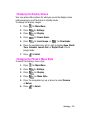
Changing the Display Screen
Your new phone offers options for what you see on the display screen
while powering on or off and when in standby mode.
To change the display images:
1. Press
for Main Menu.
2. Press
for Settings.
3. Press
for Display.
4. Press
for Screen Saver.
5. Press
for Local Image, or
for Downloads.
6. Press the navigation key left or right to display Aqua, World
Time, Calendar, Launch Pad, or Digital Clock in local
image mode.
7. Press
to Select.
Changing the Phone’s Menu Style
To select the display’s menu style:
1. Press
for Main Menu.
2. Press
for Settings.
3. Press
for Display.
4. Press
for Menu Style.
5. Press the navigation key up or down to select Camera
or Nature.
6. Press
to Select.
Settings 29
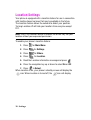
Location Settings
Your phone is equipped with a Location feature for use in connection
with location-based services that may be available in the future.
The Location feature allows the network to detect your position.
Turning Location off will hide your location from everyone except
911.
Note: Even if the Location feature is enabled, no service may use your
location without your expressed permission.
To enable your phone’s Location feature:
1. Press
for Main Menu.
2. Press
for Settings.
3. Press
for Others.
4. Press
for Location.
5. Read the Location information message and press
.
6. Press the navigation key up or down to select On or Off.
7. Press
to Select.
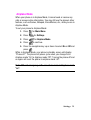
When Location is on, your phone’s standby screen will display the
icon. When Location is turned off, the
icon will display.
30 Settings
Airplane Mode
When your phone is in Airplane Mode, it cannot send or receive any
calls or access online information. You may still use the phone’s other
features, such as Games, Notepad, Voice Memos, etc., while you are in
Airplane Mode.
To set your phone to Airplane Mode:
1. Press
for Main Menu.
2. Press
for Settings.
3. Press
for Airplane Mode.
4. Press
to continue.
5. Press the navigation key up or down to select On or Off and
press
.
While in Airplane Mode, your phone’s standby screen will display
“Phone off.” The phone will power cycle when you change from
Airplane mode "On" to Airplane mode "Off". Turning the phone off and
on again will reset the phone to airplane mode "off".
Note: 911 and emergency calls can not be made in Airplane mode
"on".
Settings 31
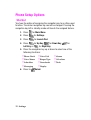
Phone Setup Options
Shortcut
You have the option of assigning the navigation key to an often-used
function. The center navigation key cannot be changed. Pressing the
navigation key left in standby mode will launch the assigned feature.
1. Press
for Main Menu.
2. Press
for Settings.
3. Press
for Launch Pad.
4. Press
for Up Key,
for Down Key,
Left Key, or
for Right Key.
for
5. Press the navigation key up or down to select one of the
following functions:
• Phone Book
• Voice Memo
• Scheduler
• Messaging
6. Press to
32 Settings
• Voice Dial
• Ringer Type
• Downloads
• Display
Select.
• Alarms
• Calculator
• Tools
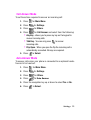
Call Answer Mode
To set the actions required to answer an incoming call:
1. Press
for Main Menu.
2. Press
for Settings.
3. Press
for Others.
4. Press
for Call Answer and select from the following:
•
Any Key - allows you to press any key on the keypad to
answer incoming calls.
•
Talk Key - You can only press
incoming calls.
•
Flip Open - When you open the flip the incoming call is
automatically connected. No keys are required.
5. Press
to answer
to Select.
Auto-Answer Mode
To answer calls when your phone is connected to an optional handsfree car kit or head set:
1. Press
for Main Menu.
2. Press
for Settings.
3. Press
for Others.
4. Press
for Auto Answer.
5. Press the navigation key up or down to select Yes or No.
6. Press
to Select.
Settings 33
Display Language
Your phone can display text in English or French. Language selection
changes all menus and voice message settings.
1. Press
for Main Menu.
2. Press
for Settings.
3. Press
for Others.
4. Press
for Language.
5. Press the navigation key up or down to select English
or French.
6. Press
to Select.
TTY Use With Handset
A TTY (also known as a TDD or Text Telephone), is a telecommunications device that allows people who are deaf or hard of
hearing, or who have speech or language disabilities, to
communicate by telephone.
Your phone is compatible with select TTY devices. Please check with
the manufacturer of your TTY device to ensure that it supports digital
wireless transmission. Your phone and TTY device will connect via a
special cable that plugs into your phone's headset jack. If this cable
was not provided with your TTY device, contact your TTY device
manufacturer to purchase the connector cable.
To turn TTY Mode on or off:
1. Press
of TTY Mode will display.)
2. Press
. (A brief explanation
again to continue.
3. Press the navigation key up or down to select Enable TTY or
Disable TTY and press
.
34 Settings
Note: In TTY Mode when your headset is plugged in, your phone will
display the TTY access icon. If TTY mode is enabled, the headset cannot
be used.
IMPORTANT 911 Emergency Calling: We recommend that TTY users
make emergency calls by other means, including Telecommunications
Relay Services (TRS), analog cellular, and land line communications.
Wireless TTY calls to 911 may be corrupted when received by public
safety answering points (PSAPs) rendering some communications
unintelligible. The problem encountered appears related to TTY
equipment or software used by PSAPs. This matter has been brought to
the attention of the FCC, and the wireless industry and PSAP community
are currently working to resolve this.
Settings 35
36 Settings
Setting Your Phone’s Security
Accessing the Security Menu
You must enter your lock code to view the Security menu.
To access the Security menu:
1. Press
for Main Menu.
2. Press
for Settings.
3. Press
for Security.
4. Enter your lock code.
5. The security menu is displayed.
Tip: If you can’t recall your lock code, try using the last four digits of
either your Social Security number or Phone Number or try 0000. If none
of these work, call Customer Service at (888) 987-HELP (4357).
Locking Your Phone
When your phone is locked, you can only receive incoming calls or
make calls to 911, Customer Service, or special numbers.
To lock your phone:
1. From the Security menu, press
for Lock Phone.
2. Using the navigation key, select Unlocked, On Power-Up, or
Lock Now and press
.
Security 37
Unlocking Your Phone
To unlock your phone:
1. Press
and enter your lock code.
Note: If Lock on Power Up was selected under Locking Your Phone and
you would like to change the setting back to Unlocked proceed using the
steps listed below.
2. Press
for Main Menu.
3. Press
for Settings.
4. Press
for Security and enter your lock code.
5. Press
for Lock Phone.
6. Using the navigation key, select Unlocked and press
.Changing the Lock Code
To change your lock code:
1. From the Security menu, press
for Change Lock.
2. Enter your new lock code and press
3. Re-enter your new lock code and press
.
.
Calling in Lock Mode
You can place calls to 911 and to your special numbers when in
lock mode.
To place an outgoing call in lock mode:
•
To call an emergency number or special number enter the
phone number and press
•
38
.
To place normal outgoing calls, press
to display the lock
code screen. Enter your lock code. Enter the desired phone
Security
number and press
.
Restricting Calls
You can restrict the phone numbers that your phone can call. (The
Restrict Calls setting does not apply to 911 or Customer Service.)
You can select between the following options:
•
Allow All - Allows all calls to be made without any restrictions.
(Default Setting).
•
PBook Only - Allows you to call only the entries saved in the
phone book. You can receive incoming calls from anyone.
•
Special# Only - Allows you to call only the three numbers
stored in the Special# section in the Security menu. You can
receive incoming calls from anyone.
To restrict calls:
1. Press
for Main Menu.
2. Press
for Settings.
3. Press
keypad.
for Security and enter your lock code suing the
4. Press
for Restriction.
5. Press the navigation key up or down to select Allow All,
PBook Only, or Special# Only and Press
.
Note: Restricted incoming calls are forwarded to voicemail.
Security 39
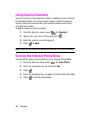
Using Special Numbers
You can save up to three special numbers in addition to your Internal
Phone Book entries (the same number may be in both directories).
You can make and receive calls from special numbers even when
your phone is locked.
To add or replace a special number:
1. From the Security menu, press
for Special #.
2. Select entry one, two, or three and press
.
3. Enter the number using the keypad.
4. Press
to Save.
Note: There are no Speed Dial options associated with special numbers.
Erasing the Internal Phone Book
To erase all the names and numbers in your Internal Phone Book:
1. From the Security menu, press
for Erase Pbook.
2. Press the navigation key up and select Yes.
3. Press
.
4. Press the navigation key up again to confirm and select Yes.
5. Press
40
Security
to permanently delete.
Erase Content
Erase Content deletes all saved downloaded content from the phone
including games, ringers, screen savers, and applications. To erase:
1. From the Security menu, press
for Erase Contents.
2. Press the navigation key up and select Yes.
3. Press
.
Resetting Your Phone
Resetting the phone restores all the factory defaults, including the
ringer types and display settings. The Phone Book, Call History,
Scheduler, and Messaging are not affected. To reset your phone:
1. From the Security menu, press
for Reset Phone.
2. Press the navigation key up and select Yes.
3. Press
.
4. Press the navigation key up again to confirm and
select Yes.
5. Press
to reset.
Security 41
42
Security
Controlling Your Roaming
Experience
Understanding Roaming
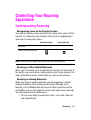
Recognizing Icons on the Display Screen
Your phone’s display screen always lets you know when you’re off the
network. The following chart indicates what you’ll see depending on
where you’re using your phone.
Roaming Indicator
Analog Indicator
Network
Other Digital Networks
Note: You will pay a higher per-minute rate for roaming calls.
Roaming on Other Digital Networks
When you’re roaming, your call quality and security will be similar to
the quality you receive when making calls on your home network. You
may not be able to access certain features, such as web services.
Roaming on Analog Networks
When you roam on analog networks, you will experience a similar
quality provided by other analog carriers today. Although some
features, such as Mobile Web services and Voice Command, will be
unavailable, you can still make and receive calls and access voicemail.
You will experience a few differences:
•
You are more likely to experience static, cross-talk, fade-out,
and dropped calls.
Roaming 43
•
Some features which are standard on the network, such as call
waiting, web services, and direct international dialing, are
unavailable.
•
Though callers can leave voicemail messages while you are
roaming, you will not receive notification until you return to the
network. While roaming, you can periodically check your
voicemail for new messages by dialing 1+area code+your
Phone Number. Press
when you hear your greeting and
enter your passcode at the prompt.
•
There are security and privacy risks (eavesdropping and
cloning) that exist with conventional analog services today.
•
Your battery needs recharging sooner when you use your
phone for analog roaming.
Note: If you’re on a call when you leave the network and enter an area
where roaming is available, your call is dropped. If your call is dropped in
an area where you think service is available, turn your phone Off and On
again to reconnect to the network.
Setting Your Phone’s System
Your phone allows you to control your ability to roam.
By using the Roaming menu option, you can determine which
signals your phone accepts.
Set System
Choose from three different settings on your phone to control your
roaming experience:
44
1. Press
for Main Menu.
2. Press
for Settings.
3. Press
for Others.
Roaming
4. Press
for Set System.
5. To select an option, highlight it and press
.
•
Automatic: This setting seeks service. When service is
unavailable, the phone searches for an alternate system.
•
Home Only: This setting allows you to access the home
network only and prevents roaming on other networks.
•
Analog: This setting allows you to access analog service
only.
•
AMPS Home: This setting allows you to access analog
service only in your home coverage area.
Set NAM
This setting allows you to associate your mobile identification
number (MIN) to your phone’s electronic serial number (ESN).
1. Press
for Set NAM.
2. Press the navigation key up or down to select NAM 1
or NAM 2.
3. Press
to Select.
Roaming 45
46
Roaming
Navigating Through Menus
Menu Navigation
The navigation key on your phone allows you to scroll through
menus quickly and easily. The scroll bar at the right of the menu
keeps track of your position in the menu at all times.
To navigate through a menu, simply press the navigation key up or
down. If you are in a first-level menu, such as Settings, you may also
navigate to the next menu by pressing the navigation key.
Menu Structure
Selecting Menu Items
As you navigate through the menu, menu options are highlighted.
Select any numbered option by simply pressing the corresponding
number on the phone’s keypad. You may also select any item by
highlighting it and pressing .
For example, if you want to view your last incoming call:
1. Press
for Main Menu.
2. Press
for Call History.
3. Press
for Incoming Calls.
Backing Up Within a Menu
To go to the previous menu:
• Press
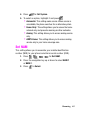
.
To return to standby mode:
•
Press
.
Navigating Through Menus 47
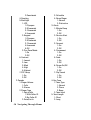
Viewing the Menus
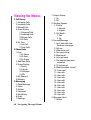
1: Call History
1: Outgoing Calls
2: Incoming Calls
3: Missed Calls
4: Erase History
1: Outgoing Calls
2: Incoming Calls
3: Missed Calls
4: All Calls
5: Air Time
1: Last Call
2: Total Calls
2: Phone Book
1: Find
1: By Name
2: By Entry
3: By Group
2: Add New Entry
3: Group Setting
1: Family
2: Friends
3: Colleague
4: VIPs
4: My Phone #
5: Memory
3: Messaging
1: Send Message
2: Inbox
3: Outbox
4: Voicemail
5: Web Alerts
6: Draft
7: Settings
48 Navigating Through Menus
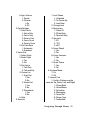
1: Display Popup
1: On
2: Off
2: Sending Options
1: Priority
1: Normal
2: Urgent
2: Call Back #
1: Yes
2: No
3: Canned Message
1: Can’t talk right now.
Send me a message.
2: Call me
3: Where are you?
4: Can you pick up
5: Meet me at
6: Let’s get lunch.
7: The meeting has been
canceled.
8: I’ll be there at
9: What time does it start?
10: I love you!
11: User edit
12: User edit
13: User edit
14: User edit
15: User edit
16: User edit
17: User edit
18: User edit
19: User edit
20: User edit
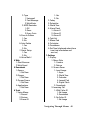
4: Message Alerts
1: Volume
2: Type
1: Voicemail
2: Text Message
3: Web Alerts
3: MSG Reminder
1: Off
2: Once
3: Every 2 min
5: Save In Outbox
1: Yes
2: No
6: Auto Delete
1: Yes
2: No
7: Alerts Setup
1: Yes
2: No
8: Voice Mail #
4: Web
1: Start Browser
2: Web Guard
5: Downloads
1: Games
1: Get New
2: Ringers
1: Get New
3: Screen Savers
1: Get New
4: Applications
1: Get New
6: Tools
1: Voice Memo
1: Record
2: Review
3: Erase All
1: Yes
2: No
2: Today
3: Scheduler
4: World Time
5: Alarm Clock
1: Alarm #1
2: Alarm #2
3: Alarm #3
6: Task List
7: Memo Pad
8: Calculator
9: Countdown
0: Set Time (displayed when there
is no time information and
service.)
7: Settings
1: Display
1: Menu Style
1: Camera
2: Nature
2: Screen Saver
1: Local Image
1: Aqua
2: World Time
3: Calendar
4: Launch Pad
5: Digital Clock
2: Downloads
3: Incoming Call
1: With Caller ID
1: No Image
2: Downloads
2: No Caller ID
1: No Image
Navigating Through Menus 49
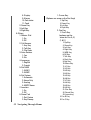
2: Downloads
4: Greeting
5: Backlight
1: LCD
1: Flip open
2: 30 seconds
3: 15 seconds
4: 8 seconds
2: Keypad
1: Flip open
2: 30 seconds
3: 15 seconds
4: 8 seconds
5: Off
3: Pwr Save Mode
1: On
2: Off
6: Contrast
1: Lowest
2: Low
3: Med
4: High
5: Highest
7: SVC Lamp
1: On
2: Off
2: Sounds
1: Ringer Volume
1: Calls
2: Alarms
2: Ringer Type
1: Voice Calls
1: With Caller ID
2: No Caller ID
2: Data/Fax In
50 Navigating Through Menus
3: Schedule
4: Roam Ringer
1: Normal
2: Distinctive
3: Alerts
1: Minute Beep
1: On
2: Off
2: Service Alert
1: On
2: Off
3: Connect
1: On
2: Off
4: Disconnect
1: On
2: Off
5: Fade
1: On
2: Off
6: Power On/Off
1: On
2: Off
7: Flip Sound
1: On
2: Off
4: Key Tone
1: Tone Type
1: Normal
2: Piano
3: Beep
2: Tone Level
5: Tone Length
1: Short
2: Long
6: App. Volume
1: Sound
2: Vibrator
1: On
2: Off
3: Data Settings
1: Data/Fax In
1: Voice Only
2: Fax in Only
3: Data in Only
4: Fax in Once
5: Data in Once
2: Set Data Rate
1: Automatic
2: Standard
4: Voice Dial
1: Adapt Digits
2: Reset Digits
1: Yes
2: No
3: Set Active
1: Talk Only
2: Talk and Flip
4: Choice List
1: Digit Dial
1: Yes
2: No
2: Name Dial
1: Yes
2: No
3: Phonebook
1: Yes
2: No
5: Help
5: Security
1: Lock Phone
1: Unlocked
2: On Power-Up
3: Lock Now
2: Change Lock
3: Restriction
1: Allow All
2: PBook Only
3: Special# Only
4: Special #
1: 911
2: *911
3: #911
5: Erase Pbook
1: Yes
2: No
6: Erase Contents
1: Yes
2: No
7: Reset Phone
1: Yes
2: No
6: Airplane Mode
1: On
2: Off
7: Launch Pad
1: Up Key (Options are the
same for Up, Down, Left, and Right)
1: Phone Book
2: Voice Memo
3: Scheduler
4: Messaging
5: Voice Dial
6: Ringer Type
7: Downloads
Navigating Through Menus 51
8: Display
9: Alarms
10: Calculator
11: Tools
2: Down Key
3: Left Key
4: Right Key
8: Others
1: Abbrev. Dial
1: On
2: Off
2: Call Answer
1: Any Key
2: Talk Key
3: Flip Open
3: Auto Answer
1: Yes
2: No
4: Language
1: English
2: French
5: Set NAM
1: NAM 1
2: NAM2
6: Set System
1: Automatic
2: Home Only
3: Analog
4: AMPS Home
7: Location
1: On
2: Off
8: Game Pad
1: Get Device
2: Key Remap
52 Navigating Through Menus
1: Cursor Key
(Options are same as the Fire Keys)
1: Up Key
2: Down Key
3: Left Key
4: Right Key
2: Fire Key
1: Fire A Key
(options are the
same for Fire A, B,
C, & D)
1: Up Key
2: Down Key
3: Left Key
4: Right Key
5: WEB Key
6: OK Key
7: Talk Key
8: Back Key
9: End Key
10: Menu Key
11: #1 Key
12: #2 Key
13: #3 Key
14: #4 Key
15: #5 Key
16: #6 Key
17: #7 Key
18: #8 Key
19: #9 Key
20: #0 Key
21: Star Key
22: Pound Key
23: Launching
2: Fire B Key
3: Fire C Key
4: Fire D Key
3: Other Key
1: Start Key
(options are the same for Menu key)
1: WEB Key
2: OK Key
3: Talk Key
4: Back Key
5: End Key
6: Menu Key
7: #1 Key
8: #2 Key
9: #3 Key
10: #4 Key
11: #5 Key
12: #6 Key
13: #7 Key
14: #8 Key
15: #9 Key
16: #0 Key
17: Star Key
18: Pound Key
19: Launching
2: Menu Key
9: Phone Info
InUse Menu
1: Mute/Unmute
2: Call History
3: Phone Book
4: 3-Way Call
5: Messaging
6: Voice Memo
7: Tools
8: Phone Info
Navigating Through Menus 53
54 Navigating Through Menus
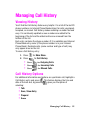
Managing Call History
Viewing History
You’ll find the Call History feature very helpful. It is a list of the last 20
phone numbers (or Internal Phone Book entries) for calls you placed,
accepted, or missed. Call History makes redialing a number fast and
easy. It is continually updated as new numbers are added to the
beginning of the list and the oldest entries are removed from the
bottom of the list.
Each entry contains the phone number (if it is available) and Internal
Phone Book entry name (if the phone number is in your Internal
Phone Book). Duplicate calls (same number and type of call) may
only appear once on the list.
To view a Call History entry:
1. Press
2. Press
•
•
•
for Main Menu.
for Call History.
Press
for Outgoing Calls
Press
for Incoming Calls
Press
for Missed Calls
Call History Options
For additional information and options on a particular call, highlight a
Call History entry and press
. This feature displays the time and
date of the call and, by pressing
, gives you the option of
selecting:
•
•
•
•
Talk
Save, Show Entry
Prepend
Erase
Managing Call History 55
Tip: You can also view the next Call History entry by pressing the
navigation key right or view the previous entry by pressing the navigation
key left.
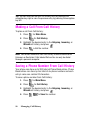
Making a Call From Call History
To place a call from Call History:
1. Press
2. Press
for Main Menu.
for Call History.
3. Highlight the desired entry in the Outgoing, Incoming, or
Missed call history and press
.
4. Press
to dial the number.
Note: You cannot make calls from Call History to entries identified as
Unknown or Restricted. Calls labeled Data or Fax can only be dialed
through a personal computer.
Saving a Phone Number From Call History
Your phone can store up to 300 Internal Phone Book entries. Phone
Book entries can store up to a total of six phone numbers and each
entry’s name can contain 20 characters.
To save a phone number from Call History:
1. Press
2. Press
for Main Menu.
for Call History.
3. Highlight the desired entry in the Outgoing, Incoming, or
Missed call history and press
.
4. Press
56
to Save the number.
Managing Call History
After you have saved the number, the new Internal Phone Book entry
is displayed. (See “Internal Phone Book Entry Options” on page 59.)
Note: You cannot save phone numbers already in your Internal Phone
Book or from calls identified as Unknown ID or Restricted.
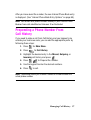
Prepending a Phone Number From
Call History
If you need to make a call from Call History and you happen to be
outside your local area code, you can add the appropriate prefix by
following these steps:
1. Press
for Main Menu.
2. Press
for Call History.
3. Highlight the desired entry in the Missed, Outgoing, or
Incoming call history and press
.
4. Press
to Prepend the number.
5. Use the keypad to enter the desired numbers.
6. Press
to call.
Note: Prepending allows you to enter a series of numbers before the
actual phone number.
Managing Call History 57
Erasing Call History
To erase individual Call History entries, see “Call History Options” on
page 55.
To erase Call History:
1. Press
for Main Menu.
2. Press
for Call History.
3. Press
for Erase History.
•
•
•
•
Press
to erase Outgoing Calls.
Press
to erase Incoming Calls.
Press
to erase Missed Calls.
Press
to erase All Calls.
4. Using the navigation key, highlight Yes and press
.
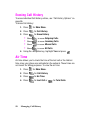
Air Time
Air time allows you to check the time of the last call or the total air
time since your phone was activated on the network. These times are
not meant for billing purposes. To view the air time:
1. Press
58
for Main Menu.
2. Press
for Call History.
3. Press
for Air Time.
4. Press
for Last Call or
Managing Call History
for Total Calls.
Using the Internal Phone Book
Internal Phone Book Entry Options
When you display an Internal Phone Book entry, the following
options are displayed when you press
.
•
Talk to dial the phone number. (If you are roaming and have
Call Guard activated, press
to complete the call.)
•
•
Edit allows you to modify or add information to the entry.
Prepend allows you to add a series of numbers before the
phone number is dialed.
• Erase allows you to permanently delete the entry.
To select an option, highlight it and press
or press the
corresponding number on the keypad.
Tip: You can view the next entry by pressing the navigation key right or
view the previous entry by pressing the navigation key left.
Entering Text
Selecting a Character Input Mode
Your phone provides convenient ways to enter words, letters,
punctuation, and numbers whenever you are prompted to enter text
(for example, when adding an Internal Phone Book entry).
To change the character input mode:
1. Before you start entering text, press
.
2. To select a character input mode, highlight it and
press
.
•
T9 (English) to enter characters using T9 Text Input
(see page 60).
Using the Internal Phone Book 59
•
Alpha to enter characters by tapping the keypad (see
page 60).
•
•
Symbol to enter symbols (see page 61).
Number to enter numbers (see page 61).
The Shortcut option is displayed when you are creating an email or
entering a URL. The following options are available:
•
•
•
•
•
•
•
www. automatically enters “www.”
.com automatically enters “.com”.
.org automatically enters “.org”.
.net automatically enters “.net”.
.edu automatically enters “.edu”.
.wap automatically enters “.wap”.
https:// automatically enters “https://”.
Entering Characters Using T9 Text Input
T9 Text Input lets you enter text in your phone by pressing keys just
once per letter. (To select the T9 Word mode when entering text, see
"Selecting a Character Input Mode" on page 59.)
T9 Text Input analyzes the letters you enter using an intuitive word
database and creates a suitable word. (The word may change as you
type.) If the word you want does not display after you have entered all
the letters, press
to scroll through additional word selections.
To accept a word and insert a space, press
.
If you make a mistake, press
to erase a single character. Press
and hold
to delete an entire entry.
Entering Characters by Tapping the Keypad
To enter characters by tapping the keypad, select the Alpha mode
(see “Selecting a Character Input Mode” on page 59). Press the
corresponding key until the desired character appears. By default, the
first letter of a word is capitalized and following letters are lowercase.
60
Using the Internal Phone Book
Characters scroll in the following order:
•
•
•
•
•
•
•
•
•
•
•
•
.,-?!’@:/1
ABC2abc
DEF3def
GHI4ghi
JKL5jkl
MNO6mno
PQRS7pqrs
TUV8tuv
WXYZ9wxyz
0
Space
Shift
After a character is entered, the cursor automatically advances to the
next space after two seconds or when you enter a character not on
the same key.
Note: If you press and hold a numeric key for a few seconds, it will
automatically display the number.
Entering Numbers and Symbols
•
To enter numbers, select the Number mode and press the
appropriate key. (See “Selecting a Character Input Mode” on
page 59).
•
To enter symbols, select the Symbols mode. (See “Selecting
a Character Input Mode” on page 59.) To enter a symbol,
press the appropriate key indicated on the display.
Using the Internal Phone Book 61
Adding a New Internal Phone Book Entry
Your phone can store up to 300 Internal Phone Book numbers or
email addresses. Phone book entries can store up to a total of six
phone numbers and the entry’s name can contain 20 characters.
To add a new entry:
1. Press
for Main Menu.
2. Press
for Phone Book.
3. Press
for Add New Entry.
4. Enter a new phone number and press
.
5. Select the Type using the navigation key.
6. Enter the name using the keypad and press
7. Press
.
to Save.
Note: To save an email address in the phone book, you must have a
phone number associated with the address.
Finding Internal Phone Book Entries
There are several ways to display your Internal Phone Book entries.
Follow the steps outlined in the sections below to display entries
from the Internal Phone Book menu.
Finding Names
You can review all the entries stored in your Internal Phone Book or
find an entry quickly by following these simple steps:
1. Press
62
for Main Menu.
2. Press
for Phone Book.
3. Press
for Find.
Using the Internal Phone Book
4. Press the navigation key left or right to search by Name,
Entry, or Group.
5. Once the desired option is highlighted, press the navigation
key down.
6. Enter the first few letters or entry # to locate the desired
entry.
7. Scroll to highlight the name and press
to make the call.
Shortcut: From standby mode, press the navigation key down to display
the Find feature.
Finding Speed Dial Numbers
To find phone numbers you have stored in speed dial locations:
1. Press
for Main Menu.
2. Press
for Phone Book.
3. Press
for Find.
4. Press the navigation key to the right until By Entry is
highlighted.
5. Enter the entry or speed dial location number.
Finding Group Entries
To find entries designated as part of a group:
1. Press
for Main Menu.
2. Press
for Phone Book.
3. Press
for Find.
4. Press the navigation key to the right until By Group is
highlighted.
Using the Internal Phone Book 63
5. Press the navigation key down once to highlight the group
selection. Press the navigation key left or right to select the
desired group. (If you do not have any groups associated
with your phone book entries, see "Changing the Group
Name" on page 67 to change the group names. If no group
is selected, the entry is automatically set to No Group.)
Adding a Phone Number to an Internal Phone
Book Entry
To add a phone number to an entry:
1. Press
for Main Menu.
2. Press
for Phone Book.
3. Press
for Find.
4. Select the desired entry and press
5. Press
.
to edit the entry.
6. Press the navigation key down until the desired label is
selected and press
to edit.
7. Enter the phone number using the keypad and press
8. Press
.
to Save.
Note: Phone numbers labeled Fax or Data can only be dialed through a
personal computer.
Editing an Internal Phone Book Entry’s
Phone Number
To edit an entry’s phone number:
1. Press
64
for Main Menu.
Using the Internal Phone Book
2. Press
for Phone Book.
3. Press
for Find.
4. Select the desired entry and press
5. Press
.
to edit the entry.
6. Press the navigation key down until the desired phone
number is selected and press
to edit.
7. Press and hold
to erase the entire number or press
once to erase just the last number.
8. Enter the new number using the keypad and press
9. Press
.
to Save.
Selecting a Ringer Type for an Entry
You can assign a ringer type to an Internal Phone Book entry so you
can identify the caller by the ringer type. (See “Ringer Types” on page
21.)
To select a ringer type for an entry:
1. Press
for Main Menu.
2. Press
for Phone Book.
3. Press
for Find.
4. Select the desired entry and press
5. Press
.
to edit the entry.
6. Press the navigation key down until Name Ringer is
selected and press
to edit.
7. Press the navigation key to the right and highlight the
desired Ringer Category (Default, Single Tone, Ringtones,
Melodies, or Downloaded.)
8. Press the navigation key down.
Using the Internal Phone Book 65
9. Press the navigation key to the left or right to highlight and
listen to the desired Ringer and press
.
10. Press
to Save.
Secret Internal Phone Book Entries
You can hide an entry’s phone number(s) and require your lock code
to edit the entry by making it secret. The entry name is still displayed,
but the entry’s phone numbers are replaced by “(SECRET)”.
To make an entry secret:
1. Press
for Main Menu.
2. Press
for Phone Book.
3. Press
for Find.
4. Select the desired entry and press
5. Press
.
to edit the entry.
6. Press the navigation key down until Secret is selected.
7. Press the navigation key left or right until On is displayed in
the Secret field and press
to Save.
To make an entry public:
1. Display an Internal Phone Book entry.
2. Press
to edit the entry.
3. Enter your lock code.
4. Press the navigation key down until Secret is selected.
5. Press the navigation key left or right until Off is displayed in
the Secret field and press
to Save.
66
Using the Internal Phone Book
Tip: If you can’t recall your lock code, try using the last four digits of
either your Social Security number or Phone Number or try 0000. If none
of these work, call Customer Service at (888) 987-HELP (4357).
Changing the Group Name
You can associate a preset group name to your entries to help you
sort them easier in the phone book. The preset group names already
programmed into your phone are:
•
•
•
•
•
Family
Friends
VIPs
No Group
Colleague
To associate an existing number located in your phone book:
1. Press
for Main Menu.
2. Press
for Phone Book.
3. Press
for Find.
4. Select the desired entry and press
5. Press
.
to edit the entry.
6. Press the navigation key down until the Group is selected.
7. Press the navigation key left or right until the desired group
name is displayed.
8. Press
to Save.
Using the Internal Phone Book 67
To associate a new number:
1. Follow the steps for entering a Adding a New Internal Phone
Book Entry.
2. Before saving, press the navigation key down until Group is
selected.
3. Press the navigation key left or right until the desired group
name is displayed.
4. Press
68
to Save.
Using the Internal Phone Book
Personal Organizer
Adding an Event to the Scheduler
Your Scheduler helps organize your time and reminds you of
important events.
To add an event:
1. Press
for Main Menu.
2. Press
for Tools.
3. Press for
Scheduler.
4. Press
for Add New.
5. Enter the event description using the keypad and
press
.
6. Enter the Start Time and Date using the keypad. Press
for AM and
for PM.
7. Enter the End Time and Date using the keypad.
8. Press the Navigation key left or right and select one of
the following:
No Alarm
30min before
On Time
1Hr before
10min before
9. Press to
Save.
Personal Organizer 69
Event Alerts
There are several ways your phone alerts you of scheduled events:
•
•
•
By playing the assigned ringer type.
By illuminating the backlight.
By flashing the LED.
To select the ringer:
1. Press
for Main Menu.
2. Press
for Settings.
3. Press
for Sounds.
4. Press
for Ringer Type.
5. Press
for Schedule.
6. Press the navigation key left or right to select the desired
ringer category.
7. Press the navigation key down and then left or right to
select the desired ringer or melody.
8. Press
to Save.
Viewing Events
To view your scheduled events:
1. Press
2. Press
for Main Menu.
for Tools.
3. Press for
Today.
4. A list of the events scheduled for the day are displayed.
70 Personal Organizer
Erasing a Day’s Events
To erase a scheduled day’s events:
1. Press
2. Press
for Main Menu.
for Tools.
Today.
3. Press for
4. Highlight the desired event and press
to Erase.
5. Select Yes using the navigation key and press
to confirm.
Going to Today’s Scheduler Menu
If you are viewing the Scheduler menu and wish to go to the
Scheduler menu for today’s date:
•
From the Scheduler menu, highlight the current date and
press
.
Purging Events
To delete events scheduled before a specific time and date:
1. Press
for Main Menu.
2. Press
for Tools.
3. Press
for Scheduler.
4. Highlight the desired day of the event being deleted.
5. Press
for View.
6. Press the navigation key up or down to select the
desired event.
7. Press
to Erase the event.
Personal Organizer 71
8. Select Yes with the navigation key and press
to confirm.
Purging All Events
To delete all scheduled events:
1. Press
for Main Menu.
2. Press
for Tools.
3. Press
for Scheduler.
4. Highlight the desired day of the event being deleted.
5. Press
for View.
6. Press the navigation key up or down to select the
desired event.
7. Press
to Erase All events.
8. Select Yes with the navigation key and press
to confirm.
World Time
World Time displays what time it is in twenty-four different time
zones around the world together with one or more major cities,
states, regions, or countries in a time zone.
To access world time:
1. Press
for Main Menu.
2. Press
for Tools.
3. Press
for World Time.
4. Press the navigation key left, right, up, or down to display
the different time zones.
72 Personal Organizer
5. Press
to turn DST Setting (Daylight Savings
Time) On or Off for that time zone.
Note: A sun icon is displayed on-screen if DST is selected for a time zone.
Using the Alarm Clock
Your phone comes with a built-in alarm clock with multiple alarm
capabilities. To use this feature, follow these easy steps:
1. Press
for Main Menu.
2. Press
for Tools.
3. Press
for Alarm Clock.
4. Press
,
, or
to select an Alarm.
5. Press the navigation key left or right and select On.
6. Press the navigation key down once and enter the
alarm time.
7. Press the navigation key down once to select the desired
ringer. Cycle through the ringers by pressing the navigation
key left or right.
8. Press the navigation key down once to select the alarm
frequency. Press the navigation key left or right and select
one of the following options:
•
•
•
•
Daily
Once
Mon to Fri
Sat & Sun
9. Press
to Save.
Personal Organizer 73
Task List
1. Press
for Main Menu.
2. Press
for Tools.
3. Press
for Task List.
4. If there are no existing memo’s, the New Task screen is
automatically displayed. If there is a memo already saved,
press
for Add New.
5. Enter up to 32 characters in the memo and press
.
6. Enter the Until time and Date using the keypad.
7. Highlight the priority level and press the navigation key left
or right to select one of the following:
•
•
Low
High
8. Press
to Save.
To view a saved Task:
1. Press
for Main Menu.
2. Press
for Tools.
3. Press
for Task List.
4. Highlight the desired task using the navigation key and
press
to view.
To erase a saved Task:
1. Press
for Main Menu.
2. Press
for Tools.
3. Press
for Task List.
74 Personal Organizer
4. Highlight the desired task using the navigation key and
press
for Erase.
5. Select Yes and press
Note: Press
to confirm the deletion.
to Erase All Tasks in the list.
Using the Memo Pad
Your phone comes with a memo pad you can use to compose and
store reminders and notes to help keep you organized.
To compose a note:
1. Press
for Main Menu.
2. Press
for Tools.
3. Press
for Memo Pad.
4. If there are no existing memo’s, the phone displays “No
Memo Entered” and a New Memo screen is automatically
displayed. If there is a memo already saved, press
for Add New.
5. Enter up to 64 characters in the memo and press
to Save.
To read a saved note:
1. Press
for Main Menu.
2. Press
for Tools.
3. Press
for Memo Pad.
4. Highlight the desired memo using the navigation key and
press
to view.
Personal Organizer 75
To erase saved notes:
1. Press
for Main Menu.
2. Press
for Tools.
3. Press
for Memo Pad.
4. Highlight the desired memo using the navigation key and
press
for Erase.
5. Select Yes and press
to confirm the deletion.
Using the Calculator
Your phone comes with a built-in calculator function. To use this
feature, follow these easy steps:
1. Press
for Main Menu.
2. Press
for Tools.
3. Press
for Calculator.
4. Enter a number with the keypad. (Press
to insert a
decimal point and/or
to make the number negative or
positive.)
5. Press the navigation key:
•
•
•
•
•
•
Left - Subtract
Right - Multiply
Up - Add
Down - Divide
- Decimal
- To change the -/+ sign.
6. Enter the next number using the keypad.
76 Personal Organizer
Note: For more complex equations, enter all the numbers and
mathematical signs before pressing OK.
7. Press
to view the results.
Countdown
Countdown allows you to enter a future date and time into the phone
and then see the amount of days, hours, and minutes until that time
is reached.
To setup a new countdown:
1. Press
for Main Menu.
2. Press
for Tools.
3. Press
for Countdown.
4. If there are no existing countdowns, the phone displays “No
Countdown Entered” and a New Countdown screen is
automatically displayed. If there is already a countdown
entered, press
for Add New.
5. Enter a name using the keypad and press
.
6. Enter the Input time and date values and press
To view a countdown:
1. Press
to Save.
for Main Menu.
2. Press
for Tools.
3. Press
for Countdown.
4. Press the navigation key up or down to highlight the desired
countdown and press
.
Personal Organizer 77
Tip: When viewing an existing countdown, press the navigation key left
or right to cycle between the other countdown entries.
Note: No audible alert is sounded when the countdown is reached.
78 Personal Organizer
Voice Services
Activating Voice Recognition
Voice recognition allows you to say commands to perform common
functions supported by your phone. There is no voice training
required to use the voice recognition feature. You simply say the predesignated command displayed on your screen in a normal tone of
voice to perform the desired function.
To activate voice recognition:
1. Press and hold
.
2. The phone prompts you to say a voice command. Wait for
the beep and then say one of the following commands:
•
Digit Dial
•
Voice Memo
•
Browser
•
Name Dial
•
Phonebook
•
Play Games
When it recognizes one of these commands, the phone launches the
associated application. If the phone does not hear a command within
approximately eight seconds, it de-activates voice recognition
without taking any action.
Note: If you want to use a different button to activate voice recognition,
press
for Launch Pad. On this menu, you can change
button assignments, including the button used to launch "Voice Dial,"
which is the voice recognition application.
Digit Dial
Digit Dial allows you dial any valid 7 or 11 digit North American
phone number by speaking the number naturally, without pausing
between the digits.
Tips for using Digit Dial:
•
Digit Dial works best in quieter environments.
Voice Services 79
•
When saying a number, speak at a normal speed and say each
digit clearly. There is no need to pause between digits.
•
The phone recognizes the digits one, two, three, four, five, six,
seven, eight, nine, zero, and oh. The phone does not recognize
numbers such as "one eight hundred" for "1-800." Instead, say
"one-eight-zero-zero."
•
The phone recognizes only valid 7, 10, or 11 digit North
American phone numbers.
•
If your phone does not usually recognize you correctly when
you are using Digit Dial, try adapting Digit Dial to your voice,
which can significantly improve accuracy for some speakers.
See the section "Adapting Digit Dial" for details.
To place a call using Digit Dial:
1. Activate voice recognition by pressing and holding
phone prompts you for a command.
. The
2. Say Digit Dial. The phone prompts you to say the number.
3. Say a valid 7, 10 or 11 digit North American phone number
naturally and clearly.
Note: If desired, you can say the number "1" before the number. This is
not required, the call is made both ways.
4. If the phone asks you, "Did You Say," followed by the correct
number, say "Yes." You can also select the correct number
from those displayed on the screen by pressing
on the
correct number. The phone will then dial the number.
5. If the phone asks you, "Did You Say," followed by an
incorrect number, say "No." If there are other alternatives,
the phone will prompt you with the next one. You can also
press the navigation key up or down to select the correct
number from the Choice List, and then press
to dial.
80 Voice Services
Note: In some cases, the phone might ask you to repeat a number. Make
sure that the number is a valid 7 or 10 digit North American phone
number, and then say the number again. If the number isn't valid, or if the
phone still doesn't understand the number on the second try, it will not
place a call.
Enabling/Disabling Digit Dial Choice Lists
You can customize whether the Digit Dial feature displays the list of
top voice recognition choices or automatically dials the first number,
without displaying a choice list.
To enable or disable choice lists for Digit Dial:
1. Press
for Settings.
2. Press
for Voice Dial.
3. Press
for Choice List.
4. Press
for Digit Dial.
5. Press the navigation key up or down to select Yes or No and
press
.
Note: Disabling the choice list does not disable the digit dial feature. Only
the choice list is disabled.
Adapting Digit Dial
Digit Dialing is speaker independent, which means that no training or
adaptation is required. Some users with heavy accents or unusual
voice characteristics may find difficulty in achieving high accuracy
with speaker independent digit dialing, so the Adapt Digits feature
allows users to dramatically improve the digit accuracy through
adaptation. Users who get acceptable digit recognition accuracy will
find no additional benefit to performing the Adapt Digit adaptation.
Voice Services 81
After you adapt Digit Dial, your phone will be customized to your
voice. Other people will not be able to use Digit Dial on your phone
unless they reset the phone to factory defaults.
Important: ONLY adapt Digit Dial if the system is frequently
misrecognizing your speech. You can always restore the system to its
original factory setting.
Adaptation involves recording several digit sequences to teach the
system your voice. The adaptation process takes about 3 minutes.
Tips for adapting Digit Dial:
•
•
•
•
Adapt digits in a quiet place.
Make sure you wait for the beep before starting to speak.
Speak clearly, but say each digit sequence naturally.
If you make a mistake while recording a sequence of digits, or
if there is an unexpected noise that spoils the recording, you
can say or select No when the prompt asks, “Did the recording
sound OK?”. You will then be prompted to re-record the
sequence.
To adapt Digit Dial to your voice:
1. Press
for Settings.
2. Press
for Voice Dial.
3. Press
for Adapt Digits.
4. The phone displays the first digit sequence. When you are
ready to start recording, press
. The phone prompts you
to say the first sequence of digits.
5. Wait for the beep, and then repeat the digits using a normal
tone of voice. The phone plays back your recording and
asks you if the recording sounds "OK."
82 Voice Services
6. If the recording sounds ok (no mistakes, and no
background noises), say "Yes." If you need to re-record the
digits to fix any problems, say "No." The phone then
prompts you to say the digits again. Wait for the beep, and
then record the digits again. Repeat this step until you are
satisfied with the recording.
7. After confirming that the recording sounds ok, repeat the
recording process with the next set of digits. After six sets
of digits, the phone will ask you whether you want to do
more adaptation. Answer "Yes."
8. Repeat steps 4-8 for another six sets of digits. After the
sixth set of digits, you will be half way through the session
and the phone asks “More Adapatation?”. Select OK to
continue for six more sets of digits, or press
for partial
adapation. When you are finished with a full session, you
will reach a screen that reads, “Adaptation Complete”.
Note: It is recommended that you perform the complete adaptation of
Digit Dial at least once to achieve the maximum benefit of this feature. If a
partial adaptation is performed, you can always return later and resume
the process from the half way point.
Resetting Digit Dial Adaptation
To erase any adaptation and reset Digit Dial to its original state:
1. Press
for Settings.
2. Press
for Voice Dial.
3. Press
for Reset Digits.
4. Press the navigation key up or down button to select Yes
and press
.
Voice Services 83
Using Name Dial
For best results with Name Dial, enter first and last names in your
phone book, avoid using abbreviations, and make sure the names are
spelled correctly. Name Dial automatically voice-activates every
contact in your Phonebook without the need to record or "train"
names before using them. With Name Dial you can dial any person in
your Phonebook by saying that person's name.
To place a call using Name Dial:
1. Activate voice recognition by pressing and holding
phone prompts you for a command.
. The
2. Say Name Dial. The phone prompts you to say a name.
3. Say the full name of the person you want to call, exactly as it
is entered in your Phonebook. The phone plays the name
through the earpiece and displays it on the screen. If the
Phonebook contains only one number for the name, the
phone automatically dials that number.
4. If the name that you spoke has more than one number
associated with it, the phone displays the different locations
(home, work, etc.) and asks you which one to dial. Say one
of the following locations:
•
Home
•
Mobile
•
Work
•
Pager
•
Fax
5. The phone dials the number for the location you specified.
Enabling/Disabling Name Dial Choice Lists
You can customize whether the Name Dial feature displays a list of
choices for names that sound alike, or brings up information for the
first recognized name, without displaying a choice list.
To enable or disable choice lists for Name Dial:
1. Press
84 Voice Services
for Settings.
2. Press
for Voice Dial.
3. Press
for Choice List.
4. Press
for Name Dial.
5. Press the navigation key up or down to select Yes or No and
press
.
When choice lists are enabled for Name Dial, after you say the name,
the phone will display one or more names on the screen and prompt
you to confirm the name you spoke.
"If the phone says, "Did You Say," followed by the correct name, say
"Yes."
"If the phone asks you, "Did You Say," followed by an incorrect name,
say "No." The phone then prompts you with the next name, if there is
one. If there are no more names, the phone will say "Sorry, No Match
Found," and will not place a call.
You can also choose a name from the choice list manually. Use the
Launch Pad up and down buttons to highlight the name, and then
press
to select it.
Using Phonebook
Phonebook allows you to retrieve contact information for any person
saved in your phone by saying the full name of the person.
To retrieve information using Phonebook:
1. Activate voice recognition by pressing and holding
phone prompts you for a command.
. The
2. Say Phonebook. The phone prompts you to say the name.
3. Say the full name of the person, exactly as it is entered in
your Phonebook. The phone plays the name it recognized
through the earpiece, and then opens the contact
information for that name.
Voice Services 85
Enabling/Disabling Phonebook Choice Lists
You can customize whether the Phonebook feature displays a list of
choices for names that sound alike, or brings up information for the
first recognized name, without displaying a choice list.
To enable or disable choice lists for Phonebook:
1. Press
for Settings.
2. Press
for Voice Dial.
3. Press
for Choice List.
4. Press
for Phonebook.
5. Press the navigation key up or down to select Yes or No and
press
.
When choice lists are enabled for Phonebook, after you say the
name, the phone will display one or more names on the screen and
prompt you to confirm the name you spoke.
"If the phone says, "Did You Say," followed by the correct name, say
"Yes."
"If the phone asks you, "Did You Say," followed by an incorrect name,
say "No." The phone then prompts you with the next name, if there is
one. If there are no more names, the phone will say "Sorry, No Match
Found."
You can also choose a name from the choice list manually. Press the
navigation key up or down to highlight the name, and then press
to select it.
Recording Memos
You can use your phone to record memos, or record the person at
the other end of a phone call.
Note: You can store up to 10 minutes of memos at a time, in up to 10
separate memos. Individual memos can be up to 60 seconds long.
86 Voice Services
To record a memo using the phone's built-in microphone:
1. Press
for Tools.
2. Press
for Voice Memo.
3. Press
for Record. The phone prompts you to start
recording after the beep.
4. Wait for the beep and then start speaking. As it is recording,
the phone displays a countdown timer that shows how
many seconds are left for recording.
5. To pause the memo, press
. When a memo is paused,
press
again to resume recording.
6. To finish recording, press
.
When you have finished recording, the phone offers you the option of
reviewing the memo, re-recording the memo, saving it, or quitting
without saving the memo.
•
To listen to the memo again, select Review and
press
•
.
To discard the current recording and make a new one, select
Rerecord and press
•
.
To save the memo and return to the home screen, select
Save and press
. The phone prompts you to enter a
name for the memo. Enter a name. Use the Menu to enter letters, numbers, or symbols. When you are done, press
•
.
To quit the memo feature without saving the memo, select
Quit and press
.
Voice Services 87
Reviewing and Erasing Memos
To review (replay) a memo you have recorded earlier:
1. Press
for Tools.
2. Press
for Voice Memo.
3. Press
for Review. The phone displays a list of saved
memos, with the first one selected.
4. Select a memo and press
, or press the number
corresponding to the memo you want to review. The phone
replays the memo. To pause the memo during replay, press
. Press
again to resume replaying the memo.
To erase an individual memo:
1. Follow the steps above to display the list of saved memos.
2. Select the memo to erase.
3. Press
for Erase.
4. Press the navigation key up to select Yes and press
5. Press
.
.
To erase all existing voice memos in a single step:
1. Press
for Tools.
2. Press
for Voice Memo.
3. Press
for Erase All. The phone asks you if you want to
erase all voice memos.
4. Select Yes and press
88 Voice Services
.
The Basics
Using Voicemail
Setting Up Your Voicemail
All unanswered calls to your phone are automatically transferred to
voicemail, even if your phone is in use or turned off. Therefore, you
will want to set up your Voicemail and personal greeting as soon as
your phone is activated.
To set up voicemail:
1. Press and hold
.
2. Follow the system prompts to create your passcode, record
your greeting, and record your name announcement.
Note: You must request this feature from your service provider for it to
work correctly.
Note: The voicemail setup process may vary in certain Affiliate areas.
Voicemail Notification
There are several ways your phone alerts you:
• By displaying a message on the screen.
• By sounding the assigned ringer type.
• By a blinking red LED light.
• By displaying
at the top of your screen.
The Basics 89
New Voicemail Message Alerts
When you receive a new voice message, your phone alerts you and
prompts you to call your voicemail. To call your voicemail, press and hold
. To display your Missed Log, press
.
Important: When you are roaming off the network, you may not receive
notification of new voicemail messages. It is recommended that you
periodically check your voicemail by dialing 1 + area code + your Phone
Number. When your voicemail answers, press
and enter your
passcode. You will be charged roaming rates when accessing voicemail
while roaming off the network.
Note: Your phone accepts messages even when it is turned off. However,
you are only notified of new messages when your phone is turned on and
you are in a Service Area.
Retrieving Your Voicemail Messages
You can review your messages directly from your phone or from any
other touch-tone phone. To dial from your phone, you can either
speed dial your voicemail or use the menu keys.
Using One-Touch Message Access:
•
Press and hold
. Follow the system prompts.
Using the Menu Keys on Your Phone to Access Your Messages:
1. Press
for Main Menu.
2. Press
for Messaging.
3. Press
for Voicemail.
Note: You are charged for airtime minutes when you are accessing your
voicemail from your phone.
90
The Basics
Using a Phone Other Than Your Wireless Phone to Access
Messages:
1. Dial your wireless phone number.
2. When your voicemail answers, press
3. Enter your passcode and press
.
.
Clearing the Message Icon
Your phone may temporarily continue to display the message icon
after you have checked your voice and text messages.
To clear the icon from the display screen:
1. Press
for Main Menu.
2. Press
for Messaging.
3. Press
for Voicemail.
4. Press
for Clear Icon.
5. Press the navigation key up to select Yes and press
.
Using Caller ID
Caller ID lets people know who’s calling by displaying the number of
the person calling.
To block your phone number from being displayed for a specific
outgoing call:
1. Press
.
2. Enter the number you want to call.
3. Press
.
To permanently block your number, call Customer Service.
The Basics 91
Responding to Call Waiting
When you’re on a call, Call Waiting alerts you to incoming calls by
sounding two beeps. Your phone’s screen informs you that another
call is coming in and displays the caller’s phone number (if it is
available and you are in digital mode).
To respond to an incoming call while you’re on a call:
•
Press
. (This puts the first caller on hold and answers
the second call.)
To switch back to the first caller:
•
Press
again.
Tip: For those calls where you don’t want to be interrupted, you can
temporarily disable Call Waiting by pressing
before
placing your call. Call Waiting is automatically reactivated once you end
the call.
Making a Three-Way Call
With Three-Way Calling, you can talk to two people at the same time.
When using this feature, the normal airtime rates will be charged for
each of the two calls.
1. Enter a number you wish to call and press
.
2. Once you have established the connection, press
for 3-Way Call.
3. Dial the second number and press
.
4. When you’re connected to the second party, press
again to begin your three-way call.
92
The Basics
If one of the people you called hangs up during your call, you and the
remaining caller stay connected. If you initiated the call and are the
first to hang up, all three callers are disconnected.
Tip: You can also begin a Three-Way Call by displaying a phone number
stored in your Internal Phone Book, Call History, or Messaging. To call
the third party, press
.
Note: Call Waiting and Three-Way Calling are not available while roaming
off the network.
Data/Fax
Your phone is capable of sending and receiving digital data and fax
calls when connected to a computing device (laptop, desktop, hand
held, palmtop, etc.) running the Windows or Windows NT operating
system. Your phone functions similar to a typical modem on your PC,
enabling you to use wireless data involving a wide variety of
Windows applications.
To use digital data or fax services with your phone, you will need to
obtain a digital data/fax kit from your service provider. This kit
contains the necessary cables, software, and documentation required
for you to connect and use your phone with your computing device.
Data/Fax setup
1. Press
for Main Menu.
2. Press
for Settings.
3. Press
for Data Settings.
4. Press
for Data/Fax In.
5. Press the navigation key up or down to select Voice Only,
Fax in Only, Data in Only, Fax in Once, or Data in Once.
The Basics 93
6. Press
to Select.
•
•
Voice Only: No incoming Data/Fax calls can be received.
•
Data in Only: No voice calls can be received. Only allows
incoming data transmissions.
•
Fax in Once: No Voice Calls can be received. Allows one
incoming Fax transmission.
•
Data in Once: No voice calls can be received. Only allows
one incoming data transmission.
Fax in Only: No Voice Calls can be received. Only allows
incoming Fax transmissions.
Receiving a fax
1. Press
for Main Menu.
2. Press
for Settings.
3. Press
for Data Settings.
4. Press
for Data/Fax In.
5. Press the navigation key up or down and select Fax in Only.
6. Press
to Select.
In the Fax program on your PC, configure the Answer Mode. Click
Receive and select either Automatic Receive (recommended) or
Manual Receive. Your phone is ready to receive an incoming fax.
Note: Once you have set your phone’s mode to fax for next call, you
cannot receive regular voice calls until you change back to voice calls
only, or a fax is received.
Ending a Fax or Data Call
Some common ways to end a call, like closing the phone, will not end
a fax or data call. Always disconnect the connection through the
94
The Basics
application on your computer, which returns your phone to standby
mode. Disconnecting the data cable or turning off your phone will
also end a data or fax call, but it may disrupt your computer.
Sending a Fax or Data File
When connected to a computing device, your phone allows wireless
fax and data transmissions. Your computing device software initiates
the call to the destination phone number. Your phone functions as a
wireless modem to send the Fax or Data file to the number
designated by your PC software.
Changing your phone back to voice calling
1. Press
for Main Menu.
2. Press
for Settings.
3. Press
for Data Settings.
4. Press
for Data/Fax In.
5. Press the navigation key up or down and select Voice Only.
6. Press
to Select.
Note: “No incoming data/fax calls can be received.” appears on the
display.
The Basics 95
96
The Basics
Messaging
Now you can exchange text and email messages right from your
phone and stay connected without saying a word. Within Messaging
you can also view the number of voicemail messages you have
waiting for you. For more information on using your phone’s
voicemail feature, see “Using Voicemail” on page 89.
The following folders are available in the Messaging menu:
•
Send Message - allows you to create and send a new text
message.
•
•
•
Inbox - allows you to view email messages in the Inbox.
•
Web Alerts - allows you to receive an alert that a new web
message is available.
•
Draft - allows you to save a copy of an unfinished message
and send at a later time.
•
Settings - allows you to configure the messaging options.
Outbox - contains a copy of outgoing messages.
Voicemail - allows you to view or listen to any voice
messages saved in the phone.
Erasing All Messages
To erase all messages:
1. Press
for Main Menu.
2. Press
for Messaging.
3. Press
for Inbox.
4. Press
— or—
Press
for Erase.
for Erase All.
5. Press the navigation key up to select Yes and press
.
Messaging 97
Text Messaging
Using Text Messaging
With Text Messaging, you can use a person’s wireless phone number
to send instant text messages from your web enabled phone to their
messaging-ready phone – and they can send messages to you. When
you receive a new message, you’ll automatically be notified with a
one-way text message.
In addition, messaging includes a variety of pre-set messages, such as
“I’m running late, I’m on my way,” that make composing messages
fast and easy.
To send a text message:
1. Press
for Main Menu.
2. Press
for Messaging.
3. Press
for Send Message
4. Enter the phone number or email address of the person to
whom you’re sending a message and press
.
5. Enter your message using the keypad. Press
to select
the desired character format. Press
when finished.
6. Press
to send.
Sending Options
When you are sending a new text message, there are options
associated with the new message. These options allow you to
configure the following:
•
Priority - allows you to set the priority level between
Normal and Urgent.
•
Call Back # - allows you to enter or omit a call back number
in your message.
98 Messaging
To read a Text Message:
•
When you receive a text message, you will see “New Text
Message” on your display screen. Select OK.
To reply to a Text Message:
1. While the message is open, select Menu Reply.
2. Compose your reply or use canned messages.
•
Use your keypad to type a message. Use the right softkey to
select a character input mode.
•
To use canned messages press
for Canned
Msg. Press the corresponding number on the keypad to
enter the canned message response.
3. Press
.
4. Press
to Send.
Note: The last canned message used automatically moves to the top of
the list when you send a new message.
Messaging 99
Message Setup Options
There are several options associated with text messaging. The
Message Setup menu allows you to customize the options to fit your
preferences. The message options are divided into the following
categories:
•
Display Popup: If this option is On, a pop-up dialog box is
displayed when new messages are received.
•
Sending Options: Allows you to configure the default
Priority level and Call Back number for messages.
•
Canned Message: Allows you to edit or change the default
canned messages.
•
Message Alerts: Allows you to configure the Volume level,
Type, and Message Reminder settings for Message Alerts.
•
Save In Outbox: If this option is On, a copy of the message
is automatically saved in the Outbox after being sent.
•
Auto Delete: If this option is On, old messages are
automatically deleted from the mail boxes when they
become full. This allows the new messages to be added.
•
Alerts Setup: allows you to configure to auto-connect web
alerts when possible.
•
Voice Mail #: allows you to configure the voicemail
number.
To access the Settings menu:
1. Press
for Main Menu.
2. Press
for Messaging.
3. Press
for Settings.
100 Messaging
Display Popup
When this option is turned On, a popup window is displayed on the
phone to alert you that new messages are waiting. To turn On the
Display Popup option:
1. Press
2. Press
for Main Menu.
for Messaging.
3. Press
for Settings
4. Press
for Display Popup.
5. Select On using the navigation key and press
to Select.
Sending Options
The Sending Options allow you to configure the Priority and Call Back
number for outgoing messages. Once configured, these options are
the default settings for any new messages that are created.
Priority
There are two priority levels associated with text messaging. They
are:
•
Normal: this option sends the message as normal with
regular delivery.
•
Urgent: this option sends the message at the highest level
and alerts the recipient that it is urgent.
This setting allows you to select the default priority level when
creating new messages. To select the priority level:
1. Press
for Main Menu.
2. Press
for Messaging.
3. Press
for Settings.
4. Press
for Sending Options.
5. Press
for Priority.
Messaging 101
6. Select Normal or Urgent using the navigation key and press
to Select.
Call Back Number
This option allows you to enter a return call back number that is
automatically attached to your outgoing messages. To access the call
back number option:
1. Press
for Main Menu.
2. Press
for Messaging.
3. Press
for Settings.
4. Press
for Sending Options.
5. Press
for Call Back #.
6. Use the navigation key to highlight yes and press
.
7. Press and hold
to erase the existing number. Enter
the number using the keypad and press
to save.
Canned Message
Canned messages are used to enter common responses to questions
often received in text messages. A canned message can be selected
and automatically entered into the message. Canned messages can
also be changed to whatever you want by editing the 20 pre-set
entries already stored in your phone. To edit a canned message:
1. Press
for Main Menu.
2. Press
for Messaging.
3. Press
for Settings.
4. Press
for Canned Message.
5. Press the navigation key up or down to highlight the desired
message or available entry and press
for Edit.
102 Messaging
6. Press and hold
to erase the message. Enter your new
message or edit the existing one using the keypad and press
to Save.
Note: When you send a message using Canned Messages, the message
selected last automatically displays as the first choice when sending a
new message.
Message Alerts
The Message Alerts menu allows you to configure the volume and
message reminder default settings for voicemail, text messages, and
web alerts.
Volume
This allows you to select the volume level for message alerts for
voicemail, text messaging, and web alerts. The level can be set to Off,
Vibrate, 1-Beep, or a volume level between 1-8. To set the volume:
1. Press
for Main Menu.
2. Press
for Messaging.
3. Press
for Settings.
4. Press
for Message Alerts.
5. Press
for Volume.
6. Press the navigation key left or right to select the desired
volume level and press
to Save.
Type
This allows you to select the ringer type for voicemail, text
messaging, and web alerts. Any ringer saved in the phone can be
used as the default ringer. Ringers that are downloaded can also be
assigned. To set the ringer type:
Messaging 103
1. Press
for Main Menu.
2. Press
for Messaging.
3. Press
for Settings.
4. Press
for Message Alerts.
5. Press
for Type.
6. Press:
•
•
•
for Voicemail
for Text Message
for Web Alerts
7. Press the navigation key left or right to select between Ring
Tones, Melodies, Downloaded, or Single Tones.
8. Press the navigation key down to preview the first ringer.
Press left or right to preview the other ringers associated
with the ringer group selected. When finished, press
to
Save the desired ringer.
MSG Reminder
This allows you to configure how often the reminder for new
messages is sounded or displayed on the phone. The available
options are:
•
•
Off: No reminder is sounded or heard on the phone.
•
Every 2 min: A reminder is sounded or displayed every two
minutes until the new message is read.
Once: A reminder is sounded or displayed once to alert you
of new messages.
To set the message reminder option:
1. Press
104 Messaging
for Main Menu.
2. Press
for Messaging.
3. Press
for Settings.
4. Press
for Message Alerts.
5. Press
for MSG Reminder.
6. Press the navigation key up or down to select the desired
duration and press
to Select.
Save in Outbox
This allows you to save a copy of the outgoing text message in the
outbox. To turn this option On or Off:
1. Press
for Main Menu.
2. Press
for Messaging.
3. Press
for Settings.
4. Press
for Save In Outbox.
5. Press the navigation key up or down to select Yes or No and
press
to Select.
Auto Delete
This option allows you to automatically delete old messages when
the memory becomes full. This prevents new messages from being
rejected due to the Inbox being too full. To turn this option On or Off:
1. Press
for Main Menu.
2. Press
for Messaging.
3. Press
for Settings.
4. Press
for Auto Delete.
5. Press the navigation key up or down to select Yes or No and
press
to Select.
Messaging 105
Alerts Setup
This option allows you to automatically connect to the web when new
web alerts are received. If this option is turned Off, you are required
to connect before the message can be viewed. To turn this option On
or Off:
1. Press
for Main Menu.
2. Press
for Messaging.
3. Press
for Settings.
4. Press
for Alerts Setup.
5. Press the navigation key up or down to select Yes or No and
press
to Select.
Voice Mail Number
This option allows you to enter a return voice mail number that is
automatically attached to your outgoing messages. To access the
voice mail number option:
1. Press
for Main Menu.
2. Press
for Messaging.
3. Press
for Settings.
4. Press
for Voice Mail #.
5. Enter the number using the keypad and press
106 Messaging
to save.
Web Services
The Wireless Web
Your phone comes equipped with Wireless Web access through your
browser. You can view specially designed version of popular sites
which includes sports, weather, news, stock quotes etc.…as well as
downloadable ringtones, screen savers and images. When you
launch the browser, the phone will connect to the Internet and the
service indicator icon will display. Any time the service indicator icon
is visible on the display, you are connected to the Internet and will be
invoiced accordingly.
Note: Rates and pricing vary according to the service option. For further
information contact your service provider.
Launching the Browser
Note: The first time you use the Browser, you will be prompted to go
through a security setup process that takes approximately three to five
minutes.
Note: If the phone is reset for any reason, you must contact your
carrier to reset the security key to access the Browser, The original
key is no longer valid and will not allow the Browser to operate.
To launch a web connection:
1. Press
for Main Menu.
2. Press
for Web.
3. Press
for Start Browser.
4. Your connected to the Mobile Web Home page.
Web Services 107
Shortcut: You can also press the center of the navigation key down to
launch the Web.
Note: If Net Guard is enabled and displayed (see below), select OK (right
softkey) to continue and launch the Web.
If you had a previous web connection, the last page you visited will
display when you launch your browser, for example, Short Mail or
ESPN Top News. When this occurs, you may not see the "Connecting
as..." message when you launch the session. Though the browser is
open, you are not currently in an active data session - that is, no data
is being sent or received. As soon as you navigate to another page,
the active session will launch and you will see the "Connecting"
message.
Web Guard
When you first connect to the Internet, the Net Guard will appear to
confirm that you want to connect. This feature helps you avoid
accidental connections. You can disable the Net Guard in the future
by selecting Always Auto-Connect when the Net Guard is displayed.
To change your Net Guard settings:
1. Press
for Main Menu.
2. Press
for Web.
3. Press
for Web Guard
4. Press the navigation key up or down to select:
•
•
•
•
None
To Start
To End
Both.
5. Press
108
to Select.
Web Services
Note: When enabled, the Net Guard appears only once per session.
The Net Guard does not appear if the phone is merely re-connecting due
to a time-out.
Web Connection Status and Indicators
Your phone's display lets you know the current status of your web
connection through indicators which appear at the top of the screen.
The following symbols are used:
Your web connection is active (data is being transferred).
Incoming voice calls go directly to voicemail; outgoing voice
calls can be made, but the web connection will terminate.
When your web connection is dormant (no data is being sent or
received). Though not currently active, when dormant the
phone can restart an active connection quickly; voice calls can
be made and received.
Navigating the Wireless Web
Navigating through menus and Web sites during a web session is
easy once you've learned a few basics. Here are some tips for getting
around:
Softkeys
When browsing the Web, the bottom line of your phone's display
contains one or more softkeys. These keys are shortcut controls for
navigating around the Web, and they correspond to the softkey
buttons directly below the phone’s display screen. Depending on
which Web sites you visit, the labels on the softkeys may change to
indicate their function.
To use softkeys, simply press the desired softkey button. If an
additional pop-up menu appears when you press the softkey button,
select the menu items using your keypad (if they’re numbered) or by
highlighting the option and pressing
.
Web Services 109
Scrolling
As with other parts of your phone's menu, you'll have to scroll up
and down to see everything on some Web sites.
•
Press the navigation key up and down to scroll line by line
or press the volume buttons on the side of the phone to
scroll one page at a time.
Selecting
Once you've learned how to use softkeys and scroll, you can start
navigating Web sites.
•
Select on-screen items by using the navigation key to highlight
the desired item, then press the desired softkey button (or
press
).
You'll find that the left softkey is used primarily for selecting items.
This softkey is often labeled “OK.”
•
If the items on a page are numbered, you can use your keypad
(number keys) to select an item.
Links, which appear as underlined text, allow you to jump to different
Web pages, select special functions, or even place phone calls.
•
Select links by highlighting the link and then selecting the
appropriate softkey.
Tip: The tenth item in a numbered list may be selected by pressing
the
key on your phone’s keypad, even though the number 0 doesn’t
appear on the screen.
Going Back
•
To go back one page, press
on your phone. (Note that
is also used for deleting text (like a BACKSPACE key)
when you are entering text.)
110
Web Services
Going Home
•
To return to the Home page from any other Web page, press
and hold
.
In addition to the features already covered in this section, the web
home page offers always-on access to these colorful, graphically rich
Web categories. Many sites are available under more than one menu
– choose the one that's most convenient for you.
Note: The home page is subject to change by the service provider.
1.
Fun and Games
2.
Web and Mail
3.
Finance and Biz
4.
Today’s Info.
5.
Shop & Find
6.
What’s New
7.
My Finder
8.
My Menu
9.
Bookmarks/...GotoWeb
Web Services 111
Downloading Games, Ringers, Screen
Savers and Applications
With your new web enabled phone, you have access to a variety of
services such as downloadable Games, Ringers, and Screen Savers.
While each type of download involves a different file type, the basic
method for accessing and downloading files is the same.
Games
You can play a variety of entertaining and graphically-rich games on
your phone. New games are easy to download and play.
Downloading Games
1. Press
for Main Menu.
2. Press
for Downloads.
3. Highlight Games and press
.
4. Highlight Get New and press
. The browser will launch
and take you to the Games download menu.
5. Use your navigation key to highlight and select a game you
wish to download. (For more information on navigating the
Web, see “Navigating the Wireless Web” on page 109.)
Playing Games
To play a downloaded game on your phone:
1. Press
for Main Menu.
2. Press
for Downloads.
3. Highlight Games and press
.
4. Select the game you wish to play.
112
Web Services
5. Follow the on-screen instructions to play the game. When
you are finished, select Exit (or Quit) or press
.
Game Pad
The optional Game Pad accessory allows you to insert your phone
into a convenient handheld gaming device to control the action of
downloaded games. Large buttons and navigation controls allow you
to navigate easily through the phone’s menu system. When your
phone is inserted correctly into the Game Pad, a “Digital Game Pad is
Attached” message is displayed on-screen. The game pad default
keys are mapped to the phone’s key pad. To modify the mapping:
1. Press
for Main Menu.
2. Press
for Settings.
3. Press
for Others.
4. Press
for Game Pad.
5. Press
for Key Remap.
6. Press
for Cursor Key,
Other Key.
for Fire Key, or
for
Ringers
Downloading Ringers
To download an available ringer to your phone:
1. Press
2. Press
for Main Menu.
for Downloads.
3. Highlight Ringers and press
.
4. Highlight Get New and press
. The browser will launch
and take you to the Ringers download menu.
Web Services 113
5. Use your navigation key to highlight and select a
ringer you wish to download. (For more information on
navigating the Web, see “Navigating the Wireless Web” on
page 109.)
6. From the item information page, select Buy. You will be
prompted with the cost of the ringer.
Assigning Downloaded Ringers
Downloaded ringers may be assigned directly from the Downloads
menu and are also available through the Settings menu. To assign a
downloaded ringer through the Settings menu, see “Selecting Ringer
Types for Voice Calls” on page 22 or “Selecting Ringer Types for
Messages” on page 23. To assign a downloaded ringer:
1. Press
for Main Menu.
2. Press
for Downloads.
3. Highlight Ringers and press
.
4. Highlight a ringer and press
to play the ringer.
5. Press
to return to the Ringers menu.
6. Press
for Set as.
7. Press
for Voice Calls.
8. Press
for With Caller ID or
9. Press
for No Caller ID.
to exit.
Note: You may assign a ringer to more than one type of call.
114
Web Services
Screen Savers
Downloading Screen Savers
To download an available Screen Saver to your phone:
1. Press
2. Press
for Main Menu.
for Downloads.
3. Highlight Screen Savers and press
.
4. Highlight Get New and press
. The browser will launch
and take you to the Screen Savers download menu.
5. Use your navigation key to highlight and select a
Screen Saver you wish to download. (For more information
on navigating the Web, see “Navigating the Wireless Web”
on page 109.)
6. From the item information page, select Buy. You will be
prompted with the cost of the screen saver.
Note: You may store a limited number of downloaded Screen Savers on
your phone, depending on the file sizes.
Assigning Downloaded Screen Savers
Downloaded Screen Savers may be assigned directly from the
Downloads menu and are also available through the Settings menu.
To assign a downloaded Screen Saver through the Settings menu,
see “Changing the Display Screen” on page 29.
To assign a downloaded Screen Saver from the Downloads menu:
1. Press
2. Press
for Main Menu.
for Downloads.
3. Highlight Screen Savers and press
4. Highlight a Screen Saver and press
.
to view.
Web Services 115
5. Press
to return to the Screen Savers menu.
6. Press
for Set as.
7. Press
for Screen Saver.
8. Press
to exit.
Note: You may assign a Screen Saver to more than one task.
Applications
Downloading Applications
To download an application to your phone:
1. Press
for Main Menu.
2. Press
for Downloads.
3. Highlight Applications and press
.
4. Highlight Get New and press
. The browser will launch
and take you to the application download menu.
5. Use your navigation key to highlight and select a
application you wish to download. (For more information on
navigating the Web, see “Navigating the Wireless Web” on
page 109.)
6. From the item information page, select Buy. You will be
prompted with the cost of the application.
Note: You may store a limited number of downloaded applications on
your phone, depending on the file sizes.
116
Web Services
Safety
Getting the Most Out of Your Reception
Keeping Tabs on Signal Strength
The quality of each call you make or receive depends on the signal
strength in your area. Your phone informs you of the current signal
strength by displaying a number of bars next to the signal strength
icon. The more bars displayed, the stronger the signal. If you’re
inside a building, being near a window may give you better reception.
Understanding the Power Save Feature
If your phone is unable to find a signal after 15 minutes of searching, a
Power Save feature is automatically activated. If your phone is active,
it periodically rechecks service availability or you can check it yourself
by pressing any key. Anytime the Power Save feature is activated, a
message displays on the screen. When a signal is found, your phone
returns to standby mode.
Understanding How Your Phone Operates
Your phone is basically a radio transmitter and receiver. When it’s
turned on, it receives and transmits radio frequency (RF) signals.
When you use your phone, the system handling your call controls the
power level. This power can range from 0.006 watts to 0.2 watts in
digital mode.
Knowing Radio Frequency Safety
The design of your phone complies with updated NCRP standards
described below. In 1991-92, the Institute of Electrical and
Electronics Engineers (IEEE) and the American National Standards
Institute (ANSI) joined in updating ANSI’s 1982 standard for safety
levels with respect to human exposure to RF signals. More than 120
scientists, engineers and physicians from universities, government
health agencies and industries developed this updated standard after
Safety 117
reviewing the available body of research. In 1993, the Federal
Communications Commission (FCC) adopted this updated standard
in a regulation. In August 1996, the FCC adopted hybrid standard
consisting of the existing ANSI/IEEE standard and the guidelines
published by the National Council of Radiation Protection and
Measurements (NCRP).
Maintaining Your Phone’s Peak Performance
There are several simple guidelines to operating your phone properly
and maintaining safe, satisfactory service.
•
Hold the phone with the antenna raised, fully-extended, and
over your shoulder.
•
•
•
•
Try not to hold, bend, or twist the phone’s antenna.
Don’t use the phone if the antenna is damaged.
Speak directly into the mouthpiece.
Avoid exposing your phone and accessories to rain or liquid
spills. If your phone does get wet, immediately turn the power
off and remove the battery. If it’s inoperable, return it to a dealer
store or call Customer Support for service.
Note: For the best care of your phone, only BMC authorized personnel
should service your phone and accessories. Faulty service may void
the warranty.
•
Maintaining Safe Use of and Access to
Your Phone
FAILURE TO FOLLOW THE INSTRUCTIONS OUTLINED MAY LEAD TO
SERIOUS PERSONAL INJURY AND POSSIBLE PROPERTY DAMAGE
118 Safety
Using Your Phone While Driving
Talking on your phone while driving (or operating the phone without
a hands-free device) is prohibited in some jurisdictions. Laws vary as
to specific restrictions. Remember that safety always comes first.
When using your phone in the car:
•
Get to know your phone and its features, such as speed dial
and re-dial.
•
•
•
When available, use a hands-free device.
•
•
Do not take notes or look up phone numbers while driving.
•
Do not engage in stressful or emotional conversations that
may divert your attention from the road.
•
Dial 911 to report serious emergencies. It’s free from your
wireless phone.
•
•
Use your phone to help others in emergencies.
Position your phone within easy reach.
Let the person you are speaking to know you are driving; if
necessary, suspend the call in heavy traffic or hazardous
weather conditions.
Dial sensibly and assess the traffic; if possible, place calls
when stationary or before pulling into traffic.
Call roadside assistance or a special non-emergency wireless
number when necessary.
Following Safety Guidelines
To operate your phone safely and efficiently, always follow
any special regulations in a given area. Turn your phone off in areas
where use is forbidden or when it may cause interference or danger.
Safety 119
Using Your Phone Near Other Electronic Devices
Most modern electronic equipment is shielded from radio frequency
(RF) signals. However, RF signals from wireless phones may affect
inadequately shielded electronic equipment.
RF signals may affect improperly installed or inadequately shielded
electronic operating systems and/or entertainment systems in motor
vehicles. Check with the manufacturer or their representative to
determine if these systems are adequately shielded from external RF
signals. Also check with the manufacturer regarding any equipment
that has been added to your vehicle.
Consult the manufacturer of any personal medical devices, such as
pacemakers and hearing aids, to determine if they are adequately
shielded from external RF signals.
Note: Always turn off the phone in health care facilities and request
permission before using the phone near medical equipment.
Turning Off Your Phone Before Flying
Turn off your phone before boarding any aircraft. To prevent possible
interference with aircraft systems, the U.S. Federal Aviation
Administration (FAA) regulations require you to have permission
from a crew member to use your phone while the plane is on the
ground. To prevent any risk of interference,
FCC regulations prohibit using your phone while the plane is in the
air.
Turning Off Your Phone in Dangerous Areas
To avoid interfering with blasting operations, turn off your phone
when in a blasting area or in other areas with signs indicating that
two-way radios should be turned off. Construction crews often use
remote-control RF devices to
set off explosives.
120 Safety
Turn off your phone when you’re in any area that has a
potentially explosive atmosphere. Although it’s rare, your
phone or its accessories could generate sparks. Sparks
could cause an explosion or a fire resulting in bodily injury
or even death. These areas are often, but not always,
clearly marked. They include:
•
•
•
•
Fueling areas such as gas stations.
•
Any other area where you would normally be advised to turn
off your vehicle’s engine.
Below deck on boats.
Fuel or chemical transfer or storage facilities.
Areas where the air contains chemicals or particles such as
grain, just or metal powders.
Note: Never transport or store flammable gas, liquid or explosives in the
compartment of your vehicle that contains your phone or accessories.
Restricting Children’s Access to your Phone
Your phone is not a toy. Children should not be allowed to play with it
because they could hurt themselves and others, damage the phone
or make calls that increase your phone bill.
Caring for the Battery
Protecting Your Battery
The guidelines listed below help you get the most out of your
battery’s performance.
•
Use only Samsung approved batteries and desktop chargers.
These chargers are designed to maximize battery life. Using
other batteries or chargers voids your warranty and may cause
damage.
Safety 121
•
In order to avoid damage, charge the battery only in
temperatures that range from 32º F to 113º F (0º C to 45º C).
•
Don’t use the battery charger in direct sunlight or in high
humidity areas, such as the bathroom.
•
•
•
•
Never dispose of the battery by incineration.
•
It’s best to replace the battery when it no longer provides
acceptable performance. It can be recharged hundreds of
times before it needs replacing.
•
Don’t store the battery in high temperature areas for long
periods of time. It’s best to follow these storage rules:
Keep the metal contacts on top of the battery clean.
Don’t attempt to disassemble or short-circuit the battery.
The battery may need recharging if it has not been used for a
long period of time.
•
Less than one month:
4º F to 140º F (-20º C to 60º C)
•
More than one month:
4º F to 113º F (-20º C to 45º C)
Disposal of Lithium Ion (LiIon) Batteries
For safe disposal options of your LiIon batteries, contact your nearest
BMC service center.
Special Note: Be sure to dispose of your battery properly. In some
areas, the disposal of batteries in household or business trash may
be prohibited.
Note: For safety, do not handle a damaged or leaking LiIon battery.
122 Safety
Acknowledging Special Precautions and
Industry Canada Notice
Only use approved batteries, antennas, and chargers. The use of any
unauthorized accessories may be dangerous and will invalidate the
phone warranty if said accessories cause damage or a defect to the
phone.
Although your phone is quite sturdy, it is a complex piece of
hardware and can be broken. Use common-sense guidelines to avoid
dropping, hitting, bending or sitting on it.
Cautions
Any changes or modifications to your phone not expressly approved
in this document could void your warranty for this equipment, and
void your authority to operate this equipment. Only use approved
batteries, antennas and chargers. The use of any unauthorized
accessories may be dangerous and void the phone warranty if said
accessories cause damage or a defect to the phone.
Although your phone is quite sturdy, it is a complex piece of
equipment and can be broken. Avoid dropping, hitting, bending or
sitting on it.
Information to User
This equipment has been tested and found to comply with the limits
of a Class B digital device, pursuant to Part 15 of the FCC Rules.
These limits are designed to provide reasonable protection against
harmful interference in a residential installation. This equipment
generates, uses and can radiate radio frequency energy and, if not
installed and used in accordance with the instructions, may cause
harmful interference to radio communications. However, there is no
guarantee that interference will not occur in a particular installation; if
this equipment does cause harmful interference to radio or television
reception, which can be determined by turning the equipment off and
on, the user is encouraged to try to correct the interference by one or
more of the following measures:
Safety 123
•
•
Reorient / relocate the receiving antenna.
Increase the separation between the equipment and
receiver.
•
Connect the equipment into an outlet on a circuit difference
from that to which the receiver is connected.
Consult the dealer or an experienced radio/TV technician for help.
Specific Absorption Rates (SAR) for Wireless Phones
The SAR is a value that corresponds to the relative amount of RF
energy absorbed in the head of a user of a wireless handset.
The SAR value of a phone is the result of an extensive testing,
measuring and calculation process. It does not represent how much
RF the phone emits. All phone models are tested at their highest
value in strict laboratory settings. But when in operation, the SAR of
a phone can be substantially less than the level reported to the FCC.
This is because of a variety of factors including its proximity to a
base station antenna, phone design and other factors. What is
important to remember is that each phone meets strict federal
guidelines. Variations in SARs do not represent a variation in safety.
All phones must meet the federal standard, which incorporates a
substantial margin of safety. As stated above, variations in SAR
values between different model phones do not mean variations in
safety. SAR values at or below the federal standard of 1.6 W/kg are
considered safe for use by the public.
The highest reported SAR values of the [SPH-A660] are:
AMPS mode (Part 22) - Head: 1.32 W/kg; Body-worn: 0.55 W/kg
Digital mode (Part 24) - Head: 0.87 W/kg; Body-worn: 0.28 W/kg
Owner’s Record
The model number, regulatory number and serial number are located
on a nameplate inside the battery compartment. Record the serial
number in the space provided below. This will be helpful if you need to
contact us about your phone in the future.
124 Safety
Model: SPH-a660
Serial No.:
User Guide Proprietary Notice
CDMA Technology is licensed by QUALCOMM Incorporated under
one or more of the following patents:
4,901,307 5,109,390 5,267,262 5,416,797
5,506,865 5,544,196 5,657,420 5,101,501
5,267,261 5,414,796 5,504,773 5,535,239
5,600,754 5,778,338 5,228,054 5,337,338
5,710,784 5,056,109 5,568,483 5,659,569
5,490,165 5,511,073
T9 Text Input is licensed by Tegic Communications and is covered by
U.S. Pat. 5,818,437, U.S. Pat. 5,953,541, U.S. Pat. 6,011,554 and
other patents pending.
Safety 125
126 Safety
Manufacturer’s Warranty
STANDARD LIMITED WARRANTY
What is Covered and For How Long? SAMSUNG TELECOMMUNICATIONS AMERICA, L.P.
("SAMSUNG") warrants to the original purchaser ("Purchaser") that SAMSUNG's Phones and
accessories ("Products") are free from defects in material and workmanship under normal use and
service for the period commencing upon the date of purchase and continuing for the following
specified period of time after that date:
Phone
1 Year
Batteries
1 Year
Leather Case/Pouch/Holster
90 Days
Game Pad
90 Days
Other Phone Accessories
1 Year
What is Not Covered? This Limited Warranty is conditioned upon proper use of Product by Purchaser.
This Limited Warranty does not cover: (a) defects or damage resulting from accident, misuse, abuse,
neglect, unusual physical, electrical or electromechanical stress, or modification of any part of Product,
including antenna, or cosmetic damage; (b) equipment that has the serial number removed or made
illegible; (c) any plastic surfaces or other externally exposed parts that are scratched or damaged due to
normal use; (d) malfunctions resulting from the use of Product in conjunction with accessories,
products, or ancillary/peripheral equipment not furnished or approved by SAMSUNG; (e) defects or
damage from improper testing, operation, maintenance, installation, or adjustment; (f) installation,
maintenance, and service of Product, or (g) Product used or purchased outside the United States or
Canada. This Limited Warranty covers batteries only if battery capacity falls below 80% of rated
capacity or the battery leaks, and this Limited Warranty does not cover any battery if (i) the battery has
been charged by a battery charger not specified or approved by SAMSUNG for charging the battery, (ii)
any of the seals on the battery are broken or show evidence of tampering, or (iii) the battery has been
used in equipment other than the SAMSUNG phone for which it is specified.
What are SAMSUNG's Obligations? During the applicable warranty period, SAMSUNG will repair or
replace, at SAMSUNG's sole option, without charge to Purchaser, any defective component part of
Product. To obtain service under this Limited Warranty, Purchaser must return Product to an
authorized phone service facility in an adequate container for shipping, accompanied by Purchaser's
sales receipt or comparable substitute proof of sale showing the date of purchase, the serial number of
Product and the sellers' name and address. To obtain assistance on where to deliver the Product, call
Samsung Customer Care at 1-888-987-4357. Upon receipt, SAMSUNG will promptly repair or replace
the defective Product. SAMSUNG may, at SAMSUNG's sole option, use rebuilt, reconditioned, or new
parts or components when repairing any Product or replace Product with a rebuilt, reconditioned or
new Product. Repaired/replaced leather cases, pouches and holsters will be warranted for a period of
ninety (90) days. All other repaired/replaced Product will be warranted for a period equal to the
Warranty 127
remainder of the original Limited Warranty on the original Product or for 90 days, whichever is longer.
All replaced parts, components, boards and equipment shall become the property of SAMSUNG. If
SAMSUNG determines that any Product is not covered by this Limited Warranty, Purchaser must pay all
parts, shipping, and labor charges for the repair or return of such Product.
What Are the Limits On SAMSUNG's Liability? EXCEPT AS SET FORTH IN THE EXPRESS WARRANTY
CONTAINED HEREIN, PURCHASER TAKES THE PRODUCT "AS IS," AND SAMSUNG MAKES NO
WARRANTY OR REPRESENTATION AND THERE ARE NO CONDITIONS, EXPRESS OR IMPLIED,
STATUTORY OR OTHERWISE, OF ANY KIND WHATSOEVER WITH RESPECT TO THE PRODUCT,
INCLUDING BUT NOT LIMITED TO:
"THE MERCHANTABILITY OF THE PRODUCT OR ITS FITNESS FOR ANY PARTICULAR PURPOSE OR
USE;
"WARRANTIES OF TITLE OR NON-INFRINGEMENT;
"DESIGN, CONDITION, QUALITY, OR PERFORMANCE OF THE PRODUCT;
"THE WORKMANSHIP OF THE PRODUCT OR THE COMPONENTS CONTAINED THEREIN; OR
"COMPLIANCE OF THE PRODUCT WITH THE REQUIREMENTS OF ANY LAW, RULE, SPECIFICATION
OR CONTRACT PERTAINING THERETO.
NOTHING CONTAINED IN THE INSTRUCTION MANUAL SHALL BE CONSTRUED TO CREATE AN
EXPRESS WARRANTY OF ANY KIND WHATSOEVER WITH RESPECT TO THE PRODUCT. ALL
IMPLIED WARRANTIES AND CONDITIONS THAT MAY ARISE BY OPERATION OF LAW, INCLUDING
IF APPLICABLE THE IMPLIED WARRANTIES OF MERCHANTABILITY AND FITNESS FOR A
PARTICULAR PURPOSE, ARE HEREBY LIMITED TO THE SAME DURATION OF TIME AS THE EXPRESS
WRITTEN WARRANTY STATED HEREIN. SOME STATES/PROVINCES DO NOT ALLOW LIMITATIONS
ON HOW LONG AN IMPLIED WARRANTY LASTS, SO THE ABOVE LIMITATION MAY NOT APPLY TO
YOU. IN ADDITION, SAMSUNG SHALL NOT BE LIABLE FOR ANY DAMAGES OF ANY KIND
RESULTING FROM THE PURCHASE, USE, OR MISUSE OF, OR INABILITY TO USE THE PRODUCT OR
ARISING DIRECTLY OR INDIRECTLY FROM THE USE OR LOSS OF USE OF THE PRODUCT OR FROM
THE BREACH OF THE EXPRESS WARRANTY, INCLUDING INCIDENTAL, SPECIAL, CONSEQUENTIAL
OR SIMILAR DAMAGES, OR LOSS OF ANTICIPATED PROFITS OR BENEFITS, OR FOR DAMAGES
ARISING FROM ANY TORT (INCLUDING NEGLIGENCE OR GROSS NEGLIGENCE) OR FAULT
COMMITTED BY SAMSUNG, ITS AGENTS OR EMPLOYEES, OR FOR ANY BREACH OF CONTRACT
OR FOR ANY CLAIM BROUGHT AGAINST PURCHASER BY ANY OTHER PARTY. SOME STATES/
PROVINCES DO NOT ALLOW THE EXCLUSION OR LIMITATION OF INCIDENTAL OR
CONSEQUENTIAL DAMAGES, SO THE ABOVE LIMITATION OR EXCLUSION MAY NOT APPLY TO
YOU.
THIS WARRANTY GIVES YOU SPECIFIC LEGAL RIGHTS, AND YOU MAY ALSO HAVE OTHER
RIGHTS, WHICH VARY FROM STATE TO STATE/PROVINCE TO PROVINCE. THIS LIMITED
WARRANTY SHALL NOT EXTEND TO ANYONE OTHER THAN THE ORIGINAL PURCHASER OF THIS
PRODUCT AND STATES PURCHASER'S EXCLUSIVE REMEDY. IF ANY PORTION OF THIS LIMITED
WARRANTY IS HELD ILLEGAL OR UNENFORCEABLE BY REASON OF ANY LAW, SUCH PARTIAL
ILLEGALITY OR UNENFORCEABILITY SHALL NOT AFFECT THE ENFORCEABILITY FOR THE
REMAINDER OF THIS LIMITED WARRANTY WHICH PURCHASER ACKNOWLEDGES IS AND WILL
ALWAYS BE CONSTRUED TO BE LIMITED BY ITS TERMS OR AS LIMITED AS THE LAW PERMITS.
128
Warranty
THE PARTIES UNDERSTAND THAT THE PURCHASER MAY USE THIRD-PARTY SOFTWARE OR
EQUIPMENT IN CONJUNCTION WITH THE PRODUCT. SAMSUNG MAKES NO WARRANTIES OR
REPRESENTATIONS AND THERE ARE NO CONDITIONS, EXPRESS OR IMPLIED, STATUTORY OR
OTHERWISE, AS TO THE QUALITY, CAPABILITIES, OPERATIONS, PERFORMANCE OR SUITABILITY
OF ANY THIRD-PARTY SOFTWARE OR EQUIPMENT, WHETHER SUCH THIRD-PARTY SOFTWARE OR
EQUIPMENT IS INCLUDED WITH THE PRODUCT DISTRIBUTED BY SAMSUNG OR OTHERWISE,
INCLUDING THE ABILITY TO INTEGRATE ANY SUCH SOFTWARE OR EQUIPMENT WITH THE
PRODUCT. THE QUALITY, CAPABILITIES, OPERATIONS, PERFORMANCE AND SUITABILITY OF ANY
SUCH THIRD-PARTY SOFTWARE OR EQUIPMENT LIE SOLELY WITH THE PURCHASER AND THE
DIRECT VENDOR, OWNER OR SUPPLIER OF SUCH THIRD-PARTY SOFTWARE OR EQUIPMENT, AS
THE CASE MAY BE.
This Limited Warranty allocates risk of Product failure between Purchaser and SAMSUNG, and
SAMSUNG's Product pricing reflects this allocation of risk and the limitations of liability contained in
this Limited Warranty. The agents, employees, distributors, and dealers of SAMSUNG are not authorized
to make modifications to this Limited Warranty, or make additional warranties binding on SAMSUNG.
Accordingly, additional statements such as dealer advertising or presentation, whether oral or written,
do not constitute warranties by SAMSUNG and should not be relied upon.
Samsung Telecommunications America, L.P.
1301 E. Lookout Drive
Richardson, Texas 75082
Phone: 1-800-SAMSUNG
Phone: 1-888-987-HELP (4357)
©2004 Samsung Telecommunications America. All rights reserved.
No reproduction in whole or in part allowed without prior written approval.
Specifications and availability subject to change without notice. [011604]
Warranty 129
130
Warranty
Index
Alpha Mode 60
Selecting a Character Input Mode
59
Symbols and Numbers 61
T9 Text Input 60
A
Abbreviated Dialing 15
Adjusting the Phone’s Volume
Settings 21
Airplane Mode 31
Alarm Clock 73
Answering Calls 12
Erase Content 41
B
Internal Phone Book
Adding an Entry 62
Backlight 28
Battery
Capacity 8
Charging 10
Disposal 122
Installing 8
Removing 9
C
Calculator 76
Call History
Erasing 58
Making a Call From 56
Options 55
Saving a Phone Number From 56
Viewing 55
Call Waiting 92
Caller ID 91
D
Data/Fax
Data/Fax Setup 93
End Fax or Data Call 94
Receive a Fax 94
Send Fax or Data File 95
G
Greeting 27
I
Calling a Number From 20
Editing Entries 64
Erasing 40
Finding Entries 62
Options 59
Secret Entries 66
L
Language 34
Location Settings 30
Locking Your Phone 37
M
Mail Kit
Erasing All Messages 97
Message Setup Options 100
Making Calls 11
Memo Pad 75
Menus
Navigation 47
Structure 47
Viewing 48
Messaging 97
Missed Call Notification 13
Desktop Charger 10
Dialing Options 16
Digit Dial 79
Display Screen Symbols 4
Display Settings 27
N
E
Phone Number
Displaying 11
Phone Numbers
Finding 19
End Fax or Data Call 94
Entering Text
Name Dial 84
Navigating Menus 47
P
Index 131
Saving 18
With Pauses 19
Phonebook 85
R
Receiving a Fax 94
Recording Memos 86
Restricting Calls 39
Ringer Types 21
Ringer Types for Schedule 24
Roaming
Analog Networks 43
Other Digital Networks 43
S
Scheduler 69
Security Menu 37
set nam 45
setup/tool
data/fax 93
Silence Mode 27
Special Numbers 40
T
T9 Text Input 60
Text Messaging 98
Three-Way Calling 92
TTY Use 34
Turning Your Phone On and Off 6
U
Unlocking Your Phone 38
Using One/Two/Three Touch
Speed Dialing 14
V
Voice Recognition 79
Voicemail
Clearing the Icon 91
Notification 89
Retrieving Messages 90
Setting Up 89
W
Web Guard 108
Wireless Web
132 Index
Downloading Items 112
Games 112
Launching the Browser 107
Navigating 109
Ringers 113
Screen Savers 115