1
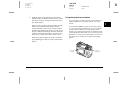
Color Digital Camera
Color Digital Camera
User's Guide
User's Guide
Printed in Japan 00.XX.XX
User's Guide
4012032-00
XXX
L
R4C5700
Rev. C
A5 size
4/6/01
Proof Sign-off:
K. Pipa
M. Fujimori
R. Thomson
COVER.FM
Pass 3
Where to Find Information
This User’s Guide
Provides detailed information to help you set up and use your EPSON PhotoPC 3000Z, the Print Mark program, and
the optional products available from EPSON. Also contains information on troubleshooting.
EPSON Digital Camera Software User’s Guide
Provides information on installing and using the EPSON Photo!3 software, which allows you to download photos
from your camera to your computer and to manage your photos. Also includes instructions for the other software
utilities included on the software CD-ROM, such as EPSON File Converter, which prepares photos to be uploaded to
your camera, and EPSON Photo! Print2, which helps you print your photos.
Online Help
Provides detailed information and instructions for using the EPSON Photo!3 and EPSON Auto Downloader software
that works with your PhotoPC 3000Z. Online help is automatically installed when you install EPSON Photo!3. See the
EPSON Digital Camera Software User’s Guide for details on accessing online help.
Color Guide (included on the software CD-ROM in some locations)
Explains the basics of color imaging and shows you how to get the most from your PhotoPC 3000Z and other EPSON
products. See “Viewing the Color Guide” on page 2-18 of this User’s Guide for information on accessing the Color Guide.
R4C5700
Rev. C
Proof Sign-off:
K. Pipa
M. Fujimori
R. Thomson
A5 size
4/6/01
®
COLOR DIGITAL CAMERA
User’s Guide
FRONT.FM
Pass 3
R
L
R4C5700
Rev. C
A5 size
4/6/01
FRONT.FM
Pass 3
IMPORTANT NOTICE
All rights reserved. No part of this publication may be reproduced,
stored in a retrieval system, or transmitted in any form or by any means,
electronic, mechanical, photocopying, recording, or otherwise, without
the prior written permission of SEIKO EPSON CORPORATION. No
patent liability is assumed with respect to the use of the information
contained herein. Neither is any liability assumed for damages
resulting from the use of the information contained herein.
Neither SEIKO EPSON CORPORATION nor its affiliates shall be liable
to the purchaser of this product or third parties for damages, losses,
costs, or expenses incurred by the purchaser or third parties as a result
of: accident, misuse, or abuse of this product or unauthorized
modifications, repairs, or alterations to this product, or (excluding the
U.S.) failure to strictly comply with SEIKO EPSON CORPORATION's
operating and maintenance instructions.
SEIKO EPSON CORPORATION shall not be liable against any
damages or problems arising from the use of any options or any
consumable products other than those designated as Original EPSON
Products or EPSON Approved Products by SEIKO EPSON
CORPORATION.
EPSON is a registered trademark of SEIKO EPSON CORPORATION.
PhotoPC is a trademark of SEIKO EPSON CORPORATION.
Macintosh is a registered trademark of Apple Computer, Inc.
Microsoft and Windows are registered trademarks of Microsoft
Corporation.
CompactFlash is a trademark of SanDisk Corporation and has been
licensed to CFA (CompactFlash Association).
General Notice: Other product names used herein are for identification
purposes only and may be trademarks of their respective owners. EPSON
disclaims any and all rights in those marks.
Copyright © 2000 by SEIKO EPSON CORPORATION, Nagano, Japan.
ii
Proof Sign-off:
K. Pipa
M. Fujimori
R. Thomson
This product conforms to the following Directive(s) and Norm(s):
Directive 89/336/EEC:
EN 55022 Class B
EN 50082-1
IEC 60801-2
IEC 60801-3
IEC 60801-4
A NOTE CONCERNING RESPONSIBLE USE OF
COPYRIGHTED MATERIALS
Like photocopiers, digital cameras can be misused by improperly
photographing copyrighted material. Unless acting on the advice of a
knowledgeable attorney, be responsible and respectful by obtaining the
permission of the copyright holder before photographing published
material.
R
R4C5700
Rev. C
Proof Sign-off:
K. Pipa
M. Fujimori
R. Thomson
A5 size
4/6/01
PPC3000Z.TOC
Pass 3
Contents
Introduction
PhotoPC 3000Z Features . . . . . . . . . . . . . . . . . . . . . . . . .
Options. . . . . . . . . . . . . . . . . . . . . . . . . . . . . . . . . . . . . . . .
For United Kingdom users - use of options . . . .
Safety Instructions . . . . . . . . . . . . . . . . . . . . . . . . . . . . . .
When using the camera . . . . . . . . . . . . . . . . . . . . .
When using the strap. . . . . . . . . . . . . . . . . . . . . . .
When using the charger and batteries. . . . . . . . .
Safety information for United Kingdom
users. . . . . . . . . . . . . . . . . . . . . . . . . . . . . . . . . . .
Warnings, Cautions, and Notes . . . . . . . . . . . . . . . . . . .
1
2
3
3
3
5
5
7
8
Chapter 1 Getting Started
Unpacking Your PhotoPC 3000Z . . . . . . . . . . . . . . . . . .
Camera Parts . . . . . . . . . . . . . . . . . . . . . . . . . . . . . . . . . . .
Using the Batteries . . . . . . . . . . . . . . . . . . . . . . . . . . . . . .
Charging the batteries . . . . . . . . . . . . . . . . . . . . . .
Installing the batteries . . . . . . . . . . . . . . . . . . . . . .
Replacing the batteries. . . . . . . . . . . . . . . . . . . . . .
Cleaning the batteries . . . . . . . . . . . . . . . . . . . . . .
Storing the batteries . . . . . . . . . . . . . . . . . . . . . . . .
Disposing of the batteries . . . . . . . . . . . . . . . . . . .
1-2
1-2
1-5
1-6
1-7
1-8
1-9
1-10
1-11
Setting Up Your Camera . . . . . . . . . . . . . . . . . . . . . . . . . 1-11
Attaching the strap to your camera . . . . . . . . . . . 1-11
Attaching the lens cap to your camera. . . . . . . . . 1-12
Installing and removing a CompactFlash
Card . . . . . . . . . . . . . . . . . . . . . . . . . . . . . . . . . . . 1-13
Setting the language . . . . . . . . . . . . . . . . . . . . . . . . 1-14
Setting the date and time . . . . . . . . . . . . . . . . . . . . 1-15
Chapter 2 Taking Pictures
Getting Ready . . . . . . . . . . . . . . . . . . . . . . . . . . . . . . . . . . 2-1
Your camera’s picture-taking and flash
range. . . . . . . . . . . . . . . . . . . . . . . . . . . . . . . . . . . 2-2
Turning the camera on and off . . . . . . . . . . . . . . . 2-2
Using the display panel . . . . . . . . . . . . . . . . . . . . . 2-3
Using the dial switch . . . . . . . . . . . . . . . . . . . . . . . 2-4
Making basic settings . . . . . . . . . . . . . . . . . . . . . . . 2-5
Using the LCD monitor buttons . . . . . . . . . . . . . . 2-5
Taking Pictures Using the Viewfinder. . . . . . . . . . . . . . 2-6
Using the optical zoom feature . . . . . . . . . . . . . . . 2-7
Using the self timer . . . . . . . . . . . . . . . . . . . . . . . . . 2-8
iii
L
R4C5700
Rev. C
A5 size
4/6/01
PPC3000Z.TOC
Pass 3
Taking Pictures Using the LCD monitor . . . . . . . . . . . .2-9
Using the basic playback feature . . . . . . . . . . . . . .2-10
Using the digital zoom feature . . . . . . . . . . . . . . .2-11
Using the macro setting to take close-ups . . . . . .2-11
Using the panorama feature to take
panoramic photos . . . . . . . . . . . . . . . . . . . . . . . .2-12
Taking Multiple Exposures . . . . . . . . . . . . . . . . . . . . . . .2-12
Recording video clips . . . . . . . . . . . . . . . . . . . . . . .2-12
Using the continuous shooting feature. . . . . . . . .2-14
Using the time lapse feature. . . . . . . . . . . . . . . . . .2-14
Making Audio Recordings for Photos . . . . . . . . . . . . . .2-16
Recording audio immediately after taking
photos . . . . . . . . . . . . . . . . . . . . . . . . . . . . . . . . . .2-16
Recording audio for existing photos. . . . . . . . . . .2-17
Audio playback using the built-in speaker . . . . .2-18
Viewing the Color Guide . . . . . . . . . . . . . . . . . . . . . . . . .2-18
Chapter 3 Viewing and Managing Your Images
Viewing Images Using the LCD Monitor. . . . . . . . . . . .3-1
Displaying one, four, or nine photos at once. . . .3-1
Magnifying photos. . . . . . . . . . . . . . . . . . . . . . . . . .3-2
Viewing a slide show of your photos . . . . . . . . . .3-2
Viewing photo information . . . . . . . . . . . . . . . . . .3-5
Selecting a folder in the CompactFlash Card. . . .3-6
Playing back video clips . . . . . . . . . . . . . . . . . . . . .3-6
iv
Proof Sign-off:
K. Pipa
M. Fujimori
R. Thomson
Managing Images with the LCD Monitor . . . . . . . . . . . 3-7
Erasing images . . . . . . . . . . . . . . . . . . . . . . . . . . . . 3-7
Locking and unlocking photos . . . . . . . . . . . . . . . 3-9
Erasing audio recordings. . . . . . . . . . . . . . . . . . . . 3-9
Erasing video clips . . . . . . . . . . . . . . . . . . . . . . . . . 3-10
Viewing and Managing Images Using Your
Computer . . . . . . . . . . . . . . . . . . . . . . . . . . . . . . . . . . . 3-10
Viewing Pictures on a Television . . . . . . . . . . . . . . . . . . 3-11
Viewing Pictures with an EPSON Projector . . . . . . . . . 3-13
Chapter 4 Making Settings
Making Image Capture Settings . . . . . . . . . . . . . . . . . . . 4-1
Adjusting the image quality . . . . . . . . . . . . . . . . . 4-1
Setting the flash . . . . . . . . . . . . . . . . . . . . . . . . . . . . 4-4
Making camera mode settings . . . . . . . . . . . . . . . 4-5
Changing the color/monochrome setting. . . . . . 4-7
Making manual focus settings . . . . . . . . . . . . . . . 4-7
Adjusting the sensitivity setting . . . . . . . . . . . . . . 4-8
Adjusting the white balance setting. . . . . . . . . . . 4-9
Making exposure settings . . . . . . . . . . . . . . . . . . . 4-10
Changing the metering system . . . . . . . . . . . . . . . 4-17
Selecting slow synchro timing . . . . . . . . . . . . . . . 4-18
Selecting the internal or external flash. . . . . . . . . 4-19
Making Camera Settings . . . . . . . . . . . . . . . . . . . . . . . . .
Setting the time and date. . . . . . . . . . . . . . . . . . . .
Using the automatic shut-off feature. . . . . . . . . .
Setting the LCD monitor’s brightness level . . . .
Adjusting the speaker volume . . . . . . . . . . . . . . .
Setting the beep and shutter sound . . . . . . . . . . .
Selecting the signal system and language . . . . .
A5 size
4/6/01
4-20
4-20
4-21
4-21
4-22
4-22
4-22
Chapter 5 Using Print Mark to Print Photos
Features . . . . . . . . . . . . . . . . . . . . . . . . . . . . . . . . . . . . . . .
Making the DPOF File . . . . . . . . . . . . . . . . . . . . . . . . . . .
Printing photos using a standard layout . . . . . .
Printing an index of photos . . . . . . . . . . . . . . . . .
Confirming and Changing the DPOF File . . . . . . . . . .
Deleting the DPOF File . . . . . . . . . . . . . . . . . . . . . . . . . .
LCD Monitor Messages . . . . . . . . . . . . . . . . . . . . . . . . . .
5-2
5-2
5-2
5-4
5-6
5-7
5-7
Chapter 6 Camera Options and Accessories
Using Memory Cards. . . . . . . . . . . . . . . . . . . . . . . . . . . .
Inserting a memory card into your
computer. . . . . . . . . . . . . . . . . . . . . . . . . . . . . . .
Copying photos directly to a computer . . . . . . .
Formatting memory cards . . . . . . . . . . . . . . . . . .
Using the AC Adapter . . . . . . . . . . . . . . . . . . . . . . . . . . .
Using the Lens Adapter. . . . . . . . . . . . . . . . . . . . . . . . . .
R
R4C5700
Rev. C
Proof Sign-off:
K. Pipa
M. Fujimori
R. Thomson
6-1
6-2
6-3
6-4
6-4
6-6
PPC3000Z.TOC
Pass 3
Chapter 7 Maintenance and Troubleshooting
Maintenance. . . . . . . . . . . . . . . . . . . . . . . . . . . . . . . . . . . . 7-1
Handling the camera . . . . . . . . . . . . . . . . . . . . . . . 7-1
Cleaning the camera . . . . . . . . . . . . . . . . . . . . . . . . 7-2
Storing the camera . . . . . . . . . . . . . . . . . . . . . . . . . 7-2
Cleaning the battery charger . . . . . . . . . . . . . . . . . 7-2
Problems and Solutions . . . . . . . . . . . . . . . . . . . . . . . . . . 7-3
Camera problems . . . . . . . . . . . . . . . . . . . . . . . . . . 7-3
Picture problems . . . . . . . . . . . . . . . . . . . . . . . . . . . 7-7
Appendix A Specifications
Camera . . . . . . . . . . . . . . . . . . . . . . . . . . . . . . . . . . . . . . . . A-1
Physical dimensions . . . . . . . . . . . . . . . . . . . . . . . . A-1
Product type. . . . . . . . . . . . . . . . . . . . . . . . . . . . . . . A-1
Recorded image . . . . . . . . . . . . . . . . . . . . . . . . . . . . A-2
Optical. . . . . . . . . . . . . . . . . . . . . . . . . . . . . . . . . . . . A-3
Functional. . . . . . . . . . . . . . . . . . . . . . . . . . . . . . . . . A-4
Interface . . . . . . . . . . . . . . . . . . . . . . . . . . . . . . . . . . A-4
Power . . . . . . . . . . . . . . . . . . . . . . . . . . . . . . . . . . . . A-4
CompactFlash Card . . . . . . . . . . . . . . . . . . . . . . . . . . . . . A-5
Optional PCMCIA Adapter . . . . . . . . . . . . . . . . . . . . . . A-6
Optional AC Adapter . . . . . . . . . . . . . . . . . . . . . . . . . . . . A-6
v
L
R4C5700
Rev. C
A5 size
4/6/01
Proof Sign-off:
K. Pipa
M. Fujimori
R. Thomson
PPC3000Z.TOC
Pass 3
Appendix B Contacting Customer Support
Appendix C Dial Position Settings
For United Kingdom and the Republic of
Ireland Users . . . . . . . . . . . . . . . . . . . . . . . . . . . . . . . . .B-1
Support via the World Wide Web . . . . . . . . . . . . .B-1
Support via telephone . . . . . . . . . . . . . . . . . . . . . . .B-2
Pre Sales Enquiry Desk . . . . . . . . . . . . . . . . . . . . . .B-2
For Australia Users . . . . . . . . . . . . . . . . . . . . . . . . . . . . . .B-3
EPSON FAXBACK. . . . . . . . . . . . . . . . . . . . . . . . . .B-3
EPSON Bulletin Board System. . . . . . . . . . . . . . . .B-3
Internet URL http://www.epson.com.au . . . . . .B-3
Your dealer . . . . . . . . . . . . . . . . . . . . . . . . . . . . . . . .B-3
EPSON Helpdesk. . . . . . . . . . . . . . . . . . . . . . . . . . .B-3
For Singapore Users. . . . . . . . . . . . . . . . . . . . . . . . . . . . . .B-4
For Hong Kong Users . . . . . . . . . . . . . . . . . . . . . . . . . . . .B-4
Internet home page . . . . . . . . . . . . . . . . . . . . . . . . .B-4
Electronic Bulletin Board System . . . . . . . . . . . . .B-5
Technical Support Hotline . . . . . . . . . . . . . . . . . . .B-5
For Philippines Users . . . . . . . . . . . . . . . . . . . . . . . . . . . .B-5
Available Settings in the
Dial Position) . . . . . . . . . C-2
Available Settings in the
Dial Position . . . . . . . . . . . C-3
Available Settings in the
Dial Position . . . . . . . . . . C-4
When using the Program camera mode . . . . . . . C-4
When using the Manual camera mode . . . . . . . . C-4
Available Settings in the
Dial Position. . . . . . . . . . . C-5
When using the Program camera mode . . . . . . . C-5
When using the Manual camera mode . . . . . . . . C-5
vi
Glossary
Index
Proof Sign-off:
K. Pipa
M. Fujimori
R. Thomson
R
R4C5700
Rev. C
A5 size
4/6/01
INTRO.FM
Pass 3
Introduction
Your EPSON® PhotoPC™ 3000Z is a revolutionary,
easy-to-use digital camera that enables you to take
full-color pictures that you can edit, manipulate, and
print using your computer. Create professional letters,
documents, and presentations from your desktop
using stunning, lifelike images. Share pictures with
business colleagues or friends over the Internet. Add
color and visual appeal to your newsletters, flyers, and
brochures. Improve the look of any document using
images taken with your PhotoPC 3000Z.
The PhotoPC 3000Z comes with everything you need
to get started, including EPSON Photo!3 software that
lets you transfer pictures from the camera to your
computer’s hard disk. You can then edit, enhance, or
organize your pictures, or insert them into your
documents. For instructions on using and installing
EPSON Photo!3, see the EPSON Digital Camera
Software User’s Guide.
PhotoPC 3000Z Features
The PhotoPC 3000Z has the following features.
❏
3.3 megapixel CCD
❏
24-bit color image capture
❏
High resolution, up to 2544 × 1904 pixels
(equivalent to 4.8 megapixels) using HyPict
❏
Built-in color LCD monitor for previewing and
playing back pictures
❏
Built-in microphone and speaker for audio
recording and playback
❏
Macro and panorama photo formats
❏
Optical ×3 and digital ×2 zoom
❏
Continuous shooting of up to 37 pictures
(approximately)
❏
Automatic, predefined, or manual white balance
adjustment
Introduction
1
L
R4C5700
Rev. C
A5 size
4/6/01
INTRO.FM
Pass 3
❏
Automatic, predefined and adjustable exposure
settings (-2.0 to + 2.0 EV, in increments of 0.5 or
0.2)
❏
DPOF file format support, which lets you specify
in advance which photos to print and how many
prints of each photo to make
❏
Automatic date and time recording for each
picture
❏
File formats compatible with both Windows® and
Macintosh® applications
❏
Built-in flash with automatic flash, forced flash,
flash off, red-eye reduction, and leading or
trailing slow synchro flash (for taking pictures at
night or in dark places) options
❏
Built-in hot sync flash shoe for an external flash
(sold separately), which can be used for photo
shooting in the Manual camera mode. (For
information on external flashes, contact your
EPSON dealer.)
❏
Self-timer (ten second delay)
❏
Automatic shut-off to save batteries
❏
EPSON Photo!3 software to transfer pictures to
your computer
❏
2
Proof Sign-off:
K. Pipa
M. Fujimori
R. Thomson
EPSON File Converter software to convert images
and audio recordings stored on your computer to
EPSON Photo file format for uploading to your
camera
Introduction
Options
The following options are available from EPSON for
the PhotoPC 3000Z.
❏
CompactFlash™ Card
(for information, contact your EPSON dealer)
❏
PCMCIA adapter (B867041)
❏
AC Adapter (B67131, B867081, B867091, B867101,
B867111, B867121, B867141, B867151) for use with
a standard electrical outlet
❏
Power Pack (B81817✽) which includes:
Ni-MH Battery Charger
Four Ni-MH Rechargeable Batteries
❏
Package of four Ni-MH Rechargeable Batteries
(B81811✽)
Proof Sign-off:
K. Pipa
M. Fujimori
R. Thomson
Note:
❏ The asterisk acts as a substitute for the last digit of the
product number, which varies by country.
❏
The PhotoPC 3000Z comes with a Power Pack
(described above) and a 16 MB CompactFlash Card.
❏
The AC Adapter model EU-40 and Battery Charger
model EU-38 conform to CE marking requirements in
accordance with EC Directives 73/23/EEC and 89/
336/EEC.
R
R4C5700
Rev. C
A5 size
4/6/01
INTRO.FM
Pass 3
Safety Instructions
Read all of these instructions before using the camera,
and keep this guide handy for later reference. Follow
all warnings and instructions marked on the camera
and options.
When using the camera
Note the following when using the camera.
For United Kingdom users - use of options
EPSON (UK) LTD shall not be liable against any
damages or problems arising from the use of any
options or consumable products other than those
designated as Original EPSON Products or EPSON
Approved Products by EPSON (UK) LTD.
❏
To reduce the risk of electric shock, do not remove
the cover of the camera or options. Do not open
any compartments except as instructed in this
User's Guide.
❏
Do not insert objects into any openings.
❏
To prevent fire or electric shock, do not expose the
camera or options to rain or moisture.
❏
To prevent fire or electric shock, do not cover the
camera with a blanket or other covering that may
give off an electric charge.
❏
To prevent fire or explosion, do not use the
camera where flammable or volatile gas is stored.
Introduction
3
L
R4C5700
Rev. C
A5 size
4/6/01
INTRO.FM
Pass 3
❏
Do not use the camera outdoors during a
thunderstorm.
❏
Never adjust controls that are not mentioned in
the operating instructions.
❏
If the camera or option emits unusual noises,
odors, or smoke, cancel the current operation and
turn the device off immediately. Remove the
batteries and/or disconnect the AC adapter from
the camera, then unplug the AC adapter from the
electrical outlet. Then contact your EPSON dealer.
❏
If you plan to use the camera and options in
Germany, observe the following:
❏
To provide adequate short-circuit protection and
over-current protection for the products, the
building installation must be protected by a
16 Amp circuit breaker.
To prevent possible injury, do not take flash
pictures in close proximity to anyone’s eyes.
❏
Only use the type of power source specified in this
User's Guide.
❏
Do not use damaged or frayed power cords.
❏
Remove the batteries and/or plug from the
camera and refer servicing to qualified service
personnel in the following circumstances:
The power cord or plug is damaged; liquid has
entered the camera or options; the camera or
options have been dropped or the case is
damaged; the camera or options do not operate
normally or exhibit a distinct change in
performance.
4
Proof Sign-off:
K. Pipa
M. Fujimori
R. Thomson
Introduction
Bei Anschluß des Produkts an die
Stromversorgung muß sichergestellt werden,
daß die Gebädeinstallation mit einem
16 A-Überstromschalter abgesichert ist.
❏
If the liquid crystal solution contained in the
display panel or in the LCD monitor leaks out and
gets on your hands, wash them thoroughly with
soap and water. If it gets into your eyes, flush
them immediately with water.
Proof Sign-off:
K. Pipa
M. Fujimori
R. Thomson
When using the strap
A5 size
4/6/01
Do not swing the camera about. This can damage
the camera or other objects, or cause injury.
❏
Do not pull or tighten the strap too much when
wearing it; this can cause serious injury.
❏
Never use EPSON Ni-MH batteries in
combination with any other type of batteries, and
always use batteries from the same package as a
set. Do not mix old and new batteries, or charged
and discharged batteries.
❏
Do not use manganese batteries (IEC R6).
❏
Do not charge primary (non-rechargeable)
batteries.
❏
To avoid fire or electric shock, do not use batteries
that are leaking or damaged in any way.
❏
Only use EPSON Ni-MH batteries according to
the directions in this manual.
❏
Use the type of power source specified on the
charger’s label. Always supply power directly
from a standard domestic electrical outlet.
❏
Make sure that your AC power cord meets the
relevant safety standards for the area in which
you plan to use it.
❏
Be aware of electrical shock hazard.
❏
Do not handle the batteries or charger with wet
hands or use them near water.
Keep the strap away from children.
When using the charger and batteries
Note the following when using the charger and
batteries.
❏
Read all relevant safety and operating
instructions before using these products.
❏
Use only the EPSON Ni-MH Battery Charger
(Model EU-38) to charge the EPSON Ni-MH
Batteries (Model EU-24). Never attempt to charge
other types of batteries in this charger as they may
explode, leak, overheat, or cause personal injury.
INTRO.FM
Pass 3
❏
Note the following when using the camera strap.
❏
R
R4C5700
Rev. C
Introduction
5
L
R4C5700
Rev. C
A5 size
4/6/01
INTRO.FM
Pass 3
❏
Use the charger in a dry, indoor location.
❏
Never disassemble or modify the charger.
❏
Do not expose the batteries or the charger to water
or high humidity.
❏
Do not attempt to service the charger yourself.
Refer all servicing to qualified service personnel.
❏
Keep the charger and batteries away from heat
sources. Only use the charger when the
temperature is between 5°C and 35°C (41°F to
95°F).
❏
Unplug your equipment from the wall outlet and
refer servicing to qualified personnel under the
following conditions:
❏
Do not drop, puncture, disassemble, mutilate, or
short-circuit batteries. Do not place the batteries
near to or into fire or water.
❏
To prevent fire or explosion, do not use the
charger where flammable or volatile gas is stored.
Keep the charger out of reach of children.
❏
❏
6
Proof Sign-off:
K. Pipa
M. Fujimori
R. Thomson
Power-supply cords should be protected against
abrasions, cuts, crimps, and kinks. Place your
cord so that it will not be damaged. Do not put
objects on top of the power cord or allow the
power cord to be stepped on or run over. Take
special care to keep the power cord straight near
the ends and where the cord attaches to the
transformer.
To protect against short-circuiting, do not remove
the outside sleeves of the batteries.
Introduction
If the power cord or plug is damaged; if liquid has
entered your equipment; if your equipment has
been exposed to rain or water; if your equipment
has been dropped or damaged; if your equipment
is operating abnormally or exhibits a distinct
change in performance.
❏
Adjust only those controls described in your
product documentation.
❏
Do not insert batteries into the charger backwards
as they may explode, leak, overheat, or cause
personal injury.
❏
Do not insert objects into any openings as they
may touch dangerous voltage points or shortcircuit components.
❏
Prevent the batteries from coming into contact
with metal objects which could short-circuit the
batteries, such as coins or keys.
Proof Sign-off:
K. Pipa
M. Fujimori
R. Thomson
R
R4C5700
Rev. C
A5 size
4/6/01
INTRO.FM
Pass 3
❏
Unplug the charger after four hours of charging,
whether the batteries are fully charged or not.
❏
Do not insert batteries into wall outlets or other
power sources such as car cigarette lighter
sockets.
❏
Do not solder lead wires or terminals directly to a
battery.
Important: The wires in the mains lead fitted to this
appliance are coloured in accordance with the
following code:
❏
To prevent fire or electrical shock, do not cover
the charger with a blanket or other covering that
may give off an electrical charge.
Blue — Neutral
Brown — Live
❏
If battery acid gets into your eyes or on your skin,
immediately rinse the affected area thoroughly
with water and seek medical treatment. If a
battery is swallowed, seek medical treatment
immediately.
Safety information for United Kingdom users
w
Warning: This appliance must be earthed. Refer to
the rating plate for voltage and check that the
appliance voltage corresponds to the supply voltage.
As the colours of the wires in the mains lead of
this appliance may not correspond with the
coloured markings identifying the terminals in
your plug, proceed as follows:
The blue wire must be connected to the terminal
in the plug marked with the letter N.
The brown wire must be connected to the terminal
in the plug marked with the letter L.
If damage occurs to the plug, replace the cord set
or consult a qualified electrician.
Replace fuses only with a fuse of the correct size
and rating.
Introduction
7
L
R4C5700
Rev. C
A5 size
4/6/01
INTRO.FM
Pass 3
Warnings, Cautions, and Notes
w
Warnings must be followed carefully to avoid bodily
injury.
c
Cautions must be observed to avoid damage to your
equipment.
Notes contain important information and useful tips for
the operation of your camera and options.
8
Introduction
Proof Sign-off:
K. Pipa
M. Fujimori
R. Thomson
Proof Sign-off:
K. Pipa
M. Fujimori
R. Thomson
R
R4C5700
Rev. C
A5 size
4/6/01
START.FM
Pass 3
Chapter 1
1
Getting Started
This chapter helps you to set up your PhotoPC 3000Z and covers the following topics:
❏
Unpacking your PhotoPC 3000Z
❏
Getting familiar with the camera parts
❏
Charging, installing, and replacing batteries
❏
Attaching the camera strap and lens cap
❏
Installing the CompactFlash Card
❏
Setting the language, date, and time for your
camera
Getting Started
1-1
L
R4C5700
Rev. C
A5 size
4/6/01
Proof Sign-off:
K. Pipa
M. Fujimori
R. Thomson
START.FM
Pass 3
Unpacking Your PhotoPC 3000Z
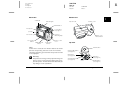
Camera Parts
Make sure that your camera box contains all of the
items shown below.
After unpacking your PhotoPC 3000Z, take a few
minutes to learn about the components shown below.
Front view
dial switch
shutter button
camera
lens adapter
lens cap
lens cap string
display panel
hot shoe
(external flash attachment)
diopter correction
strap
eyelet for
attaching strap
serial
interface
connector
built-in
flash
AC power cord 16 MB CompactFlash Card Ni-MH rechargeable battery charger
(shape varies
(installed in the camera)
batteries (4)
Model EU-24
by location)
timer
light
USB interface
connector
AV connector
lens
Windows serial cable
AV cable
1-2
Macintosh serial cable
Getting Started
AC adapter
connector
USB cable
CD-ROM and/or floppy disks
(media type and quantity vary
by location)
viewfinder
camera case
R
R4C5700
Rev. C
Proof Sign-off:
K. Pipa
M. Fujimori
R. Thomson
A5 size
4/6/01
Back view
viewfinder
START.FM
Pass 3
Bottom view
indicator lights
tripod mount
1
battery cover
POWER button
microphone
zoom buttons
see page 2-7
speaker
eyelet for
attaching strap
LCD monitor
LCD monitor
buttons
MENU ON/OFF
button
LCD monitor
buttons
memory card
cover
Note:
In this User’s Guide, the LCD monitor buttons are named
after the corresponding indicators on the LCD monitor,
which vary depending upon the dial switch position and the
screen displayed.
w
Warning:
The speaker uses a magnet. Keep important magnetic
objects, such as credit cards and floppy disks, away
from the speaker. EPSON shall not be held liable for
any damages or lost information.
battery cover
release button
Top view
shutter button
image quality button
(see page 4-1)
flash button
(see page 4-4)
self timer button
(see page 2-8)
dial switch
(see page 2-4)
POWER button
(see page 2-2)
Getting Started
1-3
L
R4C5700
Rev. C
A5 size
4/6/01
Proof Sign-off:
K. Pipa
M. Fujimori
R. Thomson
START.FM
Pass 3
Display panel
sensitivity
(see page 4-8)
Indicator lights
image quality
(see page 4-1)
white balance
(see page 4-9)
low battery icon
(see page 1-8)
flash
(see page 4-4)
red-eye reduction
(see page 4-4)
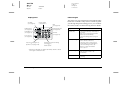
The camera has one red and one green indicator light
beside the viewfinder. They turn on or blink to guide
you through the picture-taking process, or to indicate
the camera status. See the following chart for details.
Light
Indication
Green (On)
Camera is warmed up and ready for
shooting.
Auto focus is locked (when shutter
button is pressed halfway).
Camera is taking picture using self
timer.
Green (Blinking)
Camera is warming up (immediately
after camera is turned on).
Camera is auto focussing (when
shutter button is pressed halfway).
Camera is taking a video clip.
Memory card is not installed.
Lens cap is on.
Red (Blinking)
Insufficient space in memory card to
take a picture or video clip.
Low battery.
Red (On)
Error. Contact your EPSON dealer for
servicing.
self timer
(see page 2-8)
monochrome
(see page 4-7)
exposure (see page 4-10)
or
aperture* (see page 4-14)
number of pictures remaining
(see page 2-3)
or
shutter speed*
* When the shutter button is depressed halfway and the camera
is in Program or Manual mode.
1-4
Getting Started
A5 size
4/6/01
Using the Batteries
Your PhotoPC 3000Z comes with four Ni-MH
rechargeable batteries (Model EU-24) and the Ni-MH
Battery Charger (Model EU-38). While you can use
four AA (IEC LR6) alkaline batteries (not included),
the rechargeable batteries help you save time and
money that you might otherwise spend buying
replacement alkaline batteries. Be sure to charge your
new rechargeable batteries before installing them in
the camera.
c
R
R4C5700
Rev. C
Proof Sign-off:
K. Pipa
M. Fujimori
R. Thomson
Caution:
Do not use manganese batteries (IEC R6).
Keep the following points in mind when using these
batteries.
❏
To fully charge new batteries or batteries that
have not been used for a long time, you may have
to charge them two or three times.
❏
Use the batteries regularly so that they continue
to charge well. Batteries which have not been used
for a long time will not charge well, but will return
to normal with regular use.
❏
START.FM
Pass 3
Discharge batteries completely before recharging
them. If your batteries are not completely drained
of power, you may not be able to recharge them
fully.
❏
Batteries that are charged in a hot environment
wear out more quickly.
❏
Do not leave batteries in the camera or charger for
a long time without using them. See “Storing the
batteries” on page 1-10 for storage instructions.
❏
Rechargeable batteries wear out with repeated
use; as their charging capacity decreases, your
camera’s operating time decreases. Replace the
batteries when their operation time becomes
short.
Getting Started
1-5
1
L
R4C5700
Rev. C
A5 size
4/6/01
Proof Sign-off:
K. Pipa
M. Fujimori
R. Thomson
START.FM
Pass 3
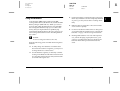
Charging the batteries
The Ni-MH Battery Charger charges your Ni-MH
rechargeable batteries quickly for use in your camera.
If you are using alkaline batteries, see “Installing the
batteries” on page 1-7
Before charging your batteries, read the safety
instructions outlined in “When using the charger and
batteries” on page 5.
w
Insert the batteries into the compartments,
positioning the + and - ends as shown.
c
charger light
Always charge batteries from the same package
as a set. Do not mix old and new batteries.
Follow the steps below to charge your Ni-MH
batteries.
1-6
Connect the power cord to the battery charger as
shown below.
Warning:
❏ Do not use the Ni-MH Battery charger with any
batteries other than the Ni-MH rechargeable
batteries supplied with your printer (Model EU24).
❏
1.
2.
Caution:
You must charge four batteries at a time.
Getting Started
3.
Plug the power cord into an electrical outlet. The
red charger light turns on, indicating that the
charger is working.
c
Caution:
Make sure that all plugs and connectors are
firmly and completely connected.
4.
A5 size
4/6/01
When the batteries are fully charged, the light
turns off. To charge your batteries again, unplug
the AC power cord, then plug it back in.
Note:
Replace the batteries with new Ni-MH batteries if the
charger light stays on for more than 240 minutes or if
the charger light flashes for more than half an hour.
5.
After the light goes off, unplug the charger. To
avoid overcharging, unplug the charger as soon
as possible after the light goes off.
6.
Allow the batteries cool, then remove them from
the charger.
w
7.
R
R4C5700
Rev. C
Proof Sign-off:
K. Pipa
M. Fujimori
R. Thomson
Warning:
Batteries are very hot (approximately 65°C)
during and just after charging. Let the batteries
cool for one hour before handling.
START.FM
Pass 3
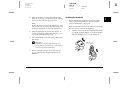
Installing the batteries
1
Before installing the batteries, be sure to read the
safety instructions outlined in “When using the
charger and batteries” on page 5.
Make sure that the camera is off, and follow the steps
below to install or replace the batteries.
1.
Turn the camera upside down with the lens facing
you. Hold down the battery cover release button
and slide the battery cover as shown below.
battery cover
release button
Before storing the charger, disconnect the AC
power cord from the charger and remove the
batteries.
Getting Started
1-7
L
R4C5700
Rev. C
A5 size
4/6/01
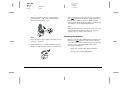
2.
START.FM
Pass 3
Insert four batteries into the compartment,
positioning the + and - ends as shown below.
Then lower the battery cover.
Proof Sign-off:
K. Pipa
M. Fujimori
R. Thomson
When the battery power is almost out, a low battery
icon
appears on the display panel. When the
battery power runs out, this icon blinks and the
camera turns off automatically. Remove and recharge
your batteries, then reinstall the batteries.
Note:
When the battery level is low, the LCD monitor turns off
while the flash is being charged. When the charging is
complete, the LCD monitor turns back on.
Replacing the batteries
Note:
Do not use different types of batteries together; this can
cause fire or explosion.
3.
Swing the battery cover shut and hold it down
while you slide it back to lock it, as shown below.
Replace your PhotoPC 3000Z batteries when the low
battery icon
appears on the camera’s display
panel. Be sure to replace all four batteries at the same
time. You can replace them with either of the
following battery types.
Single-use AA (IEC LR6) alkaline batteries
Rechargeable AA Ni-MH batteries
1-8
Getting Started
When the low battery icon
listed below are unavailable.
A5 size
4/6/01
appears, the buttons
When playing back photos and audio recordings:
Delete
Select Image (for locking or deleting)
Sound
Video Clip
When making settings:
(language and signal system selection)
Memory SETUP
MEMORY CARD FORMAT
Note:
❏ Battery life varies depending on the battery type and
the manufacturer.
❏
❏
R
R4C5700
Rev. C
Proof Sign-off:
K. Pipa
M. Fujimori
R. Thomson
If you use rechargeable Ni-MH batteries in the
PhotoPC 3000Z, make sure that all four batteries are
fully charged when you replace them. If you find that
your batteries run out soon after recharging them a
number of times, make sure that you discharge them
completely before recharging.
Ni-MH rechargeable batteries are available for
purchase from EPSON.
START.FM
Pass 3
Cleaning the batteries
Follow the instructions in this section when cleaning
the batteries.
Dirty contact points ( and ) on the batteries and
inside the battery cover can obstruct the flow of
electricity in your camera. This can cause the low
battery icon
to flash and your camera to turn off
automatically, even if there is still power remaining in
your batteries.
To prevent this kind of power loss, keep the contact
points ( and ) on the batteries and inside the
battery cover clean. When necessary, wipe them with
a soft, dry cloth.
Also, clean the terminals of the battery charger with a
soft, dry cloth before use to ensure that your batteries
charge fully.
c
Caution:
❏ Do not use detergents or chemical solvents such
as thinner, benzine, or alcohol-based solutions to
clean your camera, batteries, or battery charger.
Doing so can damage your equipment.
❏
Never attempt to clean the inside of the battery
compartment of your camera. Doing so can
damage your camera.
Getting Started
1-9
1
L
R4C5700
Rev. C
A5 size
4/6/01
START.FM
Pass 3
Keep the battery ends clean by wiping them with a dry
cloth.
w
1-10
Proof Sign-off:
K. Pipa
M. Fujimori
R. Thomson
Warning:
❏ Do not apply heat or force to batteries, and do
not disassemble, drop, short-circuit, or put
batteries into contact with fire or water.
Storing the batteries
If you do not plan to use the camera for a long period
of time, remove the batteries and store them in a dry
location at a low temperature.
w
Warning:
❏ Do not store batteries together with metal
objects, which could short-circuit the batteries.
❏
Do not carry batteries loose in your pockets.
❏
Do not use different types of batteries together;
this can cause fire or an explosion.
❏
Avoid storing batteries in extremely hot or
humid locations.
❏
Always use batteries from the same package as a
set. Do not mix old and new batteries.
❏
Store batteries out of reach of children.
❏
Always remove the batteries from the camera
and charger before storing. Batteries left in your
camera and charger for a long time may leak and
cause damage.
Getting Started
A5 size
4/6/01
Disposing of the batteries
Before disposing of batteries, make sure you discharge
them completely.
w
R
R4C5700
Rev. C
Proof Sign-off:
K. Pipa
M. Fujimori
R. Thomson
Warning:
❏ Be sure to securely cover the + end of each
battery with tape when disposing of them to
prevent combustion or an explosion.
❏
Dispose of used batteries according to the
manufacturer’s instructions and in compliance
with all applicable laws. Contact your local
government agency for information about
battery recycling and disposal.
For users in The Netherlands:
Do not dispose of the batteries as ordinary refuse.
Instead, dispose of them as small chemical waste in
accordance with local laws and the following Dutch
Government Gazette 45, KCA Marking:
Bij dit produkt zijn batterijen geleverd.
Wanneer deze leeg zijn, moet u ze niet
weggooien maar inleveren als KCA.
START.FM
Pass 3
Setting Up Your Camera
This section explains how to attach the lens cap and
strap to your camera, install a memory card, and make
a few basic camera settings.
Attaching the strap to your camera
Before attaching the strap, be sure to read the safety
instructions outlined in “When using the strap” on
page 5.
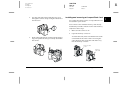
To attach the strap, follow these steps.
1.
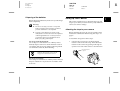
Unscrew the screw sleeve on the triangular
fastener at the end of the strap. Then attach the
fastener to the camera by passing it through an
eyelet on one side of the camera as shown below.
unscrew sleeve
to open
For users in Germany:
Do not dispose of batteries as ordinary refuse. Instead,
dispose of them in a recycle box in accordance with
local laws.
Getting Started
1-11
1
L
R4C5700
Rev. C
A5 size
4/6/01
2.
Proof Sign-off:
K. Pipa
M. Fujimori
R. Thomson
START.FM
Pass 3
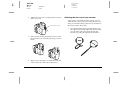
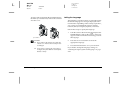
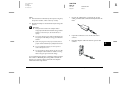
Tighten the screw sleeve on the fastener as shown
below to close it.
screw shut to secure
Attaching the lens cap to your camera
After you have attached the camera strap, you can
attach the lens cap to your camera using the lens caps
string. To attach the string to the lens cap and then to
the camera, follow these steps.
1.
1-12
3.
After securely closing the fastener, turn it so that
the screw sleeve is covered by the strap, as shown
below.
4.
Repeat steps 1 through 3 to attach the other end
of the strap to the other side of the camera.
Getting Started
Pass the end of the string with the smaller loop
through the eyelet on the edge of the lens cap, then
pass the other end of the string through the
smaller loop and pull it tight as shown below.
Proof Sign-off:
K. Pipa
M. Fujimori
R. Thomson
2.
Pass the end of the string with the larger loop
through the camera strap’s triangular fastener as
shown below.
R
R4C5700
Rev. C
A5 size
4/6/01
START.FM
Pass 3
Installing and removing a CompactFlash Card
You cannot take photos unless a CompactFlash Card
is installed in your camera.
Your camera comes with the memory card already
installed. If you need to install or remove the memory
card, follow these steps.
3.
Then gently pull the lens cap through the string’s
larger loop until the string is securely attached to
the camera.
1.
Make sure the camera is off.
2.
Open the memory card cover.
To install the card, make sure that the front of the
card and the front of the camera are facing the
same direction, then insert the card all the way
into the memory card slot.
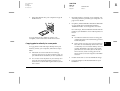
memory card
cover
back of
the card
Getting Started
1-13
1
L
R4C5700
Rev. C
A5 size
4/6/01
Proof Sign-off:
K. Pipa
M. Fujimori
R. Thomson
START.FM
Pass 3
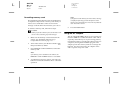
To remove the card, push in the eject button below
the memory card slot. Then, remove the card and
close the cover.
Setting the language
The first time you use the camera, you must first select
the default language for messages displayed on the
LCD monitor. Depending on the country of purchase,
you can choose from English, Japanese, French,
German, Italian, Portuguese, Spanish, or Chinese.
Follow these steps to specify the language.
1.
Turn the camera’s dial switch to
and press the
POWER button to turn on the camera. A message
appears on the LCD monitor instructing you to set
the language.
Caution:
❏ Never remove the memory card while the
camera is on. Data in the card may be lost
or damaged.
2.
Press the arrow icon buttons to select the
appropriate language.
3.
Press the BACK button to save your selection.
❏
If you need to change the language setting, see
“Selecting the signal system and language” on page
4-22.
eject button
c
1-14
Avoid using or storing the card in direct
sunlight, or in places that are extremely hot,
humid, or dusty.
Getting Started
Proof Sign-off:
K. Pipa
M. Fujimori
R. Thomson
Setting the date and time
The first time you use the camera, after setting the
language you must set the date (month, day, and year)
and time (hours and minutes). Once these settings are
made, the camera automatically records the date and
time that each image is taken.
Follow the steps below to set the clock using the LCD
monitor.
Note:
If you connect the PhotoPC 3000Z to your computer and
access EPSON Photo!3 when the camera's clock is not set,
the camera's date and time is automatically set to match
your computer’s date and time settings. For instructions on
connecting the camera to the computer and accessing
EPSON Photo!3, see the EPSON Digital Camera Software
User’s Guide.
1.
After you finish making the language settings in
the previous section, a screen appears with the
month setting highlighted in red.
2.
Press the Month buttons to increase or decrease
the number until the month is correct.
3.
Press the arrow icon buttons to move to the next
item, then make adjustments as described in the
previous step.
R
R4C5700
Rev. C
A5 size
4/6/01
4.
START.FM
Pass 3
When the date and time are set correctly, press the
BACK button to save your selection.
You are now ready to take pictures using your
PhotoPC 3000Z. Proceed to Chapter 2, “Taking
Pictures,” for simple, step-by-step instructions.
If you need to change the date and time settings, see
“Setting the time and date” on page 4-20.
After taking photos, you can transfer the images to
your computer in the following ways.
❏
Connect your camera to your computer with a
USB or serial cable and use the EPSON Photo!3 or
EPSON Auto Downloader software. For software
installation instructions, see the EPSON Digital
Camera Software User’s Guide.
❏
Insert your memory card into your computer’s
memory card slot directly or using a PCMCIA
adapter. To use the memory card, see “Inserting
a memory card into your computer” on page 6-2.
Getting Started
1-15
1
L
R4C5700
Rev. C
A5 size
4/6/01
1-16
START.FM
Pass 3
Getting Started
Proof Sign-off:
K. Pipa
M. Fujimori
R. Thomson
Proof Sign-off:
K. Pipa
M. Fujimori
R. Thomson
R
R4C5700
Rev. C
A5 size
4/6/01
PICTURES.FM
Pass 3
Chapter 2
Taking Pictures
Using the PhotoPC 3000Z to take pictures is similar to
using a traditional “point and shoot” camera. This
chapter explains the procedures for taking photos
with the camera and covers the following topics.
❏
Determining the picture-taking range
❏
Checking the display panel
❏
Making basic settings
❏
Taking different kinds of pictures, including still
pictures and video clips
❏
Making audio recordings
❏
Getting tips from the online Color Guide
2
Getting Ready
This section prepares you to take pictures with your
PhotoPC 3000Z. It includes information on your
camera’s picture-taking range and explains how to
make image quality and flash control settings, and
how to use the self timer.
Note:
EPSON is not responsible for any images you may lose
while using our products and software. Make sure that your
camera is working normally before taking important
pictures.
Taking Pictures
2-1
L
R4C5700
Rev. C
A5 size
4/6/01
Proof Sign-off:
K. Pipa
M. Fujimori
R. Thomson
PICTURES.FM
Pass 3
Your camera’s picture-taking and flash range
The camera should be held at least 50 centimeters
away from the subject when composing a shot
through the viewfinder, unless you are using the
macro setting.
When using the macro setting, close-up photos can be
taken when the camera is 6 to 50 centimeters away
from the subject. For instructions on using this feature,
see “Using the macro setting to take close-ups” on
page 2-11.
The flash has the following effective ranges,
depending upon the optical zoom ratio and whether
or not the macro setting is used.
Wide (minimum zoom): 50 - 420 centimeters
Tele (maximum zoom): 50 - 340 centimeters
Macro:
20 - 50 centimeters
The effective flash range varies, depending on the
sensitivity setting. See page A-3 for more details.
2-2
Taking Pictures
Turning the camera on and off
Before turning the camera on, be sure to remove the
lens cap from the camera. Use the POWER button in
the center of the camera’s dial switch to turn the
camera on and off.
POWER button
The lens extends from the camera when a red icon is
selected with the dial switch and the camera is turned
on. The lens retracts when you turn the camera off.
Note:
If the camera’s shut-off feature turns the camera off while
the lens is protruding, the lens does not retract. To retract
the lens, press the POWER button once to turn the camera
on, and again to turn it back off.
A5 size
4/6/01
Using the display panel
The large number in the lower right
corner of the display panel shows the
approximate number of remaining
pictures that you can take.
This number is affected by the image quality setting.
When you adjust the image quality, the number of
remaining pictures is altered accordingly.
When you take photos, the number of remaining
photos and the total number of photos that you can
save in the memory card are displayed on the LCD
monitor. When you play back photos, the LCD
monitor displays the number of the photo that you are
viewing and the total number of photos that you have
taken.
Note:
❏ If there are any audio recordings stored on your
memory card, the number shown on the display panel
may be greater than the actual number of remaining
photos.
❏
R
R4C5700
Rev. C
Proof Sign-off:
K. Pipa
M. Fujimori
R. Thomson
The number of remaining photos displayed does not
include video clips.
PICTURES.FM
Pass 3
When the memory card is full, the number on the
display panel reads 0 (zero), the red indicator light on
the back of the camera blinks, and the shutter button
does not work. Before you can take any more photos,
you must erase some or all of the images in the
memory card. See “Erasing images” on page 3-7 for
instructions. If you want to save your photos before
erasing them, transfer them to your computer using
the EPSON Photo!3 or EPSON Auto Downloader
software and a serial or USB cable, or via the memory
card.
When in the Program and Manual
camera modes, the exposure value
appears at the left side of the display
panel and the shutter speed appears
at the right when you depress the
shutter button halfway.
When the camera’s dial switch is set
to
, SEt is shown on the display
panel.
While making an audio recording,
rEc is shown on the display panel.
When taking photos using the time
lapse feature, Int is shown on the
display panel.
Taking Pictures
2-3
2
L
R4C5700
Rev. C
A5 size
4/6/01
PICTURES.FM
Pass 3
Using the dial switch
The camera’s dial switch has
six different positions which
determine how the camera works.
This section gives an overview of
each dial position.
Proof Sign-off:
K. Pipa
M. Fujimori
R. Thomson
Other dial positions
To perform other camera operations, turn the dial
switch so that one of the following icons is selected.
For playing back and managing photos, audio
recordings, and video clips. See Chapter 3,
“Viewing and Managing Your Images,” for
details.
Dial positions for taking pictures
When you want to take pictures, turn the dial switch
so that one of the red icons on the top of the dial is
selected. The three red dial positions are described
below.
For taking multiple exposures, including
video clips. See “Taking Multiple Exposures”
on page 2-12 for details.
For using the LCD monitor to take photos and
make audio recordings. See “Taking Pictures
Using the LCD monitor” on page 2-9 for
details.
For using the viewfinder to take pictures. See
“Taking Pictures Using the Viewfinder” on
page 2-6 for details.
2-4
Taking Pictures
For using Print Mark, EPSON Photo!3, and
other software. See Chapter 5, “Using Print
Mark to Print Photos,” and the EPSON Digital
Camera Software User’s Guide for details.
For viewing information and setting up the
camera. See “Making Camera Settings” on
page 4-20 for details.
R
R4C5700
Rev. C
Proof Sign-off:
K. Pipa
M. Fujimori
R. Thomson
A5 size
4/6/01
Making basic settings
The three small buttons on top of the camera allow you
to easily make some basic settings. You can use these
buttons when the one of the red icons on top of the dial
switch is selected. The buttons are described below.
Changes the image quality setting. See
“Adjusting the image quality” on page 4-1 for
details.
Changes the flash setting. See “Setting the
flash” on page 4-4 for details.
Turns the self timer on and off. See “Using the
self timer” on page 2-8 for details.
Note:
You can use EPSON Photo!3 to make basic settings and to
take photos from a computer to which the PhotoPC 3000Z
is properly connected. See the EPSON Digital Camera
Software User’s Guide for more details.
PICTURES.FM
Pass 3
Using the LCD monitor buttons
There are eight buttons on the back of your PhotoPC
3000Z, below and to the right of the camera's LCD
monitor. These buttons are for making various
settings and for using the different features of the
PhotoPC 3000Z.
With the exception of the round MENU ON/OFF
button at the lower right corner, these buttons are not
named. Throughout this manual, these buttons are
often referred to by the icon or words that appear on
the LCD monitor next to or above the button. For
example, the button below Menu Change is called the
Menu Change button. As you use the camera, the
icon or words that correspond to each button change,
and accordingly the name of the button in the manual
also changes.
Other times, the LCD monitor buttons may be referred
to by their location.
Taking Pictures
2-5
2
L
R4C5700
Rev. C
A5 size
4/6/01
Proof Sign-off:
K. Pipa
M. Fujimori
R. Thomson
PICTURES.FM
Pass 3
Note:
❏ Hold the camera firmly with both hands and keep
it still for a few moments after you press the
shutter button.
Taking Pictures Using the Viewfinder
Using the viewfinder instead of
the LCD monitor to take pictures
saves battery power and helps you
hold the camera steady while
pressing the shutter button.
Follow the steps below.
1.
Remove the lens cap, set the dial switch to ,
then turn on the camera. Then wait until the green
indicator light beside the viewfinder comes on.
2.
Look straight through the viewfinder and center
your subject in the cross-hairs. If you cannot see
clearly, adjust the diopter by turning the
correction dial beside the viewfinder.
❏
Make sure that you are not blocking the lens with
your finger, the strap, clothing, or other objects.
❏
The visible frame in the viewfinder indicates the
approximate area that is captured in the photo.
3.
Hold the shutter button halfway down to lock the
auto focus. The green indicator light beside the
viewfinder stops blinking when the lens locks in
focus. If you wish, you can now reposition the
camera, so that your subject is off-center, without
losing focus.
4.
Depress the shutter button fully to take the photo.
shutter button
diopter
correction
dial
lens
2-6
Taking Pictures
Proof Sign-off:
K. Pipa
M. Fujimori
R. Thomson
5.
Hold the camera still until the green indicator
light beside the viewfinder comes back on, or until
the camera makes a clicking sound. Then release
the shutter button.
After you take a picture, the green indicator light
blinks. This signals that the image has been
captured and the camera is processing it. When
the light stops blinking, the image is saved. Saved
images remain in the memory card even when the
camera is turned off, the batteries are removed, or
the memory card is removed from the camera.
When the indicator light next to the viewfinder
stops blinking, the camera is ready to take another
picture.
R
R4C5700
Rev. C
A5 size
4/6/01
PICTURES.FM
Pass 3
Using the optical zoom feature
You can capture a smaller portion of the subject at a
higher magnification using the optical (x3) zoom
feature.
Your PhotoPC 3000Z’s optical zoom feature allows
you to increase the magnification of your images by
as much as three times. To use the optical zoom
feature, press the W and T buttons on the back of the
camera under the dial switch. To zoom out, press the
W button. To zoom in, press the T button. You can use
the optical zoom feature at any time when taking
photos.
zoom out
(wide)
zoom in
(telephoto)
Taking Pictures
2-7
2
L
R4C5700
Rev. C
A5 size
4/6/01
Proof Sign-off:
K. Pipa
M. Fujimori
R. Thomson
PICTURES.FM
Pass 3
When using the zoom feature in the
or
dial
position, the following zoom indicator appears at the
top of the LCD monitor.
yellow slider
A yellow slider indicates the
current zoom status, moving to the
right when you zoom in on your
subject and to the left when you
zoom out.
Note:
You cannot use the optical zoom feature while taking video
clips. To zoom in or out for a video clip, make the zoom
setting before you begin taking the clip.
Note:
You can also use the self timer when taking photos or
video clips using the LCD monitor. For more
information on taking photos with the LCD monitor,
see “Taking Pictures Using the LCD monitor” on page
2-9. For more information on taking video clips, see
“Recording video clips” on page 2-12.
3.
Press the
timer button on the top of the camera.
The timer icon appears on the display panel.
4.
Take a picture. The timer icon and the red timer
light on the front of the camera flash slowly for
eight seconds, then rapidly for two seconds before
the shutter releases.
Using the self timer
Turning on the self timer creates a 10-second
delay between the time you press the shutter
button and the moment the image is captured,
allowing you include yourself in photographs. The
timer icon appears on the display panel when you turn
on the timer. Follow the steps below.
2-8
1.
Place the camera on a flat surface or a tripod.
2.
Remove the lens cap, turn on the camera, and set
the dial switch to . Wait until the green
indicator light comes on.
Taking Pictures
To take another picture using the self timer, press
the
timer button again.
Note:
❏ To stop the self timer after pressing the shutter button,
press the shutter button again, or press the
timer
button.
❏
You can use the self timer when taking photos using
the continuous shooting feature. The camera takes up
to 37 pictures in sequence, beginning ten seconds after
you press the shutter button. To turn continuous
shooting on, see “Using the continuous shooting
feature” on page 2-14.
Proof Sign-off:
K. Pipa
M. Fujimori
R. Thomson
A5 size
4/6/01
❏
2.
Note:
❏ You can turn the LCD monitor’s text display on and
off by pressing the MENU ON/OFF button.
❏
❏
It is possible to make audio recordings when taking
pictures using the LCD monitor. See “Making Audio
Recordings for Photos” on page 2-16.
1.
Make sure that you are not blocking the lens with
your finger, the strap, clothing, or other objects.
Hold the shutter button halfway down to lock the
auto focus. A small green circle
appears in the
upper-right corner of the monitor. If you wish,
you can now reposition the camera, so that your
subject is off-center, without losing focus.
When you are in the Program or Manual camera
mode, the shutter speed and aperture settings are
shown on the display panel on the top of the
camera.
You can use the basic playback feature when the dial
switch is set to . See “Using the basic playback
feature” on page 2-10.
Follow these steps to take pictures using the LCD
monitor.
PICTURES.FM
Pass 3
Note:
❏ Hold the camera firmly with both hands and keep
it still for a few moments after you press the
shutter button.
Taking Pictures Using the LCD monitor
By using the LCD monitor, you can
get a good idea of what the image
will look like before shooting and
confirm image quality
immediately after shooting. Use
the LCD monitor when you want
to take pictures using the panorama or digital zoom
features, or when taking close-ups.
R
R4C5700
Rev. C
3.
Depress the shutter button completely to take the
photo.
Remove the lens cap, set the dial switch to , then
turn on the camera. You will see a live preview
displayed on the LCD monitor. Center the subject
of your photo in the monitor.
Taking Pictures
2-9
2
L
R4C5700
Rev. C
A5 size
4/6/01
4.
Proof Sign-off:
K. Pipa
M. Fujimori
R. Thomson
PICTURES.FM
Pass 3
Hold the camera still until the camera makes a
clicking sound. Then release the shutter button.
After the picture is taken, it remains displayed on
the monitor until the camera finishes processing
it. After the green indicator light comes on, you
can take another photo or display or manage your
photos. See “Viewing and Managing Your
Images” on page 3-1.
Using the basic playback feature
2.
Note:
For an explanation on using the buttons on the back of
the camera, see “Using the LCD monitor buttons” on
page 2-5.
3.
Press the Confirmation button to select On.
4.
Turn the dial switch to
5.
After the camera processes the photo, the
icon
appears briefly next to the top-right LCD monitor
button. Press this button while the icon is
displayed to playback your photos.
When you take photos using the LCD monitor, you
can view the photos that you have already taken using
the basic playback feature. Using this feature, you can
view your photos without having to turn the dial
switch to the
position after taking a photo. To use
the basic playback feature, you must first make some
settings. Follow these steps.
Note:
❏ Using this feature increases the amount of time
that you must wait after taking a picture before
you can take the next one.
❏
1.
2-10
You cannot view video clips using the basic
playback feature.
Remove the lens cap, set the dial switch to
and turn on the camera.
Taking Pictures
,
Press the Shot SETUP button on the back of the
camera.
and take a picture.
To delete the photo you just took, press the
Delete button. Before taking more photos, press
the BACK button.
During playback, you can enlarge or erase photos,
view multiple photos, and play back audio recordings.
Refer to the appropriate section below.
❏
To enlarge photos, see “Magnifying photos” on
page 3-2.
❏
To erase photos, see “Erasing images” on page
3-7.
R
R4C5700
Rev. C
Proof Sign-off:
K. Pipa
M. Fujimori
R. Thomson
A5 size
4/6/01
❏
To change the number of photos that you can view
on the LCD monitor at a time, see “Displaying
one, four, or nine photos at once” on page 3-1.
❏
To play back audio recordings, see “Audio
playback using the built-in speaker” on page 2-18.
3.
Your PhotoPC 3000Z’s digital zoom feature allows
you to double the magnification of your images.
Follow the steps below.
1.
Remove the lens cap, set the dial switch to
turn on the camera.
, and
2.
Press the LCD monitor button next to ×1. A yellow
frame appears around the previewed image, ×1 is
replaced by ×2, and DIGITAL ZOOM is displayed
briefly at the center of the monitor.
If you want to use the digital zoom feature when
taking a video clip, turn the dial switch to .
If you want to use the digital zoom feature
together with the continuous shooting feature or
the time lapse feature, turn the dial switch to ,
then push the Mode Change button until
CONTINUOUS or INTERVAL (for time lapse) is
displayed at the top of the LCD monitor.
Using the digital zoom feature
You can capture a smaller portion of your subject at a
higher magnification using the optical (×3) and/or the
digital (×2) zoom features. When you use both features
at the same time, you can magnify the image by as
much as six times. For details on using the optical
zoom feature, see “Using the optical zoom feature” on
page 2-7.
PICTURES.FM
Pass 3
4.
Frame your subject in the LCD monitor and take
a picture.
Using the macro setting to take close-ups
The macro feature allows you to take
pictures of subjects 6 to 50 centimeters
away from the camera.
Note:
You may need to be more than 6 centimeters away from the
subject when using the optical zoom feature. See “Using the
optical zoom feature” on page 2-7 for details.
Follow the steps below to use the macro feature.
1.
Remove the lens cap, set the dial switch to
turn on the camera.
, and
Taking Pictures
2-11
2
L
R4C5700
Rev. C
A5 size
4/6/01
2.
Proof Sign-off:
K. Pipa
M. Fujimori
R. Thomson
PICTURES.FM
Pass 3
Press the Normal Frame button once. A green
frame appears around the previewed image and
MACRO is displayed briefly at the center of the
monitor.
If you want to use the continuous shooting feature
or the time lapse feature together with the macro
feature, after selecting MACRO, turn the dial
switch to . Then press the Mode Change
button once to use the continuous shooting
feature, or twice to use the time lapse feature.
3.
Frame your subject in the LCD monitor and take
a picture.
Using the panorama feature to take panoramic
photos
You can take panoramic photos when
using the LCD monitor to take photos.
Follow the steps below.
2-12
1.
Remove the lens cap, set the dial switch to
turn on the camera.
2.
Press the Normal Frame button twice. Black
margins appear above and below the previewed
image, and PANORAMA is displayed briefly at
the center of the monitor.
Taking Pictures
, then
If you want to use the continuous shooting feature
or the time lapse feature while taking panorama
photos, after selecting PANORAMA, turn the dial
switch to . Then press the Mode Change
button once to use the continuous shooting
feature, or twice to use the time lapse feature.
3.
Frame your subject in the LCD monitor and take
a picture.
Taking Multiple Exposures
To record video clips or to use the
continuous shooting or time lapse
shooting feature, turn the camera’s
dial switch to .
Recording video clips
You can record video clips up to 25 seconds in length
with your PhotoPC 3000Z. Before taking a video clip,
you can choose whether or not to record sound with
the clip.
Proof Sign-off:
K. Pipa
M. Fujimori
R. Thomson
A5 size
4/6/01
❏
Follow these steps to record a video clip.
Note:
❏ The image quality setting is disabled when taking video
clips.
❏
❏
You cannot use the panorama feature when recording
video clips.
2.
You can record sound with your video clips only while
you are taking the clip. You cannot make an associated
audio recording for existing video clips.
❏
The flash is disabled when recording video clips.
1.
Remove the lens cap, set the dial switch to , and
press the POWER button to turn on the camera.
VIDEO CLIP appears at the top of the LCD
monitor, a white frame appears around the
previewed image, and the total available amount
of recording time (up to 25 seconds) is displayed
at the upper-left corner of the LCD monitor.
R
R4C5700
Rev. C
PICTURES.FM
Pass 3
To use the macro or digital zoom features when
recording the video clip, first turn the dial switch
to
and press the Normal Frame button to
select MACRO, or the x1 button to select
DIGITAL ZOOM. Then set the dial switch to
and proceed to the next step.
To record audio with your video clip, press the
Sound button to select On.
To take a video clip with no audio, select Off.
Note:
For an explanation on using the buttons on the back of
the camera, see “Using the LCD monitor buttons” on
page 2-5.
3.
Frame your subject in the LCD monitor, then
press the shutter button to begin recording the
video clip.
The amount of time remaining for recording is
displayed at the upper-left corner of the LCD
monitor. REC is displayed in red directly below
the remaining seconds to indicate that you are
recording.
Note:
❏ The amount of recording time available depends
on the amount of space available in your camera’s
memory card.
4.
You can stop recording a clip at any time by
pressing the shutter button again, or you can
continue recording until recording time runs out.
Taking Pictures
2-13
2
L
R4C5700
Rev. C
A5 size
4/6/01
PICTURES.FM
Pass 3
Using the continuous shooting feature
You can use the continuous shooting feature to break
down a complex motion into photos containing a
series of easy-to-see steps. You can also use it to take
a number of consecutive pictures and then choose the
ones that you like best. When the image quality is set
to Standard, you can take almost two photos per
second, up to approximately 37 photos. When Fine is
selected, you can take almost one photo per second,
up to approximately seven photos. When Super Fine
is selected, you can take one photo per second, up to
approximately three photos.
Note:
❏ When using the continuous shooting feature, you
cannot use the flash or select the HyPict or TIFF image
quality settings.
❏
❏
You cannot make an audio recording while using the
continuous shooting feature.
Settings made in other dial positions remain effective
when you use the continuous shooting feature. Before
using the continuous shooting feature, turn the dial
switch to the appropriate position and make your
settings.
Follow these steps to take pictures using the
continuous shooting feature.
2-14
Proof Sign-off:
K. Pipa
M. Fujimori
R. Thomson
Taking Pictures
1.
Remove the lens cap, set the dial switch to
turn on the camera.
, and
2.
Press the Mode Change button. A red frame
appears around the previewed image and
CONTINUOUS is displayed on the LCD monitor.
3.
If necessary, adjust the image quality and activate
the self timer using the buttons on the top of the
camera. The self timer creates a ten second delay
between the time you press the shutter button and
the moment the actual image is captured.
4.
Depress the shutter button halfway to lock the
focus, then depress it fully and hold it down to
begin taking a series of photos.
5.
Release the shutter button to stop taking pictures.
Using the time lapse feature
You can use the time lapse feature to take pictures
automatically at a preset time interval. Use this feature
creatively to capture scenes that change over time,
such as sunsets, plant life, or a busy street corner. The
time interval can be set from ten seconds to 24 hours.
Proof Sign-off:
K. Pipa
M. Fujimori
R. Thomson
A5 size
4/6/01
You cannot take TIFF files when using the time lapse
feature.
1.
Secure the camera on a flat surface or tripod.
2.
Remove the lens cap, turn the dial switch to ,
and turn on the camera. Push the Mode Change
button until CONTINUOUS is displayed at the top
of the LCD monitor. A red frame appears around
the previewed image and CONTINUOUS is
displayed at the top of the LCD monitor.
3.
4.
Note:
The shortest available interval varies depending on the
current image quality, shutter speed, and audio
recording settings.
5.
Once you have set the desired interval, frame the
subject in the LCD monitor and press the shutter
button to begin taking photos.
Note:
❏ The camera may turn off automatically after you
take the first picture. It automatically turns back
on to take pictures at the specified time.
Press the Mode Change button. INTERVAL is
displayed at the top of the LCD monitor.
The hours, minutes, and seconds appear in the
center of the screen with the seconds highlighted.
Press the up and down arrow icon buttons to
change the value of the highlighted time unit. To
highlight a different time unit, press the left and
right arrow icon buttons.
PICTURES.FM
Pass 3
If you wish to quickly select either the longest or
the shortest available interval, you can toggle
between 24 hours and the shortest available
interval by pressing the Max/Min button.
Note:
❏ The settings that you make in the
dial position
remain when you use the time lapse feature. To make
settings, turn the dial switch to
and make the
appropriate settings before using the time lapse feature.
❏
R
R4C5700
Rev. C
❏
6.
When using the self timer feature, the camera
takes a photo ten seconds after you press the
shutter button, then continues taking photos at
the specified time lapse interval.
To turn off the time lapse feature, press the
POWER button while Int appears on the
camera’s display panel.
Taking Pictures
2-15
2
L
R4C5700
Rev. C
A5 size
4/6/01
Proof Sign-off:
K. Pipa
M. Fujimori
R. Thomson
PICTURES.FM
Pass 3
Making Audio Recordings for Photos
Your PhotoPC 3000Z has a built-in microphone that
can record messages to attach to your images. You can
make audio recordings up to ten seconds long
immediately after taking photos using the LCD
monitor. You can also make recordings for photos that
were taken previously.
Note:
You cannot make audio recordings when taking photos
using the viewfinder.
1.
Remove the lens cap, set the dial switch to
and turn on the camera.
2.
Press the Shot SETUP button on the back of the
camera.
Note:
❏ To play back audio recordings using your camera, see
“Audio playback using the built-in speaker” on page
2-18.
❏
❏
You can also play back audio recordings from your
computer using EPSON Photo!3. See the EPSON
Digital Camera Software User’s Guide for
instructions.
Note:
For an explanation on using the buttons on the back of
the camera, see “Using the LCD monitor buttons” on
page 2-5.
3.
Press the Confirmation button to select On.
4.
Turn the dial switch to
Recording audio immediately after taking
photos
2-16
Taking Pictures
.
Note:
❏ To make recordings while using the time lapse
feature, turn the dial switch to , press the
Mode Change button twice, then press the
Sound button to select On. See “Using the time
lapse feature” on page 2-14 for more information.
To erase audio recordings, see “Erasing audio
recordings” on page 3-9.
To make audio recordings immediately after taking
photos, you must first make a few settings. Follow
these steps.
,
❏
5.
You cannot make recordings when taking pictures
using the viewfinder.
Frame your subject in the LCD monitor and take
a picture.
Proof Sign-off:
K. Pipa
M. Fujimori
R. Thomson
6.
The captured image is displayed on the LCD
monitor momentarily, and Rec Sound is
displayed at the right. To begin recording, press
the Rec Sound button. The camera begins
making the audio recording.
Note:
When making recordings while using the time lapse
feature, Rec Sound is not displayed and the camera
automatically records audio after the photo is taken.
7.
A ten-second countdown is displayed on the
screen. You can record audio until the time runs
out by speaking into the built-in microphone on
the back of the camera. To stop recording before
ten seconds is up, press the Stop button.
A5 size
4/6/01
PICTURES.FM
Pass 3
1.
Set the dial switch to
2.
Press the arrow icon buttons to select the image to
which you want to attach an audio recording. If a
photo already has an audio recording associated
with it, a microphone icon is displayed in the
upper-left corner of the photo.
, then turn on the camera.
3.
Press the Menu Change button, then press the
Sound button.
4.
To begin making the recording, press the Sound
Rec button. You can record audio until the time
runs out by speaking into the built-in microphone
on the back of the camera.
If there is already an audio recording associated
with the current photo, a confirmation message
appears. To erase the old recording and make a
new one, press Yes. Press No to cancel recording.
Note:
When making recordings while using the time lapse
feature, Stop does not appear on the LCD monitor.
To stop recording before ten seconds is up, press
the Stop button.
Recording audio for existing photos
To make audio recordings for previously taken
photos, follow these steps.
R
R4C5700
Rev. C
5.
Press the BACK button twice to exit.
Note:
You cannot make an audio recording for existing video clips.
Taking Pictures
2-17
2
L
R4C5700
Rev. C
A5 size
4/6/01
PICTURES.FM
Pass 3
Audio playback using the built-in speaker
You can play back the audio files recorded for photos
and video clips using the built-in speaker. Follow
these steps.
1.
Set the dial switch to
2.
Press the arrow icon buttons to select an image
that has an audio recording associated with it.
These images have a microphone icon displayed
in the upper-left corner.
, then turn on the camera.
3.
Press the Menu Change button, then press the
Sound button.
4.
Press the Sound Play button to play back the
recording.
Press the Sound Stop button to cancel play back.
5.
Press the BACK button twice to return to the first
screen.
Note:
To adjust the speaker volume, see “Adjusting the speaker
volume” on page 4-22.
2-18
Proof Sign-off:
K. Pipa
M. Fujimori
R. Thomson
Taking Pictures
Viewing the Color Guide
The Color Guide, included on your Color Guide
CD-ROM, contains ideas and hints for taking pictures
with your digital camera and for working with your
digital images, and provides useful information on
color imaging.
You must have one of the following browsers, or its
equivalent, installed in order to view the Color Guide.
❏
Netscape Navigator 4.0 or later
❏
Microsoft Internet Explorer 4.0 or later
If a compatible browser is not installed on your
computer, you must either obtain one and install it, or
install the browser that comes with the Color Guide
CD-ROM. For further details, double-click the
Readme.txt file (for Windows) or the Read Me First
icon (for Macintosh) included on the CD-ROM, and
follow the instructions given.
To view the Color Guide (once a compatible browser is
installed), insert the Color Guide CD and double-click
your computer’s CD-ROM drive icon, then doubleclick color.htm (for Windows) or Color Guide (for
Macintosh).
R
R4C5700
Rev. C
Proof Sign-off:
K. Pipa
M. Fujimori
R. Thomson
A5 size
4/6/01
VIEWING.FM
Pass 3
Chapter 3
Viewing and Managing Your Images
This chapter explains how to view photos on your
camera’s LCD monitor, your computer monitor, or a
television set. It also includes explanations for locking
and erasing photos, and for displaying photo
information using the controls on your camera.
This chapter covers the following topics.
❏
Displaying photos on your camera
❏
Playing back video clips on your camera
❏
Erasing photos and video clips
❏
Preventing images from being erased
❏
Viewing photo information
❏
Viewing images on your computer, television,
or projector
Viewing Images Using the LCD Monitor
When your camera’s dial switch is in the position,
you can use the camera’s LCD monitor to view your
photos and video clips in a variety of ways. You can
also view detailed information about each photo.
Note:
Only images that are in the EPSON Photo file format can
be magnified, have audio recordings attached, or display
photo information.
Displaying one, four, or nine photos at once
The PhotoPC 3000Z’s monitor can display one, four,
or nine photos at a time. To change the number of
photos displayed, follow these steps.
1.
Set the dial switch to , then turn on the camera.
A photo is displayed on the LCD monitor.
Note:
No Images is displayed when there are no photos
saved on the camera’s memory card.
Viewing and Managing Your Images
3-1
3
L
R4C5700
Rev. C
A5 size
4/6/01
2.
Proof Sign-off:
K. Pipa
M. Fujimori
R. Thomson
VIEWING.FM
Pass 3
To display four photos at a time, press the Multi
button once. Multi changes to 1/9, and small
“thumbnails” of the last four photos you took
appear on the screen, with the currently selected
photo framed in white.
2.
To magnify the currently displayed photo, press
the
button.
3.
A magnified view of the photo appears, and an
icon in the top left corner of the LCD monitor
indicates the portion of the photo which is
currently displayed. Scroll the screen up, down,
right, or left using the arrow icon buttons. You can
scroll quickly through the screen by holding
down any one of the arrow icon buttons.
Press the 1/9 button to display nine photos at a
time. 1/9 changes to 1/1.
3.
Press the arrow icon buttons to select an photo
with the white frame. Hold the button down to
move through the photos quickly.
When the frame reaches the first or last photo in
the current group, the previous or next group of
photos is displayed.
4.
To display only the currently selected photo,
press the 1/1 button. 1/1 changes to Multi.
Magnifying photos
You can view a magnified version of the photos saved
in your camera on the LCD monitor. Follow the steps
below.
1.
3-2
Set the dial switch to
, then turn on the camera.
Viewing and Managing Your Images
Note:
When magnifying a panoramic picture, you can only
scroll left and right.
4.
To exit the magnification screen, press BACK.
Viewing a slide show of your photos
The slide show feature plays back a series of photos
on your camera’s LCD monitor. Your PhotoPC
3000Z’s slide show includes navigation features and
gives you full control of the photos in your slide show.
To use the slide show, follow the steps below.
Note:
To adjust the brightness of the LCD monitor, see “Setting
the LCD monitor’s brightness level” on page 4-21.
A5 size
4/6/01
1.
Set the dial switch to
2.
Press the Menu Change button, then press the
SLIDE SHOW button.
, then turn on the camera.
3.
Press the Sound button to turn the playback of
audio recordings on or off.
4.
The slide interval setting is displayed on the LCD
monitor, directly below the sound setting. Press
the button next to the slide interval to change the
setting. You can choose between 3 Sec, 5 Sec,
Shuffle, and Manual.
6.
To exclude certain photos from your slide show,
or to rotate certain photos, press the Settings
button. For details on excluding or adding photos,
refer to the next section. For details on rotating
photos, refer to “Rotating photos” on page 3-4.
VIEWING.FM
Pass 3
When you are ready to begin the slide show, press
the Start button.
If you selected Manual as the slide interval in step
4, Rev and Fwd are displayed on the screen after
you press Start. Press the Rev button to view the
previous photo, or press the Fwd button to view
the next photo.
If you selected 3 Sec, 5 Sec, or Shuffle in step 4,
Quit and Pause are displayed on the screen after
you press Start. Press the Pause button to pause
the slide show. Press it again to restart the slide
show, or press the Rev or Fwd button to view the
previous or next photo. Press the Quit button to
cancel the slide show before it is finished.
Note:
If you choose Shuffle, the photo changes automatically
every three seconds.
5.
R
R4C5700
Rev. C
Proof Sign-off:
K. Pipa
M. Fujimori
R. Thomson
7.
Once the slide show is finished, press the BACK
button twice.
Excluding or adding photos
By default, all of the photos saved on the memory card
in your camera are automatically included in a slide
show. To exclude any of the photos from the slide
show, or to add any previously excluded photos to the
slide show, follow these steps.
1.
Set the dial switch to
, then turn on the camera.
Viewing and Managing Your Images
3-3
3
L
R4C5700
Rev. C
A5 size
4/6/01
2.
3.
VIEWING.FM
Pass 3
Press the Menu Change button, then press the
SLIDE SHOW button.
Press the Settings button.
To make selecting photos easier, you can display
either four or nine photos at a time by pressing the
button below Multi once or twice. A white frame
appears around the selected photo.
Note:
A number is displayed on each photo that is currently
included in the slide show.
4.
To exclude a photo from the slide show, press the
arrow icon buttons to select the photo with the
white frame, then press Exclude. To exclude all
of the photos, press Exclude All.
To include an excluded photo in the slide show,
press the arrow icon buttons to select the photo
with the white frame, then press Select. To
include all of the photos, press Select All.
5.
3-4
Proof Sign-off:
K. Pipa
M. Fujimori
R. Thomson
Press the BACK button when you are finished
selecting photos, then follow steps 3 through 6 in
“Viewing a slide show of your photos” on page
3-2.
Viewing and Managing Your Images
Rotating photos
You can rotate any photo by 90 degrees to the right or
left for display in a slide show. To rotate a photo,
follow these steps.
1.
Set the dial switch to
, then turn on the camera.
2.
Press the Menu Change button, then press the
SLIDE SHOW button.
3.
Press the Settings button.
To make selecting photos easier, you can display
either four or nine photos at a time by pressing the
button below Multi once or twice. A white frame
appears around the selected photo.
4.
Press the arrow icon buttons to select the photo
that you want to rotate.
5.
To rotate the photo 90 degrees to the left from its
original orientation, press the Rotate button
once. Press it again to rotate the photo 90 degrees
to the right from its original orientation. Press the
button again to return the photo to its original
orientation.
To rotate other photos, repeat steps 4 and 5.
6.
R
R4C5700
Rev. C
Proof Sign-off:
K. Pipa
M. Fujimori
R. Thomson
A5 size
4/6/01
Press BACK when you are finished rotating
photos, then follow steps 3 through 6 in “Viewing
a slide show of your photos” on page 3-2.
White Balance:
Auto, Fixed, or Custom
Others:
Icons indicate the sensitivity and
metering system settings.
An icon indicates whether the
macro or panorama feature was
used.
D-ZOOM indicates that the digital
zoom was used.
Viewing photo information
You can view the following information about the
currently displayed photo on the LCD monitor.
Image Number: Folder name and image number in
the memory card.
Note:
(e) indicates that the photo is based on
the Design rule for camera file system,
which is a recording standard for image
files.
Date:
Month/day/year and time
Shutter Speed:
1/750 to 8
Aperture:
F2 to F8
Exposure
Adjustment:
+2.0 to -2.0
Flash:
ON or OFF
An icon indicates the flash setting
that was used when the photo was
taken.
VIEWING.FM
Pass 3
To display photo information for a photo, follow these
steps.
1.
Set the dial switch to
, then turn on the camera.
2.
Press the Menu Change button.
3.
Use the arrow icon buttons to select a photo for
which you want to view information, then press
the Info button.
4.
Press the BACK button twice to return to the first
screen.
Viewing and Managing Your Images
3-5
3
L
R4C5700
Rev. C
A5 size
4/6/01
Proof Sign-off:
K. Pipa
M. Fujimori
R. Thomson
VIEWING.FM
Pass 3
Selecting a folder in the CompactFlash Card
2.
If there is more than one folder on your CompactFlash
Card that your PhotoPC 3000Z can access, you can
change the folder that your camera accesses. To
change the folder, follow these steps.
1.
Set the dial switch to
, then press the POWER
button to turn on the camera.
2.
Press Memory SETUP. The name of the folder
currently being used appears on the right side of
the LCD monitor, between the up and down
arrow icons.
3.
Press the up and down arrow icon buttons to
change the folder, then press the BACK button.
Playing back video clips
The PhotoPC 3000Z allows you to view your video
clips in a variety of ways. You can play them forward
or in reverse, in slow motion, or one frame at a time in
either direction, and you can fast forward or rewind
them. Follow the steps below.
1.
3-6
Set the dial switch to
, then turn on the camera.
Viewing and Managing Your Images
Press the Menu Change button, then press the
Video Clip button. The first frame of the last
video clip you took appears on the screen.
Note:
When there are no video clips saved on the camera’s
memory card, the Menu Change button is disabled,
or the message There is no video clip is displayed.
To display frames from four video clips at a time,
press the Multi button once. Multi changes to 1/9,
and small “thumbnail” images of the first frames
from the last four video clips you took appear on
the screen, with the currently selected video clip
framed in white.
Press the 1/9 button to display nine frames at a
time. 1/9 changes to 1/1.
3.
To select the video clip that you want to play back,
press the up and down arrow icon buttons.
4.
To play the clip, press the Play button.
Note:
If audio was recorded with the video clip, the camera’s
built-in speaker replays the audio during video
playback. To adjust the volume of the built-in speaker,
see “Adjusting the speaker volume” on page 4-22.
Proof Sign-off:
K. Pipa
M. Fujimori
R. Thomson
To play the clip in reverse, from the last frame to
the first, press the Fwd button. The last frame of
the video clip is displayed and Fwd changes to
Rev. Then, press the Play button.
To play the clip in slow motion, press the
Change Speed button during playback.
5.
To pause the clip during playback, press the
Pause button.
To move forward through the clip one frame at a
time while the clip is paused, press the Fwd
button. To move through the clip one frame at a
time in reverse, press the Rev button. Hold down
one of the up and down arrow icon buttons to fast
forward or rewind through the clip.
Press the Restart button to resume playback of the
clip.
6.
R
R4C5700
Rev. C
A5 size
4/6/01
VIEWING.FM
Pass 3
Managing Images with the LCD Monitor
This section provides instructions to help you manage
your images using the LCD monitor.
Erasing images
You can erase one photo, several photos, or all of the
photos at once using the LCD monitor.
Erasing individual photos
To erase photos saved in your memory card one at a
time, follow the steps below.
1.
Set the dial switch to
2.
Press the arrow icon buttons to display the photo
that you want to erase.
When you are finished playing back the video
clip, press the Quit button, then press the Back
button.
, then turn on the camera.
To make selecting photos easier, you can display
either four or nine photos at once by pressing the
button below Multi once or twice. A white frame
is displayed around the selected photo.
3.
Press the Delete button to erase the photo.
4.
A confirmation message is displayed. Press Yes
to erase the photo. Press No to cancel.
Viewing and Managing Your Images
3-7
3
L
R4C5700
Rev. C
A5 size
4/6/01
Proof Sign-off:
K. Pipa
M. Fujimori
R. Thomson
VIEWING.FM
Pass 3
Erasing all of the photos
To make selecting photos easier, you can display
either four or nine photos at a time by pressing the
Multi button once or twice. Multiple photos are
displayed and a white frame appears around the
selected photo.
To erase all of the photos stored on the memory card
in your camera at once, follow these steps.
1.
Set the dial switch to
, then turn on the camera.
2.
Press the Select Image button.
3.
Press the Delete All button to erase all of the
photos at once.
4.
A confirmation message appears. Press Yes to
erase all of the photos. Press No to cancel.
Note:
If any photos are locked, a message is displayed
confirming that you want to erase the locked photos.
Press No to erase only the unlocked photos. Press Yes
to erase all photos, including those that are locked. For
information on locking and unlocking photos, see
“Locking and unlocking photos” on page 3-9.
Erasing selected photos
To erase selected photos from the memory card in
your camera, follow these steps.
1.
3-8
Set the dial switch to
, then turn on the camera.
Viewing and Managing Your Images
2.
Press the Select Image button. Then press the
arrow icon buttons to select the photo that you
want to erase with the white frame.
3.
To mark that photo, press Sel. to Delete. A white
frame appears around the selected photo.
4.
To mark more photos, repeat steps 2 and 3.
5.
After you have marked all of the photos that you
want to erase, press the Back button to erase
them.
6.
A confirmation message appears. Press Yes to
erase the selected photos. Press No to cancel.
Note:
If any photos are locked, a message confirming that you
want to erase the locked photos is displayed. Press No
to erase only the unlocked photos. Press Yes to erase
all photos, including those that are locked. For
information on locking and unlocking photos, see
“Locking and unlocking photos” in the next section.
A5 size
4/6/01
Locking and unlocking photos
Use the lock feature to protect your photos from being
accidentally erased. If you try to erase a locked photo,
a message appears asking you to confirm deletion.
Locked files are also erased when you format the
memory card.
To lock or unlock selected photos stored on the
memory card in your camera, follow these steps.
1.
Set the dial switch to
2.
Press the Select Image button. Press the arrow
icon buttons to move the white frame until the
appropriate photo is selected.
, then turn on the camera.
To make selecting photos easier, you can display
either four or nine photos at a time by pressing the
Multi button once or twice. Multiple photos are
displayed and a white frame appears around the
selected photo.
3.
R
R4C5700
Rev. C
Proof Sign-off:
K. Pipa
M. Fujimori
R. Thomson
To lock that photo, press the Lock button. A lock
icon appears in the upper-left corner of the photo.
VIEWING.FM
Pass 3
4.
To lock or unlock other photos, repeat steps 2 and
3.
5.
When you are finished locking and unlocking
photos, press the BACK button.
Erasing audio recordings
To erase audio recordings from the memory card in
your camera, follow the steps below.
Note:
To make audio recordings, see “Making Audio Recordings
for Photos” on page 2-16.
1.
Set the dial switch to
, then turn on the camera.
2.
Use the arrow icon buttons to select a photo with
an attached audio recording that you want to
erase (a microphone icon is displayed in each
photo that has an attached recording).
3.
Press the Menu Change button.
4.
Press the Sound button.
To unlock a locked photo, press the Unlock
button. The lock icon is removed from the upperleft corner of the photo.
Viewing and Managing Your Images
3-9
3
L
R4C5700
Rev. C
A5 size
4/6/01
5.
Proof Sign-off:
K. Pipa
M. Fujimori
R. Thomson
VIEWING.FM
Pass 3
To erase the selected photo’s audio recording,
press the Delete Sound button.
3.
If the selected photo is locked, a message appears
informing you that the photo is locked. To unlock
the photo, press Yes. For details on locking and
unlocking photos, see “Locking and unlocking
photos” on page 3-9.
6.
A message is displayed to confirm whether you
want to erase the audio recording. Press Yes to
erase the recording, or No to cancel.
7.
Press the BACK button twice to exit.
Use the arrow icon buttons to select the video clip
that you want to erase.
To make selecting video clips easier, you can
display the first frame from either four or nine
clips at a time by pressing the Multi button once
or twice. Multiple frames are displayed and a
white frame appears around the selected clip.
4.
After selecting the video clip, press the Delete
button. Press the Yes button to erase the video
clip.
To cancel erasing the clip, press the No button.
Erasing video clips
To erase video clips saved on your memory card,
follow the steps below.
3-10
1.
Set the dial switch to
, then turn on the camera.
2.
Press the Menu Change button, then press the
Video Clip button. The first frame of the last
video clip you took appears on the screen.
Viewing and Managing Your Images
Viewing and Managing Images Using Your
Computer
You can transfer pictures from your PhotoPC 3000Z’s
CompactFlash Card to your computer. This allows
you to display your photos on your computer monitor
and to use them in your letters and presentations, or
in just about any document or file that you can create
on your computer. You can also manage the pictures
saved on the camera’s memory card using your
computer.
Proof Sign-off:
K. Pipa
M. Fujimori
R. Thomson
To use your camera in conjunction with your
computer, first install EPSON Photo!3, then connect
the camera to the computer. See the EPSON Digital
Camera Software User’s Guide for details. It contains
information on the following topics.
R
R4C5700
Rev. C
A5 size
4/6/01
VIEWING.FM
Pass 3
Viewing Pictures on a Television
You can display images and play back audio
recordings saved on the camera’s memory card on a
regular television simply by connecting the camera to
the television using the AV cable that came with your
PhotoPC 3000Z.
❏
Installing EPSON Photo!3 and EPSON Photo File
Converter
❏
Connecting the PhotoPC 3000Z to your computer
❏
Transferring pictures to your computer
❏
Erasing pictures from the camera’s memory card
❏
Using pictures in your documents
❏
Uploading image files to the camera’s memory
card
Follow the steps below to connect the PhotoPC 3000Z
to your television.
❏
Uploading programs to the camera
1.
Note:
❏ When the PhotoPC 3000Z is connected to your
computer with a cable, it turns off automatically after
one minute of inactivity. To turn the camera back on,
press the POWER button.
❏
Note:
Television telecasting specifications vary by country. Select
NTSC or PAL to meet the video signal specifications in your
country. See “Selecting the signal system and language” on
page 4-22.
Make sure the camera and television are turned
off.
After connecting the PhotoPC 3000Z to your
computer, the camera’s dial switch must be set to
before you start EPSON Photo!3. The LCD monitor
displays a photo, then automatically shuts off to save
battery power.
Viewing and Managing Your Images
3-11
3
L
R4C5700
Rev. C
A5 size
4/6/01
2.
Proof Sign-off:
K. Pipa
M. Fujimori
R. Thomson
VIEWING.FM
Pass 3
Open the connector cover on the side of the
camera.
4.
Connect the other end of the AV cable to the audio
and video input ports on the television.
connector cover
3.
Connect the AV cable to the AV OUT port on the
camera as shown below.
VIDEO AUDIO
(yellow) (white)
5.
Turn on the television and switch it to video
mode.
6.
Set the dial switch to
, then turn on the camera.
The last picture taken appears on the television screen
and the LCD monitor automatically shuts off.
3-12
Viewing and Managing Your Images
Proof Sign-off:
K. Pipa
M. Fujimori
R. Thomson
R
R4C5700
Rev. C
A5 size
4/6/01
VIEWING.FM
Pass 3
Viewing Pictures with an EPSON Projector
You can display images stored on your camera’s
memory card using an EPSON Projector that is
connected to your camera via the video cable that
came with your PhotoPC 3000Z.
3
See your EPSON Projector documentation for details.
Viewing and Managing Your Images
3-13
L
R4C5700
Rev. C
A5 size
4/6/01
3-14
VIEWING.FM
Pass 3
Viewing and Managing Your Images
Proof Sign-off:
K. Pipa
M. Fujimori
R. Thomson
Proof Sign-off:
K. Pipa
M. Fujimori
R. Thomson
R
R4C5700
Rev. C
A5 size
4/6/01
MAKESET.FM
Pass 3
Chapter 4
Making Settings
You can make a variety of settings for your PhotoPC
3000Z. The available settings depend on the camera’s
dial switch position. This chapter explains how to
make the following settings.
❏
❏
Settings that directly affect the quality of the
photos that you take with your camera, such as
sensitivity, white balance, exposure, image
quality, flash, switching between color and
monochrome, switching between internal and
external flash, and other advanced settings.
General camera settings that do not affect the
quality of images, such as the date and time, the
language, the LCD monitor’s brightness level, the
speaker volume level, the beep and shutter
sounds, and the automatic shut-off time.
Making Image Capture Settings
Read this section to make settings that directly affect
the quality of the photos that you take with your
camera.
You can make all image capture settings while
is
selected as the dial switch position. By pressing the
camera’s MENU ON/OFF button, you can also make
some image capture settings while
is selected as
the dial switch position. This turns on the LCD
monitor and allows you to access some of the settings
menus.
Adjusting the image quality
The PhotoPC 3000Z has four basic image quality
settings. It also allows you to take high quality
uncompressed TIFF images.
Making Settings
4-1
4
L
R4C5700
Rev. C
A5 size
4/6/01
MAKESET.FM
Pass 3
Making basic image quality adjustments
While your PhotoPC 3000Z’s dial switch is set to ,
, or , you can cycle through the image quality
settings by pressing the image quality button
on
the top of the camera. The currently selected image
quality setting is displayed on the display panel. You
can toggle freely between these settings and take and
save pictures with various quality settings on the same
CompactFlash Card. The CompactFlash Card’s image
capacity will vary accordingly.
Fine (default setting)
Super fine
HyPict (or TIFF file format)
Standard
4-2
Making Settings
Proof Sign-off:
K. Pipa
M. Fujimori
R. Thomson
The image quality settings are as follows:
Standard
Images are captured at 640 × 480 pixels, or
640 × 240 pixels for panoramic photos. The
included 16 MB CompactFlash Card holds
approximately 155 standard photos or 311
standard panoramic photos, without
audio recordings. Images are less detailed
than those taken using other settings.
Fine
Images are captured at 2048 × 1536 pixels,
or 2048 × 768 pixels for panoramic photos.
These pictures have moderate detail and
the included 16 MB CompactFlash Card
holds approximately 31 fine photos or 62
fine panoramic photos, without audio
recordings.
Super fine
Images are captured at 2048 × 1536 pixels,
or 2048 × 768 pixels for panoramic photos.
These pictures are highly detailed and the
included 16 MB CompactFlash Card holds
approximately 15 super fine photos or 31
super fine panoramic photos, without
audio recordings.
A5 size
4/6/01
HyPict
When these icons are shown on the
display panel, you can take HyPict or TIFF
photos.
HyPict images are captured at 2544 × 1904
pixels, or 2544 × 952 pixels for panoramic
photos. These pictures have even higher
detail than super fine images, and the
included 16 MB CompactFlash Card
stores approximately 12 HyPict photos or
25 HyPict panoramic photos without
audio recordings.
For information on TIFF photos, see the next section.
Note:
❏ The image quality setting is retained when the camera
is turned off.
❏
❏
❏
R
R4C5700
Rev. C
Proof Sign-off:
K. Pipa
M. Fujimori
R. Thomson
MAKESET.FM
Pass 3
Taking photos in the TIFF file format
In addition to the four basic image quality settings,
your PhotoPC 3000Z allows you to take
uncompressed images in the TIFF file format. These
images are captured at 2048 × 1536 and offer the
highest image quality, but have a much larger file size
and take longer to process. The included 16 MB
CompactFlash Card stores approximately one TIFF
photo, or three TIFF panoramic photos.
4
To take TIFF photos, follow these steps.
Note:
❏ To take a TIFF photo, you must use a CompactFlash
Card that has at least 9.1 MB of memory available.
❏
The continuous shooting feature is disabled when
taking TIFF photos.
The number of photos that you can take varies
depending on the complexity of the photo and the
number and length of audio recording files saved on the
memory card.
1.
Remove the lens cap, turn on the camera, and set
the dial switch to
.
2.
Press the Shot SETUP button.
After you take a picture using the HyPict setting, the
camera takes approximately 14 seconds to process the
image.
3.
Press the Image button to select TIFF.
HyPict is not available when using the continuous
shooting feature.
Note:
Selecting JPEG allows you to take photos using the
HyPict image quality setting, instead of the TIFF file
format.
Making Settings
4-3
L
R4C5700
Rev. C
A5 size
4/6/01
Proof Sign-off:
K. Pipa
M. Fujimori
R. Thomson
MAKESET.FM
Pass 3
4.
Turn the camera’s dial switch to
or , then
press the image quality button on the top of the
camera until
appears on the display panel.
5.
Press the shutter button to take a TIFF photo.
Note:
After you take a TIFF photo, the camera takes
approximately 32 seconds to process the image.
Turn on the camera and press the button on the top
of the camera to cycle through the flash settings. The
settings appear on the display panel as shown below.
Automatic (default setting)
Red-eye reduction
Setting the flash
Forced flash
The flash has the following effective ranges,
depending upon the optical zoom ratio and whether
or not the macro setting is used.
Wide (minimum zoom): 50-420 centimeters
Tele (maximum zoom): 50-340 centimeters
Macro:
20-50 centimeters
The effective flash range varies depending on the
sensitivity setting (see page A-3 for details).
4-4
Making Settings
Flash off
Slow synchro
(Program and Manual modes only)
The flash settings are as follows:
Automatic
The flash fires automatically whenever more
lighting is needed.
R
R4C5700
Rev. C
Proof Sign-off:
K. Pipa
M. Fujimori
R. Thomson
A5 size
4/6/01
MAKESET.FM
Pass 3
Red-eye reduction
The flash flickers briefly before firing to
reduce the red-eye effect in flash photos of
people. As with the Automatic setting, the
flash fires automatically whenever it’s
needed for adequate lighting.
Note:
❏ After turning on the camera and taking a flash photo,
the flash icon and the green indicator light beside the
viewfinder blink until the flash is fully recharged.
❏
When you use the external flash, the internal flash is
disabled and the button does not work.
Forced flash
The flash fires with every picture you take.
Use this setting to compensate for
backlighting; for example, when you are
facing the sun.
❏
Slow synchro is only available in the Program or
Manual camera modes. To change the camera mode, see
“Making camera mode settings” on page 4-5.
❏
You can select a leading or trailing slow synchro
setting. To select a slow synchro setting, see “Selecting
slow synchro timing” on page 4-18.
❏
The flash is disabled when taking video clips or using
the continuous shooting feature.
Flash off
The flash is disabled even when adequate
lighting is not available. Use this setting for
special effects or when using a flash is
prohibited.
Slow synchro
The camera’s shutter speed slows to enhance
the clarity of background details in the photo
when taking pictures at dawn or twilight, or
in places with an illuminated background.
Making camera mode settings
The PhotoPC 3000Z has three camera modes to suit
your photographic needs. Each mode gives you a
different degree of control over the camera settings,
whether you are taking photos using the viewfinder
or the LCD monitor. Read this section to choose the
appropriate mode, and to change the mode if
necessary.
Making Settings
4-5
4
L
R4C5700
Rev. C
A5 size
4/6/01
MAKESET.FM
Pass 3
Choosing a camera mode
Choose from the camera modes described below.
Full Auto
Allows you to take photos without having to make
complex settings. The available settings include:
❏
Flash, including auto, red-eye reduction,
forced, and off
❏
Self timer
❏
Image quality
❏
Optical zoom
❏
❏
❏
❏
Sensitivity
❏
Predefined exposure
❏
Fine exposure adjustment
(in increments of 0.5 EV)
❏
Auto, custom, or fixed white balance
Manual
For experienced users who want complete control
over the camera’s wide array of features. Available
settings include:
❏
Digital zoom
(when using the LCD monitor)
All of the settings that are available in the Full
Auto camera mode
❏
Slow synchro flash
Macro, panorama or normal
(when using the LCD monitor)
❏
Sensitivity
❏
Fine exposure adjustment
(in increments of 0.2 EV)
❏
Manual exposure adjustment using the auto
exposure, manual exposure, aperture
priority, and fixed settings features
❏
Manual focus features
❏
Spot and divided brightness metering
systems
❏
Auto, custom, or fixed white balance
Quick playback of photos and messages
(when using the LCD monitor)
Program
For users who want a moderate amount of control
over the camera’s features. Available settings include:
4-6
Proof Sign-off:
K. Pipa
M. Fujimori
R. Thomson
❏
All of the settings that are available in the Full
Auto camera mode
❏
Slow synchro flash
Making Settings
A5 size
4/6/01
Changing the camera mode
2.
Set the dial switch to
and turn on the camera.
The current camera mode is displayed at the right
side of the LCD monitor, below the date and time
settings.
Press the LCD monitor button next to the current
camera mode to change the setting.
Changing the color/monochrome setting
You can take both color and monochrome photos
using the PhotoPC 3000Z. To select color or
monochrome, follow the steps below.
The current setting is displayed at the right side
of the LCD monitor. Press the LCD monitor
button next to the current setting to toggle
between Color and Monochrome.
3.
Press BACK to return to the previous screen.
Making manual focus settings
When in the Manual camera mode, you can make
focus settings manually. Follow these steps.
1.
Make sure that Manual is selected as the camera
mode. (See “Making camera mode settings” on
page 4-5.)
2.
Remove the lens cap, set the dial switch to
turn on the camera.
Note:
❏ The file size is the same for both color and monochrome
photos.
❏
When taking photos with Monochrome selected, the
icon is shown on the camera’s display panel.
1.
Set the dial switch to
and turn on the camera.
MAKESET.FM
Pass 3
2.
To change the camera mode, follow these steps.
1.
R
R4C5700
Rev. C
Proof Sign-off:
K. Pipa
M. Fujimori
R. Thomson
, and
Note:
You cannot make manual focus settings when taking
pictures using the viewfinder.
3.
If you want to make focus settings manually when
using the macro feature or taking panoramas,
press the button next to Normal Frame until
MACRO or PANORAMA appears in the center of
the LCD monitor.
Making Settings
4-7
4
L
R4C5700
Rev. C
A5 size
4/6/01
Proof Sign-off:
K. Pipa
M. Fujimori
R. Thomson
MAKESET.FM
Pass 3
4.
Press the Menu Change button.
5.
Press the up and down arrow icon buttons to
select a manual focus setting.
Set the sensitivity to high or super high when taking
photos in the following situations:
You can choose between AF for automatic focus,
for when the subject is about one meter away,
for when the subject is about three meters
away, and
for when the subject is more than
three meters away.
❏
If the subject is fast moving (useful for indoor
sports)
❏
If the subject is far away when using a flash
❏
If it is dark and you are not using a flash (useful
when flash photography is prohibited)
When using the macro feature, you can choose
between M1 for when the subject is about
0.2 meters away, M2 for when the subject is about
0.5 meters away, or AF for automatic focus. The
smaller the value, the closer the subject should be
to the camera.
Adjusting the sensitivity setting
Your PhotoPC 3000Z has the following sensitivity
settings.
Standard sensitivity, equivalent to ISO 100
When to adjust the sensitivity
EPSON recommends setting the sensitivity to
standard at all other times, as image quality is lower
when using higher sensitivity settings.
How to adjust the sensitivity
Follow the steps below to change the sensitivity.
1.
Make sure that Program or Manual is selected as
the camera mode. (See “Making camera mode
settings” on page 4-5.)
2.
Remove the lens cap, set the dial switch to
, and turn on the camera.
High sensitivity, equivalent to ISO 200
Super high sensitivity, equivalent to ISO
400
4-8
Making Settings
If the dial switch is set to , press the
MENU ON/OFF button on the back of the
camera to turn on the LCD monitor.
or
Proof Sign-off:
K. Pipa
M. Fujimori
R. Thomson
3.
In the Program camera mode, press the ISO
button to toggle between standard, high, and
super high sensitivity.
In the Manual camera mode, press the Menu
Change button. Then press the ISO button to
toggle between standard, high, or super high
sensitivity and press BACK to save your settings.
Note:
The selected sensitivity setting is displayed under
ISO on the LCD monitor.
R
R4C5700
Rev. C
A5 size
4/6/01
MAKESET.FM
Pass 3
For example, make FIX the white balance setting when
taking pictures at dusk to increase the reddish color
tones in your images. However, keep the white
balance set to AUTO when taking pictures under white
light to avoid a green tone in your images.
If you are an experienced user, and you want to make
your own custom white balance settings, see “Making
a custom white balance setting” on page 4-10.
4
Changing the white balance setting
Follow these steps to change the white balance setting.
Adjusting the white balance setting
The PhotoPC 3000Z has three white balance settings
that are accessible when the Program or Manual
camera mode is selected, one of which is a custom
setting that you can make yourself.
When to adjust the white balance
Your camera’s white balance default setting is AUTO.
When AUTO is selected, the camera adjusts the white
balance automatically. At certain times you may want
to manually adjust the white balance setting so that
the colors in your images appear more realistic.
1.
Make sure that the Program or Manual camera
mode is selected. To change the camera mode
setting, see “Making camera mode settings” on
page 4-5.
2.
Remove the lens cap, set the dial switch to
, and turn on the camera.
or
If you set the dial switch to , press the
MENU ON/OFF button on the back of the
camera to turn on the LCD monitor.
Making Settings
4-9
L
R4C5700
Rev. C
A5 size
4/6/01
3.
Proof Sign-off:
K. Pipa
M. Fujimori
R. Thomson
MAKESET.FM
Pass 3
In the Program camera mode, press the W/B
button to toggle between AUTO, FIX and
CUSTOM.
4.
Note:
❏ You can also use a colored sheet. For example, to
create a sepia hue, use a blue sheet. To create a blue
hue, use a yellow sheet. Experiment with other
colors for different effects.
In the Manual camera mode, press the Menu
Change button. Then press the W/B button to
toggle between AUTO, FIX, and CUSTOM and
press BACK to save your setting.
Note:
The selected white balance setting is shown beneath
W/B on the LCD monitor.
Making a custom white balance setting
Follow the steps below to create your own white
balance setting.
Note:
A custom white balance setting remains saved when the
camera is turned off.
4-10
1.
Remove the lens cap, turn the dial switch to
and turn on the camera.
2.
Press the Shot SETUP button.
3.
Press the New W/B button. A confirmation
message is displayed. Press Yes to continue
making settings.
Making Settings
Place a white sheet in front of the camera lens so
that it fills the entire LCD monitor.
❏
5.
To quit without making a custom white balance
setting, press BACK.
Press the shutter button to make the new setting.
To use your custom white balance setting, see
“Changing the white balance setting” on page 4-9.
Making exposure settings
The PhotoPC 3000Z allows you to make many levels
of exposure settings in a variety of ways. The
following sections explain how to make predefined
exposure settings when in the Program camera mode,
and how to manually make basic or advanced
exposure settings in the Program or Manual camera
mode.
R
R4C5700
Rev. C
Proof Sign-off:
K. Pipa
M. Fujimori
R. Thomson
A5 size
4/6/01
Making basic exposure adjustments
Exposure refers to the amount of light the
camera captures when a photo is taken.
The camera’s default exposure setting is AUTO.
When AUTO is selected, the exposure is adjusted
automatically. However, you can manually adjust the
exposure to change the darkness or brightness of your
photos to compensate for certain conditions.
MAKESET.FM
Pass 3
Decrease the exposure setting when:
❏
You want to make your photos darker.
❏
You are taking pictures of a black object which
may tend to look grayish in photos.
❏
You are taking pictures of an object with a black
background.
How to make basic exposure adjustments
When to make basic exposure adjustments
Follow the steps below to change the exposure setting.
Increase the exposure setting when:
❏
You want to make your photos lighter.
❏
You are taking pictures of a white object which
may tend to look grayish in photos.
❏
You are taking pictures of an object with a bright
background, such as a chair in front of a sunlit
window.
❏
You are taking photos at the beach or in the snow
on a sunny day.
1.
Make sure that Program or Manual is selected as
the camera mode. To change the camera mode
setting, see “Making camera mode settings” on
page 4-5.
2.
Remove the lens cap, set the dial switch to
, and turn on the camera.
or
If the dial switch is set to , press the
MENU ON/OFF button on the back of the
camera to turn on the LCD monitor.
Making Settings
4-11
4
L
R4C5700
Rev. C
A5 size
4/6/01
MAKESET.FM
Pass 3
3.
Press the LCD monitor buttons next to
or lower the exposure value.
Proof Sign-off:
K. Pipa
M. Fujimori
R. Thomson
to raise
In the Program camera mode, you can make nine
different settings in increments of 0.5, from -2.0 to
2.0 EV.
When in the Manual camera mode, you can adjust
the exposure when Auto Exposure or Aperture
Priority is selected. You can make 21 different
settings in increments of 0.2, from -2.0 to 2.0 EV.
Note:
❏ The selected exposure setting is shown at the right
side of the LCD monitor.
❏
❏
4-12
Photographic knowledge and experience is
necessary to correctly adjust the exposure. Be sure
the exposure settings are appropriate when taking
important photos.
When shooting under poor photographic
conditions, EPSON recommends taking several
photos of the same subject using different
exposures.
Making Settings
Making predefined exposure settings
The PhotoPC 3000Z has four predefined exposure
settings available when the Program camera mode is
selected.
When to use a predefined exposure setting
Refer to the descriptions below to make the
appropriate settings.
Normal
For taking basic photographs. Uses the following
settings:
❏
Auto exposure
❏
Divided brightness metering system
Sports
For photographing fast-moving subjects. Uses the
following settings:
❏
High shutter speed
❏
Automatic sensitivity
❏
Divided brightness metering system
A5 size
4/6/01
3.
Portrait
For photographing portraits. Uses the following
settings:
❏
Wide aperture setting
❏
Spot metering system
❏
Aperture priority
❏
Divided brightness metering system
How to change the predefined exposure setting
Follow the steps below to make the predefined
exposure setting.
2.
Make sure the Program camera mode is selected.
See “Making camera mode settings” on page 4-5
for details.
Remove the lens cap, set the dial switch to
, and turn on the camera.
MAKESET.FM
Pass 3
Press the Program button to toggle between
Normal, Sports, Portrait, or Landscape.
Making advanced exposure adjustments
Landscape
For photographing landscapes or scenery. Uses the
following settings:
1.
R
R4C5700
Rev. C
Proof Sign-off:
K. Pipa
M. Fujimori
R. Thomson
or
When the Manual camera mode is selected, you can
manually set the correct exposure by changing the
shutter speed and the aperture. Select Auto Exposure,
Aperture Priority, Manual Exposure, or Fixed
Settings as the exposure mode. Although these
exposure modes are similar to the predefined
program modes available in the Program camera
mode, you can manually make advanced exposure
adjustments when in the Manual mode.
Note:
Photographic experience and knowledge is necessary to
make proper shutter speed and the aperture adjustments. Be
sure to make appropriate settings before taking important
photos.
You can specify shutter speeds from 8 to 1/750
seconds. You can specify an aperture of F2, F2.3, F2.8,
F4.0, F5.6, or F8.0.
If the dial switch is set to , press the
MENU ON/OFF button on the back of the
camera to turn on the LCD monitor.
Making Settings
4-13
4
L
R4C5700
Rev. C
A5 size
4/6/01
Proof Sign-off:
K. Pipa
M. Fujimori
R. Thomson
MAKESET.FM
Pass 3
Auto exposure
Aperture priority
Auto exposure is an easy-to-use feature that
automatically adjusts the shutter speed and the
aperture to achieve the correct exposure. Select the
auto exposure feature as follows.
Aperture priority allows you to select the aperture
first, so that the camera automatically adjusts the
shutter speed for the correct exposure. Select the
aperture priority feature as follows.
1.
Make sure that Manual is selected as the camera
mode. (See “Making camera mode settings” on
page 4-5.)
1.
Make sure that Manual is selected as the camera
mode See “Making camera mode settings” on
page 4-5 for details.
2.
Remove the lens cap, set the dial switch to
, and turn on the camera.
2.
Remove the lens cap, set the dial switch to
, and turn on the camera.
or
If the dial switch is set to , press the
MENU ON/OFF button on the back of the
camera to turn on the LCD monitor.
4-14
or
If the dial switch is set to , press the
MENU ON/OFF button on the back of the
camera to turn on the LCD monitor.
3.
Press the button at the top-right of the LCD
monitor repeatedly until Auto Exposure is
displayed.
3.
Press the button at the top-right of the LCD
monitor repeatedly until Aperture Priority is
displayed.
4.
To make fine exposure adjustments, press the
LCD monitor buttons next to
to raise or lower
the exposure value.
4.
To change the aperture value, press the left and
right arrow icon buttons.
Making Settings
To adjust the exposure, press the buttons next to
at the right side of the LCD monitor.
Proof Sign-off:
K. Pipa
M. Fujimori
R. Thomson
Manual exposure
Manual exposure allows you to manually adjust the
shutter speed and the aperture to set the exposure.
Make the manual exposure setting as follows.
Note:
You cannot make manual exposure settings when taking
pictures with the viewfinder.
R
R4C5700
Rev. C
A5 size
4/6/01
MAKESET.FM
Pass 3
Fixed settings
When using the Manual camera mode, the fixed
settings feature allows you to make certain settings for
a photo, and then save them. Once they are saved, you
can use them again when taking subsequent pictures.
This helps you achieve similar photographic results
under similar conditions, without having to remake
the settings.
1.
Make sure that Manual is selected as the camera
mode. See “Making camera mode settings” on
page 4-5 for details.
Note:
❏ This feature is only available in the Manual camera
mode when Fixed Settings is selected.
2.
Remove the lens cap, turn on the camera, and set
the dial switch to .
❏
3.
Press the button at the top-right of the LCD
monitor repeatedly until Manual Exposure is
displayed.
4.
To adjust the aperture, press the left and right
arrow icon buttons.
To adjust the shutter speed, press the up and
down arrow icon buttons.
The fixed settings feature is unavailable when taking
pictures using the viewfinder or when using an
external flash.
Once you have enabled the fixed settings feature, you
can save the following settings.
❏
Shutter speed
❏
Aperture
❏
Sensitivity
❏
White balance
Making Settings
4-15
4
L
R4C5700
Rev. C
A5 size
4/6/01
Proof Sign-off:
K. Pipa
M. Fujimori
R. Thomson
MAKESET.FM
Pass 3
Enabling the fixed settings feature
3.
Follow these steps to enable the fixed settings feature.
1.
Make sure that Manual is selected as the camera
mode. See “Making camera mode settings” on
page 4-5 for details.
To save the displayed settings, press the Yes
button.
2.
Turn the camera’s dial switch to the
and press the Shot SETUP button.
If you do not want to save the displayed settings,
press the No button. Repeat this step until you are
satisfied with the displayed settings.
3.
Press the FixSet button to select On. Then press
the Back button.
position
Proceed to the next section for details on saving your
fixed settings.
Saving your fixed settings
Follow these steps to save your fixed settings.
1.
After you have enabled the fixed settings feature,
turn the dial switch to .
Note:
You cannot use the fixed settings feature when taking
pictures using the viewfinder.
2.
4-16
Take a picture. After the camera processes the
photo, the exposure settings that were used for
that photo are displayed on-screen.
Press the button at the top-right of the LCD
monitor several times until Fixed Settings is
displayed.
Making Settings
4.
To take a picture using the saved settings, simply
frame a shot and press the shutter button. To exit
the fixed settings feature, click BACK.
Note:
To use the fixed settings after exiting this screen, see
the next section.
To see the current fixed settings, press the Fixset Info
button.
To erase the current fixed settings from the camera’s
memory, press the Fixset Cancel button.
Proof Sign-off:
K. Pipa
M. Fujimori
R. Thomson
Using previously saved fixed settings
Once you have saved your fixed settings, the camera
uses those settings for any photos that you take while
Fixed Settings is displayed in the top-right corner of
the LCD monitor. To take a picture using the fixed
settings feature, follow the steps below.
1.
Make sure that Manual is selected as the camera
mode. See “Making camera mode settings” on
page 4-5 for details.
2.
Remove the lens cap, turn on the camera, and set
the dial switch to .
Note:
You cannot use the fixed settings feature when taking
pictures using the viewfinder.
3.
4.
Press the button at the top-right of the LCD
monitor several times until Fixed Settings is
displayed.
R
R4C5700
Rev. C
A5 size
4/6/01
MAKESET.FM
Pass 3
Changing the metering system
Your camera uses the divided brightness metering
system by default. When in the Manual camera mode,
you can switch freely between the divided brightness
and spot metering systems.
Note:
When taking photos using the portrait exposure setting, the
camera automatically uses the spot metering system. To
select Portrait as the exposure setting, see “Making
predefined exposure settings” on page 4-12.
When to change the metering system
Use the spot metering system in most photographic
situations.
Use the divided brightness metering system in the
following situations:
❏
When taking pictures of objects that have a bright
background, such as a chair in front of a sun-lit
window
❏
When there is a clear contrast in shading between
the upper and lower part of the frame
Take a picture.
Making Settings
4-17
4
L
R4C5700
Rev. C
A5 size
4/6/01
Proof Sign-off:
K. Pipa
M. Fujimori
R. Thomson
MAKESET.FM
Pass 3
Selecting slow synchro timing
How to change the metering system
Follow the steps below to change the metering system.
1.
Make sure that Manual is selected as the camera
mode. See “Making camera mode settings” on
page 4-5 for details.
2.
Remove the lens cap, set the dial switch to
, then turn on the camera.
or
If the dial switch is set to , press the
MENU ON/OFF button on the back of the
camera to turn on the LCD monitor.
3.
Press the Menu Change button.
4.
To change the metering system, press the
Metering button.
When the divided brightness metering
system is selected, a square-shaped icon
with nine squares inside it appears in the
lower-right corner of the LCD monitor.
When the spot metering system is selected,
a square icon with a small circle inside it
appears in the lower-right corner of the
LCD monitor.
4-18
Making Settings
You can set the flash timing to slow synchro. Leading
synchro, the default slow synchro setting, is suitable
for most situations. Trailing synchro is a special
setting for expressing motion. Follow the steps below
to specify the slow synchro setting.
Note:
You cannot select slow synchro timing when using an
external flash, or when Full Auto is selected as the camera
mode.
1.
Make sure that Manual or Program is selected as
the camera mode. See “Making camera mode
settings” on page 4-5 for details.
2.
Make sure that slow synchro is selected as the
flash setting. See “Setting the flash” on page 4-4
for details.
3.
Set the dial switch to
4.
Press the Shot SETUP button. Leading, Trailing or
Ext Flash (if you are using an external flash) is
displayed at the right side of the LCD monitor.
and turn on the camera.
R
R4C5700
Rev. C
Proof Sign-off:
K. Pipa
M. Fujimori
R. Thomson
A5 size
4/6/01
5.
Press the button next to this setting to choose
between Leading and Trailing.
6.
Press BACK to return to the previous screen.
MAKESET.FM
Pass 3
Slide the flash into the hot
shoe and make sure that
the connection is secure.
Selecting the internal or external flash
The PhotoPC 3000Z has a convenient built-in flash
which satisfies ordinary flash needs. If you need more
light, you can attach an external flash (sold separately
as a camera accessory) to the PhotoPC 3000Z.
To mount the external flash, turn off the flash and your
camera, slide the mounting foot of the flash into the
hot-shoe attachment on the top of the PhotoPC 3000Z,
and secure the lock mechanism. For details about
using the flash, refer to its documentation.
w
Warning:
Be sure to turn off the camera and flash before
connecting them.
Note:
When using the external flash, the internal flash setting is
disabled and the button does not work.
4
Follow the steps below to specify an internal or
external flash.
1.
Make sure that the camera is in the Manual
camera mode. To change the camera mode
setting, see “Making camera mode settings” on
page 4-5.
Note:
The external flash works only works in the Manual
camera mode. To change the camera mode setting, see
“Making camera mode settings” on page 4-5.
Making Settings
4-19
L
R4C5700
Rev. C
A5 size
4/6/01
Proof Sign-off:
K. Pipa
M. Fujimori
R. Thomson
MAKESET.FM
Pass 3
2.
Set the dial switch to
3.
Press the Shot SETUP button.
4.
Leading or Trailing appears at the right side of the
LCD monitor. Press the button next to this setting
until Ext Flash is displayed.
5.
and turn on the camera.
Setting the time and date
Follow the instructions in this section to set the time
and date.
1.
Set the dial switch to
2.
The date (month, day, and year) and the time
(hour and minute) appear at the upper-right
corner of the LCD monitor. Press the button next
to the date and time.
3.
To adjust the value of the highlighted item, use
the up and down arrow icon buttons.
Press the BACK button to return to the previous
screen.
Making Camera Settings
When the camera’s dial switch is in the
position,
you can make certain camera settings, including
setting the internal clock and changing the camera
mode, the beep and shutter sound, the LCD monitor’s
brightness level, the speaker volume, and the
automatic shut-off time. You can also set the display
language.
To change which item is highlighted, use the right
and left arrow icon buttons.
4.
Making Settings
After setting the correct time and date, save the
settings by pressing BACK.
Note:
❏ You must reset the time if the camera is unplugged and
the batteries are removed for more than one hour.
❏
4-20
and turn on the camera.
You can also set the time and date using your
computer. See the EPSON Digital Camera Software
User’s Guide for details.
R
R4C5700
Rev. C
Proof Sign-off:
K. Pipa
M. Fujimori
R. Thomson
A5 size
4/6/01
Using the automatic shut-off feature
When using this feature, your camera saves battery
power by automatically shutting off when idle for a
designated period of time. You can have the camera
shut off after ten seconds, thirty seconds, one minute,
three minutes, or five minutes. This feature is only
enabled when using batteries to power the camera.
Note:
If the camera is connected to a computer with a serial cable,
the power automatically turns off when the camera is idle
for one minute.
Changing the setting
To change the automatic shut-off interval, follow these
steps.
MAKESET.FM
Pass 3
Turning the camera back on
When the dial switch is set to a red icon, you can turn
the camera back on by pressing the shutter button or
the POWER button.
When the dial switch is set to
,
, or , you can
turn the camera back on by pressing any button on the
back of the camera, or the POWER button.
4
Setting the LCD monitor’s brightness level
Follow these steps to change the LCD monitor’s
brightness level.
1.
Set the dial switch to
and turn on the camera.
2.
Press the Camera SETUP button.
1.
Set the dial switch to
and turn on the camera.
3.
2.
Press the Camera SETUP button. The current
setting appears at the top-right corner of the LCD
monitor.
Press the arrow icon buttons to increase or
decrease the brightness level.
4.
Press the BACK button to return to the previous
screen.
3.
Press the Power Save button. You can select
10 seconds, 30 seconds, 1 minute, 3 minutes, or
5 minutes as the interval.
4.
Press BACK to save your setting.
Making Settings
4-21
L
R4C5700
Rev. C
A5 size
4/6/01
Proof Sign-off:
K. Pipa
M. Fujimori
R. Thomson
MAKESET.FM
Pass 3
Adjusting the speaker volume
3.
Follow these steps to adjust the volume of the built-in
speaker.
1.
Set the dial switch to
and turn on the camera.
2.
Press the Camera SETUP button.
3.
Press the Volume button to adjust the speaker
volume level.
4.
Press BACK to return to the previous screen.
Setting the beep and shutter sound
You can choose to have the camera beep whenever
you press an LCD monitor button and make a shutter
sound whenever you take a picture, only make a
shutter sound when you take a picture, or never make
a sound. Follow these steps to change the sound
setting.
Note:
To adjust the volume of the built-in speaker, see the previous
section.
4-22
1.
Set the dial switch to
2.
Press the Camera SETUP button.
Making Settings
and turn on the camera.
Press the button below Beep to select Always,
Shutter, or Never. Then press the BACK button
to return to the previous screen.
Selecting the signal system and language
In order to view your photos and video
clips on a television, you need to choose
either the NTSC or PAL signal system to
meet your local television broadcasting standards.
You can also choose English, Japanese, French,
German, Italian, Portuguese, or Spanish (and Chinese
in some areas), as the language used to display camera
information on the LCD monitor.
To select the signal system and language, follow the
steps below.
1.
Set the dial switch to
and turn on the camera.
2.
Press the
3.
Press the arrow icon buttons to move the cursor
to the language of your choice.
4.
Press the TV button to select NTSC or PAL.
5.
Press the BACK button to save your selection.
button.
Proof Sign-off:
K. Pipa
M. Fujimori
R. Thomson
R
R4C5700
Rev. C
A5 size
4/6/01
MARK.FM
Pass 3
Chapter 5
Using Print Mark to Print Photos
Your PhotoPC 3000Z comes with the Print Mark
application installed. Print Mark takes your printing
instructions and uses them to make a Digital Print
Order Format (DPOF) file, then saves it on the
memory card in your camera.
Note:
Some EPSON consumer and commercial printers, as well
as printers from other manufacturers, accept memory cards
with DPOF instructions. See the user’s guide for your
printer for details.
The DPOF file allows you to select which photos to
print, specify the number of prints for each photo, and
print an index of the photos. By saving these printing
instructions in advance, you can make sure that the
correct photos are printed without having to give
printing directions. These DPOF files can only be used
with printers that are compatible with DPOF and
EPSON IP-100 standards. Photo shops in some
countries have printers compatible with these
standards. Simply pass your memory card to them;
they will insert the card into the DPOF-compatible
printer and the photos that you specified will be
printed.
This chapter explains how to use Print Mark, and
includes information on the topics below.
❏
Print Mark's features
❏
Making a DPOF file
❏
Confirming and changing the DPOF file
❏
Deleting the DPOF file
❏
LCD monitor messages
Using Print Mark to Print Photos
5
5-1
L
R4C5700
Rev. C
A5 size
4/6/01
MARK.FM
Pass 3
Features
You can use Print Mark to save a Digital Print Order
Format (DPOF) file on the memory card installed in
your camera. The DPOF file includes the printing
instructions listed below.
❏
Which photos to print
❏
The number of prints for each photo
❏
Whether or not to print an index of photos
Note:
❏ Print Mark displays messages in English on the LCD
monitor, regardless of your language selection.
❏
5-2
Proof Sign-off:
K. Pipa
M. Fujimori
R. Thomson
Print Mark can handle a maximum of 1,000 photos on
each memory card. If the card contains more than 1000
photos, the program cannot access the photos in excess
of the limit.
Using Print Mark to Print Photos
Making the DPOF File
The Print Mark program uses your printing settings
to make a Digital Print Order Format file and then
saves it on the memory card in your camera. You can
choose to print using either a standard or an index
layout. When you select a standard layout, you can
add an index print.
Note:
You can make and save only one DPOF file on each memory
card at a time. The new file replaces the previous one.
Printing photos using a standard layout
Using the DPOF file, you can instruct the printer to
print photos using a standard (one photo per sheet)
layout. You can also choose to print an index to go
with standard layout prints. Follow these steps to
make a new DPOF file.
1.
Set the dial switch to
, then turn on the camera.
2.
Press the PrintMark button. The Print Mark main
menu is displayed.
3.
R
R4C5700
Rev. C
Proof Sign-off:
K. Pipa
M. Fujimori
R. Thomson
A5 size
4/6/01
Press the New settings button.
MARK.FM
Pass 3
7.
Press the up and down arrow icon buttons to
specify the number of copies of the selected photo
to print. You can specify up to 99 copies. When
you specify a value other than 00, a check mark
appears on the selected photo. The value 00
implies no selection.
Note:
If a previous DPOF file exists, a message appears to
confirm that you want to delete it. Press Done to
continue or Cancel to quit.
4.
Press the Standard button to select a one-persheet layout.
8.
Repeat steps 6 and 7 to select other photos and
specify the number of copies.
5.
Press the Select Image button. The saved photos
appear.
9.
6.
Press the right and left arrow icon buttons to select
a photo that you wish to print with the white
frame. The number displayed at the bottom of the
LCD monitor is the image’s frame number.
Press the BACK button. A message appears
confirming the number of frames that are
selected.
Note:
❏ Print Mark can handle a maximum of 1,000
photos on each memory card. If the card contains
more than 1000 photos, the program cannot access
the photos in excess of the limit.
❏
10. Press Done to accept your settings. If you change
your mind, press BACK to return to the photo
selection screen. To quit without making the new
DPOF file, press Cancel.
11. If you want to print an index of the selected
images in addition to the standard layout prints,
press Add Index and proceed to the next step. If
you do not need an index print, proceed to step 15.
You can enlarge the preview of the selected photo
by pressing the
magnification icon button at
the top-left of the LCD monitor. Press the BACK
button to return to the normal selection screen.
Using Print Mark to Print Photos
5-3
5
L
R4C5700
Rev. C
A5 size
4/6/01
Proof Sign-off:
K. Pipa
M. Fujimori
R. Thomson
MARK.FM
Pass 3
12. Press the button next to Index print to choose
None, Selected, or All. Refer to the chart below
for details.
Setting
Result
None
No index sheet will be printed.
Selected
Index sheets containing only the
selected photos will be printed.
All
Index sheets containing all of the
photos saved on the memory card will
be printed, regardless of your print
selections.
16. Press the Save button to save your settings. The
main menu of the Print Mark program appears.
If you want to change the current settings, press
the BACK button to return to the previous screen.
To change which photos are selected or the
number of prints, return to step 5. To change the
index print settings, return to step 11.
17. Press the button below Exit to return to the
program selection menu.
Printing an index of photos
13. If you choose Selected or All, press the left and
right arrow icon buttons to specify the number of
copies of the index print to make. You can specify
up to 99 index print copies.
Using the DPOF file, you can instruct the printer to
print an index of the photos on your memory card.
Follow these steps to make a new DPOF file.
14. Press BACK to return to the previous screen.
1.
Set the dial switch to
15. Press the Save button. A confirmation screen
appears.
2.
Press the PrintMark button. The Print Mark main
menu is displayed.
3.
Press the New settings button.
and turn on the camera.
Note:
If a previous DPOF file exists, a message appears to
confirm that you want to delete it. Press Done to
continue or Cancel to quit.
5-4
Using Print Mark to Print Photos
A5 size
4/6/01
4.
Press the Index button to select a several-persheet layout.
5.
Press the Index print button to select All or
Selected. Refer to the chart below for details.
Setting
Result
All
Index sheets containing all of the
photos saved on the memory card will
be printed. Skip to step 12.
Selected
Index sheets containing the selected
photos will be printed. Proceed to the
next step.
Note:
Print Mark can handle a maximum of 1,000 photos on
each memory card. Even if you select All, the program
cannot access the photos in excess of the limit.
6.
R
R4C5700
Rev. C
Proof Sign-off:
K. Pipa
M. Fujimori
R. Thomson
If you chose Selected, press the Select Image
button to specify the photos that you wish to
include in your index print.
7.
MARK.FM
Pass 3
Press the left and right arrow icon buttons to select
a photo that you wish to include with the white
frame. The number at the bottom in the LCD
monitor shows the frame number.
Note:
You can enlarge the preview of the selected photo by
pressing the
magnification icon button. Press the
BACK button to return to the normal selection screen.
8.
9.
Press the up and down arrow icon buttons to
specify the number of copies of the selected photo
to print in each index. You can specify up to 99
copies. When you specify a value other than 00, a
check mark appears on the selected photo. The
value 00 implies no selection.
Repeat steps 7 and 8 above to select other photos
to include and to specify the number of copies.
10. Press the BACK button.
11. Press the Done button to confirm your settings.
If you change your mind, press the BACK button
to return to the photo selection screen. To quit
without making the new DPOF file, press
Cancel.
Using Print Mark to Print Photos
5-5
5
L
R4C5700
Rev. C
A5 size
4/6/01
Proof Sign-off:
K. Pipa
M. Fujimori
R. Thomson
MARK.FM
Pass 3
12. Press the right and left arrow icon buttons to
specify the number of copies of the index to print.
You can specify up to 99 index print copies.
3.
Press the Confirm button to show the
confirmation screen. The current DPOF settings
are displayed on the LCD monitor.
13. Press the Save button. A confirmation screen
appears.
4.
Press either the Change or the Confirm frame
button. Refer to the table below for details.
14. Press the Save button to save your settings. The
main menu of the Print Mark program appears.
If you want to change the current settings, press
the BACK button to return to the previous screen.
To change all or just selected photos are included
in your index print, return to step 5.
15. Press the Exit button to return to the program
selection menu.
To confirm or change the current DPOF settings using
Print Mark, follow the steps below.
5-6
Set the dial switch to
and turn on the camera.
2.
Press the PrintMark button. The Print Mark main
menu is displayed.
Using Print Mark to Print Photos
Result
Change
Allows you to change and save the
settings using the same procedures
that you use to make new settings.
Confirm
frame
Allows you to confirm and change
which photos are selected and the
number of copies of each selected
photos that will be printed. Press the
left and right arrow icon buttons to
select a photo. The number of copies
of the photo that will be printed is
displayed.
Note:
You can enlarge the preview of the selected photo by
pressing the
magnification icon button. Press the
BACK button to return to the normal selection screen.
Confirming and Changing the DPOF File
1.
Button
5.
Press the BACK button to return to the main menu
of the Print Mark program.
6.
Press the Exit button to return to the program
selection menu.
A5 size
4/6/01
Deleting the DPOF File
MARK.FM
Pass 3
LCD Monitor Messages
To delete your DPOF file, follow the steps below.
1.
Set the dial switch to
2.
Press the PrintMark button. The Print Mark main
menu is displayed.
and turn on the camera.
3.
Press the Delete button. A confirmation message
appears.
4.
Press the Done button to delete the DPOF file. To
return to the main menu, press the Cancel
button.
5.
R
R4C5700
Rev. C
Proof Sign-off:
K. Pipa
M. Fujimori
R. Thomson
To quit the Print Mark program, press the Exit
button.
When you use the Print Mark program, various error
and status messages may appear on the LCD monitor.
For detailed explanations of these messages, refer to
the following table.
Message
Explanation
No photos in
memory.
This message appears when there are
no photos saved on the memory card.
Press the BACK button to return to the
program selection menu. Turn off the
camera and insert a memory card that
contains photos.
Error!
Unable to access
DPOF file.
This message appears when you
remove the memory card while using
the Print Mark program. Press the BACK
button to return to the main menu. Turn
off the camera and reinsert the
memory card before turning the
camera back on.
Note:
Pressing New settings allows you to make a new
DPOF file. See “Making the DPOF File” on page 5-2
for details.
Note:
Never remove the memory card during
operation; otherwise, the photos on the
memory card may be lost.
No memory card
inserted.
The memory card is not inserted in the
camera. Insert the memory card and
press BACK button.
Using Print Mark to Print Photos
5-7
5
L
R4C5700
Rev. C
A5 size
4/6/01
MARK.FM
Pass 3
Message
Explanation
Batteries are low.
Use AC adapter.
The batteries are almost out of power.
Press the BACK button. Connect the AC
adapter to the camera.
Note:
If this message appears while making
the DPOF file, you will be unable to save
the new settings.
5-8
You cannot select
any more images.
You have reached the maximum
number of photos that you can select
to print. Press the BACK button. If you
want to select more photos, cancel
some other selections.
You will lose the
last print settings.
Are you sure?
A DPOF file is already saved on the
memory card. Press Cancel to quit
without overwriting the DPOF file. Press
Done to make a new DPOF file. The new
file replaces the old one. The memory
card only holds one DPOF file at a time.
This camera
cannot use
existing DPOF file.
This message appears when the Print
Mark program tries to read an invalid
DPOF file made by another camera.
Press the Delete and make new settings
button to delete the invalid file and
create a new file. Press the BACK
button to cancel the operation.
Unable to save
DPOF file.
Not enough
memory available
on card.
The memory card has insufficient
space to save the DPOF file. Press any
button to cancel the operation and
return to the program selection menu.
If you want to make a DPOF file, erase
some photos from the memory card
and try again.
Using Print Mark to Print Photos
Proof Sign-off:
K. Pipa
M. Fujimori
R. Thomson
Proof Sign-off:
K. Pipa
M. Fujimori
R. Thomson
R
R4C5700
Rev. C
A5 size
4/6/01
OPTIONS.FM
Pass 3
Chapter 6
Camera Options and Accessories
This chapter describes how to use the options that are
available from EPSON to expand the memory and
flexibility of your PhotoPC 3000Z.
The following topics are included in this chapter.
❏
Using CompactFlash memory cards
❏
Using the PCMCIA adapter
❏
Using the AC adapter
❏
Using the lens adapter
Using Memory Cards
The PhotoPC 3000Z comes with 2 MB of internal
memory installed, which is primarily used to store
optional software programs. It also comes with a
16 MB CompactFlash Memory Card to store photos.
Note:
A memory card must be installed in your PhotoPC 3000Z
before you can take pictures. One has been installed in the
camera prior to shipment. To install a memory card, see
“Installing and removing a CompactFlash Card” on page
1-13.
Camera Options and Accessories
6-1
6
L
R4C5700
Rev. C
A5 size
4/6/01
OPTIONS.FM
Pass 3
The following table shows the approximate photo
storage capacity of the 16 MB CompactFlash Card
using various image quality settings.
Inserting a memory card into your computer
Image Quality Setting
Photo Storage Capacity
Standard
155 photos
Fine
31 photos
You can insert a memory card into any computer
equipped with a Type II PCMCIA memory card slot.
This allows you to copy photos directly from your
memory card to your computer, to copy programs
from your computer to your camera, or to erase
programs from your memory card. Follow these steps.
Super fine
15 photos
1.
HyPict
12 photos
If necessary, remove the memory card from the
camera. See “Installing and removing a
CompactFlash Card” on page 1-13.
Tiff
1 photos
2.
Insert the memory card all the way into the
optional adapter, as shown below.
Note:
❏ The number of photos that you can save on a memory
card may differ slightly from what is shown in the chart
above, depending on the complexity of each photo.
6-2
Proof Sign-off:
K. Pipa
M. Fujimori
R. Thomson
❏
If you attach audio recordings to photos saved on your
memory card, or if any video clips are saved on your
memory card, the number of photos that you can save
on that card may decrease.
❏
For information about the availability of CompactFlash
Cards in your area, contact your EPSON dealer.
Camera Options and Accessories
memory card
Proof Sign-off:
K. Pipa
M. Fujimori
R. Thomson
3.
Insert the adapter into your computer’s Type II
PCMCIA slot.
R
R4C5700
Rev. C
A5 size
4/6/01
OPTIONS.FM
Pass 3
1.
Insert the memory card into your computer. See
“Inserting a memory card into your computer” on
page 6-2 for details.
2.
For photos, find and double-click the DCIM folder
on your hard drive. Then double-click the
100EPSON folder. Your image files are listed.
For video clips, find and double-click the Movie
folder on your hard drive. Your video clip files are
listed.
Note:
❏ The PhotoPC 3000Z saves audio recording files
with the photo files in the automatically generated
100EPSON folder.
To copy photos from a memory card to your
computer, see the instruction in the next section.
❏
Copying photos directly to a computer
To copy photos and video clips directly from your
memory card to your computer, follow these steps.
Note:
❏ Macintosh users must enable the PC Exchange
extension software to access files on memory cards. See
your Macintosh documentation for more information.
❏
You can also access the photos on your memory card
using the included EPSON Photo!3 software. For
instructions, see the EPSON Digital Camera Software
User’s Guide.
Photos, audio recordings, and video clips that you
have taken are automatically named in the order
in which they were saved to the memory card. For
example, Epsn0012 is the name of the twelfth
photo that was saved. Photo files use the JPG or
TIFF extension, audio recording files use the
WAV extension, and video clip files use the MOV
extension.
3.
Double-click a file to view its thumbnail image.
4.
Copy the images to the desired folder on your
hard drive.
Camera Options and Accessories
6-3
6
L
R4C5700
Rev. C
A5 size
4/6/01
Proof Sign-off:
K. Pipa
M. Fujimori
R. Thomson
OPTIONS.FM
Pass 3
Formatting memory cards
Note:
If any photos in the memory card are locked, a message
is displayed informing you that the photos will be
erased if you reformat the card. Press Yes to format the
card. Press No to cancel.
The included CompactFlash Card is formatted prior
to shipment. Only format a memory card when you
want to erase all the data on the card or when a
message on the LCD monitor instructs you to do so.
5.
To format a memory card, follow these steps.
c
Caution:
When you format a memory card, all the data on the
card is erased, including any locked images.
1.
Make sure the memory card is inserted in the
camera. See “Installing and removing a
CompactFlash Card” on page 1-13.
2.
Turn on the camera, turn the dial switch to
then press Memory SETUP.
3.
Press MEMORY CARD FORMAT to format the
memory card.
,
Note:
If no memory card is installed in the camera, the
MEMORY CARD FORMAT button is unavailable.
4.
6-4
A confirmation message appears. Press the Yes
button to format the card. Press No to cancel the
operation.
Camera Options and Accessories
Press the Back button.
Using the AC Adapter
The AC adapter (B867✽✽1) allows you to connect your
PhotoPC 3000Z to a standard electrical outlet. This is
especially useful when you are previewing pictures,
transferring pictures, operating the camera from your
computer, or using the Print Mark program. The
adapter powers the camera, but does not charge the
batteries. In some locations the AC adapter comes
with a separate AC power cable.
A5 size
4/6/01
Note:
❏ The asterisks are substitutes for the respective digits of
the product number, which varies by country.
❏
R
R4C5700
Rev. C
Proof Sign-off:
K. Pipa
M. Fujimori
R. Thomson
OPTIONS.FM
Pass 3
1.
If your AC adapter has a separate AC power
cable, push the cable connector firmly into the AC
inlet.
2.
Open the connector cover on the side of the
camera.
3.
Plug the adapter cable into the DC port on the
camera.
Read the AC adapter’s documentation before using this
product.
w
Warning:
❏ Only use the included AC adapter that is
designed for the PhotoPC 3000Z. Using another
adapter could cause fire, electrical shock, or
injury.
❏
Do not use the AC power cable or the adapter for
any purpose other than powering your PhotoPC
3000Z.
❏
If the AC plug does not fit your outlet, have a
proper outlet installed by a qualified electrician.
❏
To avoid radiation danger, do not expose or
remove the ferrite core.
❏
To prevent fire or electric shock, do not cover the
AC adapter with a blanket or similar covering
that could give off an electrical charge.
To avoid losing any images or settings, make sure that
the camera is finished processing and is turned off
before you connect or disconnect the AC adapter.
Then follow the steps below.
Camera Options and Accessories
6-5
6
L
R4C5700
Rev. C
A5 size
4/6/01
4.
Proof Sign-off:
K. Pipa
M. Fujimori
R. Thomson
OPTIONS.FM
Pass 3
Plug the AC adapter into an electrical outlet.
c
Caution:
❏ Place the camera and the AC adapter near an
electrical outlet where the plug can be easily
unplugged.
Note for French-speaking users:
Placez l'appareil photographique et ses options
près d'une prise de courant où la prise peut être
débranchée facilement.
❏
Avoid electrical outlets that are controlled by
wall switches or automatic timers. Also, avoid
outlets on the same circuit as large appliances
that can cause fluctuations in line voltage.
Using the Lens Adapter
The lens adapter allows you to mount an accessory
lens onto the camera lens. You can mount a 49-mm
diameter lens (sold separately).
To mount the accessory lens, screw the lens adapter
onto the camera lens, then screw the accessory lens
onto it.
6-6
Camera Options and Accessories
lens adapter
accessory lens
Note:
❏ Use the LCD monitor to take photos when an accessory
lens is attached.
❏
Do not attach an accessory lens directly to the camera.
Always use the lens adapter.
R
R4C5700
Rev. C
Proof Sign-off:
K. Pipa
M. Fujimori
R. Thomson
A5 size
4/6/01
TRBLE.FM
Pass 3
Chapter 7
Maintenance and Troubleshooting
The PhotoPC 3000Z is easy to take care of, and most
problems can be solved quickly and easily.
This chapter helps you to maintain your camera and
contains information on the following topics.
❏
Handling, cleaning and storing the camera
❏
Cleaning the battery charger
❏
Solutions for camera and image problems
Maintenance
Your PhotoPC 3000Z requires only basic care. Before
you perform any maintenance on the camera, be sure
to read the “Safety Instructions” on page 3. Then
follow these guidelines.
Handling the camera
Keep the following points in mind when handling the
camera.
❏
❏
To avoid damaging the optics of the camera, do
not expose the lens to direct sunlight for extended
periods of time.
Avoid sudden temperature changes, which can
cause moisture to form on the camera and
options. Keep the camera and options in a case or
a bag if you need to move them from a cold
environment to a warm one. Allow time for the
camera and options to adjust to temperature
changes before using them.
Maintenance and Troubleshooting
7-1
7
L
R4C5700
Rev. C
A5 size
4/6/01
Proof Sign-off:
K. Pipa
M. Fujimori
R. Thomson
TRBLE.FM
Pass 3
Cleaning the camera
❏
Where it will be exposed to direct sunlight. For
example, on a car dashboard
Keep the following in mind when cleaning the camera.
❏
Use a clean, dry cloth to keep the camera free of
dust.
Near sources of bright light or high humidity
❏
Near sources of heat or in a closed car
❏
Do not use harsh or abrasive cleaners.
❏
In areas with excessive dirt or dust
❏
To clean the lens, make sure the camera is turned
off, then blow off any loose dust or dirt. Next
breathe on the lens and wipe off all moisture with
a soft, lint-free cloth or lens cleaning tissue.
❏
Where it will be exposed to strong vibrations or
magnetic fields
❏
If necessary, clean the battery contacts with a dry
cloth.
❏
Storing the camera
If you are not planning to use the camera for a long
period of time, remove the batteries and store them at
a low temperature in a dry location. This prevents
damage to the camera from battery leaks or corrosion.
Store the camera in its case. Do not store the camera in
the following locations.
7-2
Maintenance and Troubleshooting
Cleaning the battery charger
Keep the following points in mind when cleaning the
battery charger.
❏
Disconnect the battery charger from the power
outlet before cleaning.
❏
Do not use liquid, aerosol, harsh, or abrasive
cleaners.
❏
Wipe off dust with a clean, dry cloth.
❏
Keep the charger terminals clean by wiping them
with a dry cloth.
Proof Sign-off:
K. Pipa
M. Fujimori
R. Thomson
Problems and Solutions
Refer to this list of problems and possible solutions
before calling your dealer for help.
Camera problems
The following are problems that you may encounter
while using your camera.
The camera has no power.
The camera may have shut off automatically. To
turn the power back on, press the POWER button.
Alternatively, you can turn the camera back on by
pressing the shutter button, or pressing a button
on the back of the camera, depending on the
camera’s dial switch position. See “Turning the
camera back on” on page 4-21 for more details.
Make sure that the batteries are installed
correctly. See “Installing the batteries” on page
1-7. Also, make sure that you are using
appropriate batteries and that they are charged.
See “Replacing the batteries” on page 1-8 and
replace the batteries if necessary.
R
R4C5700
Rev. C
A5 size
4/6/01
TRBLE.FM
Pass 3
The batteries included with the camera need to be
charged before use. See “Charging the batteries”
on page 1-6 to charge the batteries.
If you are using the AC adapter, make sure that it
is plugged into a working outlet.
You cannot see clearly through the viewfinder.
Adjust the diopter by turning the correction dial
next to the viewfinder. The dial switch must be set
to ; otherwise you will be unable to adjust the
diopter.
The camera does not take a picture when you press
the shutter button.
The flash may be recharging. Wait until the
indicator light beside the viewfinder turns green,
then try again.
Make sure that the memory card is installed
correctly. To install a memory card, see “Installing
and removing a CompactFlash Card” on page
1-13.
Maintenance and Troubleshooting
7-3
7
L
R4C5700
Rev. C
A5 size
4/6/01
TRBLE.FM
Pass 3
The camera’s memory card may be full. Check the
picture counter on the display panel. If it reads 0
(zero), your memory card is full. Erase some
pictures using the LCD monitor, or transfer the
pictures to your computer and then erase them.
Note:
To erase pictures using the LCD monitor, see “Erasing
images” on page 3-7. To transfer pictures to your
computer before erasing them, see the EPSON Digital
Camera Software User’s Guide.
The camera may be connected to your computer.
When it is connected, you cannot use any of the
buttons on the camera itself. See the EPSON
Digital Camera Software User’s Guide for
instructions on taking pictures using your
computer.
Proof Sign-off:
K. Pipa
M. Fujimori
R. Thomson
The camera takes too long to take a picture.
You may be pressing the shutter button all the
way down at once. This forces the camera to focus,
make exposure adjustments, and capture the
image all at the same time. To make the process
more efficient, you can have the camera perform
these operations separately. First, depress the
shutter button halfway to lock the auto focus, then
press the shutter button the rest of the way down
to take the photo. For more information, see
“Taking Pictures Using the Viewfinder” on page
2-6, or “Taking Pictures Using the LCD monitor”
on page 2-9.
If you want to take pictures quickly in succession,
use the continuos shooting feature. This feature
allows you to take up to ten pictures in succession
before the camera saves them to the memory card.
See “Using the continuous shooting feature” on
page 2-14.
The flash does not work.
Make sure that your flash is not set to
. Also,
when using the
automatic flash setting, the
flash only fires when there is insufficient light. See
“Setting the flash” on page 4-4 for details on
setting the flash.
7-4
Maintenance and Troubleshooting
Proof Sign-off:
K. Pipa
M. Fujimori
R. Thomson
Make sure that the batteries are installed
correctly. See “Installing the batteries” on page
1-7. Also, make sure that you are using
appropriate batteries and that they are charged.
See “Replacing the batteries” on page 1-8 and
“Charging the batteries” on page 1-6.
Note:
When you use the continuous shooting feature or take
video clips, the flash is disabled.
The lens is still protruding even though the camera
is turned off
The camera may have shut off automatically. If
the lens is protruding when the shut-off feature
turns off the camera, the lens does not retract. To
retract the lens, press the POWER button once to
turn the camera back on, then again to turn the
camera off.
R
R4C5700
Rev. C
A5 size
4/6/01
TRBLE.FM
Pass 3
Nothing appears on the LCD monitor when the
camera’s dial switch is set to , , or .
Make sure that the batteries are installed
correctly. See “Installing the batteries” on page
1-7. Also, make sure that you are using
appropriate batteries and that they are charged.
See “Replacing the batteries” on page 1-8 and
“Charging the batteries” on page 1-6.
The camera may have shut off automatically.
Press the POWER button to turn the camera back
on. Alternatively, you can turn the camera back
on by pressing the shutter button or an LCD
monitor button, depending on your camera’s dial
switch position. See “Turning the camera back
on” on page 4-21 for more details.
Note:
The LCD monitor shuts off automatically when you
use EPSON Photo!3.
The batteries may be low. Use the optional AC
adapter, or replace the batteries with new or
recharged batteries, then turn the camera on and
off again. The lens retracts.
Maintenance and Troubleshooting
7-5
7
L
R4C5700
Rev. C
A5 size
4/6/01
Proof Sign-off:
K. Pipa
M. Fujimori
R. Thomson
TRBLE.FM
Pass 3
The image on the LCD monitor is too dark, or is not
visible at all.
Adjust the brightness of the LCD monitor,
following the instructions in “Setting the LCD
monitor’s brightness level” on page 4-21.
Make sure that the AV cable is connected
correctly. For details, see “Viewing Pictures on a
Television” on page 3-11.
Make sure that the dial switch is set to
or .
Make sure that the camera is on and that the dial
switch is turned to
.
,
,
Note:
The LCD monitor shuts off automatically when you
use EPSON Photo!3.
You cannot take certain kinds of pictures or make the
settings that you want when using the LCD monitor.
Some of the camera’s settings and features cannot
be used at the same time. For example, you cannot
use the continuous shooting feature and the
HyPict image quality setting at the same time. For
instructions on making camera settings, see
Chapter 2, “Taking Pictures.”
To adjust the white balance, exposure, and
sensitivity settings, you must first select the
Program or Manual camera mode. See “Making
camera mode settings” on page 4-5.
7-6
Nothing appears on the TV monitor when the
camera is connected to your television.
Maintenance and Troubleshooting
Make sure that the television is switched to video
mode.
Make sure that the batteries are installed
correctly. See “Installing the batteries” on page
1-7. Also, make sure that you are using
appropriate batteries and that they are sufficiently
charged. See “Replacing the batteries” on page 1-8
and “Charging the batteries” on page 1-6.
Your camera may not be compatible with local
television broadcasting standards. Select either
the NTSC or PAL signal system to match the
television broadcasting standards in your
country. See “Selecting the signal system and
language” on page 4-22 for details.
Note:
Also, see your television documentation for possible
solutions.
Proof Sign-off:
K. Pipa
M. Fujimori
R. Thomson
You cannot take a picture with the camera when a
memory card is installed.
Check your camera’s LCD monitor for messages.
If a message instructs you to format or eject the
card, do so. To format the memory card, see
“Formatting memory cards” on page 6-4. To
remove the card, see “Installing and removing a
CompactFlash Card” on page 1-13.
Your memory card may be full. Check the picture
counter on the display panel. If it reads 0 (zero),
the memory is full. In this situation, insert a
different card, erase some pictures using the LCD
monitor, or transfer the pictures to your computer
and then erase them.
Note:
To erase pictures using the LCD monitor, see “Erasing
images” on page 3-7. To transfer pictures to your
computer before erasing them, see the EPSON Digital
Camera Software User’s Guide.
Even after you take a picture, the number on the
display panel stays the same.
This number shows how many more pictures you
can take. The number may not change, depending
on the image quality or the complexity of the
photos you take.
R
R4C5700
Rev. C
A5 size
4/6/01
TRBLE.FM
Pass 3
Picture problems
If you are not satisfied with the pictures that you get
from your PhotoPC 3000Z, you may need to adjust
some of the camera’s settings, or you may need to
brush up on your photography techniques. Try the
suggestions listed below.
The picture on the computer screen and/or printout
differs in quality from the image displayed on the
LCD monitor.
The PhotoPC 3000Z captures images in 24-bit
color (16 million colors). Your pictures will not be
displayed at maximum image quality if your
monitor or your computer's video controller does
not support this color depth. You may need to
upgrade your system to achieve the best possible
image quality.
If the image on the LCD monitor and computer
screen are different, check the gamma correction
and color correction settings. Try a different
combination of these settings.
If your pictures look better on the computer
screen or LCD than when you print them out, you
may need to upgrade your printer. EPSON color
ink jet printers provide excellent image quality.
Maintenance and Troubleshooting
7-7
7
L
R4C5700
Rev. C
A5 size
4/6/01
Proof Sign-off:
K. Pipa
M. Fujimori
R. Thomson
TRBLE.FM
Pass 3
Your picture is too dark (underexposed).
Your picture is blurry or out of focus.
Make sure that your subject is within the camera’s
effective range. While the sensitivity is set to
standard, make sure that you are at least 50
centimeters away from the subject when taking a
picture without the flash. When you use the
built-in flash, make sure that you are within the
effective flash range of 50 to 420 centimeters for a
wide-angle shot, and 50 to 340 centimeters for a
telephoto shot. When using the macro feature,
you can position the camera 20 to 50 centimeters
away from the subject when using the flash, or 6
to 50 centimeters when not using the flash.
Observe the following:
7-8
❏
Make sure that the subject is not moving.
❏
Hold the camera steady while the image is
being captured.
❏
Make sure that your flash is not set to
❏
Center your subject in the LCD monitor.
When you take photos using the viewfinder,
center your subject in the cross-hairs.
Maintenance and Troubleshooting
.
You may need to use the flash. Set the flash to ,
, , or , following the instructions given in
“Setting the flash” on page 4-4.
When you use the built-in flash, make sure that
you are within the effective flash range of 50 to
420 centimeters for a wide-angle shot, and 50 to
340 centimeters for a telephoto shot. When the
sensitivity is set to standard and you are using the
macro feature, stay 20 to 50 centimeters away
from the subject.
If you need more light, attach a high capacity flash
(sold separately as a camera accessory) to your
PhotoPC 3000Z. For more details, see “Selecting
the internal or external flash” on page 4-19. For
instructions on using an external flash, see the
documentation for the flash.
You can adjust the exposure to make your photos
brighter. See “Making exposure settings” on page
4-10.
Use image-editing software to adjust the picture's
brightness and contrast.
Proof Sign-off:
K. Pipa
M. Fujimori
R. Thomson
If you are using the macro feature to take close-up
photos, be sure to provide adequate lighting for
your subject, since the camera’s aperture is
automatically set to the smallest setting.
Your picture is too light (overexposed).
R
R4C5700
Rev. C
A5 size
4/6/01
TRBLE.FM
Pass 3
Use image-editing software to adjust the picture's
brightness and contrast.
When you use the external flash, EPSON
recommends setting the camera to Manual
camera mode to get the correct exposure.
If you are using the forced flash setting, the flash
may be too bright. Try setting the flash to the
automatic setting. See “Setting the flash” on page
4-4.
Part of your picture is missing.
You can adjust the exposure manually to make
your photos darker. For instructions, see “Making
exposure settings” on page 4-10.
A horizontal or vertical red line appears on your
picture.
When you use the flash and the macro function
together, you may find that your pictures come
out too light, since the flash is close to the subject.
In this case, try setting the flash to
.
If you are facing a bright light source, you may
need to take your picture from a different angle.
You can adjust the exposure to make your photos
brighter. See “Making exposure settings” on page
4-10.
Make sure that you are not blocking the lens with
your finger, the strap, clothing, or other objects.
Red lines are caused by glare. Avoid
photographing very shiny surfaces that reflect
light into your lens.
The wrong date and/or time is displayed on your
camera.
If you remove the batteries from your camera for
a certain time period, you will need to reset the
clock. See “Setting the time and date” on page 4-20
to set the clock using the LCD monitor. You can
also set the clock using your computer. For
instructions, see the EPSON Digital Camera
Software User’s Guide.
Maintenance and Troubleshooting
7-9
7
L
R4C5700
Rev. C
A5 size
4/6/01
TRBLE.FM
Pass 3
The color in your photos does not look right.
When you take pictures under certain artificial
lighting conditions, the colors may be slightly
distorted. You can use image-editing software to
adjust the color.
When you want to get more realistically colored
images (for example, reddish images at dusk), set
the white balance to FIX. For instructions, see
“Adjusting the white balance setting” on page 4-9.
Your pictures do not look as good as they used to.
Your camera’s lens may be dirty or dusty. Try
cleaning it, following the instructions in
“Cleaning the camera” on page 7-2.
The area captured in the photo is different from what
you saw in the viewfinder.
Take care to look straight through the viewfinder.
When taking photos using the macro feature, be
sure to use the LCD monitor rather than the
viewfinder to frame your subject.
Keep in mind that the area visible through the
viewfinder is slightly smaller than the area
captured in the actual photo.
7-10
Maintenance and Troubleshooting
Proof Sign-off:
K. Pipa
M. Fujimori
R. Thomson
R
R4C5700
Rev. C
Proof Sign-off:
K. Pipa
M. Fujimori
R. Thomson
A5 size
4/6/01
SPEC.FM
Pass 3
Appendix A
Specifications
Product type
Camera
Type
Digital still AF camera with LCD
monitor
CCD
1/1.8 inch color area CCD
(3.3 megapixels)
Zoom
Optical ×3 zoom
Digital ×2 zoom
LCD monitor
1.8-inch TFT color LCD monitor
(approximately 110 K pixels)
Internal ROM
2 MB (program memory only)
Memory card
CompactFlash Card
Model G790A
Physical dimensions
Width
108 mm
Height
89 mm
Depth
65 mm
Weight
365 g
(without batteries, strap, lens
cover, and memory card)
Temperature
Operating: 5 to 35°C
Non-operating: -20 to 60°C
Humidity
(non-condensing)
Operating: 30% to 80%
Non-operating: 10% to 80%
A
Specifications
A-1
L
R4C5700
Rev. C
A5 size
4/6/01
SPEC.FM
Pass 3
Recorded image
Data types
JPEG image following Exif Ver.2.1
and recorded based on Design
rule for camera file system
(16 million colors, 24 bit)
Proof Sign-off:
K. Pipa
M. Fujimori
R. Thomson
Image quality
modes
(image size)
Super fine/fine
2048 × 1536 pixels
Super fine/fine panorama
2048 × 768 pixels
Standard
640 × 480 pixels
Standard panorama
640 × 240 pixels
TIFF image
Alternative
formats
Specifications
HyPict panorama
2544 × 952 pixels
HyPict TIFF
2048 × 1536 pixels
Note:
Exif is a standard format for audio/
image files. Design rule for camera
file system is a recording standard
for image files. These standards have
been established by the Japan
Electronic Industry Development
Association (JEIDA).
A-2
HyPict
2544 × 1904 pixels
Monochrome, macro,
digital ×2 zoom, panorama,
continuous shooting,
and slow flash
R
R4C5700
Rev. C
Proof Sign-off:
K. Pipa
M. Fujimori
R. Thomson
A5 size
4/6/01
Optical
SPEC.FM
Pass 3
Self timer
Ten seconds
Lens
f = 7 - 21 mm
(equivalent to a 34 - 102 mm lens
on a 35 mm camera)
F2 (7 mm) - F2.5 (21 mm)
Flash
Built-in automatic luminance
control flash (an external flash,
which is sold separately, can be
attached)
Focal length
0.5 m to infinity
0.2 m to 0.5 m (macro mode)
From 0.06 m (macro mode, wide)
Flash modes
Automatic, red-eye reduction,
forced flash, flash off, and leading
or trailing slow synchro
Focus
Auto/manual focus
Sensitivity
Equivalent to ISO 100/200/400
Aperture
F2.0, F2.3, F2.8, F4.0, F5.6, F8.0
Shutter
Mechanical shutter of 8 to 1/750
seconds with electric iris
Exposure control
Divided brightness metering
program auto, spot metering
program auto, and manual
exposure adjustment
(-2 EV to +2 EV, 9 or 21 steps)
White balance
TTL automatic white balance
Fixed (sunlight)
User defined
Viewfinder
Real-image optical
(view range approx. 83%)
Built-in flash range
Sensitivity setting
Range
(Wide)
Range
(Telephoto)
ISO 100
0.5 - 4.2 m
0.5 - 3.4 m
ISO 200
0.5 - 5.9 m
0.5 - 4.8 m
ISO 400
0.5 - 8.4 m
0.5 - 6.7 m
A
Specifications
A-3
L
R4C5700
Rev. C
A5 size
4/6/01
Proof Sign-off:
K. Pipa
M. Fujimori
R. Thomson
SPEC.FM
Pass 3
Functional
Power
Photo processing time in seconds (approximate)
Image quality
mode
Photo processing
time
Photo processing
time for playback
Standard
0.07
0.5
Fine
1.0
1.5
Super fine
1.0
2.5
HyPict JPG
14
4.0
TIFF
32
34
Interface
Serial interface
14-pin dual line terminal,
RS-232C-compatible special
interface for PC and Macintosh
Communication speed:
19.2 Kbps or higher, max 230 Kbps
(for Windows and Macintosh serial
cable)
Max. 12 Mbps (for the USB cable)
900 Kbps or 1.8 Mbps
(for EPSON printers)
Video out
A-4
Specifications
NTSC or PAL
Sources
DC 1.2 V × 4 (4.8 V)
Ni-MH batteries
Model EU-24
DC 1.5 V × 4 (6.0 V)
Alkaline batteries
Model IEC LR6
DC 7.0 V
Optional AC Adapter
Model EU-40
Battery life
(when using four of the included new Ni-MH batteries)
Taking photos using
the View Finder
2,000 pictures or more
Taking photos using
the LCD monitor
(with automatic shut-off
set to 30 seconds)
Approx. 155 pictures
Playing back photos
Approx. 200 min.
R
R4C5700
Rev. C
Proof Sign-off:
K. Pipa
M. Fujimori
R. Thomson
A5 size
4/6/01
Battery Charger
SPEC.FM
Pass 3
Temperature
Charging: 5 to 35°C
Storage: -20 to 30°C
Humidity
45 to 85% RH
Weight
Approx. 25 g per cell
Model EU-38
Input
AC 100 - 240 V, 50 - 60 Hz
Output
DC 1.2 V 490 mA × 4
Compatible batteries
EPSON Ni-MH Batteries
(Model EU-24)
Charging time
Max. 240 min.
Power consumption
8W
Model ECFA-16
Charging temperature
5 to 35°C
Storage capacity
Dimensions
76 × 115 × 28 mm
Weight
Approx. 130 g
Battery
Model EU-24
Type name
Cylindrical sealed
Nickel-Metal Hydride
rechargeable battery
Type
SBA HR6 IEC HR15/51
Size
AA / IEC LR6 compatible
Ratings
DC 1.2 V
CompactFlash Card
16 MB
Note:
For information about the availability of CompactFlash
Cards, contact your EPSON dealer.
Physical Dimensions:
Width
Height
Depth
42.8 mm
36.8 mm
3.3 mm
Specifications
A
A-5
L
R4C5700
Rev. C
A5 size
4/6/01
Proof Sign-off:
K. Pipa
M. Fujimori
R. Thomson
SPEC.FM
Pass 3
Optional PCMCIA Adapter
Interface
PCMCIA PC Card ATA
Card slot type
Type II
Physical Dimensions:
Width
Height
Depth
54.0 mm
85.6 mm
5.0 mm
Optional AC Adapter
Model EU-40
Input
AC 100 - 240 V, 50 - 60 Hz
Output
DC 7.0 V, 2.0 A
Power consumption
Max. 0.4 A, 19 W
Physical Dimensions:
Width
Height
Depth
Weight
A-6
Specifications
43 mm
31 mm
104 mm
Approx. 210 g
(Without AC power cord)
Proof Sign-off:
K. Pipa
M. Fujimori
R. Thomson
R
R4C5700
Rev. C
A5 size
4/6/01
SUPPORT.FM
Pass 3
Appendix B
Contacting Customer Support
If your camera is not operating properly and you
cannot solve the problem using the troubleshooting
information contained in this guide, contact customer
support services for assistance.
Note:
EPSON recommends making back-ups of your images
before sending your camera for repairs. EPSON is not
responsible for any lost images.
To help us assist you more quickly, please provide the
following information:
Serial number of your camera
(see the label on the bottom of the camera)
Camera model
Brand and model of your computer
EPSON Photo!3 software version
(click About on the Setup menu)
Operating system and version you are using
(for example, Windows 95 or Mac OS)
Software applications that you normally use
with your camera and their version numbers
For United Kingdom and the Republic of
Ireland Users
If you purchased your product in the UK or the
Republic of Ireland, EPSON (UK) LTD provides a
range of customer services and technical support.
Support via the World Wide Web
❏
For information on the latest EPSON products,
software drivers, on-line user guides and answers
to frequently asked questions:
B
http://www.epson.co.uk
Contacting Customer Support
B-1
L
R4C5700
Rev. C
Proof Sign-off:
K. Pipa
M. Fujimori
R. Thomson
A5 size
4/6/01
SUPPORT.FM
Pass 3
❏
To email EPSON Technical Support:
Brand and model of your computer
http://www.epson.co.uk/support/email/
Driver software version
(Click the About button in your driver)
❏
For a full list of EPSON Customer and Warranty
Support services:
Operating System (for example, Windows 3.1/
95/98, NT 3.5/4.0, Mac OS)
http://www.epson.co.uk/support/
Software application(s) that you normally use
with your product and their version number(s)
Support via telephone
Our Customer and Warranty Support teams can be
contacted by calling 0870 163 7766 in the UK or 0044
0870 163 7766 from the Republic of Ireland. They can
provide the following services:
❏
Technical information on installing, configuring
and operating your EPSON products
❏
Arranging for faulty EPSON products to be
repaired within the warranty period
Pre Sales Enquiry Desk
Our Enquiry Desk team can be contacted by calling
0800 220546 in the UK or 1 800 409132 from the
Republic of Ireland, by faxing 01442 227271 in the UK
or 0044 1442 227271 from the Republic of Ireland, and
via Email at [email protected]. They can provide the
following information:
❏
Pre sales information and literature on new
EPSON products (also available via our world
wide web site at http://www.epson.co.uk)
❏
Where to purchase genuine EPSON consumables,
accessories, and options
Before you call, please have the following information
ready:
Product model
Serial number of your product
(The serial number label is on the back of the
product)
B-2
Contacting Customer Support
Proof Sign-off:
K. Pipa
M. Fujimori
R. Thomson
For Australia Users
EPSON Australia wishes to provide you with a high
level of customer service. As well as this User's Guide,
we provide the following sources for obtaining
information.
EPSON FAXBACK
EPSON FAXBACK will fax you the latest
specifications and pricing for most EPSON products
offered in Australia. There is also technical
information including details of the latest software
and drivers available. Phone (02) 9903 9075 and the
system will guide you through a number of choices
before faxing the information to your fax machine.
R
R4C5700
Rev. C
A5 size
4/6/01
SUPPORT.FM
Pass 3
Internet URL http://www.epson.com.au
Access the Epson Australia World Wide Web pages.
Worth taking your modem here for the occasional
surf! You can get the same information as offered on
the EPSON FAXBACK and the EPSON Bulletin Board
plus more.
Your dealer
Don’t forget that your dealer can often help identify
and resolve problems. The dealer should always be
the first call for advice on problems. They can often
solve problems quickly and easily as well as give you
advice on the next step to take.
EPSON Helpdesk
EPSON Bulletin Board System
This is where you can download the latest software
and drivers. Visit the BBS to check out the latest
versions. If you have a modem, phone (02) 9417 5090.
EPSON Helpdesk is provided as a final backup to
make sure our clients have access to advice. Operators
at the Helpdesk can aid you in diagnosing hardware
and software problems. They can also advise you on
the latest EPSON products and where the nearest
dealer or service agent is located. Many types of
queries are answered here.
Contacting Customer Support
B-3
B
L
R4C5700
Rev. C
A5 size
4/6/01
SUPPORT.FM
Pass 3
The Helpdesk numbers are:
Phone:
(02) 9903 9040
Fax:
(02) 9903 9189
We encourage you to have all the relevant information
on hand when you ring. The more information you
prepare, the faster we can help solve the problem. This
information includes the User's Guide for your EPSON
product, type of computer, operating system,
application programs, and any other information you
feel is required.
For Singapore Users
Contact the telephone and fax numbers below.
B-4
Proof Sign-off:
K. Pipa
M. Fujimori
R. Thomson
Phone:
(065) 337-7911
Fax:
(065) 334-1185
Contacting Customer Support
For Hong Kong Users
To obtain technical support as well as other after-sales
services, users are welcome to contact EPSON Hong
Kong Limited.
Internet home page
EPSON Hong Kong has established a local home page
in both Chinese and English on the Internet to provide
users with the following information.
❏
Product information
❏
Answers to Frequently Asked Questions (FAQs)
❏
Latest versions of EPSON camera software
Users can access our World Wide Web home page at:
http://www.epson.com.hk
A5 size
4/6/01
Electronic Bulletin Board System
An electronic bulletin board system (BBS) is also
available to obtain camera information and the latest
versions of camera software. You can log on to the
following number for the BBS service.
BBS:
R
R4C5700
Rev. C
Proof Sign-off:
K. Pipa
M. Fujimori
R. Thomson
(852) 2827-4244
Technical Support Hotline
SUPPORT.FM
Pass 3
For Philippines Users
To obtain technical support as well as other after sales
services, users are welcome to contact the EPSON
Philippines Representative Office at the telephone and
fax numbers below.
Phone:
(632) 813-6552
Fax:
(632) 813-6545
BBS:
(632) 814-0595
You can also contact our technical staff at the
following telephone and fax numbers.
Phone:
(852) 2585-4399
Fax:
(852) 2827-4383
B
Contacting Customer Support
B-5
L
R4C5700
Rev. C
A5 size
4/6/01
B-6
SUPPORT.FM
Pass 3
Contacting Customer Support
Proof Sign-off:
K. Pipa
M. Fujimori
R. Thomson
R
R4C5700
Rev. C
Proof Sign-off:
K. Pipa
M. Fujimori
R. Thomson
A5 size
4/6/01
SETTINGS.FM
Pass 3
Appendix C
Dial Position Settings
The PhotoPC 3000Z has six dial positions. This
appendix shows the available settings in each dial
position.
Display panel
sensitivity
image quality
flash
white balance
Dial switch positions
red-eye reduction
low battery icon
self timer
monochrome
number of pictures remaining
or shutter speed*
exposure
or aperture*
* When in the Program or Manual camera mode and shutter is pressed halfway.
For taking multiple exposures
Image quality settings (not available for video clips)
For taking photos using the LCD monitor
For taking photos using the viewfinder
Fine
Super fine
HyPict or TIFF*
Standard
* Cannot be selected when using the continuous shooting feature.
For playing back and managing photos
For using EPSON Photo!3, Auto Downloader,
Photo! Print2, and Print Mark software
For viewing information and setting up the
camera
Flash settings
Automatic
Red-eye
reduction
Forced
Off
Slow synchro
❏ When using the the continuous shooting feature, the external flash, or taking
video clips, the flash is automatically set to .
❏ When in the Full Auto camera mode, slow synchro is disabled.
Dial Position Settings
C-1
C
L
R4C5700
Rev. C
A5 size
4/6/01
SETTINGS.FM
Pass 3
Available Settings in the
A
B
C
D
G
Proof Sign-off:
K. Pipa
M. Fujimori
R. Thomson
F
Dial Position)
Button name key
(for this appendix only)
Month, day, year, hour,
and minutes
(See page 4-20)
Button Sequence
1. Press A.
2. Press B or C to make setting for
current item,
3. Press E or F to change item.
4. Repeat 2 and 3 as necessary.
5. Press G when finished.
Language
(See page 4-22)
1. Press F.
2. Press E or F to highlight language.
3. Press G.
Camera mode
(See page 4-5)
Press B to select Full Auto, Program, or
Manual.
Color/monochrome
(See page 4-7)
Press C to select Color or
Monochrome.
Basic playback feature
(See page 2-10)
1. Press D, then A to turn feature on/off.
2. Press G.
Slow synchro timing
(See page 4-18)
Press B to select Manual or Program,
then press D. Press C to select Trailing
or Leading. Press G.
Dial Position Settings
Button Sequence
External flash
(See page 4-19)
1. Press B to select Manual. Press D.
2. Press C to select Ext Flash.
3. Press G.
Fixed settings
(See page 4-15)
1.
2.
3.
4.
TIFF/HyPict selection
(See page 4-3)
1. Press D.
2. Press E to select HyPict or TIFF, then G.
Custom white balance
(See page 4-10)
1. Press D, then F, then D.
2. Press the shutter button.
Format memory card
(See page 6-4)
1. Press E.
2. Press A, then D, then G.
TV signal system
(See page 4-22)
1. Press F, then A to select NTSC or PAL.
2. Press G.
Shut-off feature
(See page 4-21)
1. Press G.
2. Press A to select sec/min. Press G.
LCD monitor brightness
(See page 4-21)
Press G. Press B or C to adjust, then
press G.
Speaker volume
(See page 4-22)
1. Press G.
2. Press D to select high or low. Press G.
Beep/shutter sound
(See page 4-22)
1. Press G, then press E to select Always,
Shutter, or Never.
2. Press G.
E
Setting
C-2
Setting
Press B to select Manual. Press D.
Press C to select Trailing or Leading.
Press D to select FixSet On.
Press G.
A5 size
4/6/01
Available Settings in the
A
B
C
D
G
F
R
R4C5700
Rev. C
Proof Sign-off:
K. Pipa
M. Fujimori
R. Thomson
Dial Position
Button name key
(for this appendix only)
Setting
Magnify photo
(See page 3-2)
Button Sequence
1. Press A.
2. Press (or press and hold) B, C, E or F
to scroll screen.
3. Press G to quit.
View different photo
(See page 3-1)
Press B or C.
Erase selected photo
(See page 3-8)
1.
2.
3.
4.
5.
Erase all photos
(See page 3-8)
1. Press D.
2. Press A twice.
Erase current photo
(See page 3-7)
Press E, then press A.
View multiple images
(See page 3-1)
Press F as many times as necessary.
Press D.
Press B or C to select photo.
Press D to mark photo.
Repeat 2 and 3 as necessary.
Press G, then press A.
Button Sequence
View photo information
(See page 3-5)
1. Press G, then press A.
2. When finished, press G twice.
Play back video clip
(See page 3-6)
1.
2.
3.
4.
Press G, then press D.
Press B or C to choose clip.
Press A to play clip.
When finished, press G three times.
Erase video clip
(See page 3-10)
1.
2.
3.
4.
Press G, then press D.
Press B or C to choose clip.
Press D, then A to erase clip.
When finished, press G twice.
Make audio recording
for existing photo
(See page 2-17)
1. Press G, then E.
2. Press B or C to choose photo.
3. Press A to begin recording, and G to
stop.
4. When finished, press G twice.
Play audio recording
(See page 2-18)
1.
2.
3.
4.
Press G, then E.
Press B or C to choose photo.
Press D to play recording.
When finished, press G twice.
Delete audio recording
(See page 3-9)
1.
2.
3.
4.
Press G, then E.
Press B or C to choose photo.
Press E, then A.
When finished, press G twice.
View slide show
(See page 3-2)
1. Press G, then F.
2. Press C to start slide show.
E
Setting
SETTINGS.FM
Pass 3
C
Dial Position Settings
C-3
L
R4C5700
Rev. C
A5 size
4/6/01
SETTINGS.FM
Pass 3
Available Settings in the
A
B
C
D
G
Proof Sign-off:
K. Pipa
M. Fujimori
R. Thomson
F
Dial Position
Button name key
(for this appendix only)
E
Note:
To make settings in this dial position, you must first press
the MENU ON/OFF button to turn on the LCD monitor.
When finished making settings, press the button again to
turn the LCD monitor off.
When using the Program camera mode
Setting
Setting
Button Sequence
Advanced exposure
(See page 4-13)
1. Press A to select Auto Exposure or
Aperture Priority.
2. Press B and C to change exposure
value.
Aperture
(See page 4-14)
1. Press A to select Aperture Priority.
2. Press E or F to change aperture
value.
Manual focus
(See page 4-7)
1. Press A to select Auto Exposure or
Aperture Priority, then press G.
2. Press B or C to change focus setting.
3. Press G.
Metering system
(See page 4-17)
1. Press A to select Auto Exposure or
Aperture Priority, then press G.
2. Press D to select spot or divided
brightness metering system.
White balance
(See page 4-9)
1. Press A to select Auto Exposure or
Aperture Priority, then press G.
2. Press E to select Auto, Fix, or Custom.
Sensitivity
(See page 4-8)
1. Press A to select Auto Exposure or
Aperture Priority, then press G.
2. Press F to change the sensitivity
setting.
Button Sequence
Basic exposure
adjustment
(See page 4-11)
Press B or C to change the exposure
value.
White balance
(See page 4-9)
Press E to select AUTO, FIX, or CUSTOM.
Sensitivity
(See page 4-8)
Press F repeatedly to cycle through
settings.
Predefined exposure
(See page 4-12)
Press G to select Normal, Sports,
Portrait, or Landscape.
C-4
When using the Manual camera mode
Dial Position Settings
A5 size
4/6/01
Available Settings in the
A
B
C
D
G
F
R
R4C5700
Rev. C
Proof Sign-off:
K. Pipa
M. Fujimori
R. Thomson
Dial Position
Button name key
(for this appendix only)
E
When using the Program camera mode
Setting
Button Sequence
SETTINGS.FM
Pass 3
When using the Manual camera mode
Setting
Button Sequence
Macro
(See page 2-11)
Press D until
is displayed.
Panorama
(See page 2-12)
Press D until
is displayed.
Shutter speed
(See page 4-15)
1. Press A to select Manual Exposure.
2. Press B or C to change shutter speed.
Advanced exposure
(See page 4-13)
1. Press A to select Auto Exposure or
Aperture Priority.
2. Press B or C to change the exposure.
Aperture
(See page 4-14)
1. Press A to select Aperture Priority or
Manual Exposure.
2. Press E or F to change the aperture
value.
Macro
(See page 2-11)
Press D until
is displayed.
Panorama
(See page 2-12)
Press D until
is displayed.
Digital zoom
(See page 2-11)
Press A until x2 is displayed.
Digital zoom
(See page 2-11)
Press G, then press A to select x2.
Basic exposure
(See page 4-11)
Press B or C to change exposure
value.
Manual focus
(See page 4-7)
1. Press G.
2. Press B or C to change focus setting.
White balance
(See page 4-9)
Press E to select AUTO, FIX or CUSTOM.
Metering system
(See page 4-17)
Sensitivity
(See page 4-8)
Press F to change the sensitivity
setting.
1. Press G.
2. Press D to select spot or divided
brightness metering system.
Predefined exposure
setting
(See page 4-12)
Press G to select Normal, Sports,
Portrait, or Landscape.
White balance
(See page 4-9)
Press G, then press E to select Auto, Fix,
or Custom.
Sensitivity
(See page 4-8)
Press G, then press F to change the
sensitivity setting.
Dial Position Settings
C
C-5
L
R4C5700
Rev. C
A5 size
4/6/01
C-6
SETTINGS.FM
Pass 3
Dial Position Settings
Proof Sign-off:
K. Pipa
M. Fujimori
R. Thomson
Proof Sign-off:
K. Pipa
M. Fujimori
R. Thomson
R
R4C5700
Rev. C
A5 size
4/6/01
GLOSS.FM
Pass 3
Glossary
application
image
A software program that helps you carry out a particular task,
such as word processing, image editing, or financial planning.
Data representing a two-dimensional scene. A digital image is
composed of pixels arranged in a rectangular array with a
certain height and width. Each pixel may consist of one or more
bits of information, representing the brightness of the image at
that point.
bit
Short for binary digit. The smallest unit of data in computer
processing. A bit can represent two values: on and off, or 1 and 0.
browser (Web browser)
ink jet printer
An application which allows users to view HTML documents.
A printer that transfers ink onto paper by spraying ink through
a number of small nozzles.
default
interface
A value or setting that takes effect when the equipment is turned
on, reset, or initialized. Also known as a factory setting.
A piece of hardware, a method, or a standard used to connect
the computer and the camera.
Design rule for camera file system
JPEG
Recording standard for image files. Established by the Japan
Electronic Industry Development Association (JEIDA).
A file format for storing color and grayscale images in
compressed files. Data saved using the JPEG format generally
receives greater compression than data saved using TIFF and
other formats. See TIFF.
Exif2.1
Standard format for audio/image files. Established by the Japan
Electronic Industry Development Association (JEIDA).
exposure
macro
An enlargement or a close-up of an image.
The amount of light the camera captures when a photo is taken.
Glossary
1
L
R4C5700
Rev. C
A5 size
4/6/01
GLOSS.FM
Pass 3
NTSC
white balance
National Television Standards Committee. A video encoding
standard primarily used in North America and Japan.
The balance between the whiteness and color in your image.
When the white balance is fixed to the environment where the
picture is taken, the colors in your images appear more like those
seen by the eye.
PAL
Phase Alternation Line. A video encoding standard primarily
used in Europe and Australia.
pixel
Short for picture element. Each image is composed of a number
of pixels. Pixels are also counted in units of dots.
port
An interface channel through which data is transmitted between
devices.
resolution
An indication of how finely an image is resolved into pixels. See
pixel.
thumbnails
Small representations of images.
TIFF
A file format for storing color and grayscale images in files with
little or no data compression. (TIFF files made with the PhotoPC
3000Z receive no data compression.) Saving data in the TIFF
format results in files that are larger and have finer image quality
than image files with greater data compression, such as JPEG
and other format files. See JPEG.
2
Proof Sign-off:
K. Pipa
M. Fujimori
R. Thomson
Glossary
zoom
To show a smaller area of an image at a higher magnification
(zoom in) or a larger area at a lower magnification (zoom out).
R
R4C5700
Pre. C2
Proof Sign-off:
K. Pipa
M. Fujimori
R. Thomson
A5 size
4/6/01
PPC3000Z.IX
Pass 3
Index
A
AC adapter, 2
connector, 1-2
specifications, A-6
using, 6-4 to 6-6
Accessory lens, 6-6
AC power cord, 1-2
Activating the shutter, 2-6, 2-10
Aperture priority, 4-14
Attaching the strap, 1-11
Audio recordings, 2-3, 2-16 to 2-18, 3-1, 3-9, 6-2, 6-3
Auto exposure, 4-14
Automatic flash, 4-4
Automatic shut-off feature, 4-21
AV connector, 1-2
B
Basic playback feature, 2-10
Batteries
charging, 1-6 to 1-7
checking, 1-8
disposing of, 1-11
handling, 1-9
installing, 1-7
low battery icon, 1-4
replacing, 1-8
specifications, A-5
storing, 1-10
Battery charger, 2, 1-2
cleaning, 7-2
specifications, A-5
using, 1-6 to 1-7
Beep and shutter sound, 2-7, 2-10, 4-22
Brightness, LCD monitor, 4-21
Buttons, 1-2 to 1-3
C
Cables
AV, 1-2
Macintosh serial, 1-2
USB, 1-2
Windows serial, 1-2
Camera
buttons, 1-2 to 1-3
cleaning, 7-2
connecting to a projector, 3-13
connecting to a television, 3-11
handling, 7-1
parts, 1-2 to 1-5
physical dimensions, A-1
problems, 7-3 to 7-7
storing, 7-2
Camera case, 1-2
Index
1
L
R4C5700
Pre. C2
A5 size
4/6/01
PPC3000Z.IX
Pass 3
Camera modes, 4-5 to 4-7
changing, 4-7
Full Auto, 4-6
Manual, 4-6, 4-9
Program, 4-6, 4-9
Checking
batteries, 1-8
picture counter, 2-3, 7-4, 7-7
Cleaning
battery charger, 7-2
camera, 7-2
Color/monochrome setting, 4-7
Color Guide, 2-18
CompactFlash Card, 1-2, 3-6
copying images from card to computer, 6-3
formatting, 6-4
installing in camera, 1-13 to 1-14
installing in computer, 6-2
removing from camera, 1-14
selecting a folder, 3-6
specifications, A-5
storage capacity, 6-1
Continuous shooting, 2-14
Copying images, 6-3
Cover
battery, 1-3
memory card, 1-3
Customer support, B-1 to B-5
2
Index
Proof Sign-off:
K. Pipa
M. Fujimori
R. Thomson
D
Date and time setting, 1-15
Dial switch, 1-2, 1-3
LCD monitor, 2-9 to 4-18
positions, 2-4, C-1
viewfinder, 2-6 to 2-8
Digital zoom, 2-11
Diopter correction, 1-3, 2-6
Display panel, 1-2, 1-4
camera, icons, 1-4
Disposing of batteries, 1-11
Divided brightness metering system, 4-18
DPOF file, 5-1
E
EPSON Photo file format, 3-1
Erasing
all the photos, 3-8
audio recordings, 3-9
individual photos, 3-7
selected photos, 3-8
video clips, 3-10
Exposure
adjusting, 4-10 to 4-15
aperture priority, 4-14
auto exposure, 4-14
manual exposure, 4-15
predefined settings, 4-12 to 4-13
External flash
attachment, 1-2
installing, 4-19
selecting, 4-19
F
Fine image quality setting, 4-2
Fixed settings feature, 4-15 to 4-17
Flash, 1-2
button, 1-3
range, A-3
selecting internal or external, 4-19
settings, 4-4
Forced flash, 4-5
Formatting memory cards, 6-4
Full Auto camera mode, 4-6
H
Hot shoe, 1-2
HyPict image quality setting, 4-3
I
Icons
divided brightness metering system, 4-18
flash, 1-4
image quality, 1-4
low battery, 1-4, 1-8
monochrome, 1-4
red-eye reduction, 1-4
self timer, 1-4
sensitivity, 1-4
spot metering system, 4-18
R
R4C5700
Pre. C2
Proof Sign-off:
K. Pipa
M. Fujimori
R. Thomson
A5 size
4/6/01
PPC3000Z.IX
Pass 3
Image quality
button, 1-3
settings, 4-1 to 4-3
Indication
exposure, 1-4
pictures remaining, 1-4
shutter speed, 1-4
Indicator lights, 1-3, 1-4, 2-6, 2-7, 2-10
Installing
batteries, 1-7
CompactFlash Card in camera, 1-13 to 1-14
lens cap, 1-12
Interface
connector, 1-2
specifications, A-4
Internal flash, 4-19
L
Languages, 1-14, 4-22
LCD monitor, 1-3, 4-21
LCD monitor buttons, 1-3
names, 2-5
using, 2-5
Lens, 1-2
accessory, 6-6
adapter, 6-6
Lens adapter, 1-2, 6-6
lens adapter, 6-6
Lens cap, 1-12
Lights
indicator, 1-3, 1-4, 2-6, 2-7, 2-10
timer, 1-2, 2-8
Index
3
L
R4C5700
Pre. C2
A5 size
4/6/01
PPC3000Z.IX
Pass 3
Lock
battery cover, 1-3
Locking photos, 3-9
Low battery icon, 1-4
M
Macro feature, 2-11
Maintenance, 7-1 to 7-2
Manual camera mode, 4-6, 4-9
Manual exposure, 4-15
Manual focus settings, 4-7
Memory card
See CompactFlash Card
MENU ON/OFF button, 1-3, 2-9, 4-1, 4-9, 4-14, C-4
Metering system settings, 4-17
Microphone, 1-3
Monochrome/color setting, 4-7
Multi-photo playback, 3-1 to 3-2
N
Ni-MH rechargeable batteries, 2, 1-2
NTSC, 4-22
O
Optical specifications, A-3
Optical zoom, 2-7
Options, 2 to 3, 6-6
AC adapter, 6-4 to 6-6, A-6
PCMCIA adapter, 6-2, A-6
4
Index
Proof Sign-off:
K. Pipa
M. Fujimori
R. Thomson
P
PAL, 4-22
Panoramas, 2-12
PCMCIA adapter, 2
specifications, A-6
using, 6-2
Photographs
See Pictures
Photo information, 3-1, 3-5
Photo processing time, A-4
Physical dimensions, A-1
Picture counter, 2-3
Pictures
close-ups, 2-11
copying, 6-3
erasing, 3-7 to 3-8
locking, 3-9
memory storage capacity, 4-2
printing using the Print Mark program, 5-1 to 5-8
problems, 7-7 to 7-10
processing time, A-4
recorded image specifications, A-2
shooting range, 2-2
taking using the LCD monitor, 2-9 to 2-10
taking using the viewfinder, 2-6 to 2-7
unlocking, 3-9
Playing back audio recordings
on a television, 3-11
with the built-in speaker, 2-18
Playing back photos
multiple photos at once, 3-1 to 3-2
on the LCD monitor, 3-1 to 3-5
using a projector, 3-13
using a television, 3-11
using the magnification feature, 3-2
when taking photos with the LCD monitor, 2-10
Playing back video clips, 3-6
Power specifications, A-4
Printing pictures
using the Print Mark program, 5-1 to 5-8
Print Mark
changing the DPOF file, 5-6
confirming the DPOF file, 5-6
deleting the DPOF file, 5-7
DPOF file, 5-1
making the DPOF file, 5-2
messages, 5-7 to 5-8
printing an index of photos, 5-4 to 5-6
printing photos in a standard layout, 5-2 to 5-4
Problems
camera, 7-3 to 7-7
picture, 7-7 to 7-10
Program camera mode, 4-6, 4-9
Projector, connecting to the camera, 3-13
R
R4C5700
Pre. C2
Proof Sign-off:
K. Pipa
M. Fujimori
R. Thomson
A5 size
4/6/01
PPC3000Z.IX
Pass 3
R
Rechargeable batteries, 2, 1-2
Recording audio
for existing photos, 2-17
immediately after taking photos, 2-16
Red-eye reduction, 4-5
Removing CompactFlash Card from camera, 1-14
Replacing batteries, 1-8
Rotating pictures for slide show, 3-4
S
Safety information for UK users, 7
Safety instructions
when using strap, 5
when using the camera, 3 to 4
when using the charger and batteries, 5 to 7
Self timer, 2-8
button, 1-3
light, 1-2
Sensitivity setting, 4-8 to 4-9
Setting indicators
aperture, 1-4
checking the display panel, 2-3
white balance, 1-4
Index
5
L
R4C5700
Pre. C2
A5 size
4/6/01
PPC3000Z.IX
Pass 3
Settings
automatic shut-off feature, 4-21
available in Full Auto camera mode, 4-6
available in Manual camera mode, 4-6, 4-9
available in Program camera mode, 4-6, 4-9
beep and shutter sound, 4-22
color/monochrome, 4-7
custom white balance, 4-10
date and time, 1-15
exposure, 4-10 to 4-15
flash, 4-4
image quality, 4-1 to 4-3
internal or external flash, 4-19
language, 1-14, 4-22
LCD monitor brightness, 4-21
manual focus, 4-7
metering system, 4-17
predefined exposure, 4-12 to 4-13
sensitivity, 4-8 to 4-9
signal system, 4-22
speaker volume, 4-22
time and date, 4-20
white balance, 4-9 to 4-10
Shut-off feature, 4-21
Shutter button
location, 1-2, 1-3
using, 2-6, 2-10
Shutter sound, 2-7, 2-10, 4-22
6
Index
Proof Sign-off:
K. Pipa
M. Fujimori
R. Thomson
Signal system, 4-22
Slide show, 3-2 to 3-5
Slow synchro
selecting the timing, 4-18
using, 4-5
Speaker
adjusting volume, 4-22
location, 1-3
Specifications
AC adapter, A-6
battery, A-5
battery charger, A-5
camera, A-1 to A-5
CompactFlash Card, A-5
optical, A-3
PCMCIA adapter, A-6
Spot metering system, 4-18
Standard image quality setting, 4-2
Storage capacity
CompactFlash Card, 6-1
Storing
the batteries, 1-10
the camera, 7-2
Strap, 1-2
attaching, 1-11
eyelet, 1-3
Super fine image quality setting, 4-2
A5 size
4/6/01
PPC3000Z.IX
Pass 3
T
V
Taking panoramas, 2-12
Taking pictures
continuously, 2-14
using self timer, 2-8
using the digital zoom feature, 2-11
using the macro feature, 2-11
using the optical zoom feature, 2-7
using time lapse function, 2-14
Taking pictures with the LCD monitor, 2-9 to 2-10
Taking pictures with the viewfinder, 2-6 to 2-7
Telephoto zoom, 2-7
Television, connecting to camera, 3-11
TIFF file format photos, 4-3
Time and date setting, 4-20
Time lapse function, 2-14
Timer light, 1-2
Tripod socket, 1-3
Troubleshooting, 7-3 to 7-10
Video clips
erasing, 3-10
playing back, 3-6
recording, 2-12
Viewfinder, 1-2, 1-3
using to take pictures, 2-6 to 2-8
Viewing slide show, 3-2 to 3-3
U
United Kingdom users
safety information, 7
use of options, 3
Unlocking photos, 3-9
Unpacking your camera, 1-2
R
R4C5700
Pre. C2
Proof Sign-off:
K. Pipa
M. Fujimori
R. Thomson
W
White balance
adjusting the setting, 4-9 to 4-10
making a custom setting, 4-10
when to adjust, 4-9
Wide zoom, 2-7
Z
Zoom
buttons, 1-3, 2-7
digital, 2-11
optical, 2-7
Index
7
L
R4C5700
Pre. C2
A5 size
4/6/01
8
Index
PPC3000Z.IX
Pass 3
Proof Sign-off:
K. Pipa
M. Fujimori
R. Thomson
Proof Sign-off:
Ohtera
Fujimori
Pipa
R
R4
_______
_______
_______
A5 size
9/8/99
MARKET.FM
Pass 0
EPSON OVERSEAS MARKETING LOCATIONS
EPSON AMERICA, INC.
EPSON UK LTD.
EPSON DEUTSCHLAND GmbH
EPSON FRANCE S.A.
20770 Madrona Ave.
P.O. Box 2842
Torrance, CA 90509-2842
Phone: (800) 922-8911
Fax: (310) 782-5220
Campus 100, Maylands Avenue,
Hemel Hempstead, Herts,
HP2 7TJ, U.K.
Phone: (+44) 01442 261144
Fax: (+44) 01442 227227
Zülpicher Straße 6,
40549 Düsseldorf Germany
Phone: (0211) 56030
Fax: (0211) 5047787
68 bis, rue Marjolin
92300, Levallois-Perret, France
Phone: 33.1.40.87.37.37
Telex: 610657
EPSON AUSTRALIA PTY.
LTD.
EPSON SINGAPORE PTE. LTD.
EPSON HONG KONG LTD.
No. 1 Temasek Avenue #36-00
Millenia Tower, Singapore 039192
Phone: (065) 33 77 911
Fax: (065) 33 41 185
Rooms 4706-10, 47/F,
China Resources Bldg.,
26 Harbour Road, Wanchai,
Hong Kong
Phone: 2585-4300
Fax: 2827-7083
EPSON TAIWAN TECHNOLOGY &
TRADING LTD.
EPSON ITALIA S.p.A.
EPSON IBERICA S.A.
EPSON PORTUGAL, S.A.
V.le F.lli Casiraghi 427
20099 Sesto S.Giovanni
MI, Italy
Phone: 2-262331
Fax: 2-2440750
Av. de Roma, 18-26
08290 Cerdanyola del Valles
Barcelona, Spain
Phone: 582. 15.00
Fax: 582. 15.55
R. do Progresso, 471, 1º Perafita
4460 Matosinhos, Portugal
Phone: (02) 996 14 02
Fax: (02) 996 14 11
70 GIBBES STREET,
CHATSWOOD 2067 NSW.
Phone: 2-9903-9000
Fax: 2-9903-9177
10F, No. 287 Nanking E. Road, Sec. 3,
Taipei, Taiwan, R.O.C.
Phone: (02) 717-7360
Fax: (02) 712-9164
SEIKO EPSON CORPORATION
(Hirooka Office)
80 Harashinden, Hirooka
Shiojiri-shi, Nagano-ken
399-0785 Japan
1999 September
Color Digital Camera
Color Digital Camera
User's Guide
User's Guide
Printed in Japan 00.XX.XX
User's Guide
4012032-00
XXX