1
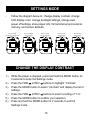
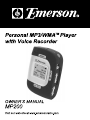
CHANGE THE DISPLAY COLOR
You can select a different color for the Music mode, Voice Record
mode and Settings mode.
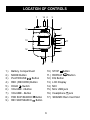
1.) While the player is stopped, press and hold the MODE button for
2 seconds to enter the Settings mode.
2.) Press the FWD or REV buttons to highlight “LCD Color”.
3.) Press the MODE button to select “LCD Color” and display the list
of modes. “Music Mode”, “Record Mode”, “Set up Mode”, “Back
Menu”.
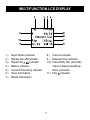
4.) Press the FWD or REV buttons to select between: “Yellow”,
“Green”, “Orange”, or “Rainbow”.
•
“Rainbow” automatically changes colors every 2 seconds.
5.) Press the MODE button to confirm your selection.
6.) Press and hold the MODE button for 2 seconds to exit the
Settings mode.
19