1
ProCurve Stack Management
Configuring Stack Management
SNMP Community Operation in a Stack
Community Membership
In the default stacking configuration, when a Candidate joins a stack, it
automatically becomes a Member of any SNMP community to which the
Commander belongs, even though any community names configured in the
Commander are not propagated to the Member’s SNMP Communities listing.
However, if a Member has its own (optional) IP addressing, it can belong to
SNMP communities to which other switches in the stack, including the
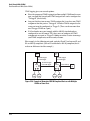
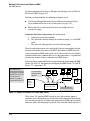
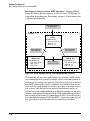
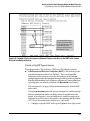
Commander, do not belong. For example:
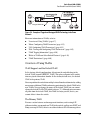
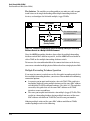
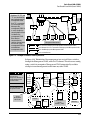
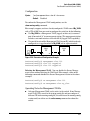
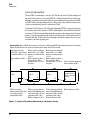
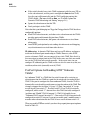
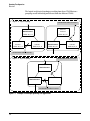
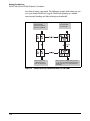
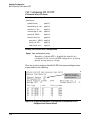
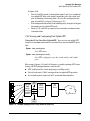
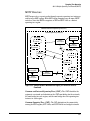
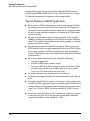
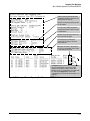
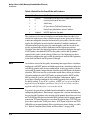
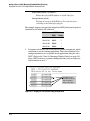
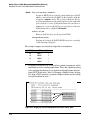
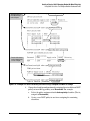
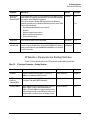
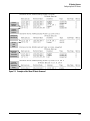
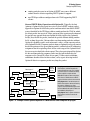
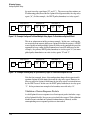
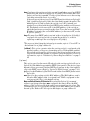
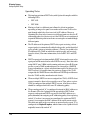
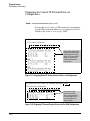
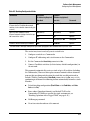
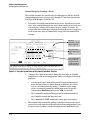
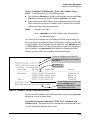
• The Commander and all Members of the stack
belong to the blue and red communities. Only switch
3 belongs to the gray community. Switches 1, 2, and
3 belong to the public community
Commander Switch
IP Addr: 12.31.29.100
Community Names:
– blue
– red
Member Switch 1
Member Switch 3
IP Addr: 12.31.29.18
Community Names:
IP Addr: 12.31.29.15
Community Names:
– public (the default)
Member Switch 2
IP Addr: None
Community Names:
– none
– public (the default)
– gray
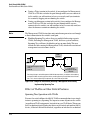
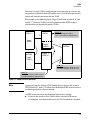
• If Member Switch 1 ceases to be a stack Member, it
still belongs to the public SNMP community because
it has IP addressing of its own. But, with the loss of
stack Membership, Switch 1 loses membership in
the blue and red communities because they are not
specifically configured in the switch.
• If Member Switch 2 ceases to be a stack Member, it
loses membership in all SNMP communities.
• If Member Switch 3 ceases to be a stack Member, it
loses membership in the blue and red communities,
but—because it has its own IP addressing—retains
membership in the public and gray communities.
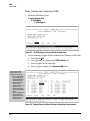
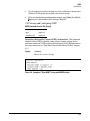
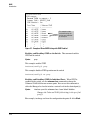
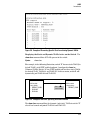
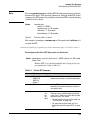
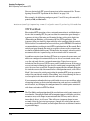
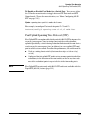
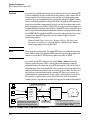
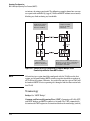
Figure 8-37. Example of SNMP Community Operation with Stacking
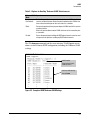
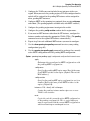
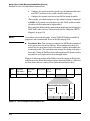
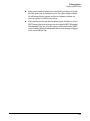
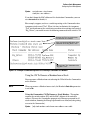
SNMP Management Station Access to Members Via the Commander.
To use a management station for SNMP Get or Set access through the
Commander’s IP address to a Member, you must append @sw<switch number>
to the community name. For example, in figure 8-37, you would use the
following command in your management station to access Switch 1’s MIB
using the blue community:
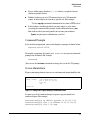
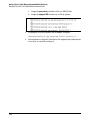
snmpget < MIB variable > 10.31.29.100 blue@sw1
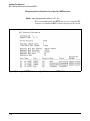
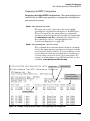
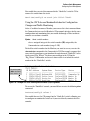
Note that because the gray community is only on switch 3, you could not use
the Commander IP address for gray community access from the management
station. Instead, you would access switch 3 directly using the switch’s own IP
address. For example:
snmpget < MIB variable > 10.31.29.15 gray
8-44