1
Playing CDs
Specifying the Next Disc to
Play
Locating a Specific Track or a
Point in a Track
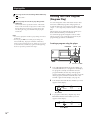
You can specify the next disc to play while playing a
disc in the Continuous or 1 Disc Shuffle Play mode.
You can quickly locate any track while playing a disc
using the ≠/± (AMS: Automatic Music Sensor)
buttons or number buttons on the remote. You can also
locate a specific point in a track while playing a disc.
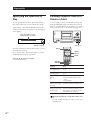
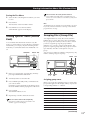
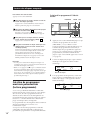
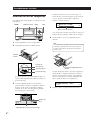
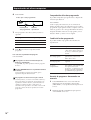
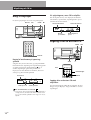
While playing a disc, turn the JOG dial until the disc
number or Disc Memo (see page 18) you want appears
in the display.
Next disc number or Disc
Memo appears for a while.
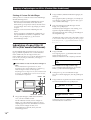
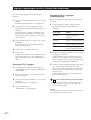
NEXT DISC
NEXT DISC
*DISC-38* 38
CD 1
≠/±
Next disc number
After the current disc is played, the next disc you have
specified starts playing.
If you want to skip to the next disc right away, press
ENTER while playing the current disc.
TRACK
Number
buttons
ENTER
To cancel the disc you have specified
Press CONTINUE twice.
=/+
0/)
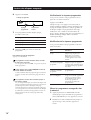
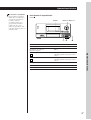
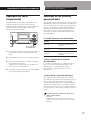
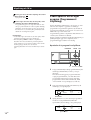
To locate
Press
the next or
succeeding tracks
± repeatedly until you find the
track
the current or
preceding tracks
≠ repeatedly until you find the
track
a specific track
directly
Z
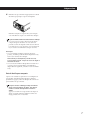
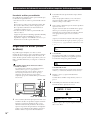
1 Press TRACK.
a point in a track
while monitoring the
sound Z
) (forward) or 0 (backward) and
hold down until you find the point
a point in a track
quickly by observing
the display Z
) (forward) or 0 (backward) and
hold down until you find the point
during pause. You will not hear the
sound during the operation.
2 Press the number button of the
track.
3 Press ENTER.
When you directly locate a track with a number over
10
Press the 10’s digit first, then the 1’s digit. To enter 0, use
the button 10/0.
12EN