1
Windows: Checking The UTM LUN's and Start/Stop of
the Proxy Agent
Note – Support for the Windows proxy agent is not qualified in CAM 6.0.1.
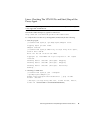
To verify the host sees the arrays management (UTM) LUN, do the following:
1.Start/Stop Agent
E:\Program Files (x86)\StorageManager\agent>net start
“SANtricity Storage Manager Agent”
The Storage Manager Agent service is starting.
The Storage Manager Agent service was started successfully.
2. Checking for UTM LUN
E:\Program Files (x86)\StorageManager\agent>C:\Java\
jdk1.5.0_11\bin\java -classpath SMagent.jar
devmgr.versioned.agent.DeviceIdentifier |
findstr Access
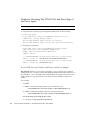
\\.\PHYSICALDRIVE0 [Storage Array fms-lca1, Volume Access,
LUN 31, Volume ID <600a0b80002458d20000000000000000>]
\\.\PHYSICALDRIVE1 [Storage Array fms-lca1, Volume Access,
LUN 31, Volume ID <600a0b80002fc074
Access LUN does not Correlate with Host to which it is Mapped
Bug 6584815 –When an access LUN is mapped to a proxy agent host for in-band
management use, you must correlate the mappings between the LUNs and the host
by using the format command at the UNIX prompt. The system will list the access
LUNs and the array ports from the UI or the CLI, and it will then compare the
results.
For example:
a. format
7. c8t0d31 <SUN-UniversalXport-9617 cyl 8 alt 2 hd 64 sec 64>
/pci@8,700000/fibre-channel@2/fp@0,0/ssd@w200500a0b82fbc3c,1f
13. c9t0d31 <SUN-UniversalXport-9617 cyl 8 alt 2 hd 64 sec 64>
/pci@8,700000/fibre-channel@2,1/fp@0,0/ssd@w200400a0b82fbc3c,1f
b. List the array ports using the UI or CLI:
A/1 A Up FC 2 Gbps 20:04:00:A0:B8:2F:BC:3B
46
Book Title without trademarks, or an abbreviated book title • March 2008