1
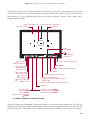
Canon EOS Rebel T3i/600D Digital Field Guide the selected AF point or points are highlighted in the viewfinder when you press down
the shutter button halfway.
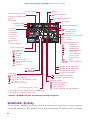
You can verify exposure settings, focus, and more in the viewfinder before making a
picture. The display changes depending on the shooting mode you’re using.
Getting Started with the Rebel T3i/600D
Even if you’ve already set up the T3i/600D, I suggest that you review this section for
settings that you may have missed or want to adjust.
Many people are afraid that changing camera settings will “mess up” the pictures that
they’re getting, and that they won’t know how to reset the camera if they don’t like
the changes they’ve made. But there is no reason to worry because Canon provides a
reset option so that you can always go back to the original settings on the Rebel
T3i/600D and start fresh.
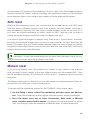
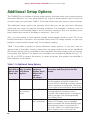
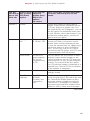
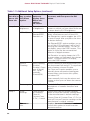
To reset the camera to the original settings, follow these steps:
1. Press the Menu button, and then press the right cross key to select the
Setup 3 menu.
2. Press the down cross key to select Clear settings, and then press the Set
button.
3. To reset the camera to factory settings, press the up or down cross key to
select Clear all camera settings, and then press the Set button. The Clear all
camera settings confirmation screen appears.
4. Press the right cross key to select OK.
Memory Cards
One of the important choices you make is deciding which memory card you use in the
camera. You can use SD and SDHC, SDXC, and Eye-Fi SD memory cards. Not all
memory cards are created equal, and the type and speed of media that you use affects
the Rebel T3i/600D’s performance, including how quickly images are written to the
memory card, and your ability to continue shooting during the image-writing process.
Memory card speed also affects the speed at which images display on the LCD. And
with the high-definition video capability of the Rebel, Canon recommends using a
Class 6 or higher memory card.
24