1
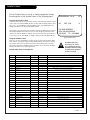
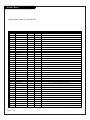
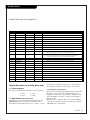
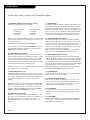
Other Menus & On-Screen Displays
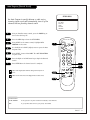
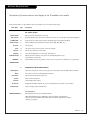
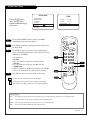
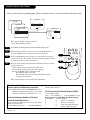
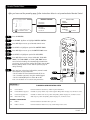
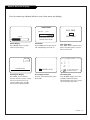
Use the remote keys indicated below to access these menus and displays
ALARM MENU
TIME NOW
6:10 AM
VOLUME
SLEEP TIMER
3:11 PM
OFF
TIMER
PRESS TIMER
PRESS DIGITS TO SET TIME
TIMER TO SELECT AM/PM
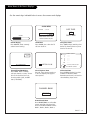
Volume Display
Press VOLUME. Shows currently
selected sound setting.
Alarm Menu
Press ALARM. Sets a time the TV
will turn itself on.
Ch 25 - PBS
7:15 PM
OLD TIME MOVIES
LENGTH 01:00
TIME LEFT 00:36
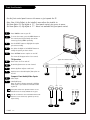
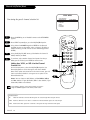
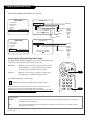
Channel/Time/XDS Display
Press ENTER. Shows currently
selected channel or source, current
time if the clock has been set,
incoming audio signal, and XDS
data (if available).
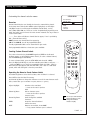
Sleep Timer Menu
Press TIMER. Shows remaining time
before TV shutoff. Choose a preset
time for TV turn-off.
5
9
20
32
44
AUX
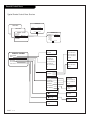
CC
CAPTION 1 IS ON
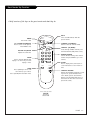
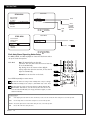
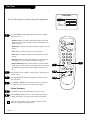
Closed Captions Menu
Press CC. Turns selected option on
or off. See Caption/Text page to
select options.
CH
CC
CHANNEL PREVIEW
------------------TO SELECT, ENTER TO QUIT
FOR PARENTAL CONTROL
Ch Preview Menu
Press CH PREV. Displays list of the
available TV Channels, Guest
Parental Control menu, and used to
select Auxiliary input source.
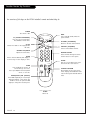
CHANNEL BANK
BANK 3
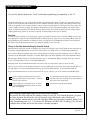
Channel Banks Menu
Press SOURCE/BANK on an Installer
remote equipped with those keys.
Accesses the Channel Banks menus:
Bank 1, Bank 2, Bank 3, Bank 4.
PAGE 25