1
Extra Sound Settings
ENG
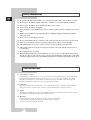
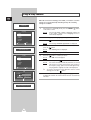
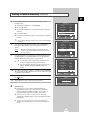
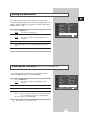
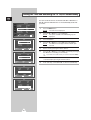
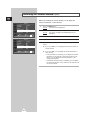
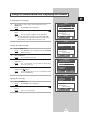
◆ Auto Volume
Each broadcasting station has its own signal conditions,
and so it is not easy for you to adjust the volume every
time the channel is changed. This feature lets you
automatically adjust the volume of the desired channel by
lowering the sound output when the modulation signal is
high or by raising the sound output when the modulation
signal is low.
Sound
œ Custom √
Mode
Equalizer
√
Auto Volume
Off
Melody
Off
Pseudo Stereo
Off
Virtual Surround
Off
œ √ Sel.
Move
Return
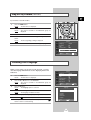
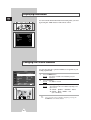
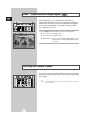
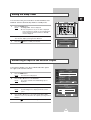
◆ Melody
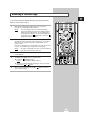
You can hear clear melody sound when the television is
powered on or off.
Sound
œ Custom √
Mode
Equalizer
√
Auto Volume
Off
Melody
Off
Pseudo Stereo
Off
Virtual Surround
Off
œ √ Sel.
Move
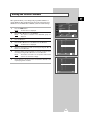
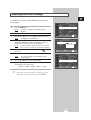
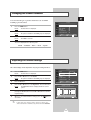
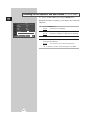
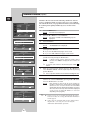
◆ Pseudo Stereo / Virtual Surround
Pseudo stereo feature converts a monaural sound
signal into two identical left and right channels.
Once the Pseudo stereo or Virtual surround is set
to On or Off, these settings apply to the sound effects
such as Standard, Music, Movie, and Speech.
Return
Sound
Mode
œ Custom √
Equalizer
√
Auto Volume
Off
Melody
Off
Pseudo Stereo
Off
Virtual Surround
Off
œ √ Sel.
Move
Return
Sound
œ Custom √
Mode
Equalizer
√
Auto Volume
Off
Melody
Off
Pseudo Stereo
Off
Virtual Surround
Off
Move
œ √ Sel.
34
Return
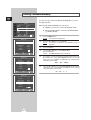
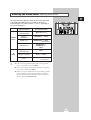
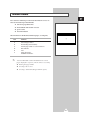
1
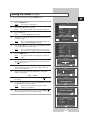
Press the MENU button.
The main menu is displayed.
Result:
2
Press the † or … button to select Sound.
The options available in the Sound group are displayed.
Result:
3
Select the required option by pressing the † or … button.
4
Press the œ or √ button to change the setting. (Off or On).