1
SYSTEM START--UP AND CHECKOUT
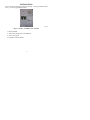
The AC/HP Control is designed with a built--in installer test capability. It allows
easy operation of equipment without delays or setpoint adjustments to force
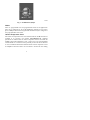
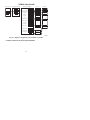
heating or cooling. To enable installer test mode, press and hold the fan button
for 15 seconds. After 10 seconds, the thermostat will enter Configuration Mode.
Continuing to hold the Fan button through 15 seconds will cause the thermostat
to enter Installer Test Mode. Pressing the Mode button will change the system
operating mode to test the heating and cooling equipment. Auto Mode is not
available during Installer Test Mode. If no buttons are pressed for 15 minutes, the
installer test mode will be terminated. Pressing DONE at any time will exit
installer test mode.
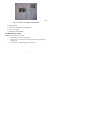
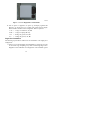
Heat -- The first stage of heating will be energized for three minutes, then the first
and second stages (if a second stage exists) will turn on for an additional three
minutes. During the first stage of heating, the HEAT ON icon will be displayed.
The “auxiliary heat on” icon will be displayed if the second stage is electric heat
(HP unit type). For heat pump installation, only 1 stage of auxiliary heat is
available. Any staging of auxiliary heat must be managed by the furnace or fan
coil. At the end of the equipment cycle the MODE will return to OFF. The
display will count down from 180 seconds to 0 for each stage when the
equipment is energized. The test of a heating or cooling cycle can be terminated
before the timer expires by pressing the MODE button and changing the system
mode to OFF.
Installer test for cooling is the same as described for heating above. COOL ON
will be displayed during cooling in Installer Test Mode. In a heat pump
application, when the mode is set to “em heat” the auxiliary heat will turn on for
3 minutes. The clock display will count down from 180 to 0 during this test.
36