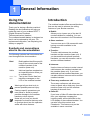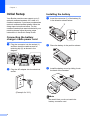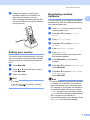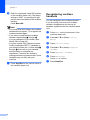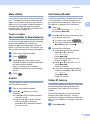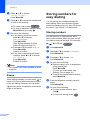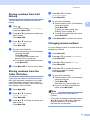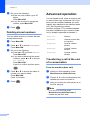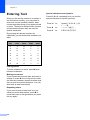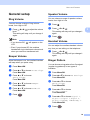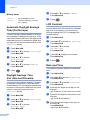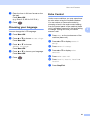
1
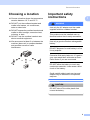
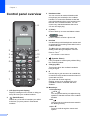
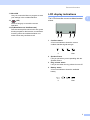
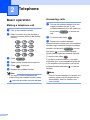
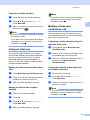
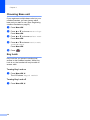
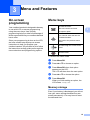
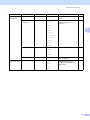
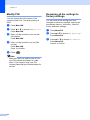
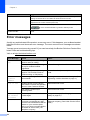
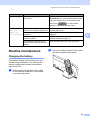
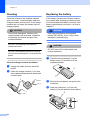
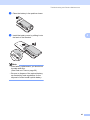
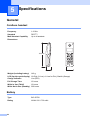
USER’S GUIDE DECT™ Handset BCL-D70 Version 0 UK/IRE/OCE/ASA © 2008 Brother Industries, Ltd. Approval Information and Compilation and Publication Notice THIS EQUIPMENT IS DESIGNED TO WORK WITH A TWO WIRE ANALOGUE PSTN LINE FITTED WITH THE APPROPRIATE CONNECTOR. APPROVAL INFORMATION Brother advises that this product may not function correctly in a country other than where it was originally purchased, and does not offer any warranty in the event that this product is used on public telecommunication lines in another country. Compilation and Publication Notice Under the supervision of Brother Industries Ltd., this manual has been compiled and published, covering the latest product descriptions and specifications. The contents of this manual and the specifications of this product are subject to change without notice. Brother reserves the right to make changes without notice in the specifications and materials contained herein and shall not be responsible for any damages (including consequential) caused by reliance on the materials presented, including but not limited to typographical and other errors relating to the publication. i EC Declaration of Conformity ii Table of Contents 1 General Information 1 Using the documentation ....................................................................................... 1 Symbols and conventions used in the documentation .................................... 1 Introduction ............................................................................................................ 1 Initial Setup ............................................................................................................ 2 Connecting the battery charger cradle power cord.......................................... 2 Installing the battery ........................................................................................ 2 Setting your country......................................................................................... 3 Registering cordless handsets ........................................................................ 3 Deregistering cordless handsets ..................................................................... 4 Choosing a location ............................................................................................... 5 Important safety instructions.................................................................................. 5 Control panel overview .......................................................................................... 6 LCD display indications ................................................................................... 7 2 Telephone 8 Basic operation ...................................................................................................... 8 Making a telephone call................................................................................... 8 Answering calls................................................................................................ 8 Mute (Hold)...................................................................................................... 9 Tone or pulse (Not available in New Zealand) ................................................................... 9 Search ............................................................................................................. 9 Call History/Redial ........................................................................................... 9 Caller ID history ............................................................................................... 9 Pause ............................................................................................................ 10 Storing numbers for easy dialling ........................................................................ 10 Storing numbers ............................................................................................ 10 Storing numbers from Call History................................................................. 11 Storing numbers from the Caller ID history ................................................... 11 Changing stored numbers ............................................................................. 11 Deleting stored numbers ............................................................................... 12 Advanced operation............................................................................................. 12 Transferring a call at the end of a conversation ............................................ 12 Using an intercom.......................................................................................... 13 Making a three-way conference call .............................................................. 13 Choosing Base unit ....................................................................................... 14 Key Lock........................................................................................................ 14 iii 3 Menu and Features 15 On-screen programming......................................................................................15 Menu keys ...........................................................................................................15 Memory storage.............................................................................................15 Menu Table..........................................................................................................16 Entering Text .......................................................................................................18 General setup ......................................................................................................19 Ring Volume ..................................................................................................19 Beeper Volume ..............................................................................................19 Speaker Volume ............................................................................................19 Handset Volume ............................................................................................19 Ringer Pattern ...............................................................................................19 Automatic Daylight Savings Time (For Europe) ............................................20 Daylight Savings Time (For Asia and Oceania) .............................................................................20 LCD Contrast .................................................................................................20 Date and Time ...............................................................................................20 Choosing your language................................................................................21 Echo Control..................................................................................................21 Modify PIN .....................................................................................................22 Restoring all the settings to factory settings ..................................................22 4 Troubleshooting and Routine Maintenance 23 Troubleshooting ...................................................................................................23 If you are having difficulty with your cordless handset ..................................23 Error messages ...................................................................................................24 Routine maintenance...........................................................................................25 Charging the battery ......................................................................................25 Cleaning ........................................................................................................26 Replacing the battery.....................................................................................26 5 Specifications 28 General ................................................................................................................28 Cordless handset...........................................................................................28 Battery ...........................................................................................................28 Battery charger cradle ...................................................................................29 AC adapter ....................................................................................................29 Basic Features.....................................................................................................29 6 iv Index 30 1 General Information Using the documentation The following symbols and conventions are used throughout the documentation. Bold Bold typeface identifies specific keys on the control panel of the cordless handset or the machine (base unit). Italics Italicized typeface emphasizes an important point or refers you to a related topic. Courier New Text in the Courier New font identifies messages on the LCD of the cordless handset. Warnings tell you what to do to prevent possible personal injury. Cautions specify procedures you must follow or avoid to prevent possible damage to the cordless handset or other objects. Notes tell you how you should respond to a situation that may arise or give tips about how the operation works with other features. 1 Introduction 1 Thank you for buying a Brother machine! Reading the documentation will help you make the most of your cordless DECT™ (Digital Enhanced Cordless Telecommunication) handset. The cordless handset battery is designed so that it can be replaced by the user. For replacement instruction, see Replacing the battery on page 26. Symbols and conventions used in the documentation 1 1 The cordless handset offers several functions that can be used to enhance the calling features of your Brother machine. Redial: Allows you to choose one of the last 10 numbers dialled for redialling. You can also store this number in the Phonebook. Store numbers: You can store up to 100 names with each having a number available in the Phonebook. Transfer: 1 Transfer calls between the cordless handset and the machine (base unit). If you have additional optional cordless handsets, you can also transfer a call to another cordless handset. Intercom: Use the intercom feature to make internal calls between the cordless handset and the machine (base unit). If you have additional optional cordless handsets, you can also make an intercom call to another cordless handset. Three-way conference call: Three-way conference call allows two users to speak with a third party from the machine (base unit) and the cordless handset at the same time. Caller ID: If you have a Caller ID subscriber service from your telephone company the incoming caller will be identified on the LCD display of the cordless handset. You can also store this number as a Phonebook. This feature may not be available in some countries. 1 Chapter 1 Initial Setup 1 a Your Brother machine can support up to 3 optional cordless handsets for a total of 4 cordless handsets. If you have purchased an optional cordless handset please follow the setup steps instructions below. For the cordless handset that was included with your machine please follow the setup steps instructions in the Quick Setup Guide. Connecting the battery charger cradle power cord a Plug the connector into the socket (1) and then hook the cable around its retaining clip (2) as shown in the diagram. 1 b Installing the battery Insert the connector (1) of the battery (2) in the direction shown below. 2 1 1 b Place the battery in the position shown. c Install the battery cover by sliding it onto the back of the handset. 2 Plug the AC adapter into the electrical socket. (Example for U.K.) Note Be careful that you do not catch the battery connector cord. 2 1 General Information d Registering cordless handsets Charge the battery by leaving the cordless handset in the cradle for at least 12 hours before you use it. (See Charging the battery on page 25.) You can continue to set up the handset during this time. Setting your country The first time you install the battery, you must set your country so that the cordless handset works correctly on local telecommunication lines. 1 You can register up to 3 additional cordless handsets for a total of 4 cordless handsets to the machine (base unit). 1 a Press MENU on the touchscreen of the machine (base unit). b Press a or b to display Initial Setup. c d Press Initial Setup. e f Press Register Handset. g Press Menu/OK on the cordless handset. Press a or b to display Register Handset. Press Register. The machine (base unit) searches for the cordless handset. a b Press Menu/OK. h Press a or b to choose your country. Press Menu/OK. Press a or b to choose Register HS. Press Menu/OK. i c Press 1 to confirm. Press a or b to choose Base1, Base2, Base3 or Base4. Press Menu/OK. Note Note (For Asia) If you do not find your country, choose Others in step b. • If you have already registered the handset to a base unit, make sure you choose a base unit number that is not being used. For example, if you register the handset to an additional base unit and you choose Base1, the base unit previously stored in Base1 will be overwritten and the handset will no longer be connected to it. • Your machine (base unit) is already stored as Base1 on the included handset. 3 1 Chapter 1 j Enter the registered 4-digit PIN number of the machine (base unit) (The factory setting is “0000”.) by pressing the dial pad on the control panel of the cordless handset. Press Menu/OK. Note • If you hear three short beeps, the cordless handset did not register. Try to register the cordless handset again. • If you want to install another cordless handset, repeat steps f through j. • You can change the PIN number. (See Modify PIN on page 22.) • You may register GAP (Generic Access Profile) compatible DECT™ handsets to your machine (base unit). Follow steps a through f, then refer to your handset documentation to complete the registration. Functions are limited to making and receiving external calls. Some handsets may not work with your machine. k 4 Press Stop/Exit on the control panel of the machine (base unit). Deregistering cordless handsets You can deregister your cordless handset. If you are using more than one cordless handset, deregistration will remove all handsets registered with the machine (base unit). a Press MENU on the touchscreen of the machine (base unit). b Press a or b to display Initial Setup. c d Press Initial Setup. e f Press Register Handset. g Press Stop/Exit. Press a or b to display Register Handset. Press Terminate. Press Yes to confirm. 1 General Information Choosing a location Choose a location where the temperature remains between 10° C and 35° C. DO NOT put the cordless handset and cradle near heaters, air conditioners, water or chemicals. DO NOT expose the cordless handset and cradle to direct sunlight, excessive heat, moisture, or dust. DO NOT use the cordless handset near electro-medical equipment. We recommend at least 3 m between the machine (base unit) or cordless handset and possible sources of radio interference. 3m 3m 1 Important safety instructions 1 WARNING Use only the AC adapter and the cradle supplied with this cordless handset. This product must be installed near an electrical socket that is easily accessible. Use only a genuine Brother rechargeable battery. DO NOT dispose of a used battery in a fire. It may explode. Corrosive fluid rarely leaks out. If it gets in your eyes wash them with water at once. Call a doctor if you are concerned. DO NOT allow the battery to touch any conductive materials. It can cause a short circuit of the battery. Small metallic objects such as pins and staples may be attracted to the phone’s earpiece. CAUTION DO NOT take off the white plastic that covers the battery. 5 1 Chapter 1 Control panel overview 3 Headset socket You can connect an external headset with microphone (not included) to the cordless handset. To access the headset socket fold open the headset socket cover located on the left side of the cordless handset. You can connect any standard headsets that use a 2.5 mm mini style plug. 4 C (Clear) Press to back up a cursor and delete a letter. 1 8 5 (Talk) Press to make or receive a phone call. 6 1 2 9 3 10 4 11 5 12 6 7 13 1 LCD (liquid crystal display) Displays messages on the screen to help you set up and use your cordless handset. 2 (Redial/Pause) Redials any of the last 10 numbers you called. It also lets you put a pause in Phonebook numbers. 6 Dial Pad Use these keys to dial a telephone number and as a keyboard for entering information into the cordless handset. The # key lets you temporarily switch the dialling mode during a telephone call from Pulse to Tone 1. 1 7 Not available in New Zealand (Speaker Phone) Lets you speak to another party without lifting the cordless handset. 8 Charging LED Turns green when the cordless handset is being charged. 9 R Use this key to gain access to an outside line, or transfer a call to another extension when it is connected to a PBX. (For Asia and Oceania regions) Gaining access to an outside line is only available to users in Australia and New Zealand. 10 Menu keys: Volume keys d c You can press these keys to adjust the ring, speaker or handset volume of the cordless handset. a Lets you look up numbers that are stored in the dialling memory. a or b Press to scroll through the menus and options. General Information 11 Menu/OK Lets you access the Menu to program or store your settings in the cordless handset. 12 (Off) LCD display indications 1 The LCD shows the current cordless handset status. Press to hang up or cancel the current operation. 13 Int (Mute/Intercom, Hold/Intercom) Puts the current phone call on hold. Also, press this key to speak on the intercom, to transfer an incoming call to the cordless handset or to make a three-way conference call. 1 2 1 3 4 Cordless status A four level indicator shows the current cordless handset signal strength. 0 Max 2 Speaker Phone Lets you see when you are speaking with the Speaker Phone. 3 Ring volume status Lets you see when the ring volume is set to off. 4 Battery status A four level indicator shows the available battery. 0 Max 7 1 2 Telephone Basic operation Making a telephone call a b 2 2 Answering calls a 2 Pick up the cordless handset. Enter a number using the dial pad or choose a number stored in the dialling memory. 2 Pick up the cordless handset from the cradle to answer the call. If your cordless handset is not in the cradle you must press call. b c to answer the To end the call, press . Replace the cordless handset. When the machine (base unit) or the cordless handset rings, instead of lifting the cordless handset, and pressing you can also press on the cordless handset. Speak clearly toward the cordless handset. c d e f To end the call, press Press . Speak clearly toward the microphone. Press to hang up. Replace the cordless handset. Note If you want to make a telephone call without lifting the cordless handset, press and enter a number using the dial pad. 8 . If you have a bad connection, your caller might hear your voice echoed during the call. If you experience this problem, pick up the cordless handset and press handset. to use the Note Even if it is a fax call when you answer, the machine (base unit) will receive the fax automatically. See Fax Detect in the User’s Guide. Telephone Mute (Hold) 2 If you want to put a call on hold, press the Int key. To release the call from hold press Int again. You can also transfer to the machine (base unit) or to another cordless handset if you have an additional optional cordless handset. (See Transferring a call at the end of a conversation on page 12.) Tone or pulse (Not available in New Zealand) Pick up the cordless handset. d Press Press Press . You can also choose Call History by pressing Menu/OK. b Press a or b to choose the number and do one of the following: 2 c . Pick up the cordless handset. Press a ( ) and do one of the following: Press a or b to choose the name you want to call. Use the dial pad to enter the first letter of the name, and then press a or b to choose the name you want to call. 2 To make a call, press . To store or delete the number, press Menu/OK and go to step c. Press # on the control panel of your cordless handset. Any digits dialled after this will send tone signals. When you hang up, the cordless handset will return to the pulse dialling service. You can search for names you have stored in the Phonebook memory. a b a . Search 2 The last 10 numbers you called will be stored in the call history. You can choose one of these numbers to make a call, add it to the Phonebook, or delete it from the history. If you have a pulse dialling service, but need to send tone signals (for example, for telephone banking), follow the instructions below. If you have a Touch Tone service, you will not need this feature to send tone signals. a b c Call History/Redial Do one of the following: If you want to store the number, press a or b to choose Add Phonebook. Press Menu/OK. (See Storing numbers from Call History on page 11.) Press a or b to choose Delete. Press Menu/OK. Press 1 to confirm. If you want to delete all the stored numbers, press a or b to choose All Delete. Press Menu/OK. Press 1 to confirm. 2 Caller ID history 2 This feature requires the Caller ID subscriber service offered by many local telephone companies. (See Caller ID in the User’s Guide.) The last 30 numbers you received will be stored in the Caller ID history. You can choose one of these numbers to make a call, add it to the Phonebook, or delete it from the history. a Press Menu/OK. 9 Chapter 2 b c Storing numbers for easy dialling Press a or b to choose Caller ID hist.. Press Menu/OK. Press a or b to choose the number and do one of the following: You can set up your cordless handset for easy dialling. When you choose a number stored in the dialling memory, the LCD shows the name, if you stored it, or the number. To make a call, press . To store or delete the number, press Menu/OK and go to step d. d Storing numbers Do one of the following: If you want to store the number, press a or b to choose Add Phonebook. Press Menu/OK. (See Storing numbers from the Caller ID history on page 11.) Press a or b to choose Delete. Press Menu/OK. Press 1 to confirm. If you want to delete all the stored numbers, press a or b to choose All Delete. Press Menu/OK. Press 1 to confirm. a( ), a or b and a b Press Menu/OK. c Press a or b to choose Add. Press Menu/OK. d Do one of the following: Enter the name (up to 16 characters) using the dial pad. Press Menu/OK. (To help you enter letters, see Entering Text on page 18.) To store the number without a name, press Menu/OK. e Enter the telephone number (up to 20 digits). Press Menu/OK. f Do one of the following: To store another number, go to step c. This feature may not be available in some countries. When dialling manually, you can press to insert a 3.5 second pause between numbers. If you are dialling overseas, you can press as many times as needed to increase the length of the pause. 2 You can store up to 100 locations with a name and a number. When you dial you will only have to press a few keys (For example: Note Pause 2 ). Press a or b to choose Phonebook. Press Menu/OK. To finish the setting, press 10 2 . Telephone Storing numbers from Call History Press . You can also choose Call History by pressing Menu/OK. b Press a or b to choose the number you want to store. Press Menu/OK. c d e Press Menu/OK. c Press a or b to choose a number you want to store. Press Menu/OK. Press a or b to choose Caller ID hist.. Press Menu/OK. 2 Press Menu/OK to confirm the number. 2 You can change a name or number that has already been stored. Press Menu/OK to confirm the number. a b Do one of the following: Enter the name (up to 16 characters) using the dial pad. Press Menu/OK. (To help you enter letters, see Entering Text on page 18.) To store the number without a name, press Menu/OK. Changing stored numbers Do one of the following: Enter the name (up to 16 characters) using the dial pad. Press Menu/OK. (To help you enter letters, see Entering Text on page 18.) To store the number without a name, press Menu/OK. If you have the Caller ID subscriber service from your telephone company you can also store Phonebook numbers from incoming calls in the Caller ID history. (See Caller ID in the machine’s User’s Guide.) e f Press a or b to choose Add Phonebook. Press Menu/OK. Storing numbers from the Caller ID history Press a or b to choose Add Phonebook. Press Menu/OK. 2 You can also store numbers from the call history. a d 2 a b Press Menu/OK. c Press a or b to choose Change. Press Menu/OK. d Press a or b to choose the name or number you want to change. Press Menu/OK. e Do one of the following: Enter the name (up to 16 characters) using the dial pad. Press Menu/OK. (See Entering Text on page 18.) If you do not want to change the name, press Menu/OK. Press a or b to choose Phonebook. Press Menu/OK. Note How to change the stored name or number: If you want to change a character, press d or c to position the cursor under the incorrect character, then press C. Re-enter the correct letter. 11 Chapter 2 f g Press . Deleting stored numbers You can delete a name or number that has already been stored. a b c e 2 Press a or b to choose Phonebook. Press Menu/OK. Do one of the following: Press a or b to choose Delete. Press Menu/OK. If you want to delete all the stored numbers, press a or b to choose All Delete. Press Menu/OK. Press 1 to confirm and then press Base Unit Machine Handset#1 Handset included with the machine Handset#2 Optional cordless handset Handset#3 Optional cordless handset Handset#4 Optional cordless handset Press Transferring a call at the end of a conversation From the machine (base unit) Press a or b to choose the name or number you want to delete. Press Menu/OK. Press 1 to confirm. . a When you finish speaking, press Mute/Intercom (Hold/Intercom). b Press 1, 2, 3 or 4 on the dial pad for the handset you want to transfer to. c After you confirm the other person is on the line, hang up. Note If no one is on the line, press Mute/Intercom (Hold/Intercom) to release the call from hold. 12 2 You can transfer a call, make an intercom call or make a three-way conference call. If you have optional cordless handsets you must register each handset to the machine (base unit). See Registering cordless handsets on page 3. The cordless handset that was included with your machine (base unit) is already registered as Handset 1. Press Menu/OK. . d Advanced operation Do one of the following: Enter the new number (up to 20 digits). Press Menu/OK. If you do not want to change the number, press Menu/OK. 2 2 Telephone From the cordless handset a b c Note 2 If you have one or more optional cordless handsets, you can choose one of these handsets in step c. Press Int when you finish speaking. Press a or b to choose Base Unit. Press Menu/OK. 2 Making a three-way conference call After you confirm the other person is on the line, press . Note 2 • If no one is on the line, press Int to release the call from hold. During a call to or from an outside line you can add another person to the call to make a three way conference call. • If you have one or more optional cordless handsets, you can choose one of these handsets in step b. Calling the cordless handset from the machine (base unit) Using an intercom The intercom feature allows you to make internal calls between the cordless handset and the machine (base unit). If you have additional optional cordless handsets (4 max.) you can also make an intercom call to another cordless handset. Making a call from the machine (base unit) a b c 2 Press Mute/Intercom (Hold/Intercom). Press 1, 2, 3 or 4 on the dial pad for the handset you want to connect to. After you finish speaking, hang up. Making a call from the cordless handset a Pick up the cordless handset. b c Press Int. d After you finish speaking, hang up. a During a call, press Mute/Intercom (Hold/Intercom). b Press 1, 2, 3 or 4 on the dial pad to add the handset you want to the call. c After you confirm the other person is on the line, press Mute/Intercom (Hold/Intercom). 2 Calling the machine (base unit) from the cordless handset a b During a call, press Int. c After you confirm the other person is on the line, press Int. 2 2 Press a or b to choose Base Unit. Press Menu/OK. Note 2 If you have one or more optional cordless handsets, you can choose one of these handsets in step b. Press a or b to choose Base Unit. Press Menu/OK. 13 Chapter 2 Choosing Base unit 2 If you registered multiple base units into your cordless handset, you can choose which base unit you want to use. (See Registering cordless handsets on page 3.) a b Press Menu/OK. Press a or b to choose HS Settings. Press Menu/OK. c Press a or b to choose Select BASE. Press Menu/OK. d Press a or b to choose Base1, Base2, Base3 or Base4. Press Menu/OK. e Press . Key Lock 2 Key Lock lets you prevent unauthorized access to the cordless handset. While Key Lock is on, the handset will only be able to answer calls. Turning Key Lock on a Press Menu/OK, #. The LCD shows Keypad Locked. Turning Key Lock off a 14 2 Press Menu/OK, #. 2 3 Menu and Features On-screen programming 3 Menu keys 3 3 Access the menu. Your cordless handset is designed to be easy to use with LCD on-screen programming using the menu keys. User-friendly programming helps you take full advantage of all the menu selections your cordless handset has to offer. Go to the next menu level. 3 Accept an option. Delete an incorrect letter when you need to enter text into the cordless handset. Go back to the previous menu level. Since your programming is done on the LCD, we have created step-by-step on-screen instructions to help you program your cordless handset. All you need to do is follow the instructions as they guide you through the menu selections and programming options. Scroll through the current menu level. Exit the menu. To access the menu mode: a b c Press Menu/OK. d e Press a or b to choose the option. Press a or b to choose an option. Press Menu/OK when that option appears on the LCD. The LCD will then show the next option. Press Menu/OK. When you finish setting an option, the LCD shows Accepted. Memory storage 3 Even if your battery is discharged, you will not lose your menu settings because they are stored permanently. You may have to reset the date and time. 15 Chapter 3 Menu Table 3 The menu table will help you understand the menu selections and options that are found in the cordless handset's programs. The factory settings are shown in Bold with an asterisk. Level1 Level2 Level3 Options Descriptions Page Phonebook Add — — You can add, change or delete a number. 10 Delete — You can choose a number from the call history and then make a phone call to it, add it to the Phonebook, or delete it. 9 — You can choose a number from the Caller ID history and then make a phone call to it, add it to the Phonebook, or delete it. 9 Change Delete All Delete Call History — All Delete Add Phonebook Caller ID hist. — Delete All Delete Add Phonebook Modify Pin — — — You can change the PIN number of the machine (base unit). 22 HS Settings Setup Ringer Beeper On* Adjusts the volume level of the beeper. 19 You can choose a ring pattern. 19 Changes for daylight savings time automatically. 20 Changes for daylight saving time manually. 20 Adjusts the contrast of the LCD. 20 Off Ringer Pattern Signal 1* Signal 2 Signal 3 Signal 4 Signal 5 Melody 1 Melody 2 Auto Daylight — (For Europe) Daylight Save Off — (For Asia and Oceania) LCD Contrast On* On Off — ooooooo oooooon ooooonn oooonnn* ooonnnn oonnnnn onnnnnn 16 Menu and Features Level1 Level2 Level3 Options Descriptions Page HS Settings (Continued) Date&Time — — Puts the date and time on the LCD. 20 Select Language — English* Allows you to change the LCD language for your country. 21 French German Dutch 3 Italian Spanish Portuguese Norwegian Swedish Finnish Danish Select BASE — Base1* You can choose a base unit. 14 Base2 Base3 Base4 Register HS HS Default — — Restores all settings to the factory default. 22 — — Base1 Registers the cordless handset into the machine (base unit). 3 Base2 Base3 Base4 17 Chapter 3 Entering Text Special characters and symbols 3 When you are storing a name or a number in the Phonebook memory, you may need to enter text into the cordless handset. Most number keys have three or four letters printed on them. The keys for 0, # and l do not have printed letters because they are used for special characters. By pressing the relevant number key repeatedly, you can access the character you want. Press Key one time two times three times four times 2 A B C 2 3 D E F 3 4 G H I 4 5 J K L 5 6 M N O 6 7 P Q R S 8 T U V 8 9 W X Y Z Putting spaces To enter a space in a name, press c twice between characters. Making corrections If you entered an incorrect letter and want to change it, press d to move the cursor under the incorrect character, press C to delete, and then re-enter the correct character. You can also back up and insert letters. Repeating letters If you need to enter a letter that is on the same key as the letter before, press c to move the cursor to the right before you press the key again. 18 Press l, # or 0, repeatedly until you see the special character or symbol you want. Press l for (space) ! " # $ % & ' ( ) l +,-./m Press # for :;<=>?@[]^_ Press 0 for ÄËÖÜÀÇÈÉ0 Menu and Features General setup Ring Volume 3 3 Speaker Volume 3 You can choose a range of speaker volume levels, from High to Low. You can choose a range of ring volume levels, from High to Off. a Press a b Press d or c . This setting will stay until you change it again. c Press Press d or c to adjust the volume level. This setting will stay until you change it again. Note • If you choose Off, LCD. a Press Menu/OK. Press a or b to choose HS Settings. Press Menu/OK. Press a or b to choose Setup Ringer. Press Menu/OK. d Press a or b to choose Beeper. Press Menu/OK. e Press a or b to choose On or Off. Press Menu/OK. f Press . Press d or c . This setting will stay until you change it again. 3 When the beeper is on, the cordless handset will beep when you press a key. c 3 You can adjust the cordless handset volume any time you are talking on the telephone. • Even if you choose Off, the cordless handset will ring in the lowest volume level when you receive a transferred call. a b 3 . Handset Volume will appear on the Beeper Volume . Ringer Pattern 3 You can choose a ring pattern from five signal (regular ring patterns) or two types of melodies. a b Press Menu/OK. c Press a or b to choose Setup Ringer. Press Menu/OK. d Press a or b to choose Ringer Pattern. Press Menu/OK. e Press a or b to choose Signal 1, Signal 2, Signal 3, Signal 4, Signal 5, Melody 1 or Melody 2. Press Menu/OK. f Press Press a or b to choose HS Settings. Press Menu/OK. . 19 Chapter 3 Melody name Melody 1 My Grandfather’s Clock Melody 2 The Four Seasons Concerto No.1 “Spring” Automatic Daylight Savings Time (For Europe) c 3 Press Menu/OK. Press a or b to choose HS Settings. Press Menu/OK. Press a or b to choose Auto Daylight. Press Menu/OK. d Press a or b to choose On or Off. Press Menu/OK. e Press Press a or b to choose On or Off. Press Menu/OK. e Press . LCD Contrast You can set the cordless handset to change automatically for daylight savings time. It will reset itself forward one hour in the Spring and backward one hour in the Autumn. Make sure you have set the correct date and time in the Date&Time setting. a b d 3 You can adjust the LCD contrast for a sharper and more vivid display. If you are having difficulty reading the LCD, try changing the contrast setting. a b Press Menu/OK. c Press a or b to choose LCD Contrast. Press Menu/OK. d Press d or c to adjust the contrast. Press Menu/OK. e Press Press a or b to choose HS Settings. Press Menu/OK. . Date and Time 3 The cordless handset displays the date and time. . a b Press Menu/OK. You can set the cordless handset to change for daylight savings time. It will reset itself forward one hour in the Spring and backward one hour in the Autumn. Make sure you have set the correct date and time in the Date&Time setting. c Press a or b to choose Date&Time. Press Menu/OK. d Enter the two digits for the day on the dial pad. (e.g. Enter 0 1 for the first of the month.) a b e Enter the two digits for the month on the dial pad. (e.g. Enter 0 3 for March.) f Enter the last two digits of the year on the dial pad. Press Menu/OK. (e.g. Enter 0 8 for 2008.) Daylight Savings Time (For Asia and Oceania) c 20 3 Press Menu/OK. Press a or b to choose HS Settings. Press Menu/OK. Press a or b to choose Daylight Save. Press Menu/OK. Press a or b to choose HS Settings. Press Menu/OK. Menu and Features g h Echo Control Enter the time in 24-hour format on the dial pad. Press Menu/OK. (e.g. Enter 1 5, 2 5 for 3:25 P.M.) Press . Choosing your language 3 You can change the LCD language. a b c Press Menu/OK. Press a or b to choose HS Settings. Press Menu/OK. Press a or b to choose Select Language. Press Menu/OK. d Press a or b to choose your language. Press Menu/OK. e Press . 3 Under some conditions you may experience an echo when using the cordless handset. You can reduce or remove the echo by choosing a level in the echo control setting from the control panel of the machine (base unit). It will take a moment for the level setting to change. During this time you cannot answer a call. a Press MENU on the touchscreen of the machine (base unit). b Press a or b to display General Setup. c d Press General Setup. e f Press Echo Control. g Press Stop/Exit. Press a or b to display Echo Control. Press level1, level2, level3 or level4. 21 3 Chapter 3 Modify PIN 3 You can change the PIN number of the machine (base unit). The factory setting is 0000. a b Press Menu/OK. c Enter a 4-digit number for the current PIN number. Press Menu/OK. Press a or b to choose Modify Pin. Press Menu/OK. d Enter a 4-digit number for a new PIN number. Press Menu/OK. Press 1 to confirm. e Press . Note Make sure that you make a note of your new PIN number and keep it in a safe place. If you forget or lose your PIN number please call your Brother dealer for service. 22 Restoring all the settings to factory settings 3 You can reset all the settings you have changed to the factory settings, such as the phonebook memory, call history, Caller ID history and other settings. a b Press Menu/OK. c Press a or b to choose HS Default. Press Menu/OK. Press 1 to confirm. Press a or b to choose HS Settings. Press Menu/OK. 4 Troubleshooting and Routine Maintenance 4 Troubleshooting 4 If you think there is a problem with your cordless handset, check the chart below and follow the troubleshooting tips. Most problems can be easily resolved by yourself. If you need additional help, the Brother Solutions Center offers latest FAQs and troubleshooting tips. Visit us at http://solutions.brother.com. 4 If you are having difficulty with your cordless handset Difficulties Suggestions The cordless handset does not operate. Check that the battery is charged properly. (See Charging the battery on page 25.) Dialling or receiving does not work. Check phone line connection of the machine (base unit). 4 Check that the machine (base unit) is plugged in. For dialling feature, check that the machine (base unit) is not in Power Save Mode. Check that the battery is charged properly. (See Charging the battery on page 25.) Move closer to the machine (base unit). The cordless handset may be too far away from the machine (base unit). If you have registered the handset to more than one machine (base unit), check that you have chosen the correct machine (base unit) from the handset menu. (See Choosing Base unit on page 14.) Bad phone line connection Make sure that there are no possible sources of radio interference between the machine (base unit) and the cordless handset. Move closer to the machine (base unit). The cordless handset may be too far away from the machine (base unit). During the conversation, try adjusting the angle of the antenna on the right of the machine (base unit) to improve reception. Move away from walls. The battery does not charge. Check that the battery is installed properly in the cordless handset. (See Replacing the battery on page 26.) Check that the cordless handset is placed properly in the cradle and LED turns green. (See Charging the battery on page 25.) Clean the charge contacts for both cordless handset and the cradle. (See Cleaning on page 26.) The battery performance is still poor after recharging. It is time to replace the battery. (See Replacing the battery on page 26.) The cordless handset beeps during a call. Move closer to the machine (base unit). The cordless handset may be too far away from the machine (base unit). Your battery may be discharged. If you want to continue the call, transfer the call to the machine (base unit) and use the Speaker Phone key to answer. (See Transferring a call at the end of a conversation on page 12.) Charge the battery. (See Charging the battery on page 25.) 23 Chapter 4 Difficulties Suggestions You cannot make an internal call. The cordless handset or the machine (base unit) you want to call to may be making an internal call or an outside call. Wait until the line is free. If you have more than one machine (base unit), check that your handset is registered to the correct machine (base unit). Make sure that the machine (base unit) is not in Power Save condition. Then press on the cordless handset to go back to standby mode. You cannot register an optional cordless handset. Check that both the cordless handset and the machine (base unit) are in standby mode. Error messages 4 As with any sophisticated office product, errors may occur. If this happens, your cordless handset identifies the error and shows an error message. The most common error messages are shown below. You can correct most errors by yourself. If you need more help, the Brother Solutions Center offers latest FAQs and troubleshooting tips. Visit us at http://solutions.brother.com. Error Message Cause Action Base Unit in use The machine (base unit) is being used for intercom calling. Wait until the line is free. The machine (base unit) is being set up for cordless handset registration. Wait until the registration is finished. The machine (base unit) is being used for TAD functions such as OGM recording or ICM playing. Wait until machine (base unit) is back in standby mode. Cannot register handset Handset registering was unsuccessful. Try to register the cordless handset again. (See Registering cordless handsets on page 3.) Line in use Another person is on the phone with machine’s (base unit) speaker phone or other cordless handset. Wait until the line is free. The machine (base unit) is receiving faxes. Wait until the line is free. Low Battery Put handset on cradle The battery of the cordless handset is discharged. Charge the battery. (See Charging the battery on page 25.) No Caller ID There is no incoming call history. You have not received any calls, you have not activated the Caller ID feature on your machine (base unit), or you have not subscribed to the Caller ID service from your telephone company. If you want to use the Caller ID feature call your telephone company. (See Caller ID in the User’s Guide.) 24 Troubleshooting and Routine Maintenance Error Message Cause Action Power Off The machine (base unit) is in Power Save mode. If you want to make a phone call, press the Power Save key on your machine (base unit) to bring your machine out of Power Save mode. Then press on the cordless handset to go back to standby mode. Searching for Base Unit The cordless handset is too far Move the cordless handset closer to the away from the machine (base unit). machine (base unit). (Base Unit not detected) Your machine (base unit) is not plugged in. Make sure that the machine (base unit) is plugged in. You have not registered the cordless handset. Register the cordless handset. (See Registering cordless handsets on page 3.) The antenna on the right of the machine (base unit) is in the down position. Make sure the antenna is in the up position. Routine maintenance Charging the battery b 4 Place the cordless handset in the cradle with the dial pad facing forward. 4 If the battery charge level is getting low, you should charge the battery. You can see the battery charge level indicator at the bottom right of the LCD. a Make sure the AC adapter of the cradle or the machine (base unit) is connected to an electrical socket. 25 4 Chapter 4 Cleaning 4 Clean the outside of the cordless handset with a soft cloth. You should also clean the charge contacts once a month. If the charge contacts are not clean, the battery may not charge properly. Replacing the battery If the battery charge level indicator empties very quickly after recharging make sure that you have charged the battery correctly. If the battery performance is still poor, it is time to replace it. CAUTION WARNING Use neutral detergents. Cleaning with volatile liquids such as thinner or benzine will damage the outside surface of the cordless handset. Use a genuine Brother rechargeable battery (BCL-BT20). If not, it may cause damage or personal injury. DO NOT use cleaning materials that contain ammonia. CAUTION DO NOT take off the white plastic that covers the battery. DO NOT use isopropyl alcohol to remove dirt from the control panel. It may crack the panel. Clean the charge contacts as follows: a b 4 a 4 Press the area indicated (1) on the battery cover (2) and slide it off the cordless handset. Unplug the cradle from the electrical socket. 2 Clean the charge contacts (1) for both the cordless handset and the cradle with a cotton swab. 1 1 b Remove the old battery and pull out the connector. c Insert the connector (1) of the new battery (2) in the direction shown below. 2 1 26 Troubleshooting and Routine Maintenance d Place the battery in the position shown. e Install the battery cover by sliding it onto the back of the handset. 4 Note • After battery replacement, you should set the date and time. (See Date and Time on page 20.) • Be sure to dispose of the expired battery as directed by local regulations for the disposal of nickel metal hydride battery. 27 5 Specifications 5 General 5 Cordless handset 5 Frequency 1.9 GHz Standard DECT™ Multi Handset Capability Up to 4 handsets Dimensions 154 mm 31.6 mm Weight (including battery) 49.6 mm 149 g LCD (liquid crystal display) 16-Digit, 3-Line (+1-Line for Pict), Backlit (Orange) Charge Indicator Yes (LED) Full Charge Time 12 hours While in Use (TALK) 10 hours While Not in Use (Standby) 200 hours Battery 5 Type BCL-BT20 Rating Ni-MH 3.6 V 730 mAh 28 Specifications Battery charger cradle 5 Dimensions 67 mm 85 mm Weight 71.6 g Power Consumption (during charge) Charging: 69 mm AC adapter Type 5 Average 2 W 5 BCL-ADB (For U.K., Singapore, Hong Kong and Malaysia) BCL-ADOCE (For Australia and New Zealand) BCL-ADC (For others) Input AC 220 to 240 V 50/60 Hz Output DC 11.0 V Basic Features 5 Tel-Index Up to 100 numbers with names Redial Yes Melody ringer patterns Yes (2 melodies, 5 signals) 2 Way Intercom Handset-to-Handset and Handset-to-Base Unit Talk Time display Yes 29 6 Index B P Battery charging ................................................25 installing ..................................................2 replacing ...............................................26 Phonebook changing ............................................... 11 deleting ................................................. 12 storing ................................................... 10 from call history ................................. 11 from caller ID history ......................... 11 PIN entering ............................................ 3, 22 modifying .............................................. 22 Programming your cordless handset ....... 15 C Cleaning ...................................................26 Control panel overview ..............................6 D Date and time ...........................................20 Daylight saving time .................................20 Dialling call history/redial .....................................9 caller ID history .......................................9 pause ....................................................10 phonebook ..............................................9 R Registering ................................................ 3 Ringer pattern .......................................... 19 S Safety instructions ..................................... 5 E T Error messages on LCD ..........................24 Telephone ................................................. 8 caller ID history ....................................... 9 choosing base unit ............................... 14 hold ......................................................... 9 intercom ............................................ 1, 13 mute ....................................................... 9 three-way conference call ................ 1, 13 transferring ........................................... 12 Text, entering .......................................... 18 special characters ................................ 18 Troubleshooting ....................................... 23 error messages on LCD ....................... 24 if you are having difficulty ..................... 23 H Handset default ........................................22 HELP LCD messages .....................................15 using menu keys ................................15 menu table ............................................15 L LCD (liquid crystal display) ................. 7, 15 changing language ................................21 contrast .................................................20 M Maintenance, routine ...............................25 Memory storage .......................................15 Menu table ...............................................16 30 V Volume, setting beeper .................................................. 19 handset ................................................. 19 ring ....................................................... 19 speaker ................................................. 19 EU Directive 2002/96/EC and EN50419 European Union only This equipment is marked with the above recycling symbol. It means that at the end of the life of the equipment you must dispose of it separately at an appropriate collection point and not place it in the normal domestic unsorted waste stream. This will benefit the environment for all. (European Union only) EU Directive 2006/66/EC and EN61429 The battery is marked with the above recycling symbol. It means that at the end of the life of the battery, you must dispose of it separately at an appropriate collection point, and not place it in the normal domestic unsorted waste stream. This will benefit the environment for all. Trademark The Brother logo is a registered trademark of Brother Industries, Ltd. Brother is a registered trademark of Brother Industries, Ltd. DECT is a trademark of ETSI. © 2008 Brother Industries, Ltd. All rights reserved. All other brand and product names mentioned in this User's Guide are registered trademarks of their respective companies. Visit us on the World Wide Web http://www.brother.com This machine is approved for use in the country of purchase only. Local Brother companies or their dealers will only support machines purchased in their own countries.