1
Beclienungs- und Einbauanleitung
Operating and installation instructions
Notice d’emploi et de montage
lstruzioni d’uso e di installazione
Gebruiksaanwijzing
en inbouwhandleiding
Bruks- och monteringsanvisning
lnstrucciones
de manejo e instalacion
lnstrucoes de service e de montagem
enings- og monteringsvejledning
CONTENTS
General ..................................
12
Road safety ...................................
Verification ....................................
Installation .....................................
..................................
Accessories
Handling the MicrodriveTM .............
12
12
13
13
13
Installation steps .................... 14
Write-/
read device ........................
14
IBM MicrodriveTM ................... 15
Microdrive TM (hard disk) ................
Storing MP3 files in a
directory on your hard disk ............
Converting audio files
into MP3 files ................................
15
15
15
Compatibility .......................... 15
Compatibility with
Blaupunkt car radios.. ....................
15
Update DX-R70 / RNS149/150..
... 15
Display ..........................................
16
Changing the display .....................
16
a BLAUPUNKT
Display when changing directory . . . 16
Display when changing tracks
within a directory . ..m..,...m................ 17
Temperature monitoring . . . . . . . . . . . . . . . . . 17
MP3 mode ,,,..,.....,.......,.......=.. 17
Switching to MP3 mode . . . . . . . . . . . . . . . .
Selecting directories . . . . . . . . . . . . . . . . . . . . . .
Selecting tracks ..**..,....,,.......,..*....
Fast searching ,.,,,....,,..,,.........~......
Repeating individual tracks or
whole directories (REPEAT) . . . . . . . . . . .
Random track play (MIX) . . . . . . . . . . . . . . .
Scanning all tracks in all
directories (SCAN) . . . . . . . . . . . . . . . . . . . . . . . .
Pausing playback (PAUSE) . . . . . . . . . . . .
TPM . . . . . . . . . . . . . . . . . . . . . . . . . . . . . . . . . . . . . . . ..~....
17
17
17
18
18
18
18
19
19
Update . ....... ....... ...... .............. 19
Update over the Internet . . . . . . . . . . . . . . . . 19
Installation instructions ..,..,.... 83
11
GENERAL
Thank you for deciding to use a Blaupunkt product. We hope you enjoy using this new piece of equipment.
Please read these operating instructions before using the equipment for
the first time.
The Blaupunkt editors are constantly
working on making the operating instructions clearer and easier to understand. However, if you still have any
questions on how to operate the equipment, please contact your dealer or the
telephone hotline for your country. You
will find the hotline telephone numbers
printed at the back of this booklet.
We provide a manufacturer guarantee
for our products bought within the European Union. You can view the guarantee conditions at
www.blaupunkt.de
or ask for them directly at:
Blaupunkt GmbH
Hotline CM/PSS 6
Robert Bosch Str. 200
D-31 139 Hildesheim
Germany
Road safetv
A Road safety has absolute priority. Only operate your COMPACT
DRIVE MP3 Player if the road and
traffic conditions allow you to do so.
Familiarise yourself with the unit befure setting off on your journey.
You should always be able to hear
police, fire and ambulance sirens
from afar. Fur this reason, set the
volume of whatever you are listening to to a reasonable level.
-in
IL
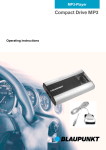
The COMPACT DRIVE MP3 is an MP3
player that plays MP3 music files stored
on the MicrodriveTM (hard disk).
CF cards (storage media) are not recognized by the CQMPACT DRIVE
MP3. MP3 is a process developed by
the Fraunhofer Institute for compressing CD audio data. Compression allows
data to be reduced to around 15% of
their original size without a noticeable
loss in quality (at a bit rate of 192 Kbit/
s). If a lower bit rate is used to convert
CD audio data to MP3, you can create
smaller files but there will be a loss of
quality. You can store MP3 files on the
Microdrive TM(hard disk) using the supplied SCM (write-/ read device). For further details, please read the chapter entitled “Write-/ read device”.
You can connect the COMPACT DRIVE
MP3 Player to many Blaupunkt car radios. For further details, please read the
chapter entitled “Compatibility with Blaupunkt car radios”.
Verification
Microdrive are trademarks or registered
trademarks of International Business
Machines Corporation in the United
States other countries or both.
Microdrive is used under license by
Blaupunkt.
l BLAUPUNKT
GENERAL
Installation
If you want to install your COMPACT
DRIVE MP3 Player yourself, please
read the installation and connection instructions that follow these operating
instructions.
Accessories
We recommend you use accessories
that have been approved by Blaupunkt.
m
the Microdrive’”
Please observe the following details to
ensure trouble-free operation and to
make optimal use of all the MicrodriveTM
features.
Regularly create a backup of your
data. Blaupunkt does not accept
responsibility for any loss of data.
Always carry and keep your MicrodriveTM in the supplied protective
transportation cover.
Never drop the MicrodriveTM.
Ensure that the MicrodriveTM does
not become wet.
Never expose the MicrodriveTM to
strong magnetic fields.
Never expose the MicrodriveTM to
extreme temperatures.
Never attach any additional stickers.
Do not remove the sticker that is already attached.
Do not write anything on the sticker
that is already attached.
d) BLAUPUNKT
-
A!
I, Never press down on the out- side cover of the MicrudriverMn
Always switch off the car radio
l
before removing the MicrodriveTM.
0 Always take care when removing it. The MicrodriveTM may be
warm after use.
Microdrive are trademarks or registered
trademarks of International Business
Machines Corporation in the United
States other countries or both.
Microdrive is used under license by
Blaupunkt.
13
I! a
1
E
INSTALLATION STEPS
Installation
steps
Before starting the installation process,
please back up your personal data and
close any programs running on your PC.
Blaupunkt does not accept liability for
any deleted data.
Notes: The following driver installation
is only required for Windows 98 USB.
In the case of WIN ME f WIN 2000
and WIN XP, afl you need do is connect the read/write device to the USB
port of your PC. After a few seconds,
the Windows hardware recognition
feature will make the read/write device accessible as an additional drive
in Explorer and My Computer.
Write-/
0 This Step 1 will be completed when
you close the “WinZip Self-Extractor”.
0 During Step 2 you will install the
driver on your PC.
After Step 2 is complete, the “Write-1
read device” will appear as a “Compact Flash Drive” in Explorer or in
Desktop.
read device
Installation
for Windows
98 USB
0 Connect the write-/ read device to
your computer using the USB connection.
0 The Windows Installation
ager starts automatically.
Man-
0 Please close it again.
0 Insert the CD-ROM into the CDROM drive. If the CD-ROM does
not start automatically, open Window’s Desktop icon and then open
the CD-ROM drive. Run the
“Starthtml” file by double clicking
on it.
0 Select your language and then the
“Write-/ read device”, and start unpacking the drivers by clicking on
“Driver installation”.
14
a BLAUPUNKT
COMPATIBILITY
IBM MICRODRIVETM
IBM Microdrive’”
Compatibility
Microdrive’”
Compatibility
radios
(hard disk)
The hard disk can be inserted into
and removed from the write-/ read
device whilst
the computer
is
switched on.
3 Carefully hold and pull the hard
disk between your thumb and index finger out of the protective
transportation cover.
0 Insert the hard drive (with its contact edge foremost) into the write-/
read device. Click it into place with
a light press.
The hard disk is visible, and data can
now be written onto it.
Storing MP3 files in a directory
on your hard disk
You can create up to 99 directories.
Each of these directories can contain
up to 99 music tracks.
The maximum number of characters for
directory names and track names is 90.
Note:
MP3 files that are stored in subdirectories and not in directories are
not recognized by Compact Drive
lVlP3.
Converting
files
with Blaupunkt
car
Our engineers have made it possible to
connect the COMPACT DRIVE MP3
Player to the following car radios:
Skyline 2 and future Skyline devices
Dallas MD 70, Denver CD 70,
Frankfurt C 70, Hamburg CD 70,
London CD 70, Madrid C 70, New
Orleans CD 70, Orlando MD 70,
San Francisco CD 70
Funline 3 devices (only with CDNaming) and future Funline devices
Acapulco CD 51, Casablanca CD
51, Heidelberg CD 51, Palm Beach
C 51, Verona C 51
Navigation devices
Update
DX-R70 / RNS149/150
For the navigation devices DX-R70,
RNS 149 and RNS 150, you will need
to carry out the following update:
Note:
The read/write device is installed and
the MicrudriveTM is visible as an additional drive (removable disk) in
Explorer.
Explorer.
audio files into MP3
r) Run the “MP3 Software” on the
CD-ROM and follow the program’s
instructions.
Tip: You can also use any other standard conversion program.
Insert the CD-ROM into the CD-ROM
drive. If the CD-ROM does not start automatically, open the Windows ,,My
Computer” icon and then open the CDROM drive. Run the “Starthtml” file by
double clicking on it.
COMPATIBILITY
0 Now select the language and then
select “Updates”.
0 Please follow the displayed
steps.
After copying has completed (approx.
15 seconds), you can remove the MicrodriveTM from the read/write device.
Now all you need do is carry out the
following three steps on the DX-R70:
1. The DX-R70 and Compact Drive
MP 3 must be switched off!
2. Insert the MicrodriveTM. Switch on
the DX-R70 and wait for the device
to start playing.
3. Switch off the DX-R70. When you
switch on the device again, it will
be ready to operate.
You can now change MP3 directories
using the display buttons on the right
that are located next to the new “up /
down” display text.
The up/down rocker switch is used to
change tracks.
Note:
You should delete the Dxr70.fkp or RNS
149/l 50.fkp file from the MicrodriveTM.
If you delete these files, you will be able
to restore the Compact Drive MP3 to its
original delivery condition by carrying
out the update again using the
CLEAR.FKP file.
Note:
Some devices cannot display the
whole character set.
16
The following characters are either incorrectly displayed or not displayed at
all.
l
Funline 3 series:
; : ! 0 5 % & =?(j~~#rr@
l
Skyline 2 series:
$4P’
Disdav
In order to display directory
and tracks (scrolling) in the
you have to switch to the
number and CD name”
mode.
names
display,
“Track
display
y To switch between the track number
and playing time display / track
number and clock display / track
number and CD number display /
track number and CD name display,
press the 0 / DIS button 7 once or
several times for longer than two
seconds until the required display
appears.
If no information (track name) is contained in the ID3 tag, the file name appears in the display instead.
Displav
when chanqing
directory
When a directory is selected, the first
7 characters of the directory name appear in the display. After approx. 1 second, the remaining characters scroll
once across the display.
Afterwards, the name of a track appears
in the same fashion in the display.
The artist’s name then scrolls across
once.
0 BILAlJPUNK+
COMPATIBILITY
Finally, the first 7 characters of the track
name appear and remain visible in the
display until the next manual or automatic change.
Display when changing
within a directory
tracks
When a track is selected, the first 7
characters of the track name appear in
the display. After approx. 1 second, the
remaining characters scroll once across
the display.
The artist’s name then scrolls across
once.
Afterwards, the first 7 characters of the
track name appear and remain visible
in the display until the next manual or
automatic change.
1
Your device is fitted with a protection
system to deal with extreme temperatures in the vehicle. The device will either switch off or will not switch on if
extreme temperatures are detected.
Display
ERROR
Display
ERROR
if the temperature
TEMPERATURE
if the temperature
TEMPERATURE
is too low:
TOO LOW
is too high:
TOO HIGH.
MP3 mode
Switchins
to MP3 mode
N ote:
The MicrodrivefM must only be inserted or removed from the Compact
Drive MP3 when the car radio is
switched off.
Info:
The control functions for MP3 mode
correspond
to those described in
your car radio’s operating instructions for CDC mode.
The following description of functions is
taken from the Acapulco CD 51 car radio in the FunLine series. Other car radios are similar.
3 Keep pressing the CD*C button @:
until “CHANGER” appears in the
display.
Playback begins with the directory
containing
MP3 files that was listened to last.
Selectins
directories
0 To move up/down from one CD to
another, press the Y or 7i; button
/F:. once or several times.
Selecting
tracks
0 To move up/down from one track to
another in the current directory,
press the < or > button @ once or
several times.
8 BLAUPCIMKT
17
MP3 MODE
Fast searching
To fast search backwards or forwards,
0 keep one of the < > buttons @
pressed until fast searching backwards / forwards begins.
ReDeatinq individual tracks or
whole directories (REPEAT)
0 If you wish to repeat the current
track, briefly press button 4 RPT
014 .
“REPEAT TRCK” appears briefly and
RPT lights up in the display.
3 If you wish to repeat the current directory, press button 4 RPT f@’
again.
“REPEAT DISC” appears briefly and
RPT lights up in the display.
Cancelling REPEAT
0 If you want to stop repeating the
current track or current directory,
press button 4 RPT @ until “REPEAT OFF” appears briefly in the
display and RPT disappears.
Random track play (MIX)
Info:
Limited MIX function.
It is possible that a track is repeated.
0 To play all the tracks in the current
directory in random order, briefly
press button 5 MIX @.
“MIX CD” appears briefly and MIX lights
up in the display.
18
0 To play the tracks in all the directories in random order, press button
5 MIX @ again.
“MIX ALL” appears briefly and MIX lights
up in the display.
Cancelling MIX
0 Press button 5 MIX :F, until “MIX
OFF” appears briefly in the display
and MIX disappears.
Scanning all tracks in all directories (SCAN)
0 To briefly play all the tracks in all directories in ascending order, press
the OK button 1’71for longer than
two seconds.
“SCAN” appears in the display.
“CD 1” remains in the display during the
scanning process,
Cancelling SCAN
3 To cancel scanning, briefly press
the OK button 1j<,.
The currently scanned track will then
continue to be played normally.
Note:
You can set the scanning time (scantime). For further details on setting the
scantime, please read the section entitled ‘Setting the scantime” in the “Radio mode” chapter of the radio’s operating instructions.
l BLAUPUNKT
UPDATE
MP3 MODE
Pausing
plavback
(PAUSE)
C, Press button 3 II) :@.
Update
“PAUSE” appears in the display.
Cancelling pause
2 Press button 3 II) ‘14‘1while in
pause mode.
Playback is resumed.
TPM
A TPM function
(Track
Memory) is not available.
l BLAUPUNKT
Update
Program
over the Internet
Notes on the update facility
Your COMPACT
DRIVE MP3 is
equipped with an update facility for new
functions.
An update can be downloaded free of I
over the Internet
from
charge
www.blaupunkt.de
The installation path is as follows: Internet > PC > Write-/ read device >
MicrodriveTM > COMPACT DRIVE MP3.
19
Einbauanleitung
Installation instructions
Notice de
montage
lstruzioni di installazione
lnbouwhandleiding
Monteringsanvisning
Instrucciones de instalacibn
Instruc$es de montagem
Monteringsvejledning
l
l
l
l
l
l
l
l
Mitgelieferte
Montage- und
Anschlussteile
Supplied Mounting Hardware
Materiel de montage fourni
Componenti di fissaggio
compresi nella fornitura
Meegeleverde montagematerialen
Medfijljande monteringsdetaljer
Elementos de montaje
suministrados
Elementos de montagem e
ligacao fornecidos
Medleverede monterings- og
tilslutningsdele
Anschlusskabel / Connecting cable / Cable de
branchement / Cavo di allacciamento / Aansluitkabel / Anslutningskabel / Cable de conexion /
Cabo de ligacao / Tilslutningskabel
Compact Drive MP3
Schreib-/Leseeinheit / Read/Write device / Lecteurenregistreur / Unita di scrittura/lettura / Schrijf-/
leeseenheid / Skriv-Msenhet / Unidad de escrituWlectura / Unidade de leitura/escrita / Skrive-/
Iaeseenhed
MicrodriveTM
mit Transportschutz / with protective transpot-tation cover / avec Bat de transport / con custodia
per il transport0 / met Transportcassette / med
transportskydd / con estuche de transporte / corn
Estojo de transporte / med transportbeskyttelse
l BLAUPUNKT
Halter / Bracket / Support / Supporto / Houder /
Faste / Soporte / Suporte / Holder
83
@I A
Sicherheitshinweise
@ /!/ Safety precautions
-
Bei fehlerhafter installation oder
Wartung konnen bei elektronischen
Kraftfahrzeug-Systemen Fehlfunktionen auftreten.
-
-
Fur die Dauer des Ein-/Ausbaus
klemmen Sie den Minuspol der
Batterie ab.
-
-
Beim Bohren von Lochern darauf
achten, dass keine Fahrzeugteile
beschadigt werden.
-
If the installation or maintenance is
carried out incorrectly, malfunctions
may occur in electronic vehicle
systems.
Whilst installing or removing the
unit, always disconnect the
battery’s negative terminal.
When drilling holes, always make
sure that vehicle components are
not damaged in the process.
Empfohlener Einbauort
Recommended installation location
Unterseite vom Armaturenbrett oder im
Handschuhfach.
Underside of the dashboard or in the
glove compartment.
Einbaulage
Installation position
Beliebig.
Any.
Einbau
Den Halter an einen geeigneten Ort so
verschrauben, das der Compact Drive
MP3 Player bis zum Einrasten aufgeschoben werden kann. Ausbau durch
Einschieben der Kulisse (siehe Fig. 1).
Den breiten Stecker des Anschlusskabels adaptieren.
Anschluss an Radios in der
Kammer C3
Bei Anschluss des ,,Compact Drive
MP3” an lhr Autoradio, muR das Autoradio van der Bordspannung genommen werden!
Anschlusskabel an die C3 Kammer anschliessen (siehe Fig. 2).
Installation
Using screws, attach the bracket in a
suitable location so that you are left with
sufficient space to slide the Compact
Drive MP3 Player onto the bracket until
it clicks into place. To detach the unit,
press the locking mechanism to unlock
the mounting bracket (see Fig. 1) Connect the broad plug of the connecting
cable to the Compact Drive MP3.
Connection to radios usinq
terminal area C3
Whilst connecting the “Compact
Drive fvlP3’ to your car radio, the car
radio must be disconnected from the
vehicle’s electrical supply!
Connect the connecting cable to the C3
terminal area (see Fig. 2).
84
l BLAUPUNKT
@
A
Sikkerhedshenvisninger
Ved forkert installation eller vedligeholdelse kan der ske fejlfunktioner hos elektroniske motorksretsjssystemer.
Mens monteringen/udbygningen
foretages, skal batteriets negative
pol afbrydes.
Vaer opmaerksom pa, at ingen
bildele odel=gges, nar der bores
huller.
Anbefalet
Einbau / Installation / Montage /
Montaggio / lnbouw / Montering /
lnstalacibn / Instala@io /
Montering
,
.
AI
0
monteringssted
Underside af instrumentbtxet
handskerummet.
eller i
Monteringsposition
Vilkarlig.
Monterinq
Holderen skrues pa saledes fast et egnet sted, at Compact Drive MP3-afspilleren kan skubbes pa, indtil den kommer i indgreb. Afmonteringen foretages
ved at skubbe glideklodsen indad (se
fig. 1). Tilslutningskablets brede stik tilsluttes.
Tilslutninq
til radioer
i kammer
c3
Nar Compact
Drive MP3” tilsluttes
bilradioen, skal bilradioen afbrydes
fra bilens forsyningsspaending.
Tilslutningskablet tilsluttes til C3-kammeret (se fig. 2).
Fig. 1
88
l BLAUPUNKP
c3
\
Rad io
13
14
15
16
17
18
19
20
CDC Data-IN
CDC Data-OUT
+I 2V Permanent / 3A
+I 2V switch voltage (max. 300mA)
CDC Data-GND
CDC AF/AUX-GND
CDC AF/AUX-L
CDC AF/AUX-R
Compact Drive MP3
Fig. 2
I
4.
Anderungen vorbehalten!
This information is subject to change
without notice!
Sous r&serve de modifications!
Modifiche riservate!
e BLAUPUNKT
Wijzigingen voorbehouden!
/%ndringar f6rbehAlles!
Modificaciones reservadas!
Sob reserva de altera@es!
Ret til Endringer forbeholdes!
89
Service-Nummern / Service numbers / Numkos du service apr&vente / Numeri del servizio di assistenza / Servicenummers / Telefonnummer fiir service / Nlimeros de servicio / Ntimeros de
serviS0 / Servicenumre
Country:
Phone:
Fax:
www:
0180-5000225
05121-494002
http://www.blaupunkt.com
Germany
PI
Austria
Belgium
Denmark
Finland
France
Great Britain
Greece
Ireland
Italy
Luxembourg
Netherland
Norway
Portugal
Spain
Sweden
Switzerland
(4 01-610390
(W 025255454
PK) 44898360
(FIN)09-435991
(F) 01-40107007
W) 01-895838880
Gw 0800-5506550
w-) 01-4149400
(1) 02-3696331
U-J 404078
WL) 023-5656348
N 66-817000
(P> 01-218500144
03 902-120234
(s) 08-7501500
u-u 01-8471644
01-61039391
02-5255263
44-898644
09-43599236
01-40107320
01-895838394
01-576 9473
01-4598830
02-3696464
402085
023-5656331
66-817157
01-2185 11111
916-467952
08-7501810
01-8471650
Czech. Rep.
Hungary
Poland
W)
0-u
w-1
02-61300441
01-3339575
0800-118922
02-61300514
01-3248756
022-8771260
Turkey
F-R)
0212-3350677
0212-3460040
USA
ww
800-2662528
708-6817188
Brasil
(Mercosur)
(W
+55-1937452769
+55-1937452773
Malaysia
(Asia Pacific)
ww
+604-6382474
+604-6413640
Blaupunkt Gmbl-l
03102
CM/PSS2-St
- 8 622 403 161
CC