1
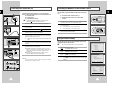
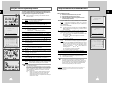
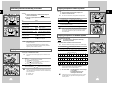
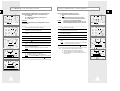
Presetting the Stations Manually
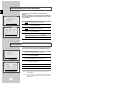
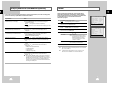
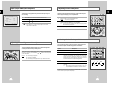
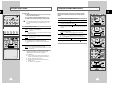
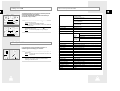
Clearing a Preset Station
GB
GB
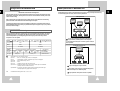
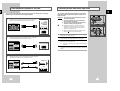
Your VCR contains a built-in tuner used to receive television
broadcasts. It can also receive cable television broadcasts.
** M E N U **
TIMER PROGRAMMING
USER SET
❿ INSTALLATION
LANGUAGE SET
CLOCK SET
❿
#
❷
COUNTRY
AUTO SET UP
❿ MANUAL SET UP
❿
END:(MENU)
** MANUAL SETUP **
TV STATION TABLE
❿ MANUAL TUNING
RF OUT M/G/I/K/L :I
RF OUT CH 21-69 :60
#
❷
☛
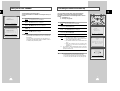
You do not need to preset the stations manually if you
have already set them automatically.
❿
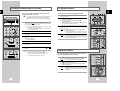
Press the MENU button on the remote control.
Result:
The programming menu is displayed.
2
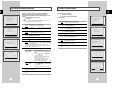
Press the corresponding or buttons, until the cursor is placed
in front of the INSTALLATION option.
3
Press the button to select this option.
Result:
The INSTALLATION menu is displayed.
4
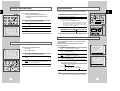
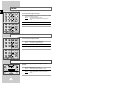
Press the corresponding or buttons, until the cursor is placed
in front of the MANUAL SET UP option.
5
Press the
button to select MANUAL TUNING.
6
Press the
button to place the cursor in front of the CH.
7
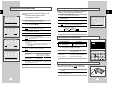
Press the or buttons to start scanning.
Result:
The frequency band is scanned and the first station
found is displayed.
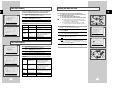
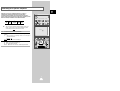
If you know the number of the channel you want, press the
numeric buttons on the remote control for example, for channel
04, first press “0” and then press “4”.
END:(MENU)
** MANUAL TUNING **
EUROPE
U.K.
If you...
Then...
Wish to store the
station displayed
◆
◆
CH
MFT
#
❷
◆ At the wrong programme position
you can cancel it.
:
1
: --:
-
41MHZ
◆
➛❿!!!!!!!!!!!!!!!!!!!!!!!!MEMORY:(OK)
CATV:(100)
◆
END: (MENU)
◆
Do not wish to
store the station
displayed
◆
◆
20
** M E N U **
TIMER PROGRAMMING
USER SET
❿ INSTALLATION
LANGUAGE SET
CLOCK SET
1
Press the MENU button on the remote control.
Result:
The programming menu is displayed.
2
Press the corresponding or buttons, until the cursor is placed
in front of the INSTALLATION option.
3
Press the button to select this option.
Result:
The INSTALLATION menu is displayed.
** INSTALLATION **
4
Press the corresponding or buttons, until the cursor is placed
in front of the MANUAL SET UP option.
❿ MANUAL SET UP
5
Press the
6
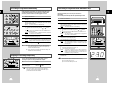
Press the corresponding or buttons, until the cursor is placed
in front of the required preset TV station. (PR)
7
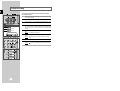
Press the CLR/RST button.
PLEASE WAIT is displayed.
Result:
#
❷
1
8
❿ PR
◆ That you do not require
END:(MENU)
** INSTALLATION **
#
❷
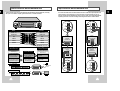
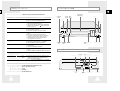
You must preset the stations received through the tuner. This can
be done:
◆ automatically (see page 19) ; or
◆ manually.
If you have stored a TV station:
Press the corresponding or
buttons to place the cursor in front of the
MFT.
Press the or buttons to adjust the
picture, if necessary.
Press the button until the cursor is
placed in front of the PR.
Press the or buttons to select
a programme number as required.
Press OK to store the station
Press the or buttons to go on
scanning the frequency band and display
the next station
Go back to the beginning of Step 8
9
Repeat this procedure from Step 6 onwards, until all the required
stations have been stored.
10
On completion, press the MENU button three times to exit the
menu.
❿
END:(MENU)
COUNTRY
AUTO SET UP
button to select TV STATION TABLE.
#
❷
❿
END:(MENU)
** MANUAL SETUP **
❿ TV STATION TABLE
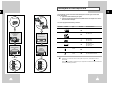
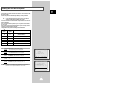
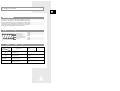
8
Repeat the same procedure from Step 6 onwards until all the
required stations have been cleared.
9
On completion, press the MENU button three times to exit the
menu.
MANUAL TUNING
RF OUT M/G/I/K/L :I
RF OUT CH 21-69 :60
#
❷
❿
END:(MENU)
** TV STATION TABLE **
PR
CH
NAME
❿ 1
3
---2
4
---3
9
---4
13
---5
25
---#
❷
SET:❿ SORT:(OK)
DELETE:(CLR/RST) (MENU)
** TV STATION TABLE **
PR
CH
NAME
❿ 1
3
---2
4
---3
9
---4
13
---5
25
---PLEASE WAIT
#
❷
SET:❿ SORT:(OK)
DELETE:(CLR/RST) (MENU)
21