1
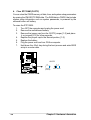
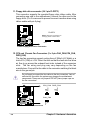
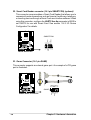
11. Floppy disk drive connector (34-1 pin FLOPPY)
This connector supports the provided floppy drive ribbon cable. After
connecting one end to the motherboard, connect the other end to the
floppy drive. (Pin 5 is removed to prevent incorrect insertion when using
ribbon cables with pin 5 plug).
FLOPPY
P4S8X
NOTE: Orient the red markings on
the floppy ribbon cable to PIN 1.
®
PIN 1
P4S8X Floppy Disk Drive Connector
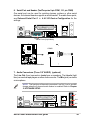
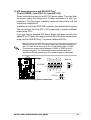
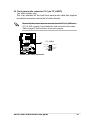
12. CPU and Chassis Fan Connectors (3 x 3-pin CHA_FAN,CPA_FAN,
PWR_FAN)
The two fan connectors support cooling fans of 350mA (4.2 Watts) or a
total of 1A (12W) at +12V. Orient the fans so that the heat sink fins allow
air flow to go across the onboard heat sinks instead of the expansion
slots. The fan wiring and plug may vary depending on the fan
manufacturer. Connect the fan cable to the connector matching the black
wire to the ground pin.
Do not forget to connect the fan cables to the fan connectors. Lack of
sufficient air flow within the system may damage the motherboard
components. These are not jumpers! DO NOT place jumper caps on
the fan connectors!
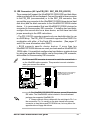
P4S8X
GND
+12V
Rotation
GND
+12V
Rotation
CPU_FAN PWR_FAN
CHA_FAN
Rotation
+12V
GND
®
P4S8X 12-Volt Fan Connectors
32
Chapter 2: Hardware information