1
USING THE CAMERA WITH A COMPUTER
■ To install Internet Explorer and Outlook
Express
IMPORTANT!
• If you are upgrading to the new version of Photo
Loader from a previous version and you want to use
library management data and HTML files created using the old version of Photo Loader, be sure to read
the “Important” file in the “Photo Loader” folder. Follow
the instructions in the file to use your existing library
management files. Failure to follow this procedure
correctly can result in loss or corruption of your existing files.
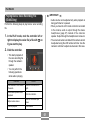
1. Open the file named “Internet Explorer.”
2. Open the folder for the language version you
want to install, and then open the file named
“readme_casio” file.
3. Follow the instructions in the read me file to
install Internet Explorer and Outlook Express.
■ To install Acrobat Reader
■ To install Photo Loader
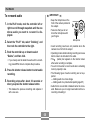
1. On the bundled CD-ROM, open the folder
named “Acrobat Reader.”
1. Open the folder named “Photo Loader.”
2. Open the folder for the language whose ver-
2. Open the folder named “English,” and then
sion of Acrobat Reader you want to install, and
then open the file named “readme_casio.”
open the file named “Important.”
3. Open the folder named “Installer,” and then
• Follow the instructions in the read me file to install Acrobat Reader.
open the file named “readme.”
4. Follow the instructions in the “readme” file to
install Photo Loader.
86