1
Contents
Introduction.............................................................................. 1
Checking your GSP1101 Software Version................................... 1
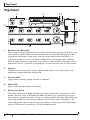
Top Panel................................................................................... 2
Using the Control 2 Remote Foot Controller...................... 5
Modes................................................................................................ 5
5 Patch Mode.......................................................................................................5
10 Patch Mode....................................................................................................5
Switching Between 5 Patch and 10 Patch Modes........................ 5
Selecting Banks................................................................................ 6
Selecting Presets............................................................................. 7
Bypassing Presets............................................................................ 7
Turning Effects On or Off............................................................... 7
Bounce Back.................................................................................... 8
Volume Update................................................................................ 9
MIDI CC Send.................................................................................. 9
Expression Pedal Calibration......................................................... 10
Tuner................................................................................................. 11
Assigning Parameters to the Control Footswitch (#10)...... 11
Assigning Parameters to the Expression Pedals.......................... 12