1
Functions
9.2 Enhanced Write Filter (EWF)
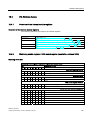
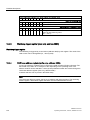
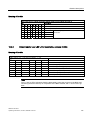
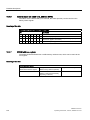
WD monitoring times
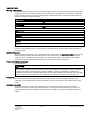
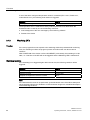
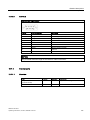
The monitoring times are defined as follows:
Normal mode: 94 ms, 210 ms, 340 ms, 460 ms, 590 ms, 710 ms, 840 ms and 960 ms.
Macro mode: 2s, 4s, 6s, 8s, 16s, 32s, 48s and 64s.
Note
The watchdog is retriggered if the monitoring time is changed at the active watchdog (that is
while the watchdog is running)!
9.2
Enhanced Write Filter (EWF)
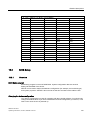
Purpose and function
The EWF (Enhanced Write Filter) is a function that is only available for Windows Embedded
operating systems. It provides write protection that can be configured by the user.
The Enhanced Write Filter enables you to boot Windows Embedded Standard from readonly media (e.g. CD-ROM), assign write protection attributes to partitions, and customize file
system performance (when using CompactFlash cards, for example).
EWF can be used to minimize write access to CompactFlash cards. This is important
because the write cycles on CompactFlash cards are limited due to technical reasons. We
therefore recommend using EWF if you work with CompactFlash cards.
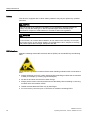
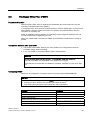
CAUTION
Activate only one write filter per partition - otherwise you may incur data loss.
Both EWF and FBWF are preinstalled in the SIMATIC IPC images.
Ensure that only one write filter is enabled on a partition, otherwise you may incur data loss.
Note
In Windows Embedded Standard, the Enhanced Write Filter is disabled by default. After the
operating system has been set up, you should back up your date and then enable the EWF.
Set EWF
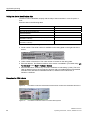
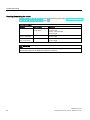
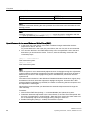
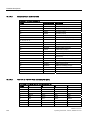
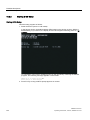
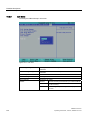
The EWFMGR.EXE program can be used to install, enable or disable the EWF. Use the
command prompt to call up the program. The following functions are available:
Function
Command
Write-protect drive C: Switching on
ewfmgr c: -enable
Write-protect drive C: disable
(modified files are accepted)
ewfmgr c: -commitanddisable
Modified files on drive C: Accept
ewfmgr c: -commit
SIMATIC IPC427C
Operating Instructions, 10/2010, A5E02414743-03
57