1
Wireless Audio Adapter CB2500_EN.fm Page 6 Thursday, May 11, 2006 5:34 PM
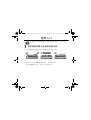
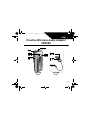
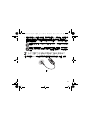
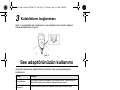
3 Connect the earphones
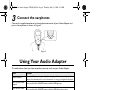
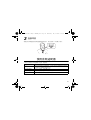
Connect the supplied earphones to the earphone connector of your Audio Adapter and
put on the earphones as shown in Figure 3.
Figure 3
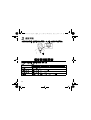
Using Your Audio Adapter
The table below shows you how to perform common tasks on your Audio Adapter.
Task
Action
Listen to music
Press the Play button on your digital audio player. Refer to your digital audio
player’s documentation for more information on using your digital audio player.
Turn on your Audio
Adapter
Press and hold the ON/OFF button until the LED lights up.
Turn off your Audio
Adapter
Press and hold the ON/OFF button until the LED flashes three times.
Adjust volume
Press the Volume Increase button or Volume Decrease button to gradually
increase or decrease the volume.
6