1
Troubleshooting
42
AXIS 2400+/2401+ Admin Manual
Troubleshooting
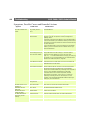
This section provides useful information to help you to resolve any difficulty you might
have with your AXIS 2400+/2401+. Symptoms, possible causes and remedial actions are
provided in a quick reference table.
Checking the Firmware
One of your first actions when attempting to solve a problem should be to check the
firmware version currently installed. An updated version may contain a correction that
fixes your particular problem. For more information, please see Updating the Firmware, on
page 31.
Support
If you cannot solve your problem after reading the information in this section or after
referring to the AXIS 2400+/2401+ FAQ, you can pass the problem to the AXIS support
desk. To help us help you resolve your problems expediently, please be sure to provide the
following information:
•
•
•
•
a brief description of the problem
the Server Report
the log file
if relevant, an example of a poor image.
Server Report
The server report contains important information about the server and its software, as well
as a list of the current parameters.
The Log File
The AXIS 2400+/2401+ log file records events within the unit and can prove a useful
diagnostic tool when attempting to resolve any problems that might occur.
Viewing the File
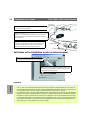
To display the latest log entries since the last Restart of the system:
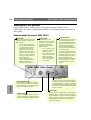
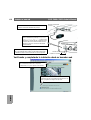
1. Click the Video Server icon in the graphic interface.
2. Click the View Log File button. All Video Server commands executed since the last
Restart of the system are displayed in a separate window.