1
DIR-620
Quick Installation Guide
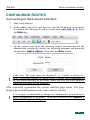
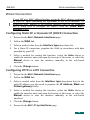
7. Click the Add link.
8. Select a value from the Interface type drop-down list.
To create a PPTP or L2TP connection, select the PPTP or L2TP value
correspondingly from the Interface type drop-down list, and populate the fields
in accordance with data provided by your ISP. Then select a method for starting
this interface and click the Change button.
Configuring PPPoE Connection
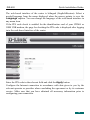
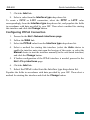
1. Proceed to the Net > Network interfaces page.
2. Follow the WAN link.
3. Select the PPPoE value from the Interface type drop-down list.
4. Select a method for starting this interface (select the Auto choice to
enable the interface auto-start upon the boot-up of the router, or select the
Manual choice to start the interface manually in the web-based interface)
and click the Change button.
5. If further configuration of the PPPoE interface is needed, proceed to the
Net > P-t-p interfaces page.
6. Click the Add link.
7. Select the PPPoE value from the Interface type drop-down list.
Populate the fields in accordance with data provided by your ISP. Then select a
method for starting this interface and click the Change button.
13