1
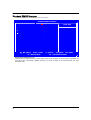
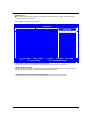
Advanced BIOS Features
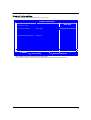
This page sets up more advanced information about your system. Handle this page with caution. Any
changes can affect the operation of your computer.
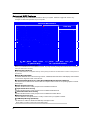
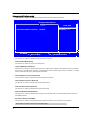
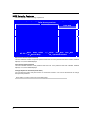
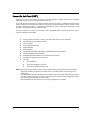
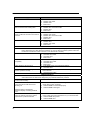
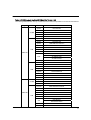
CMOS Setup Utility-Copyright( C ) 1985-2008, American Megatrends, Inc.
Advanced BIOS Feature
Reset Configuration Data
NO
Item Help
Quick Boot
Enabled
Quiet Boot
Enables
Clear NVRAM during
1st Boot Device
Hard Drive
System Boot.
2nd Boot Device
CD/DVD
3rd Boot Device
Removable Dev.
4th Boot Device
Network
X Hard Disk Drive Priority
Press Enter
X Optical Disk Drive Priority
Press Enter
XRemovable Disk Drive Priority Press Enter
Boot up Num-Lock
On
USB Beep Message
Disabled
↑↓→←:Move Enter:Select
F1:General Help
X Reset Configuration Data (NO)
+/-:Value F10:Save ESC:Exit
F9:Optimized Defaults
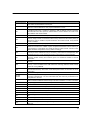
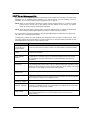
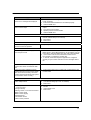
When you enable this item and restart the system, any Plug and Play Configuration data stored in the BIOS
Setup is cleared from memory.
X Quick Boot (Enabled)
If you enable this item, the system starts up more quickly because of the elimination of some of the power on
test rutines.
X Quiet Boot (Enabled)
If enabled, BIOS will show a full screen logo at boot; if disabled, BIOS will set the initial display mode to BIOS
and show the diagnostic POST screen at boot.
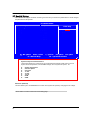
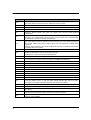
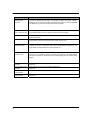
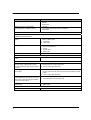
X 1st/2nd/3rd/4th Boot Device (Hard Drive/CD/DVD/Removable Dev./Network)
Use these items to determine the device order the computer users to look for an operating system to load at
start-up time.
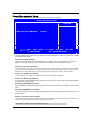
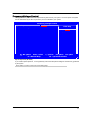
X Hard Disk Drive Priority
Specifies the Boot Device Priority sequence from available Hard Drives.
X Optical Disk Drive Priority
Specifies the Boot Device Priority sequence from available CD/DVD Drives.
X Removable Disk Drive Priority
Specifies the Boot Device Priority sequence from available Removable Drives.
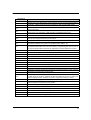
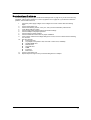
X Bootup Num-Lock (On)
This item defines if the keyboard Num Lock key is active when your system is started..
X USB Beep Message (Disabled)
Use this item to enable or disable the USB beep message function.
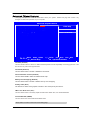
Press <ESC> to return to the main menu setting page
22