1
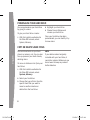
ATTACH AND REMOVE YOUR HARD DRIVE
If you’re already using a 20-GB Xbox
360 Hard Drive, see “Transfer Content
From an Existing Hard Drive” before
attaching your 120-GB hard drive.
5 Push
the front end of the hard
drive down until the tab clicks.
To attach your hard drive:
1 Turn
off your console.
the hard drive bay cover
from your console.
2 Remove
To remove your hard drive:
1 Turn
off your console.
the tab on the front of the
hard drive and lift the unit from
the console.
the hard drive over the
hard drive bay with the thin end
(the front) pointed toward the
front of the console and the thick
end (the back) pointed toward the
back of the console.
4 Place the back of the hard drive
against the back of the hard drive
bay. Make sure the ridge along
the back of the hard drive is under
the lip on the back of the hard
drive bay.
english
2 Press
3 Position
X135985701.indb 7
IMPORTANT
Avoid touching hard drive bay contacts
or hard drive connector contacts with
fingers or metal objects.
3/26/2007 10:34:52 AM