1
Load Paper
Carga del papel
5
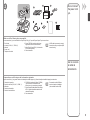
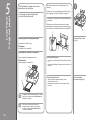
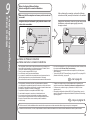
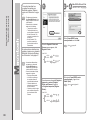
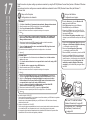
With the machine, the paper source varies
depending on the media type.
Con el equipo, el origen del papel varía
en función del tipo de soporte.
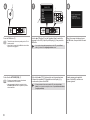
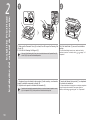
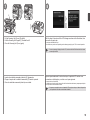
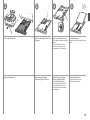
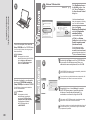
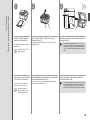
This section describes how to load plain paper in the
Cassette.
1
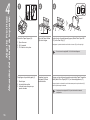
For details on how to load specialty paper in the Rear Tray,
to
in “4 Align the Print Head” on page 16.
refer to
En esta sección se describe cómo se carga el papel normal
en el cassette.
Para obtener más información sobre cómo se carga el
a
papel especial en la bandeja posterior, consulte de
de “4 Alineación del cabezal de impresión” en la página 16.
C
D
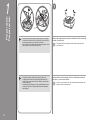
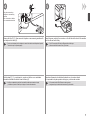
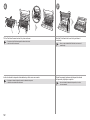
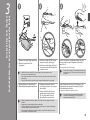
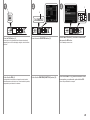
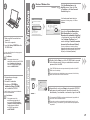
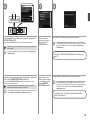
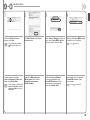
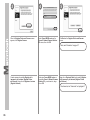
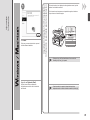
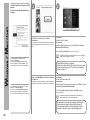
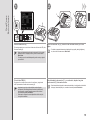
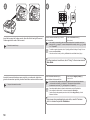
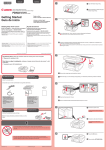
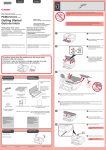
Close the Paper Output
Tray (D).
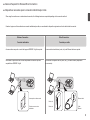
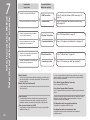
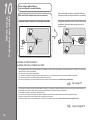
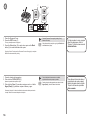
Specialty paper including photo paper
Load paper in the Rear Tray (A).
Plain paper
Load paper in the Cassette (B).
Papel especial, incluido el fotográfico
Cargue el papel en la bandeja posterior (A).
Papel normal
Cargue el papel en el cassette (B).
A
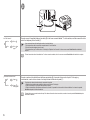
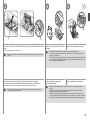
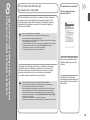
Loading specialty paper
• Load paper in portrait orientation with the printing side facing
up.
• Make sure that the height of the paper stack does not exceed
the line (C).
Carga de papel especial
B
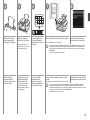
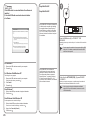
• For details on how to handle paper, refer to “Loading
Paper” in the on-screen manual: Basic Guide after
installation is complete.
• Para obtener más información sobre cómo
manipular el papel, consulte “Carga de papel”
en el manual en pantalla: Guía básica después
de finalizar la instalación.
18
• Cargue el papel con orientación vertical y el lado
de impresión hacia arriba.
• Asegúrese de que la altura de la pila de papel no supere
la línea (C).
Cierre la bandeja
de salida del papel (D).