1
10/10 MN05003003Z-EN
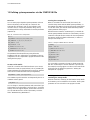
11 Libraries, function blocks and functions
The libraries contain IEC function blocks and functions that you
can use, for example, for the following tasks:
•
•
•
•
•
Data exchange through the CANopen bus
Controlling the real-time clock
Determining bus load of the CANopen bus
Triggering interrupts
Sending/receiving data via the interfaces.
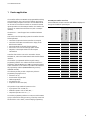
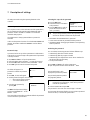
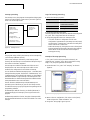
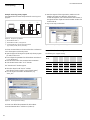
Installing additional system libraries
You can install libraries manually as follows:
The libraries are located in the folders:
• Lib_Common for all PLCs
• Lib_EC4P_200 for the EC4-200 controller
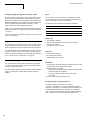
Using libraries
When you open a project, the Standard.lib and
SYSLIBCALLBACK.lib libraries are copied into the Library Manager.
If you need further libraries for your application, you have to install
these manually.
The libraries in the Library Manager are assigned to the project
after saving. When you open the project, the libraries are then
automatically called up as well.
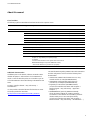
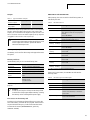
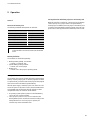
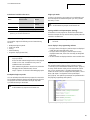
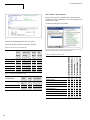
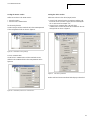
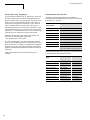
The following overview lists the documents in which the function
blocks and functions are described.
Document
Library
MN05010003Z-EN
(previously AWB2700-1437)
Standard.lib
Util.lib
XX_Util. Lib
Online help or PDF files
(in the Windows start menu via
Programs l Moeller Software l
easySoft-CoDeSys l
Documentation l Automation
Manuals
SysLib…pdf
MN05010002Z-EN
(previously AWB2786-1456GB)
XS40_MoellerFB. Lib/Visu. Lib/…
AN2700K20
3S_CANopenDevice. Lib
3S_CANopenManager. Lib
AN2700K19
3S_CANopenNetVar. Lib
AN2700K27
SysLibCan. Lib
MN05010001Z-EN
(previously AWB2786-1554GB)
CANUserLib. lib
CANUser_Master. lib
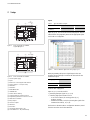
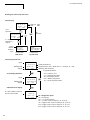
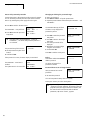
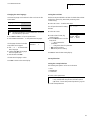
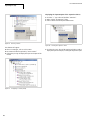
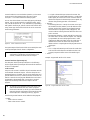
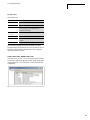
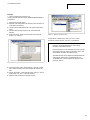
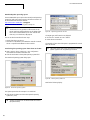
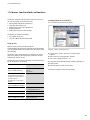
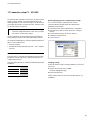
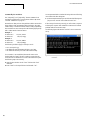
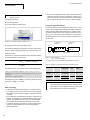
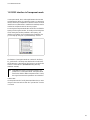
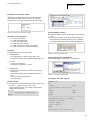
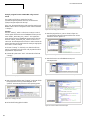
Figure 69: Libraries, installing manually
In your project, click the “Resources” tab in the object
organiser.
X Double-click the “Library Manager” element.
X Click Insert l Additional Library… Ins.
X
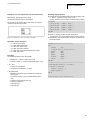
The new window will show the libraries available, depending on
the target system.
X
Select the library to install and click Open.
The library now appears in the Library Manager.
61