1
Installation
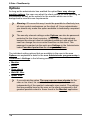
The following installation options are available:
· G Data AntiVirus ManagementServer: First of all the
ManagementServer should be installed on the computer you want to use
as the antivirus server. The ManagementServer lies at the heart of the
G Data AntiVirus architecture: It administers the clients, automatically
requests the latest software and virus signature updates from the G Data
UpdateServer and controls the AntiVirus technology in the network. When
the ManagementServer is installed, the administrator software on the
server that you can use to administer the ManagementServer is
automatically called.
· G Data AntiVirus AdministratorThe Administrator is the control
software for the ManagementServer which - centrally controlled by the
system administrator - secures the entire network. The Administrator can
be started using password protection from any computer running
Windows.
· G Data AntiVirus Client: The client software provides the virus
protection for the clients and runs ManagementServer jobs in the
background without a user interface. Installing the client software is
generally done centrally by the Administrator for all clients.
· Create boot CD: The Boot-CD wizard can be used to create a bootable
CD for basic scanning of your computer prior to starting the Windows
operating system. Current virus signatures are used for this. You can use
the Boot CD to run a Boot scan, even without the original G Data
AntiVirus software CD. Please also refer to the section Boot scan.
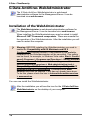
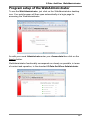
· G Data AntiVirus WebAdministrator: The WebAdministrator is webbased administration software for the ManagementServer. It can be
launched via a web browser.
· G Data Firewall: The firewall can be used to additionally protect clients
with a firewall. If you want to manually install the firewall on the relevant
client, the G Data AntiVirus Client software must have been installed on
the client, as this controls the firewall's communication with the
ManagementServer.
?
Directions and information that you should observe during the
installation can be found in the sections for the respective software
components.
13