1
Contents
Introduction ................................................................................................................................................. 3
Overview ................................................................................................................................................... 3
Installation ................................................................................................................................................... 4
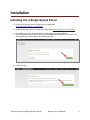
Installing into a Single Splunk Server ....................................................................................................... 4
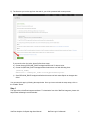
Step 1 ................................................................................................................................................. 5
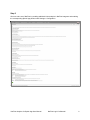
Step 2 ................................................................................................................................................. 6
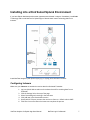
Installing into a Distributed Splunk Environment ...................................................................................... 7
Configuring Indexers ............................................................................................................................. 7
Configuring Universal Forwarders with NFI .......................................................................................... 8
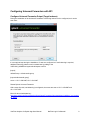
Configure Universal Forwarder Output (Target Indexers).................................................................. 8
Configure Universal Forwarder Input ................................................................................................. 9
Receiving Syslogs Directly from NFI .................................................................................................. 9
Configuring Universal Forwarder with syslog-ng or rsyslog ............................................................... 9
Administration ........................................................................................................................................... 10
Devices and SNMP polling...................................................................................................................... 10
List of Devices ..................................................................................................................................... 10
SNMP Integration ................................................................................................................................ 10
Configuration ........................................................................................................................................... 10
Configuring Hunk 6.2 ................................................................................................................................ 10
Dashboards ............................................................................................................................................... 11
Access the App NetFlow Analytics for Splunk ........................................................................................ 11
Default Dashboards ................................................................................................................................ 11
Dashboards navigation overview ............................................................................................................ 12
Dashboard overview ............................................................................................................................... 12
NetFlow Logic > Traffic Overview dashboard ......................................................................................... 13
Bandwidth by Hosts ................................................................................................................................ 13
Traffic by Source IP dashboard........................................................................................................... 13
Traffic by Destination IP dashboard .................................................................................................... 14
Traffic by Protocol and Port ................................................................................................................. 15
Traffic by Host Pairs dashboard .......................................................................................................... 15
Reports ................................................................................................................................................ 16
Traffic by Subnets dashboard ............................................................................................................. 16
Traffic by Protocol dashboard ............................................................................................................. 17
Connections dashboards .................................................................................................................... 18
Bandwidth by Network Devices .............................................................................................................. 18
Top Devices by Traffic dashboard ...................................................................................................... 18
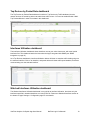
Top Devices by Packet Rate dashboard ............................................................................................. 19
Interfaces Utilization dashboard .......................................................................................................... 19
Watched Interfaces Utilization dashboard .......................................................................................... 19
Interface Groups dashboard ............................................................................................................... 20
Services................................................................................................................................................... 20
Service Response Time dashboard .................................................................................................... 20
Asset Access Monitor .......................................................................................................................... 20
NetFlow Analytics for Splunk App User Manual
NetFlow Logic Confidential
1