1
GroupServer Documentation, Release 14.06
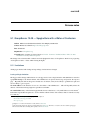
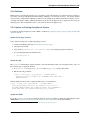
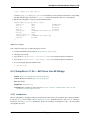
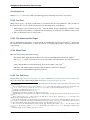
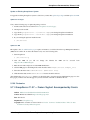
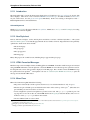
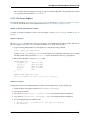
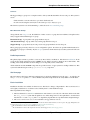
The biggest change that is needed to update GroupServer to the Absinthe release is to update the rational database, to
support the new search system and some of the performance improvements. The tables that are used to store the posts,
topics and topic keywords all need to be updated.
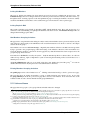
First, create a backup. While every effort has been made to crate a upgrade path that is smooth and with low risk,
there is still a chance that something can go wrong. As such it is prudent to create a backup. First, create a backup
of the relational database:
$ pg_dump -U gsadmin groupserver > gs-backup.sql
Where gsadmin is the PostgreSQL user that you set up when installing GroupServer, and groupserver is the
name of the database.
If you use relstorage, create a backup of the ZODB:
$ pg_dump -U gszodbadmin groupserverzodb > gs-zodb-backup.sql
Where gszodbadmin is the PostgreSQL user for relstorage that you set up when installing GroupServer, and
groupserverzodb is the name of the database.
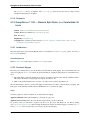
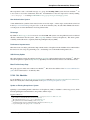
Posts
Note Update the posts table after you create a backup.
Begin by updating the table that stores the posts.
1. Log in to the PostgreSQL command line:
$ psql -hlocahlost -Ugsadmin groupserver
Where gsadmin is the PostgreSQL user that you set up when installing GroupServer, and groupserver is
the name of the database.
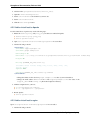
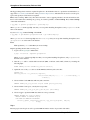
2. Alter the post table to add the full-text retrieval (FTR, or full-text search, FTS) column, by executing the
following SQL:
ALTER TABLE post ADD COLUMN fts_vectors tsvector;
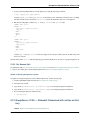
3. Update the rows of the post table to add the FTR data. This may take some time:
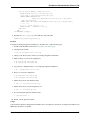
UPDATE post
SET fts_vectors = to_tsvector(’english’,
left(coalesce(subject,’’) || ’ ’ || coalesce(body, ’’),
1048575));
4. Create an index for the FTR data. This may take some time:
CREATE INDEX post_fts_vectors ON post USING gin(fts_vectors);
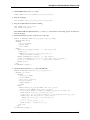
5. Create an index for the posts, sorted by the last post date:
CREATE INDEX post_last_post_date_idx ON post (date DESC);
6. Create a trigger to update the FTR data whenever a new post is made:
CREATE TRIGGER fts_vectors_update
BEFORE INSERT or UPDATE ON post
FOR EACH ROW EXECUTE PROCEDURE
tsvector_update_trigger(fts_vectors, ’pg_catalog.english’, subject,
body);
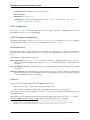
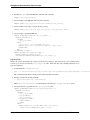
Topics
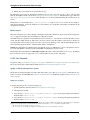
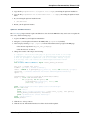
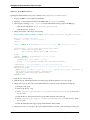
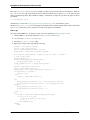
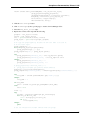
Because people search topics as well as posts the FTR information needs to be present in both tables.
50
Chapter 5. Release notes