1
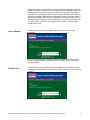
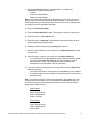
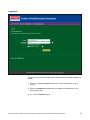
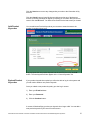
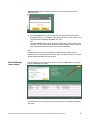
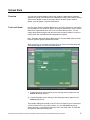
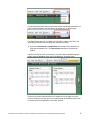
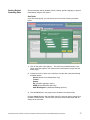
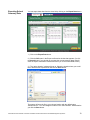
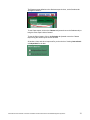
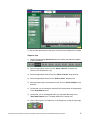
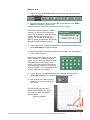
1) Choose the User Type “School-Level Administrator” or “District-Level
Administrator” from the following choices:
Teacher
School-Level Administrator
District-Level Administrator
Note: User Types are associated with each Product Keycode, and you will only be
granted a level of access that matches the Product Keycode. If you select a level of
access beyond what your Keycode provides, you will receive an error message when
you attempt to save the registration information.
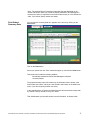
2) Enter your first and last names.
3) Enter the Product Keycode provided. This keycode is valid for one school year.
4) Enter and confirm a valid e-mail account.
5) Enter and confirm a password. The password is case-sensitive and must be at
least six alphanumeric characters long.
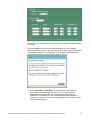
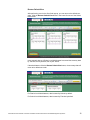
6) Select your school’s country from the Country drop down list.
7) Select the political division for your school from the Political Division drop down
list. (See Note)
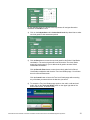
8) Select the district / region for your school from the District / Region list.
To narrow down the choices that appear, begin entering your district’s postal /
zip code into the Postal / Zip Code text field. Only the districts / regions
associated with a postal / zip code beginning with the alpha-numeric
characters you enter will appear in the list. (See Note)
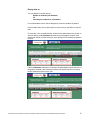
9) If you are a School-Level Administrator, select your school from the School drop
down list. (See Note)
The School drop down list will be grayed out and disabled if you are a DistrictLevel Administrators, because District-Level Administrators are not limited to a
particular school.
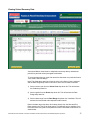
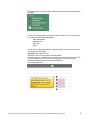
Note: If your District / Region or School does not appear in the available list, e-mail
Customer Service by clicking on the link provided above the School drop down list.
You will be asked to provide the following information in order to add your District /
Region and/or School to the list:
District Details
Country:
State / Political Division:
District / Region Name:
Postal / Zip Code:
School Details
Country:
State / Political Division:
District / Region Name:
School Name:
Administrator User’s Manual: Fountas & Pinnell Benchmark Assessment Online Data Management System ©
8