1
HIGH LEVEL LANGUAGE PROGRAMMING – BASIC CONSTRUCTS
SECTION 4
4.1 Making choices
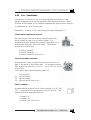
So far, all the programs you have written
follow the same list of steps from
beginning to end, whatever data you
input. This limits the usefulness of the
program. Imagine a game program that
was exactly the same every time you ran
it!
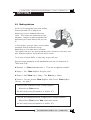
In this section, you will learn how to make
programs that do different things
depending on the data that is entered.
This means that you can write programs with choices for the user, and
with different options and branches within them.
To do this in Visual BASIC is very easy, as you will see.
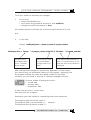
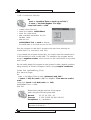
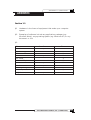
Here are some examples of VB statements that use the keywords IF,
THEN and ELSE.
If Number < 0 Then txtAnswer.text = “That was a negative number!”
If Reply = “No” Then MsgBox “Are you sure?”
If Salary > 5000 Then Pay = Salary – Tax Else Pay = Salary
If Guess = Correct_Answer Then MsgBox “Well Done!” Else MsgBox
“Wrong – try again!”
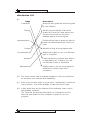
The first two examples follow a simple pattern:
If condition Then action
We will study using this pattern in Section 4.2.
The last two examples follow a slightly more complex pattern:
If condition Then action Else alternative action
We will study using this pattern in Section 4.3.
SOFTWARE DEVELOPMENT (INT 2, COMPUTING)
85