1
Chapter 1: Process Address Space
The mmap() flags MAP_AUTOGROW and MAP_AUTORESRV are unique to IRIX and
not defined by POSIX. However, the POSIX mlock() function for IRIX does recognize
autogrow segments. If you lock an autogrow segment with mpin(), mlock(), or
mlockall() with the MCL_FUTURE flag, additional pages are locked as they are added
to the segment. If you lock the segment with mlockall() with the MCL_CURRENT flag,
the segment is locked for its current size only and added pages are not locked.
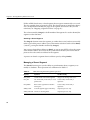
Locking Mapped Files
If you map a file before you use mlockall(MCL_CURRENT) or plock() to lock the data
segment into memory (see “Mapping a File for I/O” on page 15), the mapped file is read
into the locked pages during the lock operation. If you lock the program with
mlockall(MCL_FUTURE) and then map a file into memory, the mapped file is read into
memory and the pages locked.
If you map a file after locking the data segment with plock() or
mlockall(MCL_CURRENT), the new mapped segment is not locked. Pages of file data
are read on demand, as the program accesses them.
From these facts you can conclude the following:
•
You should map small files before locking memory, thus getting fast access to their
contents without paging delays.
•
Conversely, if you map a file after locking memory, your program could be delayed
for input on any access to the mapped segment.
•
However, if you map a large file and then try to lock memory, the attempt to lock
could fail because there is not enough physical memory to hold the entire address
space including the mapped file.
One alternative is to map an entire file, perhaps hundreds of megabytes, into the address
space, but to lock only the portion or portions that are of interest at any moment. For
example, a visual simulator could lock the parts of a scenery file that the simulated
vehicle is approaching. When the vehicle moves away from a segment of scenery, the
simulator could unlock those parts of the file, and possibly use madvise() to release them
(see “Releasing Unneeded Pages” on page 29).
26