1
3
SmartReader Plus Data Loggers
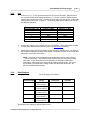
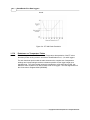
the sample rate the logger begins to average readings before saving them to memory. To do
this the logger takes a reading every eight seconds, but instead of transferring this directly to
the logger's memory, it stores the readings in a buffer (a temporary memory) where it is
retained until the sampling interval is over.
When you backup a logger's data to your computer, the correct time and date are referenced
to each reading. All readings are then individually time and date stamped and processed by
an equation associated with each logger channel. The result is a collection of accurate
time-based data ready for detailed graphing and analysis.
1.1.5
How to Use SmartReader Plus Loggers
Using your SmartReader Plus data logger for most applications is a simple process. With
proper planning, setup and installation of your data logger, you can be assured that the
information you collect will be both correct and useful. The following provides general
procedures for using SmartReader Plus data loggers. For additional and specific information
on these steps, refer to the chapter in this manual that deals with your particular SmartReader
model.
Planning
Proper planning is the key to successful data logging. Time spent in this stage will help you
save time and frustration later. To help you plan, answer these questions:
·
·
·
·
What exactly do I want to measure?
Where is the best place to measure?
How long do I want to monitor for?
Should other variables be monitored simultaneously?
Setup
To set up your SmartReader Plus data logger you must first have TrendReader software
installed and running on your computer. You can then configure your logger with various
options by talking to it via the interface cable.
Set Sample Rate
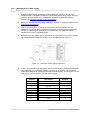
Always confirm the sample rate (how often the logger saves readings) to make sure it will be
acceptable for your application. You can alter the frequency at which your SmartReader Plus
logger records readings by changing the sample rate. You can choose rates from 8 seconds
to 8 hours in the normal mode. In Fast Read mode, you can select between 0.04 seconds and
2 minutes, with the use of an external power supply or battery pack. The sample rate chosen
will apply to all the active channels on the logger.
To help determine which sample rate you should choose, answer these questions:
· How long do I need to record data?
· How much time will elapse between when I retrieve the logger and download the data to
my computer (for example, the trip back to the office)?
· How often do readings need to be taken?
NOTE: To activate readings in the Fast Read mode, an external power source
Copyright © 2010 ACR Systems Inc. All Rights Reserved.
Distributed by MicroDAQ.com, Ltd.
www.MicroDAQ.com
(603) 746-5524