1
Ini File, System and Program Settings
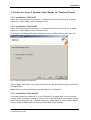
3. ISUScoreFS on Expert notebook (menu Setup->Edit) : Enter Referee number 10
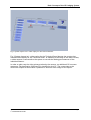
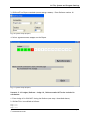
Fig. 10 System Setup (Expert)
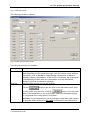
4. Select Synchronize Judges on the Expert
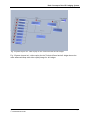
Fig. 11 System Setup (Expert)
Scenario 2: 10 Judges, Referee = Judge 10, Referee marks NOT to be included in
calculation:
1. Enter Judge 10 in ISUCalcFS being the Referee (see step 1 described above)
2. ISUCalcFS.ini is modified as follows:
Map01=1
Map02=2
Map03=3
Quick Reference Guide.doc
© ST INNOVATION GmbH
Page 19