1
Flash colors tutorial
177
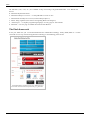
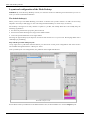
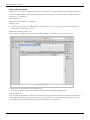
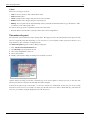
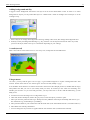
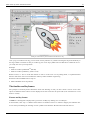
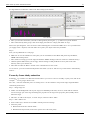
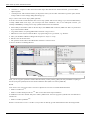
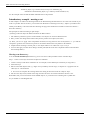
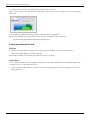
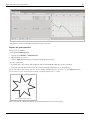
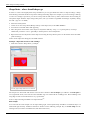
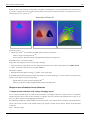
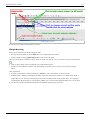
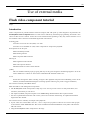
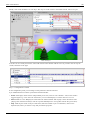
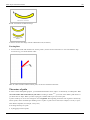
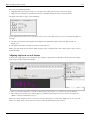
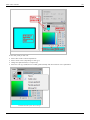
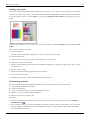
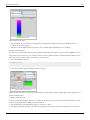
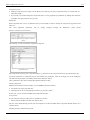
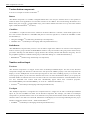
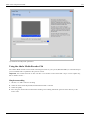
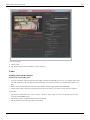
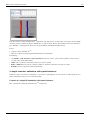
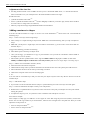
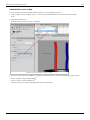
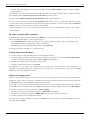
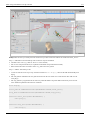
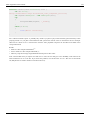
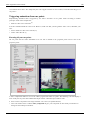
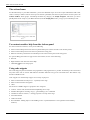
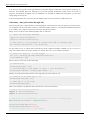
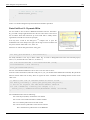
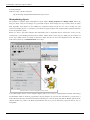
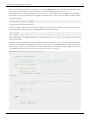
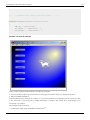
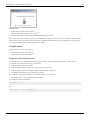
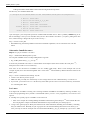
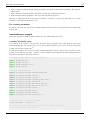
The swatches panel includes a series of standard colors. These are same ones you get with the Fill controls in the
Tools and Parameters panel.
The Flash CS6 Color swatches panel
Let's now introduce various color types in more detail.
Solid colors
Solid colors can be defined in various ways (and there is a whole science behind it). Let's just recall a few principles.
For more information, please see the Wikipedia links in the color article.
Let's define a few terms first:
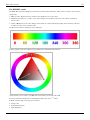
Hue
• means "color"
Saturation
• means amount of a color you apply, i.e. the intensity.
Brightness
• How much light you apply. A lot of light makes a the color washed out and very little light makes it very dark.
Transparency
• How much you can see trough
• See alpha channel below
RGB colors
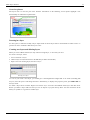
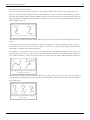
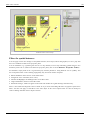
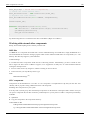
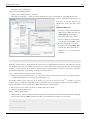
RGB colors are the most popular ones used in computing applications. A color is defined by the amount of Red Green - Blue. By default, the CS6 color panel is in RGB mode.
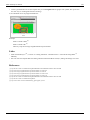
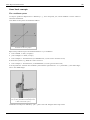
RGB is the way computer monitors work. E.g. to get a nice yellow you need 100% Red + 100% Green + 0% Blue.
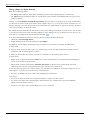
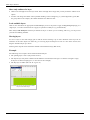
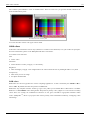
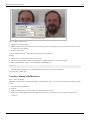
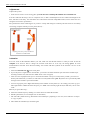
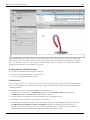
RGB is a so-called additive color mixing model. “Projection of primary color [2] lights on a screen shows secondary
colors where two overlap; the combination of all three of red, green, and blue in appropriate intensities makes
white.” (Wikipedia [3]). Now if you project each of these primary colors with different intensity, overlapping colors
will change.